BPI-R4 WiFi range

Just have fun, nice hardware toys ax211 ↔ BE14 5 GHz 160 MHz ~5m in clear vision, i have 2x be14 zero/normal eeprom,works quite well i think

Screenshot 2025-10-20 141512

1 Like

Should’ve waited for thr be19000 card lol

My single BPI-R4 standard installation (metal enclosure + BE-14) has inacceptable high noise levels of -76dBM. The covered area on this floor is really really poor, so I need to do something.

  • Did anyone try and replace the metal enclosure by the (initial available) plastic one to reduce the noise? The noise reports from @Betonmischer with and without enclosure make me think the plastic case could be a solution. I just ordered one to see whether this might help. Other than that I will try and use a different metal enclosure, which works already well with a installation of BPI-R4 + 2xMT7916 + 1xMT7915 (noise levels around -90dBm).
  • Regarding SFP: I have right now only a DAC attached (via which this access point is connected). Will it really help to input the second SFP? If so - will it make any difference which one I choose or can I get any cheap from ebay?
  • Will it make a difference to add a heatsink in this case (with only a DAC connected this doesn’t seem necessary)?

Yes, switching to a plastic case and populating both SFP cages (either a DAC or a transceiver will work) will make the biggest impact on noise level. A heatsink on top of the cages won’t help, but will come in handy should you ever use 10G copper transceivers. Also, route the pigtails away from the mini-PCIe connectors, try a different Wi-Fi channel and don’t use the bandwidth of 160 or 320 MHz if you don’t have a need for it.

3 Likes

Is there a difference in which pigtails I deploy?

You’ll want to use 20cm RG178 cables

1 Like

So with all those measures the area coverage becomes acceptable?

Better than stock for sure

Wow, you’ve been much luckier than me with your hardware, haha.

Mine came with a broken EEPROM, which makes it practically useless out of the box.

What a disaster. What a waste of time and money this thing is to get functional Wi-Fi.

That’s the first thing that comes to mind, I know haha.

But I see that the BE19000 is much larger than the BE14, so I don’t think it would fit in the box that my BPI-R4 came in.

Also, I think the R4 Pro is much more over-engineered. Which already raises doubts because Banana Pi is already struggling with the current hardware…

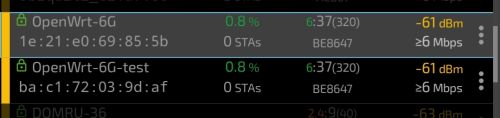
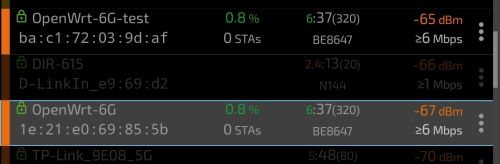
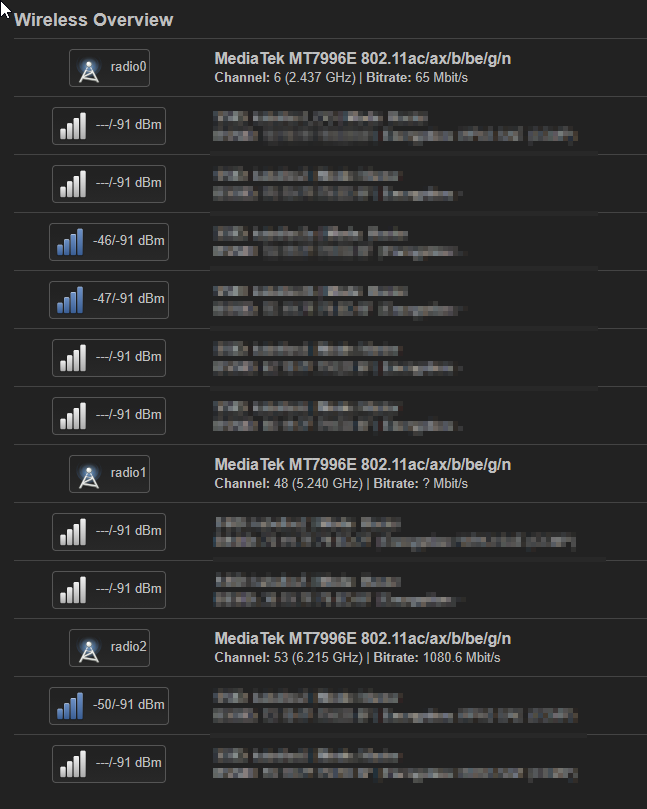
its easy, patch eeprom and take this regulatory.db and regulatory.db.p7 to /lib/firmware then iw reg reload and start playing with wireless config. i tested patched be14 looks the same, good vs bad eeprom (-test) 20db power

be14vs

be14vs2

be14vs3

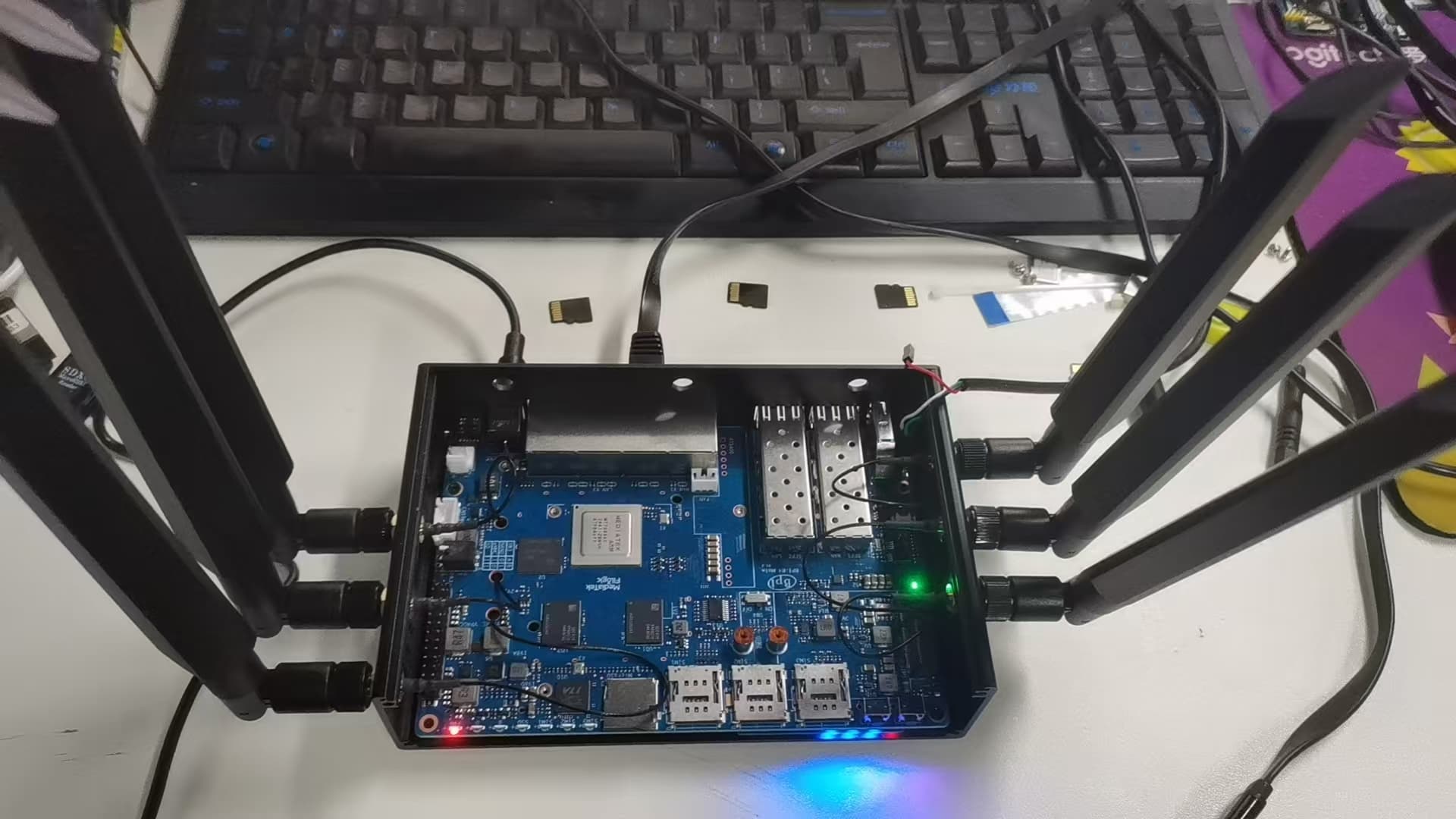
You use 10 antennas, did you include a 5G-modem?

yes, im using Fibocom FM350-GL

Ok, so I can confirm that with

  • the plastic enclosure installed
  • replacing that thin low-grade pigtailes by RG178-pigtailes, that are routed away from the mPCIe-connectors
  • populating the unused SFP cage with a random module (the cheapest I could get were 2,5€ each)
  • reducing bandwidth from 160MHz to 80MHz (in BE-mode)

I get a really satisfying throughput (/higher usable coverage) for the floor I installed this device for. Thanks a lot for your help!

1 Like

Insert a (not used) SFP increases you wifi range (rx level on client/reduce noise)?

Doesn’t for me, doesn’t do anything at all tbh

I precised my feedback.

It reduces noise for me by 1-2dBi.

I observe different noise levels across reboots:

  • high noise values (seen in > 90% of the board boots)
root@bpi-r4:~# iw dev wlan0 survey dump | grep -B1 noise
        frequency:                      2442 MHz [in use]
        noise:                          -88 dBm
--
        frequency:                      5180 MHz [in use]
        noise:                          -75 dBm
root@bpi-r4:~#
  • relatively (as for this HW) low noise values (seen in < 10% of the board boots):
root@bpi-r4:~# iw dev wlan0 survey dump | grep -B1 noise
        frequency:                      2442 MHz [in use]
        noise:                          -88 dBm
--
        frequency:                      5180 MHz [in use]
        noise:                          -83 dBm
root@bpi-r4:~#

worth pointing out:

  • it applies to the 5 GHz band, the noise level for 2.4 GHz is constant between the reboots, I did not test the 6 GHz band as I do not have the antennas for that band,
  • router stands still between the reboots (i.e. nothing changes regarding the router position nor element placement, antennas stand still, connectors and cables too)
  • the different noise levels result in different Rx throughput of the router (obviously higher throughput is observed when the noise level is lower)
  • it is less common to get low noise level value than high noise value (read it as: 1 per ~20 reboots I get low noise while all the others bring high noise value)
  • I’m using the latest mt7996 firmware:
[   14.388511] mt7996e 0000:01:00.0: HW/SW Version: 0x8a108a10, Build Time: 20250904203308a
[   14.627003] mt7996e 0000:01:00.0: WM Firmware Version: ____000000, Build Time: 20250904203304
[   14.676271] mt7996e 0000:01:00.0: DSP Firmware Version: ____000000, Build Time: 20250904202814
[   14.717602] mt7996e 0000:01:00.0: WA Firmware Version: ____000000, Build Time: 20250904203218
  • as for my understanding/knowledge the noise levels are being calculated and reported by the HW/FW, so it is a HW/FW issue
1 Like

A question to BPI-R4 Pro early adopters: did you try it with the BE14 NIC, and what’s your noise figures?

@sinovoip does this qualify for a BPI-BE14 module replacement?
- the problem described in post 19418/349 persists.