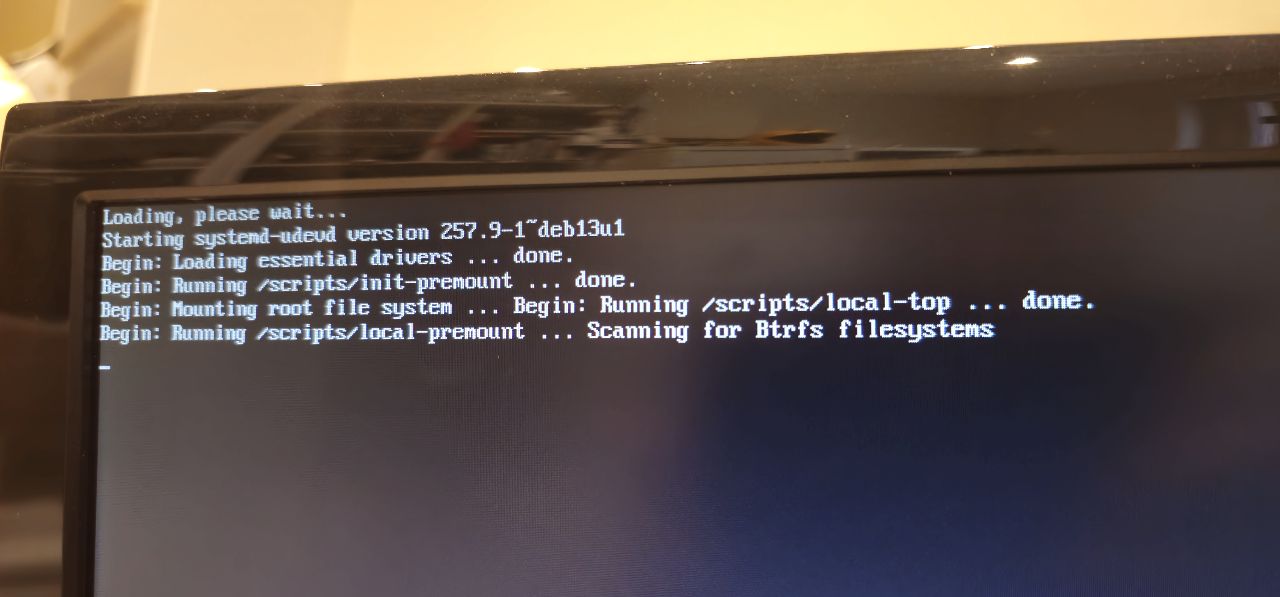
New to the world of Banana Pi’s. Have just purchased a BPI M2 Ultra and am struggling way more than I should be to just get the thing to boot!
I’ve tried all kinds of images, using Balena Etcher, Armbian and Rufus to burn the .img to the SD card and the closest I have come is to see it boot with an SD card, but sticks at “Scanning for Btrfs filesystems”.
I have tried using Mac, Windows and Linux to flash the SD card and thats as far as I get.
Surely I cannot be this difficult?!
My ultimate goal is to have the device from eMMC, but at the moment I cannot get it to boot at all.
Does anyone have a good, known image that will work with this board that isn’t a 404 link and which OS and software they used to flash the SD card?
Please note that this board is community-maintained. Armbian does not actively develop or test it — we generate images according to our community support rules:
The target is left available as a courtesy in case a community member wants to revive or continue maintenance.
If you run into bugs and have the ability to fix them, contributions are welcome. Like most open-source projects, ongoing support depends on community involvement.
Maintaining even a single embedded device costs a significant amount of engineering time each year. Armbian supports a very large and diverse hardware ecosystem, mostly driven by volunteers. Financial support for this work is extremely limited relative to the effort required:
Because of this, we have to prioritize actively maintained targets. This hardware was deprecated some time ago, and there are currently no resources allocated to bring it back into active support.
If someone from the community wants to step in and fix issues, contributions are genuinely welcome — that is how many boards become maintained again in open source projects like ours.
We understand the frustration. Everyone here is working within the same constraints.
I was able to finally get it ti boot via the SD card using a combination of the Armbian Imager and this image : Armbian_23.8.1_Bananapim2ultra_bookworm_current_6.1.47_minimal.img from the archive.
Thanks for your help. Next task, getting it to boot directly from eMMC!