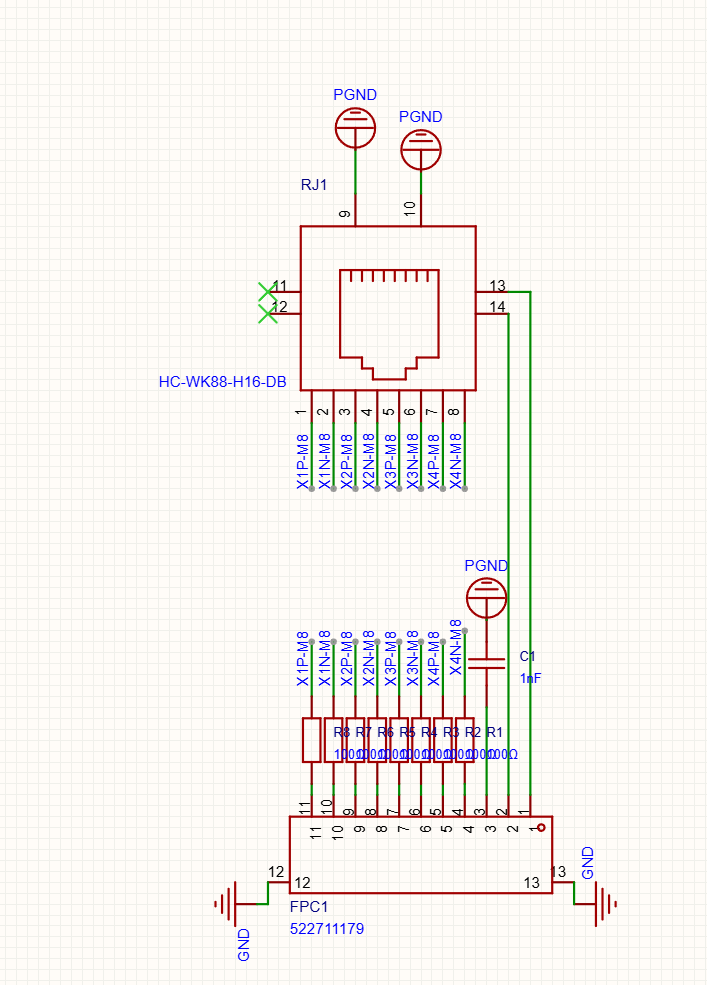
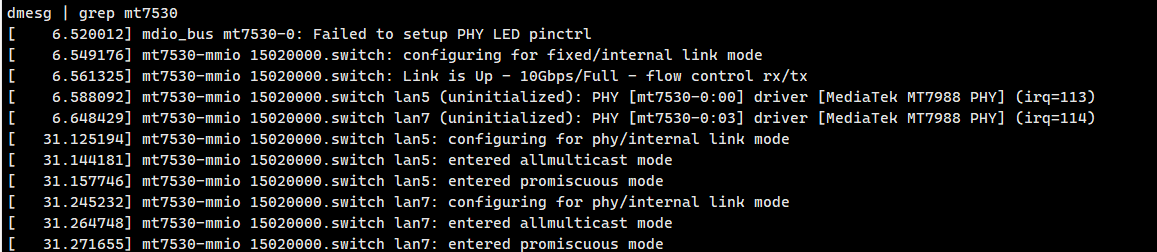
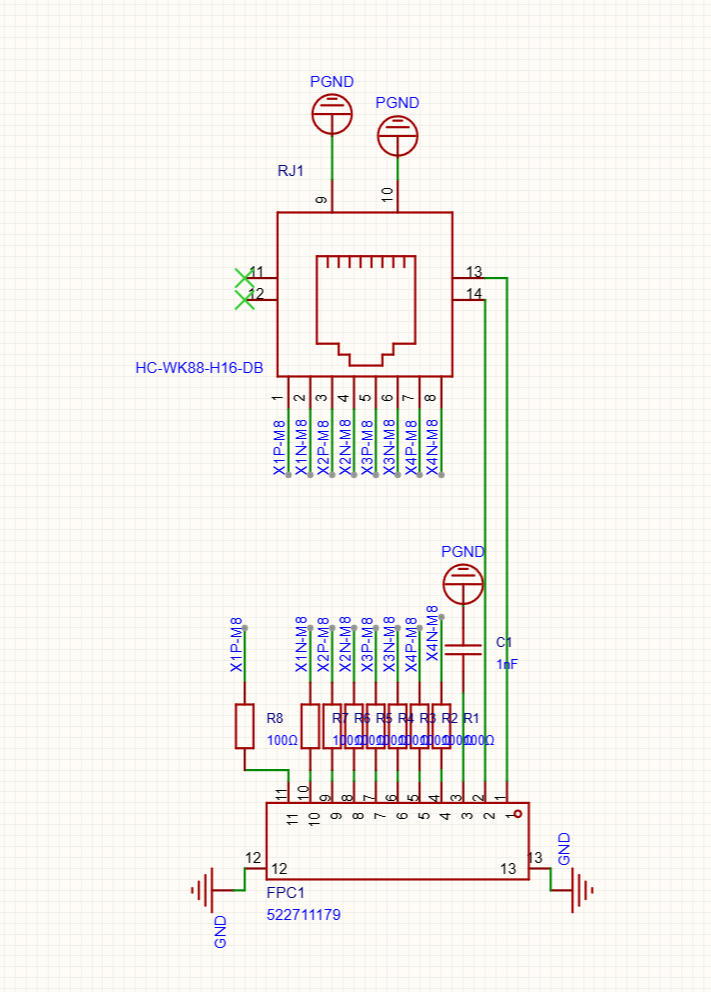
Just back to topic. I thought the fpc adapter will be sold too as it was listed in the spec,so i got one for adding the software support (in my repo). Will change to overlay to have it visible only when needed.
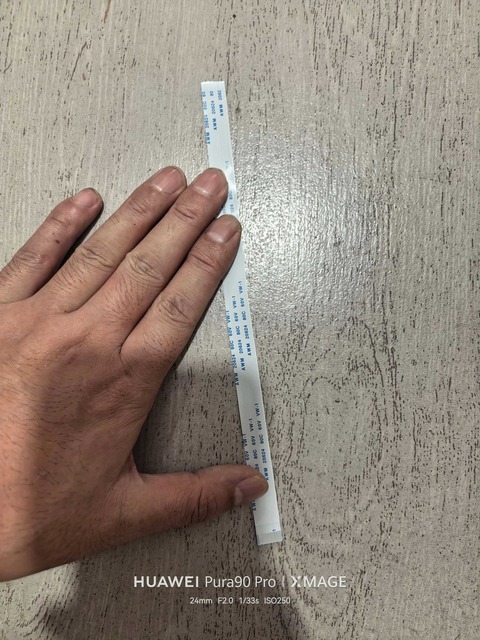
Imho cable is currently a bit short and case does not have abilities for mouting the subboard.
Imho it is just another port from internal switch,so supported without the current mxl firmware/driver hassle.should be usable in uboot too,but not tested.
Because it’s a network port connected via an FPC cable, the length of which can be customized. Therefore, this network port can be placed anywhere for customer use.
As the level of customer demand is currently unknown, we are producing a small quantity of these boards; sales channels should become available before long. For specific pricing and availability, please consult BPI.
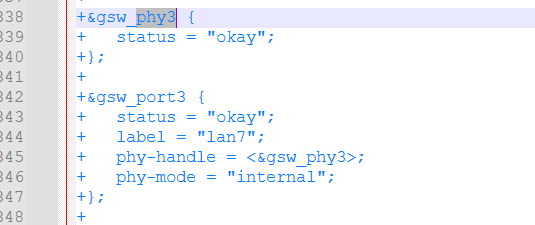
You can compare changes made in the overlay with the state in your dts and apply directly to it to avoid the overlay stuff. For quick test enable port3 of internal switch if not done already.
Just replace disabled by okay for port3 and phy3 and rebuild.
You can check the state in sysfs (/sys/firmware/devicetree/base/…go to the internal switch and its ports and show status with cat command
Hi,
Count me in, as long as the pricing isn’t astronomical. - I could use 2.
I assume I’ll need to modify the device tree and compile a new DTB to get it working? Is there anything else I should be aware of, especially regarding kernel support or hardware compatibility?
Yes—on the software side, expect to enable the FPC port in the DTS, since the upstream R4 Pro DTS disables most internal ports except lan5, then rebuild the DTB/firmware. You may also need pinctrl/LED overlay changes. Check the FPC-to-RJ45 cable orientation first; a rotated cable gives no link even if LAN7 appears. Per the OP, only network transmission has been tested, so reliability is still unproven.
 but ofc for reasonable price, frank thanks for new overlay to handle this lan port.