Hi
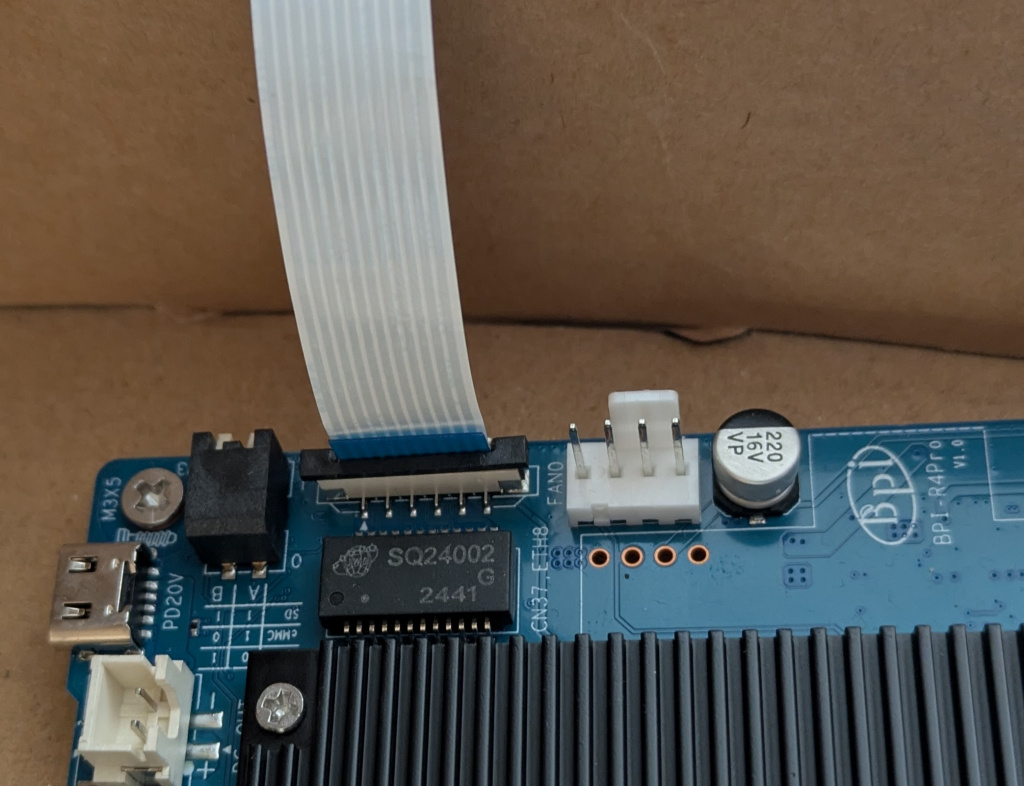
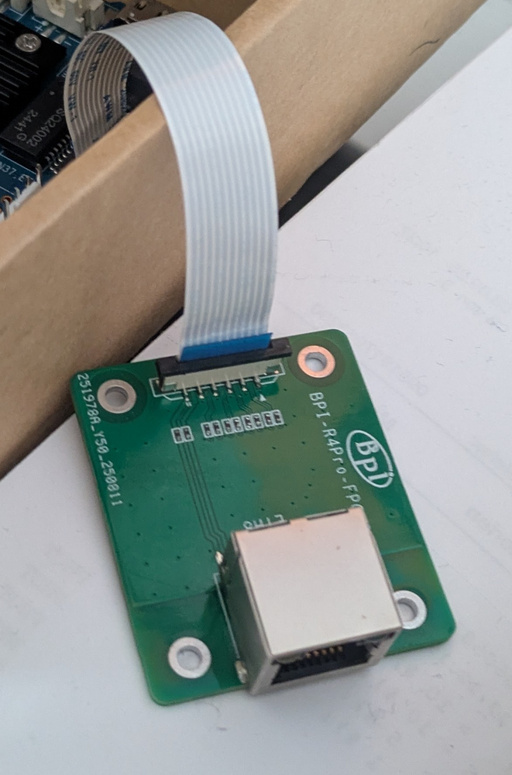
Got the RJ45 cable this week and just want to make sure i connect it the right way. It looks like the connectors of socket are on the border side of each board so i put the blue part of cable to towards the center of board. Is this correct?
Thank you for response @hyf can you tell me if the leds can be driven over the fpc cable? I have prepared my code to map the orange led like for lan5 and try it soon as now i know that my hardware connection itself is correct.
It is clear that it is port3 from internal switch,but not sure if led pins are exposed over the cable too.
edit: tested it and it is working including orange/yellow led in my 7.2-rc tree
root@bpi-r4:~# ip a a 192.168.0.19/24 dev lan-fpc
root@bpi-r4:~# ip link set lan-fpc up
[  107.154614] mt7530-mmio 15020000.switch lan-fpc: configuring for phy/internal link mode
root@bpi-r4:~# [  107.164325] mt7530-mmio 15020000.switch lan-fpc: Link is Up - 1Gbps/Full - flow control rx/tx

root@bpi-r4:~# ping 192.168.0.21
PING 192.168.0.21 (192.168.0.21) 56(84) bytes of data.
64 bytes from 192.168.0.21: icmp_seq=1 ttl=64 time=0.367 ms
64 bytes from 192.168.0.21: icmp_seq=2 ttl=64 time=0.392 ms
64 bytes from 192.168.0.21: icmp_seq=3 ttl=64 time=0.393 ms

--- 192.168.0.21 ping statistics ---
3 packets transmitted, 3 received, 0% packet loss, time 2113ms
rtt min/avg/max/mdev = 0.367/0.384/0.393/0.012 ms