Debian/Ubuntu image creation

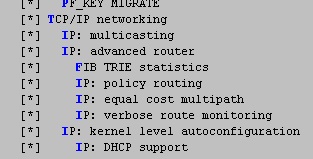
i somehow managed to compile a kernel with policy routing support

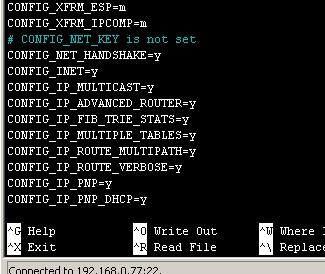
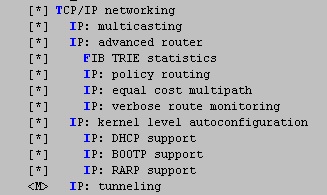
CONFIG_IP_ADVANCED_ROUTER=y
CONFIG_IP_FIB_TRIE_STATS=y
CONFIG_IP_MULTIPLE_TABLES=y                                                              
CONFIG_IP_ROUTE_MULTIPATH=y

but i still can’t use this feature.

root@bpi-r64:/# ip -4 rule
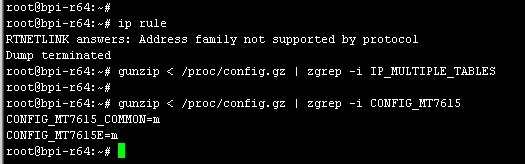
RTNETLINK answers: Address family not supported by protocol
Dump terminated
root@bpi-r64:/# ip -6 rule
0:	from all lookup local
32766:	from all lookup main
root@bpi-r64:/# ip -V ip utility, iproute2
ip utility, iproute2-6.1.0, libbpf 1.1.2

i built Debian according to the instructions:

frank-w BPI-Router-Images
./buildimg.sh bpi-r64 bookworm 6.12

Have you checked if the options are active via “build.sh config”

Have you put your kernel in the images dir and set its filename and skipkerneldownload=1?

yes i see builcore

i uploaded my file but i also later loaded my kernel onto the SD card buildimg

I’m not sure that it is really your kernel you have booted.

Check with “uname -a” and “zgrep -i ‘IP_MULTIPLE_TABLES’ /proc/config.gz”

In case you have builtin these options it is enough to copy bpi-r4.itb to BPI-BOOT partition. If you use install option of kernel-repo build.sh maybe filename has to be adjusted in uEnv.txt.

just type

    gunzip < /proc/config.gz > config.current

on your booted kernel and check if it’s what you expect

indeed

there’s no ‘IP_MULTIPLE_TABLES’ option here,

why didn’t it compile what i specified in the config?

what’s the correct way to install a custom config file?

You have changed defconfig and imported it before build? Then option pack,copy to images repo folder and important set skipkerneldownload=1 in sourcefiles_bpi-r4.conf and kernelfile to your filename as i wrote above.

i did

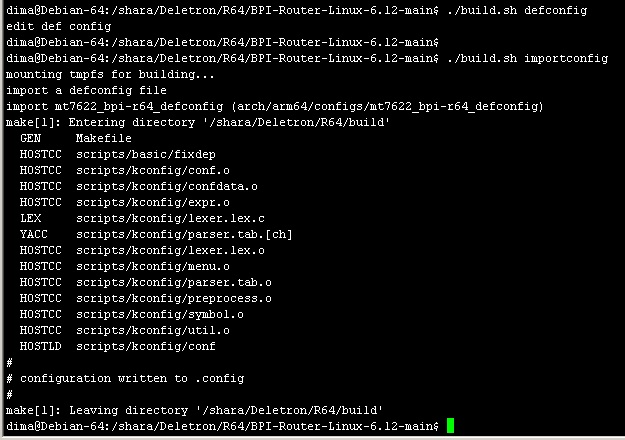
./build.sh importconfig
./build.sh config
made my changes
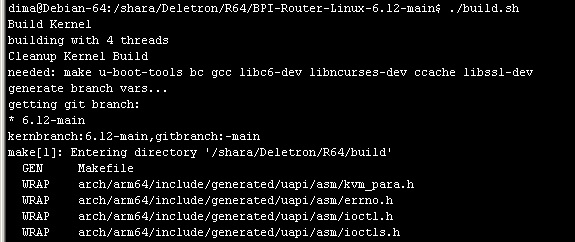
./build.sh

and nothing was saved, i got the default config

./build.sh defconfig # add your stuff
./build.sh importconfig
./build.sh config #verify it is set
./build.sh

Use “Pack” option at the end and copy file to images repo

Or use install to install direct to your sdcard (maybe you have to modify uEnv.txt to point to the right kernel itb file). you should see file loaded in bootlog before kernel is booting.

In case of image building

skipkerneldownload=1
kernelfile=bpi-r4_6.12.55-main.tar.gz

And then run buildimg.sh (you do not need to pass kernel 6.12 because it is default).

thank you Frank! i’ll try it

root@bpi-r64:~# zgrep -i 'multiple' /proc/config.gz 
CONFIG_CPU_IDLE_MULTIPLE_DRIVERS=y
CONFIG_IP_MULTIPLE_TABLES=y
# CONFIG_IP_MROUTE_MULTIPLE_TABLES is not set
CONFIG_IPV6_MULTIPLE_TABLES=y
# MDIO Multiplexers
# CONFIG_MDIO_BUS_MUX_MULTIPLEXER is not set
# Multiplexer I2C Chip support
# end of Multiplexer I2C Chip support
# SPI Multiplexer support
# Multiplexers
# end of Multiplexers
root@bpi-r64:~# ip -4 rule
0:      from all lookup local
32766:  from all lookup main
32767:  from all lookup default
root@bpi-r64:~# ip -6 rule
0:      from all lookup local
32766:  from all lookup main
root@bpi-r64:~# uname -a
Linux bpi-r64 6.18.0-rc1-bpi-r64 #1 SMP PREEMPT Tue Nov 11 21:20:38 CET 2025 aarch64 GNU/Linux

but noticed this in 6.18:

[   13.027503] mtk-scpsys 10006000.power-controller: sync_state() pending due to 18000000.wmac
[   13.036013] mtk-scpsys 10006000.power-controller: sync_state() pending due to serial0-0

Which is strange because wmac and btif.bluetooth (i guess this is serial0-0) are users of scpsys not depencies.

@ericwoud maybe you have already seen and fixed this? I guess it is because wmac is builtin,but driver above (mt7615e) is module and not available due to tftp boot and btif maybe also not builtin. But wonder why scpsys (driver builtin) has sync state pending…maybe only to these 2 devices?

That may be the case. Any difference in CONFIG_FW_DEVLINK_SYNC_STATE_TIMEOUT ?

Try setting it to y or try cmdline option “fw_devlink.sync_state=timeout”

I haven’t updated kernel on running bpi-r64 for quite some time, and am using them live. I can try some time, but not anytime soon. Now running:

[root@bpir64 ~]# uname -a
Linux bpir64 6.11.6-bpi #12 SMP PREEMPT Tue Nov  5 16:22:46 UTC 2024 aarch64 GNU/Linux

The kernel option is available since 6.4

nothing

i have done

./build.sh defconfig

defconfig

./build.sh importconfig

importconfig

./build.sh config

config

./build.sh

build

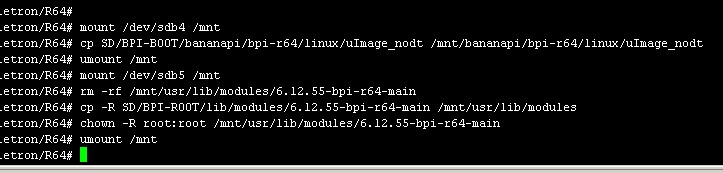
copy to a flash card

as a result, everything remains the same

iprule

what do i done wrong ?

What is the output of

uname -a
root@bpi-r64:/etc# uname -a
Linux bpi-r64 6.12.55-bpi-r64-main #4 SMP PREEMPT Tue Oct 28 10:20:45 UTC 2025 aarch64 GNU/Linux
root@bpi-r64:/etc# cat /etc/os-release
PRETTY_NAME="Debian GNU/Linux 12 (bookworm)"
NAME="Debian GNU/Linux"
VERSION_ID="12"
VERSION="12 (bookworm)"
VERSION_CODENAME=bookworm
ID=debian
HOME_URL="https://www.debian.org/"
SUPPORT_URL="https://www.debian.org/support"
BUG_REPORT_URL="https://bugs.debian.org/"
root@bpi-r64:/etc# 

Curent uboot for arm64 boards using fit image…so you have to copy itb file,not the uImage_nodt

Per default .itb is used,in your case bpi-r64.itb if filename differs you have to set filename in uEnv.txt (R64 has old path bananapi/bpi-r64/linux/ first for uenv.txt and afair also itb and fallback root as on newer boards.
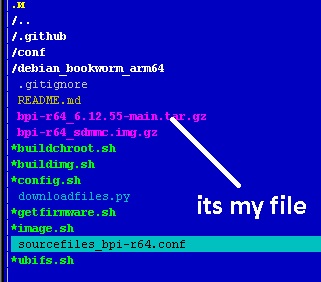
i don’t have another bpi-r64.itb

i only have this one

https://github.com/frank-w/BPI-Router-Linux/releases/download/CI-BUILD-6.12-main-6.12.55-2025-10-28_0916/bpi-r64.itb

and it’s stored on a flash drive /boot/bananapi/bpi-r64/linux/bpi-r64.itb

very strange

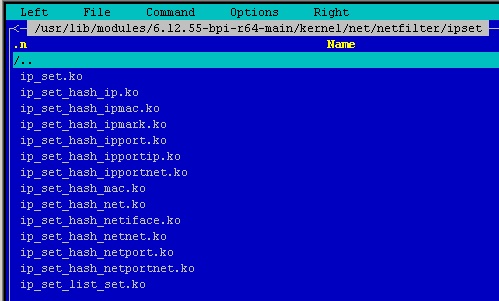
i have the ‘CONFIG_IP_SET=m’ option

and there is this module in the modules directory

ipset

but it’s not in the config.

noipset

i think the /proc/config.gz file appeared in my Debian based on the old config

how do i replace it with the current config?

I do not think you booted the kernel that you just build…