BPI-R4 Pro source code on github:
OpenWRT image:
BPI-R4Pro-8X-BE14-MT76-OpenWRT24.10-DSA-251125
Baidu Could: 百度网盘 请输入提取码 (pincode: 8888)
Google drive: BPI-R4Pro-8X-BE14-MT76-OpenWRT24.10-DSA-251125 - Google Drive
BPI-R4 Pro source code on github:
OpenWRT image:
BPI-R4Pro-8X-BE14-MT76-OpenWRT24.10-DSA-251125
Baidu Could: 百度网盘 请输入提取码 (pincode: 8888)
Google drive: BPI-R4Pro-8X-BE14-MT76-OpenWRT24.10-DSA-251125 - Google Drive
I don’t know if someone else tried compiling this source code but for me it doesn’t work. @sinovoip
Here is what I did
> 1. git clone
> 2. make menuconfig (selected only Bpi-r4 pro as target and removed the additional stuff that comes with the buildint image like shadowsocks)
> 4. make V=s or make -j1 V=s.
here is the error message:
> make -C /home/pietro/BPI-R4PRO-8X-OPENWRT-V24.10.0-Master-Devel/build_dir/target-aarch64_cortex-a53_musl/linux-mediatek_filogic/linux-6.6.93 KCFLAGS="-fmacro-prefix-map=/home/pietro/BPI-R4PRO-8X-OPENWRT-V24.10.0-Master-Devel/build_dir/target-aarch64_cortex-a53_musl=target-aarch64_cortex-a53_musl -fno-caller-saves " HOSTCFLAGS="-O2 -I/home/pietro/BPI-R4PRO-8X-OPENWRT-V24.10.0-Master-Devel/staging_dir/host/include  -Wall -Wmissing-prototypes -Wstrict-prototypes" CROSS_COMPILE="aarch64-openwrt-linux-musl-" ARCH="arm64" KBUILD_HAVE_NLS=no KBUILD_BUILD_USER="" KBUILD_BUILD_HOST="" KBUILD_BUILD_TIMESTAMP="Wed Nov 26 09:02:16 2025" KBUILD_BUILD_VERSION="0" KBUILD_HOSTLDFLAGS="-L/home/pietro/BPI-R4PRO-8X-OPENWRT-V24.10.0-Master-Devel/staging_dir/host/lib" CONFIG_SHELL="bash" V=''  cmd_syscalls=  CC="aarch64-openwrt-linux-musl-gcc" KERNELRELEASE=6.6.93 Image dtbs modules
make[5]: Entering directory '/home/pietro/BPI-R4PRO-8X-OPENWRT-V24.10.0-Master-Devel/build_dir/target-aarch64_cortex-a53_musl/linux-mediatek_filogic/linux-6.6.93'
make[11]: *** No rule to make target '../../linux-firmware-20241110//airoha/EthMD32.dm.bin', needed by 'drivers/base/firmware_loader/builtin/airoha/EthMD32.dm.bin.gen.o'.  Stop.
make[10]: *** [scripts/Makefile.build:480: drivers/base/firmware_loader/builtin] Error 2
make[9]: *** [scripts/Makefile.build:480: drivers/base/firmware_loader] Error 2
make[8]: *** [scripts/Makefile.build:480: drivers/base] Error 2
make[7]: *** [scripts/Makefile.build:480: drivers] Error 2
make[6]: *** [/home/pietro/BPI-R4PRO-8X-OPENWRT-V24.10.0-Master-Devel/build_dir/target-aarch64_cortex-a53_musl/linux-mediatek_filogic/linux-6.6.93/Makefile:1924: .] Error 2
make[5]: *** [Makefile:234: __sub-make] Error 2
make[5]: Leaving directory '/home/pietro/BPI-R4PRO-8X-OPENWRT-V24.10.0-Master-Devel/build_dir/target-aarch64_cortex-a53_musl/linux-mediatek_filogic/linux-6.6.93'
make[4]: *** [Makefile:18: /home/pietro/BPI-R4PRO-8X-OPENWRT-V24.10.0-Master-Devel/build_dir/target-aarch64_cortex-a53_musl/linux-mediatek_filogic/linux-6.6.93/.modules] Error 2
make[4]: Leaving directory '/home/pietro/BPI-R4PRO-8X-OPENWRT-V24.10.0-Master-Devel/target/linux/mediatek'
make[3]: *** [Makefile:12: compile] Error 2
make[3]: Leaving directory '/home/pietro/BPI-R4PRO-8X-OPENWRT-V24.10.0-Master-Devel/target/linux'
time: target/linux/compile#0.51#0.18#0.63
    ERROR: target/linux failed to build.
make[2]: *** [target/Makefile:32: target/linux/compile] Error 1
make[2]: Leaving directory '/home/pietro/BPI-R4PRO-8X-OPENWRT-V24.10.0-Master-Devel'
make[1]: *** [target/Makefile:25: /home/pietro/BPI-R4PRO-8X-OPENWRT-V24.10.0-Master-Devel/staging_dir/target-aarch64_cortex-a53_musl/stamp/.target_compile] Error 2
make[1]: Leaving directory '/home/pietro/BPI-R4PRO-8X-OPENWRT-V24.10.0-Master-Devel'
make: *** [/home/pietro/BPI-R4PRO-8X-OPENWRT-V24.10.0-Master-Devel/include/toplevel.mk:233: world] Error 2
pietro@pubuntu:~/BPI-R4PRO-8X-OPENWRT-V24.10.0-Master-Devel$
because OpenWRT’s kernel compiling depend on the linux-firmware package, So you need firstly compile linux-firmware package. make package/firmware/linux-firmware/compile. then make .
Hello @zuowei8 and thanks for jumping in.
To be honest I expected that to be called automatically by the main make which recursively builds everything.
If I do:
I get the following error:
cp: cannot stat ‘/home/pietro/BPI-R4PRO-8X-OPENWRT-V24.10.0-Master-Devel/staging_dir/toolchain-aarch64_cortex-a53_gcc-13.3.0_musl/lib/ld-musl-.so’: No such file or directory make[2]: *** [Makefile:779: /home/pietro/BPI-R4PRO-8X-OPENWRT-V24.10.0-Master-Devel/build_dir/target-aarch64_cortex-a53_musl/toolchain/.pkgdir/libc.installed] Error 1 make[2]: Leaving directory ‘/home/pietro/BPI-R4PRO-8X-OPENWRT-V24.10.0-Master-Devel/package/libs/toolchain’ time: package/libs/toolchain/compile#0.10#0.01#0.10 ERROR: package/libs/toolchain failed to build. make[1]: *** [package/Makefile:177: package/libs/toolchain/compile] Error 1 make[1]: Leaving directory ‘/home/pietro/BPI-R4PRO-8X-OPENWRT-V24.10.0-Master-Devel’
this error message makes me think that it is failing because the toolchain has not been compiled first…
this means that I have to change the build process in this way:
Is this expected? To me it looks like the make package/firmware/linux-firmware/compile has been forgotten and should be included in the main compile chain after that the toolchains have been built.
Good morning — I’m sharing the first image, which is an alpha because it hasn’t been tested. As mentioned, I’m sure I’ve forgotten to mention some features.
Because it’s an alpha, I’m waiting for the accessories to arrive so I can run the tests properly.
If someone would be kind enough to try it and say whether it at least boots or works, I would really appreciate it.
Also, I should mention that with the official file arm-trusted-firmware-mediatek-2024.01.17 it was impossible for me to build an image; likewise the .config from the repo always failed without changing absolutely anything. I checked the official repository and the file arm-trusted-firmware-mediatek-2024.01.17 there is only 7.83 MB.
Either it’s wrong or incomplete, so I’m providing the one I used which is 97.1 MB. You should replace the file in the dl folder with the one I include in the zip.
I’m including my .config because the one in the repository also made compilation impossible for me. I added luci-app-nuevas; the luci repository is my personal one and is listed in the feeds.conf.default that I include in the zip.
I’m also including in the zip the wireless-regdb folder with the transmit-power patch I modified. If someone wants to test it, go to the folder package/firmware/, delete the wireless-regdb folder there and put mine in its place. Note: do this after running ./scripts/feeds install -a, because that command creates additional patches that must be removed. If you don’t want to use my patch, leave the folder as it is.
These are the features — I’m sure I’ve forgotten some since the image hasn’t been tested and I don’t even know if it works.
What’s included (installed components and short descriptions)
Scheduled Reboot — schedule router reboots at a specified time on any day of the week.
Scheduled Tasks — system crontab where scheduled jobs can be defined.
LED Configuration — customize device LED behavior where supported.
Dynamic DNS — supports free dynamic DNS services (e.g., duckdns.org) to hide your IP for gaming and other uses.
omcproxy — embedded IGMPv3 and MLDv2 proxy.
UPnP IGD & PCP/NAT‑PMP Service — allow local clients to configure port mappings/forwards on the router autonomously. Service ACLs specify which client addresses and ports can be mapped; IPv6 is always allowed.
Wifi Schedule — parental control to define hours when Wi‑Fi is enabled or disabled each day.
DHCP — separate LAN and SFP networks and create advanced rules (useful with VPNs). Allows exposing specific LAN ports and creating multiple Wi‑Fi networks with public IPs or VPN IPs coexisting, which is helpful when some services don’t work through a VPN.
Fake Mesh Setup — works well for 2G and 5G mesh. 6G is currently not possible because of an OpenWrt bug; once that is fixed (by OpenWrt or MediaTek) the build is prepared to support 6G in mesh mode.
Basic settings for your fake mesh overlay network
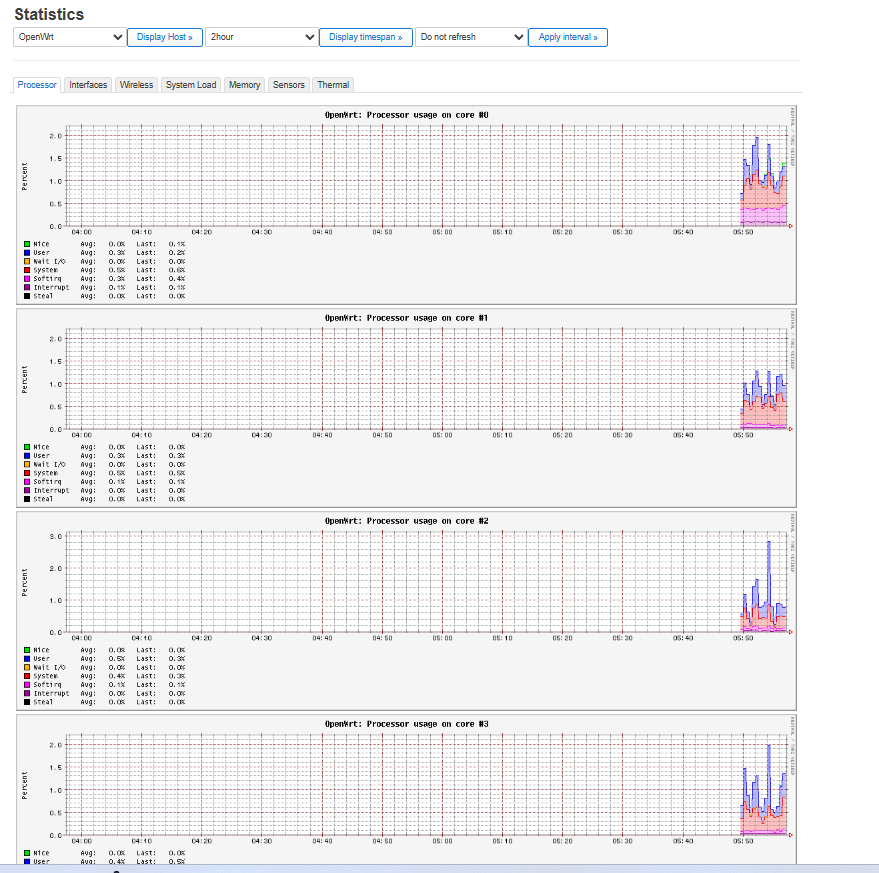
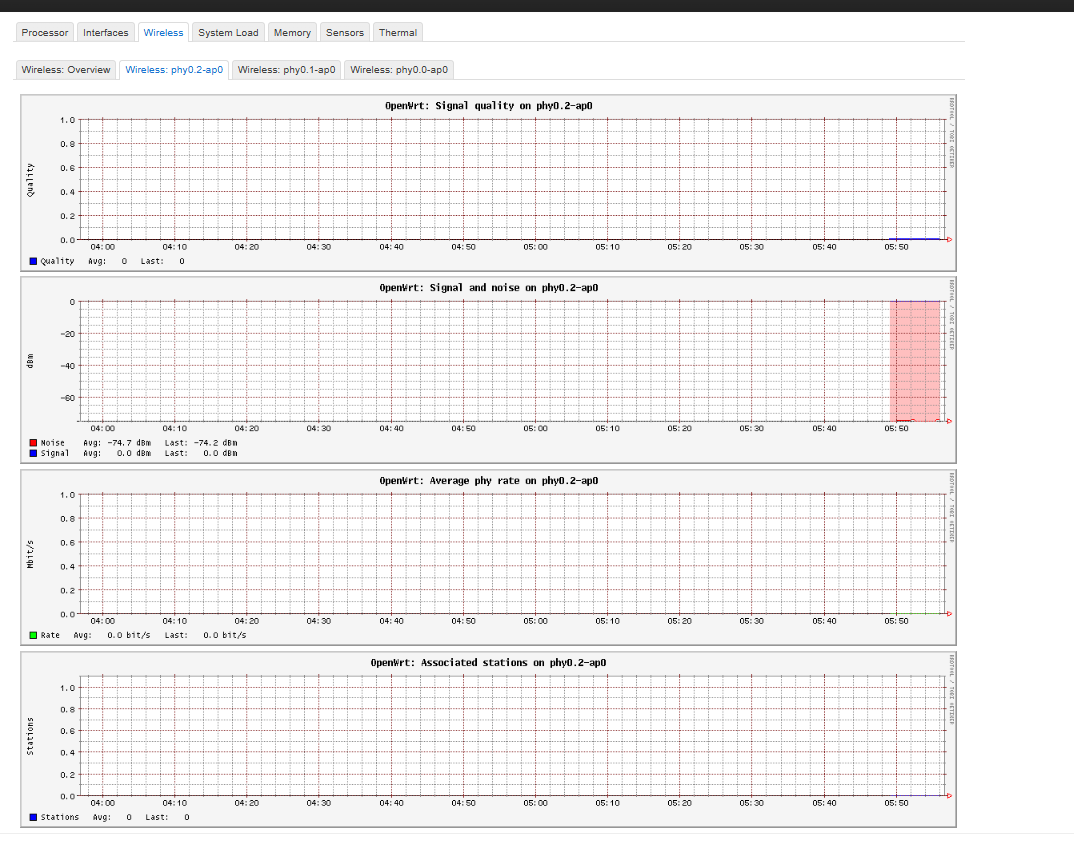
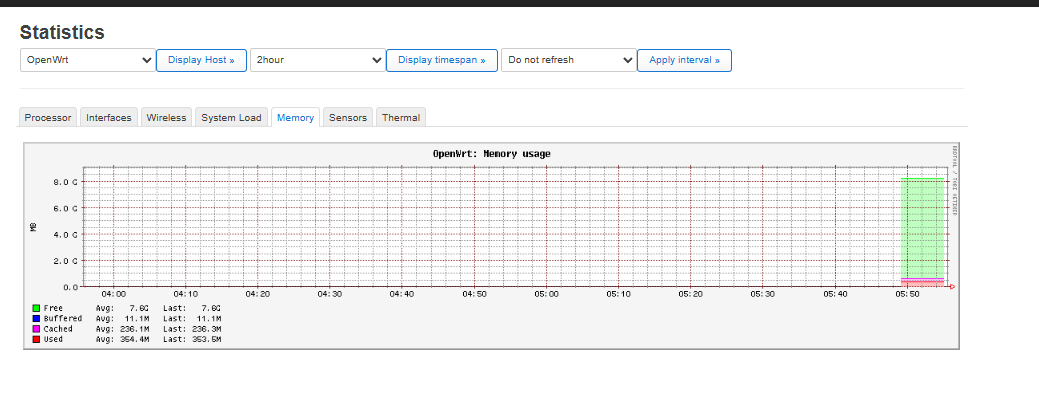
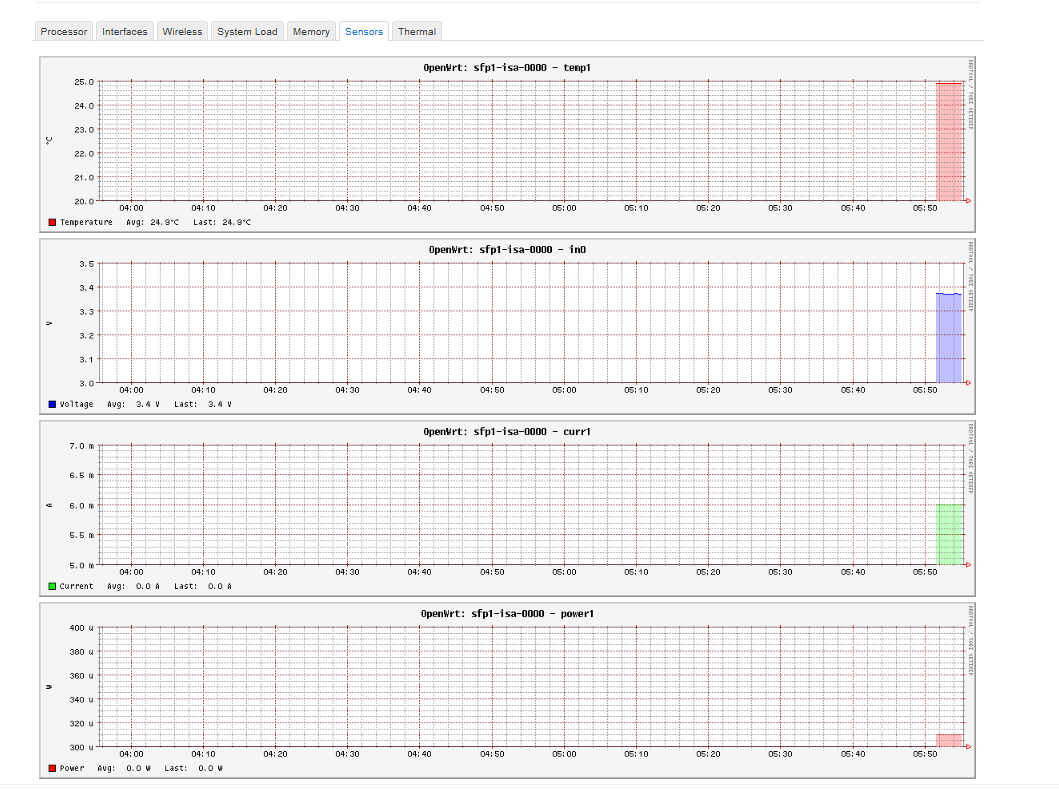
Statistics have been enabled to continuously monitor the router’s operation: CPU(s), interfaces, wireless, system load, and memory.
CPU Load and Temperature monitoring have been added to show real‑time CPU load and temperatures for the CPU, SFP and Wi‑Fi card, so you can see operating temperatures.
WireGuard VPN — an excellent, high‑performance VPN.
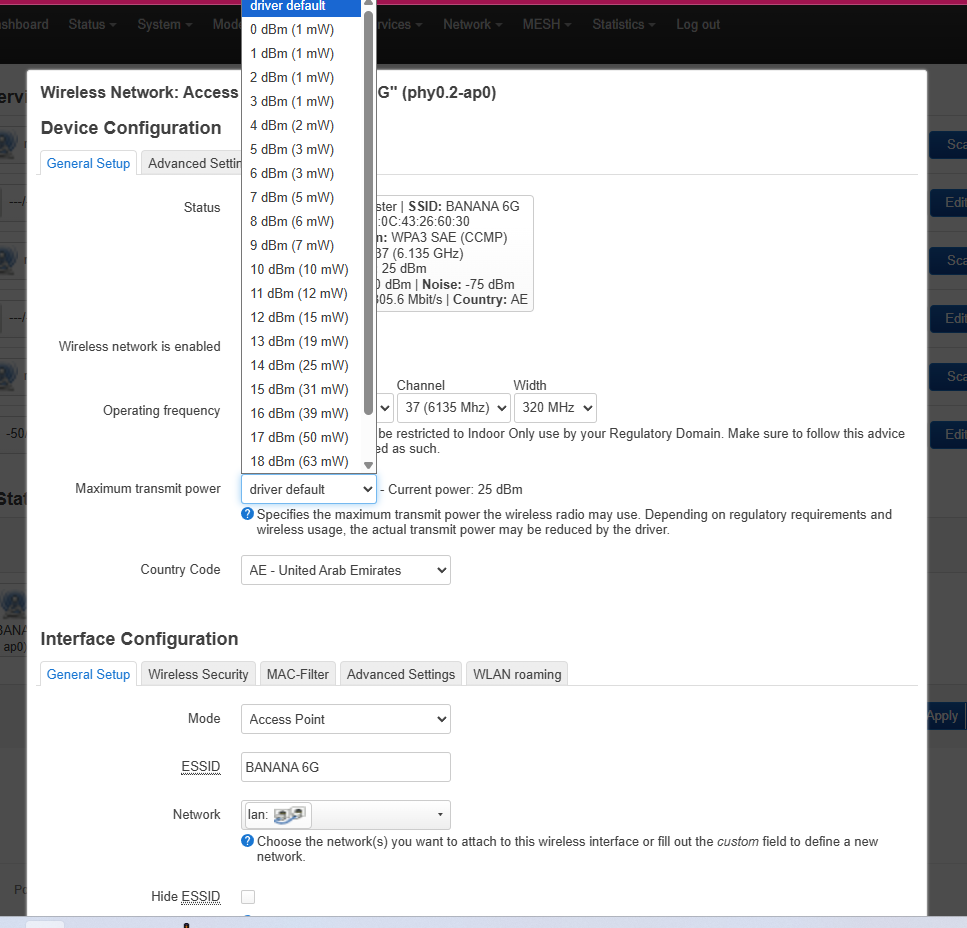
Experimental regulatory / power adjustments — a patch was made experimentally to remove some restrictions and set channels to maximum transmit power across the three bands. Note: I only adjusted transmit power for the 5G and 6G bands; for 2G I left the default power. An option was also added to manually configure per‑channel transmit power so you can comply with legal limits in your country.
A patch has been added for was110-xgs-pon.
Thanks for trying it and please report whether it works for you and any errors you find.
For compilation, I did it this way:
./scripts/feeds update -a
./scripts/feeds install -a
Then I ran:
make {toolchain,target,package/fail2ban}/compile
Just out of curiosity, I ran:
make package/firmware/linux-firmware/compile. It didn’t do anything since it was already compiled by my first command.
Finally, I ran:
make -j1 V=s 2>&1 | tee fra.log just to see if there were any errors, although I usually run the following commands during my compilations:
make -j$(nproc) V=s | tee build.log
In case this helps
have a good day
For anyone trying to use this source code and enable the MT7916 drivers for AW7916 from AsiaRF … it doesn’t work… compiling MT76 fails because of api mismatches.
Good afternoon, pameruoso. The truth is I’ve never compiled for MT7916 drivers for AW7916 from AsiaRF — I’ve always done it for the be14000.
I also don’t understand why the sources were made for kernel 6.6.93, when there are more recent ones; I suppose they must have their reasons.
But if there are 6.6.93 builds for MT7916 drivers for AW7916 from AsiaRF, they should work on the rest of the Banana Pi R4 boards — the only issue is that MTK references a specific MTK commit that may be specific to the be14.000 and might not include the MT7916 drivers for AW7916 from AsiaRF in that commit. Have you tried compiling with the latest MTK commit instead of the one that comes in the feeds from the repository?
Maybe they’ll answer you about why they chose that specific commit, although I doubt they’ll give a full explanation.
Until my accessories arrive I’m going to have some fun trying builds with a newer kernel for the be14.000.
As I told you, I don’t even know if the image I uploaded works — I only know the build succeeded; in principle it should boot and run.
But until the rest of the accessories I ordered arrive I’m not going to assemble the board or test the image, because I have to remove one of the be14.000 boards I have in another Banana Pi to put it in once the enclosure arrives, and I also bought fans.
Then I’ll have to check the case to see if any further modifications are needed for ventilation — even though it’s large, no accessory has yet been released to allow moving the be14.000 to another position.
I’ve seen a heatsink that isn’t yet for sale, but I’d prefer they released an accessory to let you relocate the Wi‑Fi card to see if that reduces noise. I’ll look on my side for any accessory to move the card — they must sell them somewhere.
For now we have to wait for the Banana team to make a move.
Meanwhile I’m going to have fun now that I’ve had some success: I have my own repos, higher kernels, toolchain, staging_dir — I’ll try to add DTBs and other patches for the new board, and pull the latest MTK commits instead of the one in the repository.
Sorry I can’t help you more.
Do you mean replacing the mediatek feed specific commit in this source code with the 24.10 one fron mediatek?
I could give it a try
Good evening, pameruoso — I’m leaving them public so you can clone my luci openwrt-24.10 repositories: GitHub - brudalevante/luci and GitHub - brudalevante/mediatek-01-12-2025. This is commit 5d915dc8be5554b34556c03e0c4422683dc4c673 [openwrt-24][MAC80211][WiFi7][Fix patch fail on kernel6.6 MAC80211 build]. Send me a message because I will make them private again; I don’t usually make my repositories public because I prefer to work privately, producing images for the community only when I have the strength — I’m very ill and prefer to work privately and share my work with the community occasionally when I’m feeling well.
I don’t worry much about keeping everything up to date across all feeds, and I always compile in private when my health permits. In fact I already announced I wouldn’t release more images on the OpenWrt forum, but today I feel able to help others.
When you’ve copied the repositories, let me know and I’ll set them back to private.
In your feeds, add them like this once you clone them:
src-git-full packages git.openwrt.org Git src-git-full luci https://Put your repository here/luci.git;openwrt-24.10 src-git-full routing git.openwrt.org Git src-git telephony git.openwrt.org Git
src-git mtk_openwrt_feed Put your repository here.git^5d915dc8be5554b34556c03e0c4422683dc4c673
#src-link custom /usr/src/openwrt/custom-feed src-git-full kenzo GitHub - kenzok8/openwrt-packages: openwrt常用软件包 src-git-full small GitHub - kenzok8/small: clash homeprxoy mihomo 依赖
I await your message so I can make them private again.
Best regards.
Good morning — I’m providing a new image, BPI-R4 Pro. A new patch has been added for the XGS-PON module Zaram ZXOS11NPI, and the patch for the XGS-PON module Was-110-H-COM SPP425H-GAB4 is also retained.
The rest of the features remain the same.
BPI-R4+Pro-Zaram+ZXOS11NPI+XGS-PON+module+wass-110-H-COM+SPP425H-GAB4
Best regards.
Good evening, I’m leaving you my latest image with what you need to set for manual IP to work:
192.168.1.156
255.255.255.0
192.168.1.1
192.168.1.1
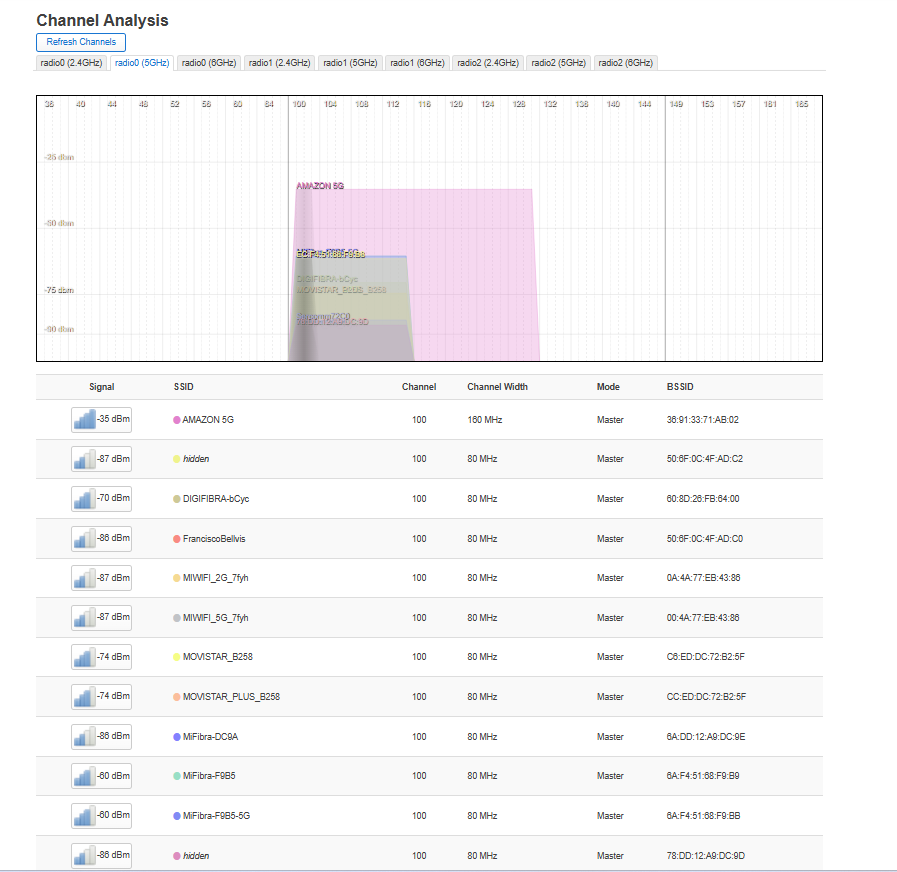
Wi-Fi installed with high power and no restrictions for any country
PASSWORD 123456778
BANANA 2G
BANANA 5G
BANANA 6G
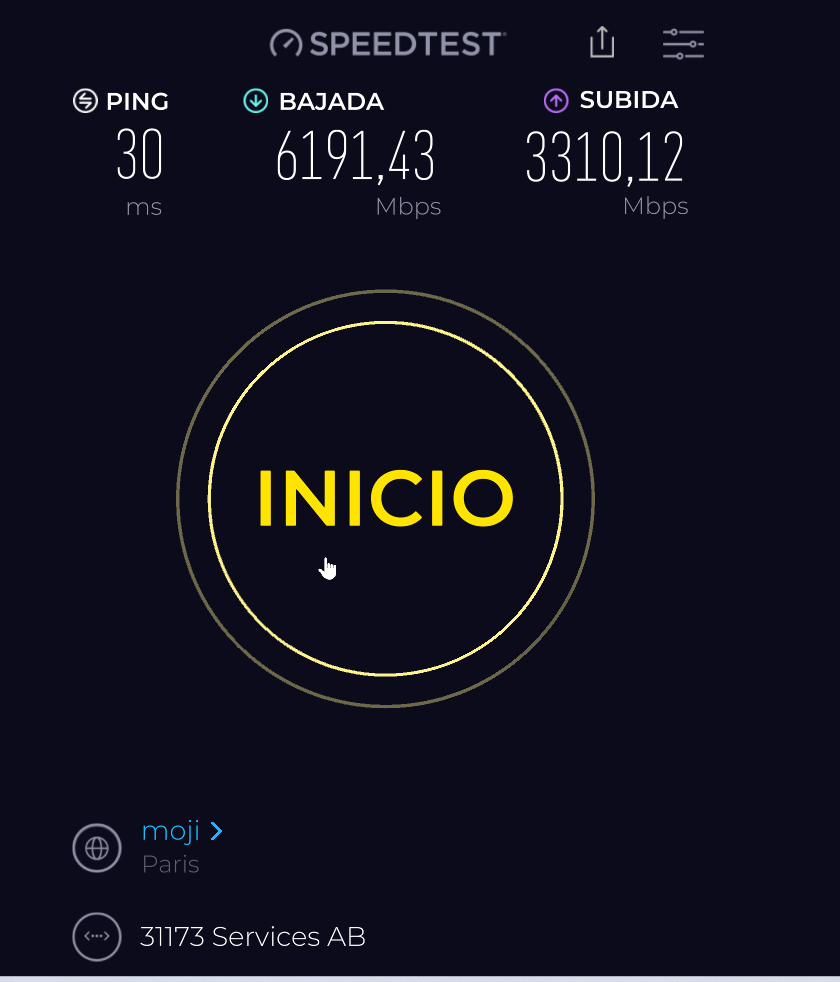
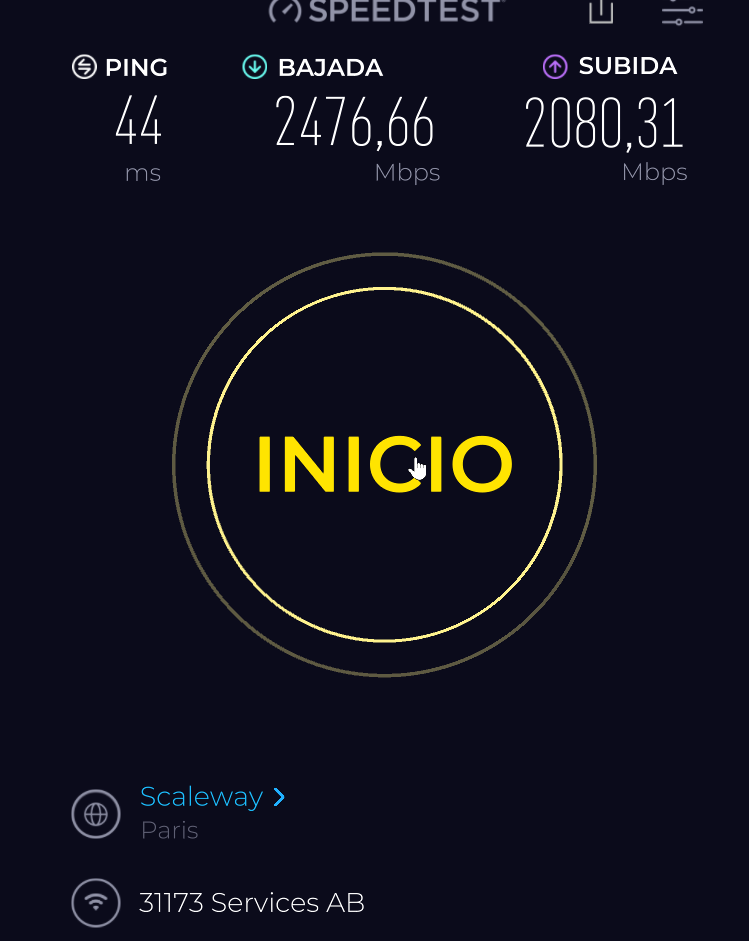
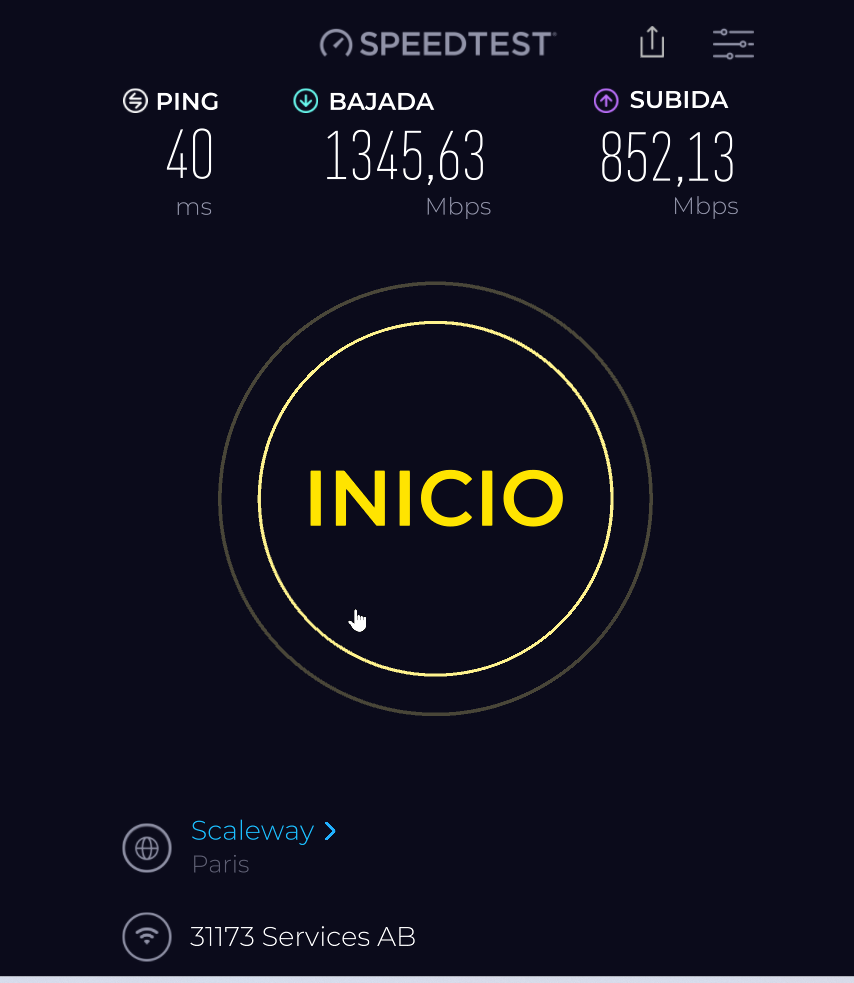
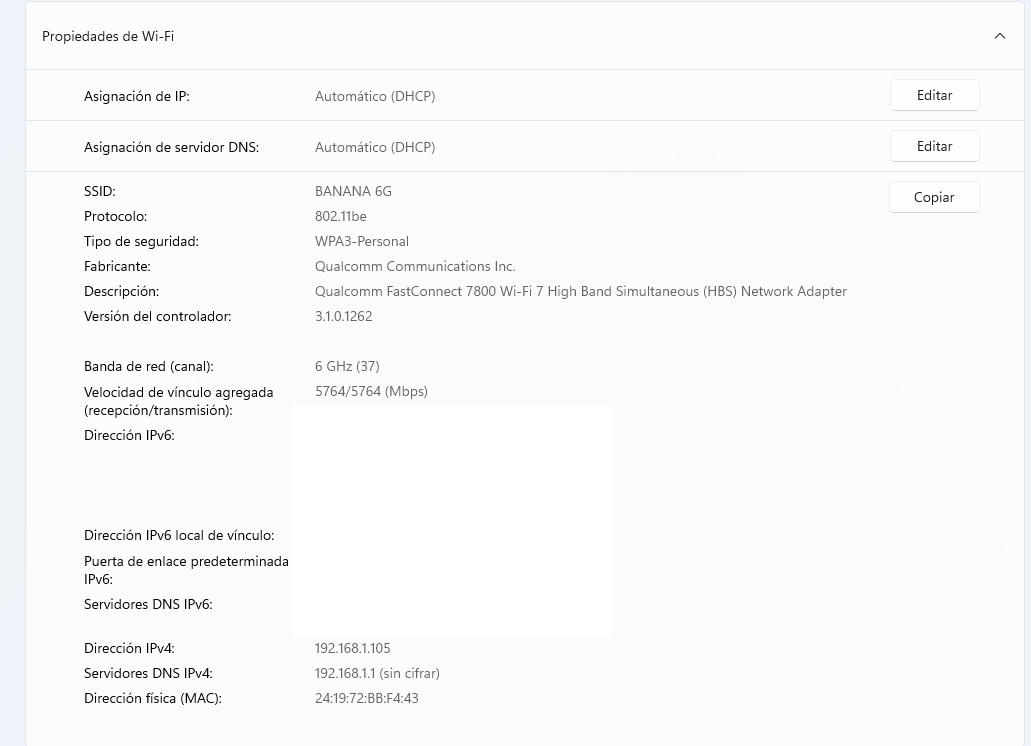
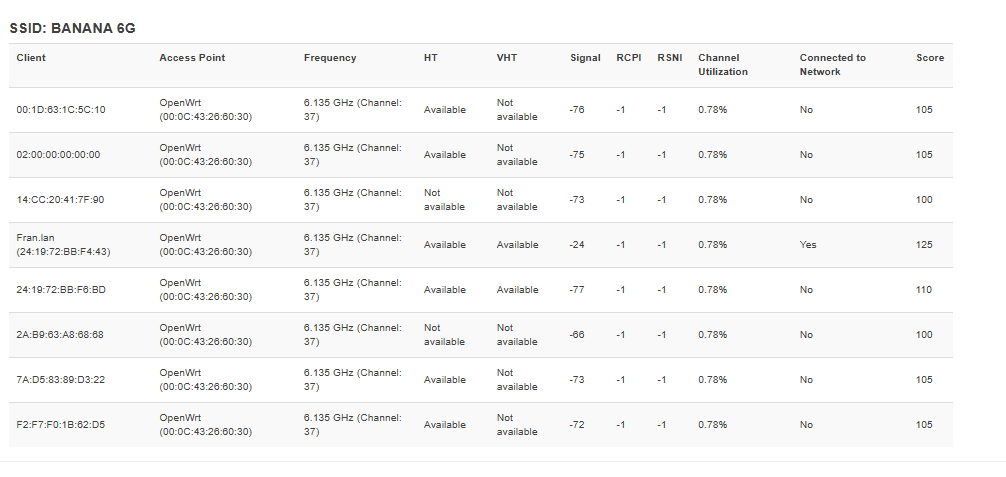
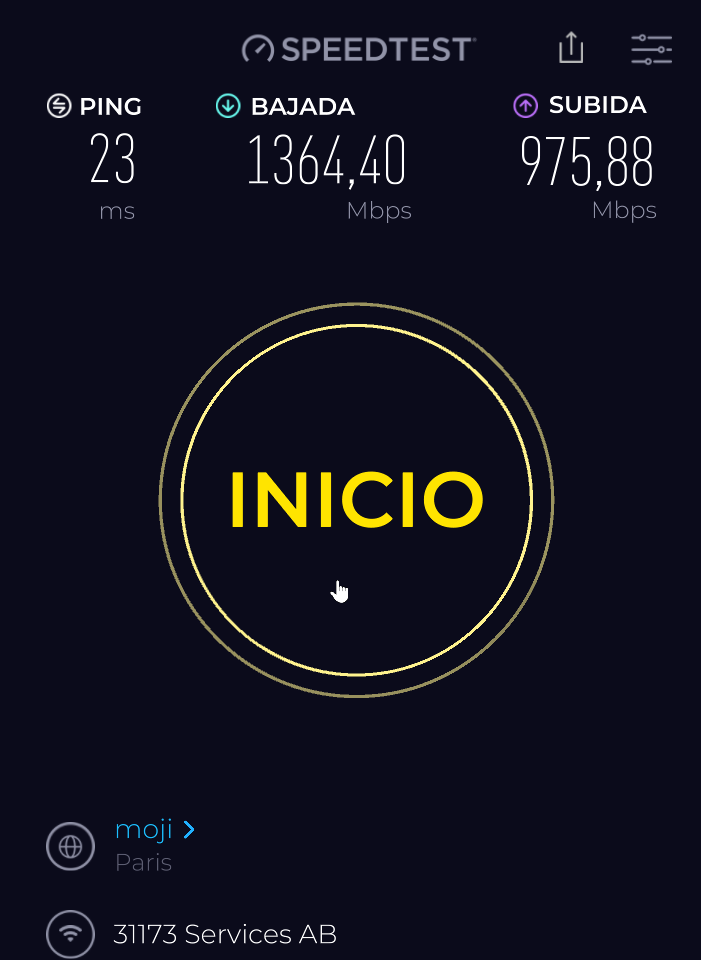
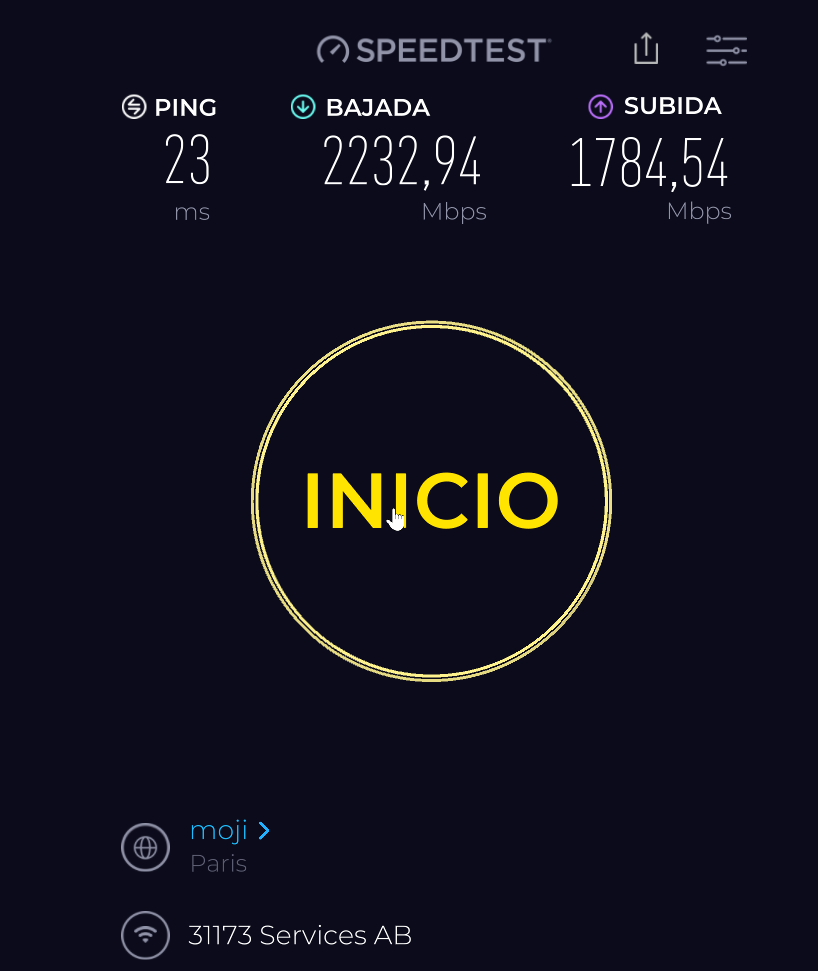
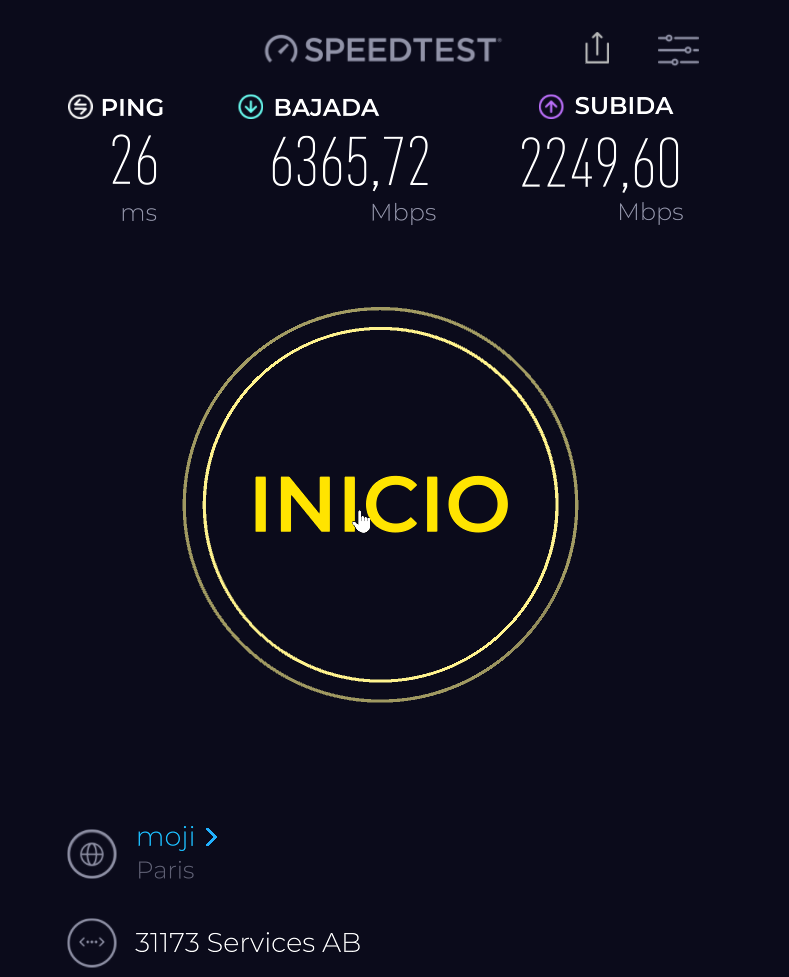
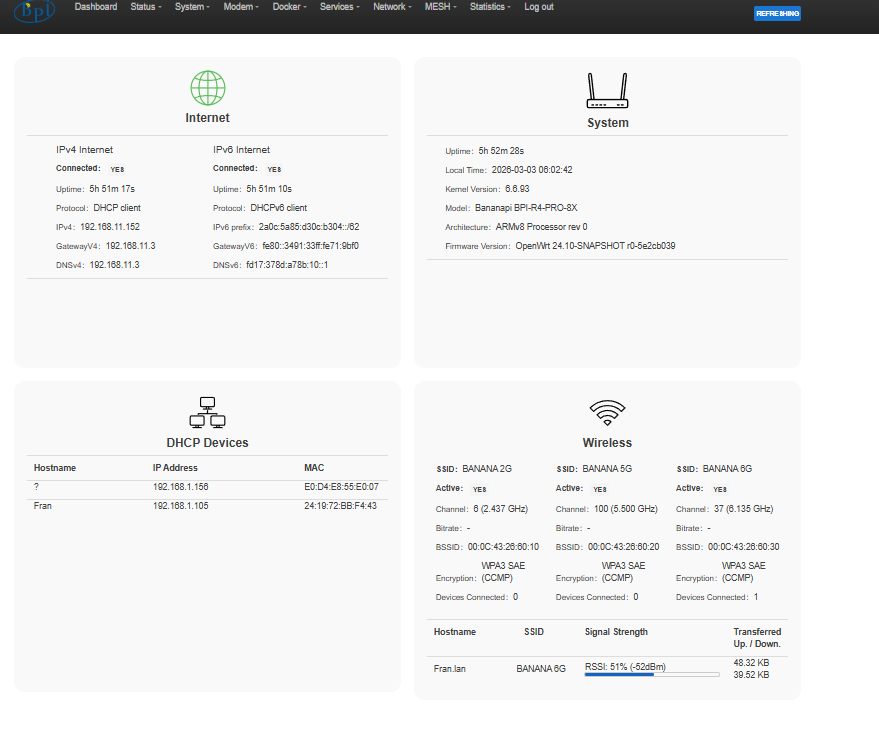
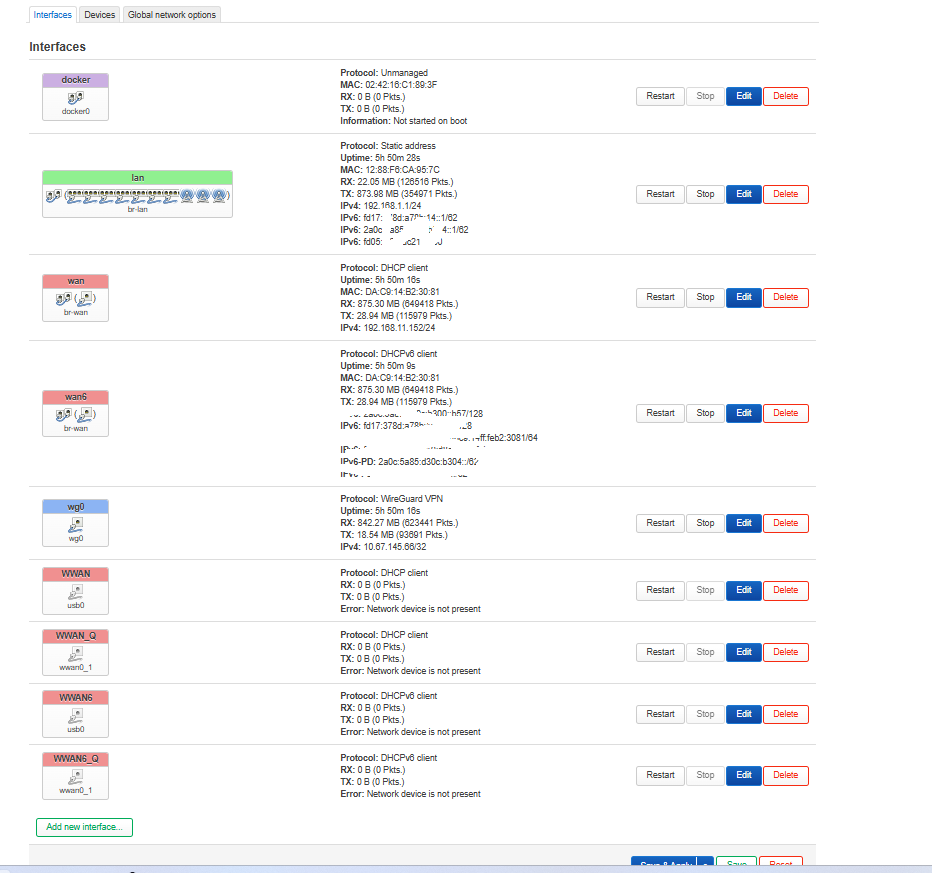
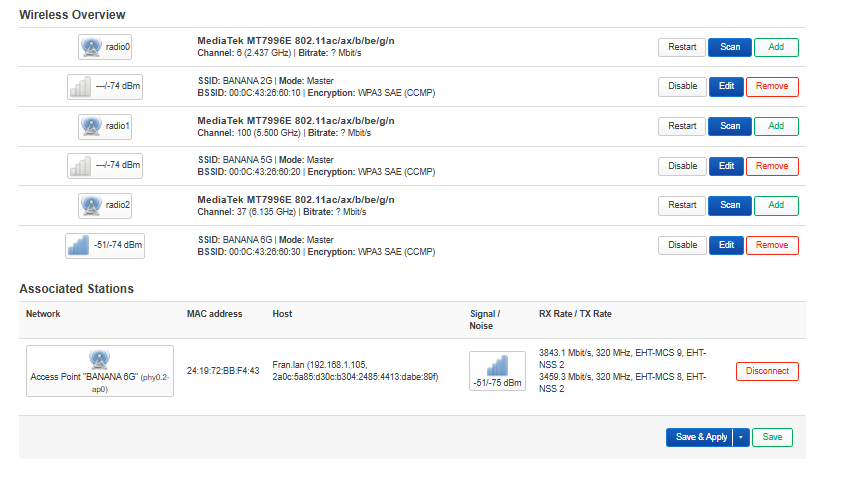
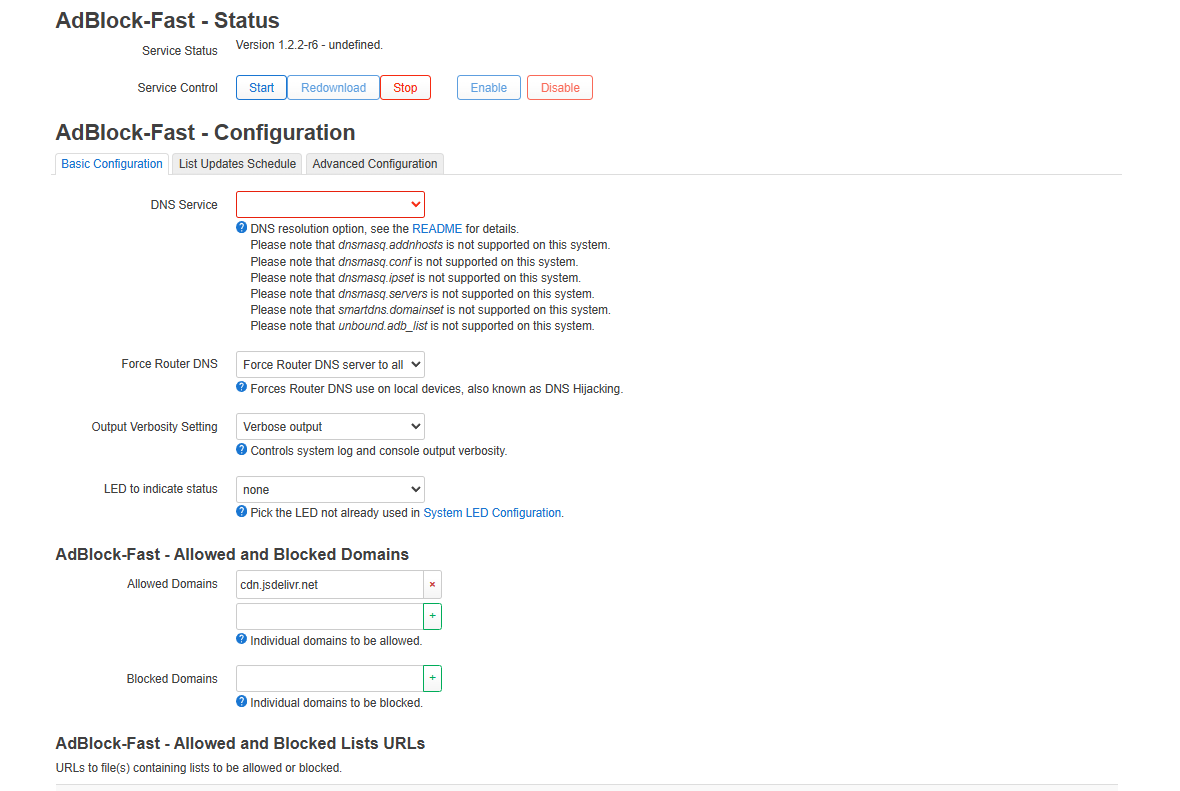
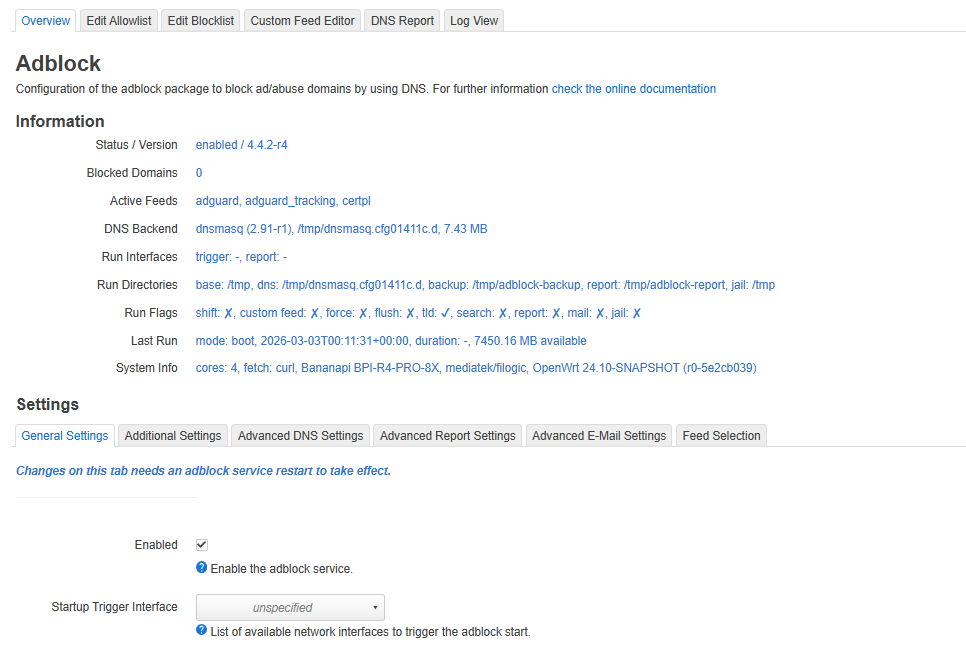
The first time it won’t give you internet, reboot and you’ll have internet. I’m leaving you a photo of a bit of what’s installed and the speeds with WireGuard to 1,500km from my house.
Both through SFP+ and WiFi 5 and WiFi 6.
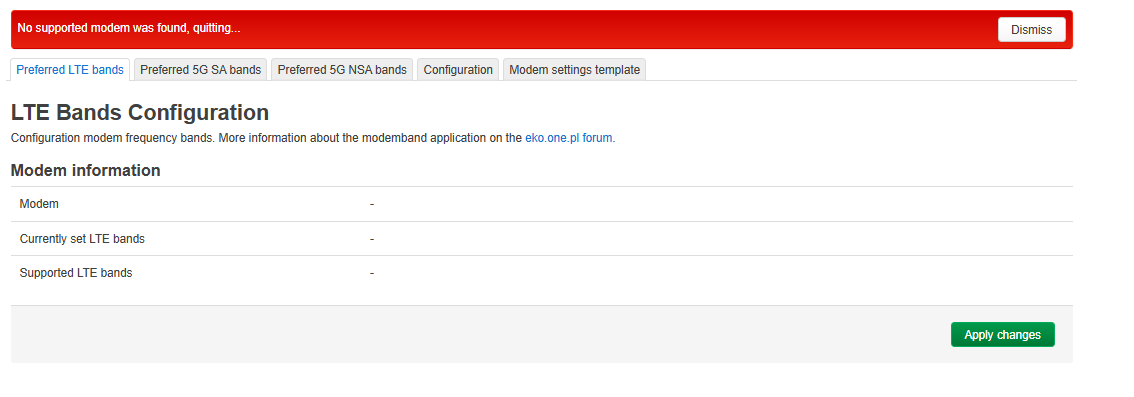
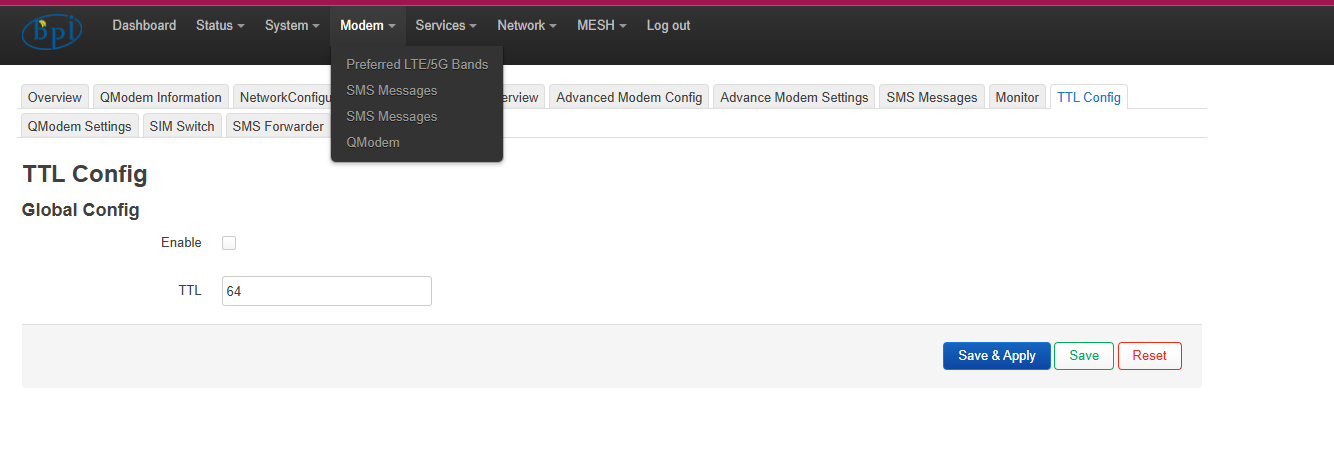
You also have installed to be able to use the 4G and 5G bands, and a lot more utilities for USB modems. I don’t know if they’ll work correctly since I don’t have USB modems or modems for the router. I’ve added many kmods so you can download applications for 3G and 4G. You have many utilities for these modems.
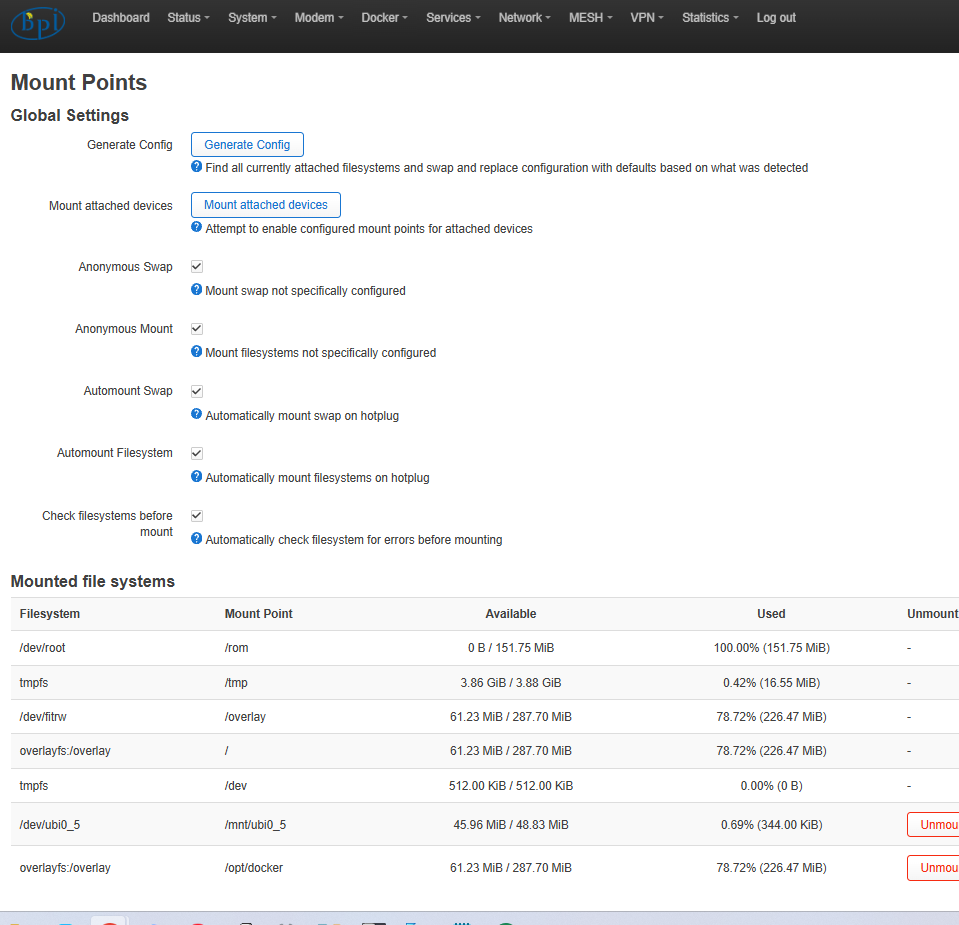
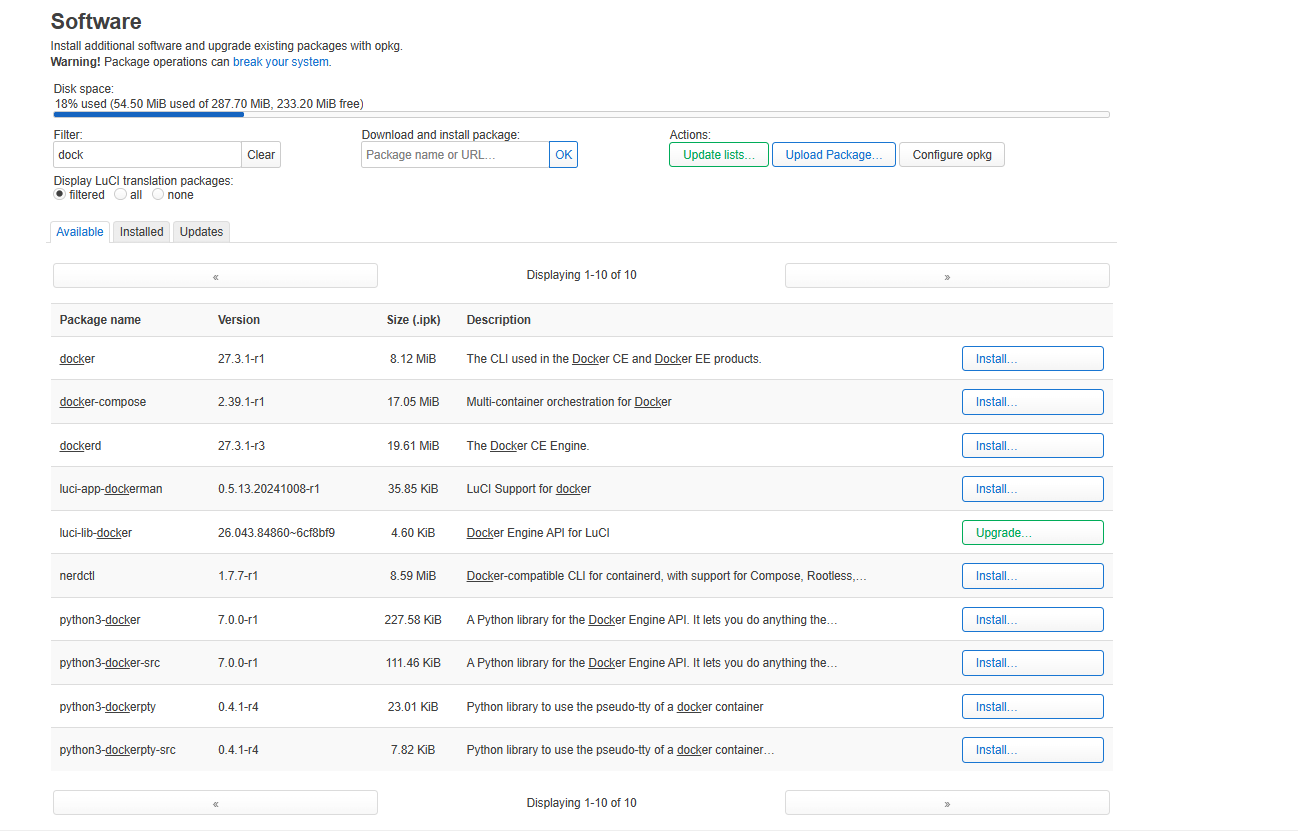
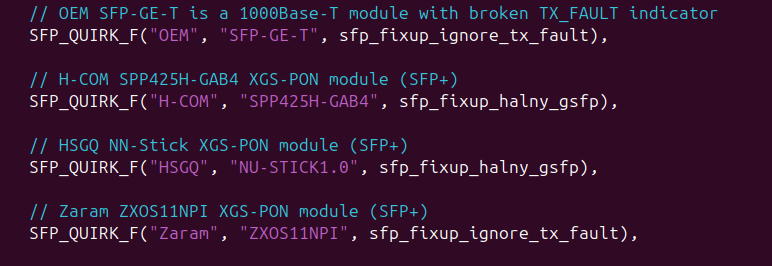
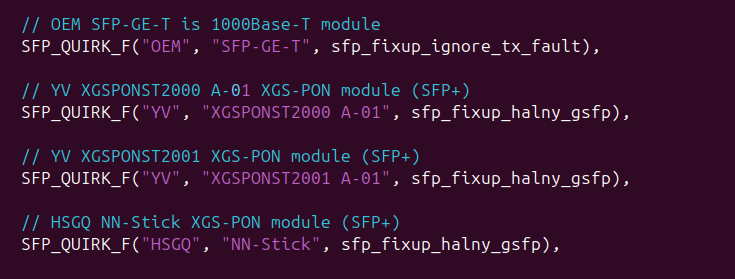
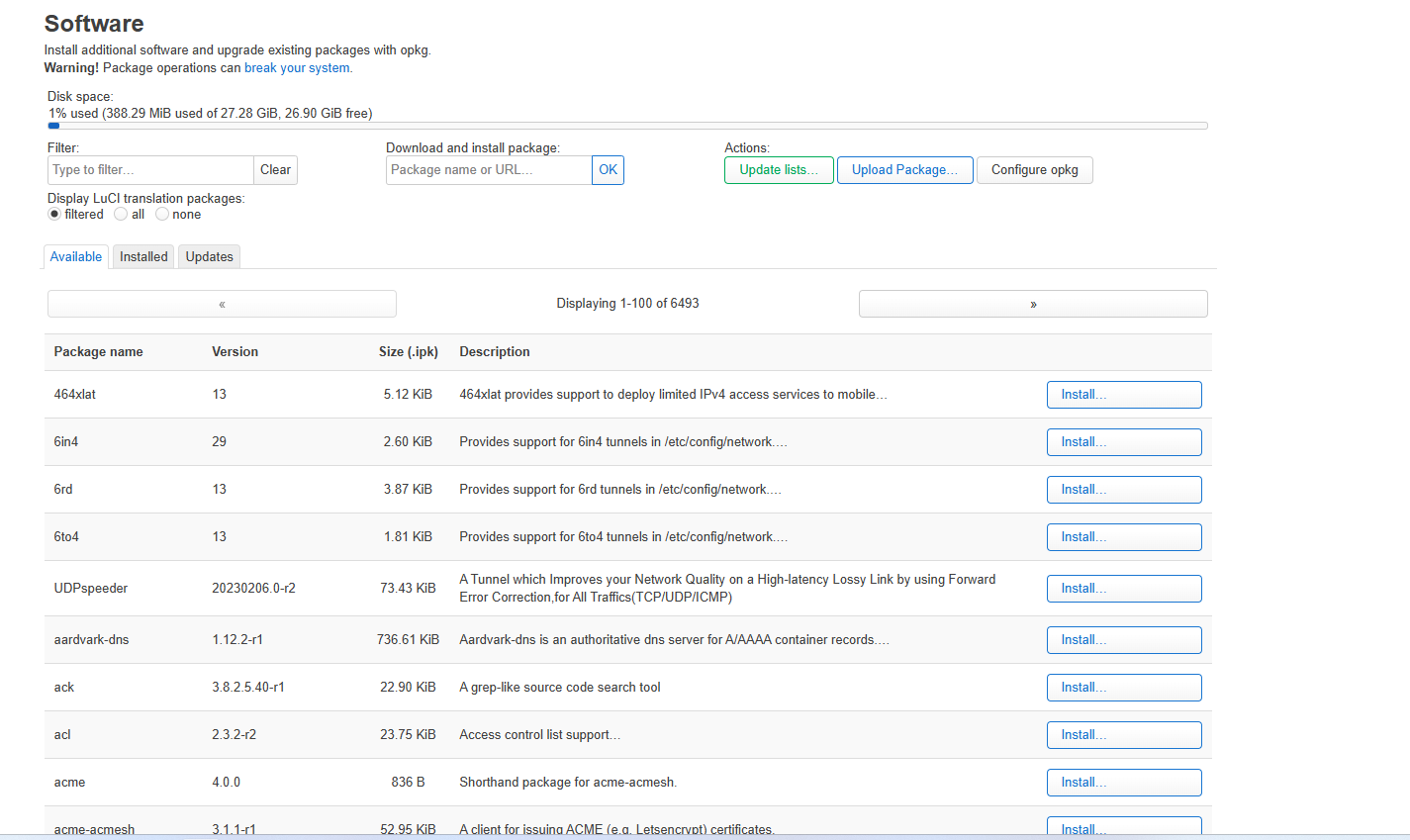
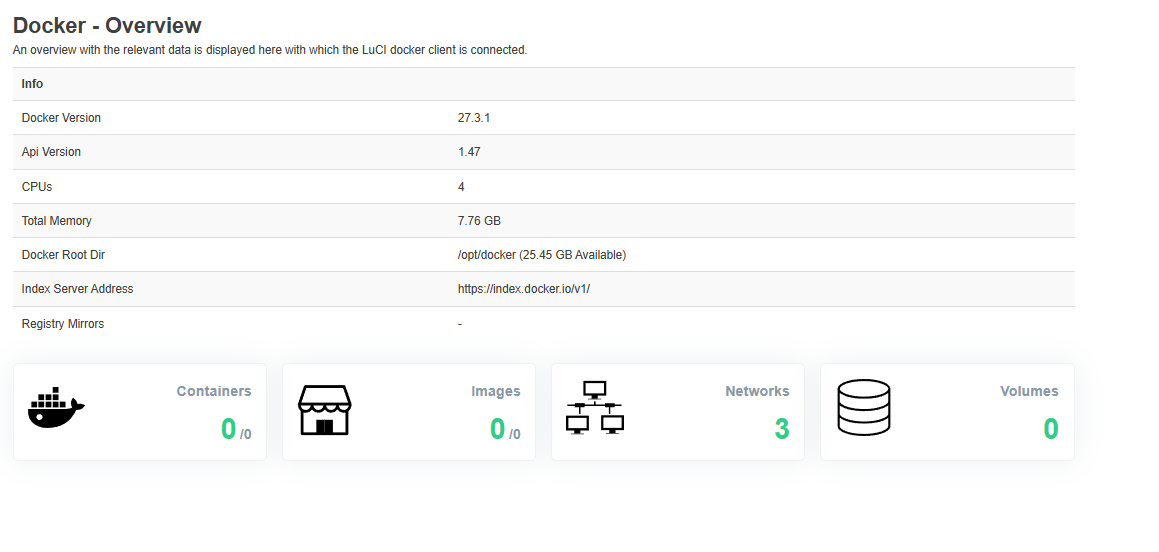
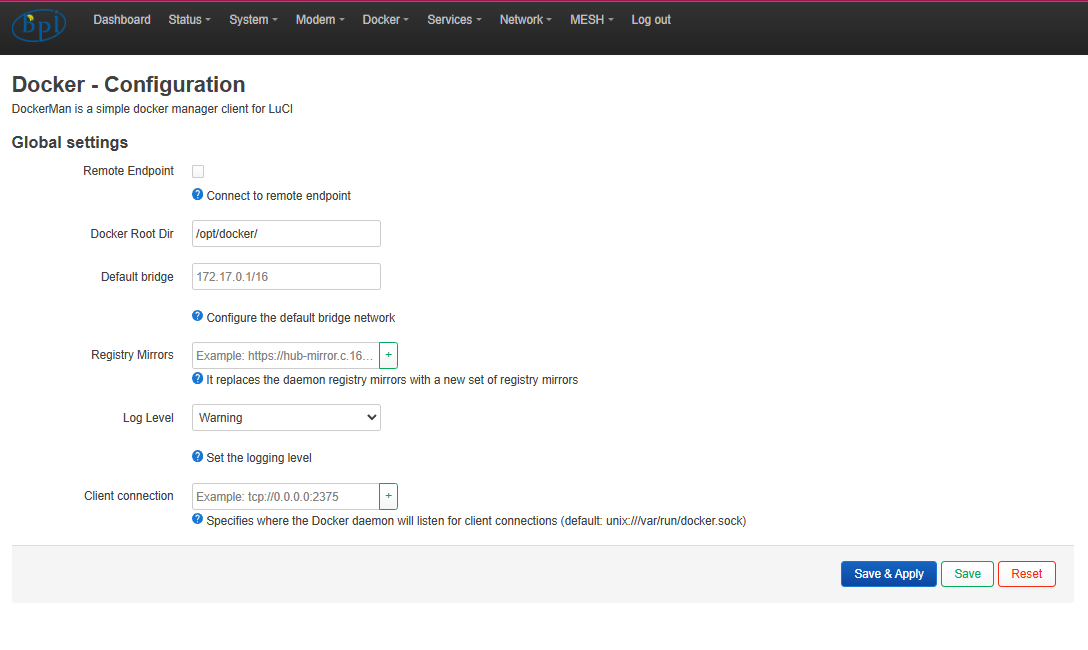
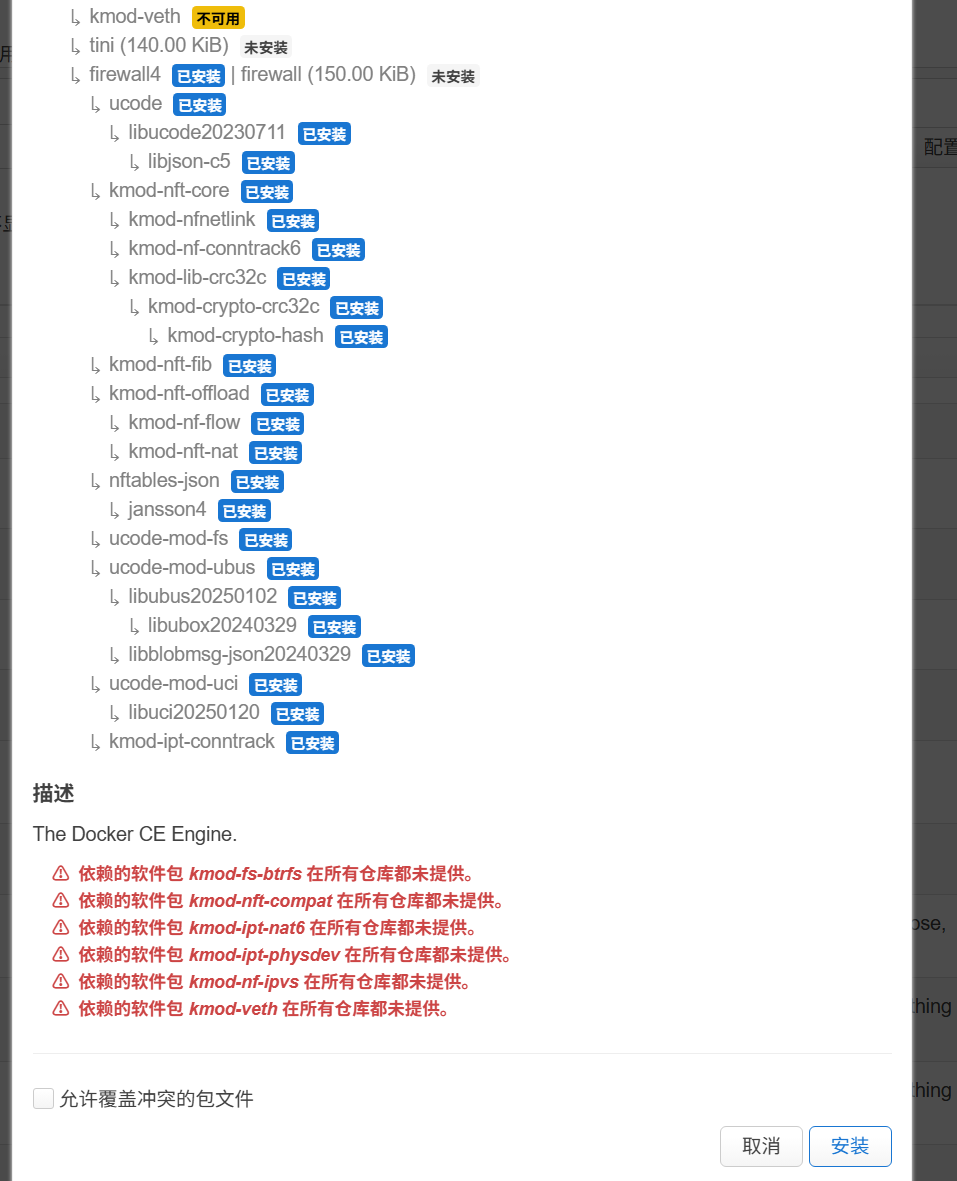
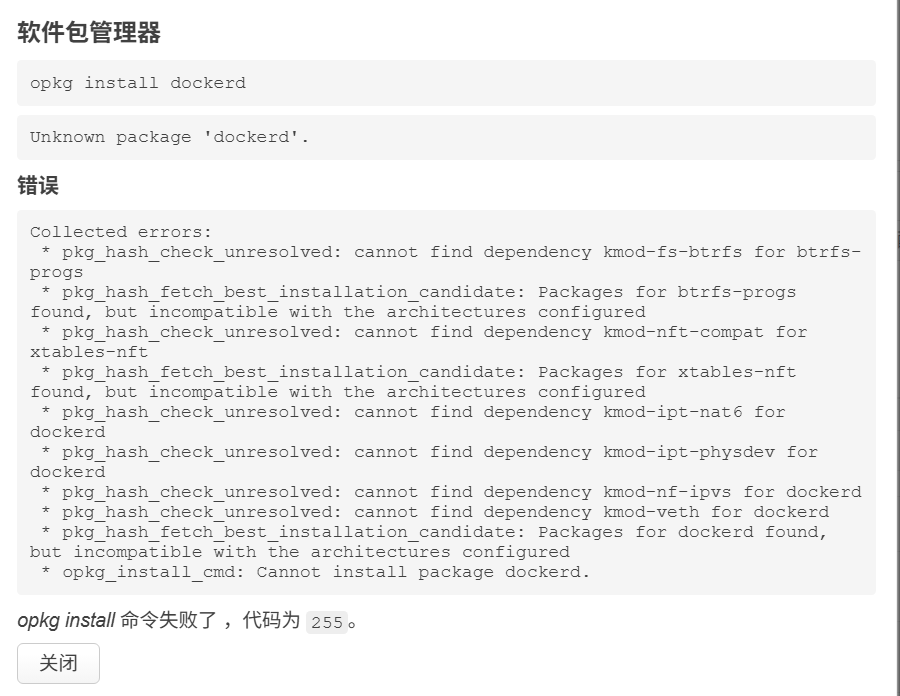
From software you can install complete Docker. I’m leaving you all the packages it has. Also in my repository you have the patch I created for all these XGS-PON including the official Banana Pi one that they sell:
Code
// H-COM SPP425H-GAB4 XGS-PON module (SFP+)
SFP_QUIRK_F("H-COM", "SPP425H-GAB4", sfp_fixup_halny_gsfp),

// Zaram ZXOS11NPI XGS-PON module (SFP+)
SFP_QUIRK_F("Zaram", "ZXOS11NPI", sfp_fixup_ignore_tx_fault),

// HSGQ NU-STICK1.0 XGS-PON module (SFP+)
SFP_QUIRK_F("HSGQ", "NU-STICK1.0", sfp_fixup_halny_gsfp),

// YV XGSPONST2000 A-01 XGS-PON module (SFP+)
SFP_QUIRK_F("YV", "XGSPONST2000 A-01", sfp_fixup_halny_gsfp),

// YV XGSPONST2001 XGS-PON module (SFP+)
SFP_QUIRK_F("YV", "XGSPONST2001 A-01", sfp_fixup_halny_gsfp),

// HSGQ NN-Stick XGS-PON module (SFP+)
SFP_QUIRK_F("HSGQ", "NN-Stick", sfp_fixup_halny_gsfp),
I’m leaving you some images to invite you to try it. If you need to see something, everything is in my repository: GitHub - brudalevante/BPI-R4PRO-8X-OPENWRT-V24.10.0-Master-Devel
Wireguard 1,500km from my house
WIFI 6G WIREGUARD
WIFI 5G WIREGUARD
installed packages
CONFIG_TARGET_mediatek=y
CONFIG_TARGET_mediatek_filogic=y
CONFIG_TARGET_MULTI_PROFILE=y
CONFIG_TARGET_DEVICE_mediatek_filogic_DEVICE_bananapi_bpi-r4-pro-8x=y
CONFIG_TARGET_DEVICE_PACKAGES_mediatek_filogic_DEVICE_bananapi_bpi-r4-pro-8x=""
CONFIG_DEVEL=y
CONFIG_BUSYBOX_CUSTOM=y
CONFIG_TARGET_PER_DEVICE_ROOTFS=y
CONFIG_BUSYBOX_CONFIG_FEATURE_TELNETD_PORT_DEFAULT=23
CONFIG_BUSYBOX_CONFIG_FEATURE_TELNETD_STANDALONE=y
CONFIG_BUSYBOX_CONFIG_FEATURE_TFTP_GET=y
CONFIG_BUSYBOX_CONFIG_FEATURE_TFTP_PUT=y
CONFIG_BUSYBOX_CONFIG_MPSTAT=y
CONFIG_BUSYBOX_CONFIG_TELNET=y
CONFIG_BUSYBOX_CONFIG_TELNETD=y
CONFIG_BUSYBOX_CONFIG_TFTP=y
CONFIG_BUSYBOX_CONFIG_VCONFIG=y
CONFIG_COLLECT_KERNEL_DEBUG=y
CONFIG_DEBUG=y
CONFIG_GNUTLS_ALPN=y
CONFIG_GNUTLS_ANON=y
CONFIG_GNUTLS_DTLS_SRTP=y
CONFIG_GNUTLS_HEARTBEAT=y
CONFIG_GNUTLS_OCSP=y
CONFIG_GNUTLS_PSK=y
CONFIG_HTOP_LMSENSORS=y
CONFIG_KERNEL_ARM_PMU=y
CONFIG_KERNEL_ARM_PMUV3=y
CONFIG_KERNEL_BPF_EVENTS=y
CONFIG_KERNEL_CGROUP_DEVICE=y
CONFIG_KERNEL_CGROUP_FREEZER=y
CONFIG_KERNEL_DEVMEM=y
CONFIG_KERNEL_FTRACE=y
CONFIG_KERNEL_KPROBES=y
CONFIG_KERNEL_KPROBE_EVENTS=y
CONFIG_KERNEL_NET_CLS_CGROUP=y
CONFIG_KERNEL_PERF_EVENTS=y
CONFIG_KERNEL_PROFILING=y
CONFIG_LIBIIO_LOCAL_BACKEND=y
CONFIG_LIBIIO_NETWORK_BACKEND=y
CONFIG_LIBIIO_XML_BACKEND=y
CONFIG_LIBQMI_COLLECTION_BASIC=y
CONFIG_LIBQMI_WITH_MBIM_QMUX=y
CONFIG_LIBQMI_WITH_QRTR_GLIB=y
CONFIG_LIBSODIUM_MINIMAL=y
CONFIG_MODEMMANAGER_WITH_MBIM=y
CONFIG_MODEMMANAGER_WITH_QMI=y
CONFIG_MODEMMANAGER_WITH_QRTR=y
CONFIG_OPENVPN_openssl_ENABLE_FRAGMENT=y
CONFIG_OPENVPN_openssl_ENABLE_LZ4=y
CONFIG_OPENVPN_openssl_ENABLE_LZO=y
CONFIG_OPENVPN_openssl_ENABLE_PORT_SHARE=y
CONFIG_OPENVPN_openssl_ENABLE_SMALL=y
CONFIG_PACKAGE_CFG80211_TESTMODE=y
CONFIG_PACKAGE_NTFS-3G_HAS_PROBE=y
CONFIG_PACKAGE_adblock=y
CONFIG_PACKAGE_adguardhome=y
CONFIG_PACKAGE_airoha-en8811h-firmware=y
CONFIG_PACKAGE_altitude-tool=m
CONFIG_PACKAGE_aqr10g-phy-firmware=y
CONFIG_PACKAGE_as21xxx-firmware=y
CONFIG_PACKAGE_atenl=y
CONFIG_PACKAGE_attendedsysupgrade-common=y
CONFIG_PACKAGE_attr=y
CONFIG_PACKAGE_avahi-dbus-daemon=y
CONFIG_PACKAGE_blkid=y
CONFIG_PACKAGE_block-mount=y
CONFIG_PACKAGE_blockd=y
CONFIG_PACKAGE_btrfs-progs=y
CONFIG_PACKAGE_ca-certificates=y
CONFIG_PACKAGE_cgi-io=y
CONFIG_PACKAGE_chat=y
CONFIG_PACKAGE_chinadns-ng=y
CONFIG_PACKAGE_collectd=y
CONFIG_PACKAGE_collectd-mod-cpu=y
CONFIG_PACKAGE_collectd-mod-interface=y
CONFIG_PACKAGE_collectd-mod-iwinfo=y
CONFIG_PACKAGE_collectd-mod-load=y
CONFIG_PACKAGE_collectd-mod-memory=y
CONFIG_PACKAGE_collectd-mod-network=y
CONFIG_PACKAGE_collectd-mod-rrdtool=y
CONFIG_PACKAGE_collectd-mod-sensors=y
CONFIG_PACKAGE_collectd-mod-thermal=y
CONFIG_PACKAGE_comgt=y
CONFIG_PACKAGE_containerd=y
CONFIG_PACKAGE_coreutils=y
CONFIG_PACKAGE_coreutils-base64=y
CONFIG_PACKAGE_coreutils-sort=y
CONFIG_PACKAGE_coreutils-timeout=y
CONFIG_PACKAGE_curl=y
CONFIG_PACKAGE_dawn=y
CONFIG_PACKAGE_dbus=y
CONFIG_PACKAGE_ddns-scripts=y
CONFIG_PACKAGE_ddns-scripts-dnspod=y
CONFIG_PACKAGE_ddns-scripts-huaweicloud=y
CONFIG_PACKAGE_ddns-scripts-services=y
CONFIG_PACKAGE_dns-over-https=y
CONFIG_PACKAGE_dnscrypt-proxy=y
CONFIG_PACKAGE_dnscrypt-proxy-resolvers=y
CONFIG_PACKAGE_dnsmasq=m
CONFIG_PACKAGE_dnsmasq-full=y
CONFIG_PACKAGE_dnsmasq_full_auth=y
CONFIG_PACKAGE_dnsmasq_full_conntrack=y
CONFIG_PACKAGE_dnsmasq_full_dhcp=y
CONFIG_PACKAGE_dnsmasq_full_dhcpv6=y
CONFIG_PACKAGE_dnsmasq_full_dnssec=y
CONFIG_PACKAGE_dnsmasq_full_ipset=y
CONFIG_PACKAGE_dnsmasq_full_nftset=y
CONFIG_PACKAGE_dnsmasq_full_noid=y
CONFIG_PACKAGE_dnsmasq_full_tftp=y
CONFIG_PACKAGE_docker=m
CONFIG_PACKAGE_docker-compose=m
CONFIG_PACKAGE_dockerd=m
CONFIG_PACKAGE_e2fsprogs=y
CONFIG_PACKAGE_ephy-utils=y
CONFIG_PACKAGE_ethswbox=y
CONFIG_PACKAGE_ethtool-full=y
CONFIG_PACKAGE_f2fs-tools=y
CONFIG_PACKAGE_f2fsck=y
CONFIG_PACKAGE_fdisk=y
CONFIG_PACKAGE_fio=y
CONFIG_PACKAGE_flex=m
CONFIG_PACKAGE_gawk=y
CONFIG_PACKAGE_gdisk=y
CONFIG_PACKAGE_glib2=y
CONFIG_PACKAGE_gpioctl-sysfs=y
CONFIG_PACKAGE_gpiod-tools=y
CONFIG_PACKAGE_hostapd-utils=y
CONFIG_PACKAGE_htop=y
CONFIG_PACKAGE_i2c-tools=y
CONFIG_PACKAGE_i2csfp=y
CONFIG_PACKAGE_iio-utils=y
CONFIG_PACKAGE_ip-bridge=y
CONFIG_PACKAGE_ip-full=y
CONFIG_PACKAGE_ip6tables-zz-legacy=y
CONFIG_PACKAGE_iperf3=y
CONFIG_PACKAGE_ipset=y
CONFIG_PACKAGE_iptables-mod-conntrack-extra=y
CONFIG_PACKAGE_iptables-mod-extra=y
CONFIG_PACKAGE_iptables-mod-ipopt=y
CONFIG_PACKAGE_iptables-mod-tproxy=y
CONFIG_PACKAGE_iptables-zz-legacy=y
CONFIG_PACKAGE_iw-full=y
CONFIG_PACKAGE_jq=y
CONFIG_PACKAGE_kmod-asn1-decoder=y
CONFIG_PACKAGE_kmod-ata-core=y
CONFIG_PACKAGE_kmod-br-netfilter=y
CONFIG_PACKAGE_kmod-cfg80211=y
CONFIG_PACKAGE_kmod-crypto-acompress=y
CONFIG_PACKAGE_kmod-crypto-arc4=y
CONFIG_PACKAGE_kmod-crypto-blake2b=y
CONFIG_PACKAGE_kmod-crypto-cbc=y
CONFIG_PACKAGE_kmod-crypto-ccm=y
CONFIG_PACKAGE_kmod-crypto-cmac=y
CONFIG_PACKAGE_kmod-crypto-crc32=y
CONFIG_PACKAGE_kmod-crypto-ctr=y
CONFIG_PACKAGE_kmod-crypto-cts=y
CONFIG_PACKAGE_kmod-crypto-ecb=y
CONFIG_PACKAGE_kmod-crypto-gcm=y
CONFIG_PACKAGE_kmod-crypto-geniv=y
CONFIG_PACKAGE_kmod-crypto-gf128=y
CONFIG_PACKAGE_kmod-crypto-ghash=y
CONFIG_PACKAGE_kmod-crypto-lib-chacha20=y
CONFIG_PACKAGE_kmod-crypto-lib-chacha20poly1305=y
CONFIG_PACKAGE_kmod-crypto-lib-curve25519=y
CONFIG_PACKAGE_kmod-crypto-lib-poly1305=y
CONFIG_PACKAGE_kmod-crypto-rng=y
CONFIG_PACKAGE_kmod-crypto-seqiv=y
CONFIG_PACKAGE_kmod-crypto-sha3=y
CONFIG_PACKAGE_kmod-crypto-user=y
CONFIG_PACKAGE_kmod-crypto-xxhash=y
CONFIG_PACKAGE_kmod-dax=y
CONFIG_PACKAGE_kmod-dm=y
CONFIG_PACKAGE_kmod-dummy=y
CONFIG_PACKAGE_kmod-eeprom-at24=y
CONFIG_PACKAGE_kmod-fs-autofs4=y
CONFIG_PACKAGE_kmod-fs-btrfs=y
CONFIG_PACKAGE_kmod-fs-exfat=y
CONFIG_PACKAGE_kmod-fs-exportfs=y
CONFIG_PACKAGE_kmod-fs-ext4=y
CONFIG_PACKAGE_kmod-fs-f2fs=y
CONFIG_PACKAGE_kmod-fs-ksmbd=y
CONFIG_PACKAGE_kmod-fs-msdos=y
CONFIG_PACKAGE_kmod-fs-netfs=y
CONFIG_PACKAGE_kmod-fs-nfs-common=y
CONFIG_PACKAGE_kmod-fs-nfs-common-rpcsec=y
CONFIG_PACKAGE_kmod-fs-nfsd=y
CONFIG_PACKAGE_kmod-fs-ntfs=y
CONFIG_PACKAGE_kmod-fs-ntfs3=y
CONFIG_PACKAGE_kmod-fs-smbfs-common=y
CONFIG_PACKAGE_kmod-fs-vfat=y
CONFIG_PACKAGE_kmod-fuse=y
CONFIG_PACKAGE_kmod-gpio-pca953x=y
CONFIG_PACKAGE_kmod-gpio-pcf857x=y
CONFIG_PACKAGE_kmod-gre=y
CONFIG_PACKAGE_kmod-hwmon-ina2xx=y
CONFIG_PACKAGE_kmod-hwmon-pwmfan=y
CONFIG_PACKAGE_kmod-i2c-algo-bit=y
CONFIG_PACKAGE_kmod-i2c-core=y
CONFIG_PACKAGE_kmod-i2c-gpio=y
CONFIG_PACKAGE_kmod-i2c-mux=y
CONFIG_PACKAGE_kmod-i2c-mux-gpio=y
CONFIG_PACKAGE_kmod-i2c-mux-pca9541=y
CONFIG_PACKAGE_kmod-i2c-mux-pca954x=y
CONFIG_PACKAGE_kmod-inet-diag=y
CONFIG_PACKAGE_kmod-ip6tables=y
CONFIG_PACKAGE_kmod-ipt-conntrack=y
CONFIG_PACKAGE_kmod-ipt-conntrack-extra=y
CONFIG_PACKAGE_kmod-ipt-core=y
CONFIG_PACKAGE_kmod-ipt-extra=y
CONFIG_PACKAGE_kmod-ipt-ipopt=y
CONFIG_PACKAGE_kmod-ipt-ipset=y
CONFIG_PACKAGE_kmod-ipt-nat=y
CONFIG_PACKAGE_kmod-ipt-nat6=y
CONFIG_PACKAGE_kmod-ipt-offload=y
CONFIG_PACKAGE_kmod-ipt-physdev=y
CONFIG_PACKAGE_kmod-ipt-tproxy=y
CONFIG_PACKAGE_kmod-iptunnel=y
CONFIG_PACKAGE_kmod-l2tp=y
CONFIG_PACKAGE_kmod-lib-crc-itu-t=y
CONFIG_PACKAGE_kmod-lib-crc16=y
CONFIG_PACKAGE_kmod-lib-lzo=y
CONFIG_PACKAGE_kmod-lib-raid6=y
CONFIG_PACKAGE_kmod-lib-xor=y
CONFIG_PACKAGE_kmod-lib-xxhash=y
CONFIG_PACKAGE_kmod-lib-zlib-deflate=y
CONFIG_PACKAGE_kmod-lib-zlib-inflate=y
CONFIG_PACKAGE_kmod-lib-zstd=y
CONFIG_PACKAGE_kmod-mac80211=y
CONFIG_PACKAGE_kmod-macvlan=y
CONFIG_PACKAGE_kmod-mii=y
CONFIG_PACKAGE_kmod-mppe=y
CONFIG_PACKAGE_kmod-mt76-connac=y
CONFIG_PACKAGE_kmod-mt76-core=y
CONFIG_PACKAGE_kmod-mt7996-233-firmware=y
CONFIG_PACKAGE_kmod-mt7996-firmware=y
CONFIG_PACKAGE_kmod-mt7996-firmware-common=y
CONFIG_PACKAGE_kmod-mt7996e=y
CONFIG_PACKAGE_kmod-net-selftests=y
CONFIG_PACKAGE_kmod-nf-conncount=y
CONFIG_PACKAGE_kmod-nf-conntrack-netlink=y
CONFIG_PACKAGE_kmod-nf-flow-netlink=y
CONFIG_PACKAGE_kmod-nf-ipt=y
CONFIG_PACKAGE_kmod-nf-ipt6=y
CONFIG_PACKAGE_kmod-nf-ipvs=y
CONFIG_PACKAGE_kmod-nf-nat6=y
CONFIG_PACKAGE_kmod-nft-compat=y
CONFIG_PACKAGE_kmod-nls-base=y
CONFIG_PACKAGE_kmod-nls-cp437=y
CONFIG_PACKAGE_kmod-nls-iso8859-1=y
CONFIG_PACKAGE_kmod-nls-ucs2-utils=y
CONFIG_PACKAGE_kmod-nls-utf8=y
CONFIG_PACKAGE_kmod-nvme=y
CONFIG_PACKAGE_kmod-oid-registry=y
CONFIG_PACKAGE_kmod-phy-airoha-an8801sb=y
CONFIG_PACKAGE_kmod-phy-airoha-en8811h=y
CONFIG_PACKAGE_kmod-phy-as21xxx=y
CONFIG_PACKAGE_kmod-phy-marvell=y
CONFIG_PACKAGE_kmod-phy-marvell-10g=y
CONFIG_PACKAGE_kmod-phy-smsc=y
CONFIG_PACKAGE_kmod-phylink=y
CONFIG_PACKAGE_kmod-pppol2tp=y
CONFIG_PACKAGE_kmod-pptp=y
CONFIG_PACKAGE_kmod-qmi-wwan-q=y
CONFIG_PACKAGE_kmod-regmap-core=y
CONFIG_PACKAGE_kmod-regmap-i2c=y
CONFIG_PACKAGE_kmod-rtc-pcf8563=y
CONFIG_PACKAGE_kmod-scsi-core=y
CONFIG_PACKAGE_kmod-scsi-generic=y
CONFIG_PACKAGE_kmod-sfp=y
CONFIG_PACKAGE_kmod-spi-dev=y
CONFIG_PACKAGE_kmod-tun=y
CONFIG_PACKAGE_kmod-udptunnel4=y
CONFIG_PACKAGE_kmod-udptunnel6=y
CONFIG_PACKAGE_kmod-usb-core=y
CONFIG_PACKAGE_kmod-usb-net=y
CONFIG_PACKAGE_kmod-usb-net-cdc-ether=y
CONFIG_PACKAGE_kmod-usb-net-cdc-mbim=y
CONFIG_PACKAGE_kmod-usb-net-cdc-ncm=y
CONFIG_PACKAGE_kmod-usb-net-huawei-cdc-ncm=y
CONFIG_PACKAGE_kmod-usb-net-qmi-wwan=y
CONFIG_PACKAGE_kmod-usb-net-qmi-wwan-fibocom=y
CONFIG_PACKAGE_kmod-usb-net-qmi-wwan-quectel=y
CONFIG_PACKAGE_kmod-usb-net-rndis=y
CONFIG_PACKAGE_kmod-usb-net-rtl8150=y
CONFIG_PACKAGE_kmod-usb-net-rtl8152=y
CONFIG_PACKAGE_kmod-usb-net-sierrawireless=y
CONFIG_PACKAGE_kmod-usb-net-smsc75xx=y
CONFIG_PACKAGE_kmod-usb-net-smsc95xx=y
CONFIG_PACKAGE_kmod-usb-net-sr9700=y
CONFIG_PACKAGE_kmod-usb-serial=y
CONFIG_PACKAGE_kmod-usb-serial-option=y
CONFIG_PACKAGE_kmod-usb-serial-qualcomm=y
CONFIG_PACKAGE_kmod-usb-serial-sierrawireless=y
CONFIG_PACKAGE_kmod-usb-serial-simple=y
CONFIG_PACKAGE_kmod-usb-serial-ti-usb=y
CONFIG_PACKAGE_kmod-usb-serial-visor=y
CONFIG_PACKAGE_kmod-usb-serial-wwan=y
CONFIG_PACKAGE_kmod-usb-storage=y
CONFIG_PACKAGE_kmod-usb-storage-extras=y
CONFIG_PACKAGE_kmod-usb-storage-uas=y
CONFIG_PACKAGE_kmod-usb-wdm=y
CONFIG_PACKAGE_kmod-usb-xhci-hcd=y
CONFIG_PACKAGE_kmod-usb-xhci-mtk=y
CONFIG_PACKAGE_kmod-usb3=y
CONFIG_PACKAGE_kmod-veth=y
CONFIG_PACKAGE_kmod-vxlan=y
CONFIG_PACKAGE_kmod-wireguard=y
CONFIG_PACKAGE_ksmbd-server=y
CONFIG_PACKAGE_lftp=y
CONFIG_PACKAGE_libaio=y
CONFIG_PACKAGE_libatomic=y
CONFIG_PACKAGE_libattr=y
CONFIG_PACKAGE_libavahi-client=y
CONFIG_PACKAGE_libavahi-dbus-support=y
CONFIG_PACKAGE_libbfd=y
CONFIG_PACKAGE_libblkid=y
CONFIG_PACKAGE_libbpf=y
CONFIG_PACKAGE_libbz2=y
CONFIG_PACKAGE_libcap=y
CONFIG_PACKAGE_libcap-ng=y
CONFIG_PACKAGE_libcomerr=y
CONFIG_PACKAGE_libctf=y
CONFIG_PACKAGE_libdaemon=y
CONFIG_PACKAGE_libdbus=y
CONFIG_PACKAGE_libdevmapper=y
CONFIG_PACKAGE_libdw=y
CONFIG_PACKAGE_libe2p=y
CONFIG_PACKAGE_libelf=y
CONFIG_PACKAGE_libev=y
CONFIG_PACKAGE_libevdev=y
CONFIG_PACKAGE_libexpat=y
CONFIG_PACKAGE_libext2fs=y
CONFIG_PACKAGE_libf2fs=y
CONFIG_PACKAGE_libfdisk=y
CONFIG_PACKAGE_libffi=y
CONFIG_PACKAGE_libgcrypt=y
CONFIG_PACKAGE_libgdbm=y
CONFIG_PACKAGE_libgmp=y
CONFIG_PACKAGE_libgnutls=y
CONFIG_PACKAGE_libgpg-error=y
CONFIG_PACKAGE_libgpiod=y
CONFIG_PACKAGE_libi2c=y
CONFIG_PACKAGE_libiio=y
CONFIG_PACKAGE_libip4tc=y
CONFIG_PACKAGE_libip6tc=y
CONFIG_PACKAGE_libiperf3=y
CONFIG_PACKAGE_libipset=y
CONFIG_PACKAGE_libiptext=y
CONFIG_PACKAGE_libiptext6=y
CONFIG_PACKAGE_libkmod=y
CONFIG_PACKAGE_libltdl=y
CONFIG_PACKAGE_liblua=y
CONFIG_PACKAGE_liblucihttp=y
CONFIG_PACKAGE_liblucihttp-lua=y
CONFIG_PACKAGE_liblucihttp-ucode=y
CONFIG_PACKAGE_liblz4=y
CONFIG_PACKAGE_liblzma=y
CONFIG_PACKAGE_liblzo=y
CONFIG_PACKAGE_libmbim=y
CONFIG_PACKAGE_libmount=y
CONFIG_PACKAGE_libncurses=y
CONFIG_PACKAGE_libnetfilter-conntrack=y
CONFIG_PACKAGE_libnettle=y
CONFIG_PACKAGE_libnfnetlink=y
CONFIG_PACKAGE_libnl-core=y
CONFIG_PACKAGE_libnl-genl=y
CONFIG_PACKAGE_libopcodes=y
CONFIG_PACKAGE_libopenssl-conf=y
CONFIG_PACKAGE_libopenssl-legacy=y
CONFIG_PACKAGE_libparted=y
CONFIG_PACKAGE_libpcap=y
CONFIG_PACKAGE_libpci=y
CONFIG_PACKAGE_libpcre2=y
CONFIG_PACKAGE_libpopt=y
CONFIG_PACKAGE_libpython3=y
CONFIG_PACKAGE_libqmi=y
CONFIG_PACKAGE_libqrtr-glib=y
CONFIG_PACKAGE_libreadline=y
CONFIG_PACKAGE_librrd1=y
CONFIG_PACKAGE_librt=y
CONFIG_PACKAGE_libseccomp=y
CONFIG_PACKAGE_libsensors=y
CONFIG_PACKAGE_libsmartcols=y
CONFIG_PACKAGE_libsodium=y
CONFIG_PACKAGE_libsqlite3=y
CONFIG_PACKAGE_libss=y
CONFIG_PACKAGE_libstdcpp=y
CONFIG_PACKAGE_libsysfs=y
CONFIG_PACKAGE_libtasn1=y
CONFIG_PACKAGE_libtirpc=y
CONFIG_PACKAGE_libtraceevent=y
CONFIG_PACKAGE_libubus-lua=y
CONFIG_PACKAGE_libuci-lua=y
CONFIG_PACKAGE_libudev-zero=y
CONFIG_PACKAGE_libudns=y
CONFIG_PACKAGE_libugpio=y
CONFIG_PACKAGE_liburing=y
CONFIG_PACKAGE_libusb-1.0=y
CONFIG_PACKAGE_libuuid=y
CONFIG_PACKAGE_libuv=y
CONFIG_PACKAGE_libwebsockets-full=y
CONFIG_PACKAGE_libwolfssl=y
CONFIG_PACKAGE_libxml2=y
CONFIG_PACKAGE_libxtables=y
CONFIG_PACKAGE_lm-sensors=y
CONFIG_PACKAGE_lm-sensors-detect=y
CONFIG_PACKAGE_losetup=y
CONFIG_PACKAGE_lsblk=y
CONFIG_PACKAGE_lua=y
CONFIG_PACKAGE_lua-ipops=y
CONFIG_PACKAGE_luci=y
CONFIG_PACKAGE_luci-app-adblock=y
CONFIG_PACKAGE_luci-app-autoreboot=y
CONFIG_PACKAGE_luci-app-cpu-status=y
CONFIG_PACKAGE_luci-app-dawn=y
CONFIG_PACKAGE_luci-app-ddns=y
CONFIG_PACKAGE_luci-app-dockerman=m
CONFIG_PACKAGE_luci-app-fakemesh=y
CONFIG_PACKAGE_luci-app-filemanager=y
CONFIG_PACKAGE_luci-app-firewall=y
CONFIG_PACKAGE_luci-app-ksmbd=y
CONFIG_PACKAGE_luci-app-modemband=y
CONFIG_PACKAGE_luci-app-mwan3=y
CONFIG_PACKAGE_luci-app-omcproxy=y
CONFIG_PACKAGE_luci-app-openvpn=y
CONFIG_PACKAGE_luci-app-package-manager=y
CONFIG_PACKAGE_luci-app-samba4=y
CONFIG_PACKAGE_luci-app-statistics=y
CONFIG_PACKAGE_luci-app-temp-status=y
CONFIG_PACKAGE_luci-app-upnp=y
CONFIG_PACKAGE_luci-app-usteer=y
CONFIG_PACKAGE_luci-app-wifischedule=y
CONFIG_PACKAGE_luci-base=y
CONFIG_PACKAGE_luci-compat=y
CONFIG_PACKAGE_luci-lib-base=y
CONFIG_PACKAGE_luci-lib-docker=y
CONFIG_PACKAGE_luci-lib-ip=y
CONFIG_PACKAGE_luci-lib-ipkg=y
CONFIG_PACKAGE_luci-lib-jsonc=y
CONFIG_PACKAGE_luci-lib-nixio=y
CONFIG_PACKAGE_luci-lib-uqr=y
CONFIG_PACKAGE_luci-light=y
CONFIG_PACKAGE_luci-lua-runtime=y
CONFIG_PACKAGE_luci-mod-admin-full=y
CONFIG_PACKAGE_luci-mod-dashboard=y
CONFIG_PACKAGE_luci-mod-network=y
CONFIG_PACKAGE_luci-mod-status=y
CONFIG_PACKAGE_luci-mod-system=y
CONFIG_PACKAGE_luci-proto-3g=y
CONFIG_PACKAGE_luci-proto-ipv6=y
CONFIG_PACKAGE_luci-proto-modemmanager=y
CONFIG_PACKAGE_luci-proto-ppp=y
CONFIG_PACKAGE_luci-proto-qmi=y
CONFIG_PACKAGE_luci-proto-relay=y
CONFIG_PACKAGE_luci-proto-wireguard=y
CONFIG_PACKAGE_luci-ssl=y
CONFIG_PACKAGE_luci-theme-bootstrap=y
CONFIG_PACKAGE_lvm2=y
CONFIG_PACKAGE_microsocks=y
CONFIG_PACKAGE_mii_mgr=y
CONFIG_PACKAGE_minicom=y
CONFIG_PACKAGE_miniupnpd-nftables=y
CONFIG_PACKAGE_mkf2fs=y
CONFIG_PACKAGE_mmc-utils=y
CONFIG_PACKAGE_modemband=y
CONFIG_PACKAGE_modemmanager=y
CONFIG_PACKAGE_mt76-test=y
CONFIG_PACKAGE_mt7988-wo-firmware=y
CONFIG_PACKAGE_mt798x-2p5g-phy-firmware-internal=y
CONFIG_PACKAGE_mtk_factory_rw=y
CONFIG_PACKAGE_mtkhnat_util=y
CONFIG_PACKAGE_musl-fts=y
CONFIG_PACKAGE_mwan3=y
CONFIG_PACKAGE_nand-utils=y
CONFIG_PACKAGE_netfilter-flowtable=y
CONFIG_PACKAGE_netsys_dbg_util=y
CONFIG_PACKAGE_nping=y
CONFIG_PACKAGE_ntfs-3g=y
CONFIG_PACKAGE_ntfs-3g-low=y
CONFIG_PACKAGE_ntfs-3g-utils=y
CONFIG_PACKAGE_objdump=y
CONFIG_PACKAGE_omcproxy=y
CONFIG_PACKAGE_openssl-util=y
CONFIG_PACKAGE_openvpn-openssl=y
CONFIG_PACKAGE_parted=y
CONFIG_PACKAGE_pciids=y
CONFIG_PACKAGE_pciutils=y
CONFIG_PACKAGE_perf=y
CONFIG_PACKAGE_perl=y
CONFIG_PACKAGE_perlbase-base=y
CONFIG_PACKAGE_perlbase-bytes=y
CONFIG_PACKAGE_perlbase-class=y
CONFIG_PACKAGE_perlbase-config=y
CONFIG_PACKAGE_perlbase-cwd=y
CONFIG_PACKAGE_perlbase-errno=y
CONFIG_PACKAGE_perlbase-essential=y
CONFIG_PACKAGE_perlbase-fcntl=y
CONFIG_PACKAGE_perlbase-file=y
CONFIG_PACKAGE_perlbase-filehandle=y
CONFIG_PACKAGE_perlbase-i18n=y
CONFIG_PACKAGE_perlbase-integer=y
CONFIG_PACKAGE_perlbase-io=y
CONFIG_PACKAGE_perlbase-list=y
CONFIG_PACKAGE_perlbase-locale=y
CONFIG_PACKAGE_perlbase-params=y
CONFIG_PACKAGE_perlbase-posix=y
CONFIG_PACKAGE_perlbase-re=y
CONFIG_PACKAGE_perlbase-scalar=y
CONFIG_PACKAGE_perlbase-selectsaver=y
CONFIG_PACKAGE_perlbase-socket=y
CONFIG_PACKAGE_perlbase-symbol=y
CONFIG_PACKAGE_perlbase-tie=y
CONFIG_PACKAGE_perlbase-unicore=y
CONFIG_PACKAGE_perlbase-utf8=y
CONFIG_PACKAGE_perlbase-xsloader=y
CONFIG_PACKAGE_ppp-mod-pppol2tp=y
CONFIG_PACKAGE_ppp-mod-pptp=y
CONFIG_PACKAGE_pv=y
CONFIG_PACKAGE_px5g-mbedtls=y
CONFIG_PACKAGE_python3=y
CONFIG_PACKAGE_python3-asyncio=y
CONFIG_PACKAGE_python3-base=y
CONFIG_PACKAGE_python3-bcrypt=y
CONFIG_PACKAGE_python3-certifi=y
CONFIG_PACKAGE_python3-cffi=y
CONFIG_PACKAGE_python3-cgi=y
CONFIG_PACKAGE_python3-cgitb=y
CONFIG_PACKAGE_python3-chardet=y
CONFIG_PACKAGE_python3-codecs=y
CONFIG_PACKAGE_python3-cryptography=y
CONFIG_PACKAGE_python3-ctypes=y
CONFIG_PACKAGE_python3-dbm=y
CONFIG_PACKAGE_python3-decimal=y
CONFIG_PACKAGE_python3-distutils=y
CONFIG_PACKAGE_python3-docker=m
CONFIG_PACKAGE_python3-dockerpty=m
CONFIG_PACKAGE_python3-email=y
CONFIG_PACKAGE_python3-idna=y
CONFIG_PACKAGE_python3-light=y
CONFIG_PACKAGE_python3-logging=y
CONFIG_PACKAGE_python3-lzma=y
CONFIG_PACKAGE_python3-multiprocessing=y
CONFIG_PACKAGE_python3-ncurses=y
CONFIG_PACKAGE_python3-openssl=y
CONFIG_PACKAGE_python3-packaging=y
CONFIG_PACKAGE_python3-paramiko=y
CONFIG_PACKAGE_python3-ply=y
CONFIG_PACKAGE_python3-pycparser=y
CONFIG_PACKAGE_python3-pydoc=y
CONFIG_PACKAGE_python3-pynacl=y
CONFIG_PACKAGE_python3-readline=y
CONFIG_PACKAGE_python3-requests=y
CONFIG_PACKAGE_python3-six=y
CONFIG_PACKAGE_python3-sqlite3=y
CONFIG_PACKAGE_python3-unittest=y
CONFIG_PACKAGE_python3-urllib=y
CONFIG_PACKAGE_python3-urllib3=y
CONFIG_PACKAGE_python3-uuid=y
CONFIG_PACKAGE_python3-websocket-client=y
CONFIG_PACKAGE_python3-xml=y
CONFIG_PACKAGE_quectel-cm=y
CONFIG_PACKAGE_quectel-timesync=y
CONFIG_PACKAGE_r8152-firmware=y
CONFIG_PACKAGE_regs=y
CONFIG_PACKAGE_relayd=y
CONFIG_PACKAGE_resize2fs=y
CONFIG_PACKAGE_resolveip=y
CONFIG_PACKAGE_rpcd=y
CONFIG_PACKAGE_rpcd-mod-file=y
CONFIG_PACKAGE_rpcd-mod-iwinfo=y
CONFIG_PACKAGE_rpcd-mod-luci=y
CONFIG_PACKAGE_rpcd-mod-rpcsys=y
CONFIG_PACKAGE_rpcd-mod-rrdns=y
CONFIG_PACKAGE_rpcd-mod-ucode=y
CONFIG_PACKAGE_rrdtool1=y
CONFIG_PACKAGE_runc=y
CONFIG_PACKAGE_samba4-libs=y
CONFIG_PACKAGE_samba4-server=y
CONFIG_PACKAGE_samba4-utils=y
CONFIG_PACKAGE_sfdisk=y
CONFIG_PACKAGE_smp_util=y
CONFIG_PACKAGE_sms-tool=y
CONFIG_PACKAGE_spidev-test=y
CONFIG_PACKAGE_switch=y
CONFIG_PACKAGE_sysfsutils=y
CONFIG_PACKAGE_tcpdump=y
CONFIG_PACKAGE_terminfo=y
CONFIG_PACKAGE_tini=y
CONFIG_PACKAGE_ttyd=y
CONFIG_PACKAGE_ucode-mod-digest=y
CONFIG_PACKAGE_ucode-mod-html=y
CONFIG_PACKAGE_ucode-mod-log=y
CONFIG_PACKAGE_ucode-mod-lua=y
CONFIG_PACKAGE_ucode-mod-math=y
CONFIG_PACKAGE_uhttpd=y
CONFIG_PACKAGE_uhttpd-mod-ubus=y
CONFIG_PACKAGE_umdns=y
CONFIG_PACKAGE_uqmi=y
CONFIG_PACKAGE_usbids=y
CONFIG_PACKAGE_usbutils=y
CONFIG_PACKAGE_usteer=y
CONFIG_PACKAGE_wget-ssl=y
CONFIG_PACKAGE_wifi-scripts=y
CONFIG_PACKAGE_wifischedule=y
CONFIG_PACKAGE_wireguard-tools=y
CONFIG_PACKAGE_wireless-regdb=y
CONFIG_PACKAGE_wpa-cli=y
CONFIG_PACKAGE_wsdd2=y
CONFIG_PACKAGE_wwan=y
CONFIG_PACKAGE_xl2tpd=y
CONFIG_PACKAGE_xray-core=y
CONFIG_PACKAGE_xtables-legacy=y
CONFIG_PACKAGE_yq=y
CONFIG_PACKAGE_zlib=y
CONFIG_PARTED_READLINE=y
CONFIG_PERL_NOCOMMENT=y
CONFIG_PERL_THREADS=y
CONFIG_SAMBA4_SERVER_AVAHI=y
CONFIG_SAMBA4_SERVER_NETBIOS=y
CONFIG_SAMBA4_SERVER_VFS=y
CONFIG_SAMBA4_SERVER_WSDD2=y
CONFIG_SQLITE3_COLUMN_METADATA=y
CONFIG_SQLITE3_DYNAMIC_EXTENSIONS=y
CONFIG_SQLITE3_FTS3=y
CONFIG_SQLITE3_FTS4=y
CONFIG_SQLITE3_FTS5=y
CONFIG_SQLITE3_RTREE=y
CONFIG_USE_GC_SECTIONS=y
CONFIG_USE_LTO=y
CONFIG_WOLFSSL_HAS_NO_HW=y
CONFIG_WPA_MSG_MIN_PRIORITY=2
Best regards
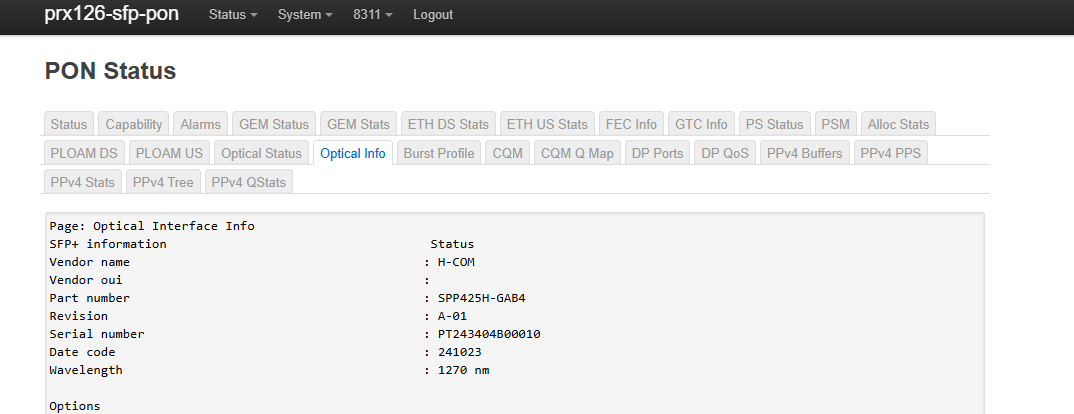
Good afternoon, as I mentioned, my version works perfectly with my xgs-pon version was-110 -H-CON-SPP425H-GAB4. These ones shown in the photo were also added, including the official Banana Pi one. I don’t know if they will work for you, but mine does work since I don’t have the rest. The patch is included in the image you have posted, just like the one in my repository.
I’m including some photos and a sample of mine.
I have an image that automatically obtains the IP address at the same speed, but I haven’t uploaded it because I don’t need that much and it’s customized for me. If anyone needs it, just send me a private message; I’d be happy to share it. It’s very simple.
root@OpenWrt:~# i2cdump -y 2 0x50
No size specified (using byte-data access)
     0  1  2  3  4  5  6  7  8  9  a  b  c  d  e  f    0123456789abcdef
00: 03 04 07 10 00 00 00 00 00 00 00 06 67 00 00 00    ????.......?g...
10: 00 00 50 00 48 2d 43 4f 4d 20 20 20 20 20 20 20    ..P.H-COM
20: 20 20 20 20 00 00 00 00 53 50 50 34 32 35 48 2d        ....SPP425H-
30: 47 41 42 34 20 20 20 20 41 2d 30 31 04 f6 00 69    GAB4    A-01??.i
40: 00 00 00 00 50 54 32 35 34 37 31 30 42 30 30 30    ....PT254710B000
50: 39 38 20 20 32 35 31 31 31 39 20 20 68 f0 05 2a    98  251119  h??*
60: 00 00 00 00 00 00 00 00 c3 17 e3 93 cf 75 5a eb    ........?????uZ?
70: 5f 2a 66 00 00 00 00 00 00 00 00 00 b6 5e bf 43    _*f.........?^?C
80: 43 4d 55 49 41 53 57 43 41 41 33 30 2d 31 35 39    CMUIASWCAA30-159
90: 39 2d 30 31 56 30 31 20 02 fb 55 00 00 00 00 fd    9-01V01 ??U....?
a0: 00 00 00 00 00 00 00 00 00 00 00 00 00 00 00 00    ................
b0: 00 00 00 00 00 00 00 00 00 00 00 00 00 00 00 00    ................
c0: 53 46 50 2d 31 30 47 2d 54 2d 58 20 20 20 20 20    SFP-10G-T-X
d0: 20 20 20 20 30 38 a5 02 00 10 18 18 19 31 00 7d        08??.????1.}
e0: 38 34 38 39 31 20 42 30 20 4b 46 45 42 47 00 00    84891 B0 KFEBG..
f0: 00 00 00 00 00 00 00 00 00 00 00 00 00 00 00 ff    ................
root@OpenWrt:~# ethtool -m eth1
        Identifier                                : 0x03 (SFP)
        Extended identifier                       : 0x04 (GBIC/SFP defined by 2-wire interface ID)
        Connector                                 : 0x01 (SC)
        Transceiver codes                         : 0x20 0x00 0x00 0x00 0x00 0x00 0x00 0x00 0x00
        Transceiver type                          : 10G Ethernet: 10G Base-LR
        Encoding                                  : 0x03 (NRZ)
        BR, Nominal                               : 10000MBd
        Rate identifier                           : 0x00 (unspecified)
        Length (SMF,km)                           : 20km
        Length (SMF)                              : 20000m
        Length (50um)                             : 0m
        Length (62.5um)                           : 0m
        Length (Copper)                           : 0m
        Length (OM3)                              : 0m
        Laser wavelength                          : 1270nm
        Vendor name                               : H-COM
        Vendor OUI                                : 00:00:00
        Vendor PN                                 : SPP425H-GAB4
        Vendor rev                                : A-01
        Option values                             : 0x00 0x00
        BR margin, max                            : 0%
        BR margin, min                            : 0%
        Vendor SN                                 : PT254710B00098
        Date code                                 : 251119
        Optical diagnostics support               : Yes
        Laser bias current                        : 0.000 mA
        Laser output power                        : 0.0000 mW / -inf dBm
        Receiver signal average optical power     : 0.0000 mW / -inf dBm
        Module temperature                        : 34.00 degrees C / 93.20 degrees F
        Module voltage                            : 3.4174 V
        Alarm/warning flags implemented           : Yes
        Laser bias current high alarm             : Off
        Laser bias current low alarm              : On
        Laser bias current high warning           : Off
        Laser bias current low warning            : On
        Laser output power high alarm             : Off
        Laser output power low alarm              : On
        Laser output power high warning           : Off
        Laser output power low warning            : On
        Module temperature high alarm             : Off
        Module temperature low alarm              : Off
        Module temperature high warning           : Off
        Module temperature low warning            : Off
        Module voltage high alarm                 : Off
        Module voltage low alarm                  : Off
        Module voltage high warning               : Off
        Module voltage low warning                : Off
        Laser rx power high alarm                 : Off
        Laser rx power low alarm                  : On
        Laser rx power high warning               : Off
        Laser rx power low warning                : On
        Laser bias current high alarm threshold   : 60.000 mA
        Laser bias current low alarm threshold    : 0.000 mA
        Laser bias current high warning threshold : 55.000 mA
        Laser bias current low warning threshold  : 0.000 mA
        Laser output power high alarm threshold   : 6.5535 mW / 8.16 dBm
        Laser output power low alarm threshold    : 1.5848 mW / 2.00 dBm
        Laser output power high warning threshold : 6.5535 mW / 8.16 dBm
        Laser output power low warning threshold  : 1.9952 mW / 3.00 dBm
        Module temperature high alarm threshold   : 90.00 degrees C / 194.00 degrees F
        Module temperature low alarm threshold    : -50.00 degrees C / -58.00 degrees F
        Module temperature high warning threshold : 85.00 degrees C / 185.00 degrees F
        Module temperature low warning threshold  : -45.00 degrees C / -49.00 degrees F
        Module voltage high alarm threshold       : 3.6000 V
        Module voltage low alarm threshold        : 3.0000 V
        Module voltage high warning threshold     : 3.4700 V
        Module voltage low warning threshold      : 3.1300 V
        Laser rx power high alarm threshold       : 0.1995 mW / -7.00 dBm
        Laser rx power low alarm threshold        : 0.0011 mW / -29.59 dBm
        Laser rx power high warning threshold     : 0.1584 mW / -8.00 dBm
        Laser rx power low warning threshold      : 0.0014 mW / -28.54 dBm
root@OpenWrt:~# ethtool eth1
Settings for eth1:
        Supported ports: [ FIBRE ]
        Supported link modes:   10000baseLR/Full
        Supported pause frame use: Symmetric Receive-only
        Supports auto-negotiation: Yes
        Supported FEC modes: Not reported
        Advertised link modes:  10000baseLR/Full
        Advertised pause frame use: Symmetric Receive-only
        Advertised auto-negotiation: Yes
        Advertised FEC modes: Not reported
        Speed: 10000Mb/s
        Duplex: Full
        Auto-negotiation: on
        Port: FIBRE
        PHYAD: 0
        Transceiver: internal
        Current message level: 0x000000ff (255)
                               drv probe link timer ifdown ifup rx_err tx_err
        Link detected: yes
root@OpenWrt:~#
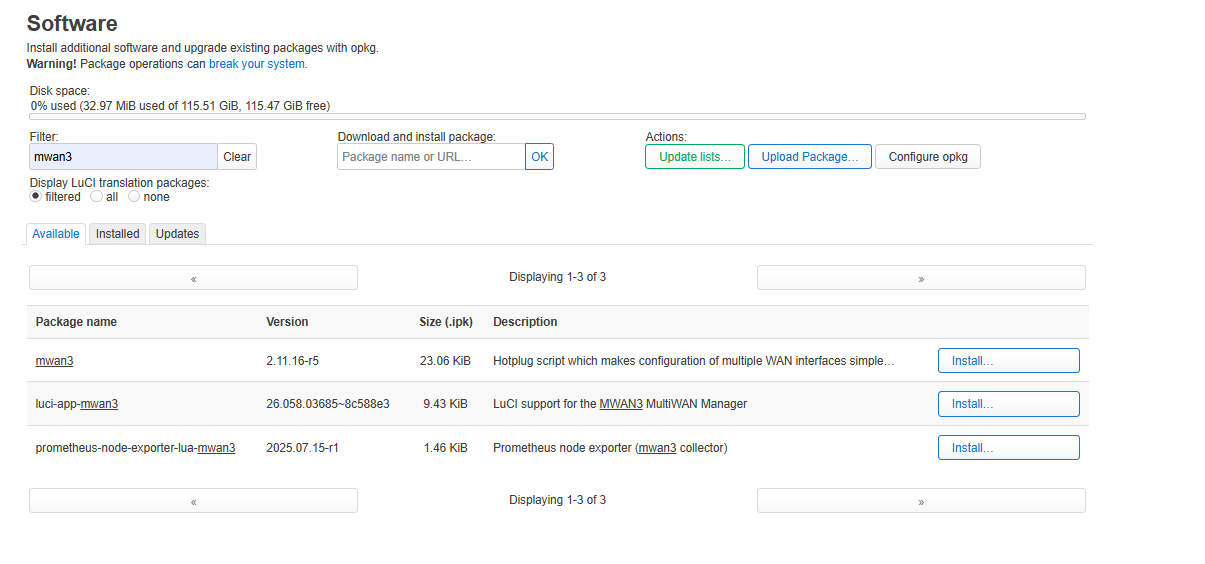
Good morning, I advise you to try this image, I hope you enjoy it. Automatic IP, XGS-PON patches - the usual ones posted in this same thread. You can also change country and set the desired power. All necessary kmods have been added so you can install 90% of the applications, such as Docker, containerd, mwan3, and a lot more for mobile.
record image on Sandisk 64GB micro SD
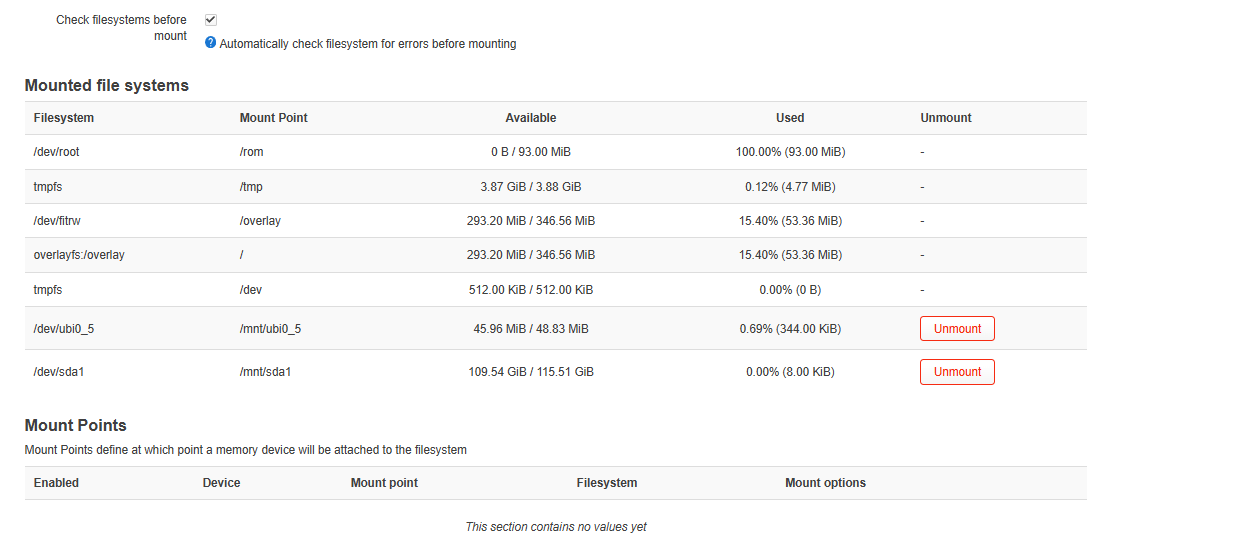
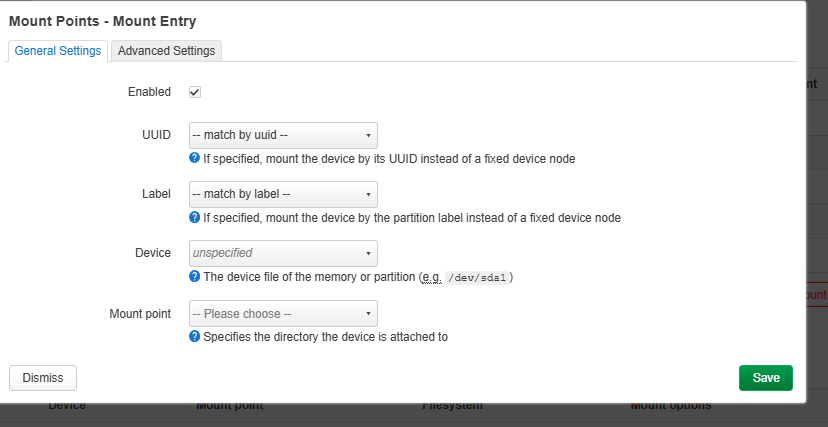
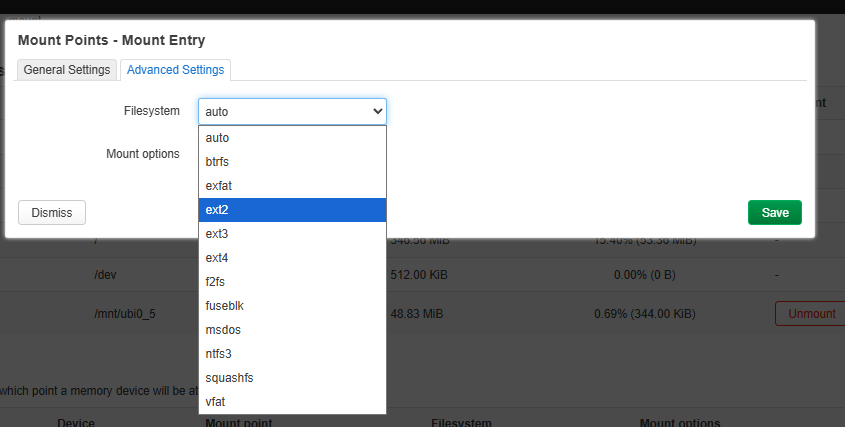
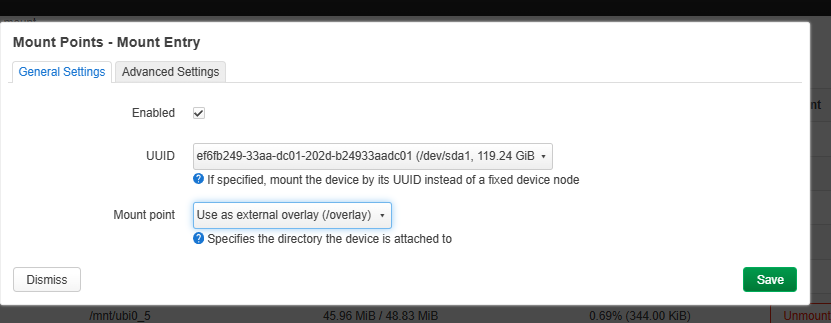
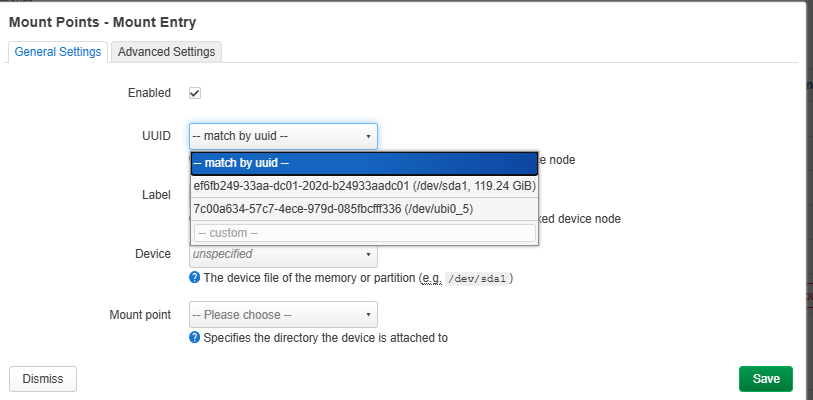
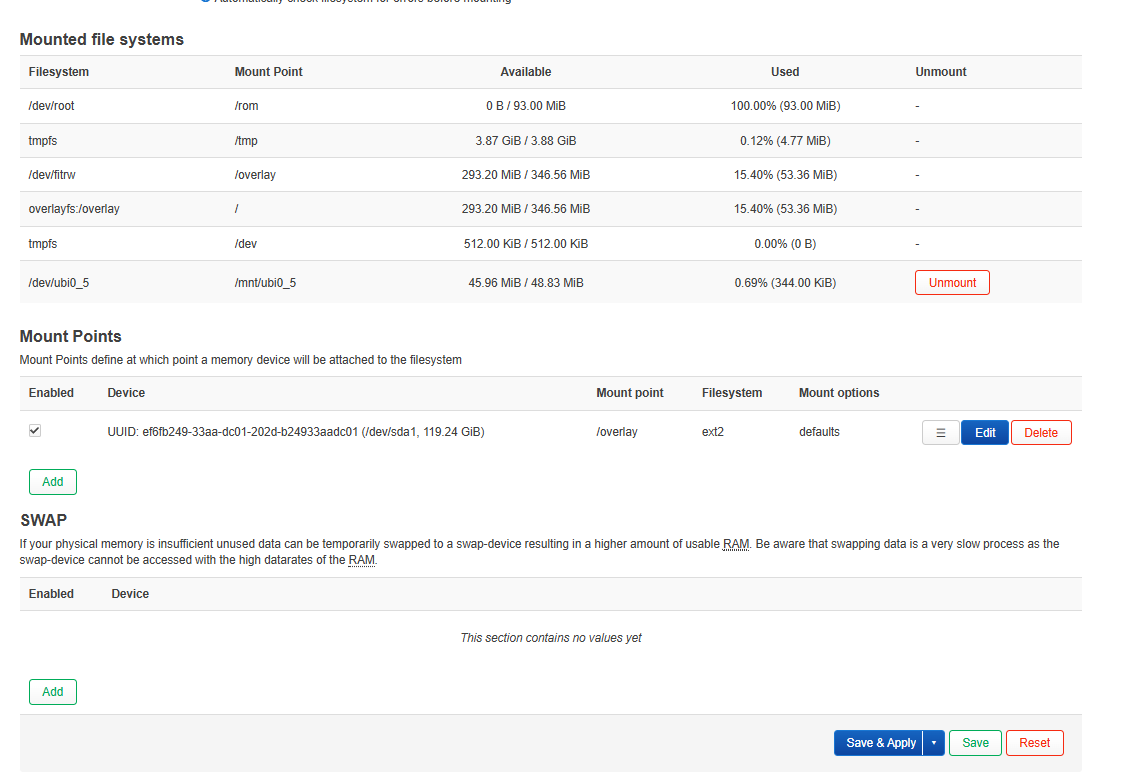
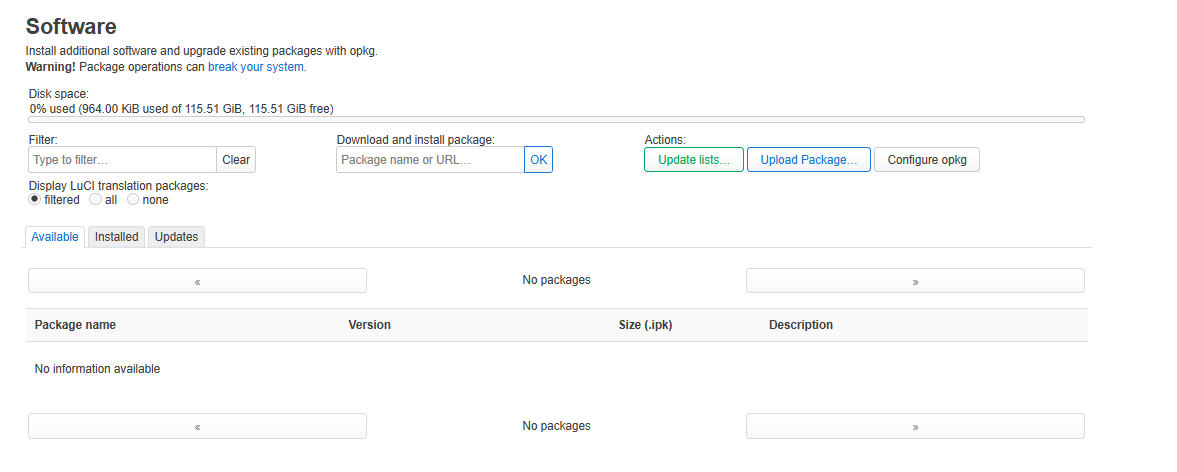
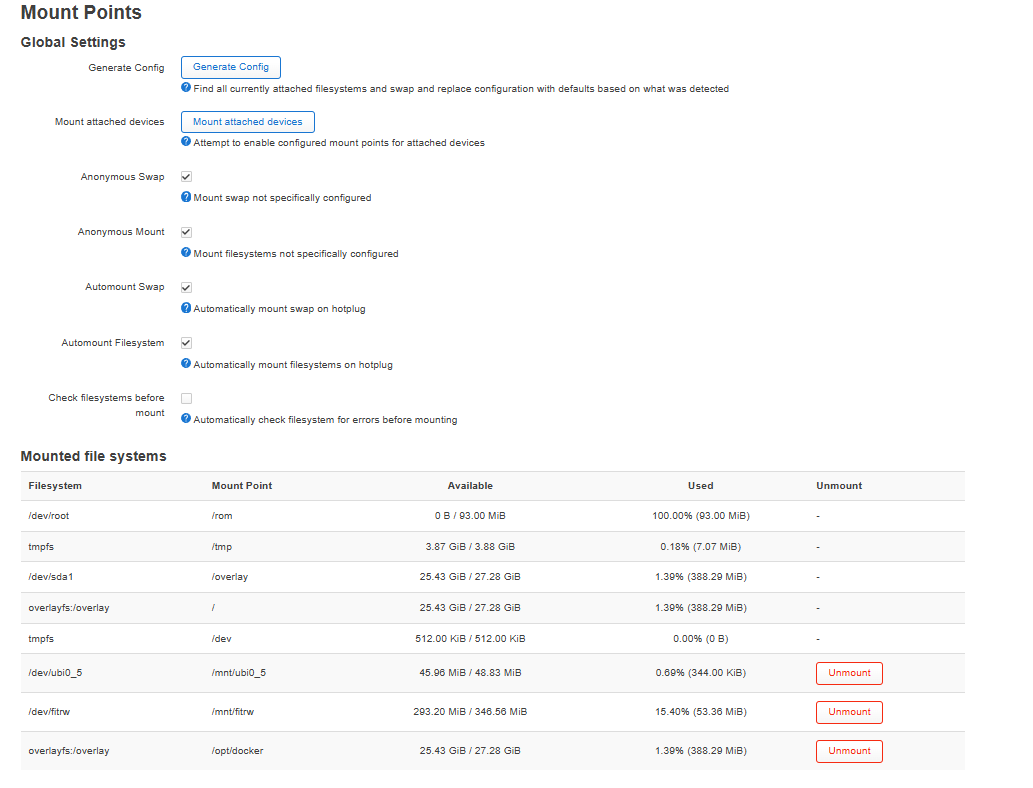
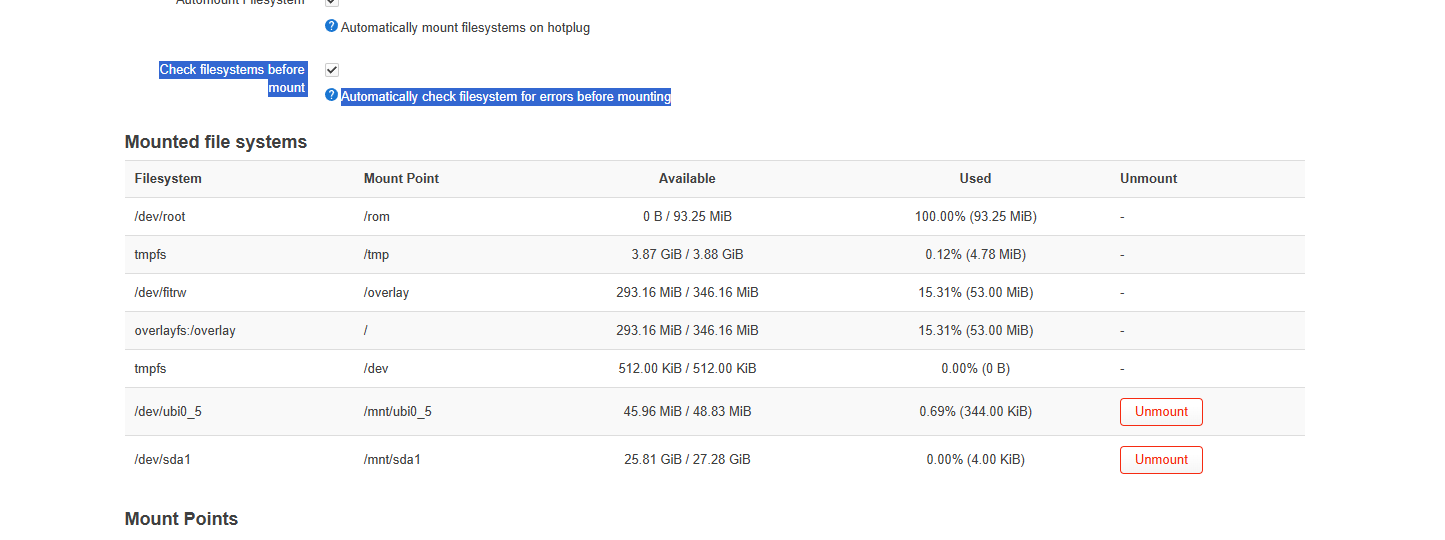
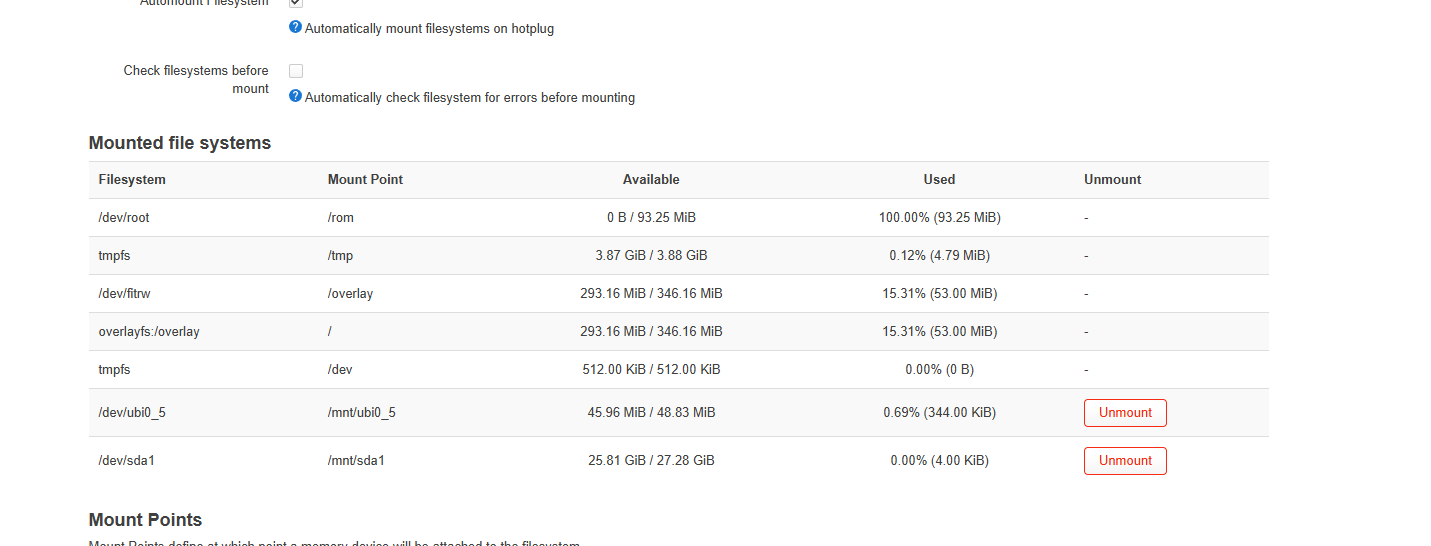
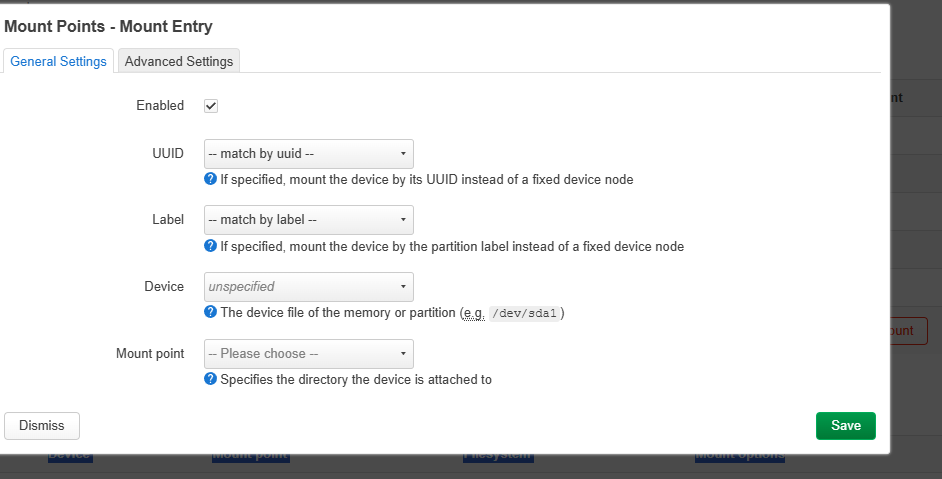
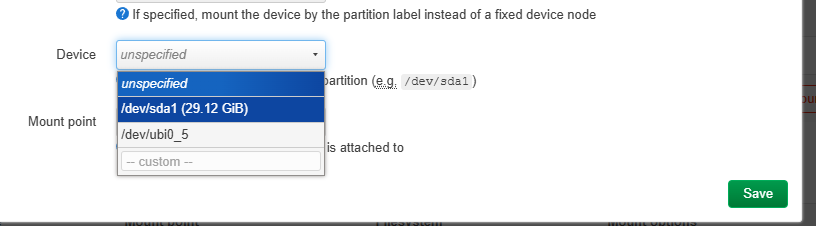
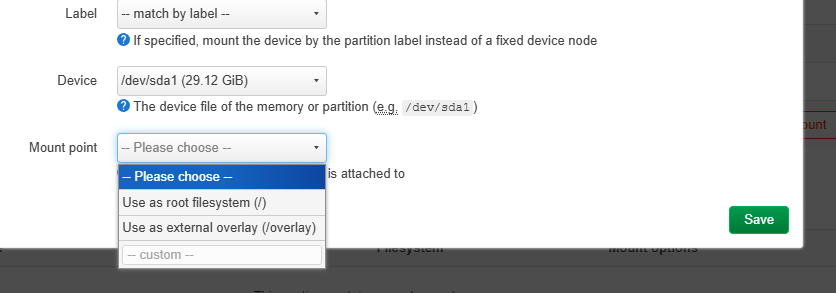
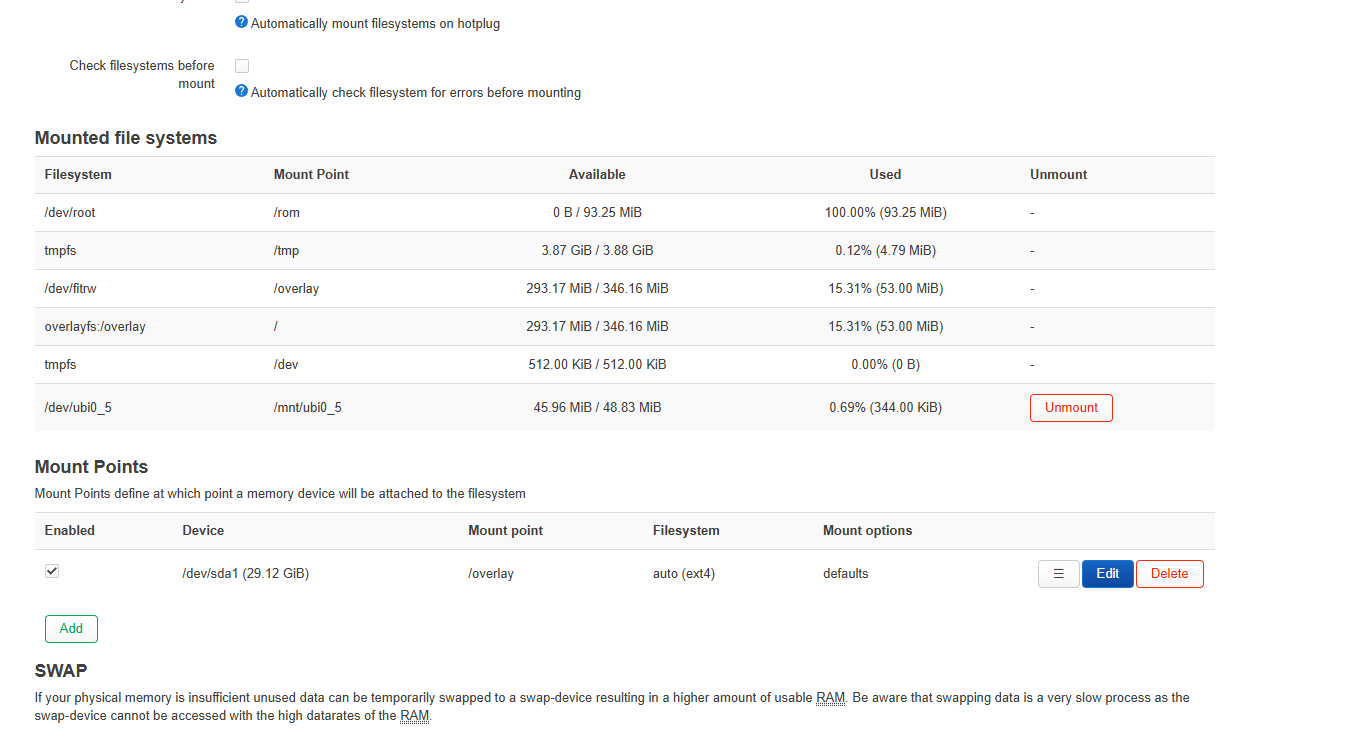
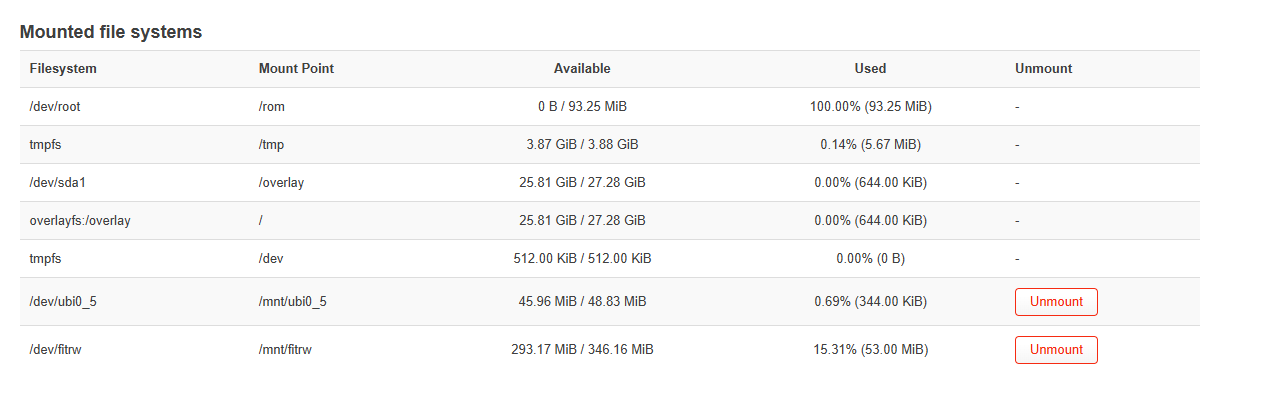
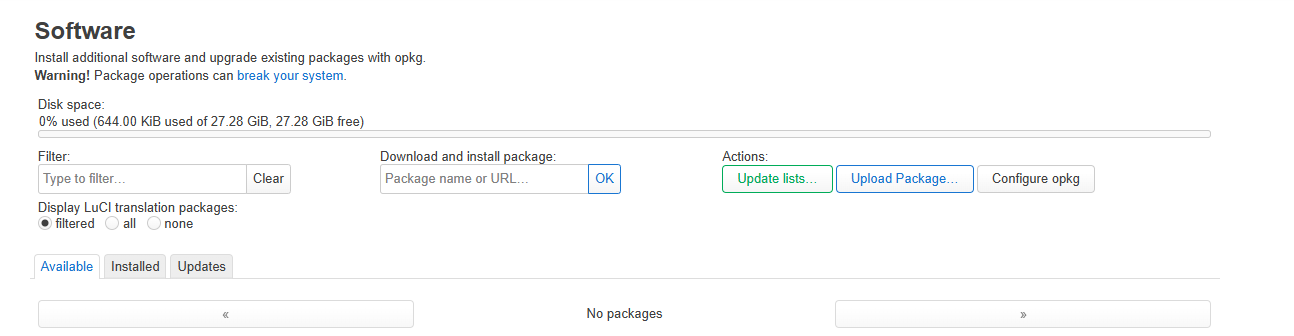
On the first boot, so you can install all the applications since you’ll have to do it through software, take an NVMe and format it in ext2, and mount it as overlay. In this case, I used a 128GB NVMe disk. I’m leaving you some images so you can see the mounting and the capacity I have to install - 115GB free, more than enough to install any application. First you must unmount the NVMe disk and then mount it by clicking the add button, as I show in the photo, and reboot. Then you’ll have the 115GB available.
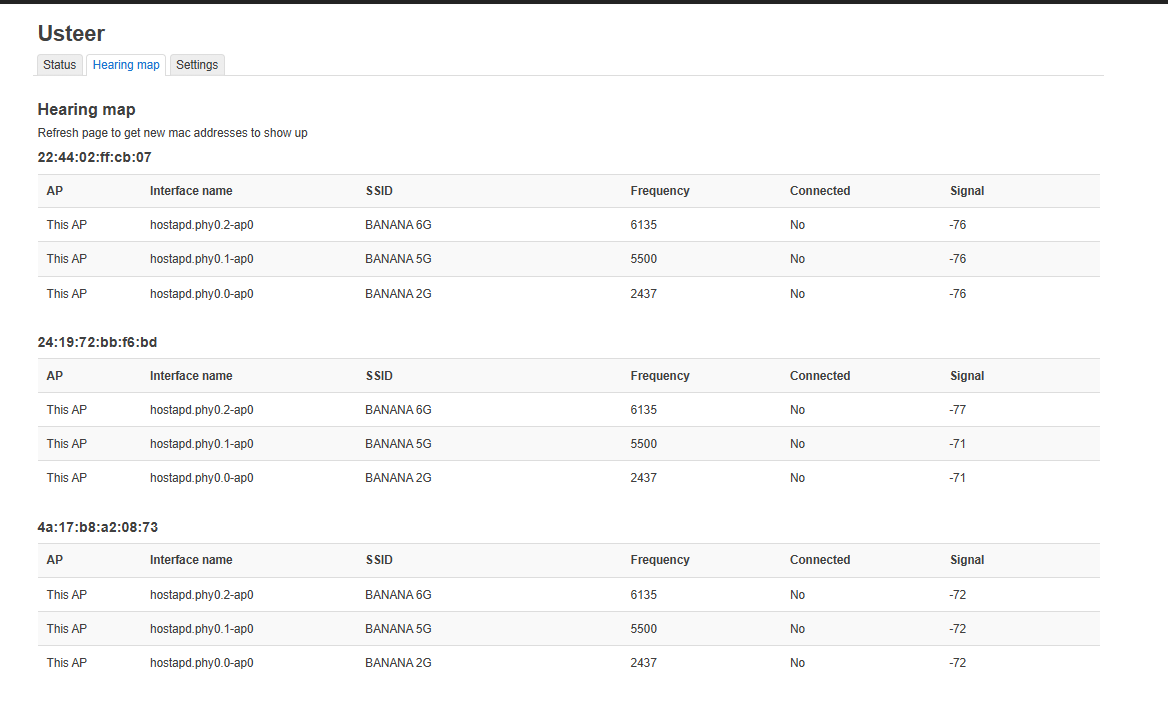
You have Dawn and usteer enabled from the start. It’s recommended not to update it and leave it as it comes in the image.
since they are compiled with the corresponding version of fakemesh,
WiFi password: 12345678
SSID BANANA 2G BANANA 5G BANANA 6G
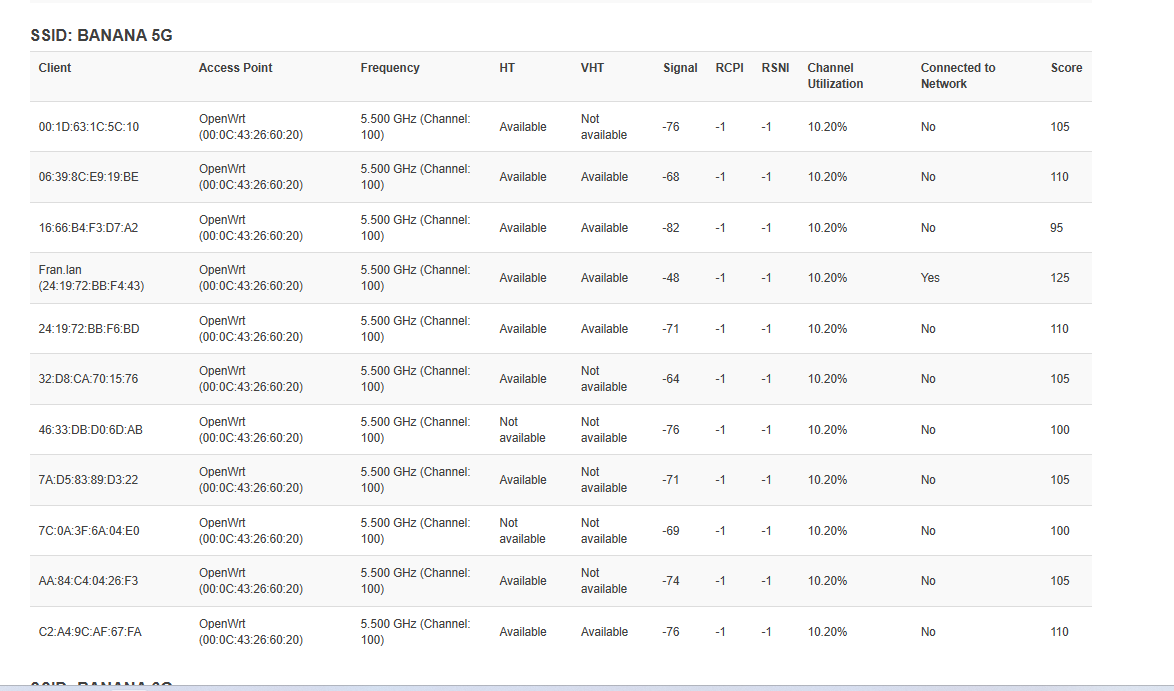
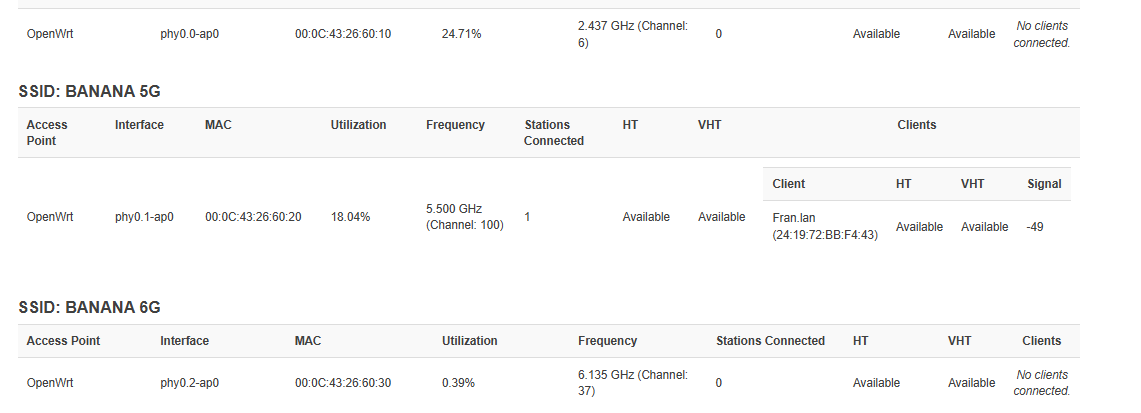
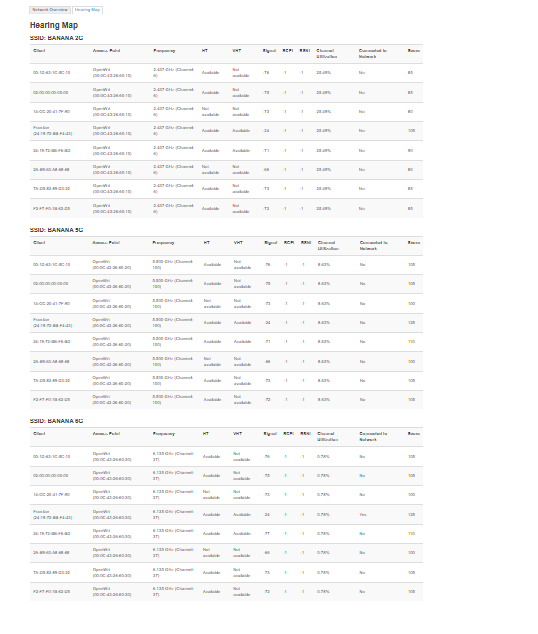
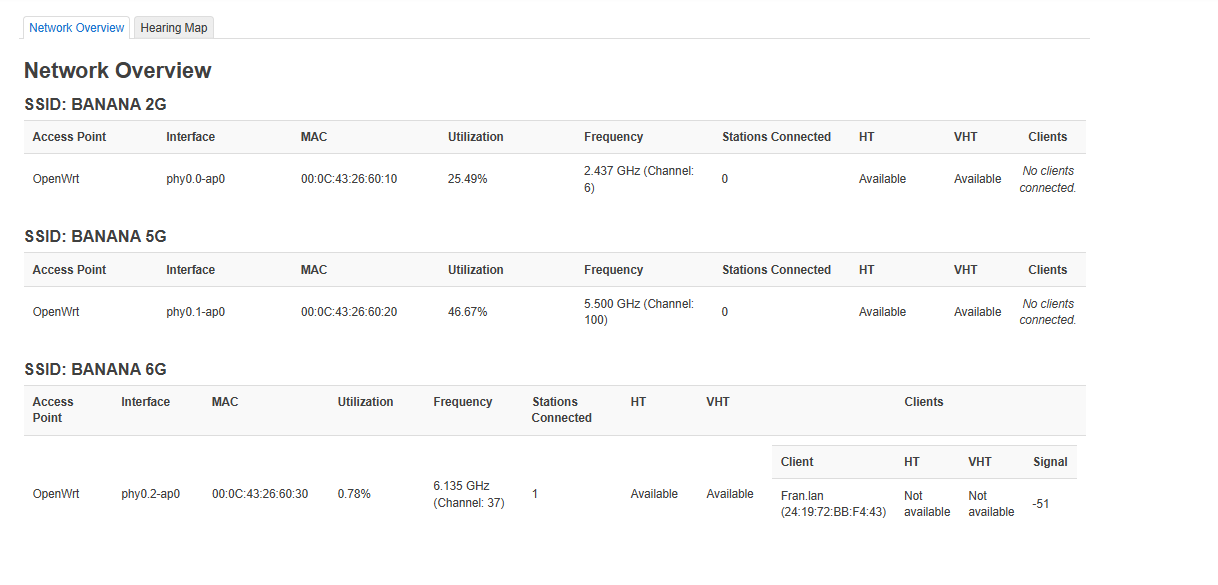
I’m leaving you some photos of both usteer already configured and Dawn. I’m also leaving you VPN speeds of 6G and 5G at 1,500 km from my house.
TEST 5G
TEST 6G
TEST SFP+WAN+SFP+LAN
CONFIG_TARGET_mediatek=y
CONFIG_TARGET_mediatek_filogic=y
CONFIG_TARGET_MULTI_PROFILE=y
CONFIG_TARGET_DEVICE_mediatek_filogic_DEVICE_bananapi_bpi-r4-pro-8x=y
CONFIG_TARGET_DEVICE_PACKAGES_mediatek_filogic_DEVICE_bananapi_bpi-r4-pro-8x=""
CONFIG_DEVEL=y
CONFIG_BUSYBOX_CUSTOM=y
CONFIG_TARGET_PER_DEVICE_ROOTFS=y
CONFIG_BUSYBOX_CONFIG_FEATURE_TELNETD_PORT_DEFAULT=23
CONFIG_BUSYBOX_CONFIG_FEATURE_TELNETD_STANDALONE=y
CONFIG_BUSYBOX_CONFIG_FEATURE_TFTP_GET=y
CONFIG_BUSYBOX_CONFIG_FEATURE_TFTP_PUT=y
CONFIG_BUSYBOX_CONFIG_MPSTAT=y
CONFIG_BUSYBOX_CONFIG_TELNET=y
CONFIG_BUSYBOX_CONFIG_TELNETD=y
CONFIG_BUSYBOX_CONFIG_TFTP=y
CONFIG_BUSYBOX_CONFIG_VCONFIG=y
CONFIG_COLLECT_KERNEL_DEBUG=y
CONFIG_DEBUG=y
# CONFIG_DROPBEAR_ED25519 is not set
CONFIG_GNUTLS_ALPN=y
CONFIG_GNUTLS_ANON=y
CONFIG_GNUTLS_DTLS_SRTP=y
CONFIG_GNUTLS_HEARTBEAT=y
CONFIG_GNUTLS_OCSP=y
CONFIG_GNUTLS_PSK=y
CONFIG_KERNEL_ARM_PMU=y
CONFIG_KERNEL_ARM_PMUV3=y
# CONFIG_KERNEL_BLK_DEV_THROTTLING is not set
CONFIG_KERNEL_BPF_EVENTS=y
# CONFIG_KERNEL_CFS_BANDWIDTH is not set
CONFIG_KERNEL_CGROUP_DEVICE=y
CONFIG_KERNEL_CGROUP_FREEZER=y
# CONFIG_KERNEL_DEBUG_INFO_REDUCED is not set
CONFIG_KERNEL_DEVMEM=y
CONFIG_KERNEL_FTRACE=y
# CONFIG_KERNEL_KEYS is not set
CONFIG_KERNEL_KPROBES=y
CONFIG_KERNEL_KPROBE_EVENTS=y
CONFIG_KERNEL_NET_CLS_CGROUP=y
CONFIG_KERNEL_PERF_EVENTS=y
CONFIG_KERNEL_PROFILING=y
CONFIG_LIBIIO_LOCAL_BACKEND=y
CONFIG_LIBIIO_NETWORK_BACKEND=y
CONFIG_LIBIIO_XML_BACKEND=y
CONFIG_LIBQMI_COLLECTION_BASIC=y
CONFIG_LIBQMI_WITH_MBIM_QMUX=y
CONFIG_LIBQMI_WITH_QRTR_GLIB=y
CONFIG_LIBSODIUM_MINIMAL=y
CONFIG_PACKAGE_CFG80211_TESTMODE=y
CONFIG_PACKAGE_afcd=y
CONFIG_PACKAGE_airoha-en8811h-firmware=y
CONFIG_PACKAGE_as21xxx-firmware=y
CONFIG_PACKAGE_atenl=y
CONFIG_PACKAGE_attr=y
CONFIG_PACKAGE_avahi-dbus-daemon=y
CONFIG_PACKAGE_blkid=y
CONFIG_PACKAGE_block-mount=y
CONFIG_PACKAGE_blockd=y
CONFIG_PACKAGE_cgi-io=y
CONFIG_PACKAGE_chat=y
CONFIG_PACKAGE_comgt=y
CONFIG_PACKAGE_coreutils=y
CONFIG_PACKAGE_coreutils-base64=y
CONFIG_PACKAGE_coreutils-timeout=y
CONFIG_PACKAGE_curl=y
CONFIG_PACKAGE_dawn=y
CONFIG_PACKAGE_dbus=y
CONFIG_PACKAGE_ddns-scripts=y
CONFIG_PACKAGE_ddns-scripts-services=y
CONFIG_PACKAGE_dnsmasq=m
CONFIG_PACKAGE_dnsmasq-full=y
CONFIG_PACKAGE_dnsmasq_full_auth=y
CONFIG_PACKAGE_dnsmasq_full_conntrack=y
CONFIG_PACKAGE_dnsmasq_full_dhcp=y
CONFIG_PACKAGE_dnsmasq_full_dhcpv6=y
CONFIG_PACKAGE_dnsmasq_full_dnssec=y
CONFIG_PACKAGE_dnsmasq_full_ipset=y
CONFIG_PACKAGE_dnsmasq_full_nftset=y
CONFIG_PACKAGE_dnsmasq_full_noid=y
CONFIG_PACKAGE_dnsmasq_full_tftp=y
CONFIG_PACKAGE_e2fsprogs=y
CONFIG_PACKAGE_ephy-utils=y
CONFIG_PACKAGE_ethswbox=y
CONFIG_PACKAGE_ethtool-full=y
CONFIG_PACKAGE_f2fsck=y
CONFIG_PACKAGE_fio=y
CONFIG_PACKAGE_flex=m
CONFIG_PACKAGE_glib2=y
CONFIG_PACKAGE_gpioctl-sysfs=y
CONFIG_PACKAGE_gpiod-tools=y
CONFIG_PACKAGE_hostapd-utils=y
CONFIG_PACKAGE_i2c-tools=y
CONFIG_PACKAGE_iio-utils=y
CONFIG_PACKAGE_ip-bridge=y
CONFIG_PACKAGE_ip-full=y
CONFIG_PACKAGE_ip6tables-zz-legacy=y
CONFIG_PACKAGE_iperf3=y
CONFIG_PACKAGE_ipset=y
CONFIG_PACKAGE_iptables-mod-conntrack-extra=y
CONFIG_PACKAGE_iptables-mod-ipopt=y
CONFIG_PACKAGE_iptables-mod-tproxy=y
CONFIG_PACKAGE_iptables-zz-legacy=y
# CONFIG_PACKAGE_iw is not set
CONFIG_PACKAGE_iw-full=y
CONFIG_PACKAGE_jq=y
CONFIG_PACKAGE_kmod-asn1-decoder=y
CONFIG_PACKAGE_kmod-ata-core=y
CONFIG_PACKAGE_kmod-bluetooth=y
CONFIG_PACKAGE_kmod-br-netfilter=y
CONFIG_PACKAGE_kmod-cfg80211=y
CONFIG_PACKAGE_kmod-crypto-acompress=y
CONFIG_PACKAGE_kmod-crypto-arc4=y
CONFIG_PACKAGE_kmod-crypto-blake2b=y
CONFIG_PACKAGE_kmod-crypto-cbc=y
CONFIG_PACKAGE_kmod-crypto-ccm=y
CONFIG_PACKAGE_kmod-crypto-chacha20poly1305=y
CONFIG_PACKAGE_kmod-crypto-cmac=y
CONFIG_PACKAGE_kmod-crypto-crc32=y
CONFIG_PACKAGE_kmod-crypto-ctr=y
CONFIG_PACKAGE_kmod-crypto-cts=y
CONFIG_PACKAGE_kmod-crypto-deflate=y
CONFIG_PACKAGE_kmod-crypto-ecb=y
CONFIG_PACKAGE_kmod-crypto-ecdh=y
CONFIG_PACKAGE_kmod-crypto-echainiv=y
CONFIG_PACKAGE_kmod-crypto-gcm=y
CONFIG_PACKAGE_kmod-crypto-geniv=y
CONFIG_PACKAGE_kmod-crypto-gf128=y
CONFIG_PACKAGE_kmod-crypto-ghash=y
CONFIG_PACKAGE_kmod-crypto-kpp=y
CONFIG_PACKAGE_kmod-crypto-lib-chacha20=y
CONFIG_PACKAGE_kmod-crypto-lib-chacha20poly1305=y
CONFIG_PACKAGE_kmod-crypto-lib-curve25519=y
CONFIG_PACKAGE_kmod-crypto-lib-poly1305=y
CONFIG_PACKAGE_kmod-crypto-md4=y
CONFIG_PACKAGE_kmod-crypto-pcbc=y
CONFIG_PACKAGE_kmod-crypto-rng=y
CONFIG_PACKAGE_kmod-crypto-seqiv=y
CONFIG_PACKAGE_kmod-crypto-sha3=y
CONFIG_PACKAGE_kmod-crypto-user=y
CONFIG_PACKAGE_kmod-crypto-xcbc=y
CONFIG_PACKAGE_kmod-crypto-xxhash=y
CONFIG_PACKAGE_kmod-eeprom-at24=y
CONFIG_PACKAGE_kmod-fs-autofs4=y
CONFIG_PACKAGE_kmod-fs-btrfs=y
CONFIG_PACKAGE_kmod-fs-exfat=y
CONFIG_PACKAGE_kmod-fs-exportfs=y
CONFIG_PACKAGE_kmod-fs-ext4=y
CONFIG_PACKAGE_kmod-fs-f2fs=y
CONFIG_PACKAGE_kmod-fs-ksmbd=y
CONFIG_PACKAGE_kmod-fs-msdos=y
CONFIG_PACKAGE_kmod-fs-netfs=y
CONFIG_PACKAGE_kmod-fs-nfs-common=y
CONFIG_PACKAGE_kmod-fs-nfs-common-rpcsec=y
CONFIG_PACKAGE_kmod-fs-nfsd=y
CONFIG_PACKAGE_kmod-fs-ntfs3=y
CONFIG_PACKAGE_kmod-fs-smbfs-common=y
CONFIG_PACKAGE_kmod-fs-vfat=y
CONFIG_PACKAGE_kmod-fuse=y
CONFIG_PACKAGE_kmod-gpio-pca953x=y
CONFIG_PACKAGE_kmod-gpio-pcf857x=y
CONFIG_PACKAGE_kmod-gre=y
CONFIG_PACKAGE_kmod-hid=y
CONFIG_PACKAGE_kmod-hwmon-ina2xx=y
CONFIG_PACKAGE_kmod-hwmon-pwmfan=y
CONFIG_PACKAGE_kmod-i2c-algo-bit=y
CONFIG_PACKAGE_kmod-i2c-core=y
CONFIG_PACKAGE_kmod-i2c-gpio=y
CONFIG_PACKAGE_kmod-i2c-mux=y
CONFIG_PACKAGE_kmod-i2c-mux-gpio=y
CONFIG_PACKAGE_kmod-i2c-mux-pca9541=y
CONFIG_PACKAGE_kmod-i2c-mux-pca954x=y
CONFIG_PACKAGE_kmod-ifb=y
CONFIG_PACKAGE_kmod-inet-diag=y
CONFIG_PACKAGE_kmod-input-core=y
CONFIG_PACKAGE_kmod-input-evdev=y
CONFIG_PACKAGE_kmod-ip-vti=y
CONFIG_PACKAGE_kmod-ip6-tunnel=y
CONFIG_PACKAGE_kmod-ip6-vti=y
CONFIG_PACKAGE_kmod-ip6tables=y
CONFIG_PACKAGE_kmod-ipsec=y
CONFIG_PACKAGE_kmod-ipsec4=y
CONFIG_PACKAGE_kmod-ipsec6=y
CONFIG_PACKAGE_kmod-ipt-conntrack=y
CONFIG_PACKAGE_kmod-ipt-conntrack-extra=y
CONFIG_PACKAGE_kmod-ipt-core=y
CONFIG_PACKAGE_kmod-ipt-extra=y
CONFIG_PACKAGE_kmod-ipt-ipopt=y
CONFIG_PACKAGE_kmod-ipt-ipsec=y
CONFIG_PACKAGE_kmod-ipt-ipset=y
CONFIG_PACKAGE_kmod-ipt-nat=y
CONFIG_PACKAGE_kmod-ipt-nat-extra=y
CONFIG_PACKAGE_kmod-ipt-nat6=y
CONFIG_PACKAGE_kmod-ipt-offload=y
CONFIG_PACKAGE_kmod-ipt-physdev=y
CONFIG_PACKAGE_kmod-ipt-tproxy=y
CONFIG_PACKAGE_kmod-iptunnel=y
CONFIG_PACKAGE_kmod-iptunnel4=y
CONFIG_PACKAGE_kmod-iptunnel6=y
CONFIG_PACKAGE_kmod-l2tp=y
CONFIG_PACKAGE_kmod-l2tp-eth=y
CONFIG_PACKAGE_kmod-lib-crc-itu-t=y
CONFIG_PACKAGE_kmod-lib-crc16=y
CONFIG_PACKAGE_kmod-lib-lzo=y
CONFIG_PACKAGE_kmod-lib-raid6=y
CONFIG_PACKAGE_kmod-lib-textsearch=y
CONFIG_PACKAGE_kmod-lib-xor=y
CONFIG_PACKAGE_kmod-lib-xxhash=y
CONFIG_PACKAGE_kmod-lib-zlib-deflate=y
CONFIG_PACKAGE_kmod-lib-zlib-inflate=y
CONFIG_PACKAGE_kmod-lib-zstd=y
CONFIG_PACKAGE_kmod-mac80211=y
CONFIG_PACKAGE_kmod-macremapper=y
CONFIG_PACKAGE_kmod-macvlan=y
CONFIG_PACKAGE_kmod-mii=y
CONFIG_PACKAGE_kmod-mppe=y
CONFIG_PACKAGE_kmod-mt76-connac=y
CONFIG_PACKAGE_kmod-mt76-core=y
CONFIG_PACKAGE_kmod-mt7996-233-firmware=y
CONFIG_PACKAGE_kmod-mt7996-firmware=y
CONFIG_PACKAGE_kmod-mt7996-firmware-common=y
CONFIG_PACKAGE_kmod-mt7996e=y
CONFIG_PACKAGE_kmod-mtk-t7xx=y
CONFIG_PACKAGE_kmod-nf-conncount=y
CONFIG_PACKAGE_kmod-nf-conntrack-netlink=y
CONFIG_PACKAGE_kmod-nf-flow-netlink=y
CONFIG_PACKAGE_kmod-nf-ipt=y
CONFIG_PACKAGE_kmod-nf-ipt6=y
CONFIG_PACKAGE_kmod-nf-ipvs=y
CONFIG_PACKAGE_kmod-nf-nat6=y
CONFIG_PACKAGE_kmod-nft-bridge=y
CONFIG_PACKAGE_kmod-nft-compat=y
CONFIG_PACKAGE_kmod-nft-netdev=y
CONFIG_PACKAGE_kmod-nls-base=y
CONFIG_PACKAGE_kmod-nls-cp437=y
CONFIG_PACKAGE_kmod-nls-iso8859-1=y
CONFIG_PACKAGE_kmod-nls-ucs2-utils=y
CONFIG_PACKAGE_kmod-nls-utf8=y
CONFIG_PACKAGE_kmod-nvme=y
CONFIG_PACKAGE_kmod-oid-registry=y
CONFIG_PACKAGE_kmod-phy-airoha-an8801sb=y
CONFIG_PACKAGE_kmod-phy-airoha-en8811h=y
CONFIG_PACKAGE_kmod-phy-as21xxx=y
CONFIG_PACKAGE_kmod-phy-marvell=y
CONFIG_PACKAGE_kmod-phy-marvell-10g=y
CONFIG_PACKAGE_kmod-phylink=y
CONFIG_PACKAGE_kmod-pppol2tp=y
CONFIG_PACKAGE_kmod-pptp=y
CONFIG_PACKAGE_kmod-qmi-wwan-q=y
CONFIG_PACKAGE_kmod-regmap-core=y
CONFIG_PACKAGE_kmod-regmap-i2c=y
CONFIG_PACKAGE_kmod-rtc-pcf8563=y
CONFIG_PACKAGE_kmod-sched=y
CONFIG_PACKAGE_kmod-sched-cake=y
CONFIG_PACKAGE_kmod-sched-core=y
CONFIG_PACKAGE_kmod-scsi-core=y
CONFIG_PACKAGE_kmod-scsi-generic=y
CONFIG_PACKAGE_kmod-sfp=y
CONFIG_PACKAGE_kmod-siit=y
CONFIG_PACKAGE_kmod-sound-core=y
CONFIG_PACKAGE_kmod-spi-dev=y
CONFIG_PACKAGE_kmod-tun=y
CONFIG_PACKAGE_kmod-udptunnel4=y
CONFIG_PACKAGE_kmod-udptunnel6=y
CONFIG_PACKAGE_kmod-usb-core=y
CONFIG_PACKAGE_kmod-usb-gadget-ncm=y
CONFIG_PACKAGE_kmod-usb-gadget-serial=y
CONFIG_PACKAGE_kmod-usb-ledtrig-usbport=y
CONFIG_PACKAGE_kmod-usb-net=y
CONFIG_PACKAGE_kmod-usb-net-cdc-ether=y
CONFIG_PACKAGE_kmod-usb-net-cdc-mbim=y
CONFIG_PACKAGE_kmod-usb-net-cdc-ncm=y
CONFIG_PACKAGE_kmod-usb-net-qmi-wwan=y
CONFIG_PACKAGE_kmod-usb-serial=y
CONFIG_PACKAGE_kmod-usb-serial-option=y
CONFIG_PACKAGE_kmod-usb-serial-qualcomm=y
CONFIG_PACKAGE_kmod-usb-serial-wwan=y
CONFIG_PACKAGE_kmod-usb-storage=y
CONFIG_PACKAGE_kmod-usb-storage-extras=y
CONFIG_PACKAGE_kmod-usb-storage-uas=y
CONFIG_PACKAGE_kmod-usb-wdm=y
CONFIG_PACKAGE_kmod-usb-xhci-hcd=y
CONFIG_PACKAGE_kmod-usb-xhci-mtk=y
CONFIG_PACKAGE_kmod-usb3=y
CONFIG_PACKAGE_kmod-usbip=y
CONFIG_PACKAGE_kmod-usbip-client=y
CONFIG_PACKAGE_kmod-usbip-server=y
CONFIG_PACKAGE_kmod-veth=y
CONFIG_PACKAGE_kmod-wireguard=y
CONFIG_PACKAGE_kmod-wwan=y
CONFIG_PACKAGE_kmod-xfrm-interface=y
CONFIG_PACKAGE_ksmbd-server=y
CONFIG_PACKAGE_lftp=y
CONFIG_PACKAGE_libaio=y
CONFIG_PACKAGE_libatomic=y
CONFIG_PACKAGE_libattr=y
CONFIG_PACKAGE_libavahi-client=y
CONFIG_PACKAGE_libavahi-dbus-support=y
CONFIG_PACKAGE_libbfd=y
CONFIG_PACKAGE_libblkid=y
CONFIG_PACKAGE_libbpf=y
CONFIG_PACKAGE_libbz2=y
CONFIG_PACKAGE_libcap=y
CONFIG_PACKAGE_libcap-ng=y
CONFIG_PACKAGE_libcomerr=y
CONFIG_PACKAGE_libctf=y
CONFIG_PACKAGE_libdaemon=y
CONFIG_PACKAGE_libdbus=y
CONFIG_PACKAGE_libdw=y
CONFIG_PACKAGE_libe2p=y
CONFIG_PACKAGE_libelf=y
CONFIG_PACKAGE_libev=y
CONFIG_PACKAGE_libevdev=y
CONFIG_PACKAGE_libexpat=y
CONFIG_PACKAGE_libext2fs=y
CONFIG_PACKAGE_libf2fs=y
CONFIG_PACKAGE_libfdisk=y
CONFIG_PACKAGE_libffi=y
CONFIG_PACKAGE_libgcrypt=y
CONFIG_PACKAGE_libgmp=y
CONFIG_PACKAGE_libgnutls=y
CONFIG_PACKAGE_libgpg-error=y
CONFIG_PACKAGE_libgpiod=y
CONFIG_PACKAGE_libi2c=y
CONFIG_PACKAGE_libiio=y
CONFIG_PACKAGE_libip4tc=y
CONFIG_PACKAGE_libip6tc=y
CONFIG_PACKAGE_libiperf3=y
CONFIG_PACKAGE_libipset=y
CONFIG_PACKAGE_libiptext=y
CONFIG_PACKAGE_libiptext6=y
CONFIG_PACKAGE_libkmod=y
CONFIG_PACKAGE_liblua=y
CONFIG_PACKAGE_liblucihttp=y
CONFIG_PACKAGE_liblucihttp-lua=y
CONFIG_PACKAGE_liblucihttp-ucode=y
CONFIG_PACKAGE_libmbim=y
CONFIG_PACKAGE_libmount=y
CONFIG_PACKAGE_libncurses=y
CONFIG_PACKAGE_libnetfilter-conntrack=y
CONFIG_PACKAGE_libnettle=y
CONFIG_PACKAGE_libnfnetlink=y
CONFIG_PACKAGE_libnl-core=y
CONFIG_PACKAGE_libnl-genl=y
CONFIG_PACKAGE_libopcodes=y
CONFIG_PACKAGE_libopenssl-conf=y
CONFIG_PACKAGE_libopenssl-legacy=y
CONFIG_PACKAGE_libpcap=y
CONFIG_PACKAGE_libpci=y
CONFIG_PACKAGE_libpcre2=y
CONFIG_PACKAGE_libpopt=y
CONFIG_PACKAGE_libqmi=y
CONFIG_PACKAGE_libqrtr-glib=y
CONFIG_PACKAGE_libreadline=y
CONFIG_PACKAGE_librt=y
CONFIG_PACKAGE_libsmartcols=y
CONFIG_PACKAGE_libsodium=y
CONFIG_PACKAGE_libss=y
CONFIG_PACKAGE_libstdcpp=y
CONFIG_PACKAGE_libtasn1=y
CONFIG_PACKAGE_libtirpc=y
CONFIG_PACKAGE_libtraceevent=y
CONFIG_PACKAGE_libubus-lua=y
CONFIG_PACKAGE_libuci-lua=y
CONFIG_PACKAGE_libudev-zero=y
CONFIG_PACKAGE_libudns=y
CONFIG_PACKAGE_libugpio=y
CONFIG_PACKAGE_liburing=y
CONFIG_PACKAGE_libusb-1.0=y
CONFIG_PACKAGE_libuuid=y
CONFIG_PACKAGE_libwolfssl=y
CONFIG_PACKAGE_libxml2=y
CONFIG_PACKAGE_libxtables=y
CONFIG_PACKAGE_lsblk=y
CONFIG_PACKAGE_lua=y
CONFIG_PACKAGE_luci=y
CONFIG_PACKAGE_luci-app-autoreboot=y
CONFIG_PACKAGE_luci-app-cpu-status=y
CONFIG_PACKAGE_luci-app-dawn=y
CONFIG_PACKAGE_luci-app-ddns=y
CONFIG_PACKAGE_luci-app-fakemesh=y
CONFIG_PACKAGE_luci-app-firewall=y
CONFIG_PACKAGE_luci-app-ksmbd=y
CONFIG_PACKAGE_luci-app-modemband=y
CONFIG_PACKAGE_luci-app-omcproxy=y
CONFIG_PACKAGE_luci-app-package-manager=y
CONFIG_PACKAGE_luci-app-samba4=y
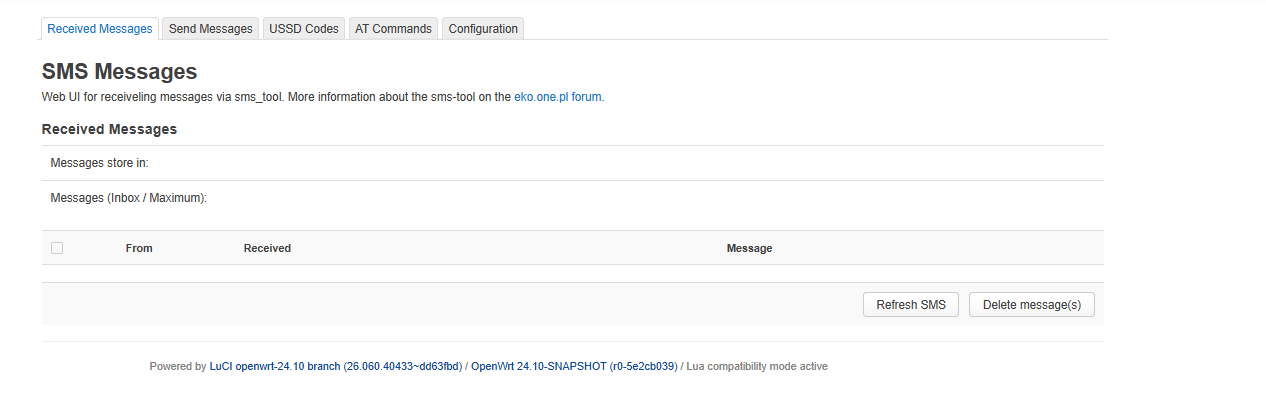
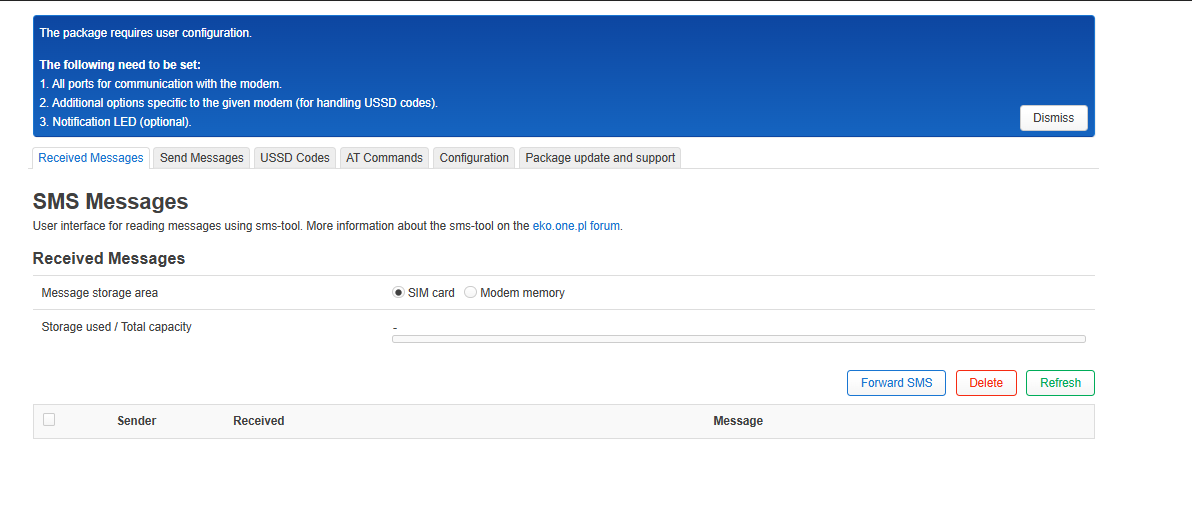
CONFIG_PACKAGE_luci-app-sms-tool=y
CONFIG_PACKAGE_luci-app-sms-tool-js=y
CONFIG_PACKAGE_luci-app-temp-status=y
CONFIG_PACKAGE_luci-app-upnp=y
CONFIG_PACKAGE_luci-app-usteer=y
CONFIG_PACKAGE_luci-app-wifischedule=y
CONFIG_PACKAGE_luci-base=y
CONFIG_PACKAGE_luci-compat=y
CONFIG_PACKAGE_luci-lib-base=y
CONFIG_PACKAGE_luci-lib-ip=y
CONFIG_PACKAGE_luci-lib-ipkg=y
CONFIG_PACKAGE_luci-lib-jsonc=y
CONFIG_PACKAGE_luci-lib-nixio=y
CONFIG_PACKAGE_luci-lib-uqr=y
CONFIG_PACKAGE_luci-light=y
CONFIG_PACKAGE_luci-lua-runtime=y
CONFIG_PACKAGE_luci-mod-admin-full=y
CONFIG_PACKAGE_luci-mod-dashboard=y
CONFIG_PACKAGE_luci-mod-network=y
CONFIG_PACKAGE_luci-mod-status=y
CONFIG_PACKAGE_luci-mod-system=y
CONFIG_PACKAGE_luci-proto-ipv6=y
CONFIG_PACKAGE_luci-proto-ppp=y
CONFIG_PACKAGE_luci-proto-qmi=y
CONFIG_PACKAGE_luci-proto-relay=y
CONFIG_PACKAGE_luci-proto-wireguard=y
CONFIG_PACKAGE_luci-theme-bootstrap=y
CONFIG_PACKAGE_microsocks=y
CONFIG_PACKAGE_mii_mgr=y
CONFIG_PACKAGE_minicom=y
CONFIG_PACKAGE_miniupnpd-nftables=y
CONFIG_PACKAGE_mkf2fs=y
CONFIG_PACKAGE_mmc-utils=y
CONFIG_PACKAGE_modemband=y
CONFIG_PACKAGE_mt76-test=y
CONFIG_PACKAGE_mt7988-wo-firmware=y
CONFIG_PACKAGE_mt798x-2p5g-phy-firmware-internal=y
CONFIG_PACKAGE_mtk_factory_rw=y
CONFIG_PACKAGE_mtkhnat_util=y
CONFIG_PACKAGE_musl-fts=y
CONFIG_PACKAGE_nand-utils=y
CONFIG_PACKAGE_netfilter-flowtable=y
CONFIG_PACKAGE_netsys_dbg_util=y
CONFIG_PACKAGE_nping=y
CONFIG_PACKAGE_objdump=y
CONFIG_PACKAGE_omcproxy=y
CONFIG_PACKAGE_pciids=y
CONFIG_PACKAGE_pciutils=y
CONFIG_PACKAGE_perf=y
CONFIG_PACKAGE_ppp-mod-pppol2tp=y
CONFIG_PACKAGE_ppp-mod-pptp=y
CONFIG_PACKAGE_pv=y
CONFIG_PACKAGE_quectel-cm=y
CONFIG_PACKAGE_regs=y
CONFIG_PACKAGE_relayd=y
CONFIG_PACKAGE_resolveip=y
CONFIG_PACKAGE_rpcd=y
CONFIG_PACKAGE_rpcd-mod-file=y
CONFIG_PACKAGE_rpcd-mod-iwinfo=y
CONFIG_PACKAGE_rpcd-mod-luci=y
CONFIG_PACKAGE_rpcd-mod-rrdns=y
CONFIG_PACKAGE_rpcd-mod-ucode=y
CONFIG_PACKAGE_samba4-libs=y
CONFIG_PACKAGE_samba4-server=y
CONFIG_PACKAGE_sfdisk=y
CONFIG_PACKAGE_smp_util=y
CONFIG_PACKAGE_sms-tool=y
CONFIG_PACKAGE_spidev-test=y
CONFIG_PACKAGE_switch=y
CONFIG_PACKAGE_tcpdump=y
CONFIG_PACKAGE_terminfo=y
# CONFIG_PACKAGE_trusted-firmware-a-mt7981-ram-ddr3 is not set
# CONFIG_PACKAGE_trusted-firmware-a-mt7981-ram-ddr4 is not set
# CONFIG_PACKAGE_trusted-firmware-a-mt7986-ram-ddr3 is not set
# CONFIG_PACKAGE_trusted-firmware-a-mt7986-ram-ddr4 is not set
CONFIG_PACKAGE_ucode-mod-digest=y
CONFIG_PACKAGE_ucode-mod-html=y
CONFIG_PACKAGE_ucode-mod-lua=y
CONFIG_PACKAGE_ucode-mod-math=y
CONFIG_PACKAGE_uhttpd=y
CONFIG_PACKAGE_uhttpd-mod-ubus=y
CONFIG_PACKAGE_umdns=y
CONFIG_PACKAGE_uqmi=y
CONFIG_PACKAGE_usbids=y
CONFIG_PACKAGE_usbutils=y
CONFIG_PACKAGE_wget-ssl=y
CONFIG_PACKAGE_wifi-scripts=y
CONFIG_PACKAGE_wifischedule=y
CONFIG_PACKAGE_wireguard-tools=y
CONFIG_PACKAGE_wireless-regdb=y
CONFIG_PACKAGE_wpa-cli=y
CONFIG_PACKAGE_wsdd2=y
CONFIG_PACKAGE_wwan=y
CONFIG_PACKAGE_xl2tpd=y
CONFIG_PACKAGE_xray-core=y
CONFIG_PACKAGE_xtables-legacy=y
CONFIG_PACKAGE_yq=y
CONFIG_PACKAGE_zlib=y
CONFIG_SAMBA4_SERVER_AVAHI=y
CONFIG_SAMBA4_SERVER_NETBIOS=y
CONFIG_SAMBA4_SERVER_VFS=y
CONFIG_SAMBA4_SERVER_WSDD2=y
CONFIG_USE_GC_SECTIONS=y
CONFIG_USE_LTO=y
CONFIG_WOLFSSL_HAS_NO_HW=y
CONFIG_WPA_MSG_MIN_PRIORITY=2
CONFIG_PACKAGE_kmod-usb-gadget-ncm=y
CONFIG_PACKAGE_kmod-usb-gadget-serial=y
Best regards
both 19-02-06/01-03-06 images unbootable, i write to sd card and try to boot
MMC read: dev # 0, block # 327680, count 256 ... 256 blocks read: OK

MMC read: dev # 0, block # 327680, count 324104 ... 0 blocks read: ERROR
Using ethernet@15100000 device
TFTP from server 192.168.1.2; our IP address is 192.168.1.1
Filename 'openwrt-mediatek-filogic-bananapi_bpi-r4-pro-8x-initramfs-recovery.itb'.
Load address: 0x50000000
both 19-02-06/01-03-06 r4-pro-8x / samsung 256gb sd card
Hello, your problem is with the micro SD card. Please try the SanDisk 64GB card I mentioned. It doesn’t work for me with the same 32GB card; I have the same problem as you. I get the same result with a 128GB card from another brand.
It only works for me with this one. card
F0: 102B 0000
FA: 1042 0000
FA: 1042 0000 [0200]
F9: 1041 0000
F3: 1001 0000 [0200]
F3: 1001 0000
F6: 380E 5012
F5: 0000 0000
V0: 0000 0000 [0001]
00: 0000 0000
BP: 0600 0041 [0000]
G0: 1190 0000
EC: 0000 0000 [3000]
MK: 0000 0000 [0000]
T0: 0000 013F [0101]
Jump to BL

NOTICE:  BL2: v2.10.0   (release):OpenWrt v2024.01.17~bacca82a-3 (mt7988-sdmmc-comb)
NOTICE:  BL2: Built : 11:10:55, Mar  1 2026
NOTICE:  WDT: [40000000] Software reset (reboot)
NOTICE:  CPU: MT7988
NOTICE:  EMI: DDR4 4BG mode
NOTICE:  EMI: Using DDR unknown settings
NOTICE:  EMI: Detected DRAM size: 8192 MB
NOTICE:  EMI: complex R/W mem test passed
NOTICE:  BL2: Booting BL31
NOTICE:  BL31: v2.10.0  (release):OpenWrt v2024.01.17~bacca82a-3 (mt7988-sdmmc-comb)
NOTICE:  BL31: Built : 11:10:55, Mar  1 2026


U-Boot 2024.10-OpenWrt-r0-5e2cb039 (Mar 01 2026 - 11:10:55 +0000)

CPU:   MediaTek MT7988
Model: BananaPi BPI-R4 Pro 8X
DRAM:  8 GiB
Core:  65 devices, 23 uclasses, devicetree: embed
spi-nand: spi_nand spi_nand@0: Winbond SPI NAND was found.
spi-nand: spi_nand spi_nand@0: 256 MiB, block size: 128 KiB, page size: 2048, OOB size: 128
MMC:   mmc@11230000: 0
Loading Environment from MMC... Reading from MMC(0)... OK
In:    serial@11000000
Out:   serial@11000000
Err:   serial@11000000
reset button found
Loading Environment from MMC... Reading from MMC(0)... OK
Net:   eth0: ethernet@15100000

        ( ( ( OpenWrt ) ) )  [SD card]       U-Boot 2024.10-OpenWrt-r0-5e2cb039 (Mar 01 2026 - 11:10:55 +0000)

      1. Run default boot command.
      2. Boot system via TFTP.
      3. Boot production system from SD card.
      4. Boot recovery system from SD card.
      5. Load production system via TFTP then write to SD card.
      6. Load recovery system via TFTP then write to SD card.
      7. Install bootloader, recovery and production to NAND.
      8. Reboot.
      9. Reset all settings to factory defaults.
      0. Exit


  Press UP/DOWN to move, ENTER to select, ESC to quit

MMC read: dev # 0, block # 327680, count 256 ... 256 blocks read: OK

MMC read: dev # 0, block # 327680, count 203648 ... 203648 blocks read: OK
## Loading kernel from FIT Image at 50000000 ...
   Using 'config-mt7988a-bananapi-bpi-r4-pro-8x' configuration
   Trying 'kernel-1' kernel subimage
     Description:  ARM64 OpenWrt Linux-6.6.93
     Type:         Kernel Image
     Compression:  gzip compressed
     Data Start:   0x50001000
     Data Size:    6874024 Bytes = 6.6 MiB
     Architecture: AArch64
     OS:           Linux
     Load Address: 0x46000000
     Entry Point:  0x46000000
     Hash algo:    crc32
     Hash value:   b23e4e20
     Hash algo:    sha1
     Hash value:   bb509f3ffc72336a5be83ce0ff2e9c2be4b0da49
   Verifying Hash Integrity ... crc32+ sha1+ OK
## Loading fdt from FIT Image at 50000000 ...
   Using 'config-mt7988a-bananapi-bpi-r4-pro-8x' configuration
   Trying 'fdt-1' fdt subimage
     Description:  ARM64 OpenWrt bananapi_bpi-r4-pro-8x device tree blob
     Type:         Flat Device Tree
     Compression:  uncompressed
     Data Start:   0x50690000
     Data Size:    55785 Bytes = 54.5 KiB
     Architecture: AArch64
     Load Address: 0x45f00000
     Hash algo:    crc32
     Hash value:   09f6aff4
     Hash algo:    sha1
     Hash value:   4820e0bb1b5b2e5928dc040fc15d8e906fb4424b
   Verifying Hash Integrity ... crc32+ sha1+ OK
   Loading fdt from 0x50690000 to 0x45f00000
## Loading fdt from FIT Image at 50000000 ...
   Using 'mt7988a-bananapi-bpi-r4-pro-8x-sd' configuration
   Trying 'fdt-mt7988a-bananapi-bpi-r4-pro-8x-sd' fdt subimage
     Description:  ARM64 OpenWrt bananapi_bpi-r4-pro-8x device tree overlay mt7988a-bananapi-bpi-r4-pro-8x-sd
     Type:         Flat Device Tree
     Compression:  uncompressed
     Data Start:   0x506a0000
     Data Size:    1478 Bytes = 1.4 KiB
     Architecture: AArch64
     Hash algo:    crc32
     Hash value:   014fa155
     Hash algo:    sha1
     Hash value:   b38566e58ee64a3933cc1fa057f9dd70ae509834
   Verifying Hash Integrity ... crc32+ sha1+ OK
## Loading fdt from FIT Image at 50000000 ...
Could not find configuration node
load of <NULL> failed
   Booting using the fdt blob at 0x45f00000
Working FDT set to 45f00000
## Loading loadables from FIT Image at 50000000 ...
   Trying 'rootfs-1' loadables subimage
     Description:  ARM64 OpenWrt bananapi_bpi-r4-pro-8x rootfs
     Type:         Filesystem Image
     Compression:  uncompressed
     Data Start:   0x506a2000
     Data Size:    97312768 Bytes = 92.8 MiB
     Hash algo:    crc32
     Hash value:   1f8cfa50
     Hash algo:    sha1
     Hash value:   cac0016858b6f5fe909f1262f1ff675ab8bb5446
   Verifying Hash Integrity ... crc32+ sha1+ OK
   Uncompressing Kernel Image to 46000000
   Loading Device Tree to 00000000fe7db000, end 00000000fe7eac8d ... OK
Working FDT set to fe7db000
set /chosen/rootdisk to bootrom media: rootdisk-sd (phandle 0x000000d8)

Starting kernel ...

[    0.000000] Booting Linux on physical CPU 0x0000000000 [0x411fd090]
[    0.000000] Linux version 6.6.93 (vboxuser@linux) (aarch64-openwrt-linux-musl-gcc (OpenWrt GCC 13.3.0 r0-5e2cb039) 13.3.0, GNU ld (GNU Binutils) 2.42) #0 SMP Sun Mar  1 11:10:55 2026
[    0.000000] Machine model: Bananapi BPI-R4-PRO-8X
[    0.000000] OF: reserved mem: 0x0000000042ff0000..0x0000000042ffffff (64 KiB) map non-reusable ramoops@42ff0000
[    0.000000] OF: reserved mem: 0x0000000043000000..0x000000004304ffff (320 KiB) nomap non-reusable secmon@43000000
[    0.000000] OF: reserved mem: 0x0000000047cc0000..0x0000000047dbffff (1024 KiB) nomap non-reusable wmcpu-reserved@47cc0000
[    0.000000] OF: reserved mem: 0x000000004f600000..0x000000004f63ffff (256 KiB) nomap non-reusable wo-emi@4f600000
[    0.000000] OF: reserved mem: 0x000000004f640000..0x000000004f67ffff (256 KiB) nomap non-reusable wo-emi@4f640000
[    0.000000] OF: reserved mem: 0x000000004f680000..0x000000004f6bffff (256 KiB) nomap non-reusable wo-emi@4f680000
[    0.000000] OF: reserved mem: 0x000000004f700000..0x000000004fefffff (8192 KiB) nomap non-reusable wo-data@4f700000
[    0.000000] Zone ranges:
[    0.000000]   DMA      [mem 0x0000000040000000-0x00000000ffffffff]
[    0.000000]   DMA32    empty
[    0.000000]   Normal   [mem 0x0000000100000000-0x000000023fffffff]
[    0.000000] Movable zone start for each node
[    0.000000] Early memory node ranges
[    0.000000]   node   0: [mem 0x0000000040000000-0x0000000042ffffff]
[    0.000000]   node   0: [mem 0x0000000043000000-0x000000004304ffff]
[    0.000000]   node   0: [mem 0x0000000043050000-0x0000000047cbffff]
[    0.000000]   node   0: [mem 0x0000000047cc0000-0x0000000047dbffff]
[    0.000000]   node   0: [mem 0x0000000047dc0000-0x000000004f5fffff]
[    0.000000]   node   0: [mem 0x000000004f600000-0x000000004f6bffff]
[    0.000000]   node   0: [mem 0x000000004f6c0000-0x000000004f6fffff]
[    0.000000]   node   0: [mem 0x000000004f700000-0x000000004fefffff]
[    0.000000]   node   0: [mem 0x000000004ff00000-0x000000023fffffff]
[    0.000000] Initmem setup node 0 [mem 0x0000000040000000-0x000000023fffffff]
[    0.000000] psci: probing for conduit method from DT.
[    0.000000] psci: PSCIv1.1 detected in firmware.
[    0.000000] psci: Using standard PSCI v0.2 function IDs
[    0.000000] psci: MIGRATE_INFO_TYPE not supported.
[    0.000000] psci: SMC Calling Convention v1.4
[    0.000000] percpu: Embedded 28 pages/cpu s74536 r8192 d31960 u114688
[    0.000000] pcpu-alloc: s74536 r8192 d31960 u114688 alloc=28*4096
[    0.000000] pcpu-alloc: [0] 0 [0] 1 [0] 2 [0] 3
[    0.000000] Detected VIPT I-cache on CPU0
[    0.000000] CPU features: detected: GIC system register CPU interface
[    0.000000] CPU features: detected: Spectre-BHB
[    0.000000] CPU features: kernel page table isolation disabled by kernel configuration
[    0.000000] alternatives: applying boot alternatives
[    0.000000] Kernel command line: console=ttyS0,115200n1 pci=pcie_bus_perf root=/dev/fit0 rootwait
[    0.000000] Dentry cache hash table entries: 1048576 (order: 11, 8388608 bytes, linear)
[    0.000000] Inode-cache hash table entries: 524288 (order: 10, 4194304 bytes, linear)
[    0.000000] Built 1 zonelists, mobility grouping on.  Total pages: 2064384
[    0.000000] mem auto-init: stack:off, heap alloc:off, heap free:off
[    0.000000] software IO TLB: area num 4.
[    0.000000] software IO TLB: mapped [mem 0x00000000fa7db000-0x00000000fe7db000] (64MB)
[    0.000000] Memory: 8135200K/8388608K available (10176K kernel code, 1648K rwdata, 3328K rodata, 576K init, 312K bss, 253408K reserved, 0K cma-reserved)
[    0.000000] SLUB: HWalign=64, Order=0-3, MinObjects=0, CPUs=4, Nodes=1
[    0.000000] rcu: Hierarchical RCU implementation.
[    0.000000]  Tracing variant of Tasks RCU enabled.
[    0.000000] rcu: RCU calculated value of scheduler-enlistment delay is 10 jiffies.
[    0.000000] NR_IRQS: 64, nr_irqs: 64, preallocated irqs: 0
[    0.000000] GICv3: GIC: Using split EOI/Deactivate mode
[    0.000000] GICv3: 416 SPIs implemented
[    0.000000] GICv3: 0 Extended SPIs implemented
[    0.000000] Root IRQ handler: gic_handle_irq
[    0.000000] GICv3: GICv3 features: 16 PPIs
[    0.000000] GICv3: CPU0: found redistributor 0 region 0:0x000000000c080000
[    0.000000] rcu: srcu_init: Setting srcu_struct sizes based on contention.
[    0.000000] arch_timer: cp15 timer(s) running at 13.00MHz (phys).
[    0.000000] clocksource: arch_sys_counter: mask: 0xffffffffffffff max_cycles: 0x2ff89eacb, max_idle_ns: 440795202429 ns
[    0.000000] sched_clock: 56 bits at 13MHz, resolution 76ns, wraps every 4398046511101ns
[    0.000237] Calibrating delay loop (skipped), value calculated using timer frequency.. 26.00 BogoMIPS (lpj=130000)
[    0.000245] pid_max: default: 32768 minimum: 301
[    0.002331] Mount-cache hash table entries: 16384 (order: 5, 131072 bytes, linear)
[    0.002353] Mountpoint-cache hash table entries: 16384 (order: 5, 131072 bytes, linear)
[    0.003853] cacheinfo: Unable to detect cache hierarchy for CPU 0
[    0.004138] RCU Tasks Trace: Setting shift to 2 and lim to 1 rcu_task_cb_adjust=1 rcu_task_cpu_ids=4.
[    0.004217] rcu: Hierarchical SRCU implementation.
[    0.004219] rcu:     Max phase no-delay instances is 1000.
[    0.004628] smp: Bringing up secondary CPUs ...
[    0.004858] Detected VIPT I-cache on CPU1
[    0.004896] GICv3: CPU1: found redistributor 1 region 0:0x000000000c0a0000
[    0.004919] CPU1: Booted secondary processor 0x0000000001 [0x411fd090]
[    0.005185] Detected VIPT I-cache on CPU2
[    0.005205] GICv3: CPU2: found redistributor 2 region 0:0x000000000c0c0000
[    0.005216] CPU2: Booted secondary processor 0x0000000002 [0x411fd090]
[    0.005460] Detected VIPT I-cache on CPU3
[    0.005482] GICv3: CPU3: found redistributor 3 region 0:0x000000000c0e0000
[    0.005492] CPU3: Booted secondary processor 0x0000000003 [0x411fd090]
[    0.005524] smp: Brought up 1 node, 4 CPUs
[    0.005528] SMP: Total of 4 processors activated.
[    0.005531] CPU features: detected: 32-bit EL0 Support
[    0.005533] CPU features: detected: CRC32 instructions
[    0.005563] CPU features: emulated: Privileged Access Never (PAN) using TTBR0_EL1 switching
[    0.005566] CPU: All CPU(s) started at EL2
[    0.005568] alternatives: applying system-wide alternatives
[    0.009778] clocksource: jiffies: mask: 0xffffffff max_cycles: 0xffffffff, max_idle_ns: 19112604462750000 ns
[    0.009790] futex hash table entries: 1024 (order: 4, 65536 bytes, linear)
[    0.010604] pinctrl core: initialized pinctrl subsystem
[    0.011324] NET: Registered PF_NETLINK/PF_ROUTE protocol family
[    0.011734] DMA: preallocated 1024 KiB GFP_KERNEL pool for atomic allocations
[    0.011923] DMA: preallocated 1024 KiB GFP_KERNEL|GFP_DMA pool for atomic allocations
[    0.012105] DMA: preallocated 1024 KiB GFP_KERNEL|GFP_DMA32 pool for atomic allocations
[    0.012400] thermal_sys: Registered thermal governor 'fair_share'
[    0.012402] thermal_sys: Registered thermal governor 'bang_bang'
[    0.012404] thermal_sys: Registered thermal governor 'step_wise'
[    0.012406] thermal_sys: Registered thermal governor 'user_space'
[    0.012455] hw-breakpoint: found 6 breakpoint and 4 watchpoint registers.
[    0.012491] ASID allocator initialised with 65536 entries
[    0.013204] pstore: Using crash dump compression: deflate
[    0.013210] printk: console [ramoops-1] enabled
[    0.013461] pstore: Registered ramoops as persistent store backend
[    0.013465] ramoops: using 0x10000@0x42ff0000, ecc: 0
[    0.015684] /soc/interrupt-controller@c000000: Fixed dependency cycle(s) with /soc/interrupt-controller@c000000
[    0.021960] Modules: 28720 pages in range for non-PLT usage
[    0.021968] Modules: 520240 pages in range for PLT usage
[    0.022851] cryptd: max_cpu_qlen set to 1000
[    0.024514] SCSI subsystem initialized
[    0.024594] libata version 3.00 loaded.
[    0.025561] clocksource: Switched to clocksource arch_sys_counter
[    0.027297] NET: Registered PF_INET protocol family
[    0.027515] IP idents hash table entries: 131072 (order: 8, 1048576 bytes, linear)
[    0.031724] tcp_listen_portaddr_hash hash table entries: 4096 (order: 4, 65536 bytes, linear)
[    0.031766] Table-perturb hash table entries: 65536 (order: 6, 262144 bytes, linear)
[    0.031777] TCP established hash table entries: 65536 (order: 7, 524288 bytes, linear)
[    0.031969] TCP bind hash table entries: 65536 (order: 9, 2097152 bytes, linear)
[    0.032807] TCP: Hash tables configured (established 65536 bind 65536)
[    0.033154] MPTCP token hash table entries: 8192 (order: 5, 196608 bytes, linear)
[    0.033315] UDP hash table entries: 4096 (order: 5, 131072 bytes, linear)
[    0.033404] UDP-Lite hash table entries: 4096 (order: 5, 131072 bytes, linear)
[    0.033651] NET: Registered PF_UNIX/PF_LOCAL protocol family
[    0.033683] PCI: CLS 0 bytes, default 64
[    0.043666] workingset: timestamp_bits=46 max_order=21 bucket_order=0
[    0.047342] squashfs: version 4.0 (2009/01/31) Phillip Lougher
[    0.047349] jffs2: version 2.2 (NAND) (SUMMARY) (LZMA) (RTIME) (CMODE_PRIORITY) (c) 2001-2006 Red Hat, Inc.
[    0.079379] mtk-xsphy soc:xphy@11e10000: failed to get ref_clk(id-1)
[    0.080078] mtk-pcie-gen3 11280000.pcie: host bridge /soc/pcie@11280000 ranges:
[    0.080100] mtk-pcie-gen3 11280000.pcie: Parsing ranges property...
[    0.080112] mtk-pcie-gen3 11280000.pcie:       IO 0x0020000000..0x00201fffff -> 0x0020000000
[    0.080124] mtk-pcie-gen3 11280000.pcie:      MEM 0x0020200000..0x0027ffffff -> 0x0020200000
[    0.080219] mtk-pcie-gen3 11290000.pcie: host bridge /soc/pcie@11290000 ranges:
[    0.080229] mtk-pcie-gen3 11290000.pcie: Parsing ranges property...
[    0.080239] mtk-pcie-gen3 11290000.pcie:       IO 0x0028000000..0x00281fffff -> 0x0028000000
[    0.080248] mtk-pcie-gen3 11290000.pcie:      MEM 0x0028200000..0x002fffffff -> 0x0028200000
[    0.080267] /soc/pcie@11290000: Failed to get clk index: 0 ret: -517
[    0.080276] mtk-pcie-gen3 11290000.pcie: failed to get clocks
[    0.080340] mtk-pcie-gen3 11300000.pcie: host bridge /soc/pcie@11300000 ranges:
[    0.080350] mtk-pcie-gen3 11300000.pcie: Parsing ranges property...
[    0.080360] mtk-pcie-gen3 11300000.pcie:       IO 0x0030000000..0x00301fffff -> 0x0030000000
[    0.080370] mtk-pcie-gen3 11300000.pcie:      MEM 0x0030200000..0x0037ffffff -> 0x0030200000
[    0.080387] /soc/pcie@11300000: Failed to get clk index: 0 ret: -517
[    0.080394] mtk-pcie-gen3 11300000.pcie: failed to get clocks
[    0.080469] mtk-pcie-gen3 11310000.pcie: host bridge /soc/pcie@11310000 ranges:
[    0.080479] mtk-pcie-gen3 11310000.pcie: Parsing ranges property...
[    0.080488] mtk-pcie-gen3 11310000.pcie:       IO 0x0038000000..0x00381fffff -> 0x0038000000
[    0.080497] mtk-pcie-gen3 11310000.pcie:      MEM 0x0038200000..0x003fffffff -> 0x0038200000
[    0.080514] /soc/pcie@11310000: Failed to get clk index: 0 ret: -517
[    0.080521] mtk-pcie-gen3 11310000.pcie: failed to get clocks
[    0.085307] Serial: 8250/16550 driver, 3 ports, IRQ sharing disabled
[    0.086144] printk: console [ttyS0] disabled
[    0.106403] 11000000.serial: ttyS0 at MMIO 0x11000000 (irq = 99, base_baud = 2500000) is a ST16650V2
[    0.106443] printk: console [ttyS0] enabled
[    1.124461] 11000100.serial: ttyS1 at MMIO 0x11000100 (irq = 100, base_baud = 2500000) is a ST16650V2
[    1.154365] 11000200.serial: ttyS2 at MMIO 0x11000200 (irq = 101, base_baud = 2500000) is a ST16650V2
[    1.166266] loop: module loaded
[    1.171450] spi-nand spi0.0: CASN page check failed
[    1.176351] spi-nand spi0.0: Fallback to read ID
[    1.181053] spi-nand spi0.0: Winbond SPI NAND was found.
[    1.186362] spi-nand spi0.0: 256 MiB, block size: 128 KiB, page size: 2048, OOB size: 128
[    1.194674] 4 fixed-partitions partitions found on MTD device spi0.0
[    1.201070] OF: Bad cell count for /soc/spi@11007000/spi_nand@0/partitions
[    1.207946] OF: Bad cell count for /soc/spi@11007000/spi_nand@0/partitions
[    1.214955] Creating 4 MTD partitions on "spi0.0":
[    1.219743] 0x000000000000-0x000000200000 : "bl2"
[    1.226010] 0x000000200000-0x000000600000 : "Factory"
[    1.233890] OF: Bad cell count for /soc/spi@11007000/spi_nand@0/partitions
[    1.240924] 0x000000600000-0x000010000000 : "ubi"
[    1.411029] ubi0: default fastmap pool size: 100
[    1.415652] ubi0: default fastmap WL pool size: 50
[    1.420432] ubi0: attaching mtd2
[    2.325566] random: crng init done
[    2.954377] ubi0: scanning is finished
[    2.967853] ubi0: attached mtd2 (name "ubi", size 250 MiB)
[    2.973340] ubi0: PEB size: 131072 bytes (128 KiB), LEB size: 126976 bytes
[    2.980214] ubi0: min./max. I/O unit sizes: 2048/2048, sub-page size 2048
[    2.986994] ubi0: VID header offset: 2048 (aligned 2048), data offset: 4096
[    2.993941] ubi0: good PEBs: 1997, bad PEBs: 3, corrupted PEBs: 0
[    3.000024] ubi0: user volume: 6, internal volumes: 1, max. volumes count: 128
[    3.007235] ubi0: max/mean erase counter: 5/0, WL threshold: 4096, image sequence number: 1750129753
[    3.016357] ubi0: available PEBs: 0, total reserved PEBs: 1997, PEBs reserved for bad PEB handling: 37
[    3.025654] ubi0: background thread "ubi_bgt0d" started, PID 256
[    3.025742] OF: Bad cell count for /soc/spi@11007000/spi_nand@0/partitions
[    3.038601] OF: Bad cell count for /soc/spi@11007000/spi_nand@0/partitions
[    3.046192] block ubiblock0_4: created from ubi0:4(fit)
[    3.051477] 0x000000000000-0x000010000000 : "nand"
[    3.059339] mt7530-mmio 15020000.switch: Failed to register DSA switch: -517
[    3.197234] i2c_dev: i2c /dev entries driver
[    3.201998] /soc/i2c@11003000/rt5190a@64: Fixed dependency cycle(s) with /soc/i2c@11003000/rt5190a@64/regulators/buck1
[    3.218709] mtk-wdt 1001c000.watchdog: Watchdog enabled (timeout=31 sec, nowayout=0)
[    3.231169] mtk-msdc 11230000.mmc: Got CD GPIO
[    3.236347] hw perfevents: enabled with armv8_cortex_a73 PMU driver, 7 counters available
[    3.245855] Initializing XFRM netlink socket
[    3.250193] NET: Registered PF_INET6 protocol family
[    3.255466] Segment Routing with IPv6
[    3.259137] In-situ OAM (IOAM) with IPv6
[    3.263107] NET: Registered PF_PACKET protocol family
[    3.268184] bridge: filtering via arp/ip/ip6tables is no longer available by default. Update your scripts to load br_netfilter if you need this.
[    3.281168] 8021q: 802.1Q VLAN Support v1.8
[    3.294616] mmc0: host does not support reading read-only switch, assuming write-enable
[    3.296773] phy phy-soc:[email protected]: type_sw - reg 0x218, index 0
[    3.309478] mmc0: new high speed SDXC card at address aaaa
[    3.309877] mtk-pcie-gen3 11280000.pcie: host bridge /soc/pcie@11280000 ranges:
[    3.315456] mmcblk0: mmc0:aaaa SR64G 59.5 GiB
[    3.322301] mtk-pcie-gen3 11280000.pcie: Parsing ranges property...
[    3.332922] mtk-pcie-gen3 11280000.pcie:       IO 0x0020000000..0x00201fffff -> 0x0020000000
[    3.341377] mtk-pcie-gen3 11280000.pcie:      MEM 0x0020200000..0x0027ffffff -> 0x0020200000
[    3.349922] mtk-pcie-gen3 11280000.pcie: failed to get max link width
[    3.358696] Alternate GPT is invalid, using primary GPT.
[    3.364010]  mmcblk0: p1 p2 p3 p4 p5 p6 p7
[    3.695577] mtk-pcie-gen3 11280000.pcie: PCIe link down, current LTSSM state: detect.quiet (0x1)
[    3.704378] mtk-pcie-gen3: probe of 11280000.pcie failed with error -110
[    3.711413] mtk-pcie-gen3 11290000.pcie: host bridge /soc/pcie@11290000 ranges:
[    3.718729] mtk-pcie-gen3 11290000.pcie: Parsing ranges property...
[    3.724992] mtk-pcie-gen3 11290000.pcie:       IO 0x0028000000..0x00281fffff -> 0x0028000000
[    3.733425] mtk-pcie-gen3 11290000.pcie:      MEM 0x0028200000..0x002fffffff -> 0x0028200000
[    3.741899] mtk-pcie-gen3 11290000.pcie: failed to get max link width
[    4.085571] mtk-pcie-gen3 11290000.pcie: PCIe link down, current LTSSM state: detect.quiet (0x1)
[    4.094348] mtk-pcie-gen3: probe of 11290000.pcie failed with error -110
[    4.101241] mtk-pcie-gen3 11300000.pcie: host bridge /soc/pcie@11300000 ranges:
[    4.108552] mtk-pcie-gen3 11300000.pcie: Parsing ranges property...
[    4.114812] mtk-pcie-gen3 11300000.pcie:       IO 0x0030000000..0x00301fffff -> 0x0030000000
[    4.123244] mtk-pcie-gen3 11300000.pcie:      MEM 0x0030200000..0x0037ffffff -> 0x0030200000
[    4.131698] mtk-pcie-gen3 11300000.pcie: failed to get max link width
[    4.382126] mtk-pcie-gen3 11300000.pcie: set IO trans window[0]: cpu_addr = 0x30000000, pci_addr = 0x30000000, size = 0x200000
[    4.393529] mtk-pcie-gen3 11300000.pcie: set MEM trans window[1]: cpu_addr = 0x30200000, pci_addr = 0x30200000, size = 0x200000
[    4.404997] mtk-pcie-gen3 11300000.pcie: set MEM trans window[2]: cpu_addr = 0x30400000, pci_addr = 0x30400000, size = 0x400000
[    4.416459] mtk-pcie-gen3 11300000.pcie: set MEM trans window[3]: cpu_addr = 0x30800000, pci_addr = 0x30800000, size = 0x800000
[    4.427921] mtk-pcie-gen3 11300000.pcie: set MEM trans window[4]: cpu_addr = 0x31000000, pci_addr = 0x31000000, size = 0x1000000
[    4.439470] mtk-pcie-gen3 11300000.pcie: set MEM trans window[5]: cpu_addr = 0x32000000, pci_addr = 0x32000000, size = 0x2000000
[    4.451017] mtk-pcie-gen3 11300000.pcie: set MEM trans window[6]: cpu_addr = 0x34000000, pci_addr = 0x34000000, size = 0x4000000
[    4.462826] mtk-pcie-gen3 11300000.pcie: PCI host bridge to bus 0000:00
[    4.469443] pci_bus 0000:00: root bus resource [bus 00-ff]
[    4.474918] pci_bus 0000:00: root bus resource [io  0x400000-0x5fffff] (bus address [0x30000000-0x301fffff])
[    4.484734] pci_bus 0000:00: root bus resource [mem 0x30200000-0x37ffffff]
[    4.491598] pci_bus 0000:00: scanning bus
[    4.495623] pci 0000:00:00.0: [14c3:7988] type 01 class 0x060400
[    4.501630] pci 0000:00:00.0: reg 0x10: [mem 0x00000000-0x00007fff 64bit]
[    4.508469] pci 0000:00:00.0: PME# supported from D0 D3hot D3cold
[    4.514552] pci 0000:00:00.0: PME# disabled
[    4.520035] pci_bus 0000:00: fixups for bus
[    4.524210] pci 0000:00:00.0: scanning [bus 00-00] behind bridge, pass 0
[    4.530903] pci 0000:00:00.0: bridge configuration invalid ([bus 00-00]), reconfiguring
[    4.538900] pci 0000:00:00.0: scanning [bus 00-00] behind bridge, pass 1
[    4.545643] pci_bus 0000:01: scanning bus
[    4.549662] pci 0000:01:00.0: [14c3:7990] type 00 class 0x028000
[    4.555680] pci 0000:01:00.0: reg 0x10: [mem 0x00000000-0x001fffff 64bit pref]
[    4.562901] pci 0000:01:00.0: reg 0x18: [mem 0x00000000-0x00007fff 64bit]
[    4.569785] pci 0000:01:00.0: PME# supported from D0 D3hot D3cold
[    4.575870] pci 0000:01:00.0: PME# disabled
[    4.605597] pci_bus 0000:01: fixups for bus
[    4.609769] pci_bus 0000:01: bus scan returning with max=01
[    4.615328] pci_bus 0000:01: busn_res: [bus 01-ff] end is updated to 01
[    4.621938] pci_bus 0000:00: bus scan returning with max=01
[    4.627510] pci 0000:00:00.0: BAR 9: assigned [mem 0x30200000-0x303fffff 64bit pref]
[    4.635241] pci 0000:00:00.0: BAR 8: assigned [mem 0x30400000-0x304fffff]
[    4.642017] pci 0000:00:00.0: BAR 0: assigned [mem 0x30500000-0x30507fff 64bit]
[    4.649321] pci 0000:01:00.0: BAR 0: assigned [mem 0x30200000-0x303fffff 64bit pref]
[    4.657062] pci 0000:01:00.0: BAR 2: assigned [mem 0x30400000-0x30407fff 64bit]
[    4.664366] pci 0000:00:00.0: PCI bridge to [bus 01]
[    4.669322] pci 0000:00:00.0:   bridge window [mem 0x30400000-0x304fffff]
[    4.676099] pci 0000:00:00.0:   bridge window [mem 0x30200000-0x303fffff 64bit pref]
[    4.683837] pci 0000:00:00.0: Max Payload Size set to  256/ 256 (was  128), Max Read Rq  256
[    4.692277] pci 0000:01:00.0: Max Payload Size set to  256/ 256 (was  128), Max Read Rq  256
[    4.700788] pcieport 0000:00:00.0: assign IRQ: got 122
[    4.705922] pcieport 0000:00:00.0: enabling device (0000 -> 0002)
[    4.712012] pcieport 0000:00:00.0: enabling bus mastering
[    4.717726] mtk-pcie-gen3 11300000.pcie: msi#0x0 address_hi 0x0 address_lo 0x11300c00 data 0
[    4.726162] mtk-pcie-gen3 11300000.pcie: msi#0x1 address_hi 0x0 address_lo 0x11300c00 data 1
[    4.734586] mtk-pcie-gen3 11300000.pcie: msi#0x2 address_hi 0x0 address_lo 0x11300c00 data 2
[    4.743011] mtk-pcie-gen3 11300000.pcie: msi#0x3 address_hi 0x0 address_lo 0x11300c00 data 3
[    4.751436] mtk-pcie-gen3 11300000.pcie: msi#0x4 address_hi 0x0 address_lo 0x11300c00 data 4
[    4.759860] mtk-pcie-gen3 11300000.pcie: msi#0x5 address_hi 0x0 address_lo 0x11300c00 data 5
[    4.768284] mtk-pcie-gen3 11300000.pcie: msi#0x6 address_hi 0x0 address_lo 0x11300c00 data 6
[    4.776709] mtk-pcie-gen3 11300000.pcie: msi#0x7 address_hi 0x0 address_lo 0x11300c00 data 7
[    4.785131] mtk-pcie-gen3 11300000.pcie: msi#0x8 address_hi 0x0 address_lo 0x11300c00 data 8
[    4.793555] mtk-pcie-gen3 11300000.pcie: msi#0x9 address_hi 0x0 address_lo 0x11300c00 data 9
[    4.801979] mtk-pcie-gen3 11300000.pcie: msi#0xa address_hi 0x0 address_lo 0x11300c00 data 10
[    4.810490] mtk-pcie-gen3 11300000.pcie: msi#0xb address_hi 0x0 address_lo 0x11300c00 data 11
[    4.819001] mtk-pcie-gen3 11300000.pcie: msi#0xc address_hi 0x0 address_lo 0x11300c00 data 12
[    4.827511] mtk-pcie-gen3 11300000.pcie: msi#0xd address_hi 0x0 address_lo 0x11300c00 data 13
[    4.836022] mtk-pcie-gen3 11300000.pcie: msi#0xe address_hi 0x0 address_lo 0x11300c00 data 14
[    4.844531] mtk-pcie-gen3 11300000.pcie: msi#0xf address_hi 0x0 address_lo 0x11300c00 data 15
[    4.853044] mtk-pcie-gen3 11300000.pcie: msi#0x10 address_hi 0x0 address_lo 0x11300c00 data 16
[    4.861641] mtk-pcie-gen3 11300000.pcie: msi#0x11 address_hi 0x0 address_lo 0x11300c00 data 17
[    4.870238] mtk-pcie-gen3 11300000.pcie: msi#0x12 address_hi 0x0 address_lo 0x11300c00 data 18
[    4.878835] mtk-pcie-gen3 11300000.pcie: msi#0x13 address_hi 0x0 address_lo 0x11300c00 data 19
[    4.887432] mtk-pcie-gen3 11300000.pcie: msi#0x14 address_hi 0x0 address_lo 0x11300c00 data 20
[    4.896029] mtk-pcie-gen3 11300000.pcie: msi#0x15 address_hi 0x0 address_lo 0x11300c00 data 21
[    4.904624] mtk-pcie-gen3 11300000.pcie: msi#0x16 address_hi 0x0 address_lo 0x11300c00 data 22
[    4.913222] mtk-pcie-gen3 11300000.pcie: msi#0x17 address_hi 0x0 address_lo 0x11300c00 data 23
[    4.921819] mtk-pcie-gen3 11300000.pcie: msi#0x18 address_hi 0x0 address_lo 0x11300c00 data 24
[    4.930416] mtk-pcie-gen3 11300000.pcie: msi#0x19 address_hi 0x0 address_lo 0x11300c00 data 25
[    4.939014] mtk-pcie-gen3 11300000.pcie: msi#0x1a address_hi 0x0 address_lo 0x11300c00 data 26
[    4.947611] mtk-pcie-gen3 11300000.pcie: msi#0x1b address_hi 0x0 address_lo 0x11300c00 data 27
[    4.956209] mtk-pcie-gen3 11300000.pcie: msi#0x1c address_hi 0x0 address_lo 0x11300c00 data 28
[    4.964804] mtk-pcie-gen3 11300000.pcie: msi#0x1d address_hi 0x0 address_lo 0x11300c00 data 29
[    4.973403] mtk-pcie-gen3 11300000.pcie: msi#0x1e address_hi 0x0 address_lo 0x11300c00 data 30
[    4.982002] mtk-pcie-gen3 11300000.pcie: msi#0x1f address_hi 0x0 address_lo 0x11300c00 data 31
[    4.990953] mtk-pcie-gen3 11300000.pcie: msi#0x0 address_hi 0x0 address_lo 0x11300c00 data 0
[    4.999454] pcieport 0000:00:00.0: PME: Signaling with IRQ 123
[    5.005399] pcieport 0000:00:00.0: AER: enabled with IRQ 123
[    5.011088] pcieport 0000:00:00.0: save config 0x00: 0x798814c3
[    5.017001] pcieport 0000:00:00.0: save config 0x04: 0x00100406
[    5.022908] pcieport 0000:00:00.0: save config 0x08: 0x06040001
[    5.028818] pcieport 0000:00:00.0: save config 0x0c: 0x00010000
[    5.034726] pcieport 0000:00:00.0: save config 0x10: 0x30500004
[    5.040634] pcieport 0000:00:00.0: save config 0x14: 0x00000000
[    5.046545] pcieport 0000:00:00.0: save config 0x18: 0x00010100
[    5.052452] pcieport 0000:00:00.0: save config 0x1c: 0x000001f1
[    5.058360] pcieport 0000:00:00.0: save config 0x20: 0x30403040
[    5.064267] pcieport 0000:00:00.0: save config 0x24: 0x30313021
[    5.070174] pcieport 0000:00:00.0: save config 0x28: 0x00000000
[    5.076082] pcieport 0000:00:00.0: save config 0x2c: 0x00000000
[    5.081987] pcieport 0000:00:00.0: save config 0x30: 0x00000000
[    5.087894] pcieport 0000:00:00.0: save config 0x34: 0x00000080
[    5.093801] pcieport 0000:00:00.0: save config 0x38: 0x00000000
[    5.099708] pcieport 0000:00:00.0: save config 0x3c: 0x0002017a
[    5.105939] mtk-pcie-gen3 11310000.pcie: host bridge /soc/pcie@11310000 ranges:
[    5.113244] mtk-pcie-gen3 11310000.pcie: Parsing ranges property...
[    5.119511] mtk-pcie-gen3 11310000.pcie:       IO 0x0038000000..0x00381fffff -> 0x0038000000
[    5.127947] mtk-pcie-gen3 11310000.pcie:      MEM 0x0038200000..0x003fffffff -> 0x0038200000
[    5.136421] mtk-pcie-gen3 11310000.pcie: failed to get max link width
[    5.391489] mtk-pcie-gen3 11310000.pcie: set IO trans window[0]: cpu_addr = 0x38000000, pci_addr = 0x38000000, size = 0x200000
[    5.402871] mtk-pcie-gen3 11310000.pcie: set MEM trans window[1]: cpu_addr = 0x38200000, pci_addr = 0x38200000, size = 0x200000
[    5.414334] mtk-pcie-gen3 11310000.pcie: set MEM trans window[2]: cpu_addr = 0x38400000, pci_addr = 0x38400000, size = 0x400000
[    5.425797] mtk-pcie-gen3 11310000.pcie: set MEM trans window[3]: cpu_addr = 0x38800000, pci_addr = 0x38800000, size = 0x800000
[    5.437259] mtk-pcie-gen3 11310000.pcie: set MEM trans window[4]: cpu_addr = 0x39000000, pci_addr = 0x39000000, size = 0x1000000
[    5.448807] mtk-pcie-gen3 11310000.pcie: set MEM trans window[5]: cpu_addr = 0x3a000000, pci_addr = 0x3a000000, size = 0x2000000
[    5.460355] mtk-pcie-gen3 11310000.pcie: set MEM trans window[6]: cpu_addr = 0x3c000000, pci_addr = 0x3c000000, size = 0x4000000
[    5.471997] mtk-pcie-gen3 11310000.pcie: PCI host bridge to bus 0001:00
[    5.478605] pci_bus 0001:00: root bus resource [bus 00-ff]
[    5.484080] pci_bus 0001:00: root bus resource [io  0x600000-0x7fffff] (bus address [0x38000000-0x381fffff])
[    5.493895] pci_bus 0001:00: root bus resource [mem 0x38200000-0x3fffffff]
[    5.500758] pci_bus 0001:00: scanning bus
[    5.504774] pci 0001:00:00.0: [14c3:7988] type 01 class 0x060400
[    5.510785] pci 0001:00:00.0: reg 0x10: [mem 0x00000000-0x00007fff 64bit]
[    5.517622] pci 0001:00:00.0: PME# supported from D0 D3hot D3cold
[    5.523704] pci 0001:00:00.0: PME# disabled
[    5.529232] pci_bus 0001:00: fixups for bus
[    5.533407] pci 0001:00:00.0: scanning [bus 00-00] behind bridge, pass 0
[    5.540099] pci 0001:00:00.0: bridge configuration invalid ([bus 00-00]), reconfiguring
[    5.548097] pci 0001:00:00.0: scanning [bus 00-00] behind bridge, pass 1
[    5.554831] pci_bus 0001:01: scanning bus
[    5.558854] pci 0001:01:00.0: [14c3:7991] type 00 class 0x028000
[    5.564869] pci 0001:01:00.0: reg 0x10: [mem 0x00000000-0x001fffff 64bit pref]
[    5.572092] pci 0001:01:00.0: reg 0x18: [mem 0x00000000-0x00007fff 64bit]
[    5.578975] pci 0001:01:00.0: PME# supported from D0 D3hot D3cold
[    5.585058] pci 0001:01:00.0: PME# disabled
[    5.615595] pci_bus 0001:01: fixups for bus
[    5.619767] pci_bus 0001:01: bus scan returning with max=01
[    5.625326] pci_bus 0001:01: busn_res: [bus 01-ff] end is updated to 01
[    5.631935] pci_bus 0001:00: bus scan returning with max=01
[    5.637510] pci 0001:00:00.0: BAR 9: assigned [mem 0x38200000-0x383fffff 64bit pref]
[    5.645240] pci 0001:00:00.0: BAR 8: assigned [mem 0x38400000-0x384fffff]
[    5.652017] pci 0001:00:00.0: BAR 0: assigned [mem 0x38500000-0x38507fff 64bit]
[    5.659321] pci 0001:01:00.0: BAR 0: assigned [mem 0x38200000-0x383fffff 64bit pref]
[    5.667061] pci 0001:01:00.0: BAR 2: assigned [mem 0x38400000-0x38407fff 64bit]
[    5.674365] pci 0001:00:00.0: PCI bridge to [bus 01]
[    5.679320] pci 0001:00:00.0:   bridge window [mem 0x38400000-0x384fffff]
[    5.686096] pci 0001:00:00.0:   bridge window [mem 0x38200000-0x383fffff 64bit pref]
[    5.693834] pci 0001:00:00.0: Max Payload Size set to  256/ 256 (was  128), Max Read Rq  256
[    5.702273] pci 0001:01:00.0: Max Payload Size set to  256/ 256 (was  128), Max Read Rq  256
[    5.710777] pcieport 0001:00:00.0: assign IRQ: got 125
[    5.715910] pcieport 0001:00:00.0: enabling device (0000 -> 0002)
[    5.722000] pcieport 0001:00:00.0: enabling bus mastering
[    5.727716] mtk-pcie-gen3 11310000.pcie: msi#0x0 address_hi 0x0 address_lo 0x11310c00 data 0
[    5.736152] mtk-pcie-gen3 11310000.pcie: msi#0x1 address_hi 0x0 address_lo 0x11310c00 data 1
[    5.744575] mtk-pcie-gen3 11310000.pcie: msi#0x2 address_hi 0x0 address_lo 0x11310c00 data 2
[    5.753001] mtk-pcie-gen3 11310000.pcie: msi#0x3 address_hi 0x0 address_lo 0x11310c00 data 3
[    5.761425] mtk-pcie-gen3 11310000.pcie: msi#0x4 address_hi 0x0 address_lo 0x11310c00 data 4
[    5.769850] mtk-pcie-gen3 11310000.pcie: msi#0x5 address_hi 0x0 address_lo 0x11310c00 data 5
[    5.778274] mtk-pcie-gen3 11310000.pcie: msi#0x6 address_hi 0x0 address_lo 0x11310c00 data 6
[    5.786698] mtk-pcie-gen3 11310000.pcie: msi#0x7 address_hi 0x0 address_lo 0x11310c00 data 7
[    5.795120] mtk-pcie-gen3 11310000.pcie: msi#0x8 address_hi 0x0 address_lo 0x11310c00 data 8
[    5.803543] mtk-pcie-gen3 11310000.pcie: msi#0x9 address_hi 0x0 address_lo 0x11310c00 data 9
[    5.811967] mtk-pcie-gen3 11310000.pcie: msi#0xa address_hi 0x0 address_lo 0x11310c00 data 10
[    5.820477] mtk-pcie-gen3 11310000.pcie: msi#0xb address_hi 0x0 address_lo 0x11310c00 data 11
[    5.828989] mtk-pcie-gen3 11310000.pcie: msi#0xc address_hi 0x0 address_lo 0x11310c00 data 12
[    5.837499] mtk-pcie-gen3 11310000.pcie: msi#0xd address_hi 0x0 address_lo 0x11310c00 data 13
[    5.846009] mtk-pcie-gen3 11310000.pcie: msi#0xe address_hi 0x0 address_lo 0x11310c00 data 14
[    5.854518] mtk-pcie-gen3 11310000.pcie: msi#0xf address_hi 0x0 address_lo 0x11310c00 data 15
[    5.863030] mtk-pcie-gen3 11310000.pcie: msi#0x10 address_hi 0x0 address_lo 0x11310c00 data 16
[    5.871628] mtk-pcie-gen3 11310000.pcie: msi#0x11 address_hi 0x0 address_lo 0x11310c00 data 17
[    5.880226] mtk-pcie-gen3 11310000.pcie: msi#0x12 address_hi 0x0 address_lo 0x11310c00 data 18
[    5.888823] mtk-pcie-gen3 11310000.pcie: msi#0x13 address_hi 0x0 address_lo 0x11310c00 data 19
[    5.897421] mtk-pcie-gen3 11310000.pcie: msi#0x14 address_hi 0x0 address_lo 0x11310c00 data 20
[    5.906018] mtk-pcie-gen3 11310000.pcie: msi#0x15 address_hi 0x0 address_lo 0x11310c00 data 21
[    5.914614] mtk-pcie-gen3 11310000.pcie: msi#0x16 address_hi 0x0 address_lo 0x11310c00 data 22
[    5.923211] mtk-pcie-gen3 11310000.pcie: msi#0x17 address_hi 0x0 address_lo 0x11310c00 data 23
[    5.931809] mtk-pcie-gen3 11310000.pcie: msi#0x18 address_hi 0x0 address_lo 0x11310c00 data 24
[    5.940407] mtk-pcie-gen3 11310000.pcie: msi#0x19 address_hi 0x0 address_lo 0x11310c00 data 25
[    5.949005] mtk-pcie-gen3 11310000.pcie: msi#0x1a address_hi 0x0 address_lo 0x11310c00 data 26
[    5.957602] mtk-pcie-gen3 11310000.pcie: msi#0x1b address_hi 0x0 address_lo 0x11310c00 data 27
[    5.966200] mtk-pcie-gen3 11310000.pcie: msi#0x1c address_hi 0x0 address_lo 0x11310c00 data 28
[    5.974796] mtk-pcie-gen3 11310000.pcie: msi#0x1d address_hi 0x0 address_lo 0x11310c00 data 29
[    5.983395] mtk-pcie-gen3 11310000.pcie: msi#0x1e address_hi 0x0 address_lo 0x11310c00 data 30
[    5.991993] mtk-pcie-gen3 11310000.pcie: msi#0x1f address_hi 0x0 address_lo 0x11310c00 data 31
[    6.000940] mtk-pcie-gen3 11310000.pcie: msi#0x0 address_hi 0x0 address_lo 0x11310c00 data 0
[    6.009439] pcieport 0001:00:00.0: PME: Signaling with IRQ 126
[    6.015367] pcieport 0001:00:00.0: AER: enabled with IRQ 126
[    6.021052] pcieport 0001:00:00.0: save config 0x00: 0x798814c3
[    6.026964] pcieport 0001:00:00.0: save config 0x04: 0x00100406
[    6.032871] pcieport 0001:00:00.0: save config 0x08: 0x06040001
[    6.038779] pcieport 0001:00:00.0: save config 0x0c: 0x00010000
[    6.044686] pcieport 0001:00:00.0: save config 0x10: 0x38500004
[    6.050594] pcieport 0001:00:00.0: save config 0x14: 0x00000000
[    6.056502] pcieport 0001:00:00.0: save config 0x18: 0x00010100
[    6.062408] pcieport 0001:00:00.0: save config 0x1c: 0x000001f1
[    6.068316] pcieport 0001:00:00.0: save config 0x20: 0x38403840
[    6.074222] pcieport 0001:00:00.0: save config 0x24: 0x38313821
[    6.080130] pcieport 0001:00:00.0: save config 0x28: 0x00000000
[    6.086038] pcieport 0001:00:00.0: save config 0x2c: 0x00000000
[    6.091944] pcieport 0001:00:00.0: save config 0x30: 0x00000000
[    6.097854] pcieport 0001:00:00.0: save config 0x34: 0x00000080
[    6.103761] pcieport 0001:00:00.0: save config 0x38: 0x00000000
[    6.109669] pcieport 0001:00:00.0: save config 0x3c: 0x0002017d
[    6.116520] FIT: Detected U-Boot 2024.10-OpenWrt-r0-5e2cb039
[    6.122171] FIT: Selected configuration: "config-mt7988a-bananapi-bpi-r4-pro-8x" (OpenWrt bananapi_bpi-r4-pro-8x)
[    6.132430] FIT:           kernel sub-image 0x00001000..0x0068f3a7 "kernel-1" (ARM64 OpenWrt Linux-6.6.93)
[    6.142201] FIT:          flat_dt sub-image 0x00690000..0x0069d9e8 "fdt-1" (ARM64 OpenWrt bananapi_bpi-r4-pro-8x device tree blob)
[    6.154022] FIT:          flat_dt sub-image 0x0069e000..0x0069e60d "fdt-mt7988a-bananapi-bpi-r4-pro-8x-emmc" (ARM64 OpenWrt bananapi_bpi-r4-pro-8x device tree overlay mt7988a-bananapi-bpi-r4-pro-8x-emmc)
[    6.172175] FIT:          flat_dt sub-image 0x0069f000..0x0069f120 "fdt-mt7988a-bananapi-bpi-r4-pro-8x-rtc" (ARM64 OpenWrt bananapi_bpi-r4-pro-8x device tree overlay mt7988a-bananapi-bpi-r4-pro-8x-rtc)
[    6.190153] FIT:          flat_dt sub-image 0x006a0000..0x006a05c5 "fdt-mt7988a-bananapi-bpi-r4-pro-8x-sd" (ARM64 OpenWrt bananapi_bpi-r4-pro-8x device tree overlay mt7988a-bananapi-bpi-r4-pro-8x-sd)
[    6.207958] FIT:          flat_dt sub-image 0x006a1000..0x006a18f4 "fdt-mt7988a-bananapi-bpi-r4-pro-8x-wifi-mt7996a" (ARM64 OpenWrt bananapi_bpi-r4-pro-8x device tree overlay mt7988a-bananapi-bpi-r4-pro-8x-wifi-mt7996a)
[    6.227497] FIT:       filesystem sub-image 0x006a2000..0x0636ffff "rootfs-1" (ARM64 OpenWrt bananapi_bpi-r4-pro-8x rootfs)
[    6.238931] block mmcblk0p7: mapped 1 uImage.FIT filesystem sub-image as /dev/fit0
[    6.246657] block mmcblk0p7: mapped remaining space as /dev/fitrw
[    6.253809] mt7530-mmio 15020000.switch: Failed to register DSA switch: -517
[    6.388281] mtk_soc_eth 15100000.ethernet: generated random MAC address 65:74:68:25:64:00
[    6.396870] mtk_soc_eth 15100000.ethernet: generated random MAC address 65:74:68:25:64:00
[    7.739023] mtk_soc_eth 15100000.ethernet eth0: mediatek frame engine at 0xffffffc082b80000, irq 110
[    7.748928] mtk_soc_eth 15100000.ethernet eth1: mediatek frame engine at 0xffffffc082b80000, irq 110
[    7.758815] mtk_soc_eth 15100000.ethernet eth2: mediatek frame engine at 0xffffffc082b80000, irq 110
[    7.767964] (unnamed net_device) (dummy): netif_napi_add_weight() called with weight 256
[    7.856851] mt7530-mmio 15020000.switch: configuring for fixed/internal link mode
[    7.864347] mt7530-mmio 15020000.switch: Link is Up - 10Gbps/Full - flow control rx/tx
[    7.894060] mt7530-mmio 15020000.switch lan0 (uninitialized): PHY [mt7530-0:00] driver [MediaTek MT7988 PHY] (irq=128)
[    7.904774] mt7530-mmio 15020000.switch: nonfatal error -34 setting MTU to 1500 on port 0
[    7.942996] mt7530-mmio 15020000.switch lan3 (uninitialized): PHY [mt7530-0:03] driver [MediaTek MT7988 PHY] (irq=131)
[    7.953702] mt7530-mmio 15020000.switch: nonfatal error -34 setting MTU to 1500 on port 3
[    7.962145] eth0: mtu greater than device maximum
[    7.966848] mtk_soc_eth 15100000.ethernet eth0: error -22 setting MTU to 1504 to include DSA overhead
[    7.976056] mtk_soc_eth 15100000.ethernet eth0: entered promiscuous mode
[    7.982756] DSA: tree 1 setup
[    7.985715] mt7530-nl: genl_register_family_with_ops
[    7.991042] mxl862xx mdio-bus:10:    Mxl862xx CPU Port 8, User Port number 5
[    8.007572] MaxLinear Ethernet MxL862XX mxl862xx_dsa-0:00: Firmware Version: 0.77 (0x004D test version)
[    8.045659] MaxLinear Ethernet MxL862XX mxl862xx_dsa-0:01: Firmware Version: 0.77 (0x004D test version)
[    8.083901] MaxLinear Ethernet MxL862XX mxl862xx_dsa-0:02: Firmware Version: 0.77 (0x004D test version)
[    8.122004] MaxLinear Ethernet MxL862XX mxl862xx_dsa-0:03: Firmware Version: 0.77 (0x004D test version)
[   12.354669] mxl862xx mdio-bus:10: failed to enable MAC learning on port 8
[   12.361451] mxl862xx mdio-bus:10: mxl862xx_set_vlan_filter_limits: user_pnum:5, priv->max_vlans: 36, cpu_ingress_entries: 11, cpu_egress_entries: 74, user_ingress_entries: 77, user_egress_entries: 75
[   13.049576] mxl862xx mdio-bus:10: configuring for fixed/usxgmii link mode
[   13.056365] mxl862xx mdio-bus:10: Link is Up - 10Gbps/Full - flow control off
[   13.058596] mxl862xx mdio-bus:10 mxl_lan0 (uninitialized): PHY [mxl862xx_dsa-0:00] driver [MaxLinear Ethernet MxL862XX] (irq=POLL)
[   13.077624] mxl862xx mdio-bus:10 mxl_lan1 (uninitialized): PHY [mxl862xx_dsa-0:01] driver [MaxLinear Ethernet MxL862XX] (irq=POLL)
[   13.091586] mxl862xx mdio-bus:10 mxl_lan2 (uninitialized): PHY [mxl862xx_dsa-0:02] driver [MaxLinear Ethernet MxL862XX] (irq=POLL)
[   13.105518] mxl862xx mdio-bus:10 mxl_lan3 (uninitialized): PHY [mxl862xx_dsa-0:03] driver [MaxLinear Ethernet MxL862XX] (irq=POLL)
[   13.117782] eth2: mtu greater than device maximum
[   13.122482] mtk_soc_eth 15100000.ethernet eth2: error -22 setting MTU to 1504 to include DSA overhead
[   13.131698] mtk_soc_eth 15100000.ethernet eth2: entered promiscuous mode
[   13.138402] DSA: tree 0 setup
[   13.142174] mxl862xx mdio-bus:10: Firmware version 1.0.70.70
[   13.148122] clk: Disabling unused clocks
[   13.156221] VFS: Mounted root (squashfs filesystem) readonly on device 259:0.
[   13.163465] Freeing unused kernel memory: 576K
[   13.167941] Run /sbin/init as init process
[   13.172026]   with arguments:
[   13.174981]     /sbin/init
[   13.177680]   with environment:
[   13.180809]     HOME=/
[   13.183157]     TERM=linux
[   13.299071] init: Console is alive
[   13.302554] init: - watchdog -
[   14.103457] kmodloader: loading kernel modules from /etc/modules-boot.d/*
[   14.129708] aeon_as21xxx: loading out-of-tree module taints kernel.
[   14.136572] mdio_bus mdio-bus:18: aeon_read_pid aeonsemi1 PHY = 7500 - 9410
[   22.782546] Enable 10G LAN RJ45 LED.
[   23.321595] Aeonsemi AS21xxx mdio-bus:18: Firmware Version: 1.9.1
[   23.415886] mdio_bus mdio-bus:1c: aeon_read_pid aeonsemi1 PHY = 7500 - 9410
[   25.378545] init: - preinit -
[   25.656346] mtk_ppe: roaming work has been activated
[   25.661325] mtk_soc_eth 15100000.ethernet eth0: configuring for fixed/internal link mode
[   25.669452] mtk_soc_eth 15100000.ethernet eth0: Link is Up - 10Gbps/Full - flow control rx/tx
Cannot find device "lan1"
Cannot find device "lan1"
Press the [f] key and hit [enter] to enter failsafe mode
Press the [1], [2], [3] or [4] key and hit [enter] to select the debug level
sendto(): Network unreachable
sendto(): Network unreachable
sendto(): Network unreachable
sendto(): Network unreachable
[   30.331573] mount_root: loading kmods from internal overlay
[   30.354079] kmodloader: loading kernel modules from //etc/modules-boot.d/*
[   30.374282] usbcore: registered new interface driver usbfs
[   30.379801] usbcore: registered new interface driver hub
[   30.385122] usbcore: registered new device driver usb
[   30.391353] raid6: skipped pq benchmark and selected neonx8
[   30.396946] raid6: using neon recovery algorithm
[   30.402137] xor: measuring software checksum speed
[   30.407376]    8regs           :  7426 MB/sec
[   30.412181]    32regs          :  7141 MB/sec
[   30.417088]    arm64_neon      :  5853 MB/sec
[   30.421432] xor: using function: 8regs (7426 MB/sec)
[   30.503308] Btrfs loaded, zoned=no, fsverity=no
[   30.518357] xhci-mtk 11190000.usb: supply vbus not found, using dummy regulator
[   30.525772] xhci-mtk 11190000.usb: supply vusb33 not found, using dummy regulator
[   30.533528] xhci-mtk 11190000.usb: xHCI Host Controller
[   30.538760] xhci-mtk 11190000.usb: new USB bus registered, assigned bus number 1
[   30.546208] xhci-mtk 11190000.usb: hcc params 0x01403f99 hci version 0x110 quirks 0x0000000000200010
[   30.555354] xhci-mtk 11190000.usb: irq 132, io mem 0x11190000
[   30.561154] xhci-mtk 11190000.usb: xHCI Host Controller
[   30.566375] xhci-mtk 11190000.usb: new USB bus registered, assigned bus number 2
[   30.573759] xhci-mtk 11190000.usb: Host supports USB 3.2 Enhanced SuperSpeed
[   30.581079] hub 1-0:1.0: USB hub found
[   30.584834] hub 1-0:1.0: 1 port detected
[   30.588937] usb usb2: We don't know the algorithms for LPM for this host, disabling LPM.
[   30.597216] hub 2-0:1.0: USB hub found
[   30.600988] hub 2-0:1.0: 1 port detected
[   30.605183] xhci-mtk 11200000.usb: supply vbus not found, using dummy regulator
[   30.612564] xhci-mtk 11200000.usb: supply vusb33 not found, using dummy regulator
[   30.620458] xhci-mtk 11200000.usb: xHCI Host Controller
[   30.625688] xhci-mtk 11200000.usb: new USB bus registered, assigned bus number 3
[   30.636112] xhci-mtk 11200000.usb: hcc params 0x01403f99 hci version 0x110 quirks 0x0000000000200010
[   30.645257] xhci-mtk 11200000.usb: irq 133, io mem 0x11200000
[   30.651059] xhci-mtk 11200000.usb: xHCI Host Controller
[   30.656276] xhci-mtk 11200000.usb: new USB bus registered, assigned bus number 4
[   30.663659] xhci-mtk 11200000.usb: Host supports USB 3.2 Enhanced SuperSpeed
[   30.670953] hub 3-0:1.0: USB hub found
[   30.674705] hub 3-0:1.0: 1 port detected
[   30.678793] usb usb4: We don't know the algorithms for LPM for this host, disabling LPM.
[   30.687071] hub 4-0:1.0: USB hub found
[   30.690822] hub 4-0:1.0: 1 port detected
[   30.698371] usbcore: registered new interface driver usb-storage
[   30.704981] usbcore: registered new interface driver uas
[   30.710563] kmodloader: done loading kernel modules from //etc/modules-boot.d/*
[   31.055583] usb 1-1: new high-speed USB device number 2 using xhci-mtk
[   31.125563] usb 3-1: new high-speed USB device number 2 using xhci-mtk
[   31.236292] hub 1-1:1.0: USB hub found
[   31.240100] hub 1-1:1.0: 4 ports detected
[   31.319419] hub 3-1:1.0: USB hub found
[   31.323420] hub 3-1:1.0: 4 ports detected
[   31.465901] usb 4-1: new SuperSpeed USB device number 2 using xhci-mtk
[   31.525938] hub 4-1:1.0: USB hub found
[   31.529895] hub 4-1:1.0: 4 ports detected
[   32.571710] Aeonsemi AS21xxx mdio-bus:1c: Firmware Version: 1.9.1
[   32.656065] MediaTek MT7988 PHY mt7530-0:00: aeon_read_pid aeonsemi1 PHY = 0 - 0
[   32.663823] MediaTek MT7988 PHY mt7530-0:01: aeon_read_pid aeonsemi1 PHY = 0 - 0
[   32.671579] MediaTek MT7988 PHY mt7530-0:02: aeon_read_pid aeonsemi1 PHY = 0 - 0
[   32.679327] MediaTek MT7988 PHY mt7530-0:03: aeon_read_pid aeonsemi1 PHY = 0 - 0
[   32.688455] mxl862xx: failed to write mmd on port 30
[   32.694706] mxl862xx: failed to write mmd on port 30
[   32.699664] MaxLinear Ethernet MxL862XX mxl862xx_dsa-0:00: aeon_read_pid aeonsemi1 PHY = c133 - 5528
[   32.710020] mxl862xx: failed to write mmd on port 30
[   32.716199] mxl862xx: failed to write mmd on port 30
[   32.721151] MaxLinear Ethernet MxL862XX mxl862xx_dsa-0:01: aeon_read_pid aeonsemi1 PHY = c133 - 5528
[   32.731498] mxl862xx: failed to write mmd on port 30
[   32.737683] mxl862xx: failed to write mmd on port 30
[   32.742634] MaxLinear Ethernet MxL862XX mxl862xx_dsa-0:02: aeon_read_pid aeonsemi1 PHY = c133 - 5528
[   32.752981] mxl862xx: failed to write mmd on port 30
[   32.759163] mxl862xx: failed to write mmd on port 30
[   32.764115] MaxLinear Ethernet MxL862XX mxl862xx_dsa-0:03: aeon_read_pid aeonsemi1 PHY = c133 - 5528
[   32.773524] Aeonsemi AS21xxx mdio-bus:18: aeon_read_pid aeonsemi1 PHY = 7500 - 9422
[   32.781405] Aeonsemi AS21xxx mdio-bus:1c: aeon_read_pid aeonsemi1 PHY = 7500 - 9422
[   32.789425] MediaTek MT7988 PHY mt7530-0:00: aeon_read_pid aeonsemi1 PHY = 0 - 0
[   32.797182] MediaTek MT7988 PHY mt7530-0:01: aeon_read_pid aeonsemi1 PHY = 0 - 0
[   32.804935] MediaTek MT7988 PHY mt7530-0:02: aeon_read_pid aeonsemi1 PHY = 0 - 0
[   32.812690] MediaTek MT7988 PHY mt7530-0:03: aeon_read_pid aeonsemi1 PHY = 0 - 0
[   32.821302] mxl862xx: failed to write mmd on port 30
[   32.827484] mxl862xx: failed to write mmd on port 30
[   32.832435] MaxLinear Ethernet MxL862XX mxl862xx_dsa-0:00: aeon_read_pid aeonsemi1 PHY = c133 - 5528
[   32.842784] mxl862xx: failed to write mmd on port 30
[   32.878720] mxl862xx: failed to write mmd on port 30
[   32.883672] MaxLinear Ethernet MxL862XX mxl862xx_dsa-0:01: aeon_read_pid aeonsemi1 PHY = c133 - 5528
[   32.914276] mxl862xx: failed to write mmd on port 30
[   32.949013] mxl862xx: failed to write mmd on port 30
[   32.953964] MaxLinear Ethernet MxL862XX mxl862xx_dsa-0:02: aeon_read_pid aeonsemi1 PHY = c133 - 5528
[   32.983757] mxl862xx: failed to write mmd on port 30
[   33.018957] mxl862xx: failed to write mmd on port 30
[   33.023910] MaxLinear Ethernet MxL862XX mxl862xx_dsa-0:03: aeon_read_pid aeonsemi1 PHY = c133 - 5528
[   33.033296] Aeonsemi AS21xxx mdio-bus:18: aeon_read_pid aeonsemi1 PHY = 7500 - 9422
[   33.041174] Aeonsemi AS21xxx mdio-bus:1c: aeon_read_pid aeonsemi1 PHY = 7500 - 9422
[   33.049192] MediaTek MT7988 PHY mt7530-0:00: aeon_read_pid aeonsemi1 PHY = 0 - 0
[   33.056949] MediaTek MT7988 PHY mt7530-0:01: aeon_read_pid aeonsemi1 PHY = 0 - 0
[   33.064701] MediaTek MT7988 PHY mt7530-0:02: aeon_read_pid aeonsemi1 PHY = 0 - 0
[   33.072456] MediaTek MT7988 PHY mt7530-0:03: aeon_read_pid aeonsemi1 PHY = 0 - 0
[   33.106038] mxl862xx: failed to write mmd on port 30
[   33.140798] mxl862xx: failed to write mmd on port 30
[   33.145755] MaxLinear Ethernet MxL862XX mxl862xx_dsa-0:00: aeon_read_pid aeonsemi1 PHY = c133 - 5528
[   33.158898] mxl862xx: failed to write mmd on port 30
[   33.165077] mxl862xx: failed to write mmd on port 30
[   33.170032] MaxLinear Ethernet MxL862XX mxl862xx_dsa-0:01: aeon_read_pid aeonsemi1 PHY = c133 - 5528
[   33.180380] mxl862xx: failed to write mmd on port 30
[   33.186706] mxl862xx: failed to write mmd on port 30
[   33.191658] MaxLinear Ethernet MxL862XX mxl862xx_dsa-0:02: aeon_read_pid aeonsemi1 PHY = c133 - 5528
[   33.202004] mxl862xx: failed to write mmd on port 30
[   33.208185] mxl862xx: failed to write mmd on port 30
[   33.213138] MaxLinear Ethernet MxL862XX mxl862xx_dsa-0:03: aeon_read_pid aeonsemi1 PHY = c133 - 5528
[   33.222528] Aeonsemi AS21xxx mdio-bus:18: aeon_read_pid aeonsemi1 PHY = 7500 - 9422
[   33.230406] Aeonsemi AS21xxx mdio-bus:1c: aeon_read_pid aeonsemi1 PHY = 7500 - 9422
[   33.238426] MediaTek MT7988 PHY mt7530-0:00: aeon_read_pid aeonsemi1 PHY = 0 - 0
[   33.246184] MediaTek MT7988 PHY mt7530-0:01: aeon_read_pid aeonsemi1 PHY = 0 - 0
[   33.253936] MediaTek MT7988 PHY mt7530-0:02: aeon_read_pid aeonsemi1 PHY = 0 - 0
[   33.261691] MediaTek MT7988 PHY mt7530-0:03: aeon_read_pid aeonsemi1 PHY = 0 - 0
[   33.270303] mxl862xx: failed to write mmd on port 30
[   33.276482] mxl862xx: failed to write mmd on port 30
[   33.281433] MaxLinear Ethernet MxL862XX mxl862xx_dsa-0:00: aeon_read_pid aeonsemi1 PHY = c133 - 5528
[   33.291926] mxl862xx: failed to write mmd on port 30
[   33.298108] mxl862xx: failed to write mmd on port 30
[   33.303060] MaxLinear Ethernet MxL862XX mxl862xx_dsa-0:01: aeon_read_pid aeonsemi1 PHY = c133 - 5528
[   33.313407] mxl862xx: failed to write mmd on port 30
[   33.348163] mxl862xx: failed to write mmd on port 30
[   33.353114] MaxLinear Ethernet MxL862XX mxl862xx_dsa-0:02: aeon_read_pid aeonsemi1 PHY = c133 - 5528
[   33.382978] mxl862xx: failed to write mmd on port 30
[   33.418063] mxl862xx: failed to write mmd on port 30
[   33.423014] MaxLinear Ethernet MxL862XX mxl862xx_dsa-0:03: aeon_read_pid aeonsemi1 PHY = c133 - 5528
[   33.432398] Aeonsemi AS21xxx mdio-bus:18: aeon_read_pid aeonsemi1 PHY = 7500 - 9422
[   33.440275] Aeonsemi AS21xxx mdio-bus:1c: aeon_read_pid aeonsemi1 PHY = 7500 - 9422
[   33.448294] MediaTek MT7988 PHY mt7530-0:00: aeon_read_pid aeonsemi1 PHY = 0 - 0
[   33.456052] MediaTek MT7988 PHY mt7530-0:01: aeon_read_pid aeonsemi1 PHY = 0 - 0
[   33.463804] MediaTek MT7988 PHY mt7530-0:02: aeon_read_pid aeonsemi1 PHY = 0 - 0
[   33.471558] MediaTek MT7988 PHY mt7530-0:03: aeon_read_pid aeonsemi1 PHY = 0 - 0
[   33.504473] mxl862xx: failed to write mmd on port 30
[   33.540040] mxl862xx: failed to write mmd on port 30
[   33.544993] MaxLinear Ethernet MxL862XX mxl862xx_dsa-0:00: aeon_read_pid aeonsemi1 PHY = c133 - 5528
[   33.574855] mxl862xx: failed to write mmd on port 30
[   33.609590] mxl862xx: failed to write mmd on port 30
[   33.614542] MaxLinear Ethernet MxL862XX mxl862xx_dsa-0:01: aeon_read_pid aeonsemi1 PHY = c133 - 5528
[   33.628057] mxl862xx: failed to write mmd on port 30
[   33.634235] mxl862xx: failed to write mmd on port 30
[   33.639190] MaxLinear Ethernet MxL862XX mxl862xx_dsa-0:02: aeon_read_pid aeonsemi1 PHY = c133 - 5528
[   33.649535] mxl862xx: failed to write mmd on port 30
[   33.655715] mxl862xx: failed to write mmd on port 30
[   33.660666] MaxLinear Ethernet MxL862XX mxl862xx_dsa-0:03: aeon_read_pid aeonsemi1 PHY = c133 - 5528
[   33.670052] Aeonsemi AS21xxx mdio-bus:18: aeon_read_pid aeonsemi1 PHY = 7500 - 9422
[   33.677930] Aeonsemi AS21xxx mdio-bus:1c: aeon_read_pid aeonsemi1 PHY = 7500 - 9422
[   33.685949] MediaTek MT7988 PHY mt7530-0:00: aeon_read_pid aeonsemi1 PHY = 0 - 0
[   33.693701] MediaTek MT7988 PHY mt7530-0:01: aeon_read_pid aeonsemi1 PHY = 0 - 0
[   33.701456] MediaTek MT7988 PHY mt7530-0:02: aeon_read_pid aeonsemi1 PHY = 0 - 0
[   33.709211] MediaTek MT7988 PHY mt7530-0:03: aeon_read_pid aeonsemi1 PHY = 0 - 0
[   33.717898] mxl862xx: failed to write mmd on port 30
[   33.724149] mxl862xx: failed to write mmd on port 30
[   33.729105] MaxLinear Ethernet MxL862XX mxl862xx_dsa-0:00: aeon_read_pid aeonsemi1 PHY = c133 - 5528
[   33.739452] mxl862xx: failed to write mmd on port 30
[   33.745630] mxl862xx: failed to write mmd on port 30
[   33.750582] MaxLinear Ethernet MxL862XX mxl862xx_dsa-0:01: aeon_read_pid aeonsemi1 PHY = c133 - 5528
[   33.760927] mxl862xx: failed to write mmd on port 30
[   33.767108] mxl862xx: failed to write mmd on port 30
[   33.772059] MaxLinear Ethernet MxL862XX mxl862xx_dsa-0:02: aeon_read_pid aeonsemi1 PHY = c133 - 5528
[   33.782405] mxl862xx: failed to write mmd on port 30
[   33.817235] mxl862xx: failed to write mmd on port 30
[   33.822187] MaxLinear Ethernet MxL862XX mxl862xx_dsa-0:03: aeon_read_pid aeonsemi1 PHY = c133 - 5528
[   33.831573] Aeonsemi AS21xxx mdio-bus:18: aeon_read_pid aeonsemi1 PHY = 7500 - 9422
[   33.839451] Aeonsemi AS21xxx mdio-bus:1c: aeon_read_pid aeonsemi1 PHY = 7500 - 9422
[   33.847467] MediaTek MT7988 PHY mt7530-0:00: aeon_read_pid aeonsemi1 PHY = 0 - 0
[   33.855220] MediaTek MT7988 PHY mt7530-0:01: aeon_read_pid aeonsemi1 PHY = 0 - 0
[   33.862976] MediaTek MT7988 PHY mt7530-0:02: aeon_read_pid aeonsemi1 PHY = 0 - 0
[   33.870731] MediaTek MT7988 PHY mt7530-0:03: aeon_read_pid aeonsemi1 PHY = 0 - 0
[   33.903941] mxl862xx: failed to write mmd on port 30
[   33.939361] mxl862xx: failed to write mmd on port 30
[   33.944313] MaxLinear Ethernet MxL862XX mxl862xx_dsa-0:00: aeon_read_pid aeonsemi1 PHY = c133 - 5528
[   33.974103] mxl862xx: failed to write mmd on port 30
[   34.008787] mxl862xx: failed to write mmd on port 30
[   34.013740] MaxLinear Ethernet MxL862XX mxl862xx_dsa-0:01: aeon_read_pid aeonsemi1 PHY = c133 - 5528
[   34.043895] mxl862xx: failed to write mmd on port 30
[   34.078688] mxl862xx: failed to write mmd on port 30
[   34.083640] MaxLinear Ethernet MxL862XX mxl862xx_dsa-0:02: aeon_read_pid aeonsemi1 PHY = c133 - 5528
[   34.096787] mxl862xx: failed to write mmd on port 30
[   34.102964] mxl862xx: failed to write mmd on port 30
[   34.107918] MaxLinear Ethernet MxL862XX mxl862xx_dsa-0:03: aeon_read_pid aeonsemi1 PHY = c133 - 5528
[   34.117305] Aeonsemi AS21xxx mdio-bus:18: aeon_read_pid aeonsemi1 PHY = 7500 - 9422
[   34.125177] Aeonsemi AS21xxx mdio-bus:1c: aeon_read_pid aeonsemi1 PHY = 7500 - 9422
[   34.133199] MediaTek MT7988 PHY mt7530-0:00: aeon_read_pid aeonsemi1 PHY = 0 - 0
[   34.140956] MediaTek MT7988 PHY mt7530-0:01: aeon_read_pid aeonsemi1 PHY = 0 - 0
[   34.148712] MediaTek MT7988 PHY mt7530-0:02: aeon_read_pid aeonsemi1 PHY = 0 - 0
[   34.156467] MediaTek MT7988 PHY mt7530-0:03: aeon_read_pid aeonsemi1 PHY = 0 - 0
[   34.165075] mxl862xx: failed to write mmd on port 30
[   34.171257] mxl862xx: failed to write mmd on port 30
[   34.176213] MaxLinear Ethernet MxL862XX mxl862xx_dsa-0:00: aeon_read_pid aeonsemi1 PHY = c133 - 5528
[   34.186557] mxl862xx: failed to write mmd on port 30
[   34.192735] mxl862xx: failed to write mmd on port 30
[   34.197691] MaxLinear Ethernet MxL862XX mxl862xx_dsa-0:01: aeon_read_pid aeonsemi1 PHY = c133 - 5528
[   34.208037] mxl862xx: failed to write mmd on port 30
[   34.214215] mxl862xx: failed to write mmd on port 30
[   34.219169] MaxLinear Ethernet MxL862XX mxl862xx_dsa-0:02: aeon_read_pid aeonsemi1 PHY = c133 - 5528
[   34.229515] mxl862xx: failed to write mmd on port 30
[   34.235693] mxl862xx: failed to write mmd on port 30
[   34.240644] MaxLinear Ethernet MxL862XX mxl862xx_dsa-0:03: aeon_read_pid aeonsemi1 PHY = c133 - 5528
[   34.250029] Aeonsemi AS21xxx mdio-bus:18: aeon_read_pid aeonsemi1 PHY = 7500 - 9422
[   34.257906] Aeonsemi AS21xxx mdio-bus:1c: aeon_read_pid aeonsemi1 PHY = 7500 - 9422
[   34.265912] MediaTek MT7988 PHY mt7530-0:00: aeon_read_pid aeonsemi1 PHY = 0 - 0
[   34.273656] MediaTek MT7988 PHY mt7530-0:01: aeon_read_pid aeonsemi1 PHY = 0 - 0
[   34.281414] MediaTek MT7988 PHY mt7530-0:02: aeon_read_pid aeonsemi1 PHY = 0 - 0
[   34.289167] MediaTek MT7988 PHY mt7530-0:03: aeon_read_pid aeonsemi1 PHY = 0 - 0
[   34.297780] mxl862xx: failed to write mmd on port 30
[   34.332538] mxl862xx: failed to write mmd on port 30
[   34.337493] MaxLinear Ethernet MxL862XX mxl862xx_dsa-0:00: aeon_read_pid aeonsemi1 PHY = c133 - 5528
[   34.367943] mxl862xx: failed to write mmd on port 30
[   34.402699] mxl862xx: failed to write mmd on port 30
[   34.407654] MaxLinear Ethernet MxL862XX mxl862xx_dsa-0:01: aeon_read_pid aeonsemi1 PHY = c133 - 5528
[   34.437521] mxl862xx: failed to write mmd on port 30
[   34.472642] mxl862xx: failed to write mmd on port 30
[   34.477597] MaxLinear Ethernet MxL862XX mxl862xx_dsa-0:02: aeon_read_pid aeonsemi1 PHY = c133 - 5528
[   34.507412] mxl862xx: failed to write mmd on port 30
[   34.542242] mxl862xx: failed to write mmd on port 30
[   34.547198] MaxLinear Ethernet MxL862XX mxl862xx_dsa-0:03: aeon_read_pid aeonsemi1 PHY = c133 - 5528
[   34.556580] Aeonsemi AS21xxx mdio-bus:18: aeon_read_pid aeonsemi1 PHY = 7500 - 9422
[   34.564452] Aeonsemi AS21xxx mdio-bus:1c: aeon_read_pid aeonsemi1 PHY = 7500 - 9422
[   34.572474] MediaTek MT7988 PHY mt7530-0:00: aeon_read_pid aeonsemi1 PHY = 0 - 0
[   34.580231] MediaTek MT7988 PHY mt7530-0:01: aeon_read_pid aeonsemi1 PHY = 0 - 0
[   34.587987] MediaTek MT7988 PHY mt7530-0:02: aeon_read_pid aeonsemi1 PHY = 0 - 0
[   34.595739] MediaTek MT7988 PHY mt7530-0:03: aeon_read_pid aeonsemi1 PHY = 0 - 0
[   34.612448] mxl862xx: failed to write mmd on port 30
[   34.618630] mxl862xx: failed to write mmd on port 30
[   34.623582] MaxLinear Ethernet MxL862XX mxl862xx_dsa-0:00: aeon_read_pid aeonsemi1 PHY = c133 - 5528
[   34.633930] mxl862xx: failed to write mmd on port 30
[   34.640186] mxl862xx: failed to write mmd on port 30
[   34.645138] MaxLinear Ethernet MxL862XX mxl862xx_dsa-0:01: aeon_read_pid aeonsemi1 PHY = c133 - 5528
[   34.655484] mxl862xx: failed to write mmd on port 30
[   34.661665] mxl862xx: failed to write mmd on port 30
[   34.666620] MaxLinear Ethernet MxL862XX mxl862xx_dsa-0:02: aeon_read_pid aeonsemi1 PHY = c133 - 5528
[   34.676965] mxl862xx: failed to write mmd on port 30
[   34.683143] mxl862xx: failed to write mmd on port 30
[   34.688098] MaxLinear Ethernet MxL862XX mxl862xx_dsa-0:03: aeon_read_pid aeonsemi1 PHY = c133 - 5528
[   34.697480] Aeonsemi AS21xxx mdio-bus:18: aeon_read_pid aeonsemi1 PHY = 7500 - 9422
[   34.705352] Aeonsemi AS21xxx mdio-bus:1c: aeon_read_pid aeonsemi1 PHY = 7500 - 9422
[   34.713363] MediaTek MT7988 PHY mt7530-0:00: aeon_read_pid aeonsemi1 PHY = 0 - 0
[   34.721123] MediaTek MT7988 PHY mt7530-0:01: aeon_read_pid aeonsemi1 PHY = 0 - 0
[   34.728878] MediaTek MT7988 PHY mt7530-0:02: aeon_read_pid aeonsemi1 PHY = 0 - 0
[   34.736634] MediaTek MT7988 PHY mt7530-0:03: aeon_read_pid aeonsemi1 PHY = 0 - 0
[   34.745316] mxl862xx: failed to write mmd on port 30
[   34.751498] mxl862xx: failed to write mmd on port 30
[   34.756453] MaxLinear Ethernet MxL862XX mxl862xx_dsa-0:00: aeon_read_pid aeonsemi1 PHY = c133 - 5528
[   34.766799] mxl862xx: failed to write mmd on port 30
[   34.801628] mxl862xx: failed to write mmd on port 30
[   34.806582] MaxLinear Ethernet MxL862XX mxl862xx_dsa-0:01: aeon_read_pid aeonsemi1 PHY = c133 - 5528
[   34.836375] mxl862xx: failed to write mmd on port 30
[   34.871431] mxl862xx: failed to write mmd on port 30
[   34.876386] MaxLinear Ethernet MxL862XX mxl862xx_dsa-0:02: aeon_read_pid aeonsemi1 PHY = c133 - 5528
[   34.906174] mxl862xx: failed to write mmd on port 30
[   34.940938] mxl862xx: failed to write mmd on port 30
[   34.945892] MaxLinear Ethernet MxL862XX mxl862xx_dsa-0:03: aeon_read_pid aeonsemi1 PHY = c133 - 5528
[   34.961926] kmodloader: done loading kernel modules from /etc/modules-boot.d/*
[   45.430403] block: attempting to load /tmp/overlay/upper/etc/config/fstab
[   45.439900] block: unable to load configuration (fstab: Entry not found)
[   45.446647] block: attempting to load /tmp/overlay/etc/config/fstab
[   45.452949] block: unable to load configuration (fstab: Entry not found)
[   45.459671] block: attempting to load /etc/config/fstab
[   45.476399] block: extroot: not configured
[   45.483253] UBIFS (ubi0:5): Mounting in unauthenticated mode
[   45.488978] UBIFS (ubi0:5): background thread "ubifs_bgt0_5" started, PID 1140
[   45.599087] UBIFS (ubi0:5): UBIFS: mounted UBI device 0, volume 5, name "rootfs_data"
[   45.606911] UBIFS (ubi0:5): LEB size: 126976 bytes (124 KiB), min./max. I/O unit sizes: 2048 bytes/2048 bytes
[   45.616813] UBIFS (ubi0:5): FS size: 56250368 bytes (53 MiB, 443 LEBs), max 453 LEBs, journal size 2793472 bytes (2 MiB, 22 LEBs)
[   45.628449] UBIFS (ubi0:5): reserved for root: 2656843 bytes (2594 KiB)
[   45.635049] UBIFS (ubi0:5): media format: w5/r0 (latest is w5/r0), UUID 7C00A634-57C7-4ECE-979D-085FBCFFF336, small LPT model
[   45.648366] block: attempting to load /tmp/ubifs_cfg/upper/etc/config/fstab
[   45.662729] block: extroot: not configured
[   45.670528] UBIFS (ubi0:5): un-mount UBI device 0
[   45.675228] UBIFS (ubi0:5): background thread "ubifs_bgt0_5" stops
[   45.959005] F2FS-fs (fitrw): Mounted with checkpoint version = 6f5cf045
[   46.476916] block: attempting to load /tmp/overlay/upper/etc/config/fstab
[   46.485095] block: extroot: device not present, retrying in 5 seconds
[   51.993761] block: extroot: cannot find device with UUID ef6fb249-33aa-dc01-202d-b24933aadc01
[   52.004858] UBIFS (ubi0:5): Mounting in unauthenticated mode
[   52.010575] UBIFS (ubi0:5): background thread "ubifs_bgt0_5" started, PID 1148
[   52.120625] UBIFS (ubi0:5): UBIFS: mounted UBI device 0, volume 5, name "rootfs_data"
[   52.128450] UBIFS (ubi0:5): LEB size: 126976 bytes (124 KiB), min./max. I/O unit sizes: 2048 bytes/2048 bytes
[   52.138351] UBIFS (ubi0:5): FS size: 56250368 bytes (53 MiB, 443 LEBs), max 453 LEBs, journal size 2793472 bytes (2 MiB, 22 LEBs)
[   52.149988] UBIFS (ubi0:5): reserved for root: 2656843 bytes (2594 KiB)
[   52.156591] UBIFS (ubi0:5): media format: w5/r0 (latest is w5/r0), UUID 7C00A634-57C7-4ECE-979D-085FBCFFF336, small LPT model
[   52.169906] block: attempting to load /tmp/ubifs_cfg/upper/etc/config/fstab
[   52.184307] block: extroot: not configured
[   52.191995] UBIFS (ubi0:5): un-mount UBI device 0
[   52.196702] UBIFS (ubi0:5): background thread "ubifs_bgt0_5" stops
[   52.205668] mount_root: switching to f2fs overlay
[   52.212498] overlayfs: null uuid detected in lower fs '/', falling back to xino=off,index=off,nfs_export=off.
[   52.223852] urandom-seed: Seeding with /etc/urandom.seed
Device "lan1" does not exist.
Cannot find device "lan1"
[   52.414044] procd: - early -
[   52.416985] procd: - watchdog -
[   52.940120] procd: - watchdog -
[   52.953932] procd: - ubus -
[   53.109377] procd: - init -
Please press Enter to activate this console.
[   53.350495] kmodloader: loading kernel modules from /etc/modules.d/*
[   53.376061] NET: Registered PF_ALG protocol family
[   53.410613] RPC: Registered named UNIX socket transport module.
[   53.416557] RPC: Registered udp transport module.
[   53.421247] RPC: Registered tcp transport module.
[   53.425969] RPC: Registered tcp-with-tls transport module.
[   53.431442] RPC: Registered tcp NFSv4.1 backchannel transport module.
[   53.440695] NET: Registered PF_KEY protocol family
[   53.452497] urngd: v1.0.2 started.
[   53.458747] tun: Universal TUN/TAP device driver, 1.6
[   53.480240] l2tp_core: L2TP core driver, V2.0
[   53.485213] l2tp_netlink: L2TP netlink interface
[   53.490824] IPv4 over IPsec tunneling driver
[   53.497454] l2tp_eth: L2TP ethernet pseudowire support (L2TPv3)
[   53.504601] gre: GRE over IPv4 demultiplexor driver
[   53.510209] ip_gre: GRE over IPv4 tunneling driver
[   53.571124] pca954x 2-0070: supply vdd not found, using dummy regulator
[   53.578442] i2c i2c-2: Added multiplexed i2c bus 3
[   53.583330] i2c i2c-2: Added multiplexed i2c bus 4
[   53.588277] i2c i2c-2: Added multiplexed i2c bus 5
[   53.593192] i2c i2c-2: Added multiplexed i2c bus 6
[   53.597991] pca954x 2-0070: registered 4 multiplexed busses for I2C switch pca9545
[   53.606961] pca953x 3-0020: supply vcc not found, using dummy regulator
[   53.613700] pca953x 3-0020: using no AI
[   53.628078] hid: raw HID events driver (C) Jiri Kosina
[   53.634943] GACT probability on
[   53.638877] Mirror/redirect action on
[   53.645512] u32 classifier
[   53.648264]     input device check on
[   53.651914]     Actions configured
[   53.659509] Simple TC action Loaded
[   53.670264] ntfs3: Enabled Linux POSIX ACLs support
[   53.677575] fuse: init (API version 7.39)
[   53.683362] crypto-safexcel 15600000.crypto: EIP197:331(7,1,8,4)-HIA:272(2,5,5),PE:151/450(alg:7fe1fc00)/240/240/450
[   53.694620] crypto-safexcel 15600000.crypto: TRC init: 8704d,48a (32r,128h)
[   53.737578] at24 3-0057: supply vcc not found, using dummy regulator
[   53.744692] at24 3-0057: 256 byte 24c02 EEPROM, writable, 1 bytes/write
[   53.751524] at24 6-0051: supply vcc not found, using dummy regulator
[   53.758812] at24 6-0051: 256 byte 24c02 EEPROM, writable, 1 bytes/write
[   53.770900] Bluetooth: Core ver 2.22
[   53.774538] NET: Registered PF_BLUETOOTH protocol family
[   53.779856] Bluetooth: HCI device and connection manager initialized
[   53.786207] Bluetooth: HCI socket layer initialized
[   53.791075] Bluetooth: L2CAP socket layer initialized
[   53.796130] Bluetooth: SCO socket layer initialized
[   53.801805] Bluetooth: BNEP (Ethernet Emulation) ver 1.3
[   53.807129] Bluetooth: BNEP filters: protocol multicast
[   53.812349] Bluetooth: BNEP socket layer initialized
[   53.817990] Bridge firewalling registered
[   53.825470] usbcore: registered new interface driver btusb
[   53.831843] usbcore: registered new interface driver cdc_wdm
[   53.838080] Loading modules backported from Linux version wireless-next-2025-03-20-0-g1794d7ab34d2
[   53.847044] Backport generated by backports.git a8086f9c
[   53.853477] Bluetooth: HCI UART driver ver 2.3
[   53.857935] Bluetooth: HCI UART protocol H4 registered
[   53.863060] Bluetooth: HCI UART protocol BCSP registered
[   53.869146] Bluetooth: HIDP (Human Interface Emulation) ver 1.2
[   53.875077] Bluetooth: HIDP socket layer initialized
[   53.880628] ina2xx 3-0040: supply vs not found, using dummy regulator
[   53.887640] ina2xx 3-0040: error configuring the device: -6
[   53.897428] MRM The MAC Address Re-Mapper is now in the kernel
[   53.923153] Bluetooth: RFCOMM TTY layer initialized
[   53.928061] Bluetooth: RFCOMM socket layer initialized
[   53.933200] Bluetooth: RFCOMM ver 1.11
[   53.939686] rtc-pcf8563 3-0051: registered as rtc0
[   53.945680] rtc-pcf8563 3-0051: setting system clock to 2026-03-02T21:31:23 UTC (1772487083)
[   53.956850] sfp sfp1: nonexclusive access to GPIO for mod-def0
[   53.962738] sfp sfp1: Host maximum power 3.0W
[   53.967120] sfp sfp1: tx disable 1 -> 1
[   53.970955] sfp sfp1: SM: enter empty:detached:down event insert
[   53.976960] sfp sfp1: SM: exit probe:detached:down
[   53.981948] sfp sfp1: SM: enter probe:detached:down event dev_attach
[   53.988334] sfp sfp1: SM: exit probe:down:down
[   53.992980] sfp sfp2: nonexclusive access to GPIO for mod-def0
[   53.998869] sfp sfp2: Host maximum power 3.0W
[   54.003235] sfp sfp2: tx disable 1 -> 1
[   54.007076] sfp sfp2: SM: enter empty:detached:down event insert
[   54.013072] sfp sfp2: SM: exit probe:detached:down
[   54.017995] sfp sfp2: SM: enter probe:detached:down event dev_attach
[   54.024341] sfp sfp2: SM: exit probe:down:down
[   54.032153] usbcore: registered new interface driver ums-alauda
[   54.038982] usbcore: registered new interface driver ums-cypress
[   54.045984] usbcore: registered new interface driver ums-datafab
[   54.052839] usbcore: registered new interface driver ums-freecom
[   54.059763] usbcore: registered new interface driver ums-isd200
[   54.066682] usbcore: registered new interface driver ums-jumpshot
[   54.073671] usbcore: registered new interface driver ums-karma
[   54.080584] usbcore: registered new interface driver ums-sddr09
[   54.087531] usbcore: registered new interface driver ums-sddr55
[   54.094426] usbcore: registered new interface driver ums-usbat
[   54.102462] usbcore: registered new device driver usbip-host
[   54.112134] usbcore: registered new interface driver usbserial_generic
[   54.118718] usbserial: USB Serial support registered for generic
[   54.126239] vhci_hcd vhci_hcd.0: USB/IP Virtual Host Controller
[   54.132165] vhci_hcd vhci_hcd.0: new USB bus registered, assigned bus number 5
[   54.139399] vhci_hcd: created sysfs vhci_hcd.0
[   54.144160] hub 5-0:1.0: USB hub found
[   54.147964] hub 5-0:1.0: 8 ports detected
[   54.152270] vhci_hcd vhci_hcd.0: USB/IP Virtual Host Controller
[   54.158206] vhci_hcd vhci_hcd.0: new USB bus registered, assigned bus number 6
[   54.165454] usb usb6: We don't know the algorithms for LPM for this host, disabling LPM.
[   54.174023] hub 6-0:1.0: USB hub found
[   54.177839] hub 6-0:1.0: 8 ports detected
[   54.184242] IPsec XFRM device driver
[   54.204012] xt_time: kernel timezone is -0000
[   54.209491] usbcore: registered new interface driver cdc_ether
[   54.216790] usbcore: registered new interface driver cdc_ncm
[   54.285581] sfp sfp1: SM: enter probe:down:down event timeout
[   54.302689] sfp sfp1: module OEM              PAC-10G-T        rev A6.1 sn Mav2509006       dc 250909
[   54.312150] sfp sfp1: sfp: support mode 00,00000000,00000800,00006040
[   54.318661] mxl862xx mdio-bus:10 mxl_lan5: optical SFP: interfaces=[mac=4,22-23,27,29, sfp=27]
[   54.327340] mxl862xx mdio-bus:10 mxl_lan5: requesting link mode inband/10gbase-r with support 00,00000000,00000800,00006440
[   54.338490] sfp sfp1: SM: exit present:down:down
[   54.343124] sfp sfp2: SM: enter probe:down:down event timeout
[   54.358798] hwmon hwmon6: temp1_input not attached to any thermal zone
[   54.370922] sfp sfp2: module FINISAR CORP.    FCBG110SD1C03-1R rev A    sn WYD02SE          dc 170925
[   54.380353] sfp sfp2: sfp: support mode 00,00000000,00000400,00006040
[   54.386793] mtk_soc_eth 15100000.ethernet eth1: optical SFP: interfaces=[mac=1-4,22-24,27,29, sfp=27]
[   54.396015] mtk_soc_eth 15100000.ethernet eth1: requesting link mode inband/10gbase-r with support 00,00000000,00000400,00006040
[   54.407569] sfp sfp2: SM: exit present:down:down
[   54.425857] mt7996e_hif 0001:01:00.0: assign IRQ: got 125
[   54.431272] mt7996e_hif 0001:01:00.0: enabling device (0000 -> 0002)
[   54.437665] mt7996e_hif 0001:01:00.0: enabling bus mastering
[   54.443461] mt7996e 0000:01:00.0: assign IRQ: got 122
[   54.448521] mt7996e 0000:01:00.0: enabling device (0000 -> 0002)
[   54.454539] mt7996e 0000:01:00.0: enabling bus mastering
[   54.535609] mt7996e 0000:01:00.0: attaching wed device 0 version 3.0
[   54.583456] platform 15010000.wed: MTK WED WO Firmware Version: ____000000, Build Time: 20230218204509
[   54.592785] platform 15010000.wed: MTK WED WO Chip ID 00 Region 2
[   54.652666] mt7996e_hif 0001:01:00.0: attaching wed device 1 version 3.0
[   54.995889] mt7996e 0000:01:00.0: HW/SW Version: 0x8a108a10, Build Time: 20250605130343a
[   54.995889]
[   55.205542] mt7996e 0000:01:00.0: WM Firmware Version: ____000000, Build Time: 20250605130338
[   55.253486] mt7996e 0000:01:00.0: DSP Firmware Version: ____000000, Build Time: 20250605125645
[   55.305291] mt7996e 0000:01:00.0: WA Firmware Version: ____000000, Build Time: 20250605130248
[   56.095593] mt7996e 0000:01:00.0: registering led 'mt76-phy0'
[   56.182038] PPP generic driver version 2.4.2
[   56.187085] PPP MPPE Compression module registered
[   56.192668] NET: Registered PF_PPPOX protocol family
[   56.198530] PPTP driver version 0.8.5
[   56.203626] usbcore: registered new interface driver qmi_wwan
[   56.212395] wireguard: WireGuard 1.0.0 loaded. See www.wireguard.com for information.
[   56.220237] wireguard: Copyright (C) 2015-2019 Jason A. Donenfeld <[email protected]>. All Rights Reserved.
[   56.231027] usbcore: registered new interface driver cdc_mbim
[   56.238011] l2tp_ppp: PPPoL2TP kernel driver, V2.0
[   56.243690] usbcore: registered new interface driver option
[   56.249301] usbserial: USB Serial support registered for GSM modem (1-port)
[   56.258461] usbcore: registered new interface driver qcserial
[   56.264238] usbserial: USB Serial support registered for Qualcomm USB modem
[   56.271396] kmodloader: done loading kernel modules from /etc/modules.d/*
[   59.196174] UBIFS (ubi0:5): Mounting in unauthenticated mode
[   59.201909] UBIFS (ubi0:5): background thread "ubifs_bgt0_5" started, PID 2070
[   59.324443] UBIFS (ubi0:5): UBIFS: mounted UBI device 0, volume 5, name "rootfs_data"
[   59.332282] UBIFS (ubi0:5): LEB size: 126976 bytes (124 KiB), min./max. I/O unit sizes: 2048 bytes/2048 bytes
[   59.342183] UBIFS (ubi0:5): FS size: 56250368 bytes (53 MiB, 443 LEBs), max 453 LEBs, journal size 2793472 bytes (2 MiB, 22 LEBs)
[   59.353820] UBIFS (ubi0:5): reserved for root: 2656843 bytes (2594 KiB)
[   59.360422] UBIFS (ubi0:5): media format: w5/r0 (latest is w5/r0), UUID 7C00A634-57C7-4ECE-979D-085FBCFFF336, small LPT model
[   61.829058] mtk_soc_eth 15100000.ethernet eth0: Link is Down
[   62.375603] mtk_ppe: roaming work has been deactivated
[   62.389554] mtk_ppe: roaming work has been activated
[   62.394531] mtk_soc_eth 15100000.ethernet eth0: configuring for fixed/internal link mode
[   62.402676] mtk_soc_eth 15100000.ethernet eth0: Link is Up - 10Gbps/Full - flow control rx/tx
[   62.405468] mt7530-mmio 15020000.switch lan0: configuring for phy/internal link mode
[   62.419669] br-lan: port 1(lan0) entered blocking state
[   62.424890] br-lan: port 1(lan0) entered disabled state
[   62.430196] mt7530-mmio 15020000.switch lan0: entered allmulticast mode
[   62.436827] mtk_soc_eth 15100000.ethernet eth0: entered allmulticast mode
[   62.443816] mt7530-mmio 15020000.switch lan0: entered promiscuous mode
[   62.455071] mt7530-mmio 15020000.switch lan3: configuring for phy/internal link mode
[   62.463572] br-lan: port 2(lan3) entered blocking state
[   62.468827] br-lan: port 2(lan3) entered disabled state
[   62.474069] mt7530-mmio 15020000.switch lan3: entered allmulticast mode
[   62.480891] mt7530-mmio 15020000.switch lan3: entered promiscuous mode
[   62.489909] mtk_soc_eth 15100000.ethernet eth2: configuring for fixed/10gbase-r link mode
[   62.541858] mtk_soc_eth 15100000.ethernet eth2: Link is Up - 10Gbps/Full - flow control rx/tx
[   62.568546] mxl862xx mdio-bus:10 mxl_lan0: configuring for phy/internal link mode
[   62.594009] br-lan: port 3(mxl_lan0) entered blocking state
[   62.599607] br-lan: port 3(mxl_lan0) entered disabled state
[   62.605211] mxl862xx mdio-bus:10 mxl_lan0: entered allmulticast mode
[   62.611574] mtk_soc_eth 15100000.ethernet eth2: entered allmulticast mode
[   62.849970] mxl862xx mdio-bus:10 mxl_lan0: entered promiscuous mode
[   62.881886] mxl862xx mdio-bus:10: mxl862xx_port_vlan_add: port:0 setting VLAN:1 with vlan_filtering disabled
[   63.005743] mxl862xx mdio-bus:10 mxl_lan1: configuring for phy/internal link mode
[   63.031205] br-lan: port 4(mxl_lan1) entered blocking state
[   63.036809] br-lan: port 4(mxl_lan1) entered disabled state
[   63.042412] mxl862xx mdio-bus:10 mxl_lan1: entered allmulticast mode
[   63.265937] mxl862xx mdio-bus:10 mxl_lan1: entered promiscuous mode
[   63.291182] mxl862xx mdio-bus:10: mxl862xx_port_vlan_add: port:1 setting VLAN:1 with vlan_filtering disabled
[   63.408231] mxl862xx mdio-bus:10 mxl_lan2: configuring for phy/internal link mode
[   63.433727] br-lan: port 5(mxl_lan2) entered blocking state
[   63.439317] br-lan: port 5(mxl_lan2) entered disabled state
[   63.444912] mxl862xx mdio-bus:10 mxl_lan2: entered allmulticast mode
[   63.688548] mxl862xx mdio-bus:10 mxl_lan2: entered promiscuous mode
[   63.713776] mxl862xx mdio-bus:10: mxl862xx_port_vlan_add: port:2 setting VLAN:1 with vlan_filtering disabled
[   63.830805] mxl862xx mdio-bus:10 mxl_lan3: configuring for phy/internal link mode
[   63.856231] br-lan: port 6(mxl_lan3) entered blocking state
[   63.861803] br-lan: port 6(mxl_lan3) entered disabled state
[   63.867403] mxl862xx mdio-bus:10 mxl_lan3: entered allmulticast mode
[   64.128751] mxl862xx mdio-bus:10 mxl_lan3: entered promiscuous mode
[   64.154282] mxl862xx mdio-bus:10: mxl862xx_port_vlan_add: port:3 setting VLAN:1 with vlan_filtering disabled
[   64.231610] mxl862xx mdio-bus:10 mxl_lan5: configuring for fixed/usxgmii link mode
[   64.239760] mxl862xx mdio-bus:10 mxl_lan5: Link is Up - 10Gbps/Full - flow control off
[   64.239957] br-lan: port 7(mxl_lan5) entered blocking state
[   64.253240] br-lan: port 7(mxl_lan5) entered disabled state
[   64.258846] mxl862xx mdio-bus:10 mxl_lan5: entered allmulticast mode
[   64.538059] mxl862xx mdio-bus:10 mxl_lan5: entered promiscuous mode
[   64.563362] mxl862xx mdio-bus:10: mxl862xx_port_vlan_add: port:12 setting VLAN:1 with vlan_filtering disabled
[   64.628773] br-lan: port 7(mxl_lan5) entered blocking state
[   64.634348] br-lan: port 7(mxl_lan5) entered forwarding state
[   64.640296] mxl862xx mdio-bus:10 mxl_lan5: Link is Down
[   64.645536] mxl862xx mdio-bus:10 mxl_lan5: configuring for inband/10gbase-r link mode
[   64.653968] sfp sfp1: SM: enter present:down:down event dev_up
[   64.659808] sfp sfp1: tx disable 1 -> 0
[   64.663644] sfp sfp1: SM: exit present:up:wait
[   64.668092] mxl862xx mdio-bus:10: dsa mux: switch to channel0
[   64.678719] br-lan: port 7(mxl_lan5) entered disabled state
[   65.071160] Aeonsemi AS21xxx mdio-bus:1c: Firmware Version: 1.9.1
[   65.077508] mtk_soc_eth 15100000.ethernet eth1: PHY [mdio-bus:1c] driver [Aeonsemi AS21xxx] (irq=POLL)
[   65.086810] mtk_soc_eth 15100000.ethernet eth1: configuring for phy/10gbase-r link mode
[   65.106872] br-wan: port 1(eth1) entered blocking state
[   65.112109] br-wan: port 1(eth1) entered disabled state
[   65.117379] mtk_soc_eth 15100000.ethernet eth1: entered allmulticast mode
[   65.124274] mtk_soc_eth 15100000.ethernet eth1: entered promiscuous mode
[   65.131222] sfp sfp1: SM: enter present:up:wait event timeout
[   65.137014] sfp sfp1: probing phy device through the [MDIO_I2C_NONE] protocol
[   65.144150] sfp sfp1: SM: exit present:up:link_up
[   65.153473] mxl862xx mdio-bus:10 mxl_lan5: resolve link status: system iface=0
[   65.365575] mtk_soc_eth 15100000.ethernet: ethernet mux: switch to channel1
[   65.372558] mtk_soc_eth 15100000.ethernet eth1: configuring for inband/10gbase-r link mode
[   65.391543] sfp sfp2: SM: enter present:down:down event dev_up
[   65.397375] sfp sfp2: tx disable 1 -> 0
[   65.401211] sfp sfp2: SM: exit present:up:wait
[   65.406699] sfp sfp1: SM: enter present:up:link_up event los_high
[   65.412808] sfp sfp1: SM: exit present:up:wait_los
[   65.457800] sfp sfp2: SM: enter present:up:wait event timeout
[   65.463569] sfp sfp2: probing phy device through the [MDIO_I2C_NONE] protocol
[   65.470755] sfp sfp2: SM: exit present:up:link_up
[   65.528921] mtk_soc_eth 15100000.ethernet eth1: Link is Up - 10Gbps/Full - flow control off
[   65.529507] br-wan: port 1(eth1) entered blocking state
[   65.542520] br-wan: port 1(eth1) entered forwarding state
[   75.223105] mt7996e 0000:01:00.0: Platform_type = 2, bypass_rro = 1, txfree_path = 0
[   75.251672] sfp sfp1: SM: enter present:up:wait_los event los_low
[   75.257858] sfp sfp1: SM: exit present:up:link_up
[   75.262605] mxl862xx mdio-bus:10 mxl_lan5: Link is Up - 10Gbps/Full - flow control off
[   75.267384] br-lan: port 7(mxl_lan5) entered blocking state
[   75.276087] br-lan: port 7(mxl_lan5) entered forwarding state
[   76.232624] Per-port-per-queue mode is going to be enabled !
[   76.238375] PPPQ use qid 3~14 (scheduler 0).
[   76.318106] br-wan: entered allmulticast mode
[   76.322576] br-lan: entered allmulticast mode
[   76.639324] br-lan: port 8(phy0.0-ap0) entered blocking state
[   76.645085] br-lan: port 8(phy0.0-ap0) entered disabled state
[   76.651037] mt7996e 0000:01:00.0 phy0.0-ap0: entered allmulticast mode
[   76.657748] mt7996e 0000:01:00.0 phy0.0-ap0: entered promiscuous mode
[   76.664336] br-lan: port 8(phy0.0-ap0) entered blocking state
[   76.670107] br-lan: port 8(phy0.0-ap0) entered forwarding state
[   76.688692] br-lan: port 8(phy0.0-ap0) entered disabled state
[   76.713218] mt7996e 0000:01:00.0: mt76_add_chanctx: add 6 on mt76 band 0
[   76.837460] mt7996e 0000:01:00.0: mt76_assign_vif_chanctx: assign link_id 0 to 2437 MHz
[   76.848058] mt7996e 0000:01:00.0: mt7996_mcu_add_dev_info: band=0, omac=0, addr=00:0c:43:26:60:10, en=1
[   76.857733] mt7996e 0000:01:00.0: mt7996_mcu_bss_basic_tlv: band=0, omac=0, wmm_idx=0, bssid=00:0c:43:26:60:10, link=0, en=1
[   76.869024] mt7996e 0000:01:00.0: mt7996_mcu_bss_mld_tlv: group_mld_id=255, own_mld_id=16, remap_idx=255, mld->addr[00:00:00:00:00:00]
[   76.882382] mt7996e 0000:01:00.0: mt7996_mcu_add_sta: link=0, wcid=1087, newly=1, conn_state=2
[   76.893744] mt7996e 0000:01:00.0: mt7996_vif_link_add: band=0, bss_idx=0, link_id=0, wcid=1087
[   76.903411] mt7996e 0000:01:00.0: mt7996_mcu_bss_basic_tlv: band=0, omac=0, wmm_idx=0, bssid=00:0c:43:26:60:10, link=0, en=1
[   76.914669] mt7996e 0000:01:00.0: mt7996_mcu_bss_mld_tlv: group_mld_id=255, own_mld_id=16, remap_idx=255, mld->addr[00:00:00:00:00:00]
[   76.927716] mt7996e 0000:01:00.0: mt7996_mcu_add_sta: link=0, wcid=1087, newly=0, conn_state=2
[   76.941313] br-lan: port 8(phy0.0-ap0) entered blocking state
[   76.947092] br-lan: port 8(phy0.0-ap0) entered forwarding state
[   77.009423] mt7996e 0000:01:00.0: mt7996_set_key: keyidx=1, link_bitmap=0x1
[   77.016584] mt7996e 0000:01:00.0: mt7996_mcu_bss_basic_tlv: band=0, omac=0, wmm_idx=0, bssid=00:0c:43:26:60:10, link=0, en=1
[   77.027972] mt7996e 0000:01:00.0: mt7996_mcu_bss_mld_tlv: group_mld_id=255, own_mld_id=16, remap_idx=255, mld->addr[00:00:00:00:00:00]
[   77.115722] mt7996e 0000:01:00.0: mt7996_set_key: keyidx=4, link_bitmap=0x1
[   77.123104] mt7996e 0000:01:00.0: mt7996_set_key: keyidx=6, link_bitmap=0x1
[   79.217391] br-lan: port 9(phy0.1-ap0) entered blocking state
[   79.223224] br-lan: port 9(phy0.1-ap0) entered disabled state
[   79.229021] mt7996e 0000:01:00.0 phy0.1-ap0: entered allmulticast mode
[   79.235818] mt7996e 0000:01:00.0 phy0.1-ap0: entered promiscuous mode
[   79.243933] br-lan: port 9(phy0.1-ap0) entered blocking state
[   79.249710] br-lan: port 9(phy0.1-ap0) entered forwarding state
[   79.259071] br-lan: port 9(phy0.1-ap0) entered disabled state
[   79.293444] mt7996e 0000:01:00.0: mt76_add_chanctx: add 100 on mt76 band 1
[   80.074678] mt7996e 0000:01:00.0: mt76_assign_vif_chanctx: assign link_id 0 to 5500 MHz
[   80.082697] mt7996e 0000:01:00.0: mt7996_mcu_add_dev_info: band=1, omac=0, addr=00:0c:43:26:60:20, en=1
[   80.092996] mt7996e 0000:01:00.0: mt7996_mcu_bss_basic_tlv: band=1, omac=0, wmm_idx=0, bssid=00:0c:43:26:60:20, link=0, en=1
[   80.104207] mt7996e 0000:01:00.0: mt7996_mcu_bss_mld_tlv: group_mld_id=255, own_mld_id=17, remap_idx=255, mld->addr[00:00:00:00:00:00]
[   80.117245] mt7996e 0000:01:00.0: mt7996_mcu_add_sta: link=0, wcid=1086, newly=1, conn_state=2
[   80.128572] mt7996e 0000:01:00.0: mt7996_vif_link_add: band=1, bss_idx=1, link_id=0, wcid=1086
[   80.137907] mt7996e 0000:01:00.0: mt7996_mcu_bss_basic_tlv: band=1, omac=0, wmm_idx=0, bssid=00:0c:43:26:60:20, link=0, en=1
[   80.149140] mt7996e 0000:01:00.0: mt7996_mcu_bss_mld_tlv: group_mld_id=255, own_mld_id=17, remap_idx=255, mld->addr[00:00:00:00:00:00]
[   80.162103] mt7996e 0000:01:00.0: mt7996_mcu_add_sta: link=0, wcid=1086, newly=0, conn_state=2
[   80.175426] br-lan: port 9(phy0.1-ap0) entered blocking state
[   80.181169] br-lan: port 9(phy0.1-ap0) entered forwarding state
[   80.224934] mt7996e 0000:01:00.0: mt7996_set_key: keyidx=1, link_bitmap=0x1
[   80.231904] mt7996e 0000:01:00.0: mt7996_mcu_bss_basic_tlv: band=1, omac=0, wmm_idx=0, bssid=00:0c:43:26:60:20, link=0, en=1
[   80.243124] mt7996e 0000:01:00.0: mt7996_mcu_bss_mld_tlv: group_mld_id=255, own_mld_id=17, remap_idx=255, mld->addr[00:00:00:00:00:00]
[   80.314265] mt7996e 0000:01:00.0: mt7996_set_key: keyidx=4, link_bitmap=0x1
[   80.321494] mt7996e 0000:01:00.0: mt7996_set_key: keyidx=6, link_bitmap=0x1
[   82.168383] br-wan: left allmulticast mode
[   82.172691] br-lan: left allmulticast mode
[   82.430512] br-wan: entered allmulticast mode
[   82.435014] br-lan: entered allmulticast mode
[   82.440374] br-lan: left allmulticast mode
[   82.444607] br-lan: entered allmulticast mode
[   83.817079] br-lan: port 10(phy0.2-ap0) entered blocking state
[   83.823003] br-lan: port 10(phy0.2-ap0) entered disabled state
[   83.828880] mt7996e 0000:01:00.0 phy0.2-ap0: entered allmulticast mode
[   83.835650] mt7996e 0000:01:00.0 phy0.2-ap0: entered promiscuous mode
[   83.843611] br-lan: port 10(phy0.2-ap0) entered blocking state
[   83.849468] br-lan: port 10(phy0.2-ap0) entered forwarding state
[   83.862200] br-lan: port 10(phy0.2-ap0) entered disabled state
[   83.894999] mt7996e 0000:01:00.0: mt76_add_chanctx: add 37 on mt76 band 2
[   84.974733] mt7996e 0000:01:00.0: mt76_assign_vif_chanctx: assign link_id 0 to 6135 MHz
[   84.982752] mt7996e 0000:01:00.0: mt7996_mcu_add_dev_info: band=2, omac=0, addr=00:0c:43:26:60:30, en=1
[   84.993015] mt7996e 0000:01:00.0: mt7996_mcu_bss_basic_tlv: band=2, omac=0, wmm_idx=0, bssid=00:0c:43:26:60:30, link=0, en=1
[   85.004226] mt7996e 0000:01:00.0: mt7996_mcu_bss_mld_tlv: group_mld_id=255, own_mld_id=18, remap_idx=255, mld->addr[00:00:00:00:00:00]
[   85.017087] mt7996e 0000:01:00.0: mt7996_mcu_add_sta: link=0, wcid=1085, newly=1, conn_state=2
[   85.028358] mt7996e 0000:01:00.0: mt7996_vif_link_add: band=2, bss_idx=2, link_id=0, wcid=1085
[   85.037636] mt7996e 0000:01:00.0: mt7996_mcu_bss_basic_tlv: band=2, omac=0, wmm_idx=0, bssid=00:0c:43:26:60:30, link=0, en=1
[   85.048869] mt7996e 0000:01:00.0: mt7996_mcu_bss_mld_tlv: group_mld_id=255, own_mld_id=18, remap_idx=255, mld->addr[00:00:00:00:00:00]
[   85.061702] mt7996e 0000:01:00.0: mt7996_mcu_add_sta: link=0, wcid=1085, newly=0, conn_state=2
[   85.074847] br-lan: port 10(phy0.2-ap0) entered blocking state
[   85.080685] br-lan: port 10(phy0.2-ap0) entered forwarding state
[   85.149932] mt7996e 0000:01:00.0: mt7996_set_key: keyidx=1, link_bitmap=0x1
[   85.156905] mt7996e 0000:01:00.0: mt7996_mcu_bss_basic_tlv: band=2, omac=0, wmm_idx=0, bssid=00:0c:43:26:60:30, link=0, en=1
[   85.168140] mt7996e 0000:01:00.0: mt7996_mcu_bss_mld_tlv: group_mld_id=255, own_mld_id=18, remap_idx=255, mld->addr[00:00:00:00:00:00]
[   85.239305] mt7996e 0000:01:00.0: mt7996_set_key: keyidx=4, link_bitmap=0x1
[   85.246580] mt7996e 0000:01:00.0: mt7996_set_key: keyidx=6, link_bitmap=0x1
Yes, you might want to try a different SD card.
Good morning. I advise against mounting the NVMe drive on an ext2 partition, as it can become corrupted after several boot cycles. Alternatively, I might have mounted it incorrectly, since I installed a 32GB SanDisk Extreme microSD card (which provides ample space) and formatted it as ext4. The problem might lie in the NVMe drive’s ext2 formatting, which is incorrect.
I’m leaving the complete boot process with a reboot, with everything installed on the new 32GB micro SD card.
PA▒
F0: 102B 0000
FA: 1042 0000
FA: 1042 0000 [0200]
F9: 1041 0000
F3: 1001 0000 [0200]
F3: 1001 0000
F6: 380E 5012
F5: 0000 0000
V0: 0000 0000 [0001]
00: 0000 0000
BP: 0600 0041 [0000]
G0: 1190 0000
EC: 0000 0000 [3000]
MK: 0000 0000 [0000]
T0: 0000 0140 [0101]
Jump to BL

NOTICE:  BL2: v2.10.0   (release):OpenWrt v2024.01.17~bacca82a-3 (mt7988-sdmmc-comb)
NOTICE:  BL2: Built : 11:10:55, Mar  1 2026
NOTICE:  WDT: [40000000] Software reset (reboot)
NOTICE:  CPU: MT7988
NOTICE:  EMI: DDR4 4BG mode
NOTICE:  EMI: Using DDR unknown settings
NOTICE:  EMI: Detected DRAM size: 8192 MB
NOTICE:  EMI: complex R/W mem test passed
NOTICE:  BL2: Booting BL31
NOTICE:  BL31: v2.10.0  (release):OpenWrt v2024.01.17~bacca82a-3 (mt7988-sdmmc-comb)
NOTICE:  BL31: Built : 11:10:55, Mar  1 2026


U-Boot 2024.10-OpenWrt-r0-5e2cb039 (Mar 01 2026 - 11:10:55 +0000)

CPU:   MediaTek MT7988
Model: BananaPi BPI-R4 Pro 8X
DRAM:  8 GiB
Core:  65 devices, 23 uclasses, devicetree: embed
spi-nand: spi_nand spi_nand@0: Winbond SPI NAND was found.
spi-nand: spi_nand spi_nand@0: 256 MiB, block size: 128 KiB, page size: 2048, OOB size: 128
MMC:   mmc@11230000: 0
Loading Environment from MMC... Reading from MMC(0)... OK
In:    serial@11000000
Out:   serial@11000000
Err:   serial@11000000
reset button found
Loading Environment from MMC... Reading from MMC(0)... OK
Net:   eth0: ethernet@15100000

        ( ( ( OpenWrt ) ) )  [SD card]       U-Boot 2024.10-OpenWrt-r0-5e2cb039 (Mar 01 2026 - 11:10:55 +0000)

      1. Run default boot command.
      2. Boot system via TFTP.
      3. Boot production system from SD card.
      4. Boot recovery system from SD card.
      5. Load production system via TFTP then write to SD card.
      6. Load recovery system via TFTP then write to SD card.
      7. Install bootloader, recovery and production to NAND.
      8. Reboot.
      9. Reset all settings to factory defaults.
      0. Exit


  Press UP/DOWN to move, ENTER to select, ESC to quit

MMC read: dev # 0, block # 327680, count 256 ... 256 blocks read: OK

MMC read: dev # 0, block # 327680, count 203648 ... 203648 blocks read: OK
## Loading kernel from FIT Image at 50000000 ...
   Using 'config-mt7988a-bananapi-bpi-r4-pro-8x' configuration
   Trying 'kernel-1' kernel subimage
     Description:  ARM64 OpenWrt Linux-6.6.93
     Type:         Kernel Image
     Compression:  gzip compressed
     Data Start:   0x50001000
     Data Size:    6874024 Bytes = 6.6 MiB
     Architecture: AArch64
     OS:           Linux
     Load Address: 0x46000000
     Entry Point:  0x46000000
     Hash algo:    crc32
     Hash value:   b23e4e20
     Hash algo:    sha1
     Hash value:   bb509f3ffc72336a5be83ce0ff2e9c2be4b0da49
   Verifying Hash Integrity ... crc32+ sha1+ OK
## Loading fdt from FIT Image at 50000000 ...
   Using 'config-mt7988a-bananapi-bpi-r4-pro-8x' configuration
   Trying 'fdt-1' fdt subimage
     Description:  ARM64 OpenWrt bananapi_bpi-r4-pro-8x device tree blob
     Type:         Flat Device Tree
     Compression:  uncompressed
     Data Start:   0x50690000
     Data Size:    55785 Bytes = 54.5 KiB
     Architecture: AArch64
     Load Address: 0x45f00000
     Hash algo:    crc32
     Hash value:   09f6aff4
     Hash algo:    sha1
     Hash value:   4820e0bb1b5b2e5928dc040fc15d8e906fb4424b
   Verifying Hash Integrity ... crc32+ sha1+ OK
   Loading fdt from 0x50690000 to 0x45f00000
## Loading fdt from FIT Image at 50000000 ...
   Using 'mt7988a-bananapi-bpi-r4-pro-8x-sd' configuration
   Trying 'fdt-mt7988a-bananapi-bpi-r4-pro-8x-sd' fdt subimage
     Description:  ARM64 OpenWrt bananapi_bpi-r4-pro-8x device tree overlay mt7988a-bananapi-bpi-r4-pro-8x-sd
     Type:         Flat Device Tree
     Compression:  uncompressed
     Data Start:   0x506a0000
     Data Size:    1478 Bytes = 1.4 KiB
     Architecture: AArch64
     Hash algo:    crc32
     Hash value:   014fa155
     Hash algo:    sha1
     Hash value:   b38566e58ee64a3933cc1fa057f9dd70ae509834
   Verifying Hash Integrity ... crc32+ sha1+ OK
## Loading fdt from FIT Image at 50000000 ...
Could not find configuration node
load of <NULL> failed
   Booting using the fdt blob at 0x45f00000
Working FDT set to 45f00000
## Loading loadables from FIT Image at 50000000 ...
   Trying 'rootfs-1' loadables subimage
     Description:  ARM64 OpenWrt bananapi_bpi-r4-pro-8x rootfs
     Type:         Filesystem Image
     Compression:  uncompressed
     Data Start:   0x506a2000
     Data Size:    97312768 Bytes = 92.8 MiB
     Hash algo:    crc32
     Hash value:   1f8cfa50
     Hash algo:    sha1
     Hash value:   cac0016858b6f5fe909f1262f1ff675ab8bb5446
   Verifying Hash Integrity ... crc32+ sha1+ OK
   Uncompressing Kernel Image to 46000000
   Loading Device Tree to 00000000fe7db000, end 00000000fe7eac8d ... OK
Working FDT set to fe7db000
set /chosen/rootdisk to bootrom media: rootdisk-sd (phandle 0x000000d8)

Starting kernel ...

[    0.000000] Booting Linux on physical CPU 0x0000000000 [0x411fd090]
[    0.000000] Linux version 6.6.93 (vboxuser@linux) (aarch64-openwrt-linux-musl-gcc (OpenWrt GCC 13.3.0 r0-5e2cb039) 13.3.0, GNU ld (GNU Binutils) 2.42) #0 SMP Sun Mar  1 11:10:55 2026
[    0.000000] Machine model: Bananapi BPI-R4-PRO-8X
[    0.000000] OF: reserved mem: 0x0000000042ff0000..0x0000000042ffffff (64 KiB) map non-reusable ramoops@42ff0000
[    0.000000] OF: reserved mem: 0x0000000043000000..0x000000004304ffff (320 KiB) nomap non-reusable secmon@43000000
[    0.000000] OF: reserved mem: 0x0000000047cc0000..0x0000000047dbffff (1024 KiB) nomap non-reusable wmcpu-reserved@47cc0000
[    0.000000] OF: reserved mem: 0x000000004f600000..0x000000004f63ffff (256 KiB) nomap non-reusable wo-emi@4f600000
[    0.000000] OF: reserved mem: 0x000000004f640000..0x000000004f67ffff (256 KiB) nomap non-reusable wo-emi@4f640000
[    0.000000] OF: reserved mem: 0x000000004f680000..0x000000004f6bffff (256 KiB) nomap non-reusable wo-emi@4f680000
[    0.000000] OF: reserved mem: 0x000000004f700000..0x000000004fefffff (8192 KiB) nomap non-reusable wo-data@4f700000
[    0.000000] Zone ranges:
[    0.000000]   DMA      [mem 0x0000000040000000-0x00000000ffffffff]
[    0.000000]   DMA32    empty
[    0.000000]   Normal   [mem 0x0000000100000000-0x000000023fffffff]
[    0.000000] Movable zone start for each node
[    0.000000] Early memory node ranges
[    0.000000]   node   0: [mem 0x0000000040000000-0x0000000042ffffff]
[    0.000000]   node   0: [mem 0x0000000043000000-0x000000004304ffff]
[    0.000000]   node   0: [mem 0x0000000043050000-0x0000000047cbffff]
[    0.000000]   node   0: [mem 0x0000000047cc0000-0x0000000047dbffff]
[    0.000000]   node   0: [mem 0x0000000047dc0000-0x000000004f5fffff]
[    0.000000]   node   0: [mem 0x000000004f600000-0x000000004f6bffff]
[    0.000000]   node   0: [mem 0x000000004f6c0000-0x000000004f6fffff]
[    0.000000]   node   0: [mem 0x000000004f700000-0x000000004fefffff]
[    0.000000]   node   0: [mem 0x000000004ff00000-0x000000023fffffff]
[    0.000000] Initmem setup node 0 [mem 0x0000000040000000-0x000000023fffffff]
[    0.000000] psci: probing for conduit method from DT.
[    0.000000] psci: PSCIv1.1 detected in firmware.
[    0.000000] psci: Using standard PSCI v0.2 function IDs
[    0.000000] psci: MIGRATE_INFO_TYPE not supported.
[    0.000000] psci: SMC Calling Convention v1.4
[    0.000000] percpu: Embedded 28 pages/cpu s74536 r8192 d31960 u114688
[    0.000000] pcpu-alloc: s74536 r8192 d31960 u114688 alloc=28*4096
[    0.000000] pcpu-alloc: [0] 0 [0] 1 [0] 2 [0] 3
[    0.000000] Detected VIPT I-cache on CPU0
[    0.000000] CPU features: detected: GIC system register CPU interface
[    0.000000] CPU features: detected: Spectre-BHB
[    0.000000] CPU features: kernel page table isolation disabled by kernel configuration
[    0.000000] alternatives: applying boot alternatives
[    0.000000] Kernel command line: console=ttyS0,115200n1 pci=pcie_bus_perf root=/dev/fit0 rootwait
[    0.000000] Dentry cache hash table entries: 1048576 (order: 11, 8388608 bytes, linear)
[    0.000000] Inode-cache hash table entries: 524288 (order: 10, 4194304 bytes, linear)
[    0.000000] Built 1 zonelists, mobility grouping on.  Total pages: 2064384
[    0.000000] mem auto-init: stack:off, heap alloc:off, heap free:off
[    0.000000] software IO TLB: area num 4.
[    0.000000] software IO TLB: mapped [mem 0x00000000fa7db000-0x00000000fe7db000] (64MB)
[    0.000000] Memory: 8135200K/8388608K available (10176K kernel code, 1648K rwdata, 3328K rodata, 576K init, 312K bss, 253408K reserved, 0K cma-reserved)
[    0.000000] SLUB: HWalign=64, Order=0-3, MinObjects=0, CPUs=4, Nodes=1
[    0.000000] rcu: Hierarchical RCU implementation.
[    0.000000]  Tracing variant of Tasks RCU enabled.
[    0.000000] rcu: RCU calculated value of scheduler-enlistment delay is 10 jiffies.
[    0.000000] NR_IRQS: 64, nr_irqs: 64, preallocated irqs: 0
[    0.000000] GICv3: GIC: Using split EOI/Deactivate mode
[    0.000000] GICv3: 416 SPIs implemented
[    0.000000] GICv3: 0 Extended SPIs implemented
[    0.000000] Root IRQ handler: gic_handle_irq
[    0.000000] GICv3: GICv3 features: 16 PPIs
[    0.000000] GICv3: CPU0: found redistributor 0 region 0:0x000000000c080000
[    0.000000] rcu: srcu_init: Setting srcu_struct sizes based on contention.
[    0.000000] arch_timer: cp15 timer(s) running at 13.00MHz (phys).
[    0.000000] clocksource: arch_sys_counter: mask: 0xffffffffffffff max_cycles: 0x2ff89eacb, max_idle_ns: 440795202429 ns
[    0.000000] sched_clock: 56 bits at 13MHz, resolution 76ns, wraps every 4398046511101ns
[    0.000240] Calibrating delay loop (skipped), value calculated using timer frequency.. 26.00 BogoMIPS (lpj=130000)
[    0.000247] pid_max: default: 32768 minimum: 301
[    0.002332] Mount-cache hash table entries: 16384 (order: 5, 131072 bytes, linear)
[    0.002353] Mountpoint-cache hash table entries: 16384 (order: 5, 131072 bytes, linear)
[    0.003847] cacheinfo: Unable to detect cache hierarchy for CPU 0
[    0.004128] RCU Tasks Trace: Setting shift to 2 and lim to 1 rcu_task_cb_adjust=1 rcu_task_cpu_ids=4.
[    0.004208] rcu: Hierarchical SRCU implementation.
[    0.004210] rcu:     Max phase no-delay instances is 1000.
[    0.004620] smp: Bringing up secondary CPUs ...
[    0.004847] Detected VIPT I-cache on CPU1
[    0.004884] GICv3: CPU1: found redistributor 1 region 0:0x000000000c0a0000
[    0.004907] CPU1: Booted secondary processor 0x0000000001 [0x411fd090]
[    0.005168] Detected VIPT I-cache on CPU2
[    0.005189] GICv3: CPU2: found redistributor 2 region 0:0x000000000c0c0000
[    0.005199] CPU2: Booted secondary processor 0x0000000002 [0x411fd090]
[    0.005438] Detected VIPT I-cache on CPU3
[    0.005460] GICv3: CPU3: found redistributor 3 region 0:0x000000000c0e0000
[    0.005470] CPU3: Booted secondary processor 0x0000000003 [0x411fd090]
[    0.005501] smp: Brought up 1 node, 4 CPUs
[    0.005505] SMP: Total of 4 processors activated.
[    0.005508] CPU features: detected: 32-bit EL0 Support
[    0.005510] CPU features: detected: CRC32 instructions
[    0.005541] CPU features: emulated: Privileged Access Never (PAN) using TTBR0_EL1 switching
[    0.005545] CPU: All CPU(s) started at EL2
[    0.005546] alternatives: applying system-wide alternatives
[    0.009808] clocksource: jiffies: mask: 0xffffffff max_cycles: 0xffffffff, max_idle_ns: 19112604462750000 ns
[    0.009820] futex hash table entries: 1024 (order: 4, 65536 bytes, linear)
[    0.010625] pinctrl core: initialized pinctrl subsystem
[    0.011388] NET: Registered PF_NETLINK/PF_ROUTE protocol family
[    0.011778] DMA: preallocated 1024 KiB GFP_KERNEL pool for atomic allocations
[    0.011968] DMA: preallocated 1024 KiB GFP_KERNEL|GFP_DMA pool for atomic allocations
[    0.012150] DMA: preallocated 1024 KiB GFP_KERNEL|GFP_DMA32 pool for atomic allocations
[    0.012447] thermal_sys: Registered thermal governor 'fair_share'
[    0.012449] thermal_sys: Registered thermal governor 'bang_bang'
[    0.012451] thermal_sys: Registered thermal governor 'step_wise'
[    0.012453] thermal_sys: Registered thermal governor 'user_space'
[    0.012494] hw-breakpoint: found 6 breakpoint and 4 watchpoint registers.
[    0.012529] ASID allocator initialised with 65536 entries
[    0.013214] pstore: Using crash dump compression: deflate
[    0.013219] printk: console [ramoops-1] enabled
[    0.013453] pstore: Registered ramoops as persistent store backend
[    0.013458] ramoops: using 0x10000@0x42ff0000, ecc: 0
[    0.015692] /soc/interrupt-controller@c000000: Fixed dependency cycle(s) with /soc/interrupt-controller@c000000
[    0.021870] Modules: 28720 pages in range for non-PLT usage
[    0.021879] Modules: 520240 pages in range for PLT usage
[    0.022688] cryptd: max_cpu_qlen set to 1000
[    0.024268] SCSI subsystem initialized
[    0.024500] libata version 3.00 loaded.
[    0.025458] clocksource: Switched to clocksource arch_sys_counter
[    0.027213] NET: Registered PF_INET protocol family
[    0.027421] IP idents hash table entries: 131072 (order: 8, 1048576 bytes, linear)
[    0.031654] tcp_listen_portaddr_hash hash table entries: 4096 (order: 4, 65536 bytes, linear)
[    0.031694] Table-perturb hash table entries: 65536 (order: 6, 262144 bytes, linear)
[    0.031705] TCP established hash table entries: 65536 (order: 7, 524288 bytes, linear)
[    0.031896] TCP bind hash table entries: 65536 (order: 9, 2097152 bytes, linear)
[    0.032729] TCP: Hash tables configured (established 65536 bind 65536)
[    0.033073] MPTCP token hash table entries: 8192 (order: 5, 196608 bytes, linear)
[    0.033236] UDP hash table entries: 4096 (order: 5, 131072 bytes, linear)
[    0.033325] UDP-Lite hash table entries: 4096 (order: 5, 131072 bytes, linear)
[    0.033584] NET: Registered PF_UNIX/PF_LOCAL protocol family
[    0.033616] PCI: CLS 0 bytes, default 64
[    0.043625] workingset: timestamp_bits=46 max_order=21 bucket_order=0
[    0.047331] squashfs: version 4.0 (2009/01/31) Phillip Lougher
[    0.047338] jffs2: version 2.2 (NAND) (SUMMARY) (LZMA) (RTIME) (CMODE_PRIORITY) (c) 2001-2006 Red Hat, Inc.
[    0.080379] mtk-xsphy soc:xphy@11e10000: failed to get ref_clk(id-1)
[    0.081013] mtk-pcie-gen3 11280000.pcie: host bridge /soc/pcie@11280000 ranges:
[    0.081033] mtk-pcie-gen3 11280000.pcie: Parsing ranges property...
[    0.081045] mtk-pcie-gen3 11280000.pcie:       IO 0x0020000000..0x00201fffff -> 0x0020000000
[    0.081058] mtk-pcie-gen3 11280000.pcie:      MEM 0x0020200000..0x0027ffffff -> 0x0020200000
[    0.081150] mtk-pcie-gen3 11290000.pcie: host bridge /soc/pcie@11290000 ranges:
[    0.081161] mtk-pcie-gen3 11290000.pcie: Parsing ranges property...
[    0.081171] mtk-pcie-gen3 11290000.pcie:       IO 0x0028000000..0x00281fffff -> 0x0028000000
[    0.081181] mtk-pcie-gen3 11290000.pcie:      MEM 0x0028200000..0x002fffffff -> 0x0028200000
[    0.081200] /soc/pcie@11290000: Failed to get clk index: 0 ret: -517
[    0.081208] mtk-pcie-gen3 11290000.pcie: failed to get clocks
[    0.081271] mtk-pcie-gen3 11300000.pcie: host bridge /soc/pcie@11300000 ranges:
[    0.081281] mtk-pcie-gen3 11300000.pcie: Parsing ranges property...
[    0.081291] mtk-pcie-gen3 11300000.pcie:       IO 0x0030000000..0x00301fffff -> 0x0030000000
[    0.081301] mtk-pcie-gen3 11300000.pcie:      MEM 0x0030200000..0x0037ffffff -> 0x0030200000
[    0.081319] /soc/pcie@11300000: Failed to get clk index: 0 ret: -517
[    0.081327] mtk-pcie-gen3 11300000.pcie: failed to get clocks
[    0.081400] mtk-pcie-gen3 11310000.pcie: host bridge /soc/pcie@11310000 ranges:
[    0.081410] mtk-pcie-gen3 11310000.pcie: Parsing ranges property...
[    0.081420] mtk-pcie-gen3 11310000.pcie:       IO 0x0038000000..0x00381fffff -> 0x0038000000
[    0.081429] mtk-pcie-gen3 11310000.pcie:      MEM 0x0038200000..0x003fffffff -> 0x0038200000
[    0.081446] /soc/pcie@11310000: Failed to get clk index: 0 ret: -517
[    0.081453] mtk-pcie-gen3 11310000.pcie: failed to get clocks
[    0.086317] Serial: 8250/16550 driver, 3 ports, IRQ sharing disabled
[    0.087125] printk: console [ttyS0] disabled
[    0.107394] 11000000.serial: ttyS0 at MMIO 0x11000000 (irq = 99, base_baud = 2500000) is a ST16650V2
[    0.107432] printk: console [ttyS0] enabled
[    1.125525] 11000100.serial: ttyS1 at MMIO 0x11000100 (irq = 100, base_baud = 2500000) is a ST16650V2
[    1.155416] 11000200.serial: ttyS2 at MMIO 0x11000200 (irq = 101, base_baud = 2500000) is a ST16650V2
[    1.167348] loop: module loaded
[    1.172495] spi-nand spi0.0: CASN page check failed
[    1.177405] spi-nand spi0.0: Fallback to read ID
[    1.182088] spi-nand spi0.0: Winbond SPI NAND was found.
[    1.187401] spi-nand spi0.0: 256 MiB, block size: 128 KiB, page size: 2048, OOB size: 128
[    1.195747] 4 fixed-partitions partitions found on MTD device spi0.0
[    1.202107] OF: Bad cell count for /soc/spi@11007000/spi_nand@0/partitions
[    1.209058] OF: Bad cell count for /soc/spi@11007000/spi_nand@0/partitions
[    1.216086] Creating 4 MTD partitions on "spi0.0":
[    1.220871] 0x000000000000-0x000000200000 : "bl2"
[    1.227095] 0x000000200000-0x000000600000 : "Factory"
[    1.234956] OF: Bad cell count for /soc/spi@11007000/spi_nand@0/partitions
[    1.241966] 0x000000600000-0x000010000000 : "ubi"
[    1.412483] ubi0: default fastmap pool size: 100
[    1.417106] ubi0: default fastmap WL pool size: 50
[    1.421885] ubi0: attaching mtd2
[    2.325458] random: crng init done
[    2.952787] ubi0: scanning is finished
[    2.966220] ubi0: attached mtd2 (name "ubi", size 250 MiB)
[    2.971707] ubi0: PEB size: 131072 bytes (128 KiB), LEB size: 126976 bytes
[    2.978578] ubi0: min./max. I/O unit sizes: 2048/2048, sub-page size 2048
[    2.985352] ubi0: VID header offset: 2048 (aligned 2048), data offset: 4096
[    2.992302] ubi0: good PEBs: 1997, bad PEBs: 3, corrupted PEBs: 0
[    2.998385] ubi0: user volume: 6, internal volumes: 1, max. volumes count: 128
[    3.005595] ubi0: max/mean erase counter: 5/0, WL threshold: 4096, image sequence number: 1750129753
[    3.014712] ubi0: available PEBs: 0, total reserved PEBs: 1997, PEBs reserved for bad PEB handling: 37
[    3.024010] ubi0: background thread "ubi_bgt0d" started, PID 260
[    3.024092] OF: Bad cell count for /soc/spi@11007000/spi_nand@0/partitions
[    3.036969] OF: Bad cell count for /soc/spi@11007000/spi_nand@0/partitions
[    3.044574] block ubiblock0_4: created from ubi0:4(fit)
[    3.049863] 0x000000000000-0x000010000000 : "nand"
[    3.057636] mt7530-mmio 15020000.switch: Failed to register DSA switch: -517
[    3.197130] i2c_dev: i2c /dev entries driver
[    3.201893] /soc/i2c@11003000/rt5190a@64: Fixed dependency cycle(s) with /soc/i2c@11003000/rt5190a@64/regulators/buck1
[    3.218593] mtk-wdt 1001c000.watchdog: Watchdog enabled (timeout=31 sec, nowayout=0)
[    3.231027] mtk-msdc 11230000.mmc: Got CD GPIO
[    3.236203] hw perfevents: enabled with armv8_cortex_a73 PMU driver, 7 counters available
[    3.245688] Initializing XFRM netlink socket
[    3.250003] NET: Registered PF_INET6 protocol family
[    3.255288] Segment Routing with IPv6
[    3.258973] In-situ OAM (IOAM) with IPv6
[    3.262940] NET: Registered PF_PACKET protocol family
[    3.268020] bridge: filtering via arp/ip/ip6tables is no longer available by default. Update your scripts to load br_netfilter if you need this.
[    3.281036] 8021q: 802.1Q VLAN Support v1.8
[    3.294629] mmc0: host does not support reading read-only switch, assuming write-enable
[    3.296570] phy phy-soc:[email protected]: type_sw - reg 0x218, index 0
[    3.306535] mmc0: new high speed SDXC card at address aaaa
[    3.309812] mtk-pcie-gen3 11280000.pcie: host bridge /soc/pcie@11280000 ranges:
[    3.315068] mmcblk0: mmc0:aaaa SR64G 59.5 GiB
[    3.321870] mtk-pcie-gen3 11280000.pcie: Parsing ranges property...
[    3.329138] Alternate GPT is invalid, using primary GPT.
[    3.332461] mtk-pcie-gen3 11280000.pcie:       IO 0x0020000000..0x00201fffff -> 0x0020000000
[    3.337763]  mmcblk0: p1 p2 p3 p4 p5 p6 p7
[    3.346194] mtk-pcie-gen3 11280000.pcie:      MEM 0x0020200000..0x0027ffffff -> 0x0020200000
[    3.358818] mtk-pcie-gen3 11280000.pcie: failed to get max link width
[    3.695460] mtk-pcie-gen3 11280000.pcie: PCIe link down, current LTSSM state: detect.quiet (0x1)
[    3.704261] mtk-pcie-gen3: probe of 11280000.pcie failed with error -110
[    3.711339] mtk-pcie-gen3 11290000.pcie: host bridge /soc/pcie@11290000 ranges:
[    3.718657] mtk-pcie-gen3 11290000.pcie: Parsing ranges property...
[    3.724920] mtk-pcie-gen3 11290000.pcie:       IO 0x0028000000..0x00281fffff -> 0x0028000000
[    3.733353] mtk-pcie-gen3 11290000.pcie:      MEM 0x0028200000..0x002fffffff -> 0x0028200000
[    3.741826] mtk-pcie-gen3 11290000.pcie: failed to get max link width
[    4.085473] mtk-pcie-gen3 11290000.pcie: PCIe link down, current LTSSM state: detect.quiet (0x1)
[    4.094251] mtk-pcie-gen3: probe of 11290000.pcie failed with error -110
[    4.101142] mtk-pcie-gen3 11300000.pcie: host bridge /soc/pcie@11300000 ranges:
[    4.108449] mtk-pcie-gen3 11300000.pcie: Parsing ranges property...
[    4.114707] mtk-pcie-gen3 11300000.pcie:       IO 0x0030000000..0x00301fffff -> 0x0030000000
[    4.123139] mtk-pcie-gen3 11300000.pcie:      MEM 0x0030200000..0x0037ffffff -> 0x0030200000
[    4.131586] mtk-pcie-gen3 11300000.pcie: failed to get max link width
[    4.381708] mtk-pcie-gen3 11300000.pcie: set IO trans window[0]: cpu_addr = 0x30000000, pci_addr = 0x30000000, size = 0x200000
[    4.393114] mtk-pcie-gen3 11300000.pcie: set MEM trans window[1]: cpu_addr = 0x30200000, pci_addr = 0x30200000, size = 0x200000
[    4.404579] mtk-pcie-gen3 11300000.pcie: set MEM trans window[2]: cpu_addr = 0x30400000, pci_addr = 0x30400000, size = 0x400000
[    4.416043] mtk-pcie-gen3 11300000.pcie: set MEM trans window[3]: cpu_addr = 0x30800000, pci_addr = 0x30800000, size = 0x800000
[    4.427506] mtk-pcie-gen3 11300000.pcie: set MEM trans window[4]: cpu_addr = 0x31000000, pci_addr = 0x31000000, size = 0x1000000
[    4.439054] mtk-pcie-gen3 11300000.pcie: set MEM trans window[5]: cpu_addr = 0x32000000, pci_addr = 0x32000000, size = 0x2000000
[    4.450602] mtk-pcie-gen3 11300000.pcie: set MEM trans window[6]: cpu_addr = 0x34000000, pci_addr = 0x34000000, size = 0x4000000
[    4.462403] mtk-pcie-gen3 11300000.pcie: PCI host bridge to bus 0000:00
[    4.469020] pci_bus 0000:00: root bus resource [bus 00-ff]
[    4.474498] pci_bus 0000:00: root bus resource [io  0x400000-0x5fffff] (bus address [0x30000000-0x301fffff])
[    4.484312] pci_bus 0000:00: root bus resource [mem 0x30200000-0x37ffffff]
[    4.491174] pci_bus 0000:00: scanning bus
[    4.495193] pci 0000:00:00.0: [14c3:7988] type 01 class 0x060400
[    4.501205] pci 0000:00:00.0: reg 0x10: [mem 0x00000000-0x00007fff 64bit]
[    4.508044] pci 0000:00:00.0: PME# supported from D0 D3hot D3cold
[    4.514128] pci 0000:00:00.0: PME# disabled
[    4.519618] pci_bus 0000:00: fixups for bus
[    4.523794] pci 0000:00:00.0: scanning [bus 00-00] behind bridge, pass 0
[    4.530489] pci 0000:00:00.0: bridge configuration invalid ([bus 00-00]), reconfiguring
[    4.538487] pci 0000:00:00.0: scanning [bus 00-00] behind bridge, pass 1
[    4.545226] pci_bus 0000:01: scanning bus
[    4.549249] pci 0000:01:00.0: [14c3:7990] type 00 class 0x028000
[    4.555263] pci 0000:01:00.0: reg 0x10: [mem 0x00000000-0x001fffff 64bit pref]
[    4.562487] pci 0000:01:00.0: reg 0x18: [mem 0x00000000-0x00007fff 64bit]
[    4.569370] pci 0000:01:00.0: PME# supported from D0 D3hot D3cold
[    4.575456] pci 0000:01:00.0: PME# disabled
[    4.605492] pci_bus 0000:01: fixups for bus
[    4.609664] pci_bus 0000:01: bus scan returning with max=01
[    4.615224] pci_bus 0000:01: busn_res: [bus 01-ff] end is updated to 01
[    4.621832] pci_bus 0000:00: bus scan returning with max=01
[    4.627404] pci 0000:00:00.0: BAR 9: assigned [mem 0x30200000-0x303fffff 64bit pref]
[    4.635134] pci 0000:00:00.0: BAR 8: assigned [mem 0x30400000-0x304fffff]
[    4.641911] pci 0000:00:00.0: BAR 0: assigned [mem 0x30500000-0x30507fff 64bit]
[    4.649213] pci 0000:01:00.0: BAR 0: assigned [mem 0x30200000-0x303fffff 64bit pref]
[    4.656952] pci 0000:01:00.0: BAR 2: assigned [mem 0x30400000-0x30407fff 64bit]
[    4.664256] pci 0000:00:00.0: PCI bridge to [bus 01]
[    4.669212] pci 0000:00:00.0:   bridge window [mem 0x30400000-0x304fffff]
[    4.675989] pci 0000:00:00.0:   bridge window [mem 0x30200000-0x303fffff 64bit pref]
[    4.683726] pci 0000:00:00.0: Max Payload Size set to  256/ 256 (was  128), Max Read Rq  256
[    4.692166] pci 0000:01:00.0: Max Payload Size set to  256/ 256 (was  128), Max Read Rq  256
[    4.700679] pcieport 0000:00:00.0: assign IRQ: got 122
[    4.705812] pcieport 0000:00:00.0: enabling device (0000 -> 0002)
[    4.711901] pcieport 0000:00:00.0: enabling bus mastering
[    4.717624] mtk-pcie-gen3 11300000.pcie: msi#0x0 address_hi 0x0 address_lo 0x11300c00 data 0
[    4.726060] mtk-pcie-gen3 11300000.pcie: msi#0x1 address_hi 0x0 address_lo 0x11300c00 data 1
[    4.734484] mtk-pcie-gen3 11300000.pcie: msi#0x2 address_hi 0x0 address_lo 0x11300c00 data 2
[    4.742909] mtk-pcie-gen3 11300000.pcie: msi#0x3 address_hi 0x0 address_lo 0x11300c00 data 3
[    4.751334] mtk-pcie-gen3 11300000.pcie: msi#0x4 address_hi 0x0 address_lo 0x11300c00 data 4
[    4.759758] mtk-pcie-gen3 11300000.pcie: msi#0x5 address_hi 0x0 address_lo 0x11300c00 data 5
[    4.768182] mtk-pcie-gen3 11300000.pcie: msi#0x6 address_hi 0x0 address_lo 0x11300c00 data 6
[    4.776606] mtk-pcie-gen3 11300000.pcie: msi#0x7 address_hi 0x0 address_lo 0x11300c00 data 7
[    4.785028] mtk-pcie-gen3 11300000.pcie: msi#0x8 address_hi 0x0 address_lo 0x11300c00 data 8
[    4.793451] mtk-pcie-gen3 11300000.pcie: msi#0x9 address_hi 0x0 address_lo 0x11300c00 data 9
[    4.801876] mtk-pcie-gen3 11300000.pcie: msi#0xa address_hi 0x0 address_lo 0x11300c00 data 10
[    4.810386] mtk-pcie-gen3 11300000.pcie: msi#0xb address_hi 0x0 address_lo 0x11300c00 data 11
[    4.818896] mtk-pcie-gen3 11300000.pcie: msi#0xc address_hi 0x0 address_lo 0x11300c00 data 12
[    4.827406] mtk-pcie-gen3 11300000.pcie: msi#0xd address_hi 0x0 address_lo 0x11300c00 data 13
[    4.835917] mtk-pcie-gen3 11300000.pcie: msi#0xe address_hi 0x0 address_lo 0x11300c00 data 14
[    4.844426] mtk-pcie-gen3 11300000.pcie: msi#0xf address_hi 0x0 address_lo 0x11300c00 data 15
[    4.852939] mtk-pcie-gen3 11300000.pcie: msi#0x10 address_hi 0x0 address_lo 0x11300c00 data 16
[    4.861536] mtk-pcie-gen3 11300000.pcie: msi#0x11 address_hi 0x0 address_lo 0x11300c00 data 17
[    4.870134] mtk-pcie-gen3 11300000.pcie: msi#0x12 address_hi 0x0 address_lo 0x11300c00 data 18
[    4.878732] mtk-pcie-gen3 11300000.pcie: msi#0x13 address_hi 0x0 address_lo 0x11300c00 data 19
[    4.887329] mtk-pcie-gen3 11300000.pcie: msi#0x14 address_hi 0x0 address_lo 0x11300c00 data 20
[    4.895926] mtk-pcie-gen3 11300000.pcie: msi#0x15 address_hi 0x0 address_lo 0x11300c00 data 21
[    4.904522] mtk-pcie-gen3 11300000.pcie: msi#0x16 address_hi 0x0 address_lo 0x11300c00 data 22
[    4.913120] mtk-pcie-gen3 11300000.pcie: msi#0x17 address_hi 0x0 address_lo 0x11300c00 data 23
[    4.921717] mtk-pcie-gen3 11300000.pcie: msi#0x18 address_hi 0x0 address_lo 0x11300c00 data 24
[    4.930314] mtk-pcie-gen3 11300000.pcie: msi#0x19 address_hi 0x0 address_lo 0x11300c00 data 25
[    4.938911] mtk-pcie-gen3 11300000.pcie: msi#0x1a address_hi 0x0 address_lo 0x11300c00 data 26
[    4.947508] mtk-pcie-gen3 11300000.pcie: msi#0x1b address_hi 0x0 address_lo 0x11300c00 data 27
[    4.956110] mtk-pcie-gen3 11300000.pcie: msi#0x1c address_hi 0x0 address_lo 0x11300c00 data 28
[    4.964706] mtk-pcie-gen3 11300000.pcie: msi#0x1d address_hi 0x0 address_lo 0x11300c00 data 29
[    4.973306] mtk-pcie-gen3 11300000.pcie: msi#0x1e address_hi 0x0 address_lo 0x11300c00 data 30
[    4.981905] mtk-pcie-gen3 11300000.pcie: msi#0x1f address_hi 0x0 address_lo 0x11300c00 data 31
[    4.990855] mtk-pcie-gen3 11300000.pcie: msi#0x0 address_hi 0x0 address_lo 0x11300c00 data 0
[    4.999361] pcieport 0000:00:00.0: PME: Signaling with IRQ 123
[    5.005298] pcieport 0000:00:00.0: AER: enabled with IRQ 123
[    5.010984] pcieport 0000:00:00.0: save config 0x00: 0x798814c3
[    5.016895] pcieport 0000:00:00.0: save config 0x04: 0x00100406
[    5.022803] pcieport 0000:00:00.0: save config 0x08: 0x06040001
[    5.028711] pcieport 0000:00:00.0: save config 0x0c: 0x00010000
[    5.034618] pcieport 0000:00:00.0: save config 0x10: 0x30500004
[    5.040526] pcieport 0000:00:00.0: save config 0x14: 0x00000000
[    5.046434] pcieport 0000:00:00.0: save config 0x18: 0x00010100
[    5.052340] pcieport 0000:00:00.0: save config 0x1c: 0x000001f1
[    5.058248] pcieport 0000:00:00.0: save config 0x20: 0x30403040
[    5.064154] pcieport 0000:00:00.0: save config 0x24: 0x30313021
[    5.070062] pcieport 0000:00:00.0: save config 0x28: 0x00000000
[    5.075970] pcieport 0000:00:00.0: save config 0x2c: 0x00000000
[    5.081876] pcieport 0000:00:00.0: save config 0x30: 0x00000000
[    5.087786] pcieport 0000:00:00.0: save config 0x34: 0x00000080
[    5.093692] pcieport 0000:00:00.0: save config 0x38: 0x00000000
[    5.099600] pcieport 0000:00:00.0: save config 0x3c: 0x0002017a
[    5.105822] mtk-pcie-gen3 11310000.pcie: host bridge /soc/pcie@11310000 ranges:
[    5.113126] mtk-pcie-gen3 11310000.pcie: Parsing ranges property...
[    5.119394] mtk-pcie-gen3 11310000.pcie:       IO 0x0038000000..0x00381fffff -> 0x0038000000
[    5.127826] mtk-pcie-gen3 11310000.pcie:      MEM 0x0038200000..0x003fffffff -> 0x0038200000
[    5.136300] mtk-pcie-gen3 11310000.pcie: failed to get max link width
[    5.382103] mtk-pcie-gen3 11310000.pcie: set IO trans window[0]: cpu_addr = 0x38000000, pci_addr = 0x38000000, size = 0x200000
[    5.393485] mtk-pcie-gen3 11310000.pcie: set MEM trans window[1]: cpu_addr = 0x38200000, pci_addr = 0x38200000, size = 0x200000
[    5.404949] mtk-pcie-gen3 11310000.pcie: set MEM trans window[2]: cpu_addr = 0x38400000, pci_addr = 0x38400000, size = 0x400000
[    5.416412] mtk-pcie-gen3 11310000.pcie: set MEM trans window[3]: cpu_addr = 0x38800000, pci_addr = 0x38800000, size = 0x800000
[    5.427874] mtk-pcie-gen3 11310000.pcie: set MEM trans window[4]: cpu_addr = 0x39000000, pci_addr = 0x39000000, size = 0x1000000
[    5.439422] mtk-pcie-gen3 11310000.pcie: set MEM trans window[5]: cpu_addr = 0x3a000000, pci_addr = 0x3a000000, size = 0x2000000
[    5.450970] mtk-pcie-gen3 11310000.pcie: set MEM trans window[6]: cpu_addr = 0x3c000000, pci_addr = 0x3c000000, size = 0x4000000
[    5.462608] mtk-pcie-gen3 11310000.pcie: PCI host bridge to bus 0001:00
[    5.469215] pci_bus 0001:00: root bus resource [bus 00-ff]
[    5.474689] pci_bus 0001:00: root bus resource [io  0x600000-0x7fffff] (bus address [0x38000000-0x381fffff])
[    5.484503] pci_bus 0001:00: root bus resource [mem 0x38200000-0x3fffffff]
[    5.491366] pci_bus 0001:00: scanning bus
[    5.495382] pci 0001:00:00.0: [14c3:7988] type 01 class 0x060400
[    5.501391] pci 0001:00:00.0: reg 0x10: [mem 0x00000000-0x00007fff 64bit]
[    5.508227] pci 0001:00:00.0: PME# supported from D0 D3hot D3cold
[    5.514308] pci 0001:00:00.0: PME# disabled
[    5.519842] pci_bus 0001:00: fixups for bus
[    5.524016] pci 0001:00:00.0: scanning [bus 00-00] behind bridge, pass 0
[    5.530709] pci 0001:00:00.0: bridge configuration invalid ([bus 00-00]), reconfiguring
[    5.538707] pci 0001:00:00.0: scanning [bus 00-00] behind bridge, pass 1
[    5.545444] pci_bus 0001:01: scanning bus
[    5.549467] pci 0001:01:00.0: [14c3:7991] type 00 class 0x028000
[    5.555486] pci 0001:01:00.0: reg 0x10: [mem 0x00000000-0x001fffff 64bit pref]
[    5.562708] pci 0001:01:00.0: reg 0x18: [mem 0x00000000-0x00007fff 64bit]
[    5.569592] pci 0001:01:00.0: PME# supported from D0 D3hot D3cold
[    5.575677] pci 0001:01:00.0: PME# disabled
[    5.605489] pci_bus 0001:01: fixups for bus
[    5.609661] pci_bus 0001:01: bus scan returning with max=01
[    5.615221] pci_bus 0001:01: busn_res: [bus 01-ff] end is updated to 01
[    5.621830] pci_bus 0001:00: bus scan returning with max=01
[    5.627407] pci 0001:00:00.0: BAR 9: assigned [mem 0x38200000-0x383fffff 64bit pref]
[    5.635137] pci 0001:00:00.0: BAR 8: assigned [mem 0x38400000-0x384fffff]
[    5.641913] pci 0001:00:00.0: BAR 0: assigned [mem 0x38500000-0x38507fff 64bit]
[    5.649217] pci 0001:01:00.0: BAR 0: assigned [mem 0x38200000-0x383fffff 64bit pref]
[    5.656957] pci 0001:01:00.0: BAR 2: assigned [mem 0x38400000-0x38407fff 64bit]
[    5.664262] pci 0001:00:00.0: PCI bridge to [bus 01]
[    5.669218] pci 0001:00:00.0:   bridge window [mem 0x38400000-0x384fffff]
[    5.675994] pci 0001:00:00.0:   bridge window [mem 0x38200000-0x383fffff 64bit pref]
[    5.683732] pci 0001:00:00.0: Max Payload Size set to  256/ 256 (was  128), Max Read Rq  256
[    5.692173] pci 0001:01:00.0: Max Payload Size set to  256/ 256 (was  128), Max Read Rq  256
[    5.700678] pcieport 0001:00:00.0: assign IRQ: got 125
[    5.705812] pcieport 0001:00:00.0: enabling device (0000 -> 0002)
[    5.711901] pcieport 0001:00:00.0: enabling bus mastering
[    5.717623] mtk-pcie-gen3 11310000.pcie: msi#0x0 address_hi 0x0 address_lo 0x11310c00 data 0
[    5.726058] mtk-pcie-gen3 11310000.pcie: msi#0x1 address_hi 0x0 address_lo 0x11310c00 data 1
[    5.734482] mtk-pcie-gen3 11310000.pcie: msi#0x2 address_hi 0x0 address_lo 0x11310c00 data 2
[    5.742907] mtk-pcie-gen3 11310000.pcie: msi#0x3 address_hi 0x0 address_lo 0x11310c00 data 3
[    5.751332] mtk-pcie-gen3 11310000.pcie: msi#0x4 address_hi 0x0 address_lo 0x11310c00 data 4
[    5.759757] mtk-pcie-gen3 11310000.pcie: msi#0x5 address_hi 0x0 address_lo 0x11310c00 data 5
[    5.768180] mtk-pcie-gen3 11310000.pcie: msi#0x6 address_hi 0x0 address_lo 0x11310c00 data 6
[    5.776604] mtk-pcie-gen3 11310000.pcie: msi#0x7 address_hi 0x0 address_lo 0x11310c00 data 7
[    5.785026] mtk-pcie-gen3 11310000.pcie: msi#0x8 address_hi 0x0 address_lo 0x11310c00 data 8
[    5.793450] mtk-pcie-gen3 11310000.pcie: msi#0x9 address_hi 0x0 address_lo 0x11310c00 data 9
[    5.801874] mtk-pcie-gen3 11310000.pcie: msi#0xa address_hi 0x0 address_lo 0x11310c00 data 10
[    5.810384] mtk-pcie-gen3 11310000.pcie: msi#0xb address_hi 0x0 address_lo 0x11310c00 data 11
[    5.818894] mtk-pcie-gen3 11310000.pcie: msi#0xc address_hi 0x0 address_lo 0x11310c00 data 12
[    5.827405] mtk-pcie-gen3 11310000.pcie: msi#0xd address_hi 0x0 address_lo 0x11310c00 data 13
[    5.835916] mtk-pcie-gen3 11310000.pcie: msi#0xe address_hi 0x0 address_lo 0x11310c00 data 14
[    5.844426] mtk-pcie-gen3 11310000.pcie: msi#0xf address_hi 0x0 address_lo 0x11310c00 data 15
[    5.852937] mtk-pcie-gen3 11310000.pcie: msi#0x10 address_hi 0x0 address_lo 0x11310c00 data 16
[    5.861534] mtk-pcie-gen3 11310000.pcie: msi#0x11 address_hi 0x0 address_lo 0x11310c00 data 17
[    5.870132] mtk-pcie-gen3 11310000.pcie: msi#0x12 address_hi 0x0 address_lo 0x11310c00 data 18
[    5.878729] mtk-pcie-gen3 11310000.pcie: msi#0x13 address_hi 0x0 address_lo 0x11310c00 data 19
[    5.887327] mtk-pcie-gen3 11310000.pcie: msi#0x14 address_hi 0x0 address_lo 0x11310c00 data 20
[    5.895924] mtk-pcie-gen3 11310000.pcie: msi#0x15 address_hi 0x0 address_lo 0x11310c00 data 21
[    5.904521] mtk-pcie-gen3 11310000.pcie: msi#0x16 address_hi 0x0 address_lo 0x11310c00 data 22
[    5.913118] mtk-pcie-gen3 11310000.pcie: msi#0x17 address_hi 0x0 address_lo 0x11310c00 data 23
[    5.921715] mtk-pcie-gen3 11310000.pcie: msi#0x18 address_hi 0x0 address_lo 0x11310c00 data 24
[    5.930312] mtk-pcie-gen3 11310000.pcie: msi#0x19 address_hi 0x0 address_lo 0x11310c00 data 25
[    5.938910] mtk-pcie-gen3 11310000.pcie: msi#0x1a address_hi 0x0 address_lo 0x11310c00 data 26
[    5.947508] mtk-pcie-gen3 11310000.pcie: msi#0x1b address_hi 0x0 address_lo 0x11310c00 data 27
[    5.956105] mtk-pcie-gen3 11310000.pcie: msi#0x1c address_hi 0x0 address_lo 0x11310c00 data 28
[    5.964702] mtk-pcie-gen3 11310000.pcie: msi#0x1d address_hi 0x0 address_lo 0x11310c00 data 29
[    5.973301] mtk-pcie-gen3 11310000.pcie: msi#0x1e address_hi 0x0 address_lo 0x11310c00 data 30
[    5.981898] mtk-pcie-gen3 11310000.pcie: msi#0x1f address_hi 0x0 address_lo 0x11310c00 data 31
[    5.990845] mtk-pcie-gen3 11310000.pcie: msi#0x0 address_hi 0x0 address_lo 0x11310c00 data 0
[    5.999345] pcieport 0001:00:00.0: PME: Signaling with IRQ 126
[    6.005274] pcieport 0001:00:00.0: AER: enabled with IRQ 126
[    6.010960] pcieport 0001:00:00.0: save config 0x00: 0x798814c3
[    6.016874] pcieport 0001:00:00.0: save config 0x04: 0x00100406
[    6.022781] pcieport 0001:00:00.0: save config 0x08: 0x06040001
[    6.028690] pcieport 0001:00:00.0: save config 0x0c: 0x00010000
[    6.034596] pcieport 0001:00:00.0: save config 0x10: 0x38500004
[    6.040504] pcieport 0001:00:00.0: save config 0x14: 0x00000000
[    6.046412] pcieport 0001:00:00.0: save config 0x18: 0x00010100
[    6.052319] pcieport 0001:00:00.0: save config 0x1c: 0x000001f1
[    6.058226] pcieport 0001:00:00.0: save config 0x20: 0x38403840
[    6.064132] pcieport 0001:00:00.0: save config 0x24: 0x38313821
[    6.070040] pcieport 0001:00:00.0: save config 0x28: 0x00000000
[    6.075948] pcieport 0001:00:00.0: save config 0x2c: 0x00000000
[    6.081854] pcieport 0001:00:00.0: save config 0x30: 0x00000000
[    6.087764] pcieport 0001:00:00.0: save config 0x34: 0x00000080
[    6.093669] pcieport 0001:00:00.0: save config 0x38: 0x00000000
[    6.099577] pcieport 0001:00:00.0: save config 0x3c: 0x0002017d
[    6.106416] FIT: Detected U-Boot 2024.10-OpenWrt-r0-5e2cb039
[    6.112067] FIT: Selected configuration: "config-mt7988a-bananapi-bpi-r4-pro-8x" (OpenWrt bananapi_bpi-r4-pro-8x)
[    6.122325] FIT:           kernel sub-image 0x00001000..0x0068f3a7 "kernel-1" (ARM64 OpenWrt Linux-6.6.93)
[    6.132094] FIT:          flat_dt sub-image 0x00690000..0x0069d9e8 "fdt-1" (ARM64 OpenWrt bananapi_bpi-r4-pro-8x device tree blob)
[    6.143915] FIT:          flat_dt sub-image 0x0069e000..0x0069e60d "fdt-mt7988a-bananapi-bpi-r4-pro-8x-emmc" (ARM64 OpenWrt bananapi_bpi-r4-pro-8x device tree overlay mt7988a-bananapi-bpi-r4-pro-8x-emmc)
[    6.162067] FIT:          flat_dt sub-image 0x0069f000..0x0069f120 "fdt-mt7988a-bananapi-bpi-r4-pro-8x-rtc" (ARM64 OpenWrt bananapi_bpi-r4-pro-8x device tree overlay mt7988a-bananapi-bpi-r4-pro-8x-rtc)
[    6.180046] FIT:          flat_dt sub-image 0x006a0000..0x006a05c5 "fdt-mt7988a-bananapi-bpi-r4-pro-8x-sd" (ARM64 OpenWrt bananapi_bpi-r4-pro-8x device tree overlay mt7988a-bananapi-bpi-r4-pro-8x-sd)
[    6.197851] FIT:          flat_dt sub-image 0x006a1000..0x006a18f4 "fdt-mt7988a-bananapi-bpi-r4-pro-8x-wifi-mt7996a" (ARM64 OpenWrt bananapi_bpi-r4-pro-8x device tree overlay mt7988a-bananapi-bpi-r4-pro-8x-wifi-mt7996a)
[    6.217390] FIT:       filesystem sub-image 0x006a2000..0x0636ffff "rootfs-1" (ARM64 OpenWrt bananapi_bpi-r4-pro-8x rootfs)
[    6.228840] block mmcblk0p7: mapped 1 uImage.FIT filesystem sub-image as /dev/fit0
[    6.236572] block mmcblk0p7: mapped remaining space as /dev/fitrw
[    6.243696] mt7530-mmio 15020000.switch: Failed to register DSA switch: -517
[    6.388190] mtk_soc_eth 15100000.ethernet: generated random MAC address 65:74:68:25:64:00
[    6.396770] mtk_soc_eth 15100000.ethernet: generated random MAC address 65:74:68:25:64:00
[    7.738893] mtk_soc_eth 15100000.ethernet eth0: mediatek frame engine at 0xffffffc082c00000, irq 110
[    7.748794] mtk_soc_eth 15100000.ethernet eth1: mediatek frame engine at 0xffffffc082c00000, irq 110
[    7.758678] mtk_soc_eth 15100000.ethernet eth2: mediatek frame engine at 0xffffffc082c00000, irq 110
[    7.767830] (unnamed net_device) (dummy): netif_napi_add_weight() called with weight 256
[    7.856598] mt7530-mmio 15020000.switch: configuring for fixed/internal link mode
[    7.864095] mt7530-mmio 15020000.switch: Link is Up - 10Gbps/Full - flow control rx/tx
[    7.893799] mt7530-mmio 15020000.switch lan0 (uninitialized): PHY [mt7530-0:00] driver [MediaTek MT7988 PHY] (irq=128)
[    7.904512] mt7530-mmio 15020000.switch: nonfatal error -34 setting MTU to 1500 on port 0
[    7.942709] mt7530-mmio 15020000.switch lan3 (uninitialized): PHY [mt7530-0:03] driver [MediaTek MT7988 PHY] (irq=131)
[    7.953413] mt7530-mmio 15020000.switch: nonfatal error -34 setting MTU to 1500 on port 3
[    7.961847] eth0: mtu greater than device maximum
[    7.966549] mtk_soc_eth 15100000.ethernet eth0: error -22 setting MTU to 1504 to include DSA overhead
[    7.975758] mtk_soc_eth 15100000.ethernet eth0: entered promiscuous mode
[    7.982456] DSA: tree 1 setup
[    7.985413] mt7530-nl: genl_register_family_with_ops
[    7.990757] mxl862xx mdio-bus:10:    Mxl862xx CPU Port 8, User Port number 5
[    8.007229] MaxLinear Ethernet MxL862XX mxl862xx_dsa-0:00: Firmware Version: 0.77 (0x004D test version)
[    8.045305] MaxLinear Ethernet MxL862XX mxl862xx_dsa-0:01: Firmware Version: 0.77 (0x004D test version)
[    8.083405] MaxLinear Ethernet MxL862XX mxl862xx_dsa-0:02: Firmware Version: 0.77 (0x004D test version)
[    8.121472] MaxLinear Ethernet MxL862XX mxl862xx_dsa-0:03: Firmware Version: 0.77 (0x004D test version)
[   12.304516] mxl862xx mdio-bus:10: failed to enable MAC learning on port 8
[   12.311297] mxl862xx mdio-bus:10: mxl862xx_set_vlan_filter_limits: user_pnum:5, priv->max_vlans: 36, cpu_ingress_entries: 11, cpu_egress_entries: 74, user_ingress_entries: 77, user_egress_entries: 75
[   13.048917] mxl862xx mdio-bus:10: configuring for fixed/usxgmii link mode
[   13.055706] mxl862xx mdio-bus:10: Link is Up - 10Gbps/Full - flow control off
[   13.057936] mxl862xx mdio-bus:10 mxl_lan0 (uninitialized): PHY [mxl862xx_dsa-0:00] driver [MaxLinear Ethernet MxL862XX] (irq=POLL)
[   13.076961] mxl862xx mdio-bus:10 mxl_lan1 (uninitialized): PHY [mxl862xx_dsa-0:01] driver [MaxLinear Ethernet MxL862XX] (irq=POLL)
[   13.090934] mxl862xx mdio-bus:10 mxl_lan2 (uninitialized): PHY [mxl862xx_dsa-0:02] driver [MaxLinear Ethernet MxL862XX] (irq=POLL)
[   13.104877] mxl862xx mdio-bus:10 mxl_lan3 (uninitialized): PHY [mxl862xx_dsa-0:03] driver [MaxLinear Ethernet MxL862XX] (irq=POLL)
[   13.117135] eth2: mtu greater than device maximum
[   13.121836] mtk_soc_eth 15100000.ethernet eth2: error -22 setting MTU to 1504 to include DSA overhead
[   13.131048] mtk_soc_eth 15100000.ethernet eth2: entered promiscuous mode
[   13.137752] DSA: tree 0 setup
[   13.141526] mxl862xx mdio-bus:10: Firmware version 1.0.70.70
[   13.147472] clk: Disabling unused clocks
[   13.155623] VFS: Mounted root (squashfs filesystem) readonly on device 259:0.
[   13.162867] Freeing unused kernel memory: 576K
[   13.167344] Run /sbin/init as init process
[   13.171429]   with arguments:
[   13.174384]     /sbin/init
[   13.177082]   with environment:
[   13.180211]     HOME=/
[   13.182559]     TERM=linux
[   13.298358] init: Console is alive
[   13.301839] init: - watchdog -
[   14.102237] kmodloader: loading kernel modules from /etc/modules-boot.d/*
[   14.128435] aeon_as21xxx: loading out-of-tree module taints kernel.
[   14.135237] mdio_bus mdio-bus:18: aeon_read_pid aeonsemi1 PHY = 7500 - 9410
[   22.782410] Enable 10G LAN RJ45 LED.
[   23.323405] Aeonsemi AS21xxx mdio-bus:18: Firmware Version: 1.9.1
[   23.445781] mdio_bus mdio-bus:1c: aeon_read_pid aeonsemi1 PHY = 7500 - 9410
[   25.377778] init: - preinit -
[   25.654812] mtk_ppe: roaming work has been activated
[   25.659805] mtk_soc_eth 15100000.ethernet eth0: configuring for fixed/internal link mode
[   25.667927] mtk_soc_eth 15100000.ethernet eth0: Link is Up - 10Gbps/Full - flow control rx/tx
Cannot find device "lan1"
Cannot find device "lan1"
Press the [f] key and hit [enter] to enter failsafe mode
Press the [1], [2], [3] or [4] key and hit [enter] to select the debug level
sendto(): Network unreachable
sendto(): Network unreachable
sendto(): Network unreachable
sendto(): Network unreachable
[   30.329355] mount_root: loading kmods from internal overlay
[   30.351863] kmodloader: loading kernel modules from //etc/modules-boot.d/*
[   30.371927] usbcore: registered new interface driver usbfs
[   30.377460] usbcore: registered new interface driver hub
[   30.382806] usbcore: registered new device driver usb
[   30.388991] raid6: skipped pq benchmark and selected neonx8
[   30.394566] raid6: using neon recovery algorithm
[   30.399726] xor: measuring software checksum speed
[   30.404953]    8regs           :  7417 MB/sec
[   30.409759]    32regs          :  7224 MB/sec
[   30.414684]    arm64_neon      :  5642 MB/sec
[   30.419030] xor: using function: 8regs (7417 MB/sec)
[   30.500523] Btrfs loaded, zoned=no, fsverity=no
[   30.515475] xhci-mtk 11190000.usb: supply vbus not found, using dummy regulator
[   30.522871] xhci-mtk 11190000.usb: supply vusb33 not found, using dummy regulator
[   30.530612] xhci-mtk 11190000.usb: xHCI Host Controller
[   30.535845] xhci-mtk 11190000.usb: new USB bus registered, assigned bus number 1
[   30.543286] xhci-mtk 11190000.usb: hcc params 0x01403f99 hci version 0x110 quirks 0x0000000000200010
[   30.552434] xhci-mtk 11190000.usb: irq 132, io mem 0x11190000
[   30.558256] xhci-mtk 11190000.usb: xHCI Host Controller
[   30.563472] xhci-mtk 11190000.usb: new USB bus registered, assigned bus number 2
[   30.570876] xhci-mtk 11190000.usb: Host supports USB 3.2 Enhanced SuperSpeed
[   30.578198] hub 1-0:1.0: USB hub found
[   30.581954] hub 1-0:1.0: 1 port detected
[   30.586047] usb usb2: We don't know the algorithms for LPM for this host, disabling LPM.
[   30.594298] hub 2-0:1.0: USB hub found
[   30.598053] hub 2-0:1.0: 1 port detected
[   30.602241] xhci-mtk 11200000.usb: supply vbus not found, using dummy regulator
[   30.609618] xhci-mtk 11200000.usb: supply vusb33 not found, using dummy regulator
[   30.617511] xhci-mtk 11200000.usb: xHCI Host Controller
[   30.622733] xhci-mtk 11200000.usb: new USB bus registered, assigned bus number 3
[   30.633166] xhci-mtk 11200000.usb: hcc params 0x01403f99 hci version 0x110 quirks 0x0000000000200010
[   30.642317] xhci-mtk 11200000.usb: irq 133, io mem 0x11200000
[   30.648120] xhci-mtk 11200000.usb: xHCI Host Controller
[   30.653334] xhci-mtk 11200000.usb: new USB bus registered, assigned bus number 4
[   30.660721] xhci-mtk 11200000.usb: Host supports USB 3.2 Enhanced SuperSpeed
[   30.667991] hub 3-0:1.0: USB hub found
[   30.671744] hub 3-0:1.0: 1 port detected
[   30.675834] usb usb4: We don't know the algorithms for LPM for this host, disabling LPM.
[   30.684095] hub 4-0:1.0: USB hub found
[   30.687953] hub 4-0:1.0: 1 port detected
[   30.695422] usbcore: registered new interface driver usb-storage
[   30.702177] usbcore: registered new interface driver uas
[   30.707697] kmodloader: done loading kernel modules from //etc/modules-boot.d/*
[   31.045474] usb 1-1: new high-speed USB device number 2 using xhci-mtk
[   31.135458] usb 3-1: new high-speed USB device number 2 using xhci-mtk
[   31.226115] hub 1-1:1.0: USB hub found
[   31.229930] hub 1-1:1.0: 4 ports detected
[   31.319453] hub 3-1:1.0: USB hub found
[   31.323461] hub 3-1:1.0: 4 ports detected
[   31.475644] usb 4-1: new SuperSpeed USB device number 2 using xhci-mtk
[   31.535286] hub 4-1:1.0: USB hub found
[   31.539320] hub 4-1:1.0: 4 ports detected
[   32.215625] usb 4-1.3: new SuperSpeed USB device number 3 using xhci-mtk
[   32.248781] usb-storage 4-1.3:1.0: USB Mass Storage device detected
[   32.255212] scsi host0: usb-storage 4-1.3:1.0
[   32.601951] Aeonsemi AS21xxx mdio-bus:1c: Firmware Version: 1.9.1
[   32.695962] MediaTek MT7988 PHY mt7530-0:00: aeon_read_pid aeonsemi1 PHY = 0 - 0
[   32.703720] MediaTek MT7988 PHY mt7530-0:01: aeon_read_pid aeonsemi1 PHY = 0 - 0
[   32.711474] MediaTek MT7988 PHY mt7530-0:02: aeon_read_pid aeonsemi1 PHY = 0 - 0
[   32.719221] MediaTek MT7988 PHY mt7530-0:03: aeon_read_pid aeonsemi1 PHY = 0 - 0
[   32.728348] mxl862xx: failed to write mmd on port 30
[   32.734599] mxl862xx: failed to write mmd on port 30
[   32.739557] MaxLinear Ethernet MxL862XX mxl862xx_dsa-0:00: aeon_read_pid aeonsemi1 PHY = c133 - 5528
[   32.749913] mxl862xx: failed to write mmd on port 30
[   32.756093] mxl862xx: failed to write mmd on port 30
[   32.761045] MaxLinear Ethernet MxL862XX mxl862xx_dsa-0:01: aeon_read_pid aeonsemi1 PHY = c133 - 5528
[   32.771394] mxl862xx: failed to write mmd on port 30
[   32.777577] mxl862xx: failed to write mmd on port 30
[   32.782529] MaxLinear Ethernet MxL862XX mxl862xx_dsa-0:02: aeon_read_pid aeonsemi1 PHY = c133 - 5528
[   32.792876] mxl862xx: failed to write mmd on port 30
[   32.799058] mxl862xx: failed to write mmd on port 30
[   32.804010] MaxLinear Ethernet MxL862XX mxl862xx_dsa-0:03: aeon_read_pid aeonsemi1 PHY = c133 - 5528
[   32.813416] Aeonsemi AS21xxx mdio-bus:18: aeon_read_pid aeonsemi1 PHY = 7500 - 9422
[   32.821294] Aeonsemi AS21xxx mdio-bus:1c: aeon_read_pid aeonsemi1 PHY = 7500 - 9422
[   32.829311] MediaTek MT7988 PHY mt7530-0:00: aeon_read_pid aeonsemi1 PHY = 0 - 0
[   32.837069] MediaTek MT7988 PHY mt7530-0:01: aeon_read_pid aeonsemi1 PHY = 0 - 0
[   32.844820] MediaTek MT7988 PHY mt7530-0:02: aeon_read_pid aeonsemi1 PHY = 0 - 0
[   32.852567] MediaTek MT7988 PHY mt7530-0:03: aeon_read_pid aeonsemi1 PHY = 0 - 0
[   32.861181] mxl862xx: failed to write mmd on port 30
[   32.867437] mxl862xx: failed to write mmd on port 30
[   32.872389] MaxLinear Ethernet MxL862XX mxl862xx_dsa-0:00: aeon_read_pid aeonsemi1 PHY = c133 - 5528
[   32.882737] mxl862xx: failed to write mmd on port 30
[   32.918675] mxl862xx: failed to write mmd on port 30
[   32.923626] MaxLinear Ethernet MxL862XX mxl862xx_dsa-0:01: aeon_read_pid aeonsemi1 PHY = c133 - 5528
[   32.953562] mxl862xx: failed to write mmd on port 30
[   32.988793] mxl862xx: failed to write mmd on port 30
[   32.993745] MaxLinear Ethernet MxL862XX mxl862xx_dsa-0:02: aeon_read_pid aeonsemi1 PHY = c133 - 5528
[   33.023535] mxl862xx: failed to write mmd on port 30
[   33.058260] mxl862xx: failed to write mmd on port 30
[   33.063212] MaxLinear Ethernet MxL862XX mxl862xx_dsa-0:03: aeon_read_pid aeonsemi1 PHY = c133 - 5528
[   33.072598] Aeonsemi AS21xxx mdio-bus:18: aeon_read_pid aeonsemi1 PHY = 7500 - 9422
[   33.080477] Aeonsemi AS21xxx mdio-bus:1c: aeon_read_pid aeonsemi1 PHY = 7500 - 9422
[   33.088496] MediaTek MT7988 PHY mt7530-0:00: aeon_read_pid aeonsemi1 PHY = 0 - 0
[   33.096252] MediaTek MT7988 PHY mt7530-0:01: aeon_read_pid aeonsemi1 PHY = 0 - 0
[   33.104004] MediaTek MT7988 PHY mt7530-0:02: aeon_read_pid aeonsemi1 PHY = 0 - 0
[   33.111758] MediaTek MT7988 PHY mt7530-0:03: aeon_read_pid aeonsemi1 PHY = 0 - 0
[   33.145486] mxl862xx: failed to write mmd on port 30
[   33.180281] mxl862xx: failed to write mmd on port 30
[   33.185234] MaxLinear Ethernet MxL862XX mxl862xx_dsa-0:00: aeon_read_pid aeonsemi1 PHY = c133 - 5528
[   33.198676] mxl862xx: failed to write mmd on port 30
[   33.204855] mxl862xx: failed to write mmd on port 30
[   33.209809] MaxLinear Ethernet MxL862XX mxl862xx_dsa-0:01: aeon_read_pid aeonsemi1 PHY = c133 - 5528
[   33.220155] mxl862xx: failed to write mmd on port 30
[   33.226336] mxl862xx: failed to write mmd on port 30
[   33.231288] MaxLinear Ethernet MxL862XX mxl862xx_dsa-0:02: aeon_read_pid aeonsemi1 PHY = c133 - 5528
[   33.241635] mxl862xx: failed to write mmd on port 30
[   33.247815] mxl862xx: failed to write mmd on port 30
[   33.252766] MaxLinear Ethernet MxL862XX mxl862xx_dsa-0:03: aeon_read_pid aeonsemi1 PHY = c133 - 5528
[   33.262153] Aeonsemi AS21xxx mdio-bus:18: aeon_read_pid aeonsemi1 PHY = 7500 - 9422
[   33.270027] Aeonsemi AS21xxx mdio-bus:1c: aeon_read_pid aeonsemi1 PHY = 7500 - 9422
[   33.278042] MediaTek MT7988 PHY mt7530-0:00: aeon_read_pid aeonsemi1 PHY = 0 - 0
[   33.285787] MediaTek MT7988 PHY mt7530-0:01: aeon_read_pid aeonsemi1 PHY = 0 - 0
[   33.286686] scsi 0:0:0:0: Direct-Access     Generic  STORAGE DEVICE   1532 PQ: 0 ANSI: 6
[   33.293529] MediaTek MT7988 PHY mt7530-0:02: aeon_read_pid aeonsemi1 PHY = 0 - 0
[   33.309006] MediaTek MT7988 PHY mt7530-0:03: aeon_read_pid aeonsemi1 PHY = 0 - 0
[   33.317774] mxl862xx: failed to write mmd on port 30
[   33.323953] mxl862xx: failed to write mmd on port 30
[   33.328908] MaxLinear Ethernet MxL862XX mxl862xx_dsa-0:00: aeon_read_pid aeonsemi1 PHY = c133 - 5528
[   33.339255] mxl862xx: failed to write mmd on port 30
[   33.345432] mxl862xx: failed to write mmd on port 30
[   33.350387] MaxLinear Ethernet MxL862XX mxl862xx_dsa-0:01: aeon_read_pid aeonsemi1 PHY = c133 - 5528
[   33.360734] mxl862xx: failed to write mmd on port 30
[   33.395783] mxl862xx: failed to write mmd on port 30
[   33.400735] MaxLinear Ethernet MxL862XX mxl862xx_dsa-0:02: aeon_read_pid aeonsemi1 PHY = c133 - 5528
[   33.430569] mxl862xx: failed to write mmd on port 30
[   33.465328] mxl862xx: failed to write mmd on port 30
[   33.470284] MaxLinear Ethernet MxL862XX mxl862xx_dsa-0:03: aeon_read_pid aeonsemi1 PHY = c133 - 5528
[   33.479682] Aeonsemi AS21xxx mdio-bus:18: aeon_read_pid aeonsemi1 PHY = 7500 - 9422
[   33.483856] sd 0:0:0:0: [sda] 61069312 512-byte logical blocks: (31.3 GB/29.1 GiB)
[   33.487556] Aeonsemi AS21xxx mdio-bus:1c: aeon_read_pid aeonsemi1 PHY = 7500 - 9422
[   33.495277] sd 0:0:0:0: [sda] Write Protect is off
[   33.502894] MediaTek MT7988 PHY mt7530-0:00: aeon_read_pid aeonsemi1 PHY = 0 - 0
[   33.507300] sd 0:0:0:0: [sda] Mode Sense: 21 00 00 00
[   33.515048] MediaTek MT7988 PHY mt7530-0:01: aeon_read_pid aeonsemi1 PHY = 0 - 0
[   33.520111] sd 0:0:0:0: [sda] Write cache: disabled, read cache: enabled, doesn't support DPO or FUA
[   33.527466] MediaTek MT7988 PHY mt7530-0:02: aeon_read_pid aeonsemi1 PHY = 0 - 0
[   33.538730]  sda: sda1
[   33.543959] MediaTek MT7988 PHY mt7530-0:03: aeon_read_pid aeonsemi1 PHY = 0 - 0
[   33.546050] sd 0:0:0:0: [sda] Attached SCSI removable disk
[   33.586980] mxl862xx: failed to write mmd on port 30
[   33.622108] mxl862xx: failed to write mmd on port 30
[   33.627064] MaxLinear Ethernet MxL862XX mxl862xx_dsa-0:00: aeon_read_pid aeonsemi1 PHY = c133 - 5528
[   33.640141] mxl862xx: failed to write mmd on port 30
[   33.646320] mxl862xx: failed to write mmd on port 30
[   33.651273] MaxLinear Ethernet MxL862XX mxl862xx_dsa-0:01: aeon_read_pid aeonsemi1 PHY = c133 - 5528
[   33.661621] mxl862xx: failed to write mmd on port 30
[   33.667802] mxl862xx: failed to write mmd on port 30
[   33.672753] MaxLinear Ethernet MxL862XX mxl862xx_dsa-0:02: aeon_read_pid aeonsemi1 PHY = c133 - 5528
[   33.683099] mxl862xx: failed to write mmd on port 30
[   33.689354] mxl862xx: failed to write mmd on port 30
[   33.694306] MaxLinear Ethernet MxL862XX mxl862xx_dsa-0:03: aeon_read_pid aeonsemi1 PHY = c133 - 5528
[   33.703714] Aeonsemi AS21xxx mdio-bus:18: aeon_read_pid aeonsemi1 PHY = 7500 - 9422
[   33.711590] Aeonsemi AS21xxx mdio-bus:1c: aeon_read_pid aeonsemi1 PHY = 7500 - 9422
[   33.719610] MediaTek MT7988 PHY mt7530-0:00: aeon_read_pid aeonsemi1 PHY = 0 - 0
[   33.727366] MediaTek MT7988 PHY mt7530-0:01: aeon_read_pid aeonsemi1 PHY = 0 - 0
[   33.735118] MediaTek MT7988 PHY mt7530-0:02: aeon_read_pid aeonsemi1 PHY = 0 - 0
[   33.742866] MediaTek MT7988 PHY mt7530-0:03: aeon_read_pid aeonsemi1 PHY = 0 - 0
[   33.751482] mxl862xx: failed to write mmd on port 30
[   33.757664] mxl862xx: failed to write mmd on port 30
[   33.762615] MaxLinear Ethernet MxL862XX mxl862xx_dsa-0:00: aeon_read_pid aeonsemi1 PHY = c133 - 5528
[   33.772961] mxl862xx: failed to write mmd on port 30
[   33.779143] mxl862xx: failed to write mmd on port 30
[   33.784095] MaxLinear Ethernet MxL862XX mxl862xx_dsa-0:01: aeon_read_pid aeonsemi1 PHY = c133 - 5528
[   33.794516] mxl862xx: failed to write mmd on port 30
[   33.829272] mxl862xx: failed to write mmd on port 30
[   33.834225] MaxLinear Ethernet MxL862XX mxl862xx_dsa-0:02: aeon_read_pid aeonsemi1 PHY = c133 - 5528
[   33.863959] mxl862xx: failed to write mmd on port 30
[   33.898725] mxl862xx: failed to write mmd on port 30
[   33.903677] MaxLinear Ethernet MxL862XX mxl862xx_dsa-0:03: aeon_read_pid aeonsemi1 PHY = c133 - 5528
[   33.913067] Aeonsemi AS21xxx mdio-bus:18: aeon_read_pid aeonsemi1 PHY = 7500 - 9422
[   33.920945] Aeonsemi AS21xxx mdio-bus:1c: aeon_read_pid aeonsemi1 PHY = 7500 - 9422
[   33.928963] MediaTek MT7988 PHY mt7530-0:00: aeon_read_pid aeonsemi1 PHY = 0 - 0
[   33.936718] MediaTek MT7988 PHY mt7530-0:01: aeon_read_pid aeonsemi1 PHY = 0 - 0
[   33.944470] MediaTek MT7988 PHY mt7530-0:02: aeon_read_pid aeonsemi1 PHY = 0 - 0
[   33.952225] MediaTek MT7988 PHY mt7530-0:03: aeon_read_pid aeonsemi1 PHY = 0 - 0
[   33.985849] mxl862xx: failed to write mmd on port 30
[   34.020973] mxl862xx: failed to write mmd on port 30
[   34.025928] MaxLinear Ethernet MxL862XX mxl862xx_dsa-0:00: aeon_read_pid aeonsemi1 PHY = c133 - 5528
[   34.055786] mxl862xx: failed to write mmd on port 30
[   34.090631] mxl862xx: failed to write mmd on port 30
[   34.095587] MaxLinear Ethernet MxL862XX mxl862xx_dsa-0:01: aeon_read_pid aeonsemi1 PHY = c133 - 5528
[   34.109100] mxl862xx: failed to write mmd on port 30
[   34.115278] mxl862xx: failed to write mmd on port 30
[   34.120234] MaxLinear Ethernet MxL862XX mxl862xx_dsa-0:02: aeon_read_pid aeonsemi1 PHY = c133 - 5528
[   34.130578] mxl862xx: failed to write mmd on port 30
[   34.136760] mxl862xx: failed to write mmd on port 30
[   34.141712] MaxLinear Ethernet MxL862XX mxl862xx_dsa-0:03: aeon_read_pid aeonsemi1 PHY = c133 - 5528
[   34.151104] Aeonsemi AS21xxx mdio-bus:18: aeon_read_pid aeonsemi1 PHY = 7500 - 9422
[   34.158978] Aeonsemi AS21xxx mdio-bus:1c: aeon_read_pid aeonsemi1 PHY = 7500 - 9422
[   34.166996] MediaTek MT7988 PHY mt7530-0:00: aeon_read_pid aeonsemi1 PHY = 0 - 0
[   34.174747] MediaTek MT7988 PHY mt7530-0:01: aeon_read_pid aeonsemi1 PHY = 0 - 0
[   34.182495] MediaTek MT7988 PHY mt7530-0:02: aeon_read_pid aeonsemi1 PHY = 0 - 0
[   34.190252] MediaTek MT7988 PHY mt7530-0:03: aeon_read_pid aeonsemi1 PHY = 0 - 0
[   34.198865] mxl862xx: failed to write mmd on port 30
[   34.205043] mxl862xx: failed to write mmd on port 30
[   34.209998] MaxLinear Ethernet MxL862XX mxl862xx_dsa-0:00: aeon_read_pid aeonsemi1 PHY = c133 - 5528
[   34.220345] mxl862xx: failed to write mmd on port 30
[   34.226524] mxl862xx: failed to write mmd on port 30
[   34.231475] MaxLinear Ethernet MxL862XX mxl862xx_dsa-0:01: aeon_read_pid aeonsemi1 PHY = c133 - 5528
[   34.241822] mxl862xx: failed to write mmd on port 30
[   34.248002] mxl862xx: failed to write mmd on port 30
[   34.252954] MaxLinear Ethernet MxL862XX mxl862xx_dsa-0:02: aeon_read_pid aeonsemi1 PHY = c133 - 5528
[   34.263299] mxl862xx: failed to write mmd on port 30
[   34.298144] mxl862xx: failed to write mmd on port 30
[   34.303096] MaxLinear Ethernet MxL862XX mxl862xx_dsa-0:03: aeon_read_pid aeonsemi1 PHY = c133 - 5528
[   34.312483] Aeonsemi AS21xxx mdio-bus:18: aeon_read_pid aeonsemi1 PHY = 7500 - 9422
[   34.320357] Aeonsemi AS21xxx mdio-bus:1c: aeon_read_pid aeonsemi1 PHY = 7500 - 9422
[   34.328372] MediaTek MT7988 PHY mt7530-0:00: aeon_read_pid aeonsemi1 PHY = 0 - 0
[   34.336128] MediaTek MT7988 PHY mt7530-0:01: aeon_read_pid aeonsemi1 PHY = 0 - 0
[   34.343880] MediaTek MT7988 PHY mt7530-0:02: aeon_read_pid aeonsemi1 PHY = 0 - 0
[   34.351626] MediaTek MT7988 PHY mt7530-0:03: aeon_read_pid aeonsemi1 PHY = 0 - 0
[   34.385277] mxl862xx: failed to write mmd on port 30
[   34.420048] mxl862xx: failed to write mmd on port 30
[   34.425001] MaxLinear Ethernet MxL862XX mxl862xx_dsa-0:00: aeon_read_pid aeonsemi1 PHY = c133 - 5528
[   34.455235] mxl862xx: failed to write mmd on port 30
[   34.490072] mxl862xx: failed to write mmd on port 30
[   34.495024] MaxLinear Ethernet MxL862XX mxl862xx_dsa-0:01: aeon_read_pid aeonsemi1 PHY = c133 - 5528
[   34.524832] mxl862xx: failed to write mmd on port 30
[   34.560176] mxl862xx: failed to write mmd on port 30
[   34.565128] MaxLinear Ethernet MxL862XX mxl862xx_dsa-0:02: aeon_read_pid aeonsemi1 PHY = c133 - 5528
[   34.578271] mxl862xx: failed to write mmd on port 30
[   34.584448] mxl862xx: failed to write mmd on port 30
[   34.589403] MaxLinear Ethernet MxL862XX mxl862xx_dsa-0:03: aeon_read_pid aeonsemi1 PHY = c133 - 5528
[   34.598793] Aeonsemi AS21xxx mdio-bus:18: aeon_read_pid aeonsemi1 PHY = 7500 - 9422
[   34.606669] Aeonsemi AS21xxx mdio-bus:1c: aeon_read_pid aeonsemi1 PHY = 7500 - 9422
[   34.614681] MediaTek MT7988 PHY mt7530-0:00: aeon_read_pid aeonsemi1 PHY = 0 - 0
[   34.622428] MediaTek MT7988 PHY mt7530-0:01: aeon_read_pid aeonsemi1 PHY = 0 - 0
[   34.630184] MediaTek MT7988 PHY mt7530-0:02: aeon_read_pid aeonsemi1 PHY = 0 - 0
[   34.637940] MediaTek MT7988 PHY mt7530-0:03: aeon_read_pid aeonsemi1 PHY = 0 - 0
[   34.646549] mxl862xx: failed to write mmd on port 30
[   34.652728] mxl862xx: failed to write mmd on port 30
[   34.657683] MaxLinear Ethernet MxL862XX mxl862xx_dsa-0:00: aeon_read_pid aeonsemi1 PHY = c133 - 5528
[   34.668029] mxl862xx: failed to write mmd on port 30
[   34.674207] mxl862xx: failed to write mmd on port 30
[   34.679161] MaxLinear Ethernet MxL862XX mxl862xx_dsa-0:01: aeon_read_pid aeonsemi1 PHY = c133 - 5528
[   34.689506] mxl862xx: failed to write mmd on port 30
[   34.695684] mxl862xx: failed to write mmd on port 30
[   34.700636] MaxLinear Ethernet MxL862XX mxl862xx_dsa-0:02: aeon_read_pid aeonsemi1 PHY = c133 - 5528
[   34.710983] mxl862xx: failed to write mmd on port 30
[   34.717237] mxl862xx: failed to write mmd on port 30
[   34.722189] MaxLinear Ethernet MxL862XX mxl862xx_dsa-0:03: aeon_read_pid aeonsemi1 PHY = c133 - 5528
[   34.731569] Aeonsemi AS21xxx mdio-bus:18: aeon_read_pid aeonsemi1 PHY = 7500 - 9422
[   34.739445] Aeonsemi AS21xxx mdio-bus:1c: aeon_read_pid aeonsemi1 PHY = 7500 - 9422
[   34.747461] MediaTek MT7988 PHY mt7530-0:00: aeon_read_pid aeonsemi1 PHY = 0 - 0
[   34.755213] MediaTek MT7988 PHY mt7530-0:01: aeon_read_pid aeonsemi1 PHY = 0 - 0
[   34.762969] MediaTek MT7988 PHY mt7530-0:02: aeon_read_pid aeonsemi1 PHY = 0 - 0
[   34.770723] MediaTek MT7988 PHY mt7530-0:03: aeon_read_pid aeonsemi1 PHY = 0 - 0
[   34.779335] mxl862xx: failed to write mmd on port 30
[   34.814042] mxl862xx: failed to write mmd on port 30
[   34.818998] MaxLinear Ethernet MxL862XX mxl862xx_dsa-0:00: aeon_read_pid aeonsemi1 PHY = c133 - 5528
[   34.849128] mxl862xx: failed to write mmd on port 30
[   34.883946] mxl862xx: failed to write mmd on port 30
[   34.888902] MaxLinear Ethernet MxL862XX mxl862xx_dsa-0:01: aeon_read_pid aeonsemi1 PHY = c133 - 5528
[   34.918685] mxl862xx: failed to write mmd on port 30
[   34.953879] mxl862xx: failed to write mmd on port 30
[   34.958834] MaxLinear Ethernet MxL862XX mxl862xx_dsa-0:02: aeon_read_pid aeonsemi1 PHY = c133 - 5528
[   34.988769] mxl862xx: failed to write mmd on port 30
[   35.023541] mxl862xx: failed to write mmd on port 30
[   35.028497] MaxLinear Ethernet MxL862XX mxl862xx_dsa-0:03: aeon_read_pid aeonsemi1 PHY = c133 - 5528
[   35.044461] kmodloader: done loading kernel modules from /etc/modules-boot.d/*
[   45.420294] block: attempting to load /tmp/overlay/upper/etc/config/fstab
[   45.429916] block: unable to load configuration (fstab: Entry not found)
[   45.436660] block: attempting to load /tmp/overlay/etc/config/fstab
[   45.442966] block: unable to load configuration (fstab: Entry not found)
[   45.449689] block: attempting to load /etc/config/fstab
[   45.466382] block: extroot: not configured
[   45.473218] UBIFS (ubi0:5): Mounting in unauthenticated mode
[   45.478938] UBIFS (ubi0:5): background thread "ubifs_bgt0_5" started, PID 1158
[   45.589026] UBIFS (ubi0:5): UBIFS: mounted UBI device 0, volume 5, name "rootfs_data"
[   45.596850] UBIFS (ubi0:5): LEB size: 126976 bytes (124 KiB), min./max. I/O unit sizes: 2048 bytes/2048 bytes
[   45.606751] UBIFS (ubi0:5): FS size: 56250368 bytes (53 MiB, 443 LEBs), max 453 LEBs, journal size 2793472 bytes (2 MiB, 22 LEBs)
[   45.618388] UBIFS (ubi0:5): reserved for root: 2656843 bytes (2594 KiB)
[   45.624989] UBIFS (ubi0:5): media format: w5/r0 (latest is w5/r0), UUID 7C00A634-57C7-4ECE-979D-085FBCFFF336, small LPT model
[   45.638307] block: attempting to load /tmp/ubifs_cfg/upper/etc/config/fstab
[   45.652685] block: extroot: not configured
[   45.660479] UBIFS (ubi0:5): un-mount UBI device 0
[   45.665179] UBIFS (ubi0:5): background thread "ubifs_bgt0_5" stops
[   45.684708] F2FS-fs (fitrw): Mounted with checkpoint version = 6f5cf04d
[   46.239653] block: attempting to load /tmp/overlay/upper/etc/config/fstab
[   46.600710] EXT4-fs (sda1): recovery complete
[   46.605974] EXT4-fs (sda1): mounted filesystem fddf1641-9caa-dc01-f0dd-16419caadc01 r/w with ordered data mode. Quota mode: disabled.
[   46.622842] overlayfs: null uuid detected in lower fs '/', falling back to xino=off,index=off,nfs_export=off.
[   46.638466] mount_root: switched to extroot
[   46.643961] urandom-seed: Seeding with /etc/urandom.seed
Device "lan1" does not exist.
Cannot find device "lan1"
[   46.836822] procd: - early -
[   46.839748] procd: - watchdog -
[   47.361149] procd: - watchdog -
[   47.365141] procd: - ubus -
[   47.534408] procd: - init -
Please press Enter to activate this console.
[   47.798648] kmodloader: loading kernel modules from /etc/modules.d/*
[   47.823380] NET: Registered PF_ALG protocol family
[   47.853289] urngd: v1.0.2 started.
[   47.859654] RPC: Registered named UNIX socket transport module.
[   47.865593] RPC: Registered udp transport module.
[   47.870284] RPC: Registered tcp transport module.
[   47.874974] RPC: Registered tcp-with-tls transport module.
[   47.880472] RPC: Registered tcp NFSv4.1 backchannel transport module.
[   47.889849] NET: Registered PF_KEY protocol family
[   47.904594] tun: Universal TUN/TAP device driver, 1.6
[   47.925142] l2tp_core: L2TP core driver, V2.0
[   47.930251] l2tp_netlink: L2TP netlink interface
[   47.935802] IPv4 over IPsec tunneling driver
[   47.942089] l2tp_eth: L2TP ethernet pseudowire support (L2TPv3)
[   47.949305] gre: GRE over IPv4 demultiplexor driver
[   47.954860] ip_gre: GRE over IPv4 tunneling driver
[   48.016093] pca954x 2-0070: supply vdd not found, using dummy regulator
[   48.023418] i2c i2c-2: Added multiplexed i2c bus 3
[   48.028442] i2c i2c-2: Added multiplexed i2c bus 4
[   48.033354] i2c i2c-2: Added multiplexed i2c bus 5
[   48.038310] i2c i2c-2: Added multiplexed i2c bus 6
[   48.043100] pca954x 2-0070: registered 4 multiplexed busses for I2C switch pca9545
[   48.051775] pca953x 3-0020: supply vcc not found, using dummy regulator
[   48.058497] pca953x 3-0020: using no AI
[   48.072670] hid: raw HID events driver (C) Jiri Kosina
[   48.078956] sd 0:0:0:0: Attached scsi generic sg0 type 0
[   48.084954] GACT probability on
[   48.088748] Mirror/redirect action on
[   48.095387] u32 classifier
[   48.098107]     input device check on
[   48.101757]     Actions configured
[   48.108885] Simple TC action Loaded
[   48.118672] ntfs3: Enabled Linux POSIX ACLs support
[   48.125909] fuse: init (API version 7.39)
[   48.131777] crypto-safexcel 15600000.crypto: EIP197:331(7,1,8,4)-HIA:272(2,5,5),PE:151/450(alg:7fe1fc00)/240/240/450
[   48.143042] crypto-safexcel 15600000.crypto: TRC init: 8704d,48a (32r,128h)
[   48.187258] at24 3-0057: supply vcc not found, using dummy regulator
[   48.194300] at24 3-0057: 256 byte 24c02 EEPROM, writable, 1 bytes/write
[   48.201066] at24 6-0051: supply vcc not found, using dummy regulator
[   48.208344] at24 6-0051: 256 byte 24c02 EEPROM, writable, 1 bytes/write
[   48.220469] Bluetooth: Core ver 2.22
[   48.224111] NET: Registered PF_BLUETOOTH protocol family
[   48.229422] Bluetooth: HCI device and connection manager initialized
[   48.235827] Bluetooth: HCI socket layer initialized
[   48.240695] Bluetooth: L2CAP socket layer initialized
[   48.245754] Bluetooth: SCO socket layer initialized
[   48.251450] Bluetooth: BNEP (Ethernet Emulation) ver 1.3
[   48.256775] Bluetooth: BNEP filters: protocol multicast
[   48.261994] Bluetooth: BNEP socket layer initialized
[   48.267602] Bridge firewalling registered
[   48.275170] usbcore: registered new interface driver btusb
[   48.281569] usbcore: registered new interface driver cdc_wdm
[   48.287706] Loading modules backported from Linux version wireless-next-2025-03-20-0-g1794d7ab34d2
[   48.296669] Backport generated by backports.git a8086f9c
[   48.303212] Bluetooth: HCI UART driver ver 2.3
[   48.307670] Bluetooth: HCI UART protocol H4 registered
[   48.312795] Bluetooth: HCI UART protocol BCSP registered
[   48.318889] Bluetooth: HIDP (Human Interface Emulation) ver 1.2
[   48.324819] Bluetooth: HIDP socket layer initialized
[   48.330377] ina2xx 3-0040: supply vs not found, using dummy regulator
[   48.337371] ina2xx 3-0040: error configuring the device: -6
[   48.347138] MRM The MAC Address Re-Mapper is now in the kernel
[   48.372566] Bluetooth: RFCOMM TTY layer initialized
[   48.377467] Bluetooth: RFCOMM socket layer initialized
[   48.382604] Bluetooth: RFCOMM ver 1.11
[   48.389098] rtc-pcf8563 3-0051: registered as rtc0
[   48.395091] rtc-pcf8563 3-0051: setting system clock to 2026-03-03T13:33:18 UTC (1772544798)
[   48.406220] sfp sfp1: nonexclusive access to GPIO for mod-def0
[   48.412113] sfp sfp1: Host maximum power 3.0W
[   48.416493] sfp sfp1: tx disable 1 -> 1
[   48.420331] sfp sfp1: SM: enter empty:detached:down event insert
[   48.426335] sfp sfp1: SM: exit probe:detached:down
[   48.431302] sfp sfp1: SM: enter probe:detached:down event dev_attach
[   48.437673] sfp sfp1: SM: exit probe:down:down
[   48.442317] sfp sfp2: nonexclusive access to GPIO for mod-def0
[   48.448207] sfp sfp2: Host maximum power 3.0W
[   48.452572] sfp sfp2: tx disable 1 -> 1
[   48.456411] sfp sfp2: SM: enter empty:detached:down event insert
[   48.462406] sfp sfp2: SM: exit probe:detached:down
[   48.467340] sfp sfp2: SM: enter probe:detached:down event dev_attach
[   48.473683] sfp sfp2: SM: exit probe:down:down
[   48.481586] usbcore: registered new interface driver ums-alauda
[   48.488374] usbcore: registered new interface driver ums-cypress
[   48.495241] usbcore: registered new interface driver ums-datafab
[   48.502070] usbcore: registered new interface driver ums-freecom
[   48.509024] usbcore: registered new interface driver ums-isd200
[   48.515928] usbcore: registered new interface driver ums-jumpshot
[   48.522864] usbcore: registered new interface driver ums-karma
[   48.529808] usbcore: registered new interface driver ums-sddr09
[   48.536707] usbcore: registered new interface driver ums-sddr55
[   48.543651] usbcore: registered new interface driver ums-usbat
[   48.551714] usbcore: registered new device driver usbip-host
[   48.561316] usbcore: registered new interface driver usbserial_generic
[   48.567894] usbserial: USB Serial support registered for generic
[   48.575533] vhci_hcd vhci_hcd.0: USB/IP Virtual Host Controller
[   48.581462] vhci_hcd vhci_hcd.0: new USB bus registered, assigned bus number 5
[   48.588690] vhci_hcd: created sysfs vhci_hcd.0
[   48.593436] hub 5-0:1.0: USB hub found
[   48.597239] hub 5-0:1.0: 8 ports detected
[   48.601592] vhci_hcd vhci_hcd.0: USB/IP Virtual Host Controller
[   48.607559] vhci_hcd vhci_hcd.0: new USB bus registered, assigned bus number 6
[   48.614823] usb usb6: We don't know the algorithms for LPM for this host, disabling LPM.
[   48.623221] hub 6-0:1.0: USB hub found
[   48.627041] hub 6-0:1.0: 8 ports detected
[   48.633399] IPsec XFRM device driver
[   48.651234] xt_time: kernel timezone is -0000
[   48.656601] usbcore: registered new interface driver cdc_ether
[   48.663950] usbcore: registered new interface driver cdc_ncm
[   48.735512] sfp sfp1: SM: enter probe:down:down event timeout
[   48.752648] sfp sfp1: module OEM              PAC-10G-T        rev A6.1 sn Mav2509006       dc 250909
[   48.762110] sfp sfp1: sfp: support mode 00,00000000,00000800,00006040
[   48.768567] mxl862xx mdio-bus:10 mxl_lan5: optical SFP: interfaces=[mac=4,22-23,27,29, sfp=27]
[   48.777188] mxl862xx mdio-bus:10 mxl_lan5: requesting link mode inband/10gbase-r with support 00,00000000,00000800,00006440
[   48.788312] sfp sfp1: SM: exit present:down:down
[   48.792942] sfp sfp2: SM: enter probe:down:down event timeout
[   48.810551] mt7996e_hif 0001:01:00.0: assign IRQ: got 125
[   48.811653] hwmon hwmon6: temp1_input not attached to any thermal zone
[   48.815973] mt7996e_hif 0001:01:00.0: enabling device (0000 -> 0002)
[   48.824331] sfp sfp2: module FINISAR CORP.    FCBG110SD1C03-1R rev A    sn WYD02SE          dc 170925
[   48.828852] mt7996e_hif 0001:01:00.0: enabling bus mastering
[   48.838204] sfp sfp2: sfp: support mode 00,00000000,00000400,00006040
[   48.843980] mt7996e 0000:01:00.0: assign IRQ: got 122
[   48.850269] mtk_soc_eth 15100000.ethernet eth1: optical SFP: interfaces=[mac=1-4,22-24,27,29, sfp=27]
[   48.855318] mt7996e 0000:01:00.0: enabling device (0000 -> 0002)
[   48.864518] mtk_soc_eth 15100000.ethernet eth1: requesting link mode inband/10gbase-r with support 00,00000000,00000400,00006040
[   48.870535] mt7996e 0000:01:00.0: enabling bus mastering
[   48.882052] sfp sfp2: SM: exit present:down:down
[   48.965508] mt7996e 0000:01:00.0: attaching wed device 0 version 3.0
[   49.013810] platform 15010000.wed: MTK WED WO Firmware Version: ____000000, Build Time: 20230218204509
[   49.023170] platform 15010000.wed: MTK WED WO Chip ID 00 Region 2
[   49.083080] mt7996e_hif 0001:01:00.0: attaching wed device 1 version 3.0
[   49.435785] mt7996e 0000:01:00.0: HW/SW Version: 0x8a108a10, Build Time: 20250605130343a
[   49.435785]
[   49.645656] mt7996e 0000:01:00.0: WM Firmware Version: ____000000, Build Time: 20250605130338
[   49.699973] mt7996e 0000:01:00.0: DSP Firmware Version: ____000000, Build Time: 20250605125645
[   49.752236] mt7996e 0000:01:00.0: WA Firmware Version: ____000000, Build Time: 20250605130248
[   50.541238] mt7996e 0000:01:00.0: registering led 'mt76-phy0'
[   50.621926] PPP generic driver version 2.4.2
[   50.626949] PPP MPPE Compression module registered
[   50.632674] NET: Registered PF_PPPOX protocol family
[   50.638424] PPTP driver version 0.8.5
[   50.643440] usbcore: registered new interface driver qmi_wwan
[   50.652116] wireguard: WireGuard 1.0.0 loaded. See www.wireguard.com for information.
[   50.660005] wireguard: Copyright (C) 2015-2019 Jason A. Donenfeld <[email protected]>. All Rights Reserved.
[   50.670798] usbcore: registered new interface driver cdc_mbim
[   50.677789] l2tp_ppp: PPPoL2TP kernel driver, V2.0
[   50.683467] usbcore: registered new interface driver option
[   50.689079] usbserial: USB Serial support registered for GSM modem (1-port)
[   50.698205] usbcore: registered new interface driver qcserial
[   50.703985] usbserial: USB Serial support registered for Qualcomm USB modem
[   50.711142] kmodloader: done loading kernel modules from /etc/modules.d/*
[   53.695833] UBIFS (ubi0:5): Mounting in unauthenticated mode
[   53.701575] UBIFS (ubi0:5): background thread "ubifs_bgt0_5" started, PID 2102
[   53.823151] UBIFS (ubi0:5): UBIFS: mounted UBI device 0, volume 5, name "rootfs_data"
[   53.830994] UBIFS (ubi0:5): LEB size: 126976 bytes (124 KiB), min./max. I/O unit sizes: 2048 bytes/2048 bytes
[   53.840896] UBIFS (ubi0:5): FS size: 56250368 bytes (53 MiB, 443 LEBs), max 453 LEBs, journal size 2793472 bytes (2 MiB, 22 LEBs)
[   53.852532] UBIFS (ubi0:5): reserved for root: 2656843 bytes (2594 KiB)
[   53.859135] UBIFS (ubi0:5): media format: w5/r0 (latest is w5/r0), UUID 7C00A634-57C7-4ECE-979D-085FBCFFF336, small LPT model
[   53.887290] F2FS-fs (fitrw): Mounted with checkpoint version = 6f5cf04e
[   56.732382] mtk_soc_eth 15100000.ethernet eth0: Link is Down
[   57.165486] mtk_ppe: roaming work has been deactivated
[   57.179575] mtk_ppe: roaming work has been activated
[   57.184555] mtk_soc_eth 15100000.ethernet eth0: configuring for fixed/internal link mode
[   57.192698] mtk_soc_eth 15100000.ethernet eth0: Link is Up - 10Gbps/Full - flow control rx/tx
[   57.195791] mt7530-mmio 15020000.switch lan0: configuring for phy/internal link mode
[   57.209645] br-lan: port 1(lan0) entered blocking state
[   57.214866] br-lan: port 1(lan0) entered disabled state
[   57.220118] mt7530-mmio 15020000.switch lan0: entered allmulticast mode
[   57.226727] mtk_soc_eth 15100000.ethernet eth0: entered allmulticast mode
[   57.233674] mt7530-mmio 15020000.switch lan0: entered promiscuous mode
[   57.244778] mt7530-mmio 15020000.switch lan3: configuring for phy/internal link mode
[   57.253277] br-lan: port 2(lan3) entered blocking state
[   57.258555] br-lan: port 2(lan3) entered disabled state
[   57.263816] mt7530-mmio 15020000.switch lan3: entered allmulticast mode
[   57.270678] mt7530-mmio 15020000.switch lan3: entered promiscuous mode
[   57.279659] mtk_soc_eth 15100000.ethernet eth2: configuring for fixed/10gbase-r link mode
[   57.331643] mtk_soc_eth 15100000.ethernet eth2: Link is Up - 10Gbps/Full - flow control rx/tx
[   57.358193] mxl862xx mdio-bus:10 mxl_lan0: configuring for phy/internal link mode
[   57.383595] br-lan: port 3(mxl_lan0) entered blocking state
[   57.389200] br-lan: port 3(mxl_lan0) entered disabled state
[   57.394789] mxl862xx mdio-bus:10 mxl_lan0: entered allmulticast mode
[   57.401138] mtk_soc_eth 15100000.ethernet eth2: entered allmulticast mode
[   57.639289] mxl862xx mdio-bus:10 mxl_lan0: entered promiscuous mode
[   57.671240] mxl862xx mdio-bus:10: mxl862xx_port_vlan_add: port:0 setting VLAN:1 with vlan_filtering disabled
[   57.795210] mxl862xx mdio-bus:10 mxl_lan1: configuring for phy/internal link mode
[   57.820625] br-lan: port 4(mxl_lan1) entered blocking state
[   57.826220] br-lan: port 4(mxl_lan1) entered disabled state
[   57.831817] mxl862xx mdio-bus:10 mxl_lan1: entered allmulticast mode
[   58.055245] mxl862xx mdio-bus:10 mxl_lan1: entered promiscuous mode
[   58.080812] mxl862xx mdio-bus:10: mxl862xx_port_vlan_add: port:1 setting VLAN:1 with vlan_filtering disabled
[   58.198290] mxl862xx mdio-bus:10 mxl_lan2: configuring for phy/internal link mode
[   58.223734] br-lan: port 5(mxl_lan2) entered blocking state
[   58.229315] br-lan: port 5(mxl_lan2) entered disabled state
[   58.234917] mxl862xx mdio-bus:10 mxl_lan2: entered allmulticast mode
[   58.478357] mxl862xx mdio-bus:10 mxl_lan2: entered promiscuous mode
[   58.503580] mxl862xx mdio-bus:10: mxl862xx_port_vlan_add: port:2 setting VLAN:1 with vlan_filtering disabled
[   58.621923] mxl862xx mdio-bus:10 mxl_lan3: configuring for phy/internal link mode
[   58.647381] br-lan: port 6(mxl_lan3) entered blocking state
[   58.652954] br-lan: port 6(mxl_lan3) entered disabled state
[   58.658560] mxl862xx mdio-bus:10 mxl_lan3: entered allmulticast mode
[   58.919930] mxl862xx mdio-bus:10 mxl_lan3: entered promiscuous mode
[   58.945312] mxl862xx mdio-bus:10: mxl862xx_port_vlan_add: port:3 setting VLAN:1 with vlan_filtering disabled
[   59.023172] mxl862xx mdio-bus:10 mxl_lan5: configuring for fixed/usxgmii link mode
[   59.031254] mxl862xx mdio-bus:10 mxl_lan5: Link is Up - 10Gbps/Full - flow control off
[   59.031533] br-lan: port 7(mxl_lan5) entered blocking state
[   59.044736] br-lan: port 7(mxl_lan5) entered disabled state
[   59.050335] mxl862xx mdio-bus:10 mxl_lan5: entered allmulticast mode
[   59.329357] mxl862xx mdio-bus:10 mxl_lan5: entered promiscuous mode
[   59.354885] mxl862xx mdio-bus:10: mxl862xx_port_vlan_add: port:12 setting VLAN:1 with vlan_filtering disabled
[   59.420354] br-lan: port 7(mxl_lan5) entered blocking state
[   59.425928] br-lan: port 7(mxl_lan5) entered forwarding state
[   59.436918] mxl862xx mdio-bus:10 mxl_lan5: Link is Down
[   59.442156] mxl862xx mdio-bus:10 mxl_lan5: configuring for inband/10gbase-r link mode
[   59.450507] sfp sfp1: SM: enter present:down:down event dev_up
[   59.456340] sfp sfp1: tx disable 1 -> 0
[   59.460175] sfp sfp1: SM: exit present:up:wait
[   59.464607] mxl862xx mdio-bus:10: dsa mux: switch to channel0
[   59.470577] br-lan: port 7(mxl_lan5) entered disabled state
[   59.857140] Aeonsemi AS21xxx mdio-bus:1c: Firmware Version: 1.9.1
[   59.863479] mtk_soc_eth 15100000.ethernet eth1: PHY [mdio-bus:1c] driver [Aeonsemi AS21xxx] (irq=POLL)
[   59.872839] mtk_soc_eth 15100000.ethernet eth1: configuring for phy/10gbase-r link mode
[   60.105480] mtk_soc_eth 15100000.ethernet: ethernet mux: switch to channel1
[   60.112461] mtk_soc_eth 15100000.ethernet eth1: configuring for inband/10gbase-r link mode
[   60.131508] sfp sfp2: SM: enter present:down:down event dev_up
[   60.137361] sfp sfp2: tx disable 1 -> 0
[   60.141202] sfp sfp2: SM: exit present:up:wait
[   60.145746] sfp sfp1: SM: enter present:up:wait event timeout
[   60.151486] sfp sfp1: probing phy device through the [MDIO_I2C_NONE] protocol
[   60.158629] sfp sfp1: SM: exit present:up:link_up
[   60.177064] br-wan: port 1(eth1) entered blocking state
[   60.177663] mxl862xx mdio-bus:10 mxl_lan5: resolve link status: system iface=0
[   60.182289] br-wan: port 1(eth1) entered disabled state
[   60.194783] mtk_soc_eth 15100000.ethernet eth1: entered allmulticast mode
[   60.201703] mtk_soc_eth 15100000.ethernet eth1: entered promiscuous mode
[   60.209175] sfp sfp1: SM: enter present:up:link_up event los_high
[   60.215279] sfp sfp1: SM: exit present:up:wait_los
[   60.220101] sfp sfp2: SM: enter present:up:wait event timeout
[   60.225855] sfp sfp2: probing phy device through the [MDIO_I2C_NONE] protocol
[   60.232980] sfp sfp2: SM: exit present:up:link_up
[   60.278596] mtk_soc_eth 15100000.ethernet eth1: Link is Up - 10Gbps/Full - flow control off
[   60.284346] br-wan: port 1(eth1) entered blocking state
[   60.292200] br-wan: port 1(eth1) entered forwarding state
[   69.678158] mt7996e 0000:01:00.0: Platform_type = 2, bypass_rro = 1, txfree_path = 0
[   70.235716] sfp sfp1: SM: enter present:up:wait_los event los_low
[   70.241844] sfp sfp1: SM: exit present:up:link_up
[   70.248693] mxl862xx mdio-bus:10 mxl_lan5: Link is Up - 10Gbps/Full - flow control off
[   70.254019] br-lan: port 7(mxl_lan5) entered blocking state
[   70.262230] br-lan: port 7(mxl_lan5) entered forwarding state
[   70.911930] Per-port-per-queue mode is going to be enabled !
[   70.917682] PPPQ use qid 3~14 (scheduler 0).
[   70.932729] br-wan: entered allmulticast mode
[   70.938204] br-lan: entered allmulticast mode
[   71.162872] sfp sfp1: SM: enter present:up:link_up event los_high
[   71.169261] mxl862xx mdio-bus:10 mxl_lan5: Link is Down
[   71.175006] sfp sfp1: SM: exit present:up:wait_los
[   71.180196] br-lan: port 7(mxl_lan5) entered disabled state
[   71.974633] br-lan: port 8(phy0.0-ap0) entered blocking state
[   71.980466] br-lan: port 8(phy0.0-ap0) entered disabled state
[   71.986300] mt7996e 0000:01:00.0 phy0.0-ap0: entered allmulticast mode
[   71.993091] mt7996e 0000:01:00.0 phy0.0-ap0: entered promiscuous mode
[   71.999804] br-lan: port 8(phy0.0-ap0) entered blocking state
[   72.005587] br-lan: port 8(phy0.0-ap0) entered forwarding state
[   72.036786] mt7996e 0000:01:00.0: mt76_add_chanctx: add 6 on mt76 band 0
[   72.159797] mt7996e 0000:01:00.0: mt76_assign_vif_chanctx: assign link_id 0 to 2437 MHz
[   72.167881] mt7996e 0000:01:00.0: mt7996_mcu_add_dev_info: band=0, omac=0, addr=00:0c:43:26:60:10, en=1
[   72.178112] mt7996e 0000:01:00.0: mt7996_mcu_bss_basic_tlv: band=0, omac=0, wmm_idx=0, bssid=00:0c:43:26:60:10, link=0, en=1
[   72.189375] mt7996e 0000:01:00.0: mt7996_mcu_bss_mld_tlv: group_mld_id=255, own_mld_id=16, remap_idx=255, mld->addr[00:00:00:00:00:00]
[   72.202613] mt7996e 0000:01:00.0: mt7996_mcu_add_sta: link=0, wcid=1087, newly=1, conn_state=2
[   72.214200] mt7996e 0000:01:00.0: mt7996_vif_link_add: band=0, bss_idx=0, link_id=0, wcid=1087
[   72.223504] mt7996e 0000:01:00.0: mt7996_mcu_bss_basic_tlv: band=0, omac=0, wmm_idx=0, bssid=00:0c:43:26:60:10, link=0, en=1
[   72.234745] mt7996e 0000:01:00.0: mt7996_mcu_bss_mld_tlv: group_mld_id=255, own_mld_id=16, remap_idx=255, mld->addr[00:00:00:00:00:00]
[   72.247749] mt7996e 0000:01:00.0: mt7996_mcu_add_sta: link=0, wcid=1087, newly=0, conn_state=2
[   72.322222] mt7996e 0000:01:00.0: mt7996_set_key: keyidx=1, link_bitmap=0x1
[   72.329215] mt7996e 0000:01:00.0: mt7996_mcu_bss_basic_tlv: band=0, omac=0, wmm_idx=0, bssid=00:0c:43:26:60:10, link=0, en=1
[   72.340564] mt7996e 0000:01:00.0: mt7996_mcu_bss_mld_tlv: group_mld_id=255, own_mld_id=16, remap_idx=255, mld->addr[00:00:00:00:00:00]
[   72.381851] mt7996e 0000:01:00.0: mt7996_set_key: keyidx=4, link_bitmap=0x1
[   72.389157] mt7996e 0000:01:00.0: mt7996_set_key: keyidx=6, link_bitmap=0x1
[   73.418631] overlay: filesystem on /opt/docker/check-overlayfs-support4018909184/upper not supported as upperdir
[   74.464494] br-lan: port 9(phy0.1-ap0) entered blocking state
[   74.470300] br-lan: port 9(phy0.1-ap0) entered disabled state
[   74.476094] mt7996e 0000:01:00.0 phy0.1-ap0: entered allmulticast mode
[   74.482797] mt7996e 0000:01:00.0 phy0.1-ap0: entered promiscuous mode
[   74.490070] br-lan: port 9(phy0.1-ap0) entered blocking state
[   74.495826] br-lan: port 9(phy0.1-ap0) entered forwarding state
[   74.516848] mt7996e 0000:01:00.0: mt76_add_chanctx: add 100 on mt76 band 1
[   74.624384] br-lan: port 9(phy0.1-ap0) entered disabled state
[   75.063254] sfp sfp1: SM: enter present:up:wait_los event los_low
[   75.069364] sfp sfp1: SM: exit present:up:link_up
[   75.074043] mxl862xx mdio-bus:10 mxl_lan5: Link is Up - 10Gbps/Full - flow control off
[   75.078756] br-lan: port 7(mxl_lan5) entered blocking state
[   75.087551] br-lan: port 7(mxl_lan5) entered forwarding state
[   75.290751] mt7996e 0000:01:00.0: mt76_assign_vif_chanctx: assign link_id 0 to 5500 MHz
[   75.298769] mt7996e 0000:01:00.0: mt7996_mcu_add_dev_info: band=1, omac=0, addr=00:0c:43:26:60:20, en=1
[   75.309231] mt7996e 0000:01:00.0: mt7996_mcu_bss_basic_tlv: band=1, omac=0, wmm_idx=0, bssid=00:0c:43:26:60:20, link=0, en=1
[   75.320475] mt7996e 0000:01:00.0: mt7996_mcu_bss_mld_tlv: group_mld_id=255, own_mld_id=17, remap_idx=255, mld->addr[00:00:00:00:00:00]
[   75.333451] mt7996e 0000:01:00.0: mt7996_mcu_add_sta: link=0, wcid=1086, newly=1, conn_state=2
[   75.344778] mt7996e 0000:01:00.0: mt7996_vif_link_add: band=1, bss_idx=1, link_id=0, wcid=1086
[   75.354075] mt7996e 0000:01:00.0: mt7996_mcu_bss_basic_tlv: band=1, omac=0, wmm_idx=0, bssid=00:0c:43:26:60:20, link=0, en=1
[   75.365304] mt7996e 0000:01:00.0: mt7996_mcu_bss_mld_tlv: group_mld_id=255, own_mld_id=17, remap_idx=255, mld->addr[00:00:00:00:00:00]
[   75.378222] mt7996e 0000:01:00.0: mt7996_mcu_add_sta: link=0, wcid=1086, newly=0, conn_state=2
[   75.391182] br-lan: port 9(phy0.1-ap0) entered blocking state
[   75.396933] br-lan: port 9(phy0.1-ap0) entered forwarding state
[   75.467868] mt7996e 0000:01:00.0: mt7996_set_key: keyidx=1, link_bitmap=0x1
[   75.474851] mt7996e 0000:01:00.0: mt7996_mcu_bss_basic_tlv: band=1, omac=0, wmm_idx=0, bssid=00:0c:43:26:60:20, link=0, en=1
[   75.486166] mt7996e 0000:01:00.0: mt7996_mcu_bss_mld_tlv: group_mld_id=255, own_mld_id=17, remap_idx=255, mld->addr[00:00:00:00:00:00]
[   75.537382] mt7996e 0000:01:00.0: mt7996_set_key: keyidx=4, link_bitmap=0x1
[   75.544625] mt7996e 0000:01:00.0: mt7996_set_key: keyidx=6, link_bitmap=0x1
[   76.541019] br-lan: port 10(phy0.2-ap0) entered blocking state
[   76.546869] br-lan: port 10(phy0.2-ap0) entered disabled state
[   76.552916] mt7996e 0000:01:00.0 phy0.2-ap0: entered allmulticast mode
[   76.559680] mt7996e 0000:01:00.0 phy0.2-ap0: entered promiscuous mode
[   76.599544] br-lan: port 10(phy0.2-ap0) entered blocking state
[   76.605404] br-lan: port 10(phy0.2-ap0) entered forwarding state
[   76.622773] br-lan: port 10(phy0.2-ap0) entered disabled state
[   76.656512] mt7996e 0000:01:00.0: mt76_add_chanctx: add 37 on mt76 band 2
[   77.294751] br-wan: left allmulticast mode
[   77.298994] br-lan: left allmulticast mode
[   77.738093] mt7996e 0000:01:00.0: mt76_assign_vif_chanctx: assign link_id 0 to 6135 MHz
[   77.746114] mt7996e 0000:01:00.0: mt7996_mcu_add_dev_info: band=2, omac=0, addr=00:0c:43:26:60:30, en=1
[   77.756375] mt7996e 0000:01:00.0: mt7996_mcu_bss_basic_tlv: band=2, omac=0, wmm_idx=0, bssid=00:0c:43:26:60:30, link=0, en=1
[   77.767587] mt7996e 0000:01:00.0: mt7996_mcu_bss_mld_tlv: group_mld_id=255, own_mld_id=18, remap_idx=255, mld->addr[00:00:00:00:00:00]
[   77.780601] mt7996e 0000:01:00.0: mt7996_mcu_add_sta: link=0, wcid=1085, newly=1, conn_state=2
[   77.791844] mt7996e 0000:01:00.0: mt7996_vif_link_add: band=2, bss_idx=2, link_id=0, wcid=1085
[   77.801066] mt7996e 0000:01:00.0: mt7996_mcu_bss_basic_tlv: band=2, omac=0, wmm_idx=0, bssid=00:0c:43:26:60:30, link=0, en=1
[   77.812274] mt7996e 0000:01:00.0: mt7996_mcu_bss_mld_tlv: group_mld_id=255, own_mld_id=18, remap_idx=255, mld->addr[00:00:00:00:00:00]
[   77.825201] mt7996e 0000:01:00.0: mt7996_mcu_add_sta: link=0, wcid=1085, newly=0, conn_state=2
[   77.838680] br-wan: entered allmulticast mode
[   77.843245] br-lan: entered allmulticast mode
[   77.847657] br-lan: port 10(phy0.2-ap0) entered blocking state
[   77.853498] br-lan: port 10(phy0.2-ap0) entered forwarding state
[   77.876705] br-lan: left allmulticast mode
[   77.882907] br-lan: entered allmulticast mode
[   77.938781] mt7996e 0000:01:00.0: mt7996_set_key: keyidx=1, link_bitmap=0x1
[   77.945762] mt7996e 0000:01:00.0: mt7996_mcu_bss_basic_tlv: band=2, omac=0, wmm_idx=0, bssid=00:0c:43:26:60:30, link=0, en=1
[   77.957094] mt7996e 0000:01:00.0: mt7996_mcu_bss_mld_tlv: group_mld_id=255, own_mld_id=18, remap_idx=255, mld->addr[00:00:00:00:00:00]
[   78.037852] mt7996e 0000:01:00.0: mt7996_set_key: keyidx=4, link_bitmap=0x1
[   78.045117] mt7996e 0000:01:00.0: mt7996_set_key: keyidx=6, link_bitmap=0x1
[  134.706153] br-wan: left allmulticast mode
[  134.710396] br-lan: left allmulticast mode
[  134.932004] br-wan: entered allmulticast mode
[  134.936434] br-lan: entered allmulticast mode
[  134.941000] br-lan: left allmulticast mode
[  134.945215] br-lan: entered allmulticast mode
I’ve attached some images of my setup, and it works perfectly. I’ve been performing frequent restarts myself to ensure everything is functioning correctly, and so far, I haven’t had any issues with corruption. I’m also including some installed applications such as Docker, Samba Version 4.18.11, Adblock, collectd-mod-sensors, luci-app-statistics, collectd-mod-termal, collectd-mod-write-prometheus, and luci-app-samba4.
Good evening, I’m sharing a new version in which I’ve added QModem for 3G, 4G, and 5G modems. I’m not even sure if it will help you since I don’t use SIM cards; I use fiber optic internet.
As always, to install many other applications, I invite you to mount a 32GB microSD card in ext4 format.
Uncheck the box:
Check filesystems before mount
Automatically check filesystem for errors before mounting
Then unmount the 32GB drive.
Then mount the microSD card as follows:
Mount Points Mount Points define at which point a memory device will be attached to the filesystem Enabled Device Mount point Filesystem Mount options
Press the “Add” button.
Check the “Device” box and choose the 32GB microSD card.
Then, in “Mount point,” check the “Use as external overlay (/overlay)” box.
Click the “Save” button.
Finally, scroll to the bottom and click “Apply changes.”
Reboot from the web interface using the “Reboot” button.
Go to Software, and you will have 27.28GB free to install all the applications you want. Pressing the button
Actions: Update lists…
First, remove the 32GB drive as shown in the photos, and then reinstall it as shown in the photos. You shouldn’t have any problems with restarts that could corrupt the microSD card.
I hope this helps.
Good evening, minor corrections to the Modem file:
Regards
Can the JMB 585 SATA hard drive load?
Hi Xiaomi_ax3600,
Great work on the images and the SFP quirks! I’m running your kmod-sfp package on my BPI-R4 Pro, but my GPON stick is still stuck at 1000baseX. It seems my module is missing from your VIP quirk list in sfp.c.
Could you please add the official HALNy module to your SFP_QUIRK list in your next build? Here is my ethtool -m eth1 output:
Vendor name: HALNy Vendor PN: HL-GSFP
Thanks a lot for your hard work for the BPI community!
Good morning @wayuu. It will be available in the next image.
Have a good day.