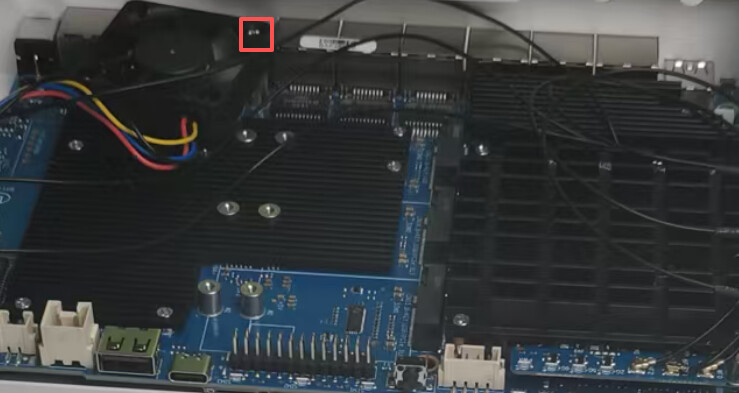
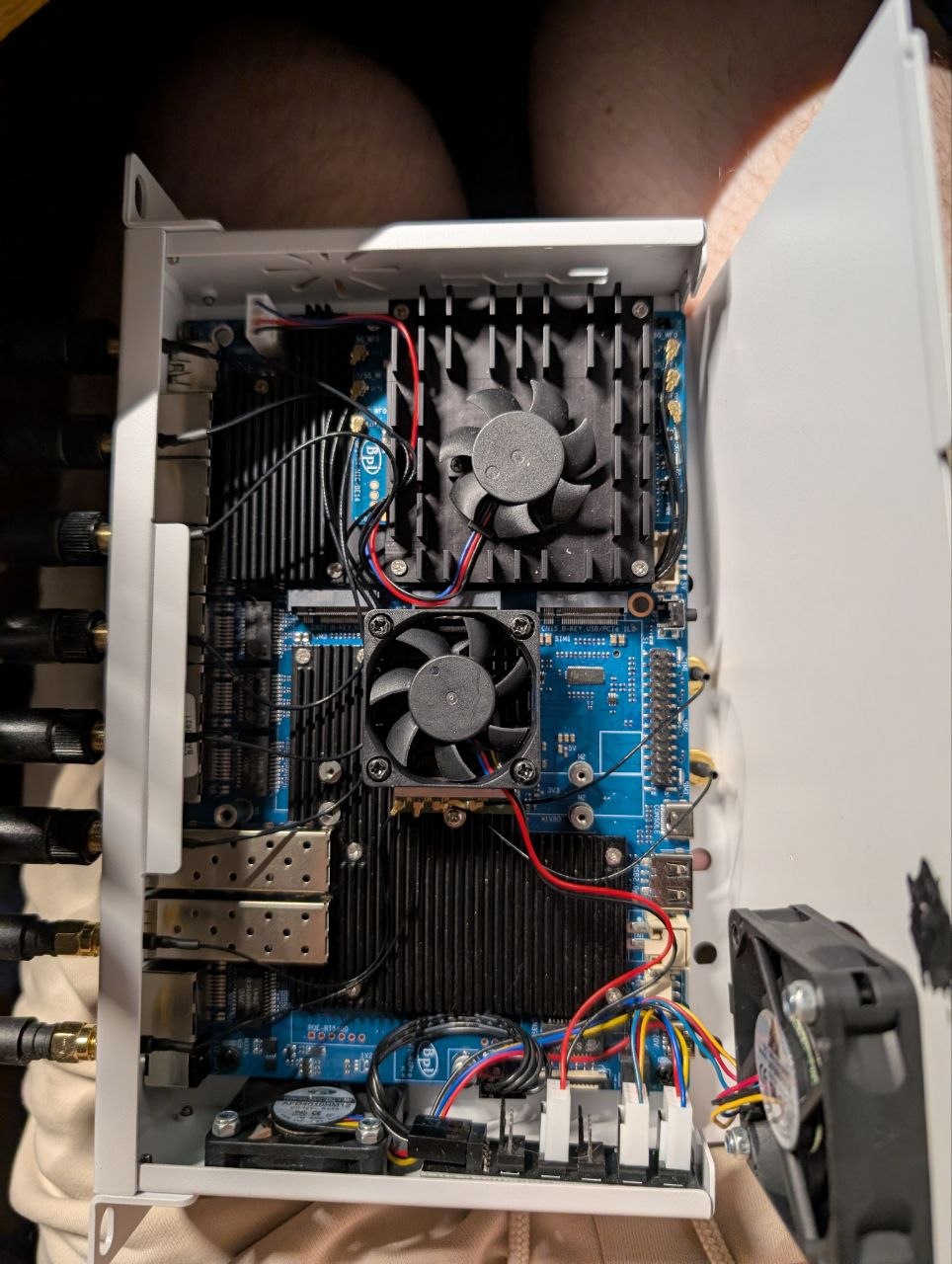
I see a screw hole on the board, which is just the right spot to mount a 4010 fan.
Who designed this white case? It’s just awful and a clear engineering miscalculation. Did you even check it in CAD software to see if the holes line up?
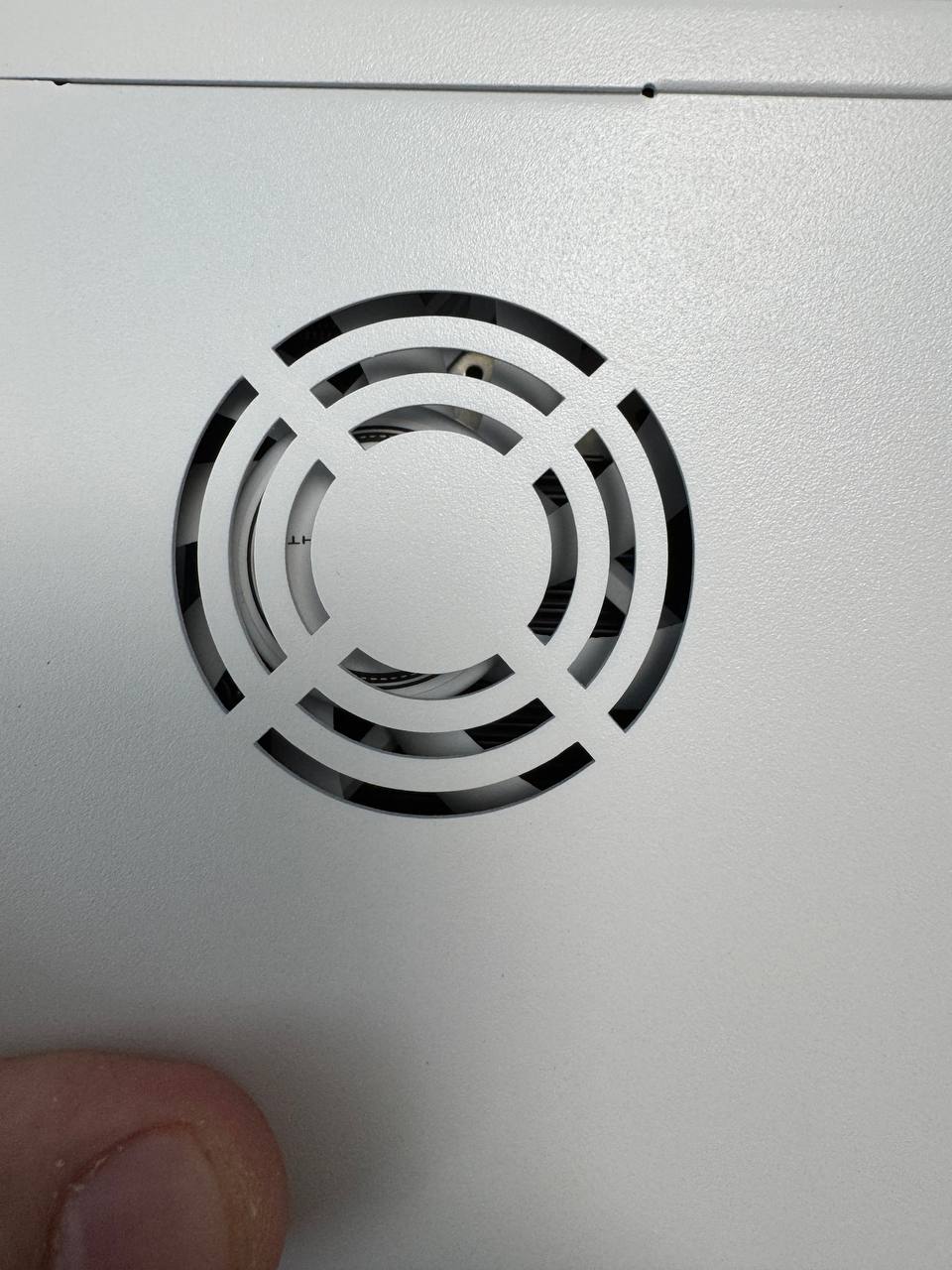
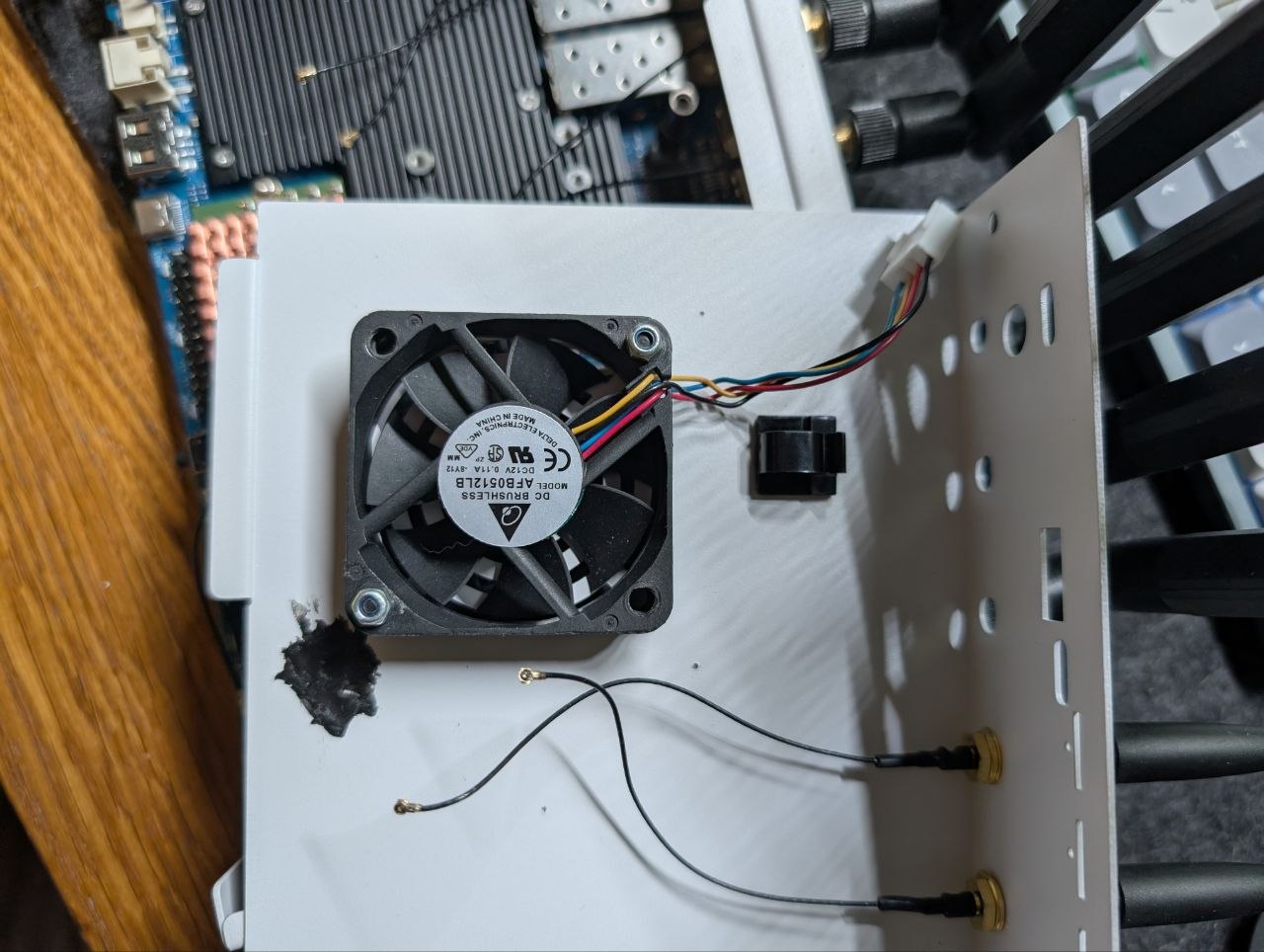
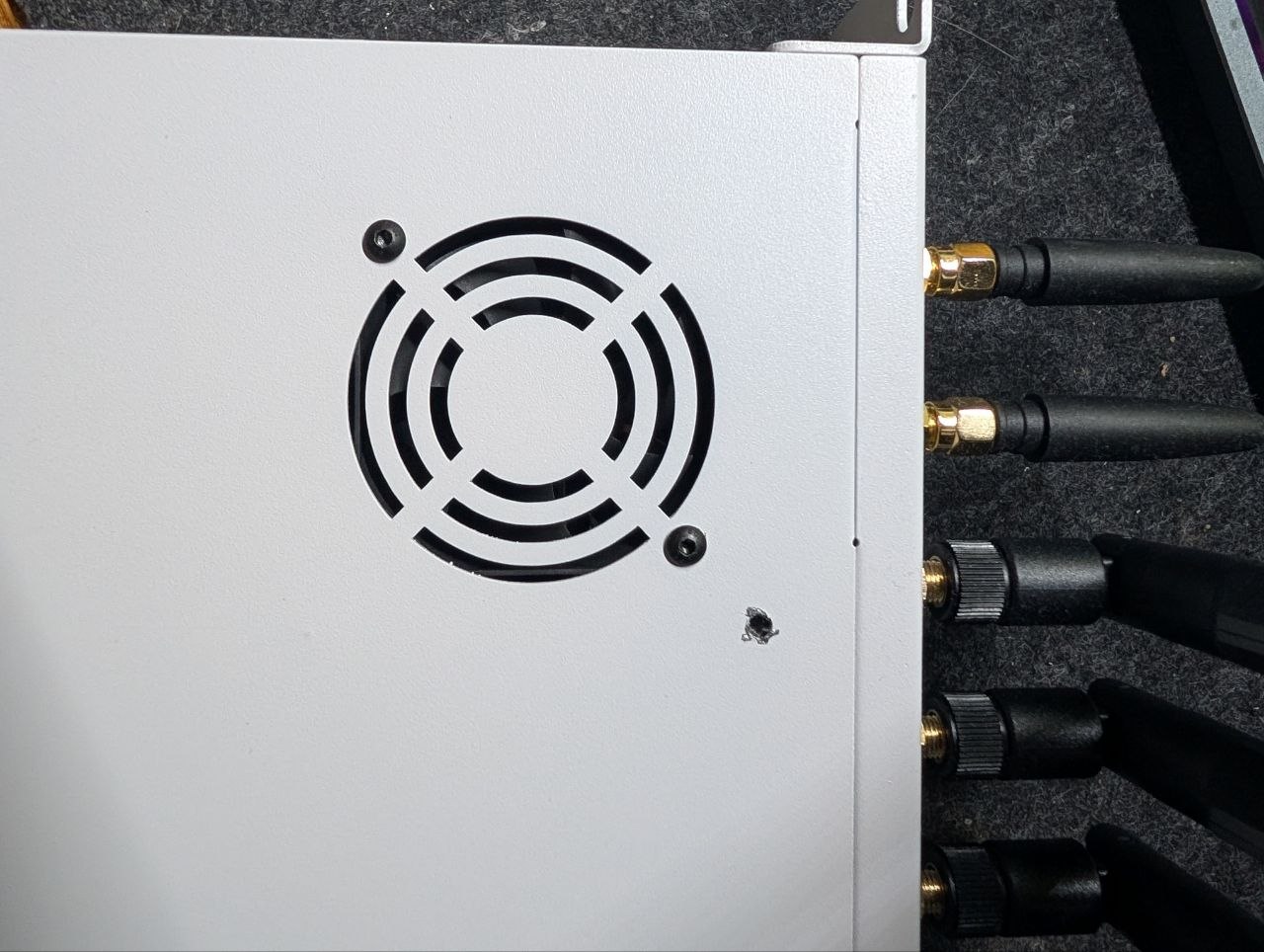
In the black case everything is perfect for an 80mm fan. In the white one, the fan also fits, but for some reason two side mounting posts were removed, and the air intake hole is offset. Anyone considering buying it should know — the inside is quite different: the mounting posts for the fan are missing even though there’s space for them.
Also, the promotional photo shows a DC connector already installed on the front, but in reality it’s just an 8 mm hole.
Additionally, one of the rack-mount ears is bent. This is clearly a manufacturing defect, since the box wasn’t damaged at all — the mount itself is simply crooked.
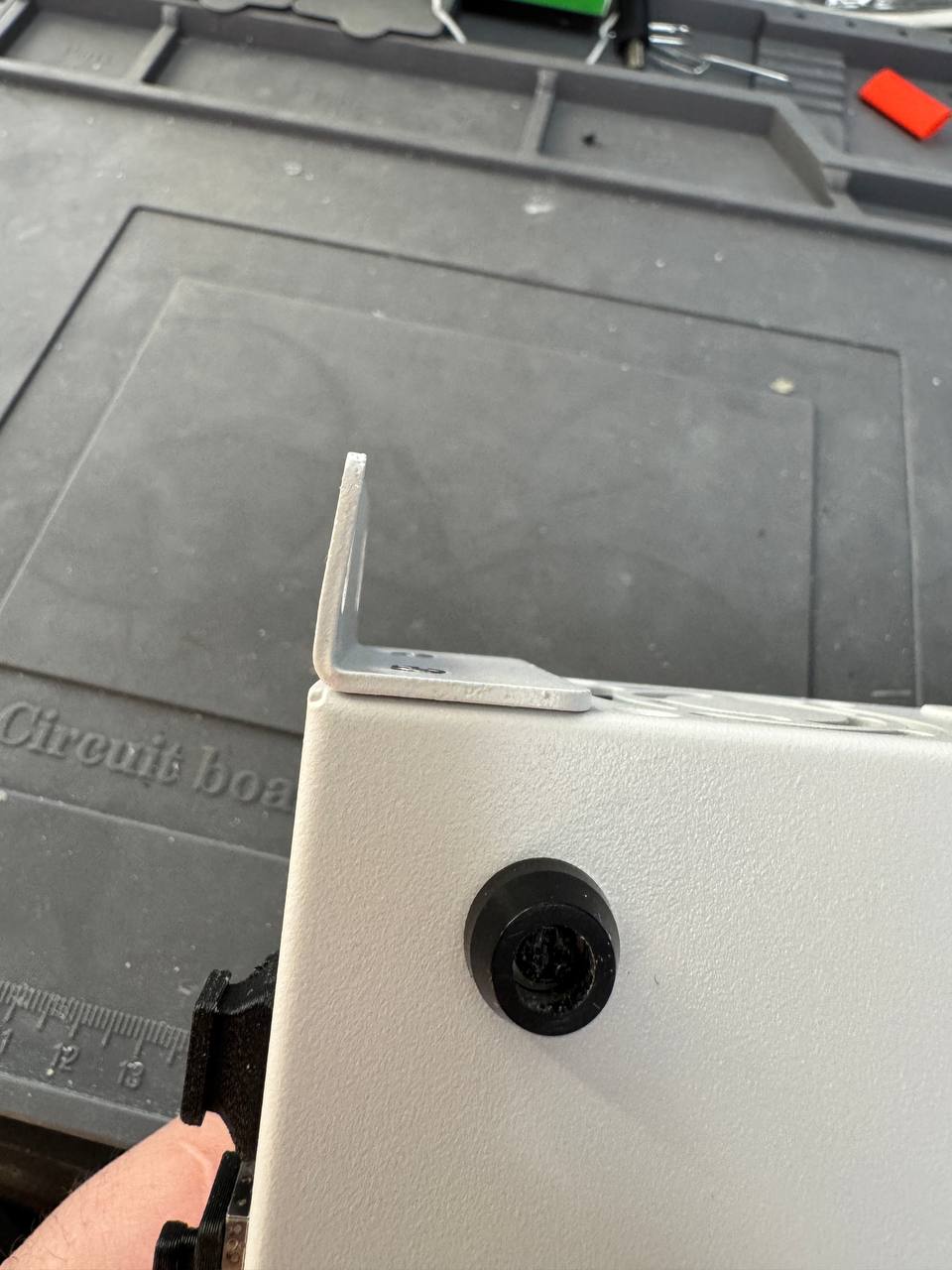
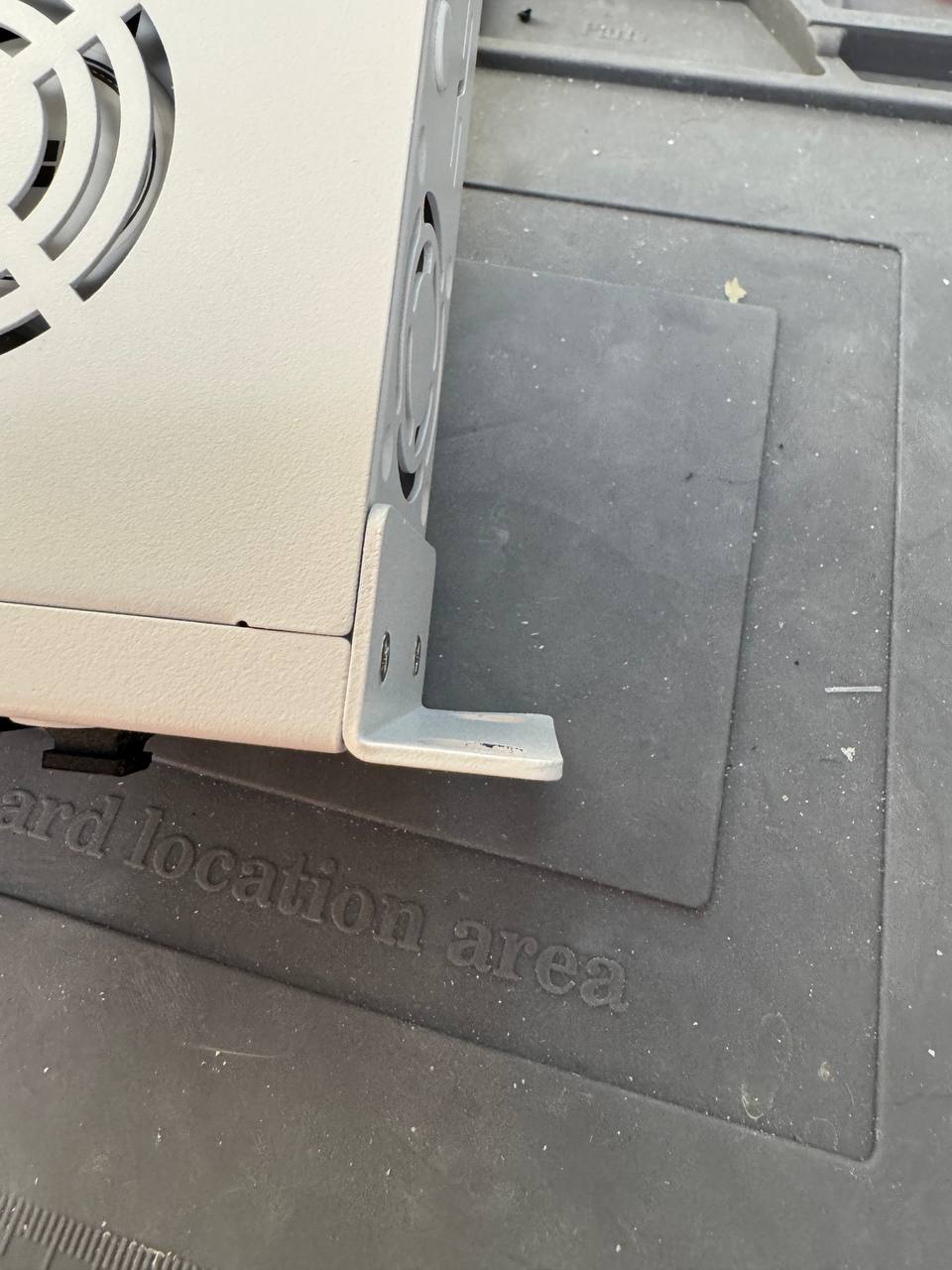
@sinovoip If the manufacturer is interested in helping the customer and replacing the defective item, I would appreciate it.
I compared it to the previous black casing, and the air vent is almost identical. Could you provide a picture of the internal fan installation and mounting? We’d like to take a look.
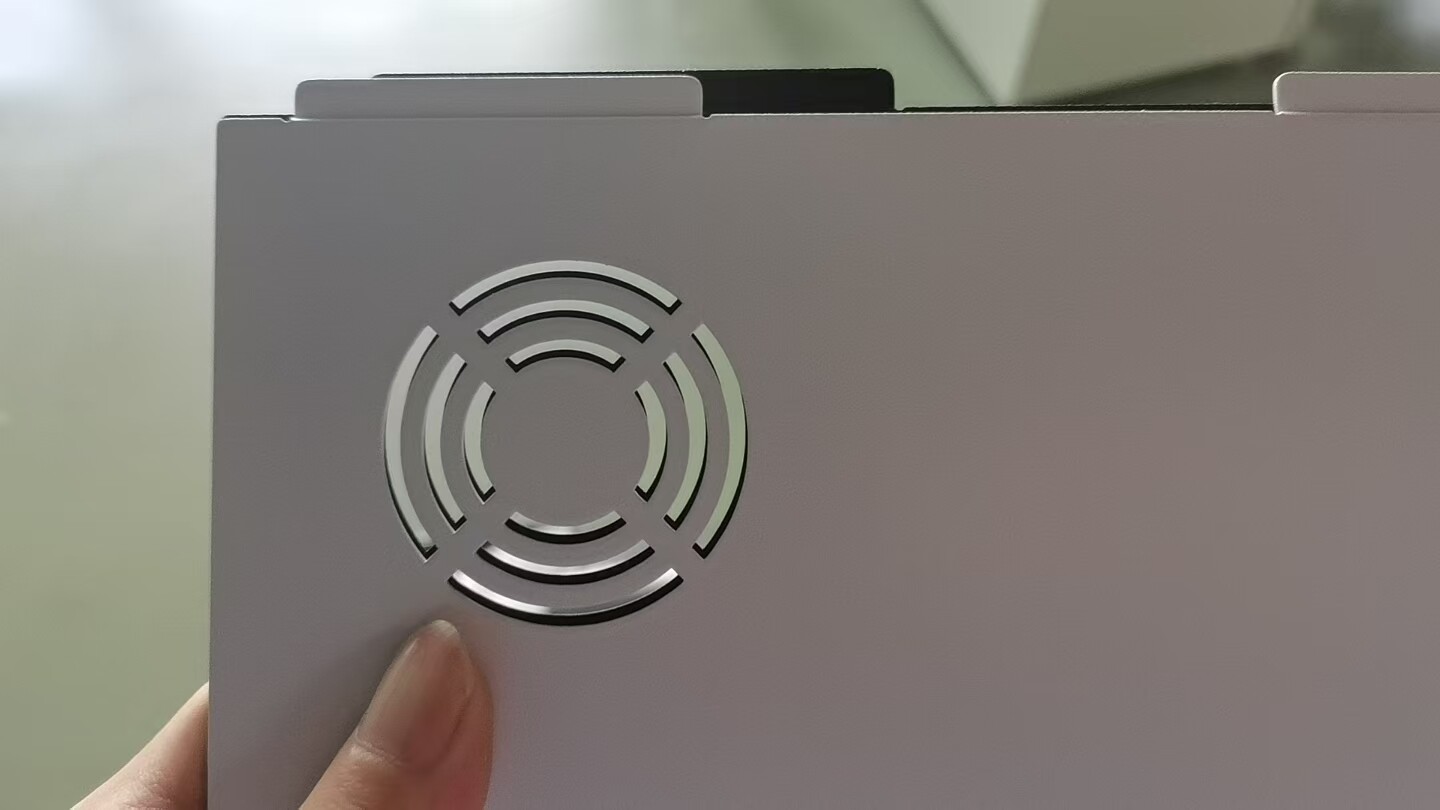
I suspect the damage to the ear loop was due to shipping damage; you can try contacting BPI customer service to exchange it.
It definitely wasn’t damaged during delivery — the box is perfectly intact, and to bend steel that thick, the box itself would have had to be crushed.
Yes, the holes line up with the black cover, that’s true. But on the left side there’s now less space, which is exactly why the mounting holes are shifted relative to the fan. Here are photos showing how it was in the black case versus the white one.
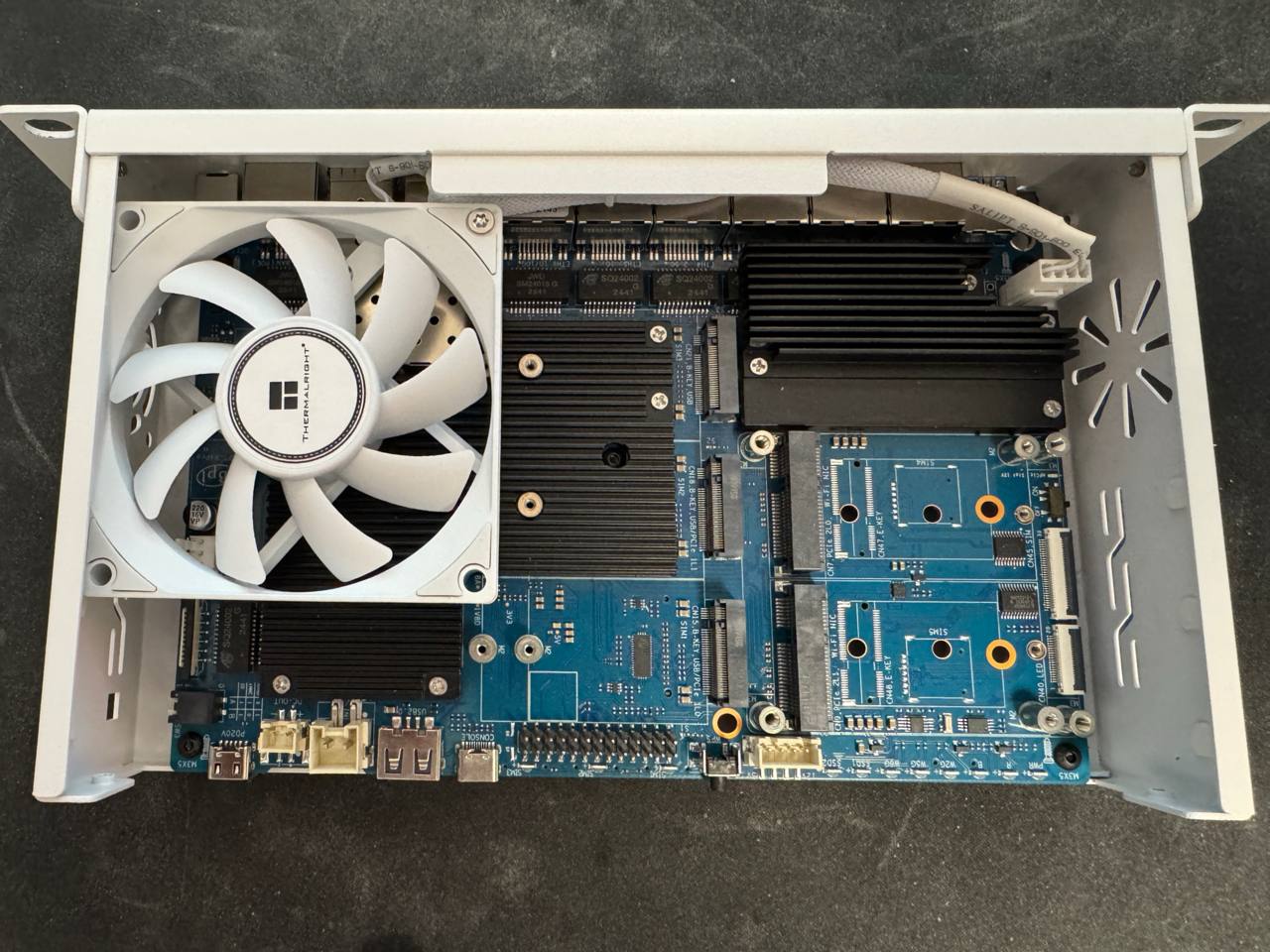
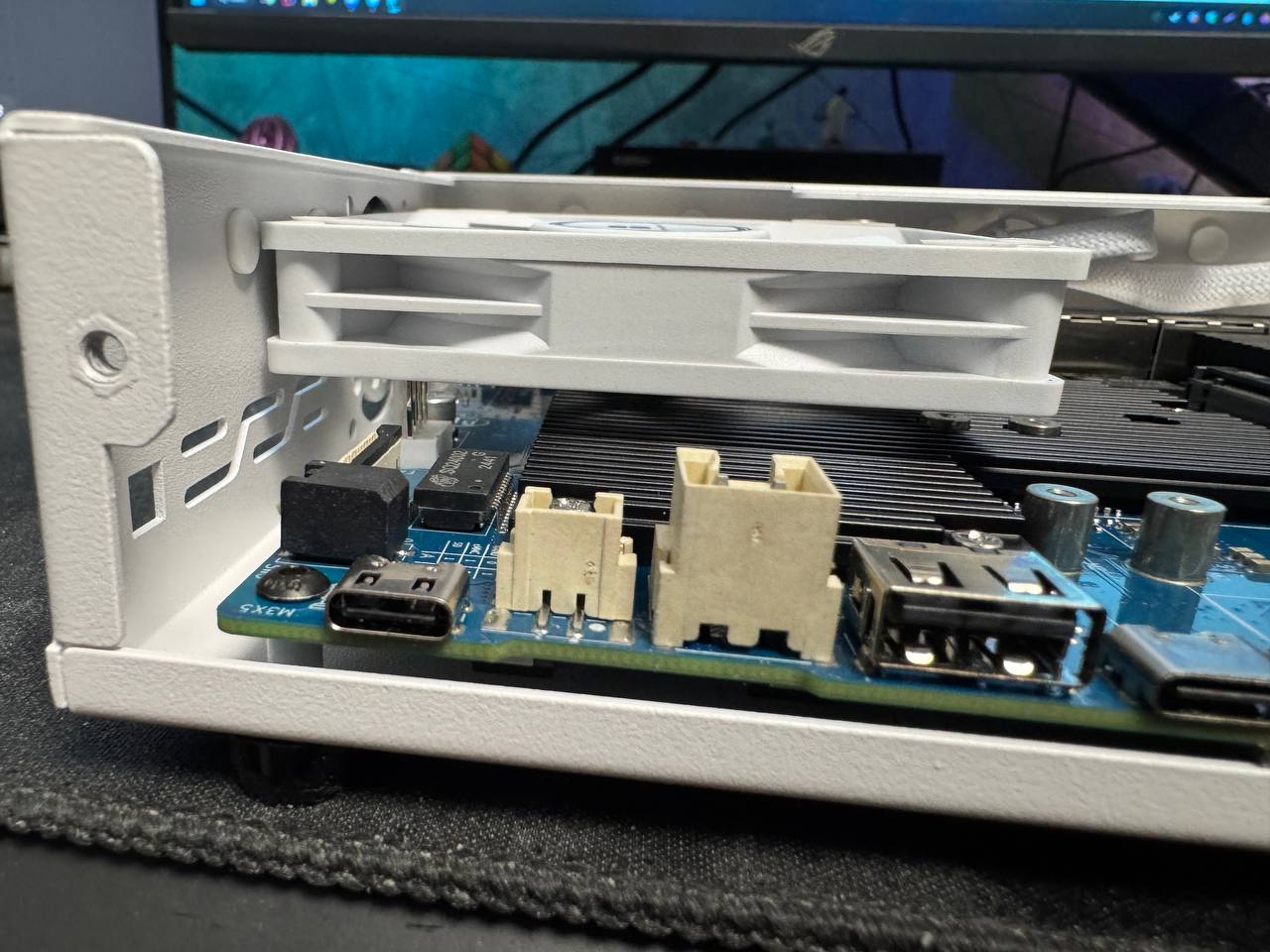
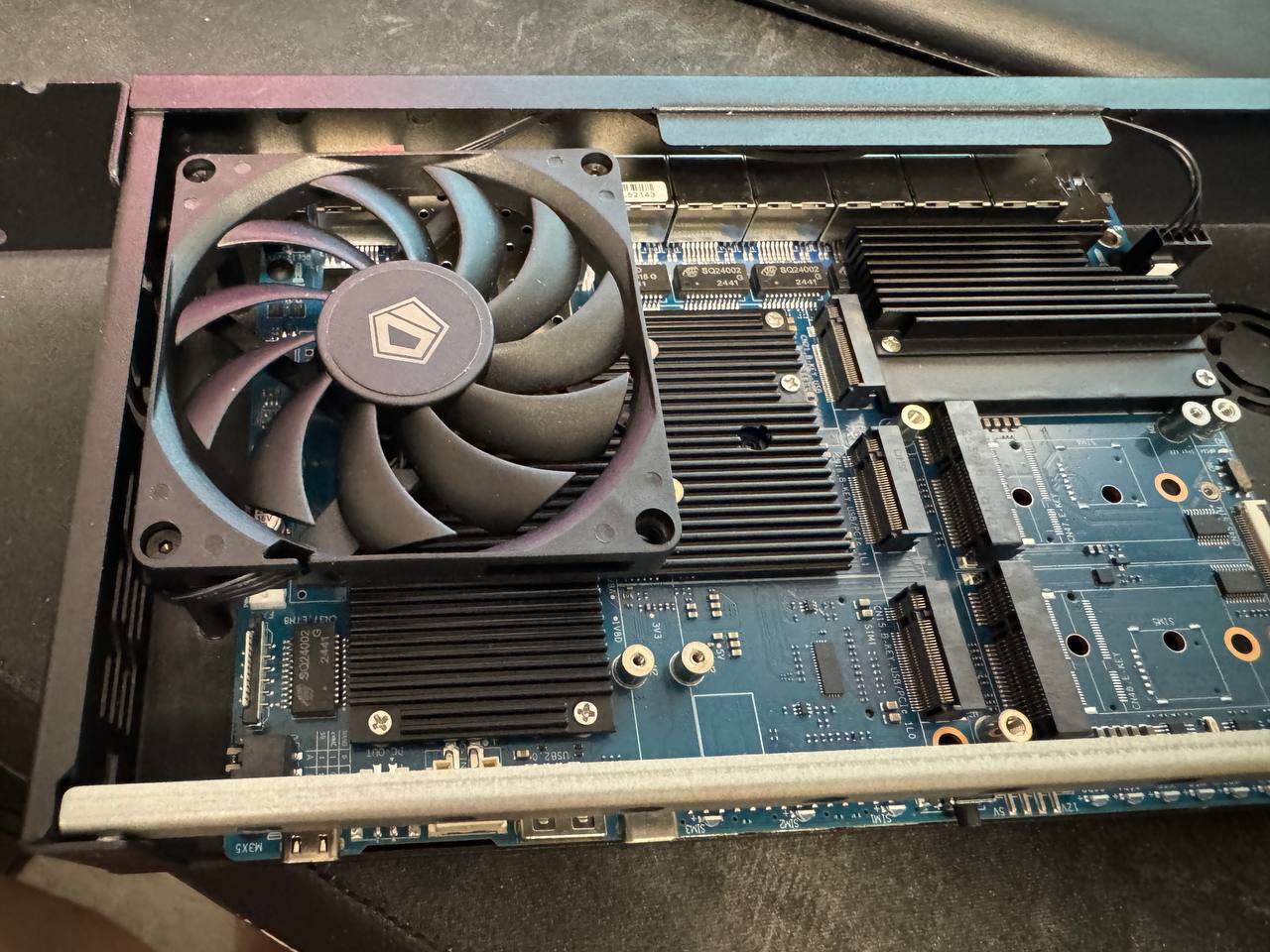
Okay, I understand. The mounting positions are indeed different for the white and black casings. I’ll check with BPI.
Hey sir, what about your design. I checked thiniverse, printables and makerworld. Probably you didnt share it.
I almost finished it, but the 10-inch rack model was officially released and I purchased it, who cares how I designed the cooling like this. Unfortunately, due to the fact that the tiny fans are noisy, we decided to turn down the cooling system by 80 out of 255. The cooling works very well, with an average of 46°
2 Likes
anyone here that has made the original case (or any case) rack mountable in a 19 inch rack?
I created one once, but since the hardware itself still leaves something to be desired, I haven’t had anything produced yet.