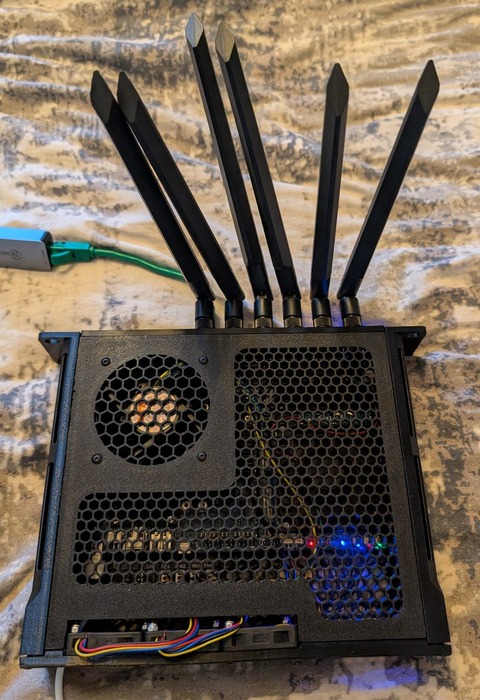
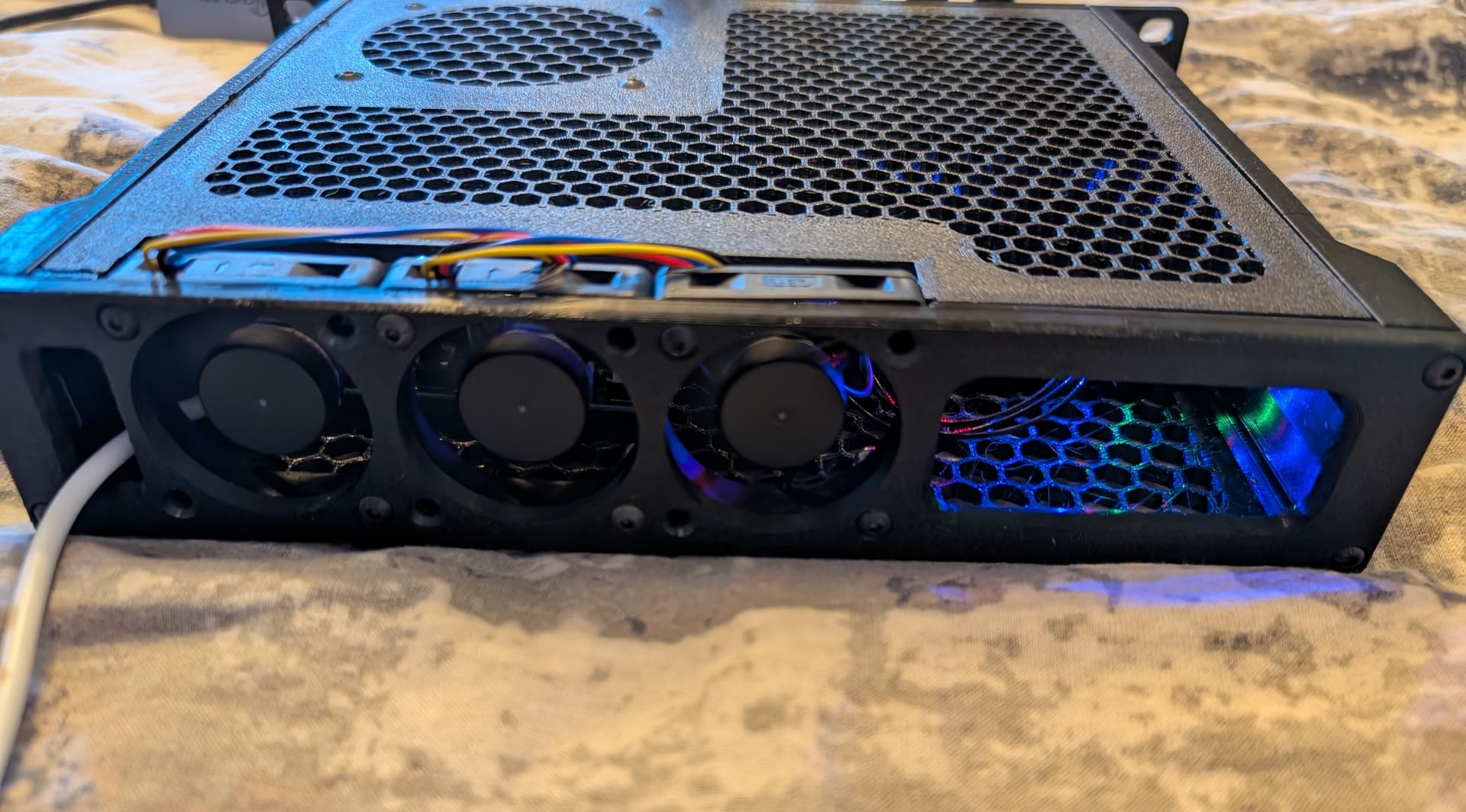
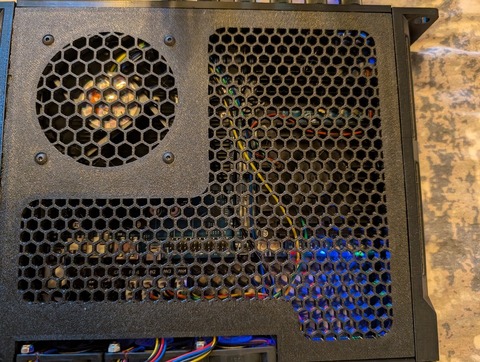
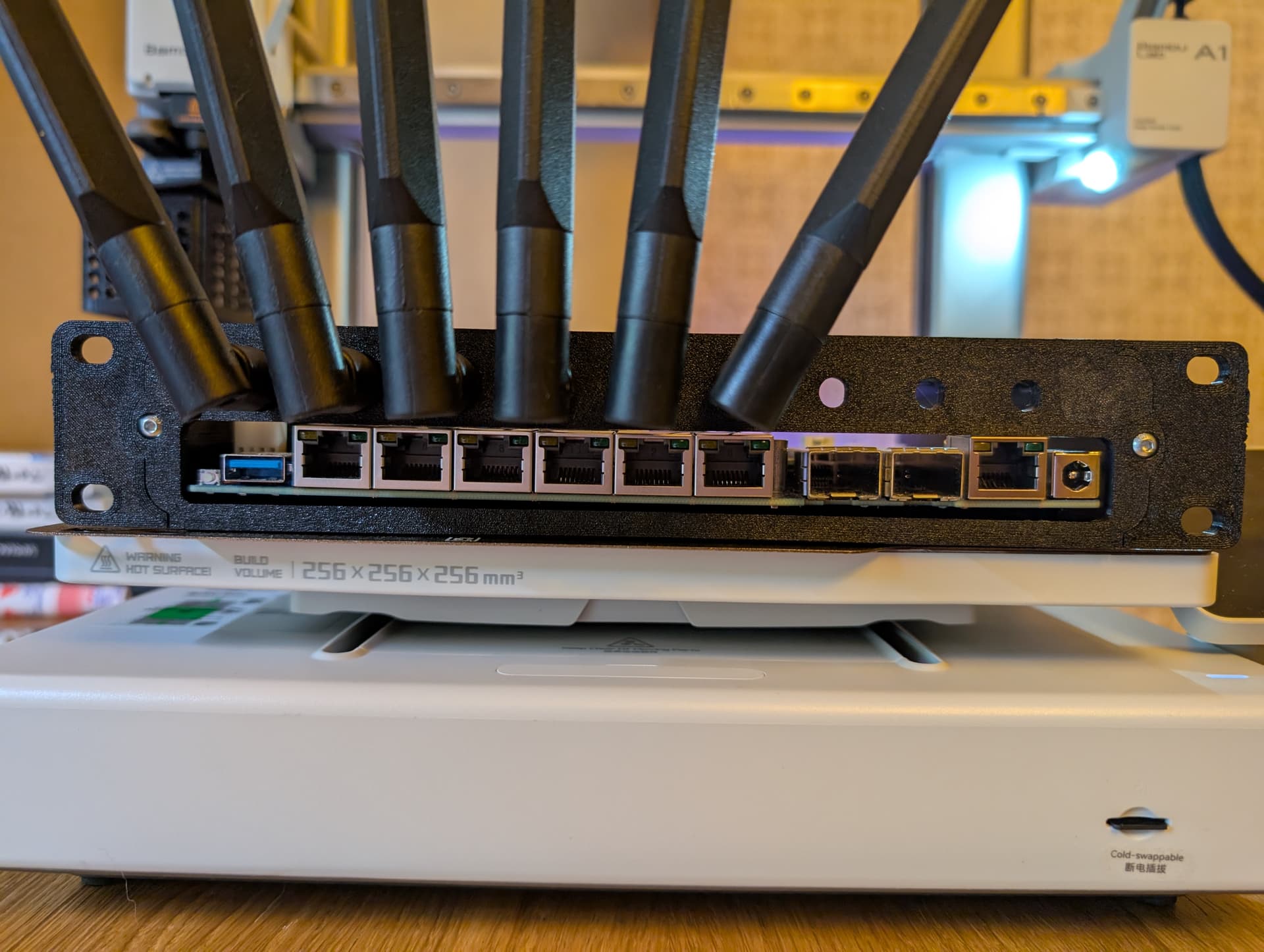
[BPI-R4 PRO] Hardware assembly

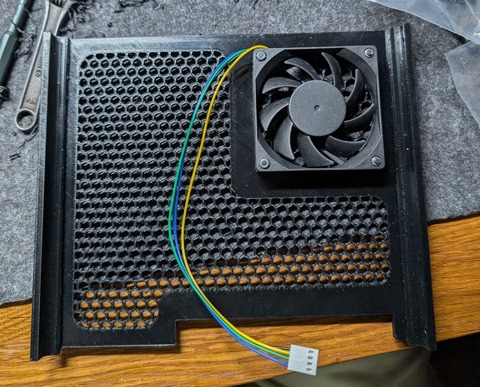
My design is specifically created for 90x15mm fan, that is a popular PC format and can be find very easilly for a good price. For example I’m using with a Thermalright TL-9015B, that can be purchased with next days shipping for around 9€. Can be mounted with a FAN filter, but just the kynd of filter without plastic frame will fit.

What size do you have in mind? 90x25?

I just plan to use the 90×15mm size and not use the fan filter.Thank you

I got a couple of BPi-R4-Pro’s and started to put them together.

Noticed that the directions aren’t very clear. Are the flat-head screws for everything else, but the button-head screws for mounting the board? If that’s the case, there should be 5, not 4… because the center of the board has a standoff underneath it.

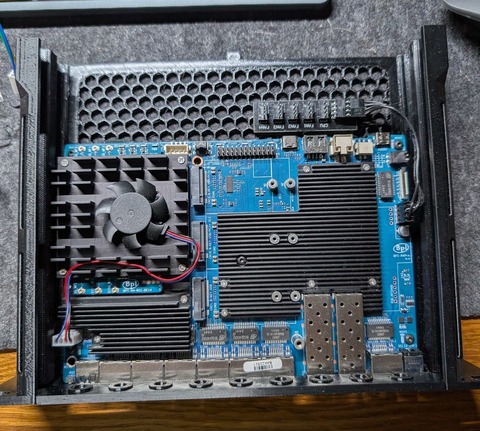
Also, I got two fans, but when mounted they both blow inward, since the hex recesses on the fans are on one side one, so you can’t reverse the right hand fan to be an exhaust fan and have airflow go left-to-right.

I installed a Quectel RM520N-GL card, but had to scavenge screws because none came with the kit for mounting to the USB/mPCIe slots. I also had to take one of the orange plastic standoff covers and place it over the inboard standoff for the 5G card so that the underside of the card wasn’t contacting the standoff metal-to-metal.

Installing a Samsung EVO960 NVMe stick also required scavenging screws.

I don’t know why the kits don’t come with fasteners. Or for that matter, extra plugs for the unused antenna holes, so that airflow can be better controlled.

I don’t understand the point of not providing extra screws with the kit. It’s 15c of fasteners at most.

I’m planning on putting one in a camper van, with a Starlink Mini and a Waveform antenna and the 5G card, but I’m concerned about how it would operate in temperate extremes, say 40-95F (4-35C). I’d use OpenWRT + mwan3 to use unmetered 5G when I have connectivity, and fallback on Starlink when I’m in the wilderness.

Do the OV5640 cameras work with this board? If so, which connector do they use?

It would be handy to have the router also be part of my wired security system in the camper.

There is a step-by-step tutorial for installing the R4Pro. The two fans should be installed in this way to form a ventilation channel for heat dissipation, right?

As for the screws needed for installing the additional modules, I’m not sure whether they will be provided by the module manufacturer or whether BPI needs to supply them.

There is a step-by-step tutorial for installing the R4Pro. The two fans should be installed in this way to form a ventilation channel for heat dissipation, right?

Yes, but some lock washers would help with the right hand side nuts to stop them from vibrating loose.

As for the screws needed for installing the additional modules, I’m not sure whether they will be provided by the module manufacturer or whether BPI needs to supply them.

Typically they come with the motherboard or SBC, since the notches on an SSD (for example) will match multiple screw types, but the screw length, diameter, and pitch is specific to the standoff it goes with.

Please advise where to buy rack mounts, because I ordered them for the NVR, but the screw holes don’t match

On the subject of assembly, does anyone know if the OV-5640 cameras work with the BPi-R4 series? I’d like to add security surveillance to one of my boxes…

Hey everyone, I’ve been looking through the thread and noticed a lot of builds where the WiFi antennas are just plugged in. Using male U.FL connectors without any extra security is risky.

​At a minimum, you should secure those connections with some hot glue. A better method is to use Kapton tape, followed by a layer of non-conductive adhesive copper tape.

​There is a huge benefit to using the copper tape: if you ground it, it acts as a Faraday cage which really helps with signal integrity. To do this, apply about 82°C heat to the poly-coated (non-adhesive) side and peel back just enough to solder a grounding wire. You can ground that wire to the metal case or use a terminal ring on one of the PCB screws—which is a must if you are using a 3D-printed case.

​Don’t underestimate the damage a loose antenna connector can do if it starts rattling around inside your enclosure

You should prove that.

Minding sharing some pics/info on how to use that? Quite a newbie myself in hardware assembly and would be interested on learning

1 Like

As promised by the messages above, I have finished debugging the case for the 10’ rack. Unfortunately, the support service said that there are no new white cases available, so I made my own version adapted to the general platform. Later, I will post an STL file with instructions, as I need to make some adjustments based on the results of the tests.

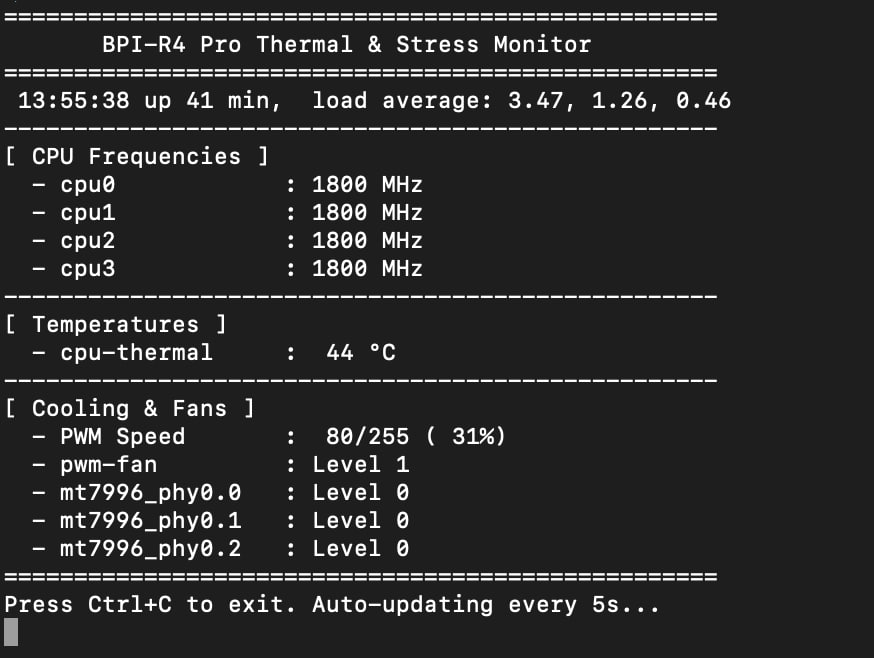
The average temperature was between 41-49°, which I consider the best cooling solution, but it seems to me that there may be an abundance of fans

PXL_20260310_110443312 PXL_20260310_121404723

PXL_20260310_124452185

3 Likes

Yes, installing too many fans will require a more powerful power supply. The optimal airflow path created by the fans will determine the best cooling performance.

When it comes to a 10’ rack, you generally have no restrictions on the power supply since you can place a 220V PDU

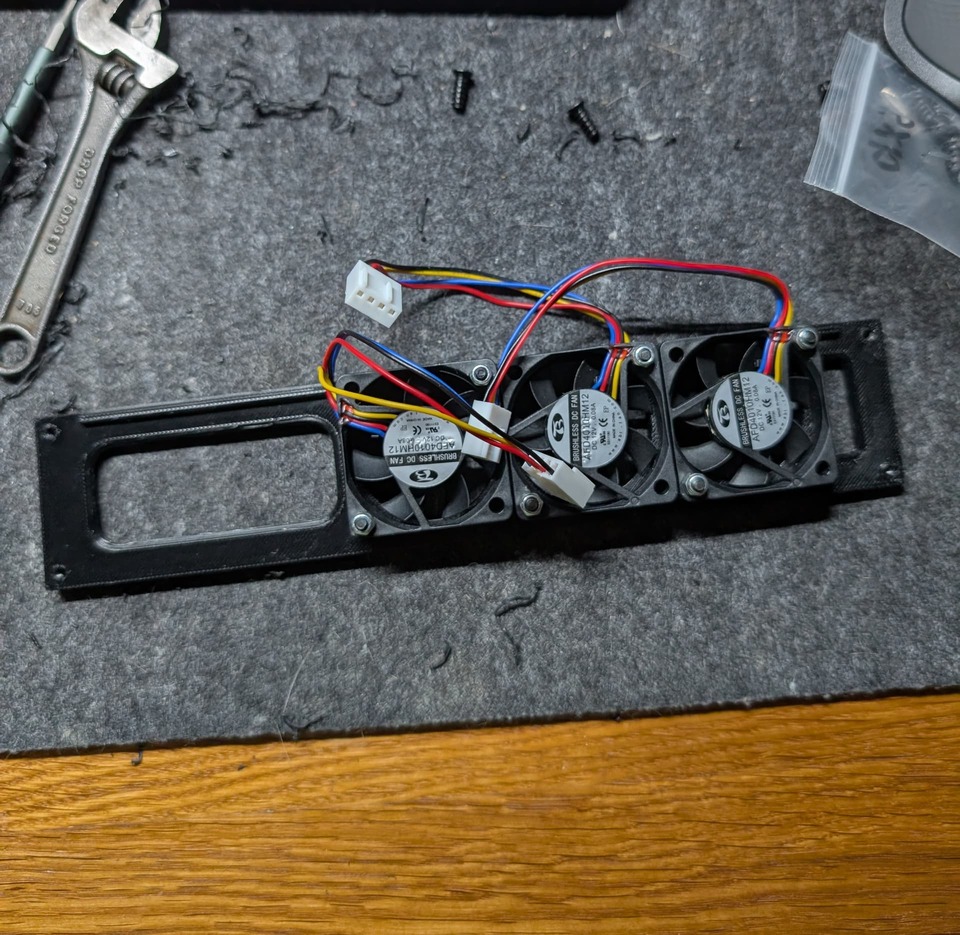
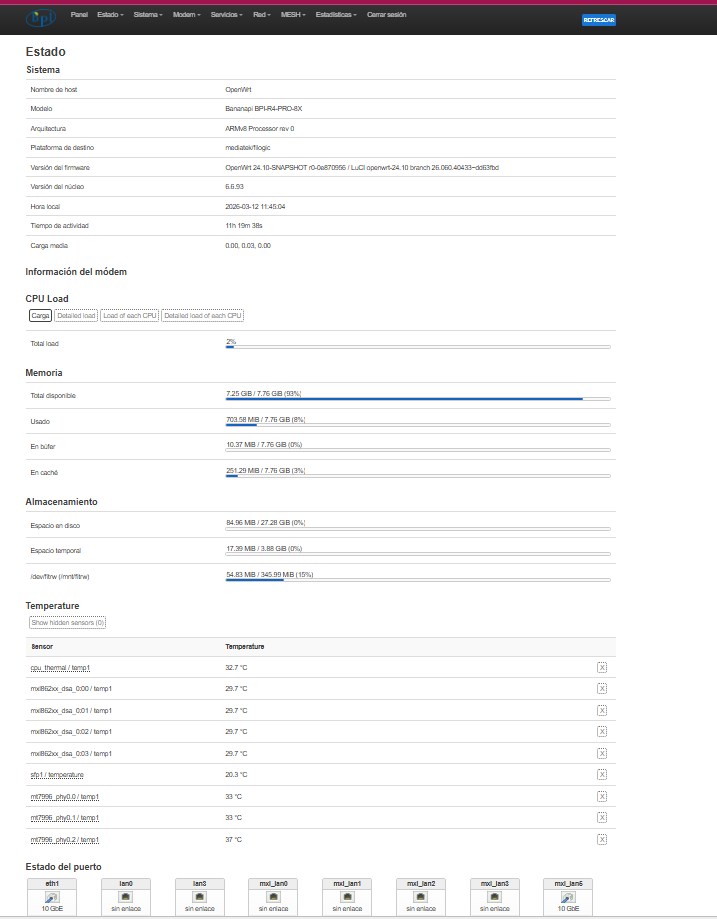
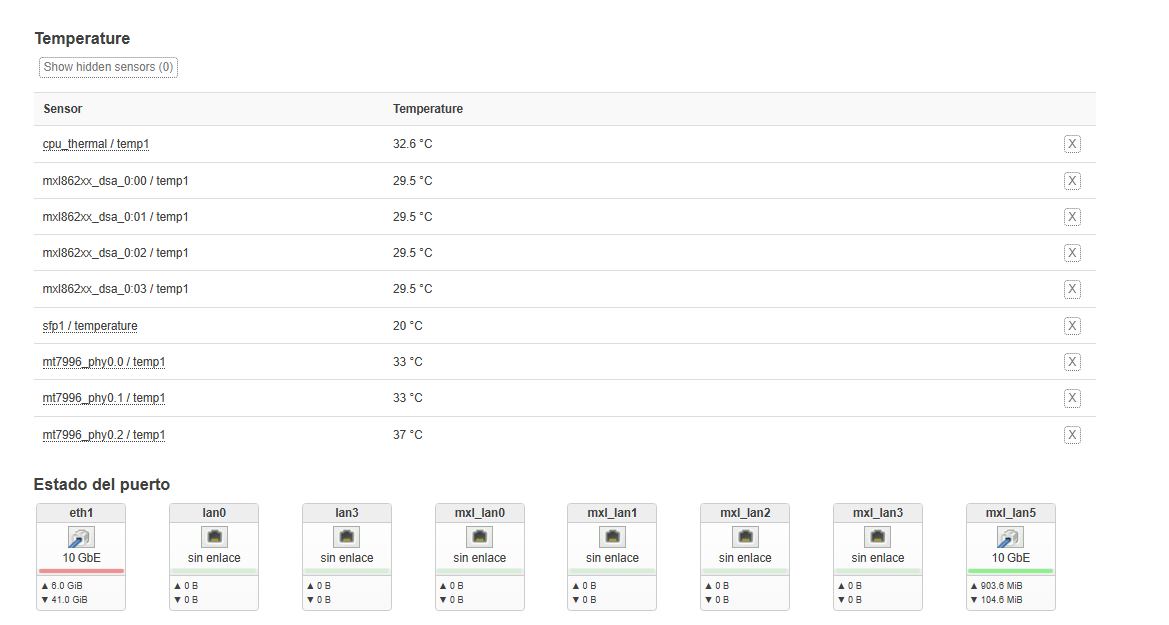
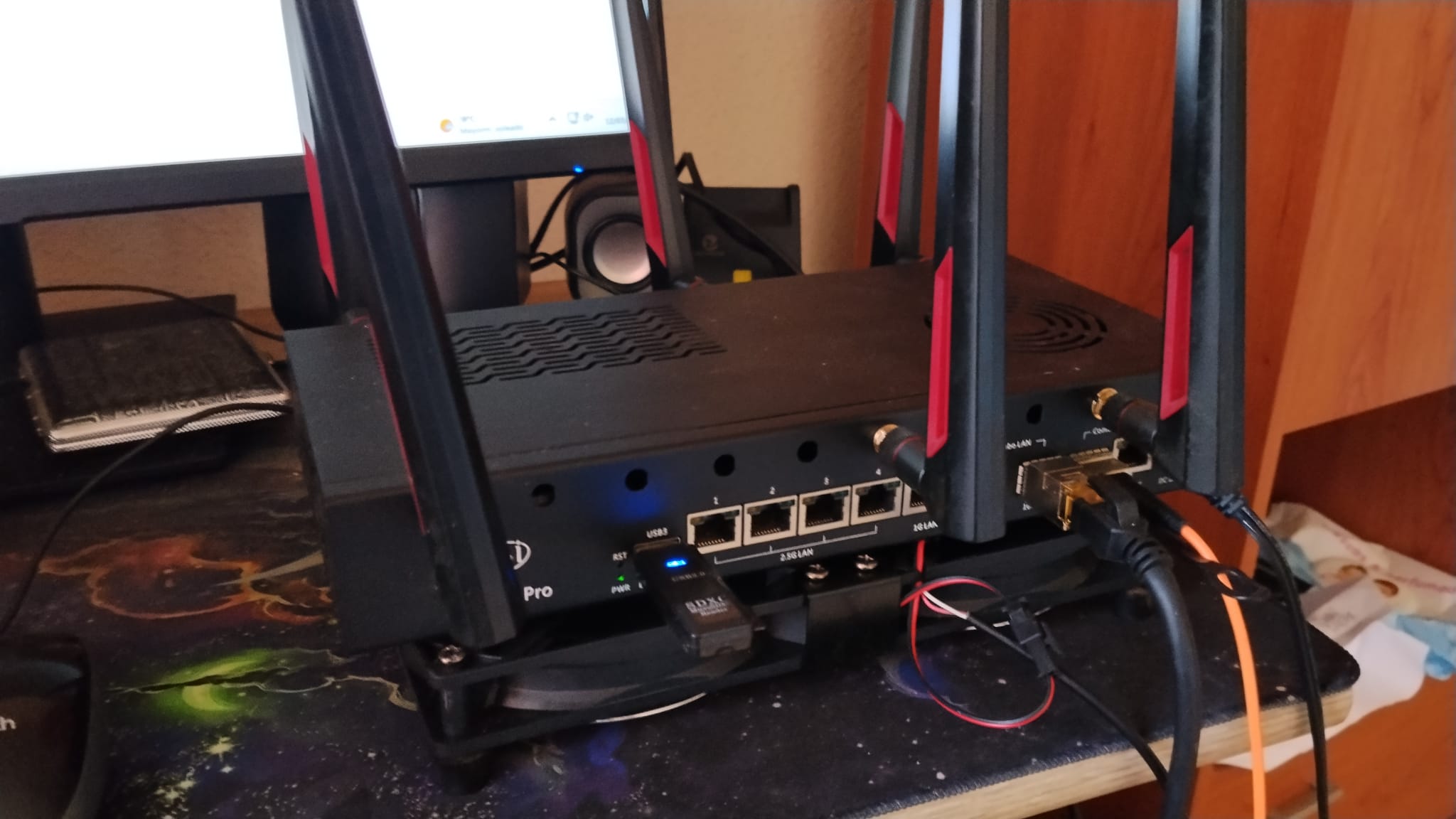
Good afternoon, here are my temperatures. I haven’t made any modifications, just using the stock fans. I also installed an 80x15mm fan above the SPF+ fans on both the WAN and LAN.

Regards

1 Like

It looks very good. My goal was to create a very compact solution for the rack that would be in the closet. Yes, the idea with external fans is a good one, and if the rack allowed it, they could be installed 2…4…6 and then the temperature would be normal. I’m waiting for the white compact version of the case to be officially released, let’s see.

1 Like

Hi, guys. When did the white case go on sale? It’s already been almost 3 months since it was shown.

this case will public sale this week.

1 Like

I see it’s now available on aliex…the case is a good starting point but the fan hole design to me is completely wrong. it would be better with a 90 mm top fan. Small lateral fan are noramlly louder!

Hi. That Artic slim fan is 80x80x15? Thanks.