I’m currently facing an issue with the sfp2 port on my Banana Pi R3 running OpenWrt. I’m trying to establish a 2.5G optical link between the BPI-R3 and a MikroTik CRS310-8G+2S+ switch, but the BPI-R3 refuses to recognize the module’s 2.5G capability, falling back to 1G or completely disabling the port.
# ethtool sfp2
Settings for sfp2:
	Supported ports: [ FIBRE ]
	Supported link modes:   1000baseX/Full
	Supported pause frame use: Symmetric Receive-only
	Supports auto-negotiation: Yes
	Supported FEC modes: Not reported
	Advertised link modes:  1000baseX/Full
	Advertised pause frame use: No
	Advertised auto-negotiation: Yes
	Advertised FEC modes: Not reported
	Link partner advertised link modes:  1000baseX/Full
	Link partner advertised pause frame use: Symmetric
	Link partner advertised auto-negotiation: Yes
	Link partner advertised FEC modes: Not reported
	Speed: 1000Mb/s
	Duplex: Full
	Port: FIBRE
	PHYAD: 0
	Transceiver: internal
	Auto-negotiation: on
	Supports Wake-on: d
	Wake-on: d
	Link detected: yes
The Problem:
When I plug in the SFP module, OpenWrt reads the EEPROM but fails to ascertain the 2500baseX link mode. It attempts to fall back to 1000baseX, but ultimately disables the port and stops the laser.
Here is the relevant dmesg output:
[6013727.135208] sfp sfp-2: module FS               SFP2.5G-SX-85    rev 3.0  sn C2512707604      dc 260120
[6014666.687132] sfp sfp-2: Unable to ascertain link mode
[6014666.692274] mt7530-mdio mdio-bus:1f sfp2: selection of interface failed, advertisement 00,00000000,00000000,00006400
[6012132.041736] mt7530-mdio mdio-bus:1f sfp2: switched to inband/1000base-x link mode
[6012966.159226] br-lan: port 5(sfp2) entered blocking state
[6012966.164628] br-lan: port 5(sfp2) entered disabled state
What I have tried:
1G Link Works Perfectly: To rule out physical layer issues (bad fiber, dead module, wrong wavelengths), I forced the MikroTik switch to advertise only 1G Full with Auto-Negotiation enabled. Then, on the BPI-R3, I manually ran ip link set sfp2 up and brctl addif br-lan sfp2. The link comes up successfully at 1G, and traffic passes through perfectly. This proves the hardware and fibers are 100% functional.
ethtool Fails: Running ethtool -s sfp2 speed 2500 duplex full autoneg off returns Invalid argument. The driver outright rejects it.
Network config fails: Setting option speed ‘2500’ and option autoneg ‘0’ in /etc/config/network for sfp2 is also ignored/rejected by the kernel during initialization.
My question:
I’m not sure what the next step is to enable the 2.5G mode. Build a modified OpenWRT, ask for a modified EEPROM from FS support, or something I missed? All ideas are appreciated. Thanks.
Title: BPI-R3 Mini EN8811H PHY stuck at 1G – need help enabling 2.5G
Post:
Hi everyone,
I’m using a BPI‑R3 Mini with EN8811H PHY and I’m trying to get 2.5 Gb/s Ethernet on both ports. I have tested with Cat8 cables and a switch that supports 2.5G, but the links always stay at 1 Gb/s.
I tried:
Checking link status with ethtool
Forcing speed and autonegotiation (ethtool -s eth0 autoneg on advertise 0x80000000002)
Updating OpenWrt and installing git/http tools to try building drivers
Even checking dmesg, which shows Airoha EN8811H mdio-bus detected
Everything looks correct, but the 2.5G mode never negotiates.
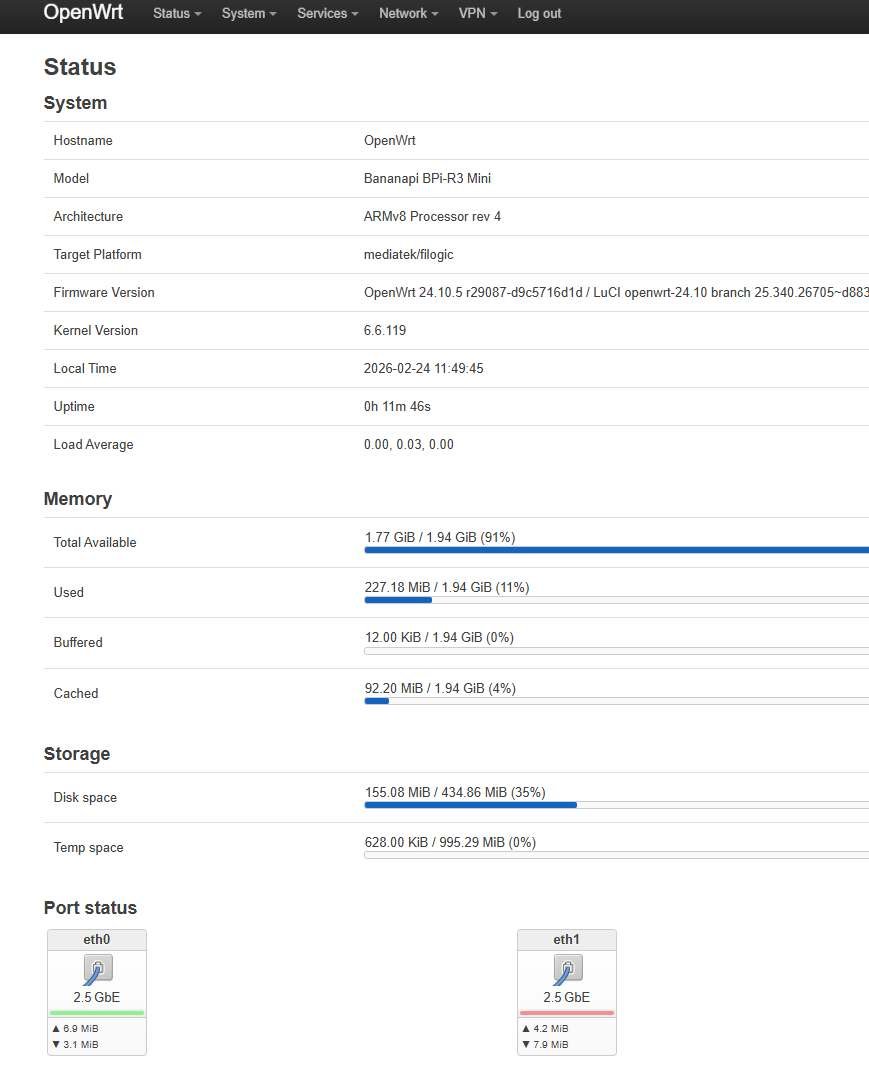
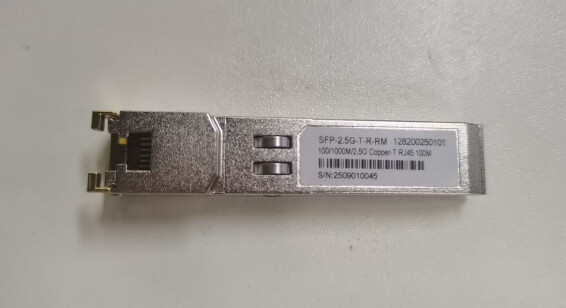
I don’t have the relevant SFP modules you mentioned, but I am using the 2.5G SFP modules of R3 that BPI is currently selling. The SFP LAN of R3 can support a speed of up to 2.5G.
Perhaps you could download the OpenWrt image from BPI and give it a try.
Could you please also tell me if the OpenWrt 24.10.4 image was downloaded from OpenWrt? I can also assist in testing to see if my SFP module can achieve a 2.5G rate.
On higher kernel versions (e.g. 6.18) i’ve noticed that the quirk for my 2.5g sfps was no more working,maybe a breaking commit was backported.
For my sfp i used a patch from @ericwoud to fix it but i guess it does not match yours as it switches to handling the realtek phy via rollball protocol.
But you can check if your sfp also uses the 2.5g quirk which seems to be broken in recent kernel versions.
SFP: SFP-2.5G-T-R-RM(A 2.5G rate SFP module of BPI that is currently for sale)
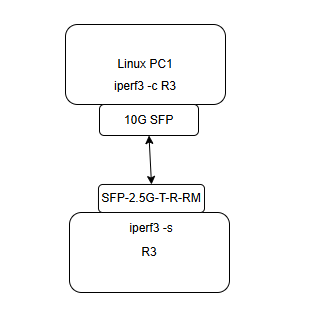
Connection topology diagram
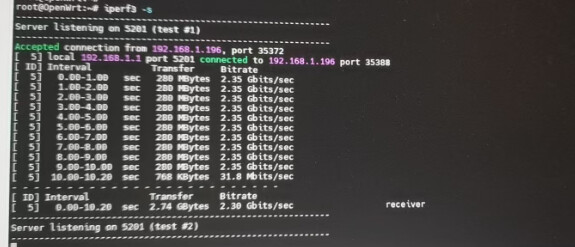
Speed test:
I tested this image using another SFP and it worked fine. Hopefully, this helps you troubleshoot. As ericwoud mentioned, it could be a problem with the SFP’s module driver.
Thanks for the help, hyf. I’m running the same image as you, but with a different SFP module. Your tests show that the image itself is working fine, so it looks like I may need a quirk similar to Eric’s.
Also thanks to Eric and Frank for the hints. This is my first time digging into the kernel SFP code, so I’ll need a bit of time to get my head around it.