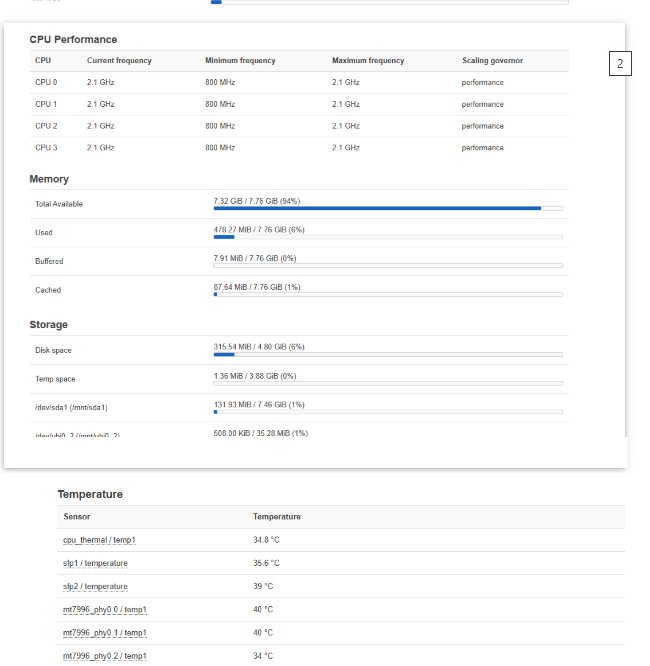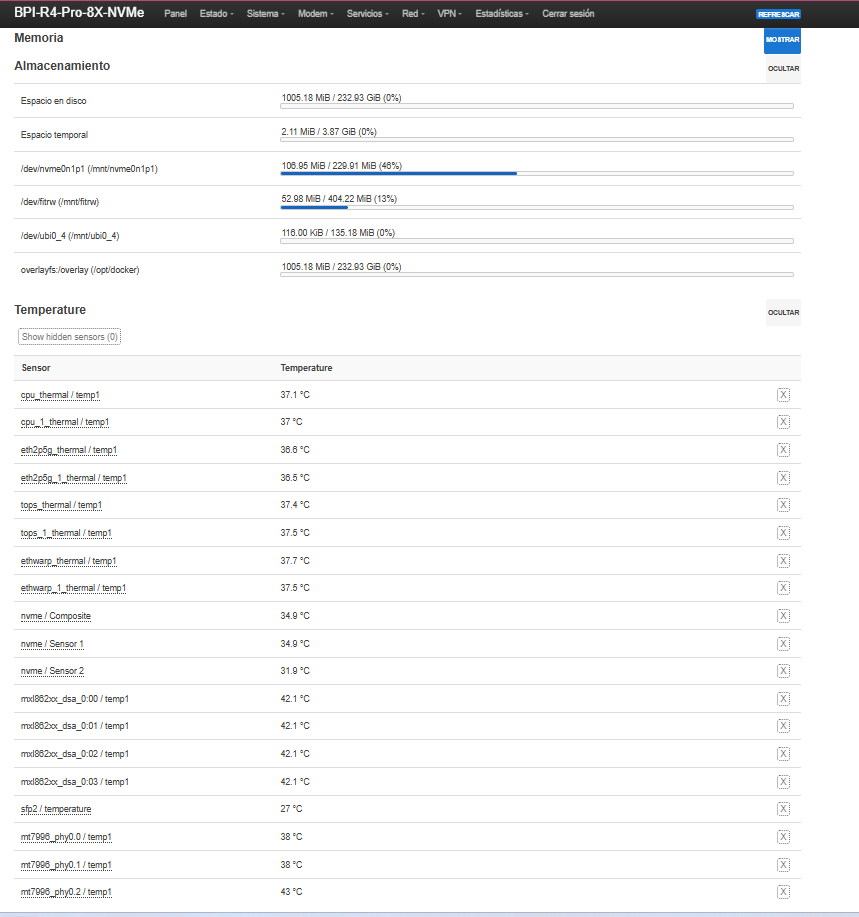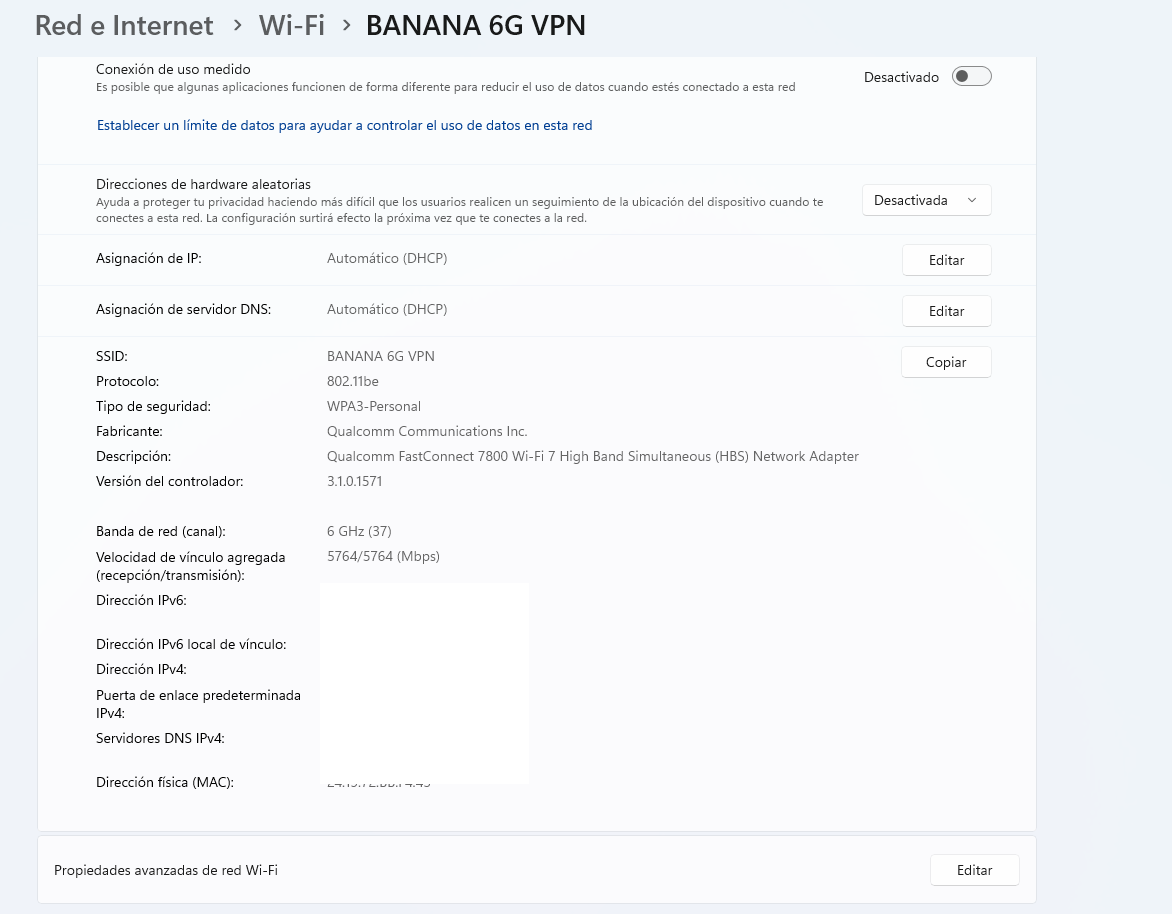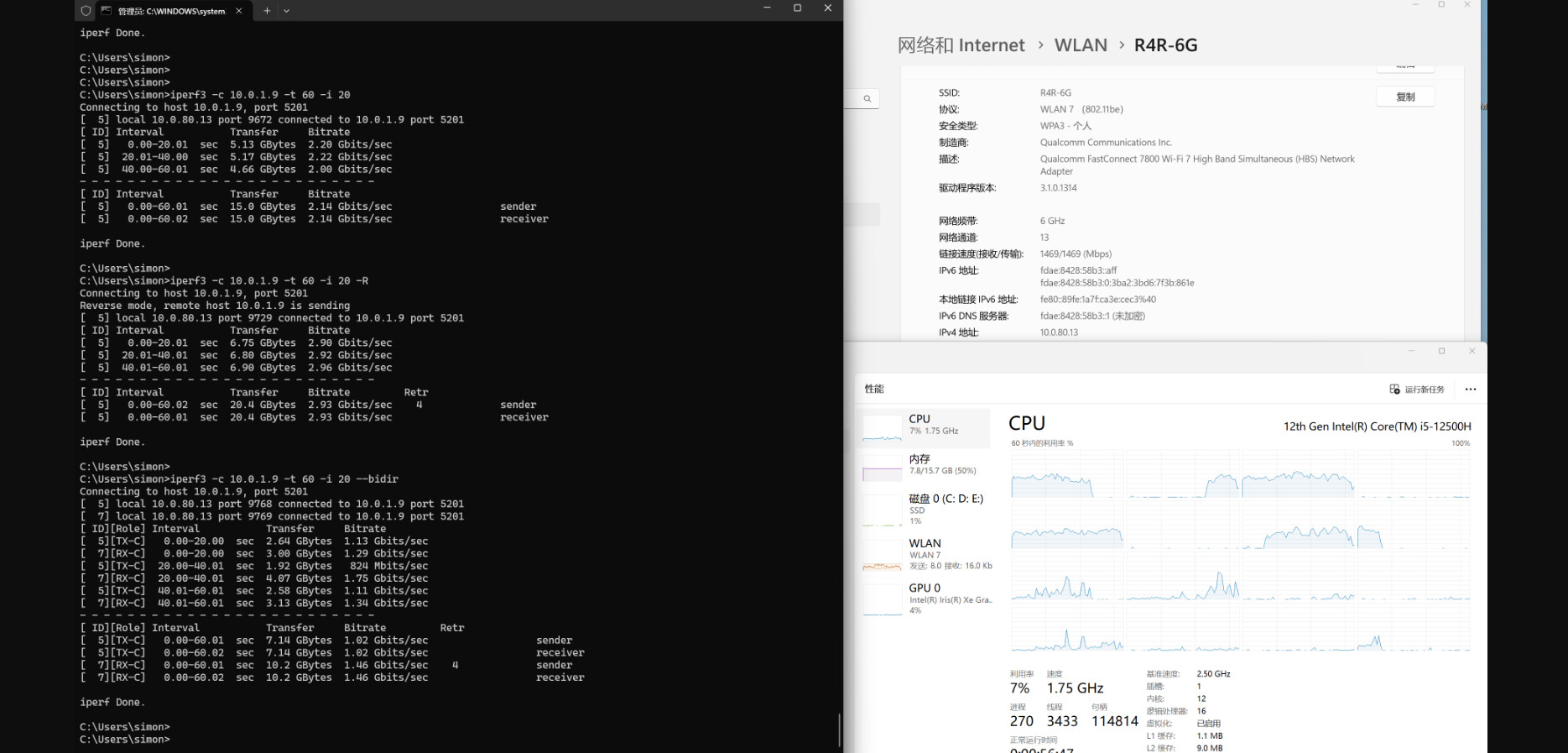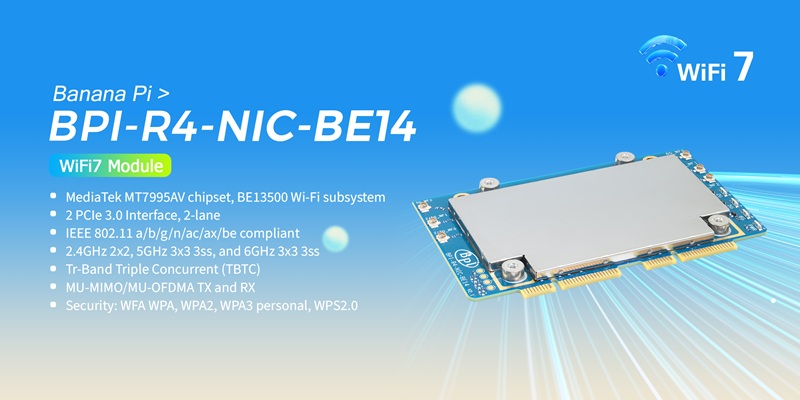
https://docs.banana-pi.org/en/BPI-R4/BananaPi_BPI-R4-NIC-BE14
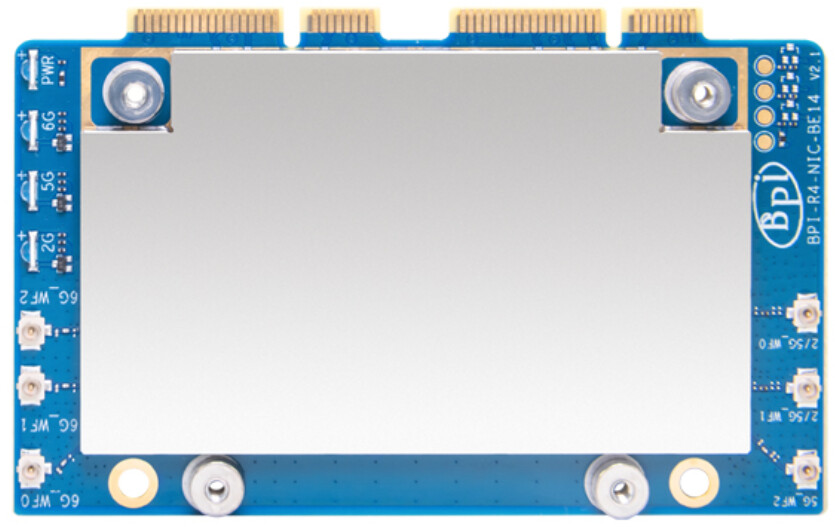
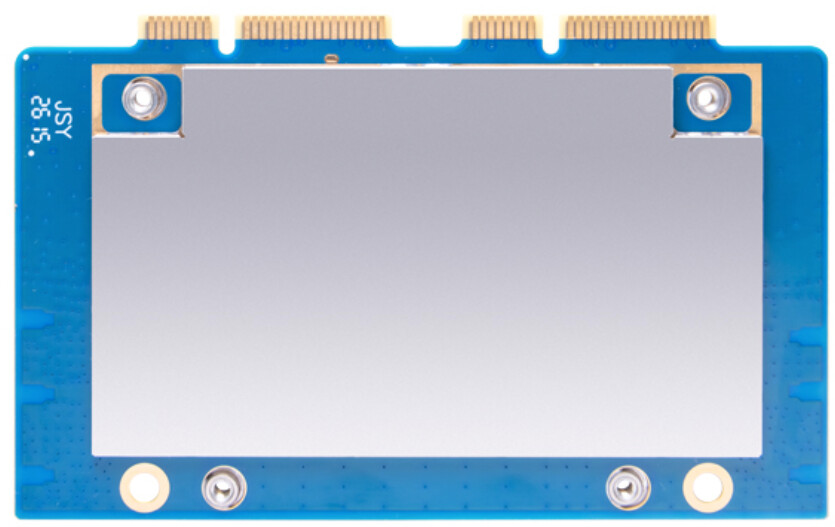
on line wiki documents:
https://docs.banana-pi.org/en/BPI-R4/BananaPi_BPI-R4-NIC-BE14
Review: Banana Pi BPI-R4 Wi-Fi 7 Setup Guide: OpenWrt & NIC Config
https://docs.banana-pi.org/en/BPI-R4/BananaPi_BPI-R4-NIC-BE14
on line wiki documents:
https://docs.banana-pi.org/en/BPI-R4/BananaPi_BPI-R4-NIC-BE14
Review: Banana Pi BPI-R4 Wi-Fi 7 Setup Guide: OpenWrt & NIC Config
Is this a 1-on-1 replacement for the original flawed BE14 V1? Does this fit in the original BPI-R4 small housing? Does it need a cooling pad attached to the bottom for cooling through the bottom plate of the housing?
Interesting that it’s shielded on both sides.
Good idea of making use the aluminium housing as heatsink. The whole purpose of using aluminium for the housing is for it to act as a heatsink in some way.
Good morning @Michael Fischer, but that only dissipates heat. What do we know about the noise?
Or should we spend the money and figure it out ourselves?
Why hasn’t the beloved leader @sinovoip announced the product like he has here?
We need you to show us this:
It fixes the problems people observed with BE14.
RSSI without SNR/noise is meaningless. High RSSI at short distances can still occur with a poor link (high retries, errors, MCS drops). The BE14 “range” reports look more like a noise/isolation/EMI issue than a simple “TX power” issue. Without SNR / noise floor (or at least serious proxies like retries/failed under load), no conclusion can be drawn.
Publish the minimum reproducible metrics (required) If you want the community to validate “fixes BE14”, you must provide at least:
Exact distance + obstacles (LOS / 1 wall / 2 walls; wall material: brick/concrete/drywall, etc.) Channel + bandwidth + TX power + regulatory domain/country (especially for 6 GHz) RSSI and SNR (or noise floor + RSSI) Actual PHY: Tx/Rx rates, MCS, NSS, EHT/HE mode, GI, retries, failed, packet error / loss Real throughput (iperf3 TCP and UDP) at 1 m / 5 m / 10 m / 1 wall / 2 walls Stability over time (30–60 min sustained load), temperature, and whether shielding/heatsink is installed Without these, results are anecdotal and not comparable.
No “marketing screenshots”: we need repeatable results. If there is no distance-based measurement table plus the exact settings/logs/commands needed to reproduce it, then it is not evidence.
Let’s see if our beloved leader @sinovoip shows up and clarifies this for us.
Or do we have to spend our own money to draw our own conclusions?
Let’s see if he deigns to answer, or if @simon comes by and tells us everything the community is asking for.
I await developments, since my ventilation in the BE14000 is more than proven, and I don’t need that board. What I need is proof of the noise and the actual range.
Not to mention the BE19000, here’s the thread, we’ll be mass-producing it a year and three months ago
Have a good day.
First of all, it is a good sign that Banana Pi has reworked their boards!
Yes, I wish they had never released the R4 V1.1 and BE14 V1.1. But they reworked them.
I am also not satisfied with the hardware documentation. It is not a real datasheet, but they are getting better.
We still know almost nothing. That is not enough for me to buy it right now. 
→ If I didn’t, I’m sure he would do it:
→ I’m afraid we will have to wait for people who are willing to spend the money and share their results with us.
→ You too! 
Good morning, @Michael Fischer, my friend. I’ll have a review soon, so I’m just being silly and want to know what they sold us: a simple heat sink plate, or have they actually done their job properly and eliminated the noise?
Have a good day…
My temperatures are low enough that I don’t need a heatsink.
so you ordered one?  looking forward for the results
Oh, what’s the issue with R4 V1.1 (that I might not be aware of)? It seems fine to me.
Good afternoon, my friend @Michael Fischer. I’ve already seen it announced by our beloved leader @sinovoip with his results. Thank God we have the same card on which his measurements are based.
I eagerly await receiving it and sharing the truth about it.
As soon as I have it, I’ll do a review. My son, the IT guy, has the same card and his pc is two walls away from the main router, so we’ll test one in the main room where my computer is and another with two walls in between and see the real results.
I have a Xiaomi BE19000, and my son gets 2 gigabits from where the main router is in the house, with two walls in between, on the 6GHz band, so there won’t be any misleading information. I’ll include both routers and the measurements from both, since we both use the same Wi-Fi card, which is the same one our beloved leader @sinovoip uses. It’s just another toy I have in a long list.
I’ll keep you posted.
By the way, you could update your Wi-Fi card drivers; you probably missed it.
You already wrote in the chat:
additionally:
This was shortly discovered after R4 v1.1 launch. Only the very first batch had the “two resistors”. Subsequent production batches no longer have those two resistors.
Anyone with a soldering iron & basic soldering skill can remove those two resistors from the development board which R4 is.
Fool proof feature like this is welcome. I would consider the reported rate of suspect debug port death due to electrostatic is extremely low.
This variation is rare. Most ppl chose the version of two SFP+ cages.
I didn’t bother wasting time to read the linked long thread to understand what the issue was.
Doesn’t matter R4 v1.1 or v1.3. A soft reset of the host is required to reset the WiFi. What suggested in the thread is good to have for a future product.
None of the above justified the conclusion that “I wish they had never released the R4 V1.1”
R4 v1.1 is fine. Improvements in later revisions are welcome.
So, we do not disagree about the fact that these problems exist.
If I understand it correctly, we only disagree about the interpretation.
By the way, Revision 1.3 also addresses:
SFP mod-def0 - Problem
and
Sim-card holder design:
We even have a problem counting … __
Justification?
I think I have a right to my opinion — not because of any particular reason, but simply because I have that right.
My view is not only about how these problems affect me personally, but about the whole environment.
Including the reputation of Banana Pi! But that is not my main concern.
I do not want to clutter this topic any further with general stuff.
We still need a clearly laid-out R4 bug thread, which I would have expected on the Banana Pi homepage. 
__
What matters for the new BE14 V2.1 is this:
The “MT7996 WiFi error -11” still exists!
In one of my technical support cases, I installed an R3, and it has been running reliably ever since. Before that, there was a 4G Huawei router that would hang after a few months.
So the question is: can I really recommend the R4 V1.3 with BE14 V2.1?
Full agree with your comments
To be honest im interesting to get BPI R4 mini 
… I know BPI have a lot of issues but bpi team need to think and act faster… Because selling faulty /damaged /un-functional products inside many of countries will but you under Law of country to return and refund the money  to users/customers as what happened with Intel Gen 12 ( Overheating problem) in US and UK users raised appeal for return and the government forced these companies to accept as per law … but in BPI in China so we will follow AliExpress and Alibaba Rules …
Mypoint: BPI company need to test and fix issues before through product in Market- send samples for 30-60 Different Engineer and Developers to dig and find issues - at the you need to save your company name
You (or everyone else) are entitled to your opinion. I didn’t challenge your right of an opinion. Since it’s open discussion, all people should be prepared for challenges to your opinion expressed publicly. I was truly interested in what made R4 v1.1 not justified for launch.
This is SFP+ compatibility issue. Revisiting your linked thread, for R4 v1.1 actually offers control over GPIO. While R4 v1.3 removes this control but always wired to 3.3V. The control can be implemented in drivers of enterprising developers if missing.
Ironically enough, the design decision of mod_def0 is the opposite to that of 12V supply to WiFI module in which missing GPIO is labelled as poor design. lol
Again fool-proof improvement is welcome.
The thread you linked to in your previous reply was of secondary order effect.
The primary focus should be to figure out why the processor onboard the WiFi module hangs sometimes.
After it’s hung, whether the WiFi module can be soft reset alone in driver or has to be done together with the host board is of secondary order effect. From end user perspective, the difference is little not of significance.
Does your recommendation bring in many sales? Truly curious 
It’s obvious from R4 releasee. The board is not well tested. Perhaps BPI didn’t pay enough attention given its increased complexity compared to earlier models such as R3.
Testing and validation of course increase cost of development and end product prices. While BPI markets R4 as “development board,” for people not blind can see they want to sell as many as possible including to less tech savvy users.
I think in future perhaps BPI can consider: 1) going more test & validation; 2) limit sales of initial batch to tech savvy users with lower price to solicit test & validation; and then 3) open sales to wider audience (like clueless end users) with a higher price tag.
I think you should have stopped after your last contribution.
I. It is too personal. II. You are wrong, which makes it even worse.
We should stop here. Your interesting assessment of the “MT7996 WiFi error -11” should in this chat:
Improvements are always welcome
As I mentioned before BPI company should do more tests and sending more sample for developers or engineers
But lets look to fact :
BPI R4 is better than other devices consider their issues where other open source routers are not reaching to this level —fact …
Nice conversation lets be optimistic maybe BPI Team will give us aa free router BPI R5 
Agree but seriously this would require a bit systematic organisation. BPI probably need not be limiting to developers but users with 1) different use cases; 2) different collection of peripherals; 3) serious attention to very small details; 4) and technically sound enough to faithful report observation back to BPI.
Without a systematic way but giving out free or low-price samples is just like buying lottery tickets and hoping for hitting some jackpot.
LOL. No free lunch. When it’s free for you, you’re the product. And the implicit contract between BPI and the recipient seems so weak that I’m not sure BPI is getting what it’s spending on.
Good afternoon.
Looking forward to the new BE14000 test.
Regards.
I also have a Xiaomi BE19000 Pro with 6G, which receives a true symmetrical 2 GHz connection on the 6G band from the same location as the Banana Pi Pro 8X router, all the way to my son’s room, with two 10 cm brick walls in between.
Furthermore, the same Wi-Fi card used in the Banana Pi tests will be used for their new Qualcomm FastConnect 7800 Wi-Fi 7 High Band Simultaneous (HBS) Network Adapter.
I am currently waiting for the new BE14000 to perform the following:
This comparison measures whether the new card truly improves (noise, range, and performance) or if the change is primarily mechanical/thermal.
Three scenarios will be evaluated:
Real home environment (no anechoic chamber)
Fixed test distance/point
Two standard brick walls (~10 cm)
Test client: Same equipment and same card in all tests
Bands evaluated: 2.4 GHz / 5 GHz / 6 GHz (where applicable)
Country/standard: ES
First, measure the baseline, then change only the card, and finally compare it with the Xiaomi.
iperf3 (client receives)iperf3 (client sends)Restart the router and the client.
Wait 3 to 5 minutes for a stable connection.
Verify the channel, bandwidth, and power.
Measure RSSI, SNR, and PHY.
Run iperf3 (3 passes per direction, 60 s each).
Perform a ping test under load (latency/jitter).
Record the temperature.
Repeat the process on all three bands (if applicable).
Repeat the entire process for each scenario (old/new/Xiaomi).
iperf3 -s
iperf3 -c <SERVER_IP_ADDRESS> -P 4 -t 60
iperf3 -c <SERVER_IP_ADDRESS> -P 4 -t 60 -R
ping -c 50 1.1.1.1
ping -i 0.2 -c 100 1.1.1.1
| Scenario | Band | Channel/Width | RSSI | SNR | PHY TX/RX | iperf3 Download (Mbps) | iperf3 Upload (Mbps) | Average Ping (ms) | Jitter | Radio Temperature |
|—|—|—|—:|—:|—|—:|—:|—:|—:|—
Pro8X + old card | 6 GHz | CH / XXX MHz | | | | | | | | |
| Pro8X + new card | 6 GHz | CH / XXX MHz | | | | | | | | |
| Xiaomi BE19000 Pro | 6 GHz | CH / XXX MHz | | | | | | | | |
Repeated table by band (2.4 / 5 / 6).
–
A new card will be considered a real improvement if, at the same point:
If only the temperature improves, but RF performance/throughput does not, then the change is primarily thermal/mechanical.
Benchmark test with a first-generation card.
New card pending direct A/B testing.
Xiaomi BE19000 Pro used as an external reference.
I will publish all raw results (without manipulation).
(some), with complete methodologies and tables, so that everyone can decide with data whether it is worth buying.
It looks like YOU are prepared
→ Very professional !
It should be a direct physical replacement since the form factor remains the same. Regarding the cooling, using a thermal pad to bridge the module to the metal housing is definitely recommended; it helps significantly with heat dissipation during sustained high-load scenarios on the 6GHz band.