Hi BPI Team and community,
Following our earlier releases for the OpenWrt One, BPI-R3 and BPI-R4, we are publishing v26.2.1 for all five Filogic boards: BPI-R3 (MT7986), BPI-R3 Mini (MT7986A), BPI-R4 (MT7988A), BPI-R4 Lite (MT7987A) and BPI-R4 PoE / 2.5GE (MT7988A). Base: OpenWrt v25.12.5, Linux kernel 6.12.94.
We are also releasing an experimental build for the BPI-R4 Pro 4E and 8X. These boards are only supported on OpenWrt main with Linux kernel 6.18, so that image is built on that base (details below).
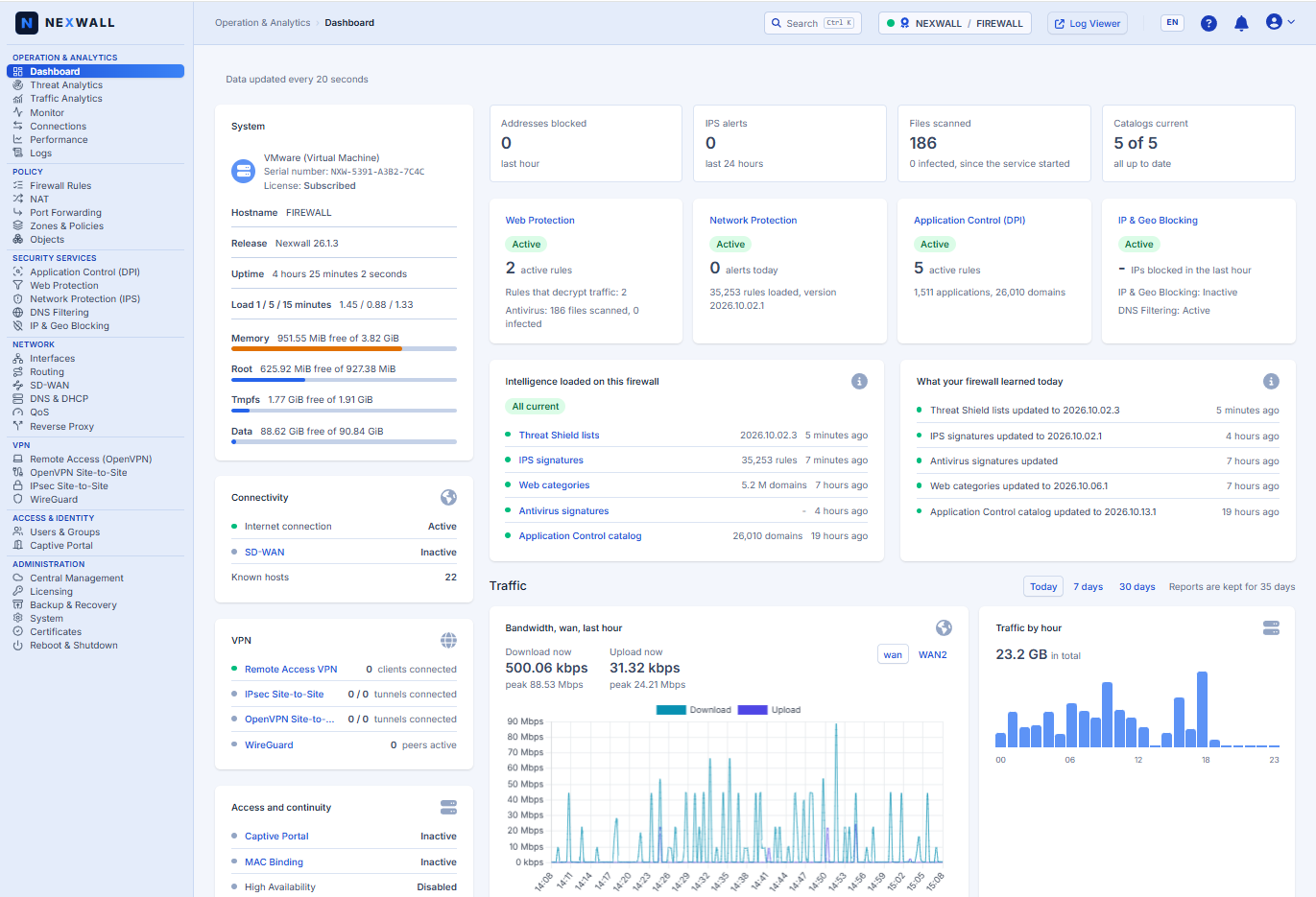
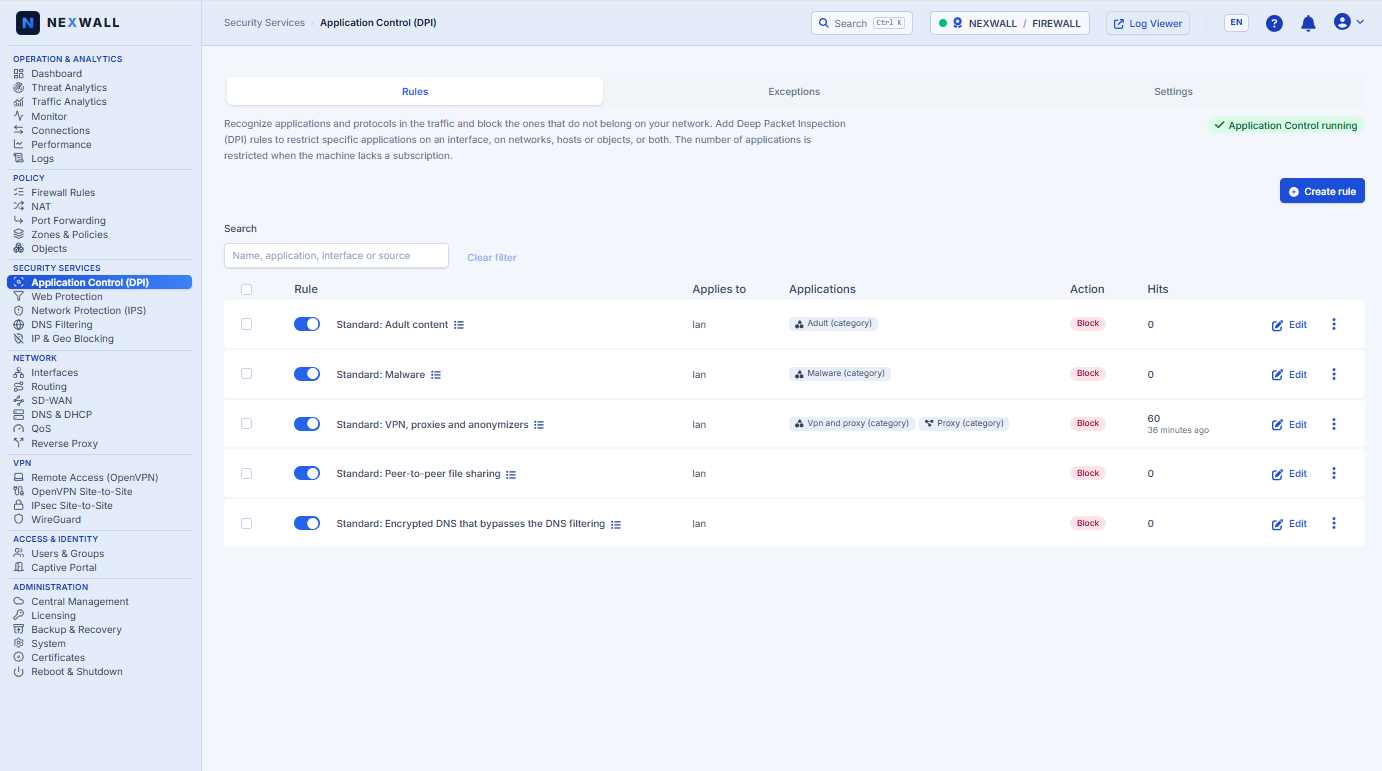
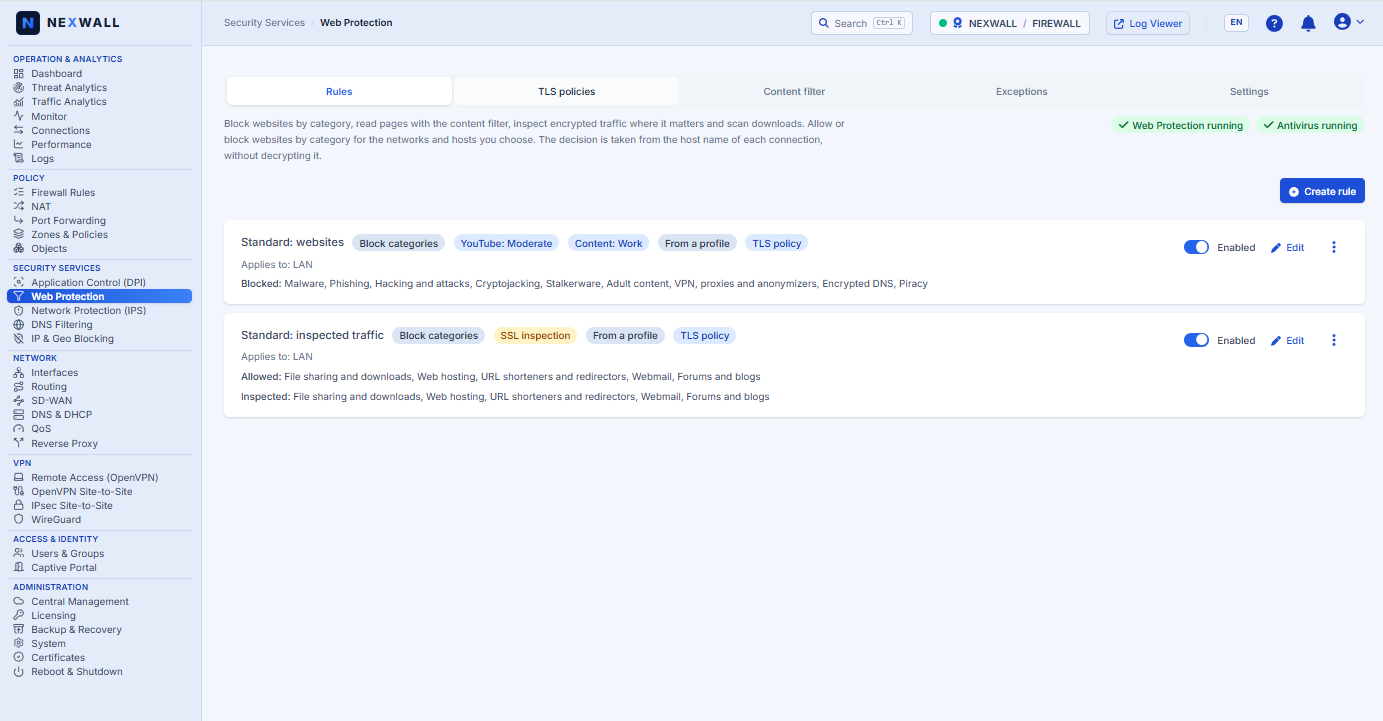
 Free for the community: Web Protection, Application Control and unlimited VPN
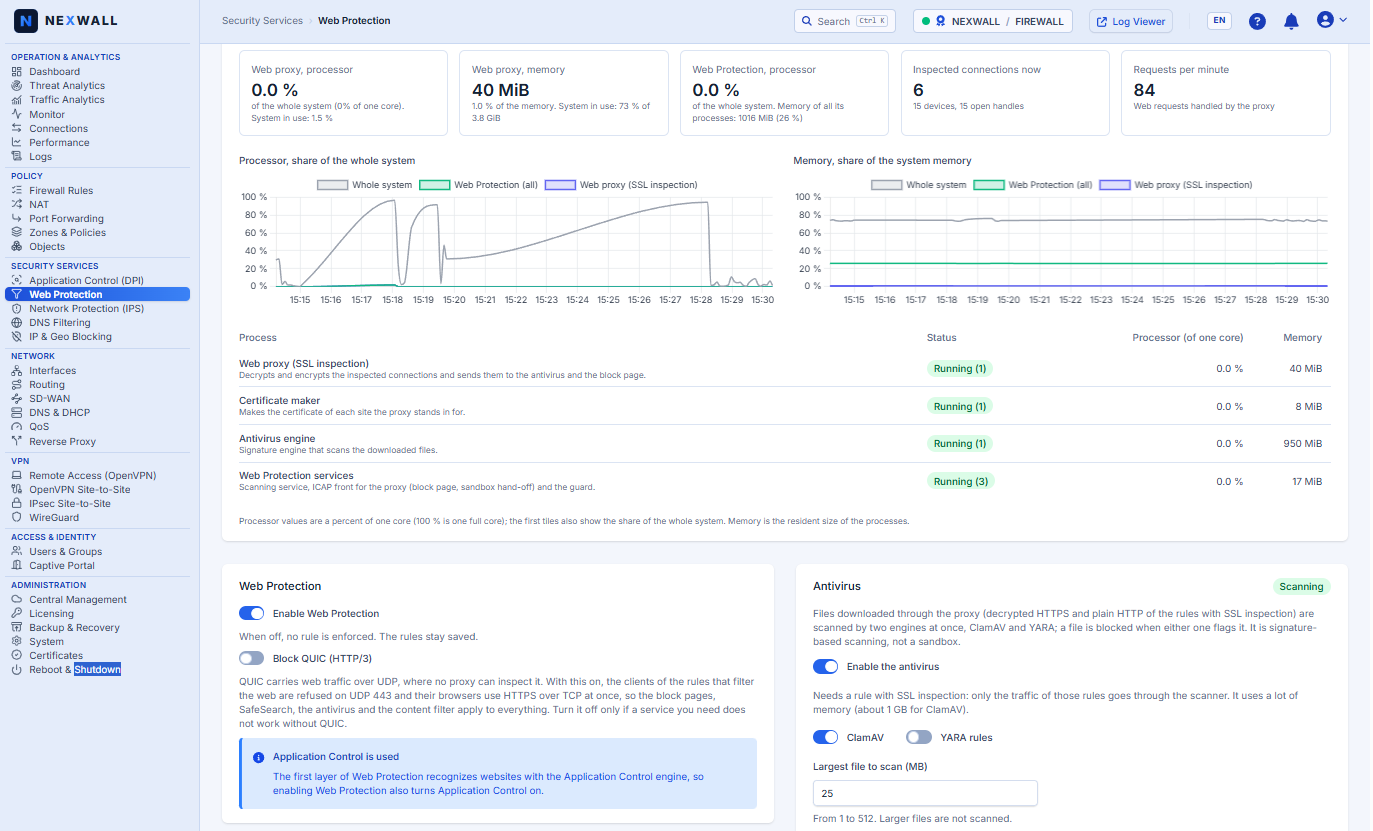
 Web Protection (web proxy)
- 52 curated web categories in 11 groups, backed by a catalog of more than 5 million domains, updated automatically.
- Block pages, plus SafeSearch enforcement and YouTube restricted modes (strict / moderate).
- QUIC blocking (on by default) so browsers fall back to HTTPS and every rule applies.
- SSL inspection with decryption profiles and an exceptions list. It is off by default: the School, Work and Home profiles block categories without decrypting traffic, so you won’t see certificate warnings. Turn inspection on per rule after installing the CA on your clients.
- Netify Application Control.
 VPN and access
- WireGuard, OpenVPN and IPsec, with no limit on users or tunnels.
- OpenVPN supports Active Directory and LDAP authentication.
 Operations
- Configuration backup and restore, with passphrase-protected encrypted backups.
- Wizard-based setup with School, Work and Home profiles; Wi-Fi settings page at
https://192.168.1.1/wifi. - OEM-ready: includes the signed brand-file loader. The community image shows Nexwall by default.
 Experimental: BPI-R4 Pro 4E and 8X (kernel 6.18)
- Built on OpenWrt main with Linux kernel 6.18, the only base that supports these boards today. No other firewall distribution targets them yet.
- Same feature set as above, including the Nexwall traffic-engine plugins for Application Control, rebuilt for this kernel.
- This is a first look: ports, the switch and the 10G links are untested on real hardware, so expect rough edges. Do not use it in production.
- It also prepares our pipeline for the next stable base, so your feedback goes straight into it.
 Hardware notes
- Boot from SD card, eMMC or SPI-NAND with the standard boot-switch workflow.
- Put logs, feeds and caches on external storage (M.2 NVMe / eMMC / USB) at
/mnt/datato protect onboard flash. - Images are board-specific. Do not flash one board’s image on another.
 First boot
- Open
https://192.168.1.1on the LAN port, run the wizard, and disable WAN management if you don’t need it. - Default credentials: Web UI
admin/nexwall, CLI/SSHroot/nexwall. Change them at first boot. - Default Wi-Fi: SSID
Internet_segura, WPA2 passwordinternetinternet. Change it at first boot.
 Assets (one folder per board, checksums in
sha256sums): ...-sdcard.img.gz, ...-squashfs-sysupgrade.itb, plus preloader, BL31 FIP and partition table for eMMC and SPI-NAND boards. The R4 Pro images are in their own folder, marked experimental.
 GitHub release R3-R4 Family: Release Title: Next-Gen Firewall v26.2.1 for Banana Pi (BPI-R3, R3 Mini, R4, R4 Lite, R4 PoE) — Web Protection and unlimited VPN free for the community · nexwall/nexwall-bananapi-fw · GitHub
GitHub release R4 Pro: Release Title: [Experimental] Nexwall Firewall for Banana Pi BPI-R4 Pro 4E and 8X (OpenWrt main, kernel 6.18) · nexwall/nexwall-bananapi-fw · GitHub
Docs: https://docs.nexwall.com.br
Release notes: https://releasenotes.nexwall.com.br
 We’d appretiate your results. Please post which board you used and how it went: boot and install, throughput (LAN, WAN, VPN, with and without Web Protection), 10GbE SFP+ on the R4, Wi-Fi stability, CPU load, temperatures and fan behavior. For the R4 Pro, please say whether it is the 4E or the 8X and tell us which ports, switch and 10G links work. If it fails to boot, attach the serial log.