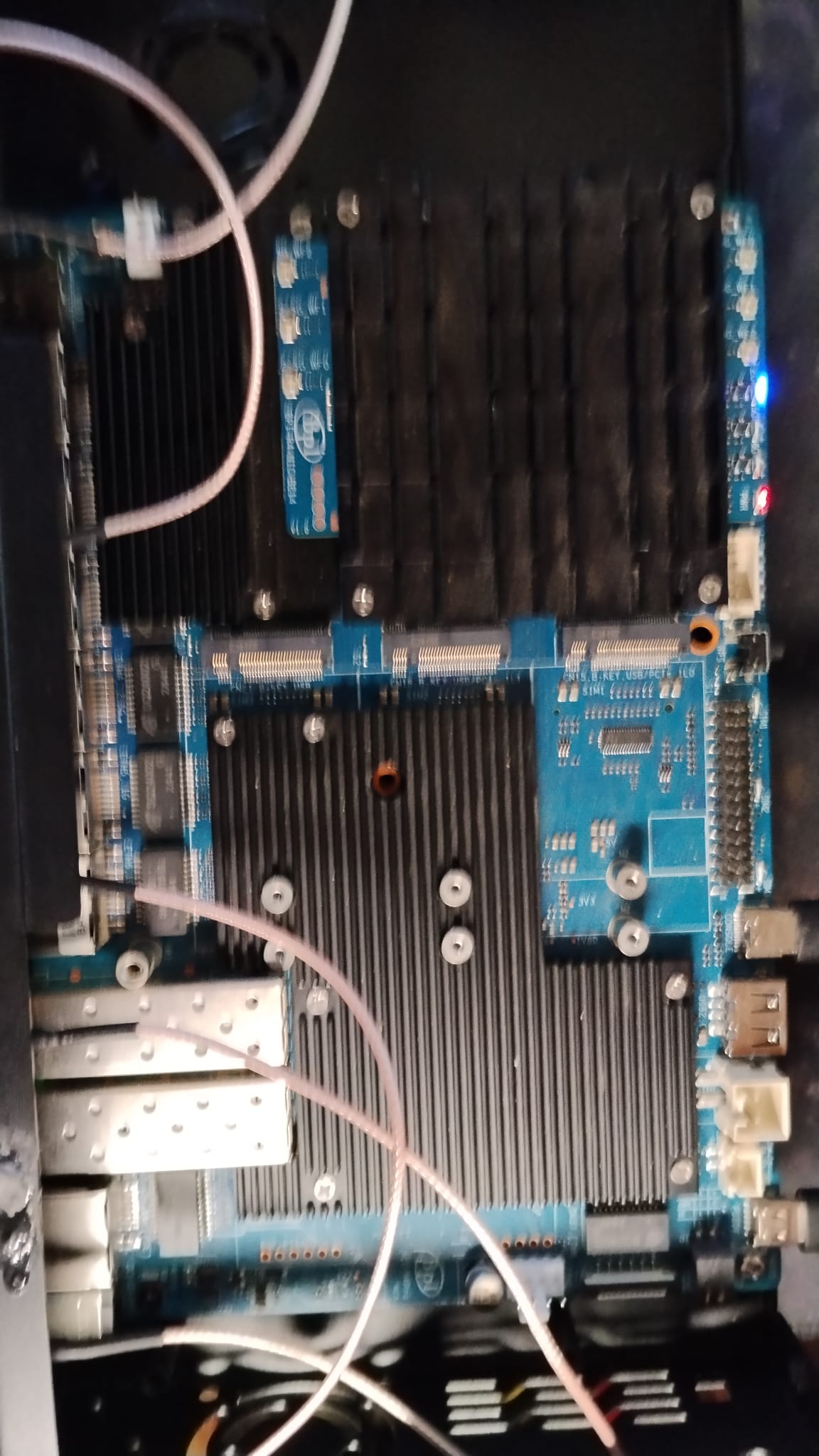
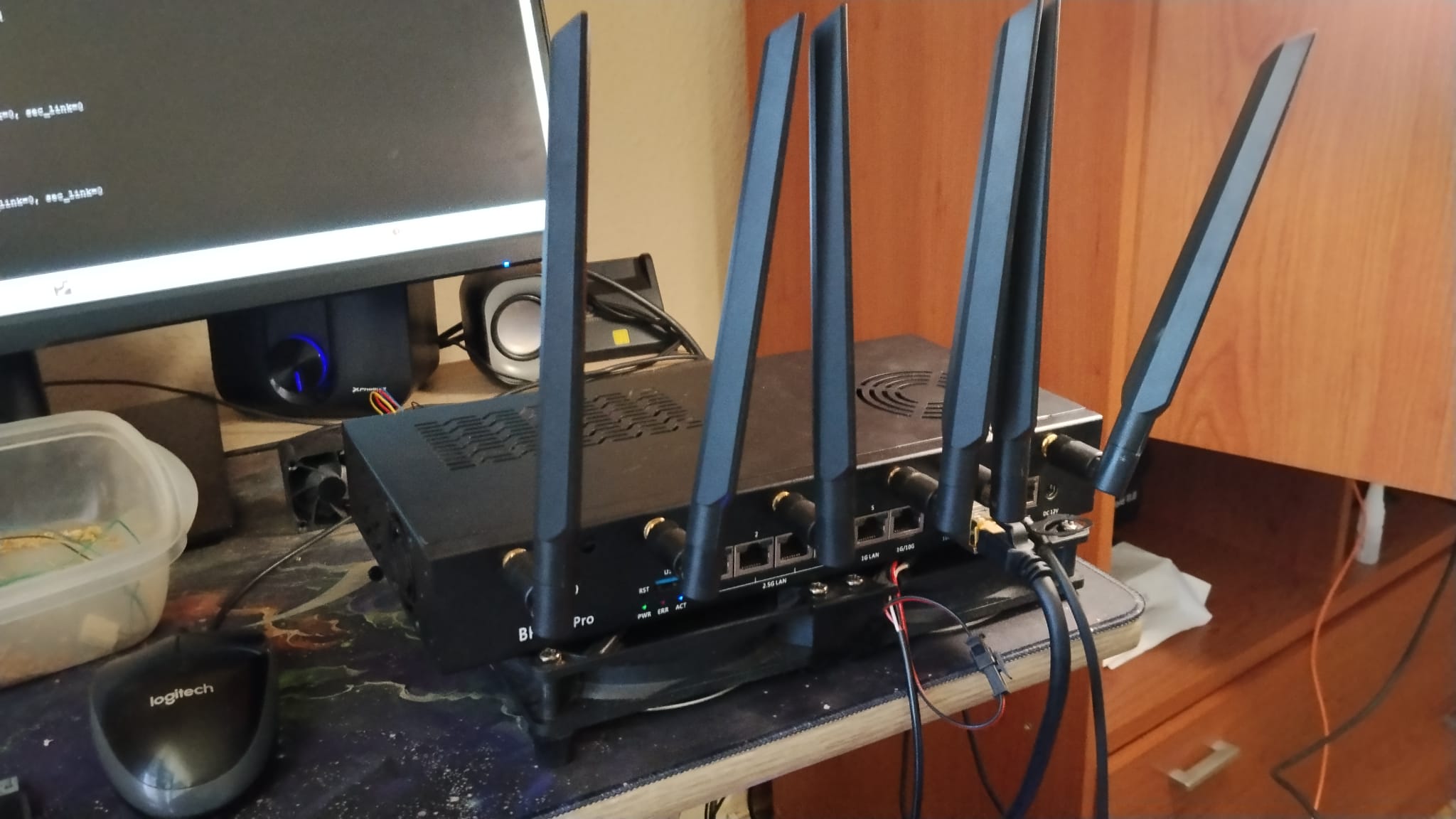
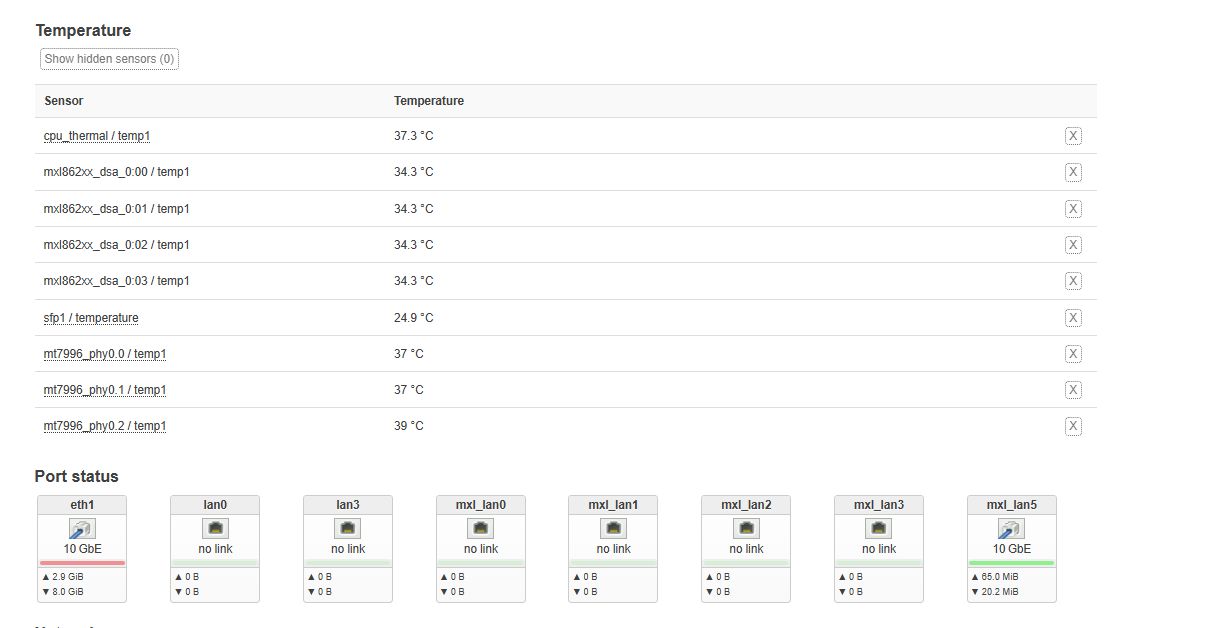
Good afternoon. I finally have it working again. I completely disassembled the router (or the development board, however you want to call it).
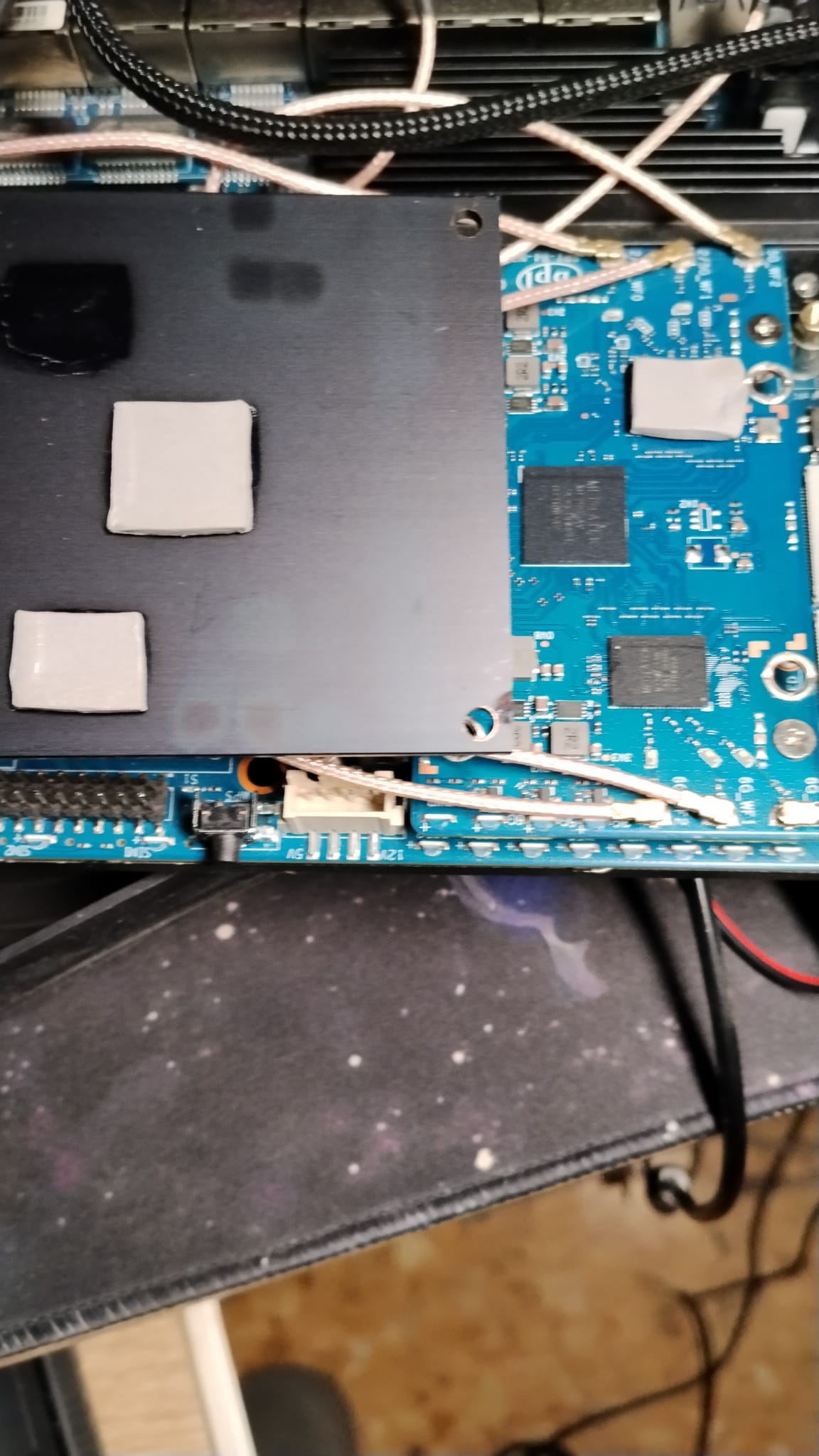
- I completely disassembled everything and put it back together, without even the heatsink. As you can see in the photo, there is only a protective cover on one chip of the Wi‑Fi 7 BE14000 card. I booted it with no cables connected at all, and everything was successful.
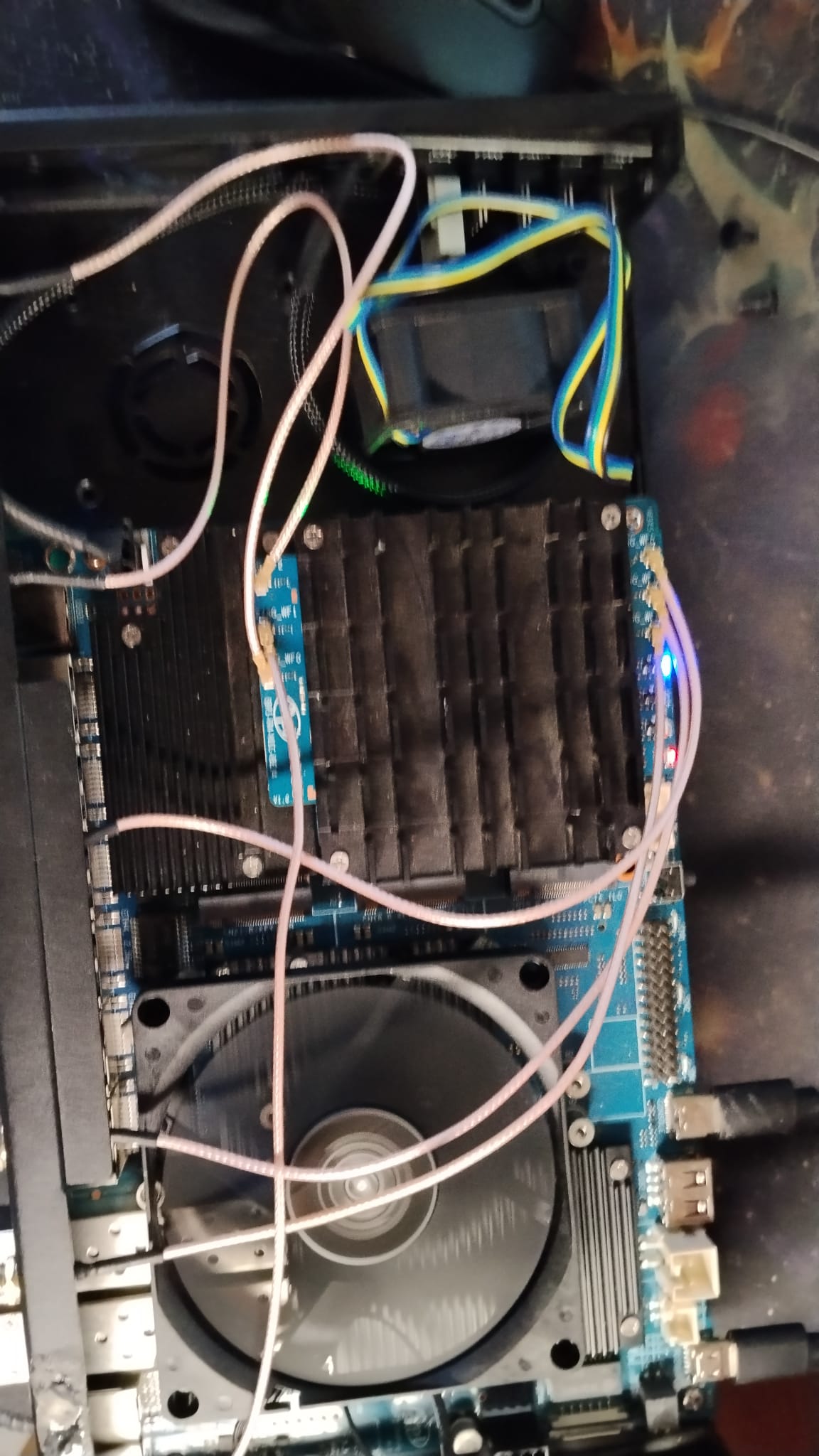
I’ll leave part of the boot log and a photo so you can see everything is OK:
PA▒
F0: 102B 0000
FA: 1042 0000
FA: 1042 0000 [0200]
F9: 1041 0000
F3: 1001 0000 [0200]
F3: 1001 0000
F6: 380E 5012
F5: 0000 0000
V0: 0000 0000 [0001]
00: 0000 0000
BP: 0600 0041 [0000]
G0: 1190 0000
EC: 0000 0000 [3000]
MK: 0000 0000 [0000]
T0: 0000 013F [0101]
Jump to BL

NOTICE:  BL2: v2.10.0   (release):OpenWrt v2024.01.17~bacca82a-3 (mt7988-sdmmc-comb)
NOTICE:  BL2: Built : 08:20:49, Mar  9 2026
NOTICE:  WDT: [40000000] Software reset (reboot)
NOTICE:  CPU: MT7988
NOTICE:  EMI: DDR4 4BG mode
NOTICE:  EMI: Using DDR unknown settings
NOTICE:  EMI: Detected DRAM size: 8192 MB
NOTICE:  EMI: complex R/W mem test passed
NOTICE:  BL2: Booting BL31
NOTICE:  BL31: v2.10.0  (release):OpenWrt v2024.01.17~bacca82a-3 (mt7988-sdmmc-comb)
NOTICE:  BL31: Built : 08:20:49, Mar  9 2026


U-Boot 2024.10-OpenWrt-r0-153534ff (Mar 09 2026 - 08:20:49 +0000)

CPU:   MediaTek MT7988
Model: BananaPi BPI-R4 Pro 8X
DRAM:  8 GiB
Core:  65 devices, 23 uclasses, devicetree: embed
spi-nand: spi_nand spi_nand@0: Winbond SPI NAND was found.
spi-nand: spi_nand spi_nand@0: 256 MiB, block size: 128 KiB, page size: 2048, OOB size: 128
MMC:   mmc@11230000: 0
Loading Environment from MMC... Reading from MMC(0)... OK
In:    serial@11000000
Out:   serial@11000000
Err:   serial@11000000
reset button found
Loading Environment from MMC... Reading from MMC(0)... OK
Net:   eth0: ethernet@15100000

        ( ( ( OpenWrt ) ) )  [SD card]       U-Boot 2024.10-OpenWrt-r0-153534ff (Mar 09 2026 - 08:20:49 +0000)

      1. Run default boot command.
      2. Boot system via TFTP.
      3. Boot production system from SD card.
      4. Boot recovery system from SD card.
      5. Load production system via TFTP then write to SD card.
      6. Load recovery system via TFTP then write to SD card.
      7. Install bootloader, recovery and production to NAND.
      8. Reboot.
      9. Reset all settings to factory defaults.
      0. Exit


  Press UP/DOWN to move, ENTER to select, ESC to quit

MMC read: dev # 0, block # 327680, count 256 ... 256 blocks read: OK

MMC read: dev # 0, block # 327680, count 204680 ... 204680 blocks read: OK
## Loading kernel from FIT Image at 50000000 ...
   Using 'config-mt7988a-bananapi-bpi-r4-pro-8x' configuration
   Trying 'kernel-1' kernel subimage
     Description:  ARM64 OpenWrt Linux-6.6.93
     Type:         Kernel Image
     Compression:  gzip compressed
     Data Start:   0x50001000
     Data Size:    6874593 Bytes = 6.6 MiB
     Architecture: AArch64
     OS:           Linux
     Load Address: 0x46000000
     Entry Point:  0x46000000
     Hash algo:    crc32
     Hash value:   27e49fc1
     Hash algo:    sha1
     Hash value:   735a0d8db456f9c6d47c2b24355a50c77cd561f9
   Verifying Hash Integrity ... crc32+ sha1+ OK
## Loading fdt from FIT Image at 50000000 ...
   Using 'config-mt7988a-bananapi-bpi-r4-pro-8x' configuration
   Trying 'fdt-1' fdt subimage
     Description:  ARM64 OpenWrt bananapi_bpi-r4-pro-8x device tree blob
     Type:         Flat Device Tree
     Compression:  uncompressed
     Data Start:   0x50690000
     Data Size:    55785 Bytes = 54.5 KiB
     Architecture: AArch64
     Load Address: 0x45f00000
     Hash algo:    crc32
     Hash value:   09f6aff4
     Hash algo:    sha1
     Hash value:   4820e0bb1b5b2e5928dc040fc15d8e906fb4424b
   Verifying Hash Integrity ... crc32+ sha1+ OK
   Loading fdt from 0x50690000 to 0x45f00000
## Loading fdt from FIT Image at 50000000 ...
   Using 'mt7988a-bananapi-bpi-r4-pro-8x-sd' configuration
   Trying 'fdt-mt7988a-bananapi-bpi-r4-pro-8x-sd' fdt subimage
     Description:  ARM64 OpenWrt bananapi_bpi-r4-pro-8x device tree overlay mt7988a-bananapi-bpi-r4-pro-8x-sd
     Type:         Flat Device Tree
     Compression:  uncompressed
     Data Start:   0x506a0000
     Data Size:    1478 Bytes = 1.4 KiB
     Architecture: AArch64
     Hash algo:    crc32
     Hash value:   014fa155
     Hash algo:    sha1
     Hash value:   b38566e58ee64a3933cc1fa057f9dd70ae509834
   Verifying Hash Integrity ... crc32+ sha1+ OK
## Loading fdt from FIT Image at 50000000 ...
Could not find configuration node
load of <NULL> failed
   Booting using the fdt blob at 0x45f00000
Working FDT set to 45f00000
## Loading loadables from FIT Image at 50000000 ...
   Trying 'rootfs-1' loadables subimage
     Description:  ARM64 OpenWrt bananapi_bpi-r4-pro-8x rootfs
     Type:         Filesystem Image
     Compression:  uncompressed
     Data Start:   0x506a2000
     Data Size:    97841152 Bytes = 93.3 MiB
     Hash algo:    crc32
     Hash value:   8c88558c
     Hash algo:    sha1
     Hash value:   e02d037d1921605a75b7d2650a916fbc4fca670d
   Verifying Hash Integrity ... crc32+ sha1+ OK
   Uncompressing Kernel Image to 46000000
   Loading Device Tree to 00000000fe7db000, end 00000000fe7eac8d ... OK
Working FDT set to fe7db000
set /chosen/rootdisk to bootrom media: rootdisk-sd (phandle 0x000000d8)

Starting kernel ...

[    0.000000] Booting Linux on physical CPU 0x0000000000 [0x411fd090]
[    0.000000] Linux version 6.6.93 (vboxuser@linux) (aarch64-openwrt-linux-musl-gcc (OpenWrt GCC 13.3.0 r0-153534ff) 13.3.0, GNU ld (GNU Binutils) 2.42) #0 SMP Mon Mar  9 08:20:49 2026
[    0.000000] Machine model: Bananapi BPI-R4-PRO-8X
[    0.000000] OF: reserved mem: 0x0000000042ff0000..0x0000000042ffffff (64 KiB) map non-reusable ramoops@42ff0000
[    0.000000] OF: reserved mem: 0x0000000043000000..0x000000004304ffff (320 KiB) nomap non-reusable secmon@43000000
[    0.000000] OF: reserved mem: 0x0000000047cc0000..0x0000000047dbffff (1024 KiB) nomap non-reusable wmcpu-reserved@47cc0000
[    0.000000] OF: reserved mem: 0x000000004f600000..0x000000004f63ffff (256 KiB) nomap non-reusable wo-emi@4f600000
[    0.000000] OF: reserved mem: 0x000000004f640000..0x000000004f67ffff (256 KiB) nomap non-reusable wo-emi@4f640000
[    0.000000] OF: reserved mem: 0x000000004f680000..0x000000004f6bffff (256 KiB) nomap non-reusable wo-emi@4f680000
[    0.000000] OF: reserved mem: 0x000000004f700000..0x000000004fefffff (8192 KiB) nomap non-reusable wo-data@4f700000
[    0.000000] Zone ranges:
[    0.000000]   DMA      [mem 0x0000000040000000-0x00000000ffffffff]
[    0.000000]   DMA32    empty
[    0.000000]   Normal   [mem 0x0000000100000000-0x000000023fffffff]
[    0.000000] Movable zone start for each node
[    0.000000] Early memory node ranges
[    0.000000]   node   0: [mem 0x0000000040000000-0x0000000042ffffff]
[    0.000000]   node   0: [mem 0x0000000043000000-0x000000004304ffff]
[    0.000000]   node   0: [mem 0x0000000043050000-0x0000000047cbffff]
[    0.000000]   node   0: [mem 0x0000000047cc0000-0x0000000047dbffff]
[    0.000000]   node   0: [mem 0x0000000047dc0000-0x000000004f5fffff]
[    0.000000]   node   0: [mem 0x000000004f600000-0x000000004f6bffff]
[    0.000000]   node   0: [mem 0x000000004f6c0000-0x000000004f6fffff]
[    0.000000]   node   0: [mem 0x000000004f700000-0x000000004fefffff]
[    0.000000]   node   0: [mem 0x000000004ff00000-0x000000023fffffff]
[    0.000000] Initmem setup node 0 [mem 0x0000000040000000-0x000000023fffffff]
[    0.000000] psci: probing for conduit method from DT.
[    0.000000] psci: PSCIv1.1 detected in firmware.
[    0.000000] psci: Using standard PSCI v0.2 function IDs
[    0.000000] psci: MIGRATE_INFO_TYPE not supported.
[    0.000000] psci: SMC Calling Convention v1.4
[    0.000000] percpu: Embedded 28 pages/cpu s74536 r8192 d31960 u114688
[    0.000000] pcpu-alloc: s74536 r8192 d31960 u114688 alloc=28*4096
[    0.000000] pcpu-alloc: [0] 0 [0] 1 [0] 2 [0] 3
[    0.000000] Detected VIPT I-cache on CPU0
[    0.000000] CPU features: detected: GIC system register CPU interface
[    0.000000] CPU features: detected: Spectre-BHB
[    0.000000] CPU features: kernel page table isolation disabled by kernel configuration
[    0.000000] alternatives: applying boot alternatives
[    0.000000] Kernel command line: console=ttyS0,115200n1 pci=pcie_bus_perf root=/dev/fit0 rootwait
[    0.000000] Dentry cache hash table entries: 1048576 (order: 11, 8388608 bytes, linear)
[    0.000000] Inode-cache hash table entries: 524288 (order: 10, 4194304 bytes, linear)
[    0.000000] Built 1 zonelists, mobility grouping on.  Total pages: 2064384
[    0.000000] mem auto-init: stack:off, heap alloc:off, heap free:off
[    0.000000] software IO TLB: area num 4.
[    0.000000] software IO TLB: mapped [mem 0x00000000fa7db000-0x00000000fe7db000] (64MB)
[    0.000000] Memory: 8135200K/8388608K available (10176K kernel code, 1648K rwdata, 3328K rodata, 576K init, 312K bss, 253408K reserved, 0K cma-reserved)
[    0.000000] SLUB: HWalign=64, Order=0-3, MinObjects=0, CPUs=4, Nodes=1
[    0.000000] rcu: Hierarchical RCU implementation.
[    0.000000]  Tracing variant of Tasks RCU enabled.
[    0.000000] rcu: RCU calculated value of scheduler-enlistment delay is 10 jiffies.
[    0.000000] NR_IRQS: 64, nr_irqs: 64, preallocated irqs: 0
[    0.000000] GICv3: GIC: Using split EOI/Deactivate mode
[    0.000000] GICv3: 416 SPIs implemented
[    0.000000] GICv3: 0 Extended SPIs implemented
[    0.000000] Root IRQ handler: gic_handle_irq
[    0.000000] GICv3: GICv3 features: 16 PPIs
[    0.000000] GICv3: CPU0: found redistributor 0 region 0:0x000000000c080000
[    0.000000] rcu: srcu_init: Setting srcu_struct sizes based on contention.
[    0.000000] arch_timer: cp15 timer(s) running at 13.00MHz (phys).
[    0.000000] clocksource: arch_sys_counter: mask: 0xffffffffffffff max_cycles: 0x2ff89eacb, max_idle_ns: 440795202429 ns
[    0.000000] sched_clock: 56 bits at 13MHz, resolution 76ns, wraps every 4398046511101ns
[    0.000238] Calibrating delay loop (skipped), value calculated using timer frequency.. 26.00 BogoMIPS (lpj=130000)
[    0.000246] pid_max: default: 32768 minimum: 301
[    0.002332] Mount-cache hash table entries: 16384 (order: 5, 131072 bytes, linear)
[    0.002354] Mountpoint-cache hash table entries: 16384 (order: 5, 131072 bytes, linear)
[    0.003856] cacheinfo: Unable to detect cache hierarchy for CPU 0
[    0.004136] RCU Tasks Trace: Setting shift to 2 and lim to 1 rcu_task_cb_adjust=1 rcu_task_cpu_ids=4.
[    0.004215] rcu: Hierarchical SRCU implementation.
[    0.004217] rcu:     Max phase no-delay instances is 1000.
[    0.004626] smp: Bringing up secondary CPUs ...
[    0.004854] Detected VIPT I-cache on CPU1
[    0.004891] GICv3: CPU1: found redistributor 1 region 0:0x000000000c0a0000
[    0.004914] CPU1: Booted secondary processor 0x0000000001 [0x411fd090]
[    0.005178] Detected VIPT I-cache on CPU2
[    0.005198] GICv3: CPU2: found redistributor 2 region 0:0x000000000c0c0000
[    0.005208] CPU2: Booted secondary processor 0x0000000002 [0x411fd090]
[    0.005450] Detected VIPT I-cache on CPU3
[    0.005471] GICv3: CPU3: found redistributor 3 region 0:0x000000000c0e0000
[    0.005482] CPU3: Booted secondary processor 0x0000000003 [0x411fd090]
[    0.005513] smp: Brought up 1 node, 4 CPUs
[    0.005517] SMP: Total of 4 processors activated.
[    0.005520] CPU features: detected: 32-bit EL0 Support
[    0.005522] CPU features: detected: CRC32 instructions
[    0.005557] CPU features: emulated: Privileged Access Never (PAN) using TTBR0_EL1 switching
[    0.005560] CPU: All CPU(s) started at EL2
[    0.005561] alternatives: applying system-wide alternatives
[    0.009787] clocksource: jiffies: mask: 0xffffffff max_cycles: 0xffffffff, max_idle_ns: 19112604462750000 ns
[    0.009799] futex hash table entries: 1024 (order: 4, 65536 bytes, linear)
[    0.010614] pinctrl core: initialized pinctrl subsystem
[    0.011341] NET: Registered PF_NETLINK/PF_ROUTE protocol family
[    0.011749] DMA: preallocated 1024 KiB GFP_KERNEL pool for atomic allocations
[    0.011937] DMA: preallocated 1024 KiB GFP_KERNEL|GFP_DMA pool for atomic allocations
[    0.012120] DMA: preallocated 1024 KiB GFP_KERNEL|GFP_DMA32 pool for atomic allocations
[    0.012420] thermal_sys: Registered thermal governor 'fair_share'
[    0.012423] thermal_sys: Registered thermal governor 'bang_bang'
[    0.012424] thermal_sys: Registered thermal governor 'step_wise'
[    0.012426] thermal_sys: Registered thermal governor 'user_space'
[    0.012475] hw-breakpoint: found 6 breakpoint and 4 watchpoint registers.
[    0.012510] ASID allocator initialised with 65536 entries
[    0.013213] pstore: Using crash dump compression: deflate
[    0.013218] printk: console [ramoops-1] enabled
[    0.013465] pstore: Registered ramoops as persistent store backend
[    0.013470] ramoops: using 0x10000@0x42ff0000, ecc: 0
[    0.015683] /soc/interrupt-controller@c000000: Fixed dependency cycle(s) with /soc/interrupt-controller@c000000
[    0.021929] Modules: 28720 pages in range for non-PLT usage
[    0.021937] Modules: 520240 pages in range for PLT usage
[    0.022828] cryptd: max_cpu_qlen set to 1000
[    0.024497] SCSI subsystem initialized
[    0.024576] libata version 3.00 loaded.
[    0.025588] clocksource: Switched to clocksource arch_sys_counter
[    0.027338] NET: Registered PF_INET protocol family
[    0.027543] IP idents hash table entries: 131072 (order: 8, 1048576 bytes, linear)
[    0.031797] tcp_listen_portaddr_hash hash table entries: 4096 (order: 4, 65536 bytes, linear)
[    0.031838] Table-perturb hash table entries: 65536 (order: 6, 262144 bytes, linear)
[    0.031850] TCP established hash table entries: 65536 (order: 7, 524288 bytes, linear)
[    0.032044] TCP bind hash table entries: 65536 (order: 9, 2097152 bytes, linear)
[    0.032881] TCP: Hash tables configured (established 65536 bind 65536)
[    0.033229] MPTCP token hash table entries: 8192 (order: 5, 196608 bytes, linear)
[    0.033395] UDP hash table entries: 4096 (order: 5, 131072 bytes, linear)
[    0.033484] UDP-Lite hash table entries: 4096 (order: 5, 131072 bytes, linear)
[    0.033728] NET: Registered PF_UNIX/PF_LOCAL protocol family
[    0.033760] PCI: CLS 0 bytes, default 64
[    0.043551] workingset: timestamp_bits=46 max_order=21 bucket_order=0
[    0.047231] squashfs: version 4.0 (2009/01/31) Phillip Lougher
[    0.047237] jffs2: version 2.2 (NAND) (SUMMARY) (LZMA) (RTIME) (CMODE_PRIORITY) (c) 2001-2006 Red Hat, Inc.
[    0.079675] mtk-xsphy soc:xphy@11e10000: failed to get ref_clk(id-1)
[    0.080327] mtk-pcie-gen3 11280000.pcie: host bridge /soc/pcie@11280000 ranges:
[    0.080348] mtk-pcie-gen3 11280000.pcie: Parsing ranges property...
[    0.080360] mtk-pcie-gen3 11280000.pcie:       IO 0x0020000000..0x00201fffff -> 0x0020000000
[    0.080373] mtk-pcie-gen3 11280000.pcie:      MEM 0x0020200000..0x0027ffffff -> 0x0020200000
[    0.080469] mtk-pcie-gen3 11290000.pcie: host bridge /soc/pcie@11290000 ranges:
[    0.080479] mtk-pcie-gen3 11290000.pcie: Parsing ranges property...
[    0.080489] mtk-pcie-gen3 11290000.pcie:       IO 0x0028000000..0x00281fffff -> 0x0028000000
[    0.080499] mtk-pcie-gen3 11290000.pcie:      MEM 0x0028200000..0x002fffffff -> 0x0028200000
[    0.080517] /soc/pcie@11290000: Failed to get clk index: 0 ret: -517
[    0.080526] mtk-pcie-gen3 11290000.pcie: failed to get clocks
[    0.080589] mtk-pcie-gen3 11300000.pcie: host bridge /soc/pcie@11300000 ranges:
[    0.080599] mtk-pcie-gen3 11300000.pcie: Parsing ranges property...
[    0.080610] mtk-pcie-gen3 11300000.pcie:       IO 0x0030000000..0x00301fffff -> 0x0030000000
[    0.080619] mtk-pcie-gen3 11300000.pcie:      MEM 0x0030200000..0x0037ffffff -> 0x0030200000
[    0.080636] /soc/pcie@11300000: Failed to get clk index: 0 ret: -517
[    0.080644] mtk-pcie-gen3 11300000.pcie: failed to get clocks
[    0.080718] mtk-pcie-gen3 11310000.pcie: host bridge /soc/pcie@11310000 ranges:
[    0.080727] mtk-pcie-gen3 11310000.pcie: Parsing ranges property...
[    0.080737] mtk-pcie-gen3 11310000.pcie:       IO 0x0038000000..0x00381fffff -> 0x0038000000
[    0.080746] mtk-pcie-gen3 11310000.pcie:      MEM 0x0038200000..0x003fffffff -> 0x0038200000
[    0.080762] /soc/pcie@11310000: Failed to get clk index: 0 ret: -517
[    0.080770] mtk-pcie-gen3 11310000.pcie: failed to get clocks
[    0.085547] Serial: 8250/16550 driver, 3 ports, IRQ sharing disabled
[    0.086390] printk: console [ttyS0] disabled
[    0.106680] 11000000.serial: ttyS0 at MMIO 0x11000000 (irq = 99, base_baud = 2500000) is a ST16650V2
[    0.106718] printk: console [ttyS0] enabled
[    1.124845] 11000100.serial: ttyS1 at MMIO 0x11000100 (irq = 100, base_baud = 2500000) is a ST16650V2
[    1.154745] 11000200.serial: ttyS2 at MMIO 0x11000200 (irq = 101, base_baud = 2500000) is a ST16650V2
[    1.166760] loop: module loaded
[    1.171902] spi-nand spi0.0: CASN page check failed
[    1.176814] spi-nand spi0.0: Fallback to read ID
[    1.181496] spi-nand spi0.0: Winbond SPI NAND was found.
[    1.186850] spi-nand spi0.0: 256 MiB, block size: 128 KiB, page size: 2048, OOB size: 128
[    1.195185] 4 fixed-partitions partitions found on MTD device spi0.0
[    1.201628] OF: Bad cell count for /soc/spi@11007000/spi_nand@0/partitions
[    1.208513] OF: Bad cell count for /soc/spi@11007000/spi_nand@0/partitions
[    1.215537] Creating 4 MTD partitions on "spi0.0":
[    1.220342] 0x000000000000-0x000000200000 : "bl2"
[    1.226585] 0x000000200000-0x000000600000 : "Factory"
[    1.234420] OF: Bad cell count for /soc/spi@11007000/spi_nand@0/partitions
[    1.241457] 0x000000600000-0x000010000000 : "ubi"
[    1.408964] ubi0: default fastmap pool size: 100
[    1.413577] ubi0: default fastmap WL pool size: 50
[    1.418363] ubi0: attaching mtd2
[    2.265590] random: crng init done
[    2.951941] ubi0: scanning is finished
[    2.965401] ubi0: attached mtd2 (name "ubi", size 250 MiB)
[    2.970898] ubi0: PEB size: 131072 bytes (128 KiB), LEB size: 126976 bytes
[    2.977765] ubi0: min./max. I/O unit sizes: 2048/2048, sub-page size 2048
[    2.984540] ubi0: VID header offset: 2048 (aligned 2048), data offset: 4096
[    2.991489] ubi0: good PEBs: 2000, bad PEBs: 0, corrupted PEBs: 0
[    2.997572] ubi0: user volume: 6, internal volumes: 1, max. volumes count: 128
[    3.004780] ubi0: max/mean erase counter: 2/1, WL threshold: 4096, image sequence number: 0
[    3.013119] ubi0: available PEBs: 448, total reserved PEBs: 1552, PEBs reserved for bad PEB handling: 40
[    3.022591] ubi0: background thread "ubi_bgt0d" started, PID 260
[    3.022675] OF: Bad cell count for /soc/spi@11007000/spi_nand@0/partitions
[    3.035537] OF: Bad cell count for /soc/spi@11007000/spi_nand@0/partitions
[    3.043149] block ubiblock0_4: created from ubi0:4(fit)
[    3.048441] 0x000000000000-0x000010000000 : "nand"
[    3.056295] mt7530-mmio 15020000.switch: Failed to register DSA switch: -517
[    3.187276] i2c_dev: i2c /dev entries driver
[    3.192045] /soc/i2c@11003000/rt5190a@64: Fixed dependency cycle(s) with /soc/i2c@11003000/rt5190a@64/regulators/buck1
[    3.208750] mtk-wdt 1001c000.watchdog: Watchdog enabled (timeout=31 sec, nowayout=0)
[    3.221185] mtk-msdc 11230000.mmc: Got CD GPIO
[    3.226342] hw perfevents: enabled with armv8_cortex_a73 PMU driver, 7 counters available
[    3.235831] Initializing XFRM netlink socket
[    3.240145] NET: Registered PF_INET6 protocol family
[    3.245427] Segment Routing with IPv6
[    3.249114] In-situ OAM (IOAM) with IPv6
[    3.253082] NET: Registered PF_PACKET protocol family
[    3.258147] bridge: filtering via arp/ip/ip6tables is no longer available by default. Update your scripts to load br_netfilter if you need this.
[    3.271127] 8021q: 802.1Q VLAN Support v1.8
[    3.284891] mmc0: host does not support reading read-only switch, assuming write-enable
[    3.286651] phy phy-soc:[email protected]: type_sw - reg 0x218, index 0
[    3.296081] mmc0: new high speed SDXC card at address aaaa
[    3.300080] mtk-pcie-gen3 11280000.pcie: host bridge /soc/pcie@11280000 ranges:
[    3.305338] mmcblk0: mmc0:aaaa SR64G 59.5 GiB
[    3.312110] mtk-pcie-gen3 11280000.pcie: Parsing ranges property...
[    3.312124] mtk-pcie-gen3 11280000.pcie:       IO 0x0020000000..0x00201fffff -> 0x0020000000
[    3.312136] mtk-pcie-gen3 11280000.pcie:      MEM 0x0020200000..0x0027ffffff -> 0x0020200000
[    3.312262] mtk-pcie-gen3 11280000.pcie: failed to get max link width
[    3.319598] Alternate GPT is invalid, using primary GPT.
[    3.351489]  mmcblk0: p1 p2 p3 p4 p5 p6 p7
[    3.665605] mtk-pcie-gen3 11280000.pcie: PCIe link down, current LTSSM state: detect.quiet (0x1)
[    3.674408] mtk-pcie-gen3: probe of 11280000.pcie failed with error -110
[    3.681448] mtk-pcie-gen3 11290000.pcie: host bridge /soc/pcie@11290000 ranges:
[    3.688763] mtk-pcie-gen3 11290000.pcie: Parsing ranges property...
[    3.695026] mtk-pcie-gen3 11290000.pcie:       IO 0x0028000000..0x00281fffff -> 0x0028000000
[    3.703459] mtk-pcie-gen3 11290000.pcie:      MEM 0x0028200000..0x002fffffff -> 0x0028200000
[    3.711929] mtk-pcie-gen3 11290000.pcie: failed to get max link width
[    4.055595] mtk-pcie-gen3 11290000.pcie: PCIe link down, current LTSSM state: detect.quiet (0x1)
[    4.064373] mtk-pcie-gen3: probe of 11290000.pcie failed with error -110
[    4.071267] mtk-pcie-gen3 11300000.pcie: host bridge /soc/pcie@11300000 ranges:
[    4.078579] mtk-pcie-gen3 11300000.pcie: Parsing ranges property...
[    4.084838] mtk-pcie-gen3 11300000.pcie:       IO 0x0030000000..0x00301fffff -> 0x0030000000
[    4.093269] mtk-pcie-gen3 11300000.pcie:      MEM 0x0030200000..0x0037ffffff -> 0x0030200000
[    4.101720] mtk-pcie-gen3 11300000.pcie: failed to get max link width
[    4.348888] mtk-pcie-gen3 11300000.pcie: set IO trans window[0]: cpu_addr = 0x30000000, pci_addr = 0x30000000, size = 0x200000
[    4.360287] mtk-pcie-gen3 11300000.pcie: set MEM trans window[1]: cpu_addr = 0x30200000, pci_addr = 0x30200000, size = 0x200000
[    4.371752] mtk-pcie-gen3 11300000.pcie: set MEM trans window[2]: cpu_addr = 0x30400000, pci_addr = 0x30400000, size = 0x400000
[    4.383215] mtk-pcie-gen3 11300000.pcie: set MEM trans window[3]: cpu_addr = 0x30800000, pci_addr = 0x30800000, size = 0x800000
[    4.394678] mtk-pcie-gen3 11300000.pcie: set MEM trans window[4]: cpu_addr = 0x31000000, pci_addr = 0x31000000, size = 0x1000000
[    4.406227] mtk-pcie-gen3 11300000.pcie: set MEM trans window[5]: cpu_addr = 0x32000000, pci_addr = 0x32000000, size = 0x2000000
[    4.417775] mtk-pcie-gen3 11300000.pcie: set MEM trans window[6]: cpu_add

[   35.171884] MaxLinear Ethernet MxL862XX mxl862xx_dsa-0:03: aeon_read_pid aeonsemi1 PHY = c133 - 5528
[   35.172093] usbcore: registered new interface driver ums-freecom
[   35.188229] usbcore: registered new interface driver ums-isd200
[   35.190419] kmodloader: done loading kernel modules from /etc/modules-boot.d/*
[   35.201651] usbcore: registered new interface driver ums-jumpshot
[   35.208761] usbcore: registered new interface driver ums-karma
[   35.215746] usbcore: registered new interface driver ums-sddr09
[   35.222642] usbcore: registered new interface driver ums-sddr55
[   35.229583] usbcore: registered new interface driver ums-usbat
[   35.237652] usbcore: registered new device driver usbip-host
[   35.245314] usbcore: registered new interface driver usbserial_generic
[   35.251899] usbserial: USB Serial support registered for generic
[   35.259619] vhci_hcd vhci_hcd.0: USB/IP Virtual Host Controller
[   35.265545] vhci_hcd vhci_hcd.0: new USB bus registered, assigned bus number 5
[   35.272783] vhci_hcd: created sysfs vhci_hcd.0
[   35.277558] hub 5-0:1.0: USB hub found
[   35.281328] hub 5-0:1.0: 8 ports detected
[   35.285672] vhci_hcd vhci_hcd.0: USB/IP Virtual Host Controller
[   35.291588] vhci_hcd vhci_hcd.0: new USB bus registered, assigned bus number 6
[   35.298918] usb usb6: We don't know the algorithms for LPM for this host, disabling LPM.
[   35.307336] hub 6-0:1.0: USB hub found
[   35.311114] hub 6-0:1.0: 8 ports detected
[   35.317565] IPsec XFRM device driver
[   35.336680] xt_time: kernel timezone is -0000
[   35.342205] usbcore: registered new interface driver cdc_mbim
[   35.385611] sfp sfp1: SM: enter probe:down:down event timeout
[   35.402757] sfp sfp1: module OEM              PAC-10G-T        rev A6.1 sn Mav2509009       dc 250909
[   35.412172] sfp sfp1: sfp: support mode 00,00000000,00000800,00006040
[   35.418611] mxl862xx mdio-bus:10 mxl_lan5: optical SFP: interfaces=[mac=4,22-23,27,29, sfp=27]
[   35.427226] mxl862xx mdio-bus:10 mxl_lan5: requesting link mode inband/10gbase-r with support 00,00000000,00000800,00006440
[   35.438347] sfp sfp1: SM: exit present:down:down
[   35.442958] sfp sfp2: SM: enter probe:down:down event timeout
[   35.458592] hwmon hwmon6: temp1_input not attached to any thermal zone
[   35.465912] sfp sfp2: module OEM              SFP-H10G-CU2M    rev 03   sn ATS2025040193    dc 250401
[   35.475307] sfp sfp2: sfp: support mode 00,00000000,00000600,0000e040
[   35.481792] mtk_soc_eth 15100000.ethernet eth1: optical SFP: interfaces=[mac=1-4,22-24,27,29, sfp=22-23,27]
[   35.491544] mtk_soc_eth 15100000.ethernet eth1: requesting link mode inband/10gbase-r with support 00,00000000,00000600,0000e040
[   35.503109] sfp sfp2: SM: exit present:down:down
[   35.508262] sfp sfp1: SM: enter present:down:down event los_high
[   35.514270] sfp sfp1: SM: exit present:down:down
[   35.577603] mt7996e_hif 0001:01:00.0: assign IRQ: got 125
[   35.583018] mt7996e_hif 0001:01:00.0: enabling device (0000 -> 0002)
[   35.589402] mt7996e_hif 0001:01:00.0: enabling bus mastering
[   35.595168] mt7996e 0000:01:00.0: assign IRQ: got 122
[   35.600228] mt7996e 0000:01:00.0: enabling device (0000 -> 0002)
[   35.606254] mt7996e 0000:01:00.0: enabling bus mastering
[   35.685625] mt7996e 0000:01:00.0: attaching wed device 0 version 3.0
[   35.733530] platform 15010000.wed: MTK WED WO Firmware Version: ____000000, Build Time: 20230218204509
[   35.742853] platform 15010000.wed: MTK WED WO Chip ID 00 Region 2
[   35.802763] mt7996e_hif 0001:01:00.0: attaching wed device 1 version 3.0
[   36.145935] mt7996e 0000:01:00.0: HW/SW Version: 0x8a108a10, Build Time: 20250605130343a
[   36.145935]
[   36.355864] mt7996e 0000:01:00.0: WM Firmware Version: ____000000, Build Time: 20250605130338
[   36.403961] mt7996e 0000:01:00.0: DSP Firmware Version: ____000000, Build Time: 20250605125645
[   36.456181] mt7996e 0000:01:00.0: WA Firmware Version: ____000000, Build Time: 20250605130248
[   37.320995] mt7996e 0000:01:00.0: registering led 'mt76-phy0'
[   37.422103] PPP generic driver version 2.4.2
[   37.427163] PPP MPPE Compression module registered
[   37.432808] NET: Registered PF_PPPOX protocol family
[   37.438523] PPTP driver version 0.8.5
[   37.445207] wireguard: WireGuard 1.0.0 loaded. See www.wireguard.com for information.
[   37.453048] wireguard: Copyright (C) 2015-2019 Jason A. Donenfeld <[email protected]>. All Rights Reserved.
[   37.463967] l2tp_ppp: PPPoL2TP kernel driver, V2.0
[   37.469728] usbcore: registered new interface driver option
[   37.475325] usbserial: USB Serial support registered for GSM modem (1-port)
[   37.484534] usbcore: registered new interface driver qcserial
[   37.490328] usbserial: USB Serial support registered for Qualcomm USB modem
[   37.497492] kmodloader: done loading kernel modules from /etc/modules.d/*
[   42.645026] mhi_init Quectel_Linux_PCIE_MHI_Driver_V1.3.8
[   42.969294] mtk_soc_eth 15100000.ethernet eth0: Link is Down
[   43.415620] mtk_ppe: roaming work has been deactivated
[   43.429608] mtk_ppe: roaming work has been activated
[   43.434586] mtk_soc_eth 15100000.ethernet eth0: configuring for fixed/internal link mode
[   43.442711] mtk_soc_eth 15100000.ethernet eth0: Link is Up - 10Gbps/Full - flow control rx/tx
[   43.445242] mt7530-mmio 15020000.switch lan0: configuring for phy/internal link mode
[   43.459648] br-lan: port 1(lan0) entered blocking state
[   43.464869] br-lan: port 1(lan0) entered disabled state
[   43.470129] mt7530-mmio 15020000.switch lan0: entered allmulticast mode
[   43.476764] mtk_soc_eth 15100000.ethernet eth0: entered allmulticast mode
[   43.483741] mt7530-mmio 15020000.switch lan0: entered promiscuous mode
[   43.494910] mt7530-mmio 15020000.switch lan3: configuring for phy/internal link mode
[   43.503446] br-lan: port 2(lan3) entered blocking state


[   63.269859] mt7996e 0000:01:00.0: mt76_add_chanctx: add 37 on mt76 band 2
[   64.357905] mt7996e 0000:01:00.0: mt76_assign_vif_chanctx: assign link_id 0 to 6135 MHz
[   64.365916] mt7996e 0000:01:00.0: mt7996_mcu_add_dev_info: band=2, omac=0, addr=00:0c:43:26:60:30, en=1
[   64.376185] mt7996e 0000:01:00.0: mt7996_mcu_bss_basic_tlv: band=2, omac=0, wmm_idx=0, bssid=00:0c:43:26:60:30, link=0, en=1
[   64.387396] mt7996e 0000:01:00.0: mt7996_mcu_bss_mld_tlv: group_mld_id=255, own_mld_id=18, remap_idx=255, mld->addr[00:00:00:00:00:00]
[   64.400371] mt7996e 0000:01:00.0: mt7996_mcu_add_sta: link=0, wcid=1085, newly=1, conn_state=2
[   64.411597] mt7996e 0000:01:00.0: mt7996_vif_link_add: band=2, bss_idx=2, link_id=0, wcid=1085
[   64.420713] mt7996e 0000:01:00.0: mt7996_mcu_bss_basic_tlv: band=2, omac=0, wmm_idx=0, bssid=00:0c:43:26:60:30, link=0, en=1
[   64.431918] mt7996e 0000:01:00.0: mt7996_mcu_bss_mld_tlv: group_mld_id=255, own_mld_id=18, remap_idx=255, mld->addr[00:00:00:00:00:00]
[   64.444807] mt7996e 0000:01:00.0: mt7996_mcu_add_sta: link=0, wcid=1085, newly=0, conn_state=2
[   64.461166] br-wan: left allmulticast mode
[   64.465595] br-lan: left allmulticast mode
[   64.470080] br-lan: port 10(phy0.2-ap0) entered blocking state
[   64.475926] br-lan: port 10(phy0.2-ap0) entered forwarding state
[   64.556741] mt7996e 0000:01:00.0: mt7996_set_key: keyidx=1, link_bitmap=0x1
[   64.563742] mt7996e 0000:01:00.0: mt7996_mcu_bss_basic_tlv: band=2, omac=0, wmm_idx=0, bssid=00:0c:43:26:60:30, link=0, en=1
[   64.574988] mt7996e 0000:01:00.0: mt7996_mcu_bss_mld_tlv: group_mld_id=255, own_mld_id=18, remap_idx=255, mld->addr[00:00:00:00:00:00]
[   64.627007] mt7996e 0000:01:00.0: mt7996_set_key: keyidx=4, link_bitmap=0x1
[   64.634301] mt7996e 0000:01:00.0: mt7996_set_key: keyidx=6, link_bitmap=0x1
[   64.699243] br-wan: entered allmulticast mode
[   64.703915] br-lan: entered allmulticast mode
[   64.708929] br-lan: left allmulticast mode
[   64.713216] br-lan: entered allmulticast mode
[   66.224087] sfp sfp1: SM: enter present:up:wait_los event los_low
[   66.230199] sfp sfp1: SM: exit present:up:link_up
[   66.234870] mxl862xx mdio-bus:10 mxl_lan5: Link is Up - 10Gbps/Full - flow control off
[   66.239572] br-lan: port 7(mxl_lan5) entered blocking state
[   66.248362] br-lan: port 7(mxl_lan5) entered forwarding state
[   67.067153] sfp sfp1: SM: enter present:up:link_up event los_high
[   67.073284] mxl862xx mdio-bus:10 mxl_lan5: Link is Down
[   67.078505] sfp sfp1: SM: exit present:up:wait_los
[   67.083343] br-lan: port 7(mxl_lan5) entered disabled state
[   71.295931] sfp sfp1: SM: enter present:up:wait_los event los_low
[   71.302046] sfp sfp1: SM: exit present:up:link_up
[   71.306715] mxl862xx mdio-bus:10 mxl_lan5: Link is Up - 10Gbps/Full - flow control off
[   71.311413] br-lan: port 7(mxl_lan5) entered blocking state
[   71.320212] br-lan: port 7(mxl_lan5) entered forwarding state
[   72.085063] sfp sfp1: SM: enter present:up:link_up event los_high
[   72.091190] mxl862xx mdio-bus:10 mxl_lan5: Link is Down
[   72.096410] sfp sfp1: SM: exit present:up:wait_los
[   72.101261] br-lan: port 7(mxl_lan5) entered disabled state
[   84.608802] sfp sfp1: SM: enter present:up:wait_los event los_low
[   84.614906] sfp sfp1: SM: exit present:up:link_up
[   84.619574] mxl862xx mdio-bus:10 mxl_lan5: Link is Up - 10Gbps/Full - flow control off
[   84.624286] br-lan: port 7(mxl_lan5) entered blocking state
[   84.633066] br-lan: port 7(mxl_lan5) entered forwarding state
-
Test: install only the heatsink on the BE14000 Wi‑Fi card, with all the thermal pads that were stuck to the heatsink, but with no cables connected — same boot, no issues.
-
Test: place an 80x10 fan on top of the SFP+ ports — booted exactly the same.
-
Test: connect all the cables to the Wi‑Fi 7 BE14000 card — same result, successful boot.
-
Test: place a fan in front of the BE14000 blowing air onto it to cool it down — extraordinary result, perfect boot.
- Test: close the router/development board with its cover and install the antennas — same perfect result as from the beginning, so I have to assume that some cable or something was causing the Wi‑Fi 7 BE14000 card to fail.
Anyway, I consider the issue closed.
Sorry, and my apologies to the Banana Pi team if my post bothered you…
Topic closed