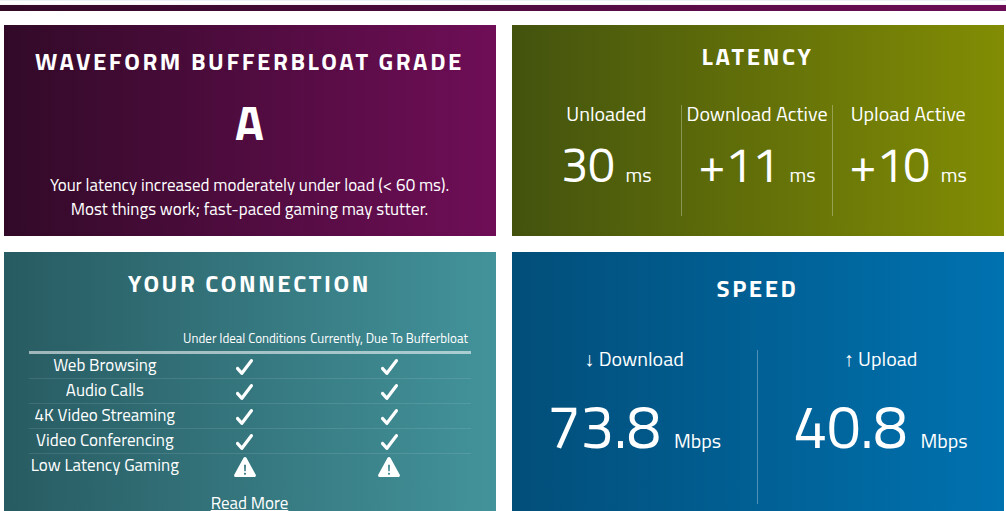
ECN (Explicit Congestion Notification) is an extension to TCP/IP, defined in RFC 3618 and updated in RFC 9330. It allows end-to-end notification of packet congestion, without having to drop packets. It does this by marking the packets to signal impending congestion, which causes the upstream endpoint to dial back its send rate.
It works for upload and download bandwidth.
But, to get it to work, you’ve got more configuring to do than with typical bufferbloat mitigation strategies… you have to configure each lan device and the router to enable ECN for each.
For the router:
vi /etc/sysctl.conf
… press i to enter editing mode, then paste the following into the file:
net.ipv4.tcp_ecn = 1
net.ipv4.tcp_ecn_fallback = 1
… then press Esc to exit editing mode, then :wq to save and exit, then issue:
sysctl -p
… to load the settings.
That setting enables ECN for IPv4 and IPv6. If you’re running https-dns-proxy, that’ll set ECN for DNS queries.
If you’re using https-dns-proxy, you can ascertain that it’s working by issuing:
tcpdump -v -i eth0 -c 5 "tcp port 443"
… and you’ll see output like:
19:56:56.576950 IP6 (class 0x02, flowlabel 0x8a1ba, hlim 127, next-header TCP (6), payload length 32) 2601:2c1:9480:a918:201d:ae47:5ad9:758e.55294 > 2603:1063:16:120::365:7ea3.443: Flags [SEW], cksum 0x517b (correct), seq 1731337521, win 65535, options [mss 1440,nop,wscale 8,nop,nop,sackOK], length 0
class 0x02 is the IPv6 Traffic Class field. In hexadecimal, 0x02 translates to binary 00000010. The last two bits are 10 , which explicitly stands for ECT(0) (ECN-Capable Transport).
[SEW] stands for:
S= SYN (Synchronize, establishing a connection).E= ECE (ECN-Echo capability advertisement).W= CWR (Congestion Window Reduced capability advertisement).
The response packet: Packet #5 (Inbound SYN-ACK Response)
19:56:56.606035 IP6 (class 0x02, flowlabel 0x4cea4 … ) REMOTE_IP.443 > LAN_IP.55294: Flags [S.E]
class 0x02: The remote internet server responded with0x02(ECT(0)), confirming that it also supports ECN and has enabled it for this download stream.Flags [S.E]:S= SYNE= ECE (ECN-Echo)
Because the remote server sent back the E flag in response to the router’s request, the ECN negotiation completed successfully.
ECN in a router depends upon some form of AQM (Active Queue Management) being present. Because OpenWRT uses FQ-CoDel out-of-the-box (it’s just unthrottled, because the developers have no way of knowing what bandwidth you’ve paid for), ECN works without having to change anything as regards the stock traffic shaper.
That takes care of traffic to / from the router itself. Now let’s look at the lan devices:
For Windows:
Start Powershell as Administrator, then issue:
netsh int tcp set global ecncapability=enabled
… it should return ‘Ok.’.
For Apple (macOS) devices:
Start terminal, then issue:
sudo sysctl -w net.inet.tcp.ecn=1
For iOS devices:
For modern (11+) iOS devices, ECN is enabled by default.
For Linux:
Start terminal, then issue:
sudo sysctl -w net.ipv4.tcp_ecn=1
… to set it until the next reboot, or follow the instructions for the router (above) to make it permanent.
For Android:
You must have a rooted Android device. It’s not possible to enable ECN on a non-rooted device.
Connect to the phone from your computer via ADB (Android Debug Bridge).
In the Debug shell, issue:
su
sysctl -w net.ipv4.tcp_ecn=1
… to set it until the next reboot. You’ll have to use something like Kernel Adjuter or Magisk to run a script each time the OS is rebooted, to set it each time.
For Chrome:
Put your Chrome device into Developer Mode.
Open crosh, type shell, and run sudo sysctl -w net.ipv4.tcp_ecn=1
It should be noted that the Chrome browser automatically enables ECN.