Cupr
September 6, 2026, 4:48pm
1
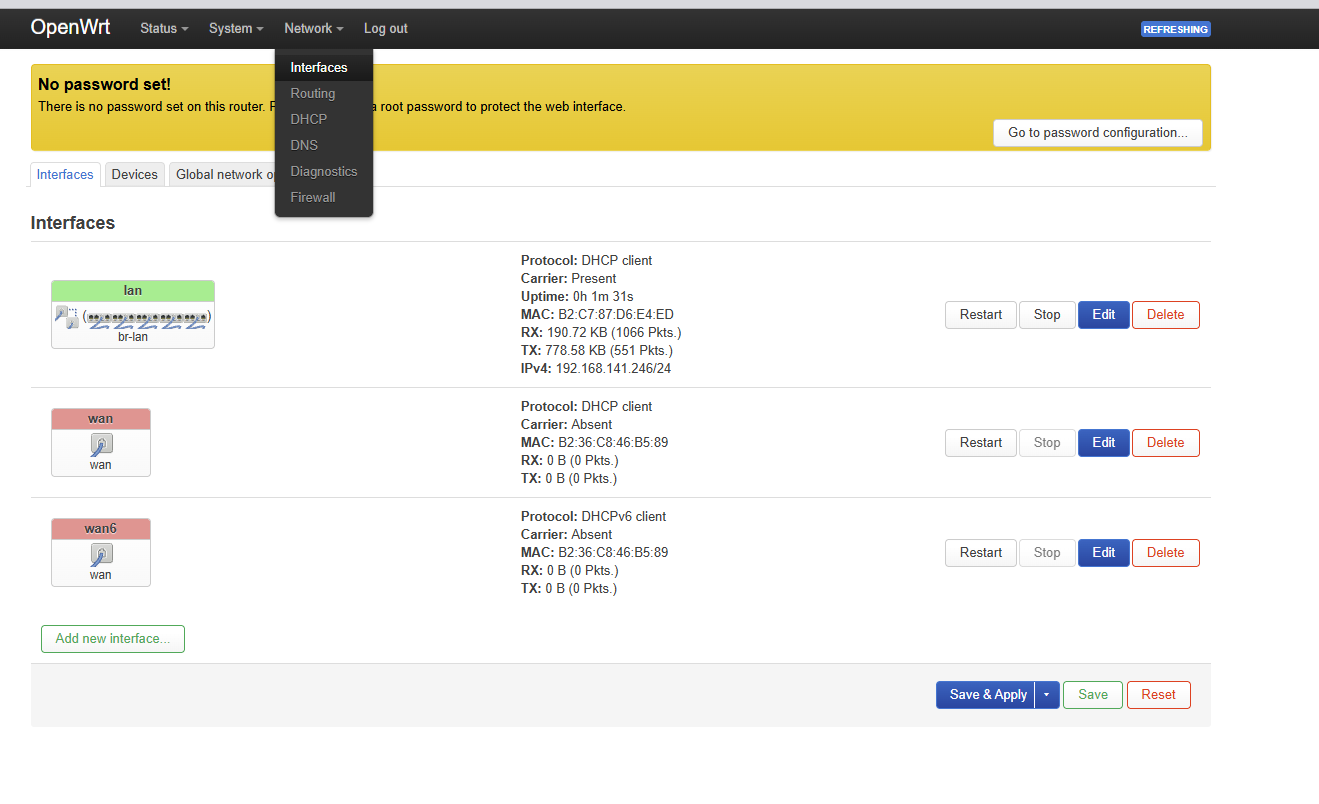
Hello, maybe someone could help with issue.
bpi-r4lite v1.1 + be14 v 1.0
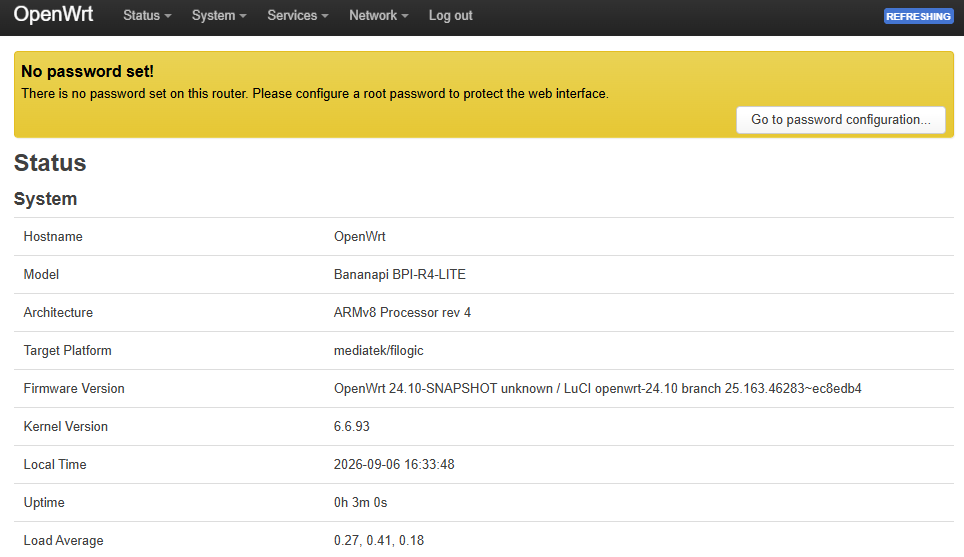
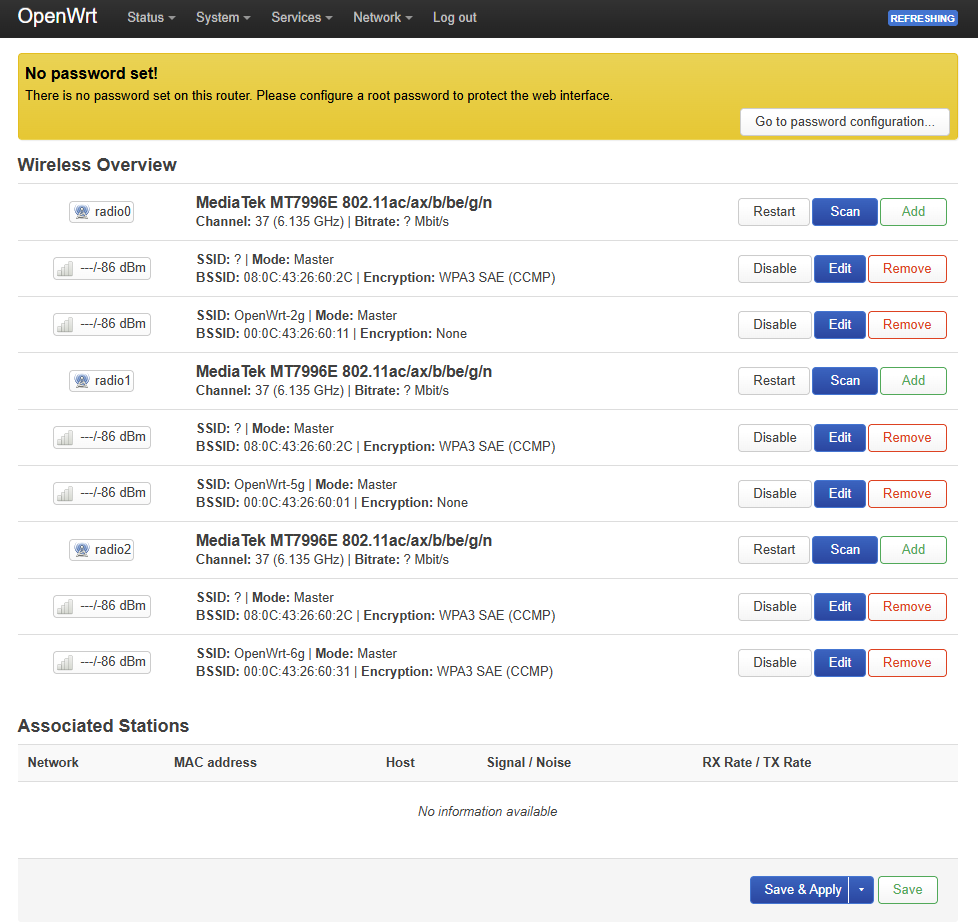
With Sinovoip image “OpenWRT-24.10 MT76 OpenSource wifi driver wifi SDK for BE14000 Wifi Card(1 PCIE,2 Lane)” be14 card works fine.
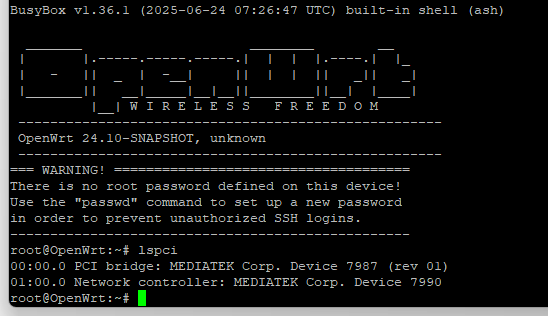
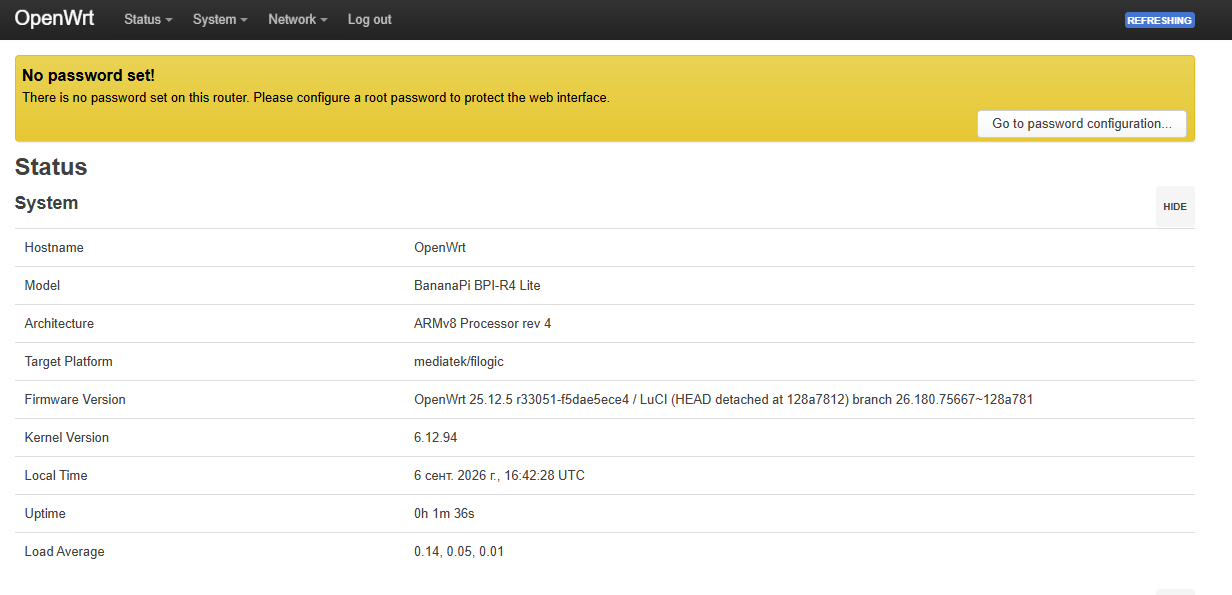
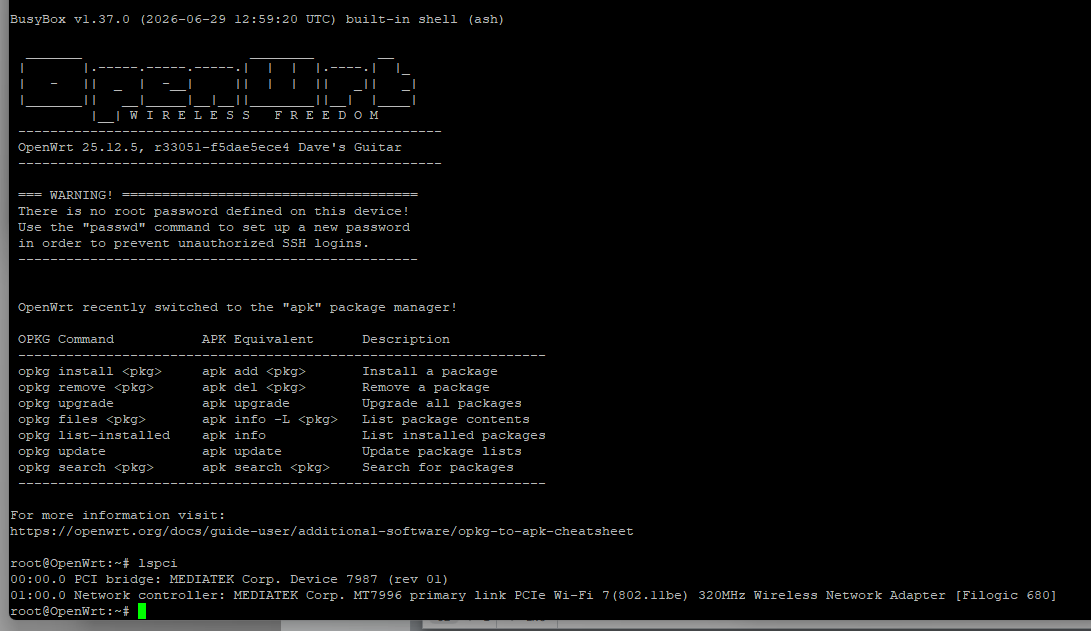
But with official 25.12.5 image there is no wireless interfaces, however the card itself is present in the system.
What i need to do to bring it up?
Both images runs from an SD card, when insert 24.10 wireless is present, when 25.12 not.
Update. Fixed
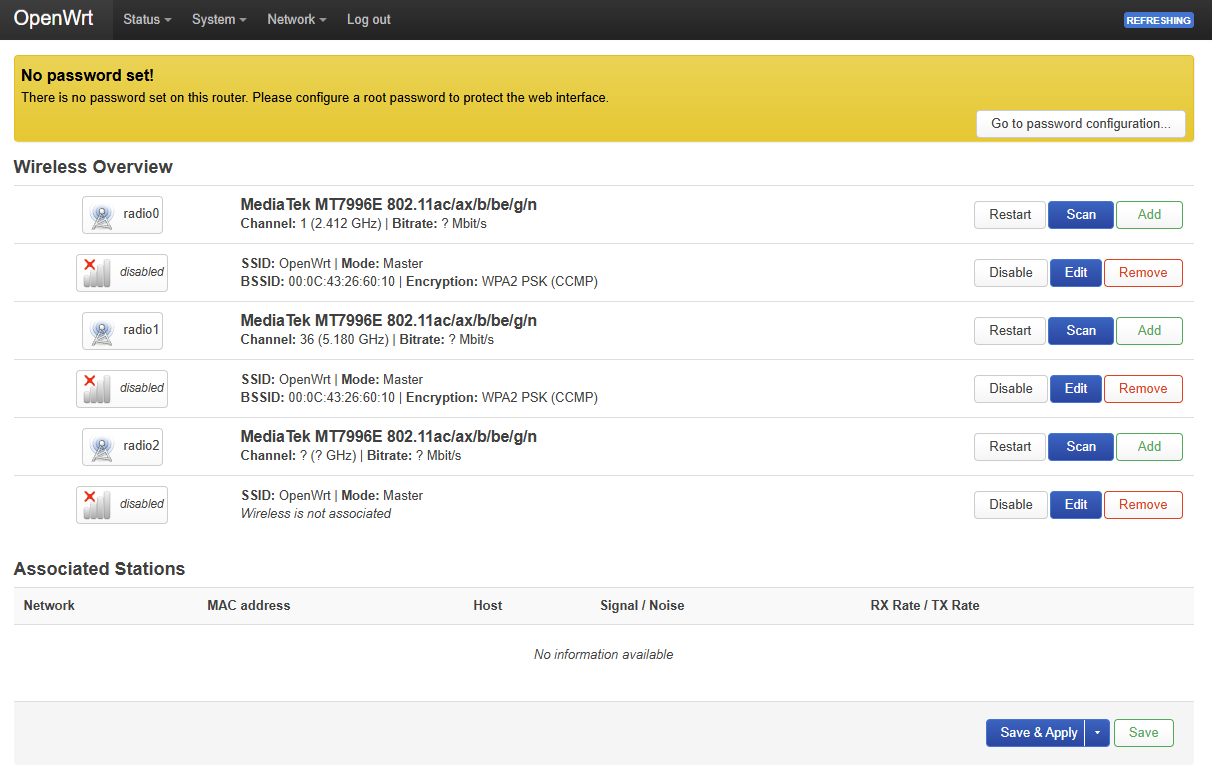
Official image does not contais kmod-mt7996-233-firmware after install and reboot wireless tab back.
frank-w
September 6, 2026, 6:28pm
2
Please attach bootlog (dmesg),lspci,lsmod and ls /lib/firmware/mediatek
Cupr
September 6, 2026, 6:45pm
3
In attached files
lib-firmware-mediatek.txt (76 Bytes)
console.txt (42.4 KB)
dmesg.txt (33.5 KB)
lspci.txt (230 Bytes)
lsmod.txt (3.2 KB)
frank-w
September 6, 2026, 7:14pm
4
You have a firmware loading issue
[   10.405491] mt7996e 0000:01:00.0: Direct firmware load for mediatek/mt7996/mt7996_rom_patch_233.bin failed with error -2
[   10.416382] mt7996e 0000:01:00.0: Falling back to sysfs fallback for: mediatek/mt7996/mt7996_rom_patch_233.bin
[   10.460299] mt7996e 0000:01:00.0: probe with driver mt7996e failed with error -12
Can you list the /lib/firmware/mediatek/mt7996 too? I guess the 233 firmware is missing somehow.
Cupr
September 6, 2026, 7:57pm
5
Installed 233 firmware package, now wireless tab is present, but all networks in disabled state. And no activity led on card.
lsmod.txt (3.2 KB)
console.txt (42.5 KB)
dmesg.txt (33.6 KB)
lib-firmware-mediatek.txt (76 Bytes)
libfirmwaremediat7996.txt (221 Bytes)
lspci.txt (230 Bytes)
frank-w
September 6, 2026, 8:23pm
6
So probe itself is ok now and remaining issue is openwrt specific. Possibly configuration…have you tried disabling MLO?
See working wireless config here:
openwrt:main ← andrewjlamarche:bpi-r4-pro
> Yes basicly standard steps and some git commands,but do not want to hijack thi… s PR too much,just want to provide a easy way to extend tests
>
> ```
> git clone https://github.com/frank-w/openwrt.git
> cd openwrt
> git checkout R4Pro_PR9
> cp ~/Download/config.txt .config
>
> #for later tests update tree if it has changed:
> git pull #or "git fetch && git reset --hard origin/R4Pro_PR9" if i rebased my tree or "git rebase origin/R4Pro_PR9" if you did own commits on top
> make target/linux/clean
>
> #building - again standard
> scripts/feeds -a update
> scripts/feeds -a install
> make menuconfig #i hope existing .config is taken this way
> make -j$(nproc)
> ```
Thanks, @frank-w. Excellent work!
**Summary:** Most things work besides MLO/MLD and 10 Gbps DAC - not picked up when attached to the SFP+ LAN port. I have not tested hardware offloading and such.
# Works
## Network configuration
I will probably create a pull request in your repository because I do not think the `Banana Pi BPI-R4 Pro 4E`'s `/etc/config/network` is correct for this board. Here is what it should look like:
```sh
# /etc/config/network
config interface 'loopback'
option device 'lo'
option proto 'static'
option ipaddr '127.0.0.1'
option netmask '255.0.0.0'
config globals 'globals'
option ula_prefix 'fd05:af69:dc21::/48'
option packet_steering '1'
config device
option name 'br-lan'
option type 'bridge'
option igmp_snooping '1'
list ports 'lan0'
list ports 'lan1'
list ports 'lan2'
list ports 'lan3'
list ports 'lan4'
list ports 'lan5'
list ports 'lan6'
config interface 'lan'
option device 'br-lan'
option proto 'static'
option ipaddr '192.168.1.1'
option netmask '255.255.255.0'
option ip6assign '60'
config device
option name 'br-wan'
option type 'bridge'
list ports 'eth1'
config interface 'wan'
option device 'br-wan'
option proto 'static'
option ipaddr '178.255.93.241'
option netmask '255.255.255.254'
option gateway '178.255.93.240'
option dns '1.1.1.1 8.8.8.8 188.215.74.252'
config interface 'wan6'
option device 'br-wan'
option proto 'dhcpv6'
option disabled '1'
option reqaddress 'try'
option reqprefix 'auto'
option norelease '1'
config interface 'WWAN'
option proto 'dhcp'
option device 'usb0'
config interface 'WWAN6'
option proto 'dhcpv6'
option device 'usb0'
option reqaddress 'try'
option reqprefix 'auto'
config interface 'WWAN_Q'
option proto 'dhcp'
option device 'wwan0_1'
config interface 'WWAN6_Q'
option proto 'dhcpv6'
option device 'wwan0_1'
option reqaddress 'try'
option reqprefix 'auto'
```
## SFP+ 10 Gbps WAN port
```sh
fw_setenv bootconf_extra "mt7988a-bananapi-bpi-r4-pro-cn13#mt7988a-bananapi-bpi-r4-pro-cn14#mt7988a-bananapi-bpi-r4-pro-4e-wan-sfp"
```
or set it in `u-boot` using `setenv bootconf_extra "mt7988a-bananapi-bpi-r4-pro-cn13#mt7988a-bananapi-bpi-r4-pro-cn14#mt7988a-bananapi-bpi-r4-pro-4e-wan-sfp"`.
## Wireless config works
Does not have MLO/MLD:
```sh
# /etc/config/wireless
config wifi-device 'radio0'
option type 'mac80211'
option path 'soc/11300000.pcie/pci0000:00/0000:00:00.0/0000:01:00.0'
option radio '0'
option band '2g'
option channel '1'
option htmode 'EHT40'
option country 'GB'
option disabled '0'
option rnr '1'
option tx_burst '0.0'
config wifi-iface 'default_radio0'
option device 'radio0'
option network 'lan'
option mode 'ap'
option ssid '12-Rochford-Close_E6-1QR_2G'
option encryption 'none'
option mbo '0'
config wifi-device 'radio1'
option type 'mac80211'
option path 'soc/11300000.pcie/pci0000:00/0000:00:00.0/0000:01:00.0'
option radio '1'
option band '5g'
option channel '36'
option htmode 'EHT160'
option country 'GB'
option disabled '0'
option rnr '1'
option background_radar '1'
option tx_burst '0.0'
config wifi-iface 'default_radio1'
option device 'radio1'
option network 'lan'
option mode 'ap'
option ssid '12-Rochford-Close_E6-1QR_5G'
option encryption 'none'
option mbo '0'
config wifi-device 'radio2'
option type 'mac80211'
option path 'soc/11300000.pcie/pci0000:00/0000:00:00.0/0000:01:00.0'
option radio '2'
option band '6g'
option channel '37'
option htmode 'EHT320'
option country 'GB'
option disabled '0'
option mbssid '1'
option tx_burst '0.0'
config wifi-iface 'default_radio2'
option device 'radio2'
option network 'lan'
option mode 'ap'
option ssid '12-Rochford-Close_E6-1QR_6G'
option encryption 'sae'
option mbo '1'
option key '1234567890'
option sae_pwe '2'
option ieee80211w '2'
```
## NVME works
```sh
root@OpenWrt:~# blkid
/dev/nvme0n1p1: LABEL="1TB_EXT4_mbana" UUID="dea23ac4-4214-4b55-be59-f6f9ae3c8fef" BLOCK_SIZE="4096" TYPE="ext4" PARTLABEL="1TB_EXT4_mbana" PARTUUID="664d56ab-eef4-4d46-bb0c-8c2cb8ac44b8"
/dev/mmcblk0p7: PARTLABEL="production" PARTUUID="5452574f-2211-4433-5566-778899aabb07"
/dev/mmcblk0p5: PARTLABEL="recovery" PARTUUID="5452574f-2211-4433-5566-778899aabb05"
/dev/mmcblk0p3: PARTLABEL="factory" PARTUUID="5452574f-2211-4433-5566-778899aabb03"
/dev/mmcblk0p1: PARTLABEL="bl2" PARTUUID="5452574f-2211-4433-5566-778899aabb01"
/dev/mmcblk0p6: PARTLABEL="install" PARTUUID="5452574f-2211-4433-5566-778899aabb06"
/dev/mmcblk0p4: PARTLABEL="fip" PARTUUID="5452574f-2211-4433-5566-778899aabb04"
/dev/mmcblk0p2: PARTLABEL="ubootenv" PARTUUID="5452574f-2211-4433-5566-778899aabb02"
/dev/fit0: BLOCK_SIZE="262144" TYPE="squashfs"
/dev/nvme1n1p1: LABEL="512GB_OpenWrt" UUID="a9c9e79a-7e16-49fe-a2cb-457b9e93cba0" BLOCK_SIZE="4096" TYPE="ext4" PARTLABEL="512GB_OpenWrt" PARTUUID="658eb9c6-9584-4507-a083-40e1f96a9936"
/dev/mtdblock1: UUID="1786721850" TYPE="ubi"
/dev/fitrw: LABEL="rootfs_data" UUID="55c716bf-6e02-4950-8417-b02e19ff4cef" BLOCK_SIZE="4096" TYPE="f2fs"
root@OpenWrt:~# lsblk
NAME MAJ:MIN RM SIZE RO TYPE MOUNTPOINTS
mtdblock0 31:0 0 2M 0 disk
mtdblock1 31:1 0 254M 0 disk
mmcblk0 179:0 0 119.4G 0 disk
├─mmcblk0p1 179:1 0 4M 0 part
├─mmcblk0p2 179:2 0 512K 0 part
├─mmcblk0p3 179:3 0 2M 0 part
├─mmcblk0p4 179:4 0 4M 0 part
├─mmcblk0p5 179:5 0 32M 0 part
├─mmcblk0p6 179:6 0 20M 0 part
└─mmcblk0p7 179:7 0 448M 0 part
ubiblock0_4 254:0 0 120.4M 0 disk
fit0 259:0 0 23.8M 1 disk /rom
fitrw 259:1 0 416.3M 0 disk /overlay
nvme0n1 259:2 0 953.9G 0 disk
└─nvme0n1p1 259:3 0 953.9G 0 part
nvme1n1 259:4 0 476.9G 0 disk
└─nvme1n1p1 259:5 0 476.9G 0 part
```
# Does not work
## SFP+ 10 Gbps LAN
I am expecting the DAC to be picked up but it does not. It works on the Banana PI Pro 4E supplied image:
```sh
root@OpenWrt:~# ethtool eth0
Settings for eth0:
Supported ports: [ MII ]
Supported link modes: 10000baseT/Full
Supported pause frame use: Symmetric Receive-only
Supports auto-negotiation: Yes
Supported FEC modes: Not reported
Advertised link modes: 10000baseT/Full
Advertised pause frame use: Symmetric Receive-only
Advertised auto-negotiation: Yes
Advertised FEC modes: Not reported
Link partner advertised link modes: 10000baseT/Full
Link partner advertised pause frame use: Symmetric
Link partner advertised auto-negotiation: No
Link partner advertised FEC modes: Not reported
Speed: 10000Mb/s
Duplex: Full
Auto-negotiation: on
Port: MII
PHYAD: 0
Transceiver: internal
Current message level: 0x000000ff (255)
drv probe link timer ifdown ifup rx_err tx_err
Link detected: yes
root@OpenWrt:~# ethtool eth1
Settings for eth1:
Supported ports: [ FIBRE ]
Supported link modes: 10000baseLR/Full
Supported pause frame use: Symmetric Receive-only
Supports auto-negotiation: No
Supported FEC modes: Not reported
Advertised link modes: Not reported
Advertised pause frame use: No
Advertised auto-negotiation: No
Advertised FEC modes: Not reported
Speed: 10000Mb/s
Duplex: Full
Auto-negotiation: off
Port: FIBRE
PHYAD: 0
Transceiver: internal
Current message level: 0x000000ff (255)
drv probe link timer ifdown ifup rx_err tx_err
Link detected: yes
root@OpenWrt:~# ethtool eth2
Settings for eth2:
Supported ports: [ MII ]
Supported link modes: 10000baseT/Full
Supported pause frame use: Symmetric Receive-only
Supports auto-negotiation: Yes
Supported FEC modes: Not reported
Advertised link modes: 10000baseT/Full
Advertised pause frame use: Symmetric Receive-only
Advertised auto-negotiation: Yes
Advertised FEC modes: Not reported
Link partner advertised link modes: 10000baseT/Full
Link partner advertised pause frame use: Symmetric
Link partner advertised auto-negotiation: No
Link partner advertised FEC modes: Not reported
Speed: 10000Mb/s
Duplex: Full
Auto-negotiation: on
Port: MII
PHYAD: 0
Transceiver: internal
Current message level: 0x000000ff (255)
drv probe link timer ifdown ifup rx_err tx_err
Link detected: yes
```
## Wireles config that does not work
Works on the Banana Pi Pro 4E supplied image but does not work with this one. This uses MLO/MLD:
```sh
# /etc/config/wireless
config wifi-device 'radio0'
option type 'mac80211'
option path 'soc/11300000.pcie/pci0000:00/0000:00:00.0/0000:01:00.0'
option radio '0'
option band '2g'
option channel '1'
option htmode 'EHT40'
option country 'GB'
option disabled '0'
option rnr '1'
option tx_burst '0.0'
config wifi-iface 'default_radio0_mld'
option device 'radio0'
option network 'lan'
option mode 'ap'
option mld_id '1'
option ieee80211w '1'
option encryption 'psk2'
option encryption_rsno 'sae'
config wifi-iface 'default_radio0'
option device 'radio0'
option network 'lan'
option mode 'ap'
option ssid '12-Rochford-Close_E6-1QR_2G'
option encryption 'none'
option mbo '0'
config wifi-device 'radio1'
option type 'mac80211'
option path 'soc/11300000.pcie/pci0000:00/0000:00:00.0/0000:01:00.0'
option radio '1'
option band '5g'
option channel '36'
option htmode 'EHT160'
option country 'GB'
option disabled '0'
option rnr '1'
option background_radar '1'
option tx_burst '0.0'
config wifi-iface 'default_radio1_mld'
option device 'radio1'
option network 'lan'
option mode 'ap'
option mld_id '1'
option ieee80211w '1'
option encryption 'psk2'
option encryption_rsno 'sae'
config wifi-iface 'default_radio1'
option device 'radio1'
option network 'lan'
option mode 'ap'
option ssid '12-Rochford-Close_E6-1QR_5G'
option encryption 'none'
option mbo '0'
config wifi-device 'radio2'
option type 'mac80211'
option path 'soc/11300000.pcie/pci0000:00/0000:00:00.0/0000:01:00.0'
option radio '2'
option band '6g'
option channel '37'
option htmode 'EHT320'
option country 'GB'
option disabled '0'
option mbssid '1'
option tx_burst '0.0'
config wifi-iface 'default_radio2_mld'
option device 'radio2'
option network 'lan'
option mode 'ap'
option mld_id '1'
option ieee80211w '2'
option encryption 'sae'
config wifi-iface 'default_radio2'
option device 'radio2'
option network 'lan'
option mode 'ap'
option ssid '12-Rochford-Close_E6-1QR_6G'
option encryption 'sae'
option mbo '1'
option key '1234567890'
option sae_pwe '2'
option ieee80211w '2'
config wifi-mld 'ap_mld_1'
option ifname 'ap-mld-1'
option mld_id '1'
option ssid '12-Rochford-Close_E6-1QR'
option encryption_rsno_2 'sae-ext'
option key '1234567890'
option sae_pwe '2'
```
## `.config` for build
1. Rename to `.config`.
2. Follow @frank-w's instruction for building but instead of `make menuconfig` do `make defconfig`.
[config.txt](https://github.com/user-attachments/files/31265690/config.txt)
# Images
## OpenWrt Wireless Settings
<img width="2870" height="2846" alt="Screenshot From 2026-08-20 14-00-33" src="https://github.com/user-attachments/assets/e613b5c1-d7a8-4f81-9cfb-14969126dcb0" />
## WiFi 6G Test
<img width="2870" height="2846" alt="Screenshot From 2026-08-20 14-07-42" src="https://github.com/user-attachments/assets/4ab0b521-db3b-49e6-8d83-f874ef98534b" />
It is for R4PRO,but wifi config should be same.
Cupr
September 6, 2026, 8:38pm
7
Thanks for helping.
Will read about module configs.