Need a sanity check on BPI‑R4 SFP cages – both ports link but pull a 169.254.x.x (self‑assigned) every time

Hardware: Banana Pi R4, OpenWrt 24.10 snapshot (also tried OMR v0.62‑6.6).

Optics tried so far:

  • Generic‑compatible Ubiquiti UF‑RJ45‑10G (10 GBASE‑T SFP+, 30 m)

  • FS SFP‑2.5G‑T‑I (Industrial 2.5 GBASE‑T, 100 m)

Link LEDs come up and dmesg shows 10 000/2500 Mb, but neither DHCP nor static IP works; Windows/Mac hosts fall back to APIPA. Copper WAN port is fine, so it’s just the cages.

Anyone with a working R4 + RJ‑45 SFP (or a known good DTS tweak / driver patch) willing to share a config or kernel tip? Pointers much appreciated!

Bump, any help is much appreciated!

I have the same problem. My computer does not always get the correct IP address. I use SFP RJ45-LAN 2.5G.

Does the port on the R4 side report link up? Did you check the openwrt forum?

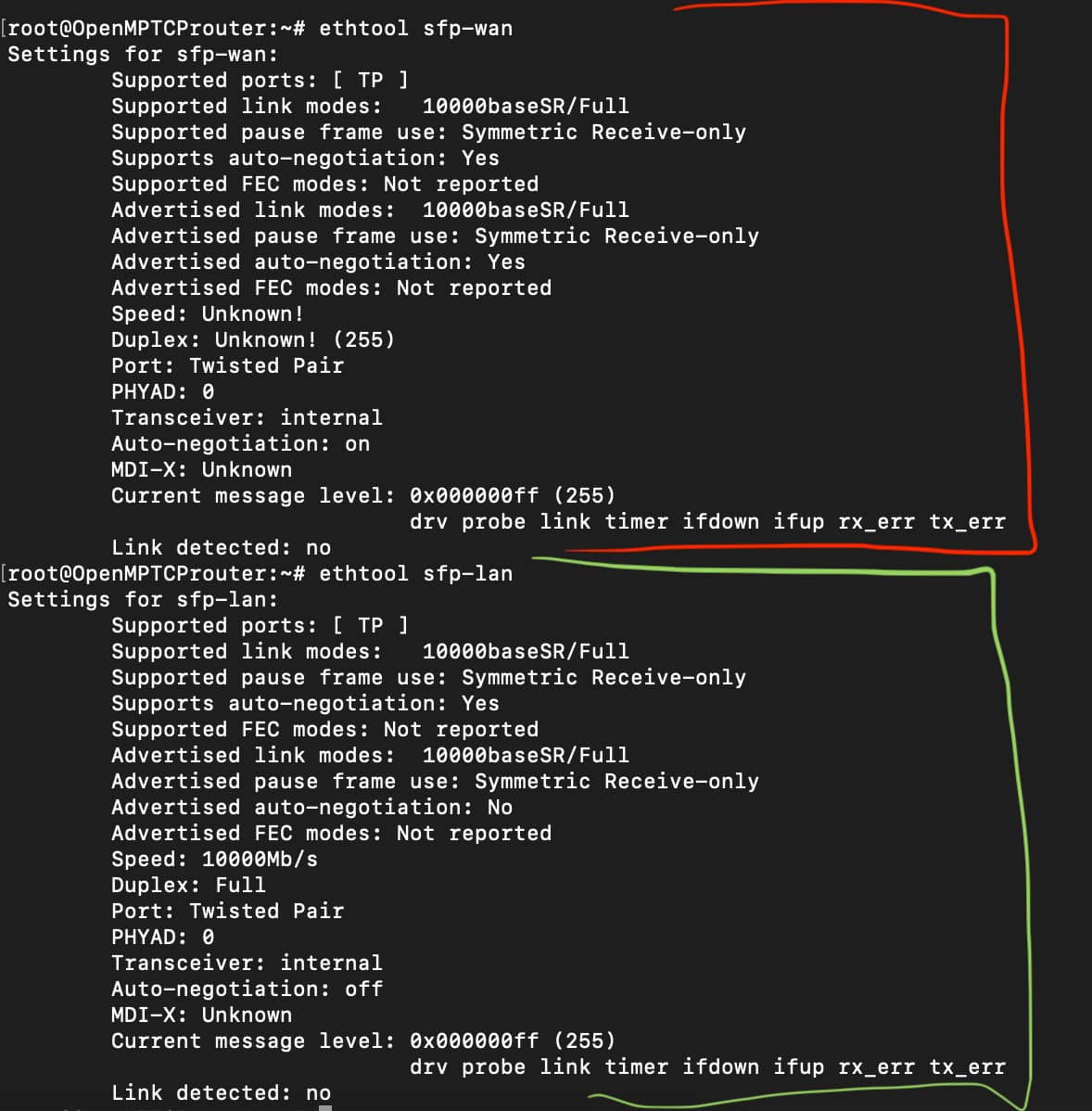
Thanks for the reply, Eric! This is what ethtool returns on the SFP WAN & LAN:

I’m currently trying to tackle this from different forums/perspectives, I’ve seen here that the Unify 10G SFP+ Copper modules work ‘flawlessly’ according to some users, but that has not been the case for me. I’m in contacts with the OMR dev, but I’ll definitely check out the OpenWRT forums as well!

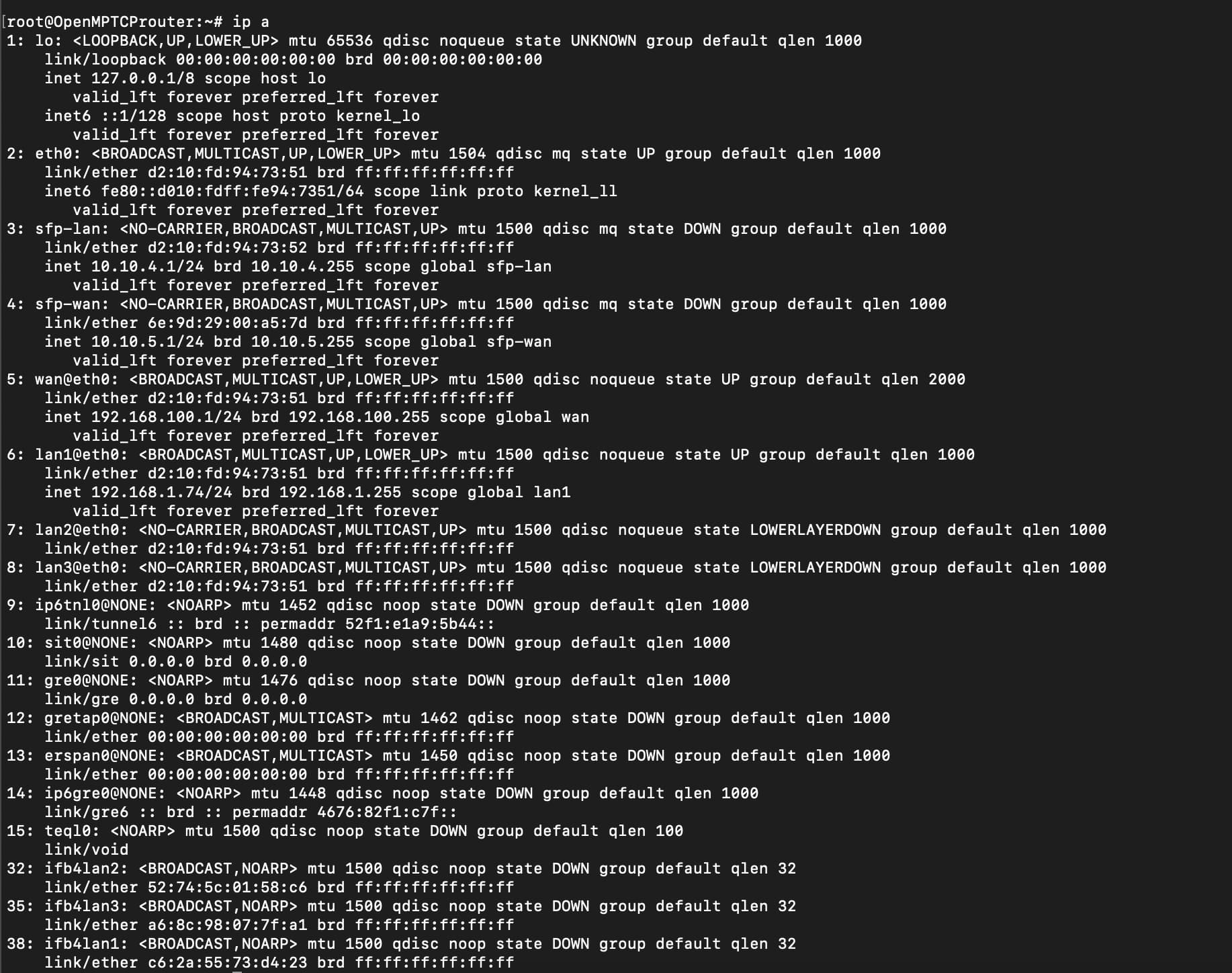
And the output of

ip a

To check if the interfaces were asked to go up?

Interesting, my two SFP’s flat out don’t give me any sort of address besides 169.x.x.x

Here it is, CARRIER_DOWN could be a potential clue… but I’m not tech savvy enough to know what it means yet.

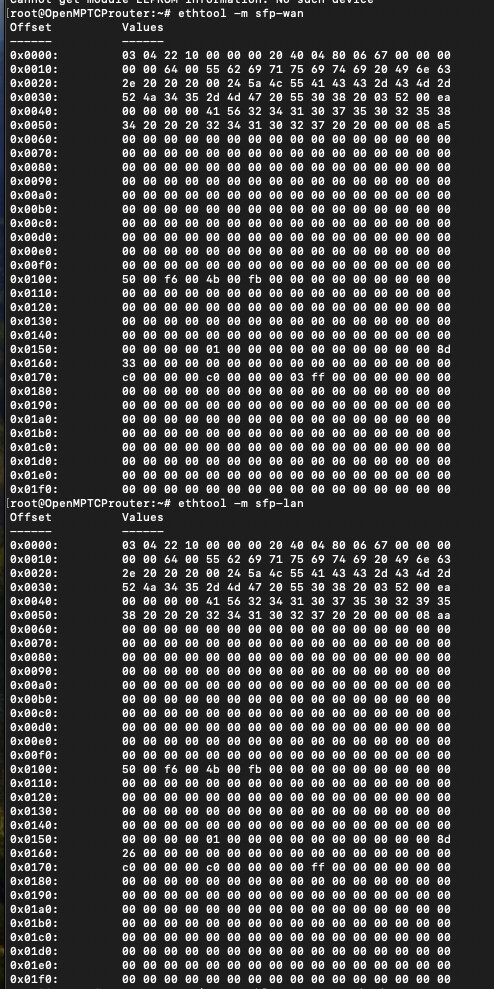
I’ve also included ethtool -m [SFP WAN & LAN] incase it helps

It seems to recognize the driver, and all but I’ve tried eveyrthing I can. It seems to be a driver issue, but I don’t know from which end!

Can anyone check this out please? I really appreciate it!

You may have more luck in the openwrt forum for this problem. This really depends on the sfp-quirks/fixups that openwrt is or isn’t applying.

Thanks for the Eric, unfortunately the OpenWRT people said since it’s not official OpenWRT that they couldn’t help.

You’ve wrote above you are using openwrt snapshot ans not the bpi image…why is this not official openwrt?

You’re right I did say that… I apologize well it’s been a journey since we last spoke but fast forward I AM using the latest stable version of OpenWRT now and the problem remains. The SFP wan port got an ip address but it doesn’t seem to auto-neg properly.

You can try to force link speed and duplex or switch off autoneg and on again. The 169 ip is a dummy value.

Autoneg is disabled by default. The computer cannot obtain an IP address. Turning the computer’s network card off and on again may help.

root@OpenWrt:~# ethtool sfp-lan
Settings for sfp-lan:
        Supported ports: [ FIBRE ]
        Supported link modes:   2500baseX/Full
                                2500baseT/Full
        Supported pause frame use: Symmetric Receive-only
        Supports auto-negotiation: No
        Supported FEC modes: Not reported
        Advertised link modes:  2500baseX/Full
                                2500baseT/Full
        Advertised pause frame use: Symmetric Receive-only
        Advertised auto-negotiation: No
        Advertised FEC modes: Not reported
        Speed: 2500Mb/s
        Duplex: Full
        Auto-negotiation: off
        Port: FIBRE
        PHYAD: 0
        Transceiver: internal
        Current message level: 0x000000ff (255)
                               drv probe link timer ifdown ifup rx_err tx_err
        Link detected: yes
root@OpenWrt:~#

Did you solve the problem? If so, please share your solution.

Hey Zasranec! Sorry for the delay. I stopped working on this project but I’m back at it. I found the solution! Here’s a couple of things to keep in mind from my tests:

  1. The official 10G module converters officially from BPI are needed. After emailing their team they told me that they only support their own brand of modules so I bought two of them for testing. Amazon.com: WayPonDEV 10G SFP+ Copper Module for Banana Pi BPI-R4 OpenWRT Router Borad, SFP to RJ45, Compatible with 10Gbase-T/5Gbase-T/2.5Gbase-T/1000base-T Online Port, 1 Pack (10G SFP+ Copper Module) : Electronics

  2. OpenWRT latest stable version works great with zero modifications on the modules.

  3. My interest lies in OMR which is based on OpenWRT but their latest snapshot breaks the modules. (Doesn’t apply to you if you care about OpenWRT only, but good to know just incase.)

I’ll continue messing with these but I think I got it down for now at least. It sucks that only their version of their modules have worked for me. Please feel free to share any thoughts or finds you’ve had as well!!