M.2 M-key connector CN-14 does not work on BPI-R4 Pro

By the official diagram, GPIO pins 63 and 79 control the PCIe path, and both default to the M-key PCIE slot. Inquiring the status of the pin in OpenWrt confirms this.

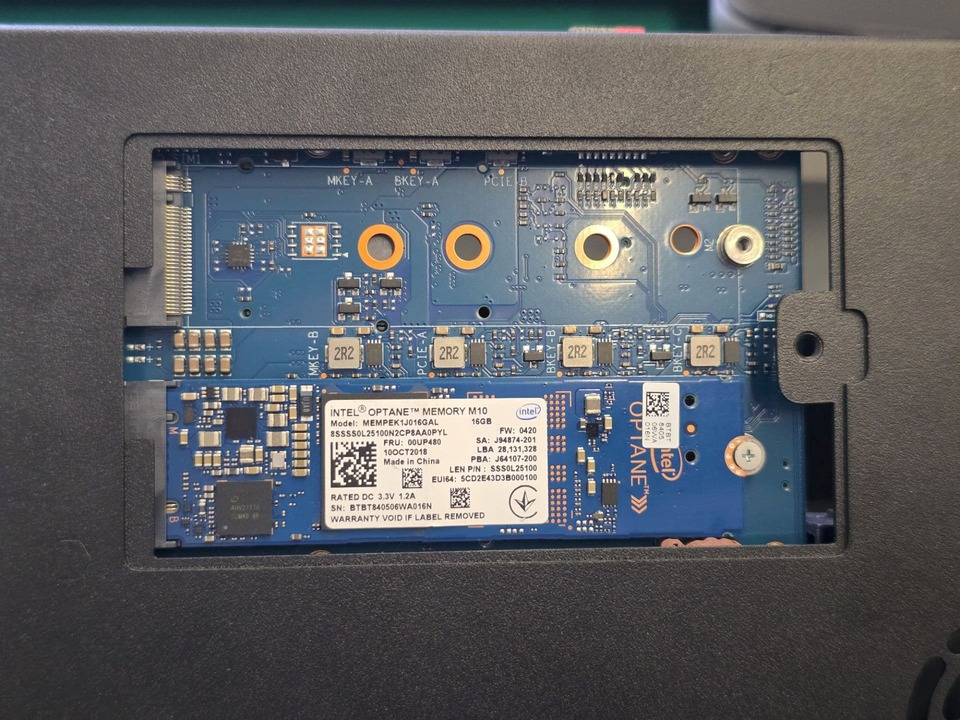
However, by testing with Optane M10 NVMe drives, it is obvious that the drive installed on CN14 does not work.

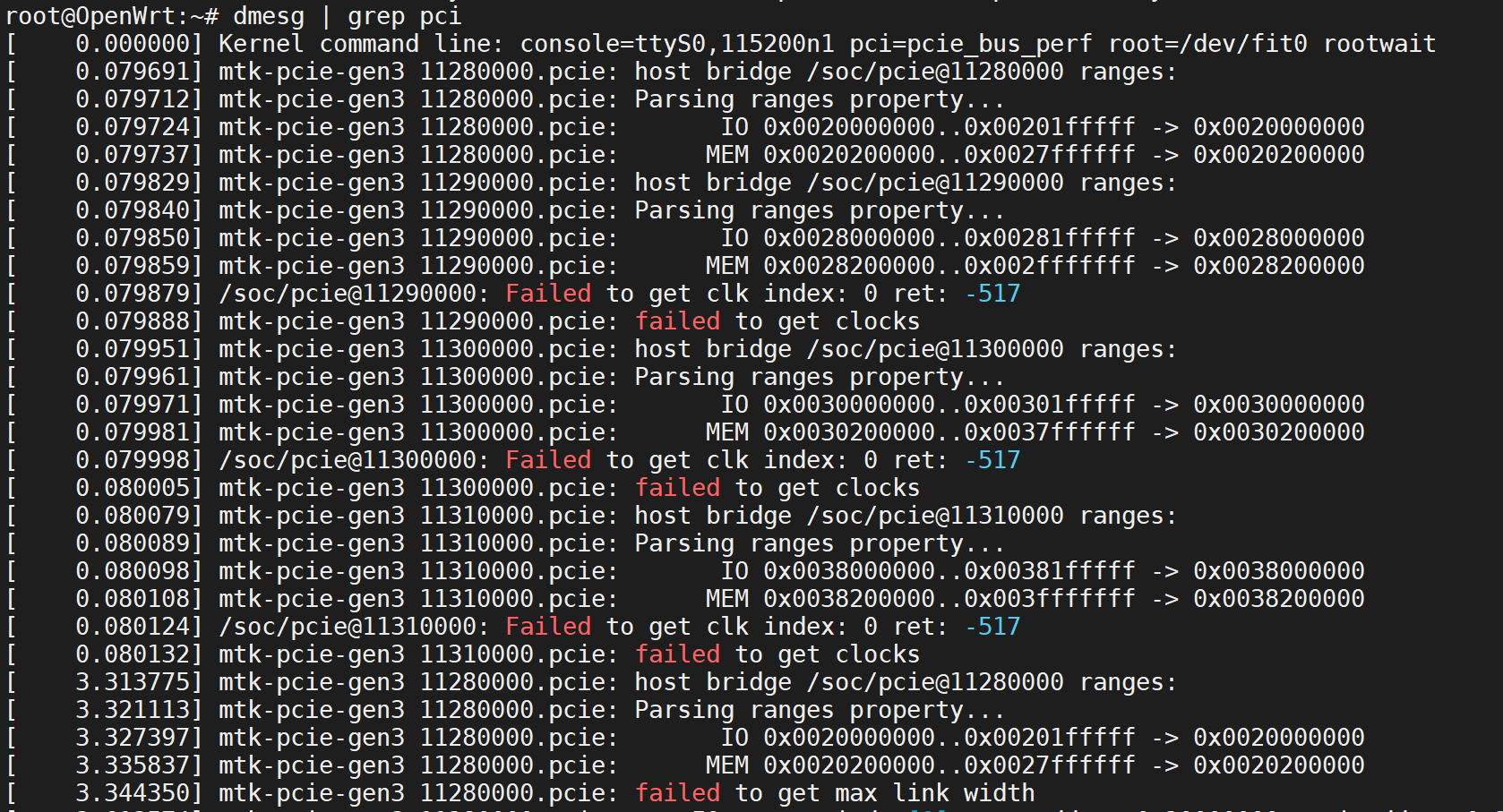
Looking into the DMESG shows the following message, as if the slot is not populated at all.

I can confirm the NVMe drives used for testing are in working condition, as swapping their position yields the same results.

Any ideas about what may have caused this? The device firmware/software was compiled using the BPI repository. https://github.com/BPI-SINOVOIP/BPI-R4PRO-8X-OPENWRT-V24.10.0-Master-Devel

Okay, so I have made some progress:

Unbinding all 4 PCIE controllers with the following command:

for a in 11280000.pcie 11290000.pcie 11300000.pcie 11310000.pcie; do
  [ -e /sys/bus/platform/drivers/mtk-pcie-gen3/$a ] && echo $a > /sys/bus/platform/drivers/mtk-pcie-gen3/unbind
done

Then set the GPIO pins 63 and 79 to 1 again

gpioset -c gpiochip0 -C pcie_sel -z 63=1 79=1

Rebind the PCIe controller:

for a in 11280000.pcie 11290000.pcie 11300000.pcie 11310000.pcie; do
  echo $a > /sys/bus/platform/drivers/mtk-pcie-gen3/bind 2>/dev/null
done

Rescan

echo 1 > /sys/bus/pci/rescan 2>/dev/null

And now both drives show up just fine.

So, all these mean the GPIO pins are not correctly set?

1 Like

Yes gpio needs to be set correctly before pcie scan. I tested all m.2 with my kernel before upstreaming this part (i use key-m as default and key-b as overlay).
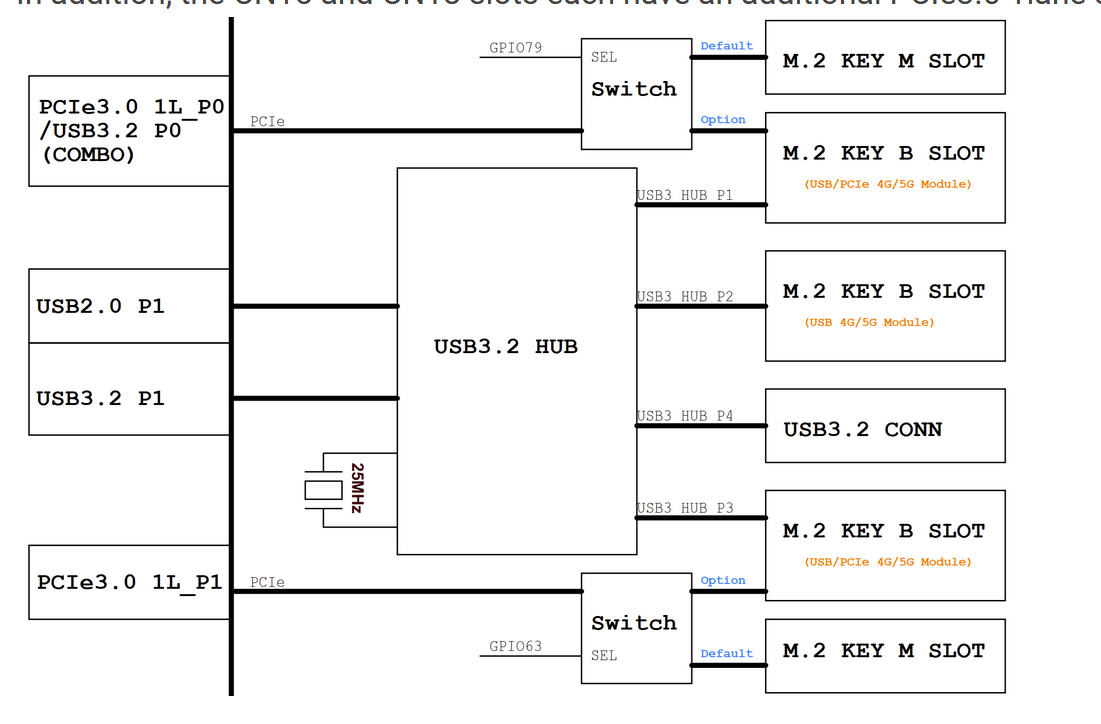

For testing purposes, I populated all the M.2 slots and can confirm that by default, the PCIe path leads to CN13 (M-key) and CN18 (B-key).

Thank you for your insight!

 11280000.pcie 11290000.pcie

Are the the m2 slots (either key-m or key-b)

So no need to disable/rescan

 11300000.pcie 11310000.pcie

But good to know that this works :slight_smile: thanks for your code/test