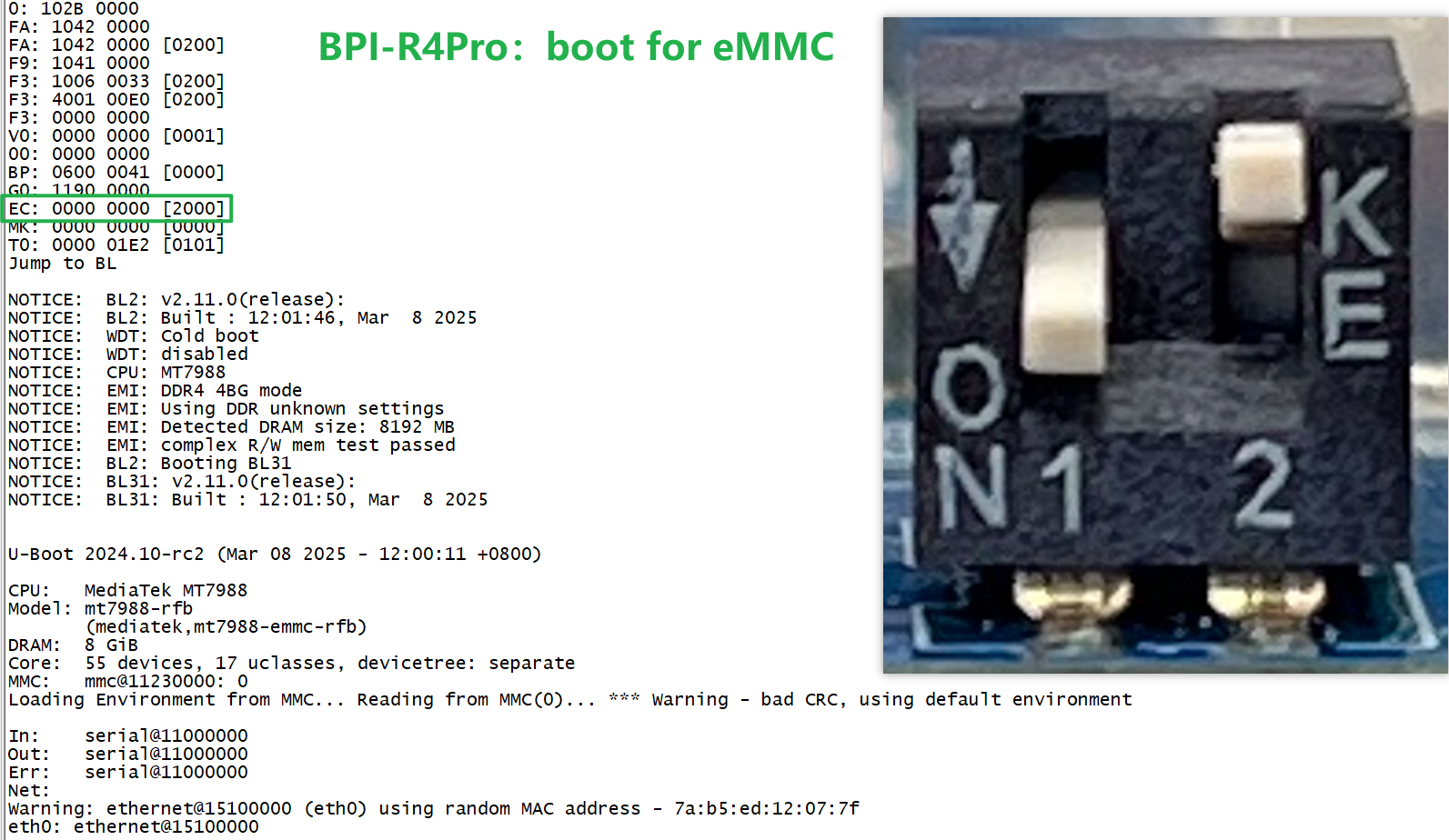
I received my BPI-R4 Pro device today. This is my very first development board and my first experience with OpenWrt, so I am trying to understand if what I experienced is normal behavior or a hardware defect.
The Boot Issue:
I flashed the image to the SD card.
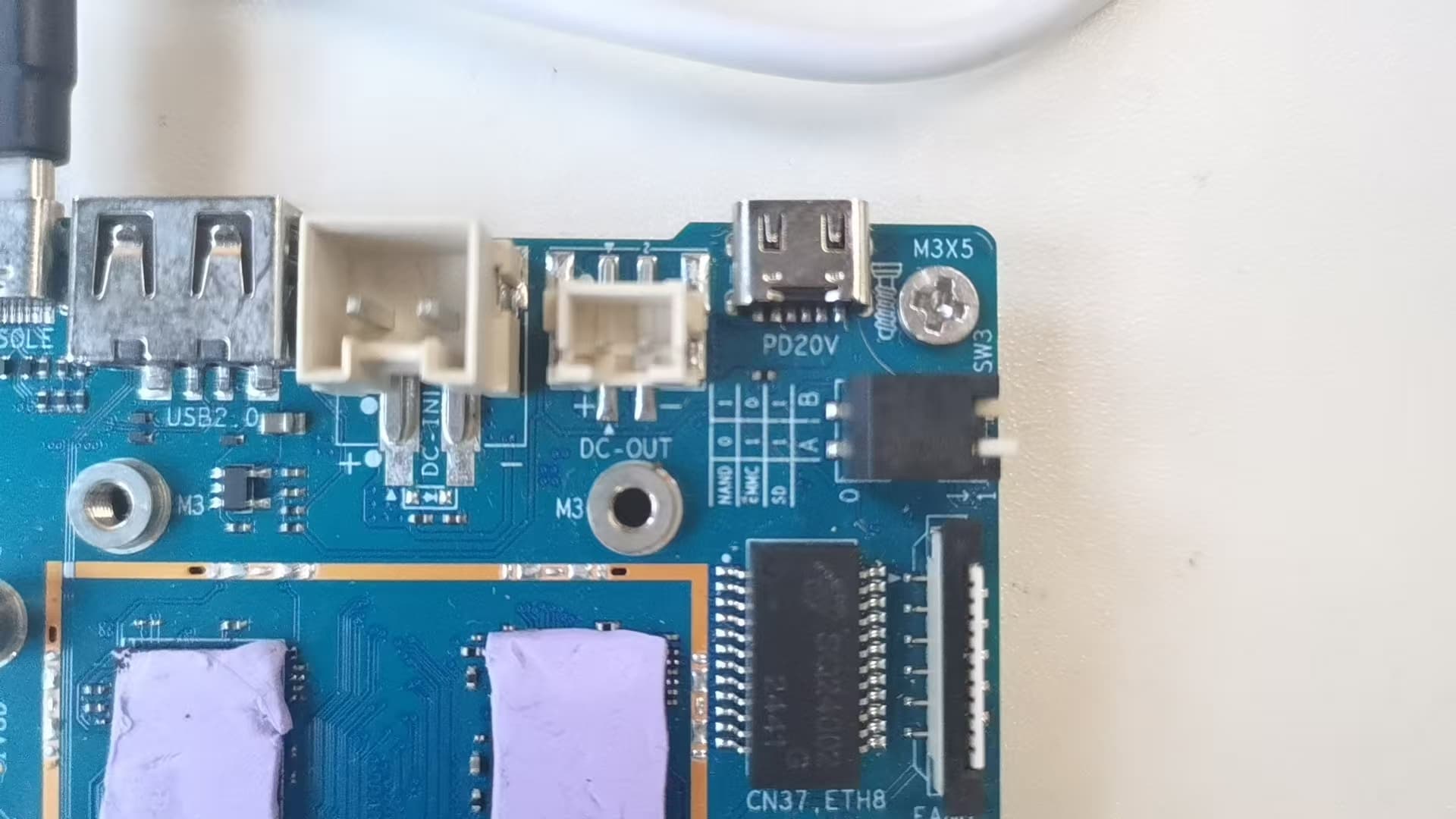
According to the board labels and the Wiki instructions, I set both boot switches to the “Down” position (0-0 for SD Boot).
I tried to boot from the SD card for about an hour, but it refused to boot. No activity.
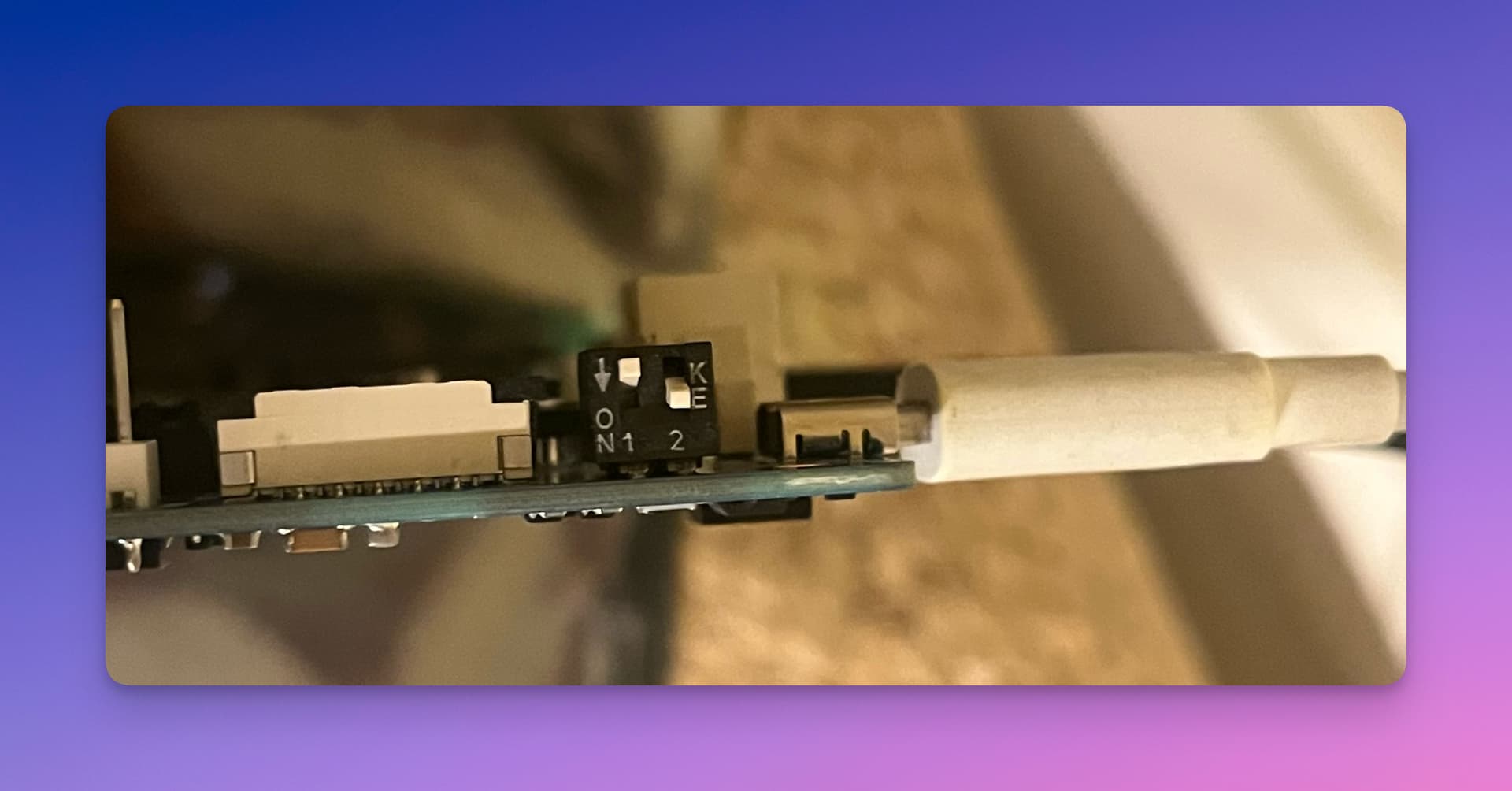
Finally, I changed the switches to the position shown in the attached photo (Please see attached photo), and it surprisingly booted up.
The eMMC Confusion: After managing to boot, I flashed the eMMC images via USB.
I left the switches in the same “working” position (the one in the photo), and it booted from eMMC.
Then, I changed the switches to the “correct” eMMC position according to the Wiki, and it also booted fine.
My Question: This behavior feels inconsistent and confusing. Why did the official Wiki instructions for SD boot fail for me, while a random switch combination worked? Is there a hardware issue with my board’s boot selection, or is the documentation/labeling misleading?
But the behavior is really confusing. Here is exactly what happened:
SD Boot: I tried the official “Both Down” position first. It did not boot at all. Then I set them to the position in my first photo (which looks like NAND according to the Wiki), and it worked.
eMMC Boot (The funny part): After flashing to eMMC, I didn’t change the switches initially. They were still in the “Photo 1” position. And guess what? It booted from eMMC just fine!
Then I changed them to the “Real” eMMC position, and it booted fine again.
So, it seems eMMC boots in almost any position (even the wrong ones), but the SD card was very picky and didn’t work with the official instructions. That’s why I thought the switches or the labels were wrong.
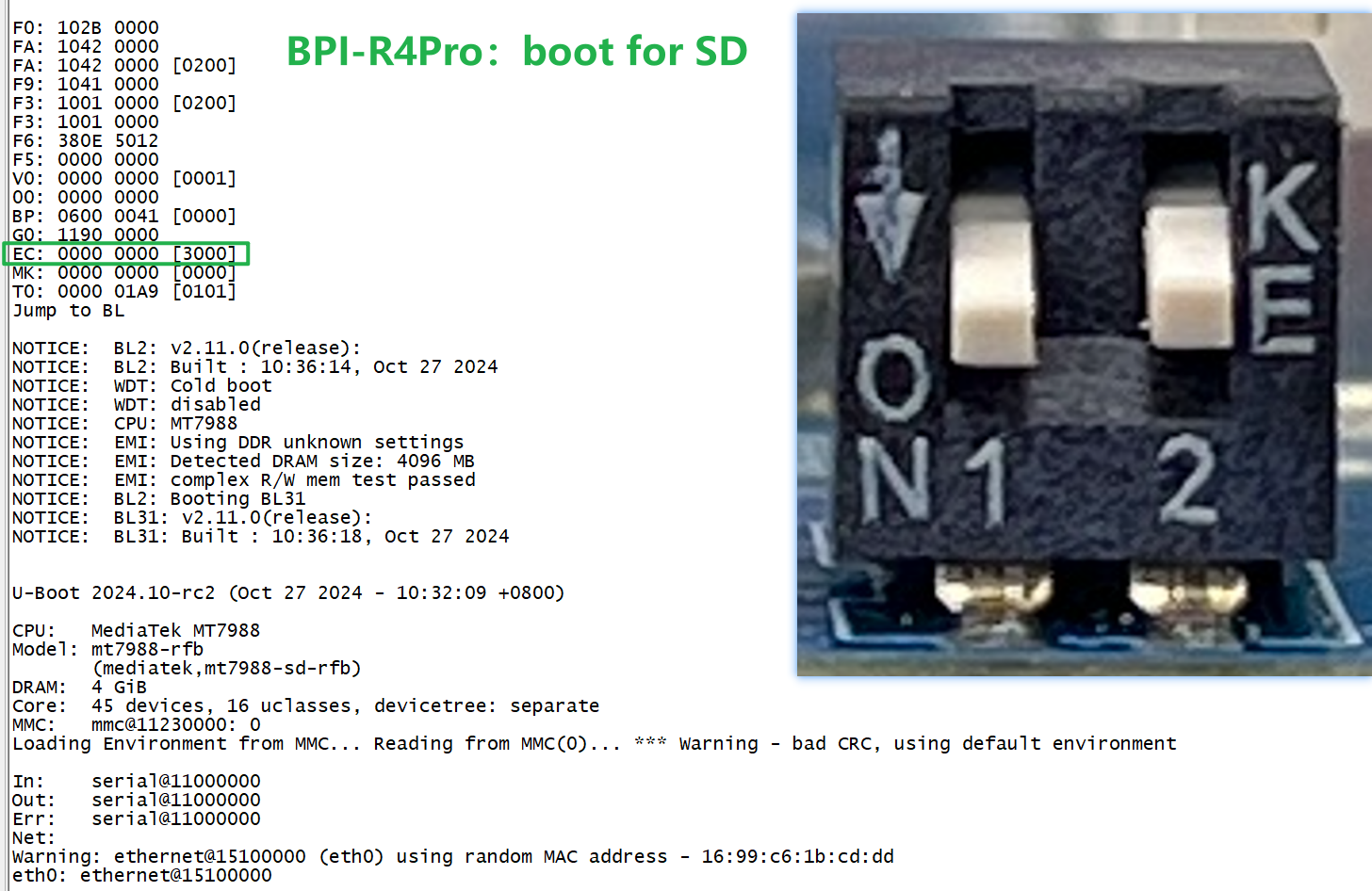
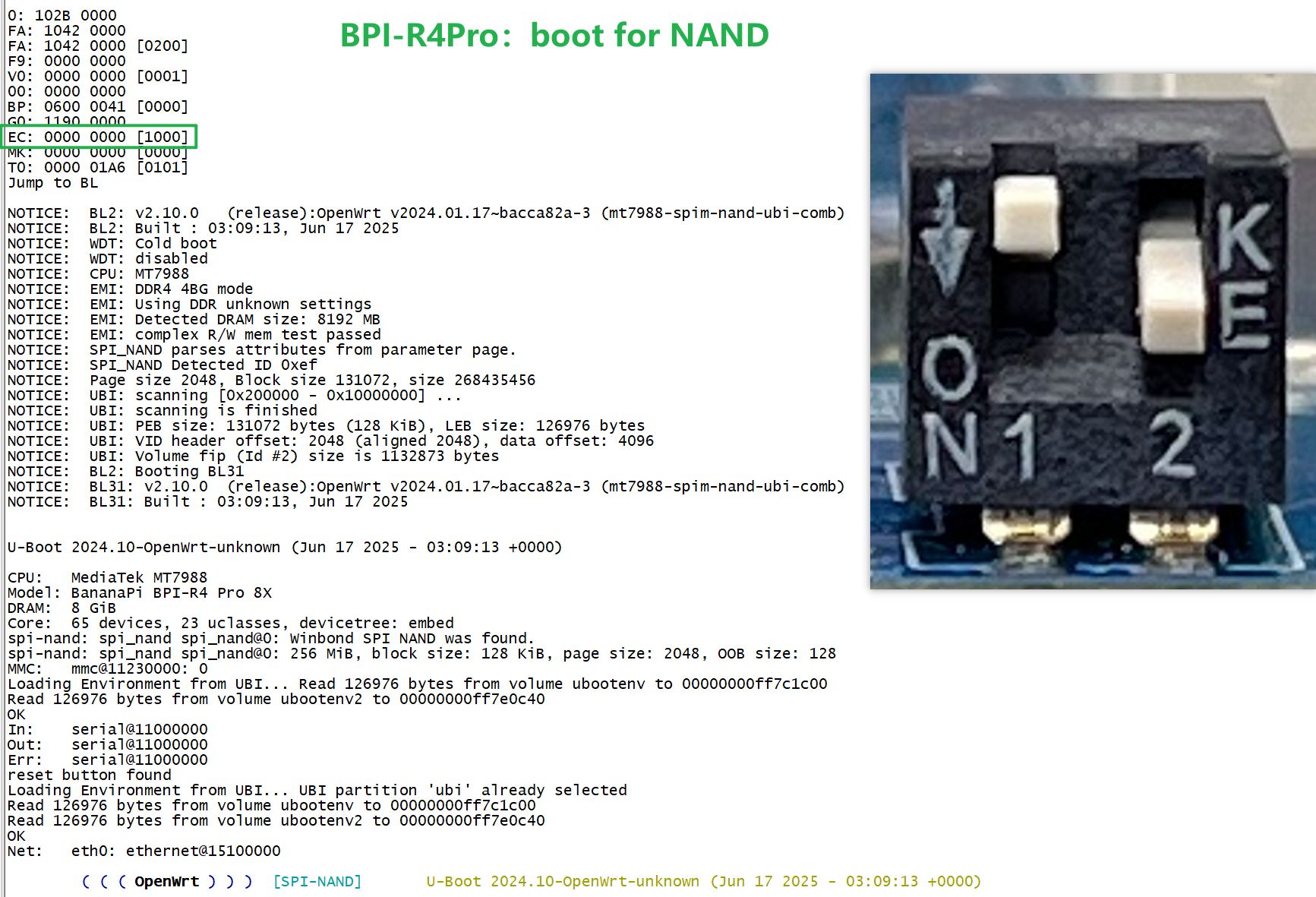
Do you see the EC value from bootrom correctly? How far does your board booting,any errors there? Please post output from debug-uart when it get stuck.
Observation: It says mt7988-sdmmc-comb, which suggests it is trying to boot from the SD card. However, I want to emphasize that I have tried 2 different SD cards with the official vendor image, and I was never able to boot successfully. It always fails or gets stuck, regardless of the card I use.
After the lines above, it fails to find a kernel and falls into a loop trying to boot via TFTP: Wrong Image Type for bootm command ERROR -91: can’t get kernel image!
Based on images above the bootstrap pins (switches for bootdevice selection) are set correctly. Your boot goes further as i expected. You hang in uboot,not later output will be interesting…i guess you have read errors because uboot use higher speed for sdcard access. This is an issue i’ve seen in my tests too so i reduced speed from 52 to 48 mHz.
Uboot (i guess bpi image uses different dts - maybe the sd-rfb one):
Yes, we have also encountered similar problems. However, the startup of some high-performance SD
cards is not a problem, but for some cards, it will be.