BPI-R4 WiFi 7 Manager — LuCI app for MT7996 / MT7988A
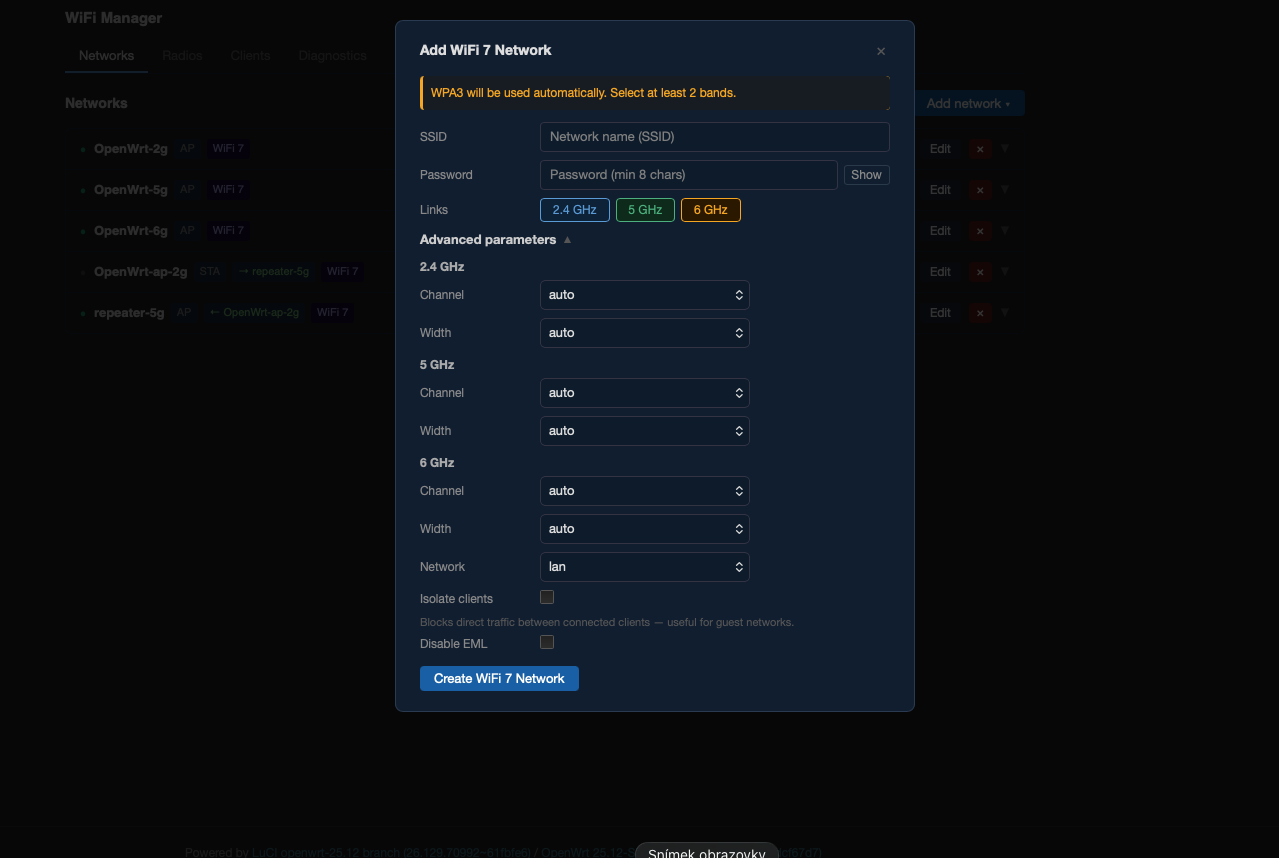
After extensive testing on real hardware I’m releasing a LuCI-based WiFi 7 manager for the Banana Pi BPI-R4 (MT7988A SoC, MT7996 tri-band chip). It covers the full range of use cases the hardware supports — AP, MLO, STA, WDS, relayd bridge, repeater — with a clean single-page UI that doesn’t require juggling raw UCI or hostapd configs.
The goal was to make everything the MT7996 chip can actually do accessible through a proper interface: Multi-Link Operation across 2 or 3 bands, per-radio TX power management, live client monitoring with WiFi generation badges and per-link MLO data, and diagnostics that show what’s actually happening at the driver level.
Requires OpenWrt with MediaTek SDK (MTK SDK) This package is not compatible with mainline OpenWrt. Interface naming, MLD configuration, and hostapd parameters differ significantly between MTK SDK builds and standard OpenWrt releases. MTK SDK builds for BPI-R4 (standard, PoE, 4 GB, 8 GB) are available via bpi-r4-deploy.
Hardware
| Component | Details |
|---|---|
| Board | Banana Pi BPI-R4, BPI-R4 PoE |
| SoC | MediaTek MT7988A (Filogic 880) |
| WiFi chip | MT7996 tri-band (2.4 GHz / 5 GHz / 6 GHz) |
| WiFi standard | 802.11be (WiFi 7), MLO |
Installation
luci-app-wifimgr is included by default in all BPI-R4 firmware releases built via bpi-r4-deploy — no extra steps needed after flashing.
For standalone install on an existing firmware:
# Copy APK to router
scp luci-app-wifimgr-1.1.0-r20260511.apk [email protected]:/tmp/

# Install (no internet required)
ssh [email protected] 'apk add --allow-untrusted --no-network /tmp/luci-app-wifimgr-*.apk'
Then open LuCI → Network → WiFi Manager.
 Download: Releases · woziwrt/mt7996-wifi7-manager · GitHub
Features
Wizards — guided network setup
| Wizard | Description |
|---|---|
| MLO AP | Creates a Multi-Link Operation AP across 2 or 3 bands. Supports 2G+5G, 2G+6G, 5G+6G, or all three simultaneously. Per-link channel and width control. WPA3 enforced. |
| AP | Creates a standard single-band AP on any radio. Full control over channel, width, encryption, SSID isolation, hidden SSID, client limits. DFS channels supported with CAC progress indication. |
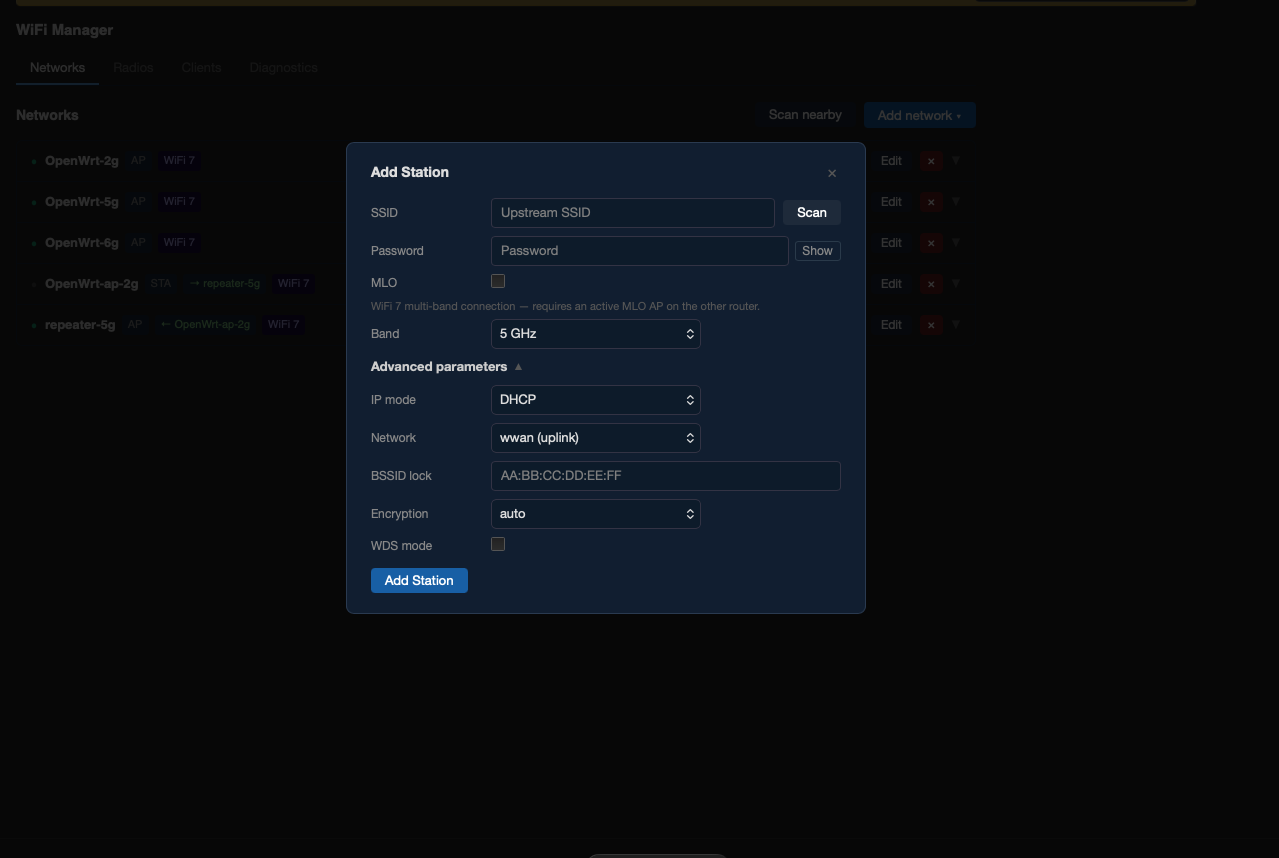
| Station | Connects to an upstream WiFi network on 2.4G or 5G. MLO STA mode supported (multi-band client connecting to an MLO AP). |
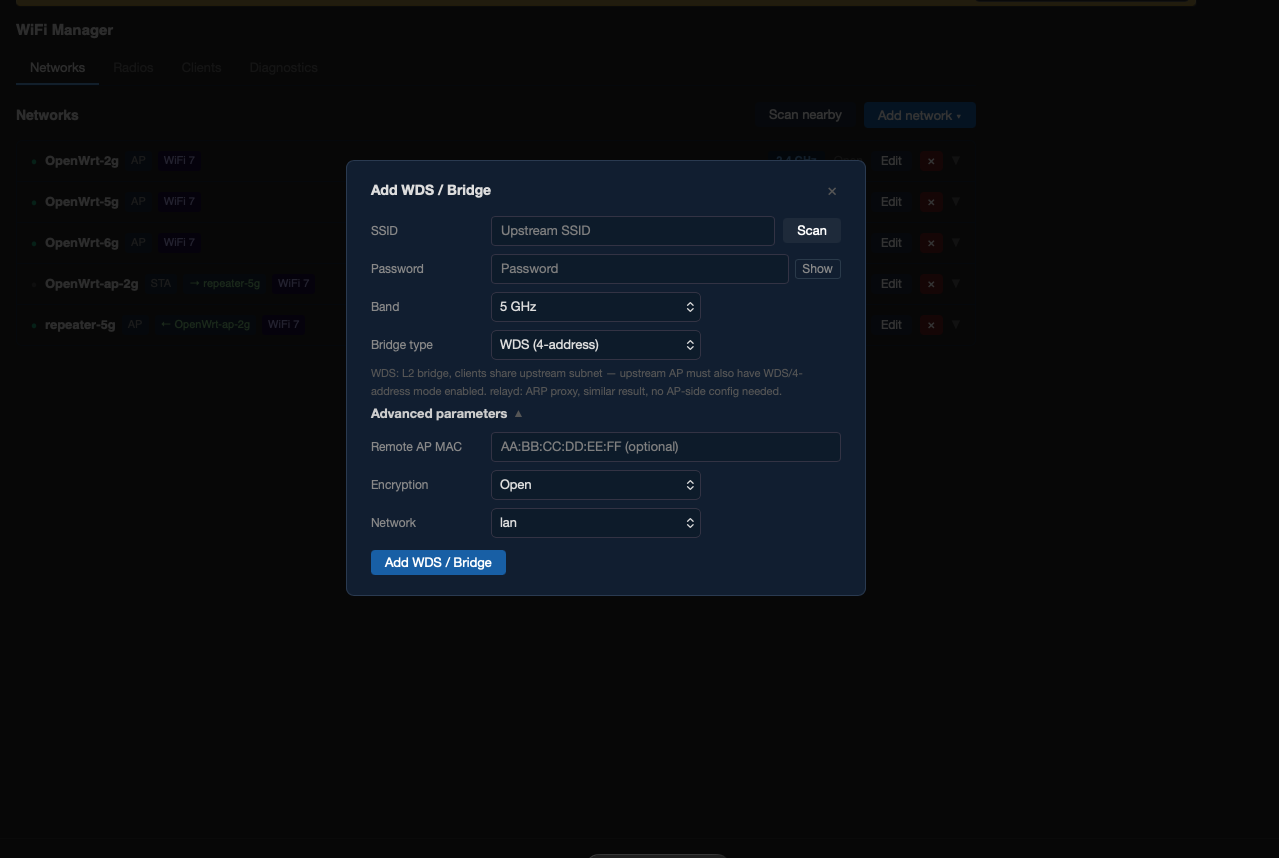
| WDS / Bridge | Sets up a wireless bridge using 4-address WDS mode or L2 relayd ARP proxy. |
| Repeater | Creates an uplink STA connection plus a local AP on a separate radio (L3 NAT). |
| Country | Changes regulatory domain. Requires reboot to apply kernel regulatory database. |
Networks tab
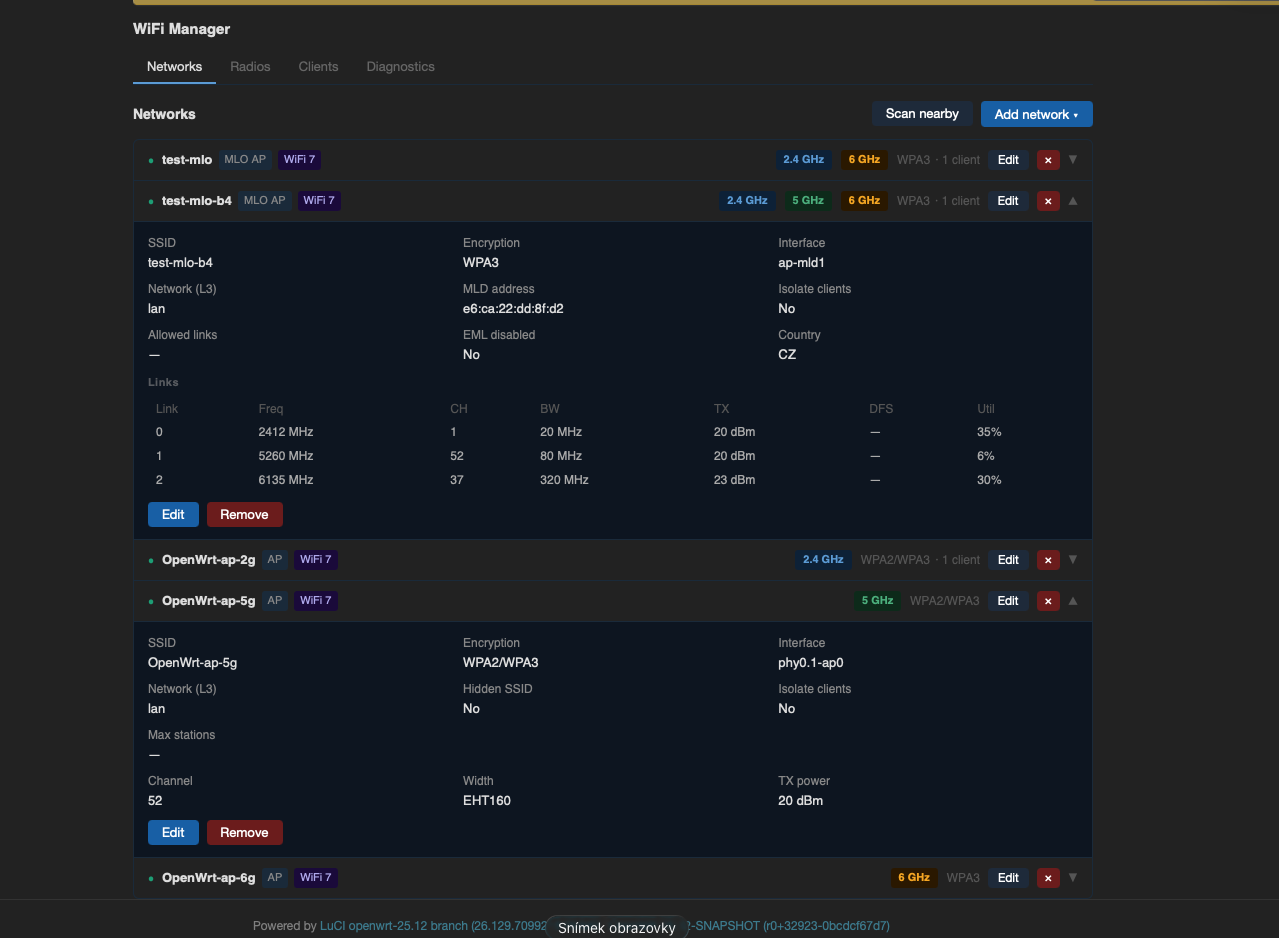
Live list of all configured networks with status indicators, band pills, WiFi generation badge, encryption labels, and client counts. Each row expands to show full configuration. Inline edit and remove with wifi reload.
Radios tab
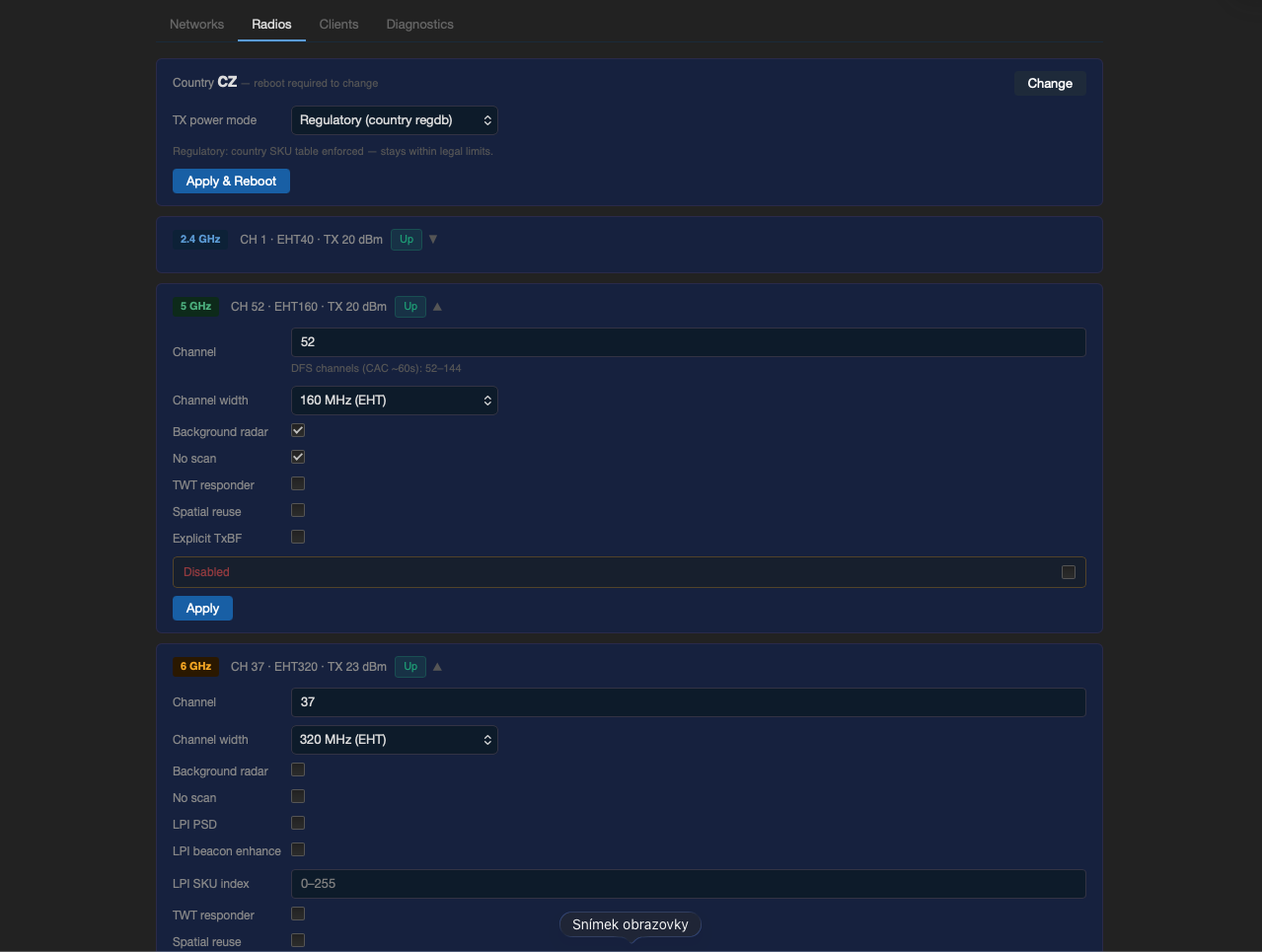
Per-radio configuration (channel, bandwidth, country) and TX power management:
| Mode | Description |
|---|---|
| Regulatory | Country SKU table applied. No manual txpower override. |
| eFuse max | Driver runs at hardware eFuse maximum. Requires reboot. |
| Manual | Per-radio dBm cap. |
Clients tab
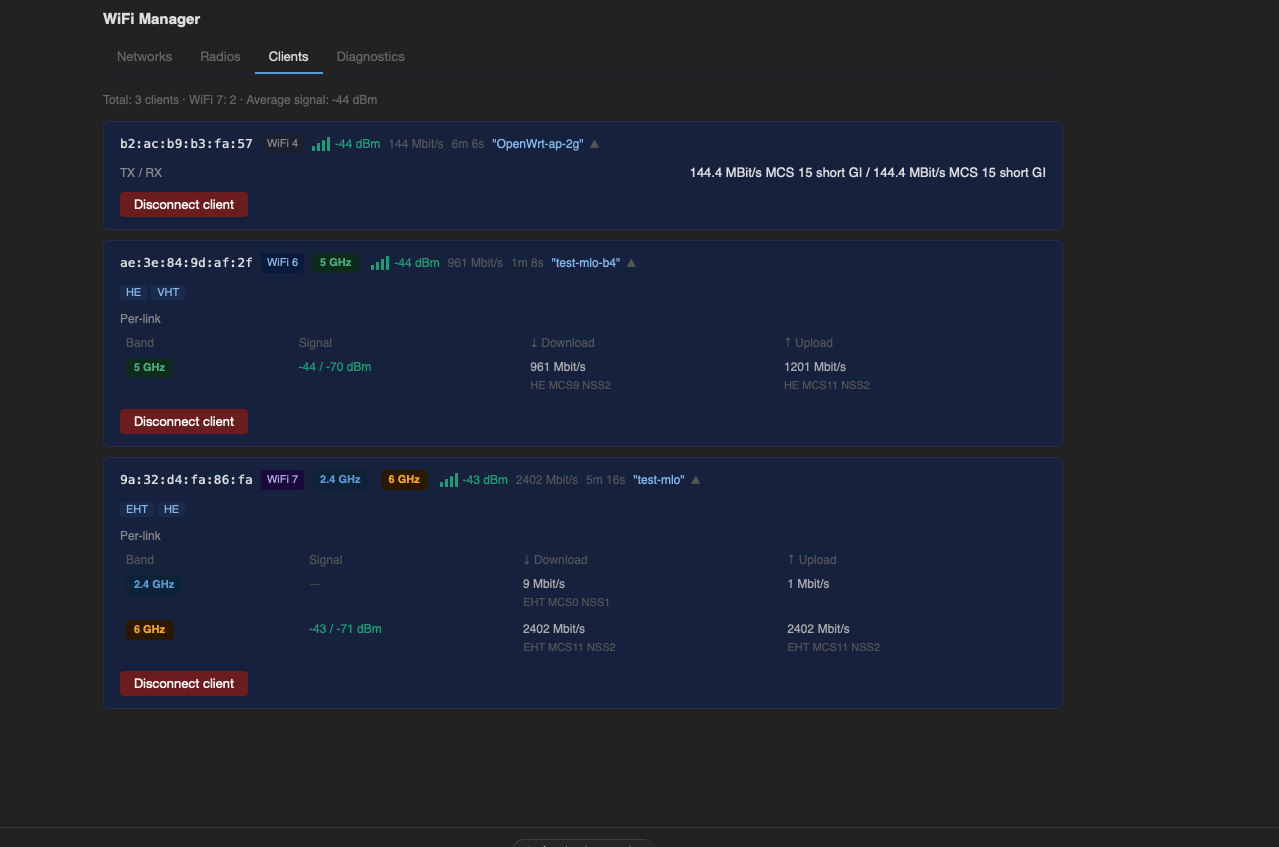
Live client list showing signal (color-coded), WiFi generation badge (WiFi 4/5/6/7), bitrate, and per-link data for MLO clients. Disconnect button.
Diagnostics tab
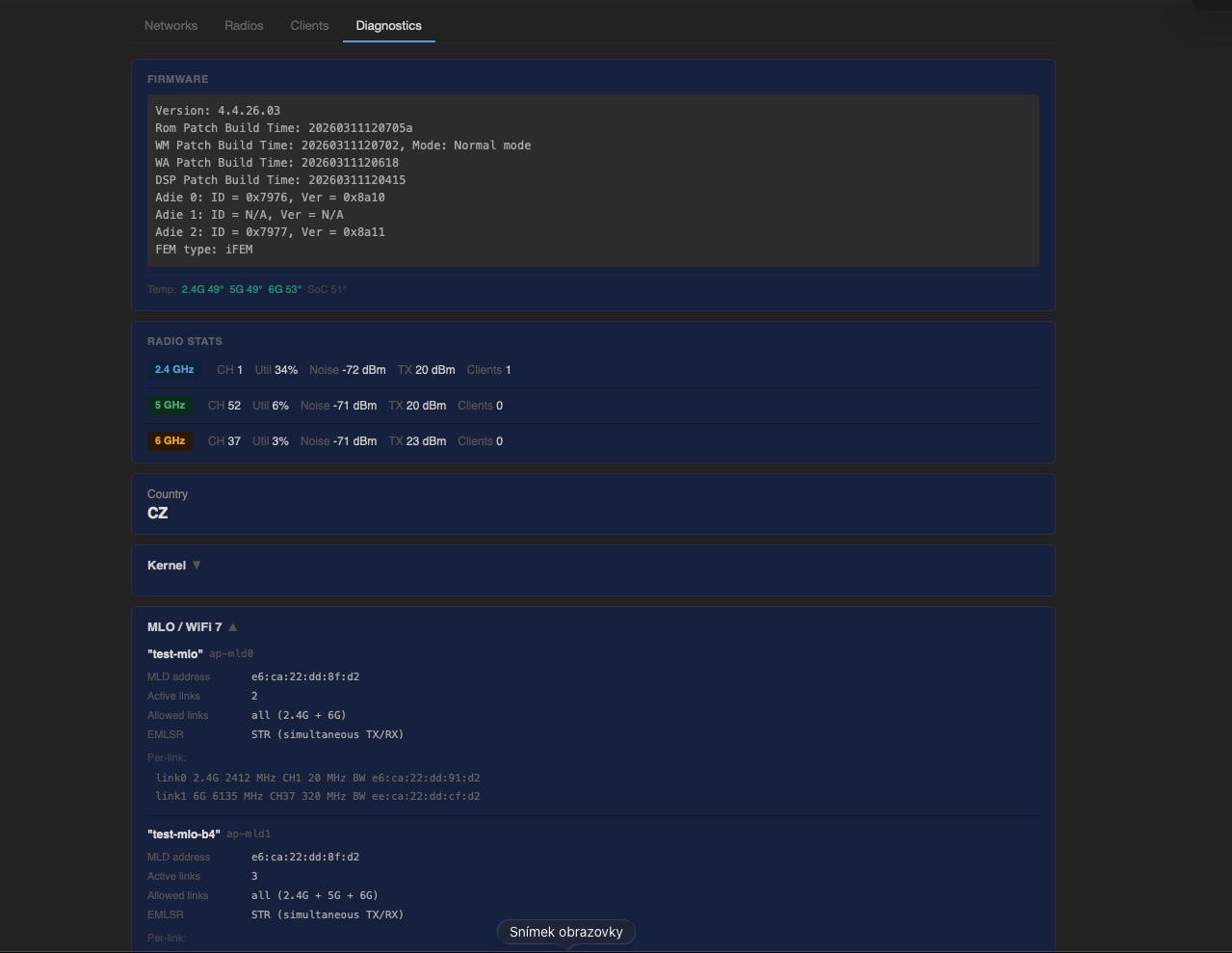
Firmware version, CPU and WiFi chip temperatures, per-radio channel utilization / noise / TX stats, MLO internals (MLD address, active links, EMLSR/STR status), and log download.
Screenshots