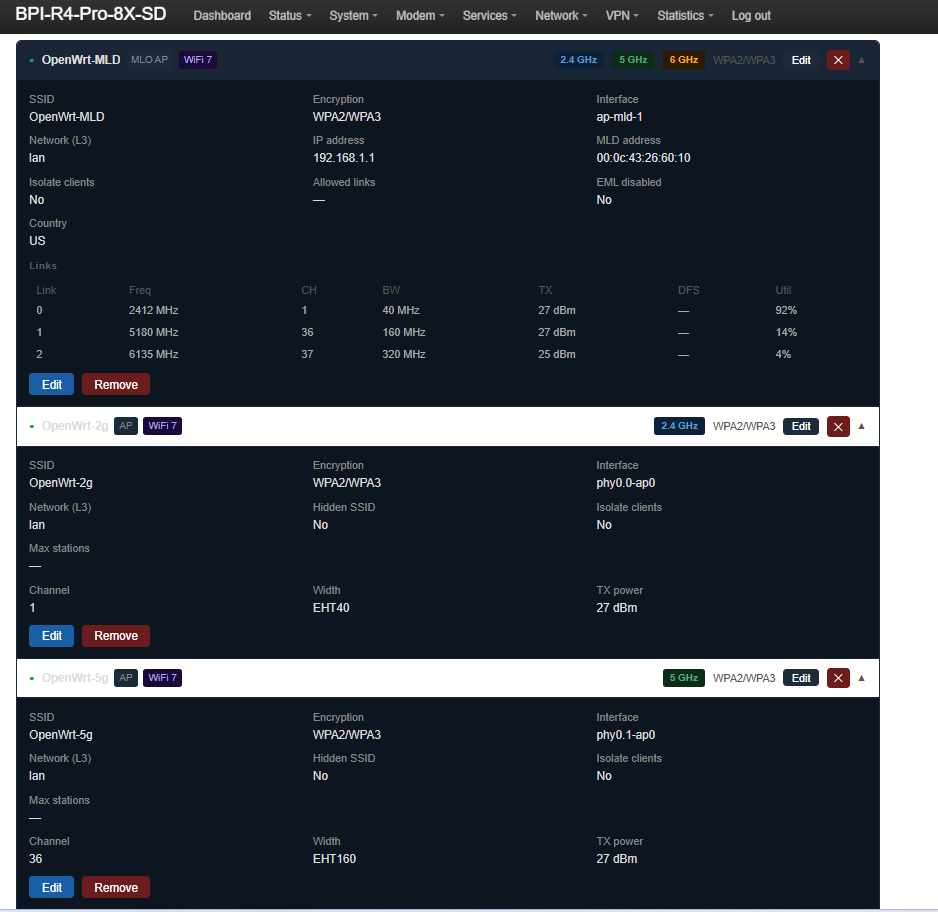
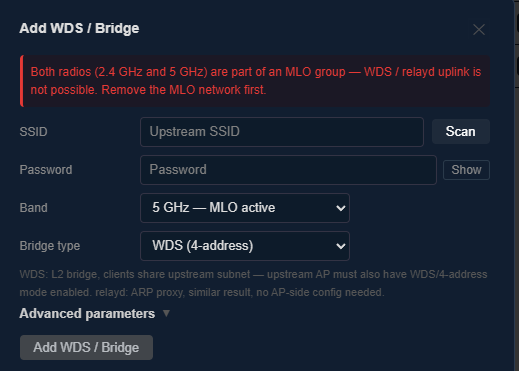
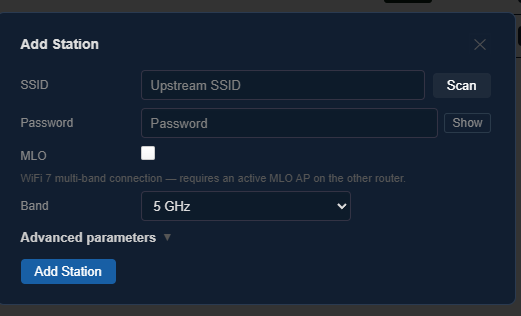
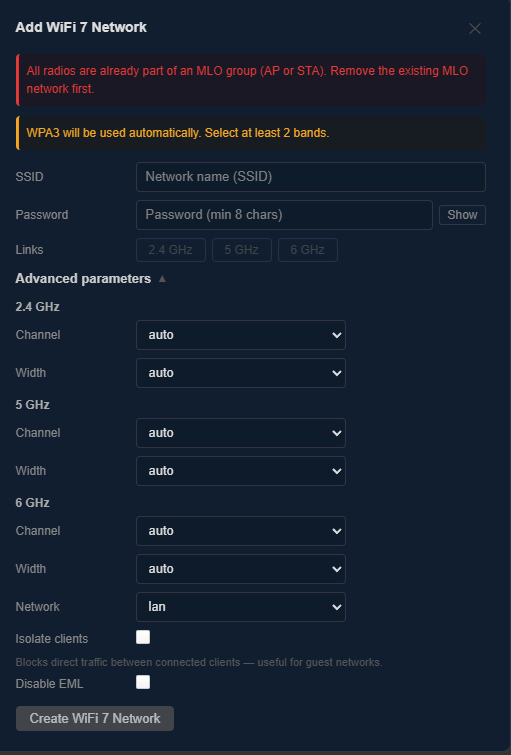
[ BPI-R4 Pro 8X ] — Deploy System with UniFi Protect & Network (first release)

After finishing the deploy system for the standard BPI-R4, here is the same concept brought to the BPI-R4 Pro 8X.

What the deploy system covers:

  • SD card boot — flash a ready-made image, no Linux machine needed
  • NAND system install — fully functional permanent option, no disk required
  • eMMC install — permanent install to internal eMMC
  • NVMe install — full OpenWrt on NVMe SSD with dedicated data partition
  • UniFi Protect — camera management running in Docker on NVMe (G5 Flex tested, remote access working)
  • UniFi Network controller — WiFi AP management (U7 Long-Range WiFi 7 adopted and working)

NAND and eMMC are fully functional permanent options. NVMe is recommended for larger storage — required for the UniFi stack.

Everything runs from a GitHub Actions CI pipeline — no build environment needed. Fork the repo, trigger the workflow, flash the release.

Built on mainline OpenWrt + MediaTek SDK. First public release — hardware tested end to end including powercycle persistence. Feedback welcome.

Full install guide and details:
https://github.com/woziwrt/bpi-r4-deploy

Tested hardware:

  • BPI-R4 Pro 8X
  • NVMe: Patriot P300 512 GB (slot CN14)
  • UniFi G5 Flex camera
  • UniFi U7 Long-Range WiFi 7 AP
3 Likes

Good morning, thank you very much. I’ll try it as soon as I can.

You’re number one!

I’m not home right now,

You’re a genius!

I’ll let you know how it goes.

1 Like

Good morning, thank you for the latest image you’ve taken. I’m testing it right now.

The work you’ve done is spectacular.

dejo el enlace para que la gente se anime ha probar eesta maravila de trabajo

releases

Thank you very much.

Good afternoon, here are a few details about this monster you’ve created.

Latest kernel in a week,

Symmetrical speeds. I’ve included some photos.

Wireless Luci, who would never have been able to do it with all the things she has to do, would never have achieved what you have created

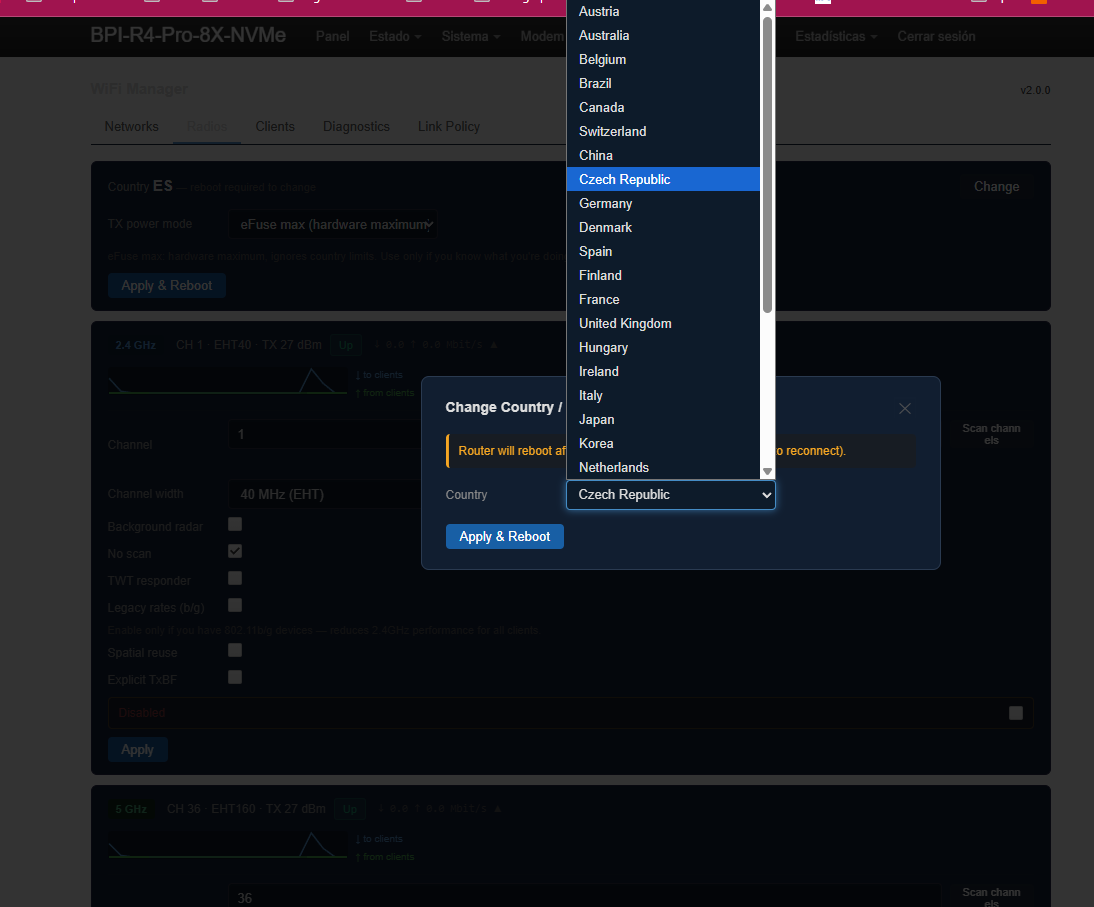
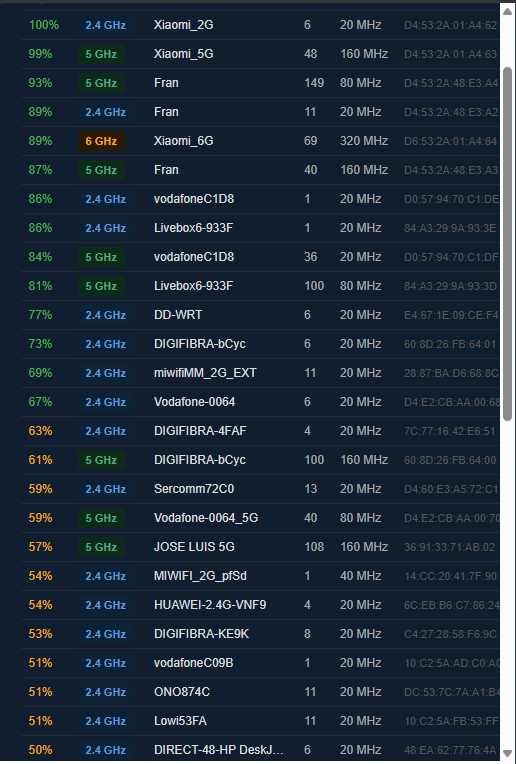
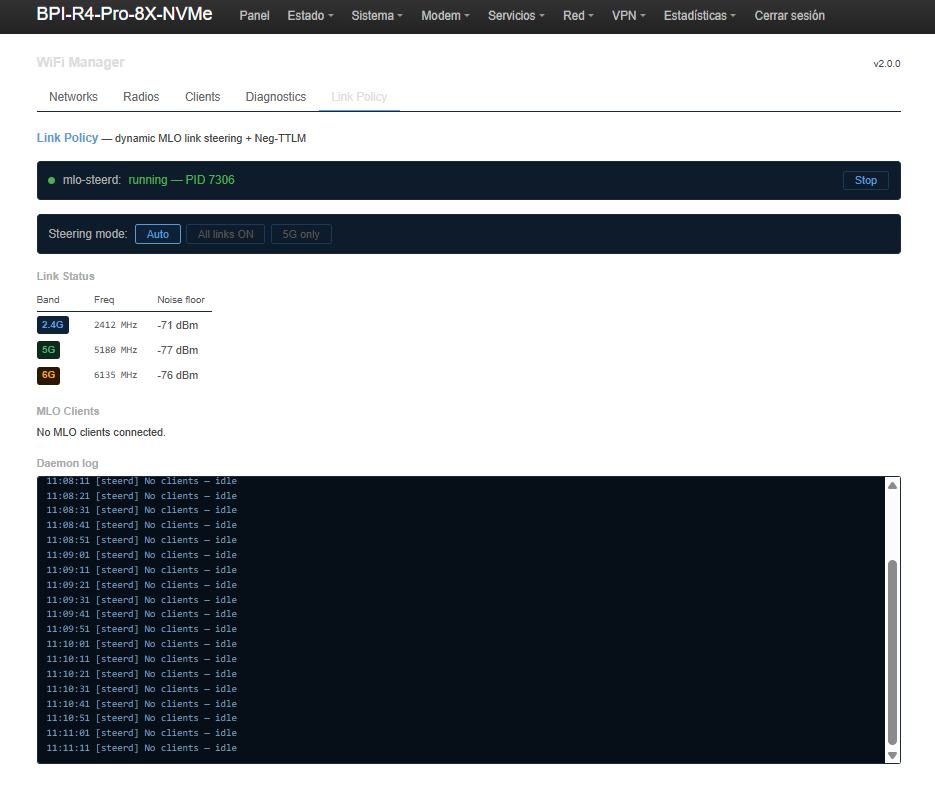
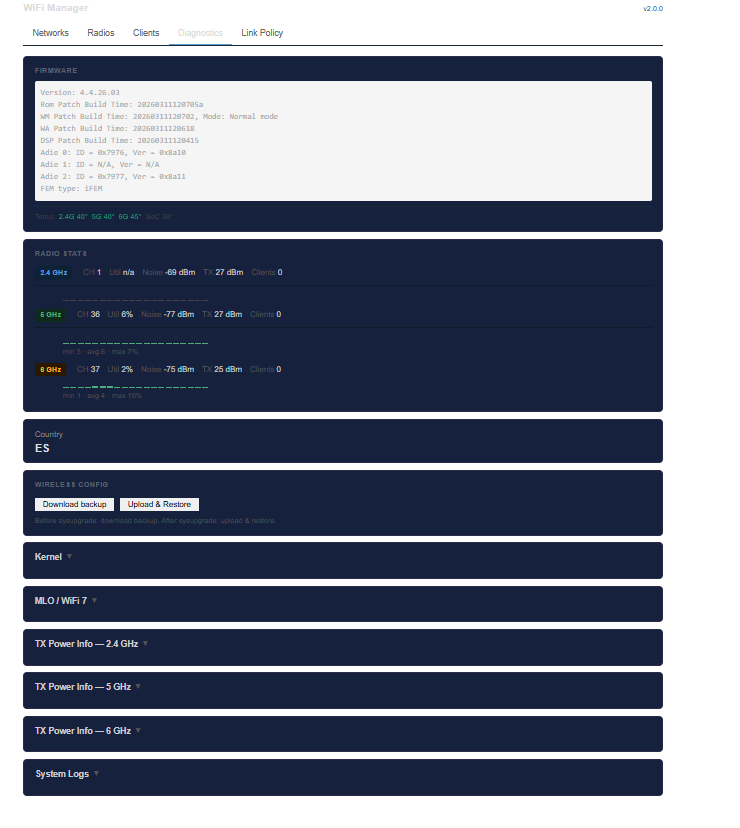
Captura de pantalla 2026-06-18 110923 Captura de pantalla 2026-06-18 110906 Captura de pantalla 2026-06-18 110937

And their piece of junk, a noisy 1st generation Banana Be14000.

Please, let them hire you and show them how to do things right. Before they start manufacturing the much-promised 3rd generation Be14000 and the famous Be19000 cards again, tell them how to manufacture them, since their engineers have proven themselves inadequate for both routers and cards. Before releasing something useless again, they should show you all the documentation, because I’m sure you’ll teach them how to do a good job.

Thanks a lot for everything, Wozi.

Hello, can you provide an SDK corresponding to the kernel version

Buenas tardes @zheng.

lo tienes en el primer hilo de este post

Built on mainline OpenWrt + MediaTek SDK. First public release — hardware tested end to end including powercycle persistence. Feedback welcome.

un saludo

You can find it in header comment in workflow file build-bpi-r4-pro-8x.yml on pro-8x-unifi branch on bpi-r4-deploy git

# Build versions — HW tested 2026-06-16 (NAND + eMMC + NVMe, WiFi OK):
#   OPENWRT_COMMIT: 949487e0900b92a87b5f5bc5db9861ce3480db6a
#   MTK_COMMIT:     3f8797ce3efcf0ed534ae2db21b2c06b405d714b  (HEAD 2026-06-15)
#
# Previous (tested ~2026-05):
#   OPENWRT_COMMIT: 13ff2256e5dd9bc070f9a9c6a673bff4a9191837
#   MTK_COMMIT:     dceb45f8cb945bce16f0e09f8d2cd974c9f0ce58

Hi Wozi,

First, your flowers. Marvelous work, you’ve done what even Gli.Net can’t do with their own products which is bring the latest (Main release) OpenWRT Firmware to a custom, powerful router. I thank you very much for bringing this to us.

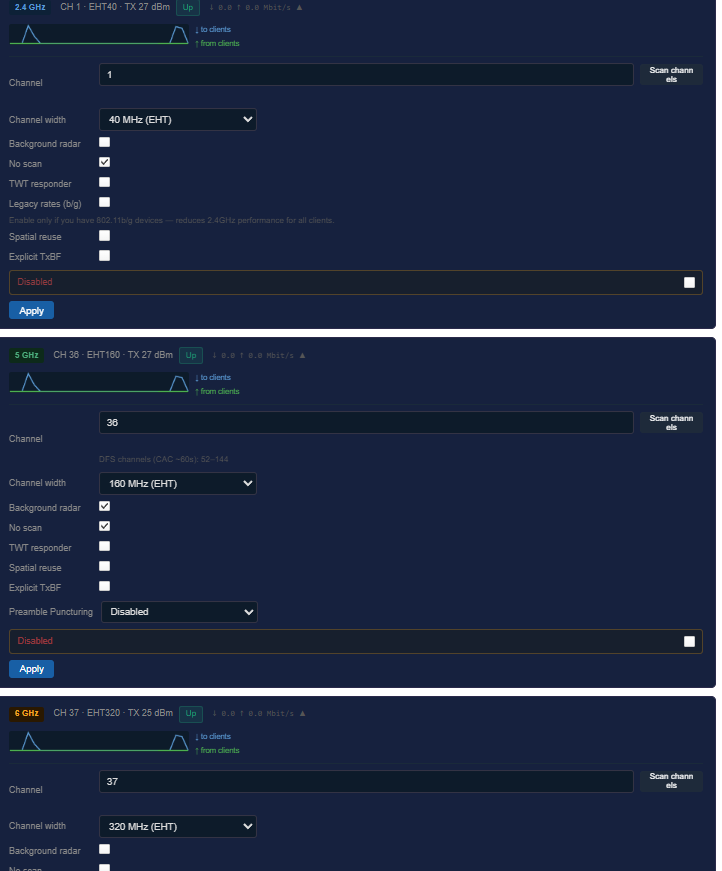
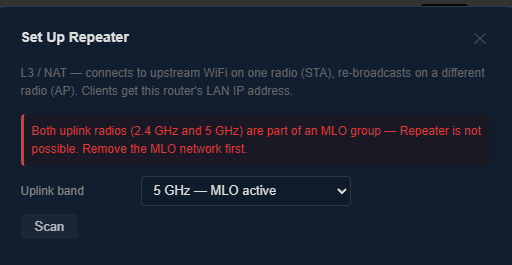
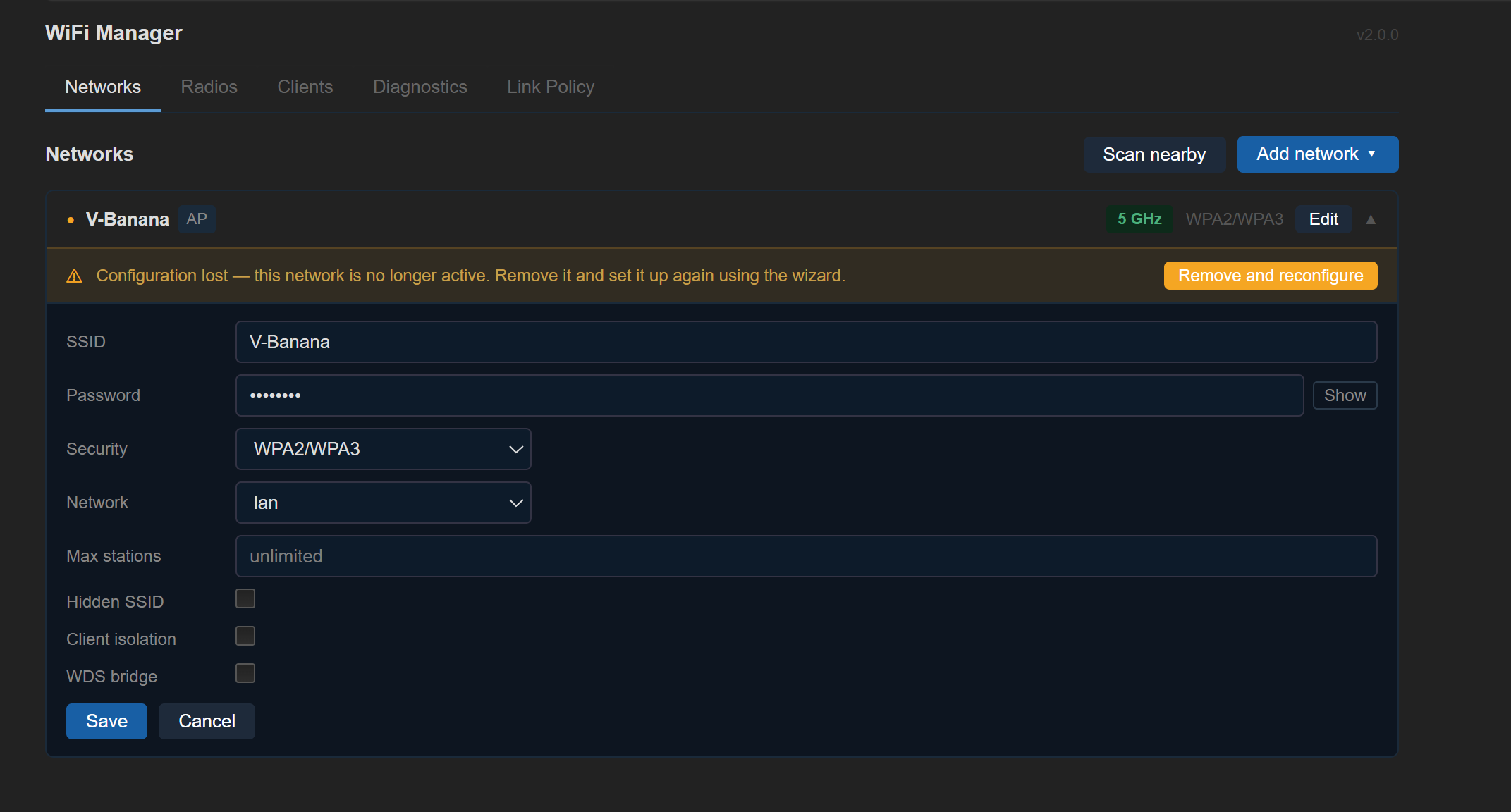
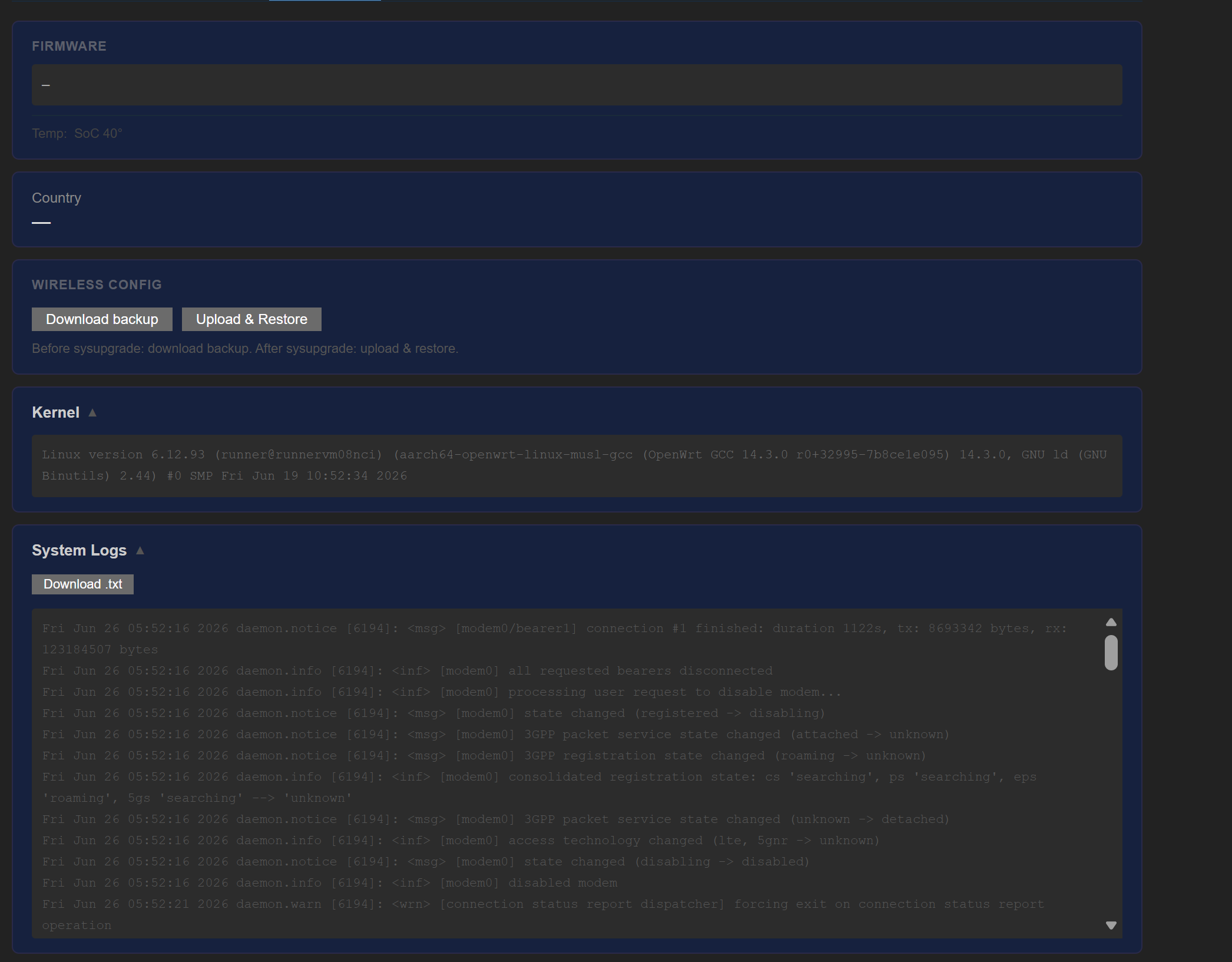
As for my issue I am having, I have the BPI-R4-Pro-8X with the Wi-Fi 7 Module, and I cannot get Wi-Fi to work. I installed your release titled “BPI-R4 Pro 8X standard WiFi (latest)” as that seemed like the only one for my router. Nearly everything else works without an issue, I even got the Cellular Modem working once I installed the luci-proto-modemmanager, something I couldn’t get with the other firmware’s. What do I need to do for the Wi-Fi? Here are screenshots and the wifi manager log:

wifimgr-syslog.txt (112.0 KB)

Thanks for the kind words!

I went through your syslog. If you installed exactly this release:

then this is not a bug in the image/release — I verified Wi-Fi works on a real BPI-R4 Pro 8X with a BE14 Wi-Fi card on this exact build.

The log shows the MT7996 radio never appears on the PCIe bus (PCIe link down, no mt7996 device → no radio; the Wi-Fi-manager error is just a side effect of that). So the card isn’t coming up at the hardware level — almost certainly one of:

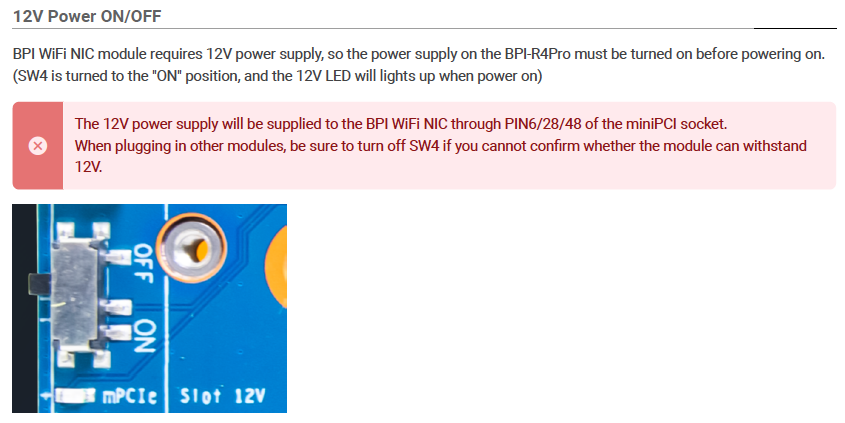
  1. The Wi-Fi card has no power. The BPI Wi-Fi NIC needs a 12V supply, enabled by the on-board SW4 switch — it must be in the ON position (the 12V LED lights up when on). This is by far the most likely cause of exactly this symptom.

Check this first. (see image)

  1. The card is not seated properly in the slot.

  2. The card is damaged.

Flip SW4 to ON, power-cycle, and Wi-Fi should enumerate. If SW4 is already ON and the 12V LED is lit, reseat the card; if it still doesn’t show up, the module itself is suspect

1 Like

Wozi,

Thanks, you were right, Don’t know how I missed this in the getting started instructions. Thank you again, I will look to see about getting the port activity working as on the overview page, all show disconnected and it doesn’t have all the ports on the device listed. It’s been a while since I did any work on stuff like that (Dynalink Router), think it’s just a file edit somewhere, when I get a sec, if I find it, will share here.

Hi,

I’m currently using your BPi-R4 Pro 8X wired build, and I must say I’m really impressed with the performance and stability – thank you for your great work on this project!

I am now at the point where I would like to expand my setup. I am considering recompiling the system in my own build environment to add some custom packages and maintain full control over the build. However, I’ve hit a roadblock with integrating a custom kernel patch.

I need to include an SFP quirk for my ODI DFP-34X-2IY3 and HALNy HL-GSFP modules to force 2.5G speed, as the standard quirks are not sufficient for my specific link. I have a prepared patch file, but I’m struggling to inject it properly into your builder workflow without breaking the dependency management (I encountered issues with missing mtk-feeds-cache during the process).

What is the recommended “best practice” in your opinion for injecting custom patches and adding extra packages while using your builder scripts? Is there a specific directory structure I should follow to ensure the builder auto-applies my patches, or should I take a different approach?

I would appreciate any guidance or tips on how to handle this correctly.

Thanks a lot for everything, Wozi.

Thank you, Xiaomi_ax3600, for your help earlier—you guys are the best!

Best regards, Sebastian

Hi Sebastian,

Thanks a lot for the kind words — really glad the Pro 8X wired build is treating you well!

First: update your builder. Before anything else, grab the latest builder for your variant — builder-pro-8x-wired.sh from the pro-8x-unifi branch. We recently changed how the MTK feed is pulled: the current builder clones the MTK feed at a pinned commit automatically instead of relying on a local repo-cache tarball, which we removed. Your missing mtk-feeds-cache error is almost certainly because you’re on an older builder that still expects that tarball — updating should clear it up on its own, since the feed gets fetched for you.

Injecting your SFP quirk. The builder doesn’t auto-scan a folder — each patch is copied explicitly, and a kernel patch has to land inside the MTK feed overlay, otherwise the feed-copy step overwrites it. Two steps:

  1. Drop your patch in my_files/, e.g. my_files/999-sfp-12-odi-halny-2g5.patch (use a 999- prefix so it applies after the stock quirks).
  2. Add one line to the builder, right next to the existing SFP quirk lines:
\cp -r my_files/999-sfp-12-odi-halny-2g5.patch mtk-openwrt-feeds/25.12/files/target/linux/mediatek/patches-6.12

That’s exactly how the existing SFP quirks are wired (999-sfp-10-additional-quirks.patch, 999-sfp-11-...) — your change is the same kind, so use one of those as a template. OpenWrt then auto-applies everything in patches-6.12/ via quilt during the kernel prepare step.

Key point: copy into mtk-openwrt-feeds/.../files/target/linux/..., not straight into openwrt/target/... — the feed lays its files/ overlay on top of the tree and would clobber a patch placed there directly.

Custom packages. Add them next to the other config lines (echo "CONFIG_PACKAGE_yourpkg=y" >> .config, then ./scripts/feeds install yourpkg). We’re also planning to publish a prebuilt OpenWrt SDK for this target soon — the cleaner route when you only want extra packages, with no full-tree rebuild. I’ll post once it’s up.

One favour, if you’re up for it: Send over your ODI DFP-34X-2IY3 / HALNy HL-GSFP 2.5G quirk once it works. Module quirks like that are useful to others, and I’d happily fold it into the build so it works out of the box for everyone with those modules.

Hope that unblocks you — shout if anything else comes up.

Best, Wozi

I’m including a small screenshot of the main router, a Banana Pi Pro 8X. It distributes data via an active DAC cable to an 8-port 10Gbps switch, which then distributes data to three computers via active DAC cables.

I have a 6GHz Wi-Fi network with VPN plus a 5GHz network which is not using VPN.

It then allocates a single 2.5GB port via VPN to a SZBOX Ryzen 5 6600H Mini PC with Windows 11 Pro, DDR5 M.2 2280 NVME SSD PCIe 4.0, 4K @ 60Hz HD Wi-Fi 6, Bluetooth 5.2, This computer is used as a multimedia center by LibreELEC.

One son has a second Banana Pi Pro 8X in his room, which receives an active DAC cable and has its own VPN. Another son, who is a computer scientist, has another 10GB, 8-port de 10gb switch with OpenWRT and a Xiaomi BE1000 Pro with Docker and his own WireGuard container. With a 32TB NAS, which receives an active DAC cable from the main router, Finally, I’m using an 8GB Banana Pi R4, which also receives an active DAC cable. This is the capture I took 2,000km from my house.

Thanks @WOZI, you’re incredible! You’ve created some amazing images.

Have a great day!

This screenshot is from Nice, France, 1,100km from my house

Hi Wozi,

Thanks a lot for the detailed explanation. Unfortunately, despite following your instructions, I haven’t managed to get it fully working yet. Here is a quick breakdown of where I currently stand:

  • Builder Update: I switched to the latest version of builder-pro-8x-wired.sh from the pro-8x-unifi branch. The error regarding the missing mtk-feeds-cache is indeed gone, so that issue is completely resolved.
  • Injecting the SFP Patch: I followed your method exactly. I dropped my patch into my_files/999-sfp-12-odi-halny-2g5.patch and added the copy line (\cp -r ...) directly into the builder script so that the file lands in the overlay inside mtk-openwrt-feeds/25.12/files/target/linux/....
  • Current Issue: The compilation process finished successfully this time and the system built without any errors. However, the SFP module failed to come up at the expected 2.5G. Interestingly, ethtool shows it negotiating/binding at 10G, but it doesn’t detect any actual link:

Link detected: no

Regarding the custom packages – I am looking forward to the promised OpenWrt SDK! It will definitely speed things up when I only need to add single packages without a full-tree rebuild.

Huge thanks, @wozi! You’re a legend, and the builds you’ve put together are fantastic. Thanks for the support!

Best regards, Sebastian

Hi Sebastian — I don’t have either of those modules on hand (ODI DFP-34X-2IY3 / HALNy HL-GSFP), so treat this as a direction to dig in rather than a finished fix. But the symptom you describe points fairly clearly at one thing.

“ethtool binds at 10G but Link detected: no” is almost always an interface-mode mismatch. The module (or its internal PHY) is running at 2.5G, but the cage/PCS is still configured for 10gbase-r. As long as those two disagree, the link never comes up — which is exactly the “no link” you’re seeing. So the goal isn’t really to force 2.5G speed; it’s to get the port’s interface mode switched to 2500base-x. A quirk that only labels the speed but leaves the PCS on 10gbase-r won’t do it.

And your instinct that 2.5G tends to be trouble is right — it’s genuinely finicky on these ports, because the serdes/comphy has to rate-match to 2500base-x, and not every lane/config on the MT7988 makes that switch cleanly.

What I’d look at first — and it’d help if you posted it:

  1. ethtool -m <sfp-port> — the module EEPROM. Tells us the vendor/part, whether it carries an internal PHY (copper 2.5GBASE-T), and what it advertises.
  2. dmesg | grep -i sfp right after inserting it — which interface mode the driver picked (10gbase-r? 2500base-x? usxgmii?), and whether it detected a PHY.
  3. Whether the PCS actually settles on 2500base-x or stays on 10gbase-r.

One fork in the road: if that module contains a PHY (these copper SFPs usually do), then “force speed” is the wrong layer — you want the PHY to bind and the interface set to 2500base-x/sgmii, not a RollBall-style speed quirk. The EEPROM dump will tell us which case you’re in.

If we had the module in hand, roughly how we’d go at it:

  1. Read the EEPROM (ethtool -m) for the exact vendor/part strings and whether there’s an internal PHY.
  2. Use the existing 2.5G quirks in sfp.c as a template — sfp_quirk_oem_2_5g (OEM SFP-2.5G-T, a copper 2.5G module) or sfp_quirk_2500basex (SFP-2.5G-BX10-D). Mainline already has the machinery to pin a module to 2500base-x; the copper-T one is probably the closer match for these.
  3. Add an SFP_QUIRK for the ODI / HALNy part strings that forces the interface to 2500base-x, not just a speed label.
  4. Confirm the MT7988 serdes/PCS on that SFP lane can actually do 2500base-x — if the lane won’t switch, even a correct quirk won’t bring the link up.
  5. Insert, watch dmesg/ethtool, iterate until the PCS settles on 2500base-x and the link comes up; cross-check against a known-working 2.5G module on the same board if you have one.

Post those three and I’m happy to dig further. But I’d bet the fix is “make the interface 2500base-x,” not “declare 2.5G.”

Hi Wozi,

Thanks for pointing me in the right direction! That makes perfect sense. I dug into the logs for both of my modules: the ODI DFP-34X-2IY3 and the HALNy HL-GSFP.

One crucial context detail first: neither of these are copper modules with standard PHYs. They are fiber GPON ONT sticks. To achieve 2.5G, they strictly require the host PCS to operate in 2500base-x (HSGMII) mode to negotiate with the internal SoC.

Here is what happens with both modules on your stable build (where they successfully link up, but only at 1G).

1. ODI DFP-34X-2IY3 EEPROM (ethtool -m):

Identifier                                : 0x03 (SFP)
Transceiver codes                         : 0x00 0x00 0x00 0x02 0x12 0x00 0x01 0x01 0x00
BR Nominal                                : 1300MBd
Vendor name                               : ODI
Vendor PN                                 : DFP-34X-2IY3

dmesg:

[   60.053405] sfp sfp2: module ODI             DFP-34X-2IY3     rev      sn XPON26050801     dc 260523
[   60.079923] mtk_soc_eth 15100000.ethernet eth1: requesting link mode inband/1000base-x with support 00,00000000,00000200,00006440
[  134.756177] mtk_soc_eth 15100000.ethernet eth1: Link is Up - 1Gbps/Full - flow control off`

2. HALNy HL-GSFP EEPROM (ethtool -m):

Transceiver type                          : Ethernet: 1000BASE-LX
BR Nominal                                : 1200MBd
Vendor name                               : HALNy___________
Vendor PN                                 : HL-GSFP`

dmesg:

[ 1683.362782] sfp sfp2: module HALNy HL-GSFP          rev V1.0 sn HALN1063133d     dc 20200724
[ 1683.371217] sfp sfp2: module HALNy HL-GSFP          rev V1.0 has been found in the quirk list
[ 1683.395387] mtk_soc_eth 15100000.ethernet eth1: requesting link mode inband/1000base-x with support 00,00000000,00000200,00006440
[ 1688.836179] mtk_soc_eth 15100000.ethernet eth1: Link is Up - 1Gbps/Full - flow control off`

Key Takeaways:

  1. As you predicted, the driver is completely bypassing 2500base-x and dropping straight to 1000base-x for both sticks. The EEPROMs on these Chinese GPON sticks often hardcode 1200/1300MBd to ensure basic compatibility, tricking the driver into 1G mode.
  2. Interestingly, the HALNy HL-GSFP module actually hits an existing quirk (has been found in the quirk list). However, whatever that quirk is currently doing, it doesn’t force the interface mode to 2500base-x, as the driver still drops down to 1000base-x immediately after.

It looks like the exact fix is adding an SFP_QUIRK for both vendor/part strings that forces the interface specifically to 2500base-x (like the sfp_quirk_2500basex you mentioned).

Could you point me to the exact C file path in your MTK feed (e.g., inside drivers/net/phy/sfp.c or similar) where these quirks are maintained? I’d love to draft a patch forcing 2500base-x for these modules and test if the MT7988 SerDes switches the lane cleanly.

Thanks again for the incredible support!

Best, Sebastian

Nice detective work — that dmesg output tells the whole story.

The key finding: your HALNy HL-GSFP is already in the quirk table, but only with a fixup (sfp_fixup_halny_gsfp), not a mode quirk. The fixup handles the module’s electrical quirks, but nothing overrides the interface mode — so the driver keeps trusting the EEPROM’s 1200/1300 MBd rating and settles on 1000base-x. That’s exactly why you see “found in the quirk list” yet it still comes up at 1G.

What you want is the sfp_quirk_2500basex mode quirk — it already exists in the tree (the FS GPON-ONU-34-20BI entry uses it). It forces 2500base-x (HSGMII) regardless of what the EEPROM claims.

File: drivers/net/phy/sfp.c — the sfp_quirks[] table (search for SFP_QUIRK(). Three macros:

  • SFP_QUIRK(vendor, part, modes_quirk, fixup) — both
  • SFP_QUIRK_M(vendor, part, modes_quirk) — mode quirk only
  • SFP_QUIRK_F(vendor, part, fixup) — fixup only

For your two modules:

-	SFP_QUIRK_F("HALNy", "HL-GSFP", sfp_fixup_halny_gsfp),
+	SFP_QUIRK("HALNy", "HL-GSFP", sfp_quirk_2500basex, sfp_fixup_halny_gsfp),

+	SFP_QUIRK_M("ODI", "DFP-34X-2IY3", sfp_quirk_2500basex),

(HALNy = upgrade the existing entry from fixup-only to mode+fixup; ODI = a new entry.)

Two things to double-check before it locks:

  1. Exact vendor/part strings. The match is case-sensitive and against the EEPROM’s space-padded fields. Pull them verbatim from ethtool -m <sfp-iface> (Vendor name / Vendor PN) — some ODI modules report a different vendor string than “ODI”. Whatever ethtool -m prints is what has to go in the quirk, character for character.

  2. PCS/MAC side. Forcing 2500base-x on the SFP is only half of it — the cage’s PCS has to actually run 2500base-x/HSGMII on that port. On the Pro 8X SFP cage that’s fine; just confirm dmesg shows the link settling at 2500base-x (not falling back to 1000base-x) after the quirk.

Drop the patch in alongside your other kernel patches (same place as the existing SFP quirk patches in the MTK feed’s patches-6.12/), rebuild, and post the new dmesg | grep -i sfp. If it still won’t come up, paste the full ethtool -m for both modules and we’ll take it from there. :slightly_smiling_face:

1 Like

Hi Wozi,

Following up on the ODI DFP-34X-2IY3 / HALNy HL-GSFP 2.5G quirk — good news and one open issue to report.

The quirk works. Using your sfp_quirk_2500basex machinery as a template, I added:

--- a/drivers/net/phy/sfp.c
+++ b/drivers/net/phy/sfp.c
@@ -570,7 +570,8 @@
        SFP_QUIRK_F("OEM","XGSPONST2001", sfp_fixup_halny_gsfp),
        SFP_QUIRK_F("OEM","XGSPONST2000" , sfp_fixup_halny_gsfp),
-       SFP_QUIRK_F("HALNy", "HL-GSFP", sfp_fixup_halny_gsfp),
+       SFP_QUIRK("HALNy", "HL-GSFP", sfp_quirk_2500basex, sfp_fixup_halny_gsfp),
+       SFP_QUIRK_S("ODI", "DFP-34X-2IY3", sfp_quirk_2500basex),
        SFP_QUIRK_F("H-COM", "SPP425H-GAB4", sfp_fixup_potron),

(Note: your builder tree uses SFP_QUIRK_S for mode-only quirks, not upstream’s SFP_QUIRK_M — worth flagging in case anyone else copies from mainline docs like I initially did.)

With this patch, both modules confirmed Speed: 2500Mb/s, Duplex: Full, Link detected: yes via ethtool, repeatedly, across multiple clean boots. dmesg showed the expected sequence:

mtk_soc_eth ... eth1: requesting link mode inband/2500base-x with support ...
mtk_soc_eth ... eth1: switched to inband/2500base-x link mode

So the fix itself — forcing the interface mode instead of just declaring a speed — was exactly right, confirmed on real hardware with a live GPON signal (both modules fully ranged with the OLT, active laser, ~-25dBm Rx).

The open issue: after a lot of hot-swapping between the two modules during testing (rapid remove/insert cycles, plus one bad unbind on the Aeonsemi driver that left bind returning “No such device”), the port’s Aeonsemi AS21xxx PHY (mdio-bus:1c) ended up in a bad state. Even after full power-cycles (up to 10 min unplugged, module out), it stays there now:

Aeonsemi AS21xxx mdio-bus:1c: IPC sync failure: NOOP 3, sts: 0
Aeonsemi AS21xxx mdio-bus:1c: failed to send ipc msg for 1: -22
Aeonsemi AS21xxx mdio-bus:1c: aeon_ipc_send_cmd fail to polling status failed: -110

and the debugfs SerDes dump (echo sds > .../aeon_dbg_dump) shows everything zeroed out:

SerDes State:
  PCS_STAT1    : 0x0000
  PCS_STAT2    : 0x0000
  PMA_INTR_FLAG: 0x0000
  PMA_INTR_RAW : 0x0000
  USXGMII_MII4 : 0x0000
  USXGMII_MII5 : 0x0000
  USXGMII_STAT : 0x0000

mtk_soc_eth still correctly requests/switches to inband/2500base-x, and the SFP-side state machine (/sys/kernel/debug/sfp2/state) looks completely healthy (Main state: link_up, Signalling rate: 3125 kBd, rx_los: 0), but Link detected stays no and the PCS never syncs. aeon_normal_retrain “succeeds” per the log but doesn’t actually restore it.

So: the quirk is solid and does what it should. What I’m less sure about is whether the AS21xxx driver (mainline since ~May 2025, so still fairly young) has a known issue with IPC parity-bit desync after repeated hotplug, or whether there’s a firmware-level reset command exposed elsewhere (I saw aeon_set_sys_reboot in debugfs but didn’t want to gamble with it without knowing the exact syntax).

Do you know of a clean way to force a full firmware reload on the AS21xxx (something more thorough than driver unbind, which just orphaned the mdio device for me), or is this something worth reporting upstream to Christian Marangi (the AS21xxx driver maintainer)?

Happy to test any suggested fix. Full session logs available if useful.

Thanks again for all the help getting this far — the underlying quirk fix was exactly on target.

Best, Sebastian

If phy is initialized correctly it is more like the eth-mux which is in invalid state as only this changes on sfp insertion/removal. I guess @wozi ported bpi/mtk patches? So using downstream code for as21 phy and ethmux.

Are you able to recover somehow? Sounds like you have now a broken state.

The original as21 code had an issue which does overwriting phy-ids…maybe this is a side effect.

Hi frank-w,

Followed up on this. I don’t see any runtime debugfs/sysfs knob for the mux itself — only the static devicetree description:

/sys/firmware/devicetree/base/soc/ethernet@15100000/mux-bus/ethernet-mux@1/channel@0
/sys/firmware/devicetree/base/soc/ethernet@15100000/mux-bus/ethernet-mux@1/channel@1
/sys/firmware/devicetree/base/soc/ethernet@15100000/mux-bus/ethernet-mux@1/sfp-present-channel

(and a parallel switch@16/ds-mux-bus/ds-mux@0/... structure with the same channel@0/channel@1/sfp-present-channel layout)

No matching entries under /sys/kernel/debug — I checked mtketh/dbg_regs for anything mux-related (nothing came up via grep) and searched debugfs broadly for “mux” (only clock-tree and pinctrl muxes, unrelated to ethernet). So there doesn’t seem to be a userspace-exposed way to inspect or reset the mux’s runtime state — only what’s baked into the DT topology.

Given that, is the mux state something that only lives in kernel memory (no register dump exposed), or is there a specific offset/register I could peek at via devmem/mtketh/dbg_regs raw dump if I know the mux’s base address from the DT? I’m out of my depth on where this particular block’s registers map to — happy to pull dbg_regs in full (unfiltered) if that’s more useful than my grep.

Also, for reference, here’s the full dmesg sequence each time the module gets reinserted, in case the switch-to-channel1 timing tells you something:

mtk_soc_eth 15100000.ethernet eth1: PHY [mdio-bus:1c] driver [Aeonsemi AS21xxx] (irq=POLL)
mtk_soc_eth 15100000.ethernet eth1: configuring for phy/10gbase-r link mode
mtk_soc_eth 15100000.ethernet: ethernet mux: switch to channel1
mtk_soc_eth 15100000.ethernet eth1: configuring for inband/2500base-x link mode
mtk_soc_eth 15100000.ethernet eth1: optical SFP: interfaces=[mac=1-4,22-24,27,29, sfp=22-23]
mtk_soc_eth 15100000.ethernet eth1: requesting link mode inband/2500base-x with support ...
mtk_soc_eth 15100000.ethernet eth1: switched to inband/2500base-x link mode

This sequence hasn’t changed since it started failing — mux switch and mode request both look “normal” on the surface, it’s just the actual link never comes up afterward (SerDes regs stay zeroed).

Thanks for digging into this with us.