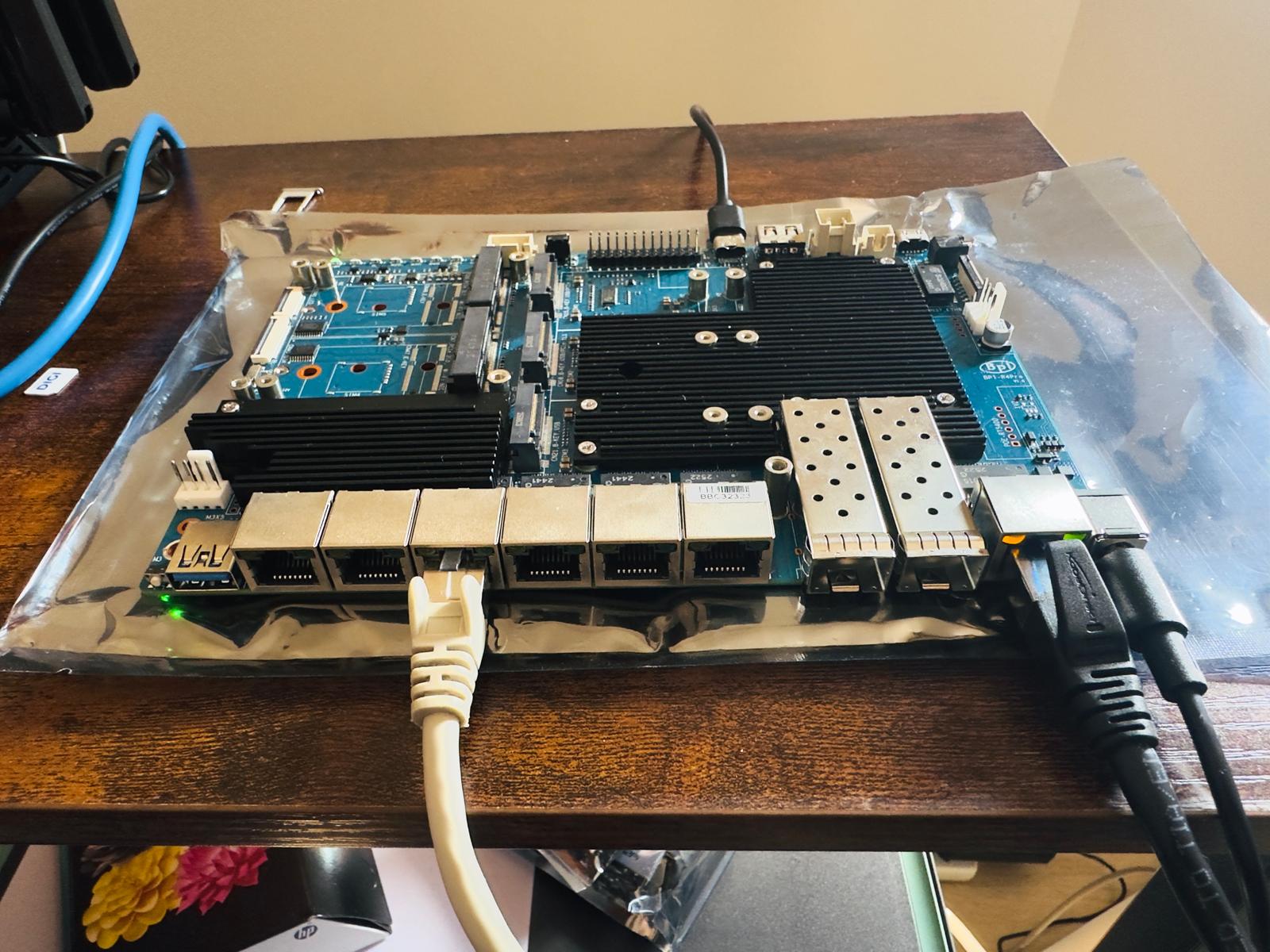
Good evening. You need to post the boot log so we can help you via the console cable. Without the log, we can’t determine the NAND. Post the boot log; it should show your NAND…
I’m only posting a small snippet, but please post the whole thing.
Don’t disassemble anything on your motherboard; just do what I tell you.
F0: 102B 0000
FA: 1042 0000
FA: 1042 0000 [0200]
F9: 0000 0000
V0: 0000 0000 [0001]
00: 0000 0000
BP: 0600 0041 [0000]
G0: 1190 0000
EC: 0000 0000 [1000]
MK: 0000 0000 [0000]
T0: 0000 01A6 [0101]
Jump to BL

NOTICE:  BL2: v2.10.0   (release):OpenWrt v2024.01.17~bacca82a-3 (mt7988-spim-nand-ubi-comb)
NOTICE:  BL2: Built : 03:09:13, Jun 17 2025
NOTICE:  WDT: Cold boot
NOTICE:  WDT: disabled
NOTICE:  CPU: MT7988
NOTICE:  EMI: DDR4 4BG mode
NOTICE:  EMI: Using DDR unknown settings
NOTICE:  EMI: Detected DRAM size: 8192 MB
NOTICE:  EMI: complex R/W mem test passed
NOTICE:  SPI_NAND parses attributes from parameter page.
NOTICE:  SPI_NAND Detected ID 0xef
NOTICE:  Page size 2048, Block size 131072, size 268435456
NOTICE:  UBI: scanning [0x200000 - 0x10000000] ...
NOTICE:  UBI: scanning is finished
NOTICE:  UBI: PEB size: 131072 bytes (128 KiB), LEB size: 126976 bytes
NOTICE:  UBI: VID header offset: 2048 (aligned 2048), data offset: 4096
NOTICE:  UBI: Volume fip (Id #0) size is 2097152 bytes
NOTICE:  BL2: Booting BL31
NOTICE:  BL31: v2.10.0  (release):OpenWrt v2024.01.17~bacca82a-3 (mt7988-spim-nand-ubi-comb)
NOTICE:  BL31: Built : 03:09:13, Jun 17 2025


U-Boot 2024.10-OpenWrt-unknown (Jun 17 2025 - 03:09:13 +0000)

CPU:   MediaTek MT7988
Model: BananaPi BPI-R4 Pro 8X
DRAM:  8 GiB
Core:  65 devices, 23 uclasses, devicetree: embed
spi-nand: spi_nand spi_nand@0: Winbond SPI NAND was found.
spi-nand: spi_nand spi_nand@0: 256 MiB, block size: 128 KiB, page size: 2048, OOB size: 128
MMC:   mmc@11230000: 0
Loading Environment from UBI... Read 126976 bytes from volume ubootenv to 00000000ff7c1c00
Read 126976 bytes from volume ubootenv2 to 00000000ff7e0c40
OK
In:    serial@11000000
Out:   serial@11000000
Err:   serial@11000000
reset button found
Loading Environment from UBI... UBI partition 'ubi' already selected
Read 126976 bytes from volume ubootenv to 00000000ff7c1c00
Read 126976 bytes from volume ubootenv2 to 00000000ff7e0c40
OK
Net:   eth0: ethernet@15100000

        ( ( ( OpenWrt ) ) )  [SPI-NAND]       U-Boot 2024.10-OpenWrt-unknown (Jun 17 2025 - 03:09:13 +0000)

      1. Run default boot command.
      2. Boot system via TFTP.
      3. Boot production system from NAND.
      4. Boot recovery system from NAND.
      5. Load production system via TFTP then write to NAND.
      6. Load recovery system via TFTP then write to NAND.
      7. Load BL31+U-Boot FIP via TFTP then write to NAND.
      8. Load BL2 preloader via TFTP then write to NAND.
      9. Install bootloader, recovery and production to eMMC.
      a. Reboot.
      b. Reset all settings to factory defaults.
      0. Exit


  Press UP/DOWN to move, ENTER to select, ESC to quit
No size specified -> Using max size (112119808)
Read 112119808 bytes from volume fit to 0000000050000000

## Checking Image at 50000000 ...
   FIT image found
   FIT description: ARM64 OpenWrt FIT (Flattened Image Tree)
    Image 0 (kernel-1)
     Description:  ARM64 OpenWrt Linux-6.6.93
     Type:         Kernel Image
     Compression:  gzip compressed
     Data Start:   0x50001000
     Data Size:    6744914 Bytes = 6.4 MiB
     Architecture: AArch64
     OS:           Linux
     Load Address: 0x46000000
     Entry Point:  0x46000000
     Hash algo:    crc32
     Hash value:   4ebcce4e
     Hash algo:    sha1
     Hash value:   665ef363073550af1a9fa57522bfc9642240b1d9
    Image 1 (fdt-1)
     Description:  ARM64 OpenWrt bananapi_bpi-r4-pro-8x device tree blob
     Type:         Flat Device Tree
     Compression:  uncompressed
     Data Start:   0x50670000
     Data Size:    55905 Bytes = 54.6 KiB
     Architecture: AArch64
     Load Address: 0x45f00000
     Hash algo:    crc32
     Hash value:   a00c6d04
     Hash algo:    sha1
     Hash value:   f4976f81369afc5e2c74b0d5ce012355b68c8a97
    Image 2 (fdt-mt7988a-bananapi-bpi-r4-pro-8x-emmc)
     Description:  ARM64 OpenWrt bananapi_bpi-r4-pro-8x device tree overlay mt7988a-bananapi-bpi-r4-pro-8x-emmc
     Type:         Flat Device Tree
     Compression:  uncompressed
     Data Start:   0x5067e000
     Data Size:    1550 Bytes = 1.5 KiB
     Architecture: AArch64
     Hash algo:    crc32
     Hash value:   e8638d80
     Hash algo:    sha1
     Hash value:   76781bd41422ad8542d20e460acd6622104f41a8
    Image 3 (fdt-mt7988a-bananapi-bpi-r4-pro-8x-rtc)
     Description:  ARM64 OpenWrt bananapi_bpi-r4-pro-8x device tree overlay mt7988a-bananapi-bpi-r4-pro-8x-rtc
     Type:         Flat Device Tree
     Compression:  uncompressed
     Data Start:   0x5067f000
     Data Size:    289 Bytes = 289 Bytes
     Architecture: AArch64
     Hash algo:    crc32
     Hash value:   36955f7f
     Hash algo:    sha1
     Hash value:   a89c637026705f22e08d55fbeda1722886773a54
    Image 4 (fdt-mt7988a-bananapi-bpi-r4-pro-8x-sd)
     Description:  ARM64 OpenWrt bananapi_bpi-r4-pro-8x device tree overlay mt7988a-bananapi-bpi-r4-pro-8x-sd
     Type:         Flat Device Tree
     Compression:  uncompressed
     Data Start:   0x50680000
     Data Size:    1478 Bytes = 1.4 KiB
     Architecture: AArch64
     Hash algo:    crc32
     Hash value:   ac595aa5
     Hash algo:    sha1
     Hash value:   acf48be725924d27950e4675109d73dec8fc29e4
    Image 5 (fdt-mt7988a-bananapi-bpi-r4-pro-8x-wifi-mt7996a)
     Description:  ARM64 OpenWrt bananapi_bpi-r4-pro-8x device tree overlay mt7988a-bananapi-bpi-r4-pro-8x-wifi-mt7996a
     Type:         Flat Device Tree
     Compression:  uncompressed
     Data Start:   0x50681000
     Data Size:    2293 Bytes = 2.2 KiB
     Architecture: AArch64
     Hash algo:    crc32
     Hash value:   f8296a49
     Hash algo:    sha1
     Hash value:   fdd1a3f982a546417a726bc3b306ddbba9f6b172
    Image 6 (rootfs-1)
     Description:  ARM64 OpenWrt bananapi_bpi-r4-pro-8x rootfs
     Type:         Filesystem Image
     Compression:  uncompressed
     Data Start:   0x50682000
     Data Size:    105271296 Bytes = 100.4 MiB
     Hash algo:    crc32
     Hash value:   c893bb91
     Hash algo:    sha1
     Hash value:   4cdbf4bd51d4d8df11adad5aa9223be8de384a83
    Default Configuration: 'config-mt7988a-bananapi-bpi-r4-pro-8x'
    Configuration 0 (config-mt7988a-bananapi-bpi-r4-pro-8x)
     Description:  OpenWrt bananapi_bpi-r4-pro-8x
     Kernel:       kernel-1
     FDT:          fdt-1
     Loadables:    rootfs-1
    Configuration 1 (mt7988a-bananapi-bpi-r4-pro-8x-emmc)
     Description:  OpenWrt bananapi_bpi-r4-pro-8x overlay mt7988a-bananapi-bpi-r4-pro-8x-emmc
     Kernel:       unavailable
     FDT:          fdt-mt7988a-bananapi-bpi-r4-pro-8x-emmc
    Configuration 2 (mt7988a-bananapi-bpi-r4-pro-8x-rtc)
     Description:  OpenWrt bananapi_bpi-r4-pro-8x overlay mt7988a-bananapi-bpi-r4-pro-8x-rtc
     Kernel:       unavailable
     FDT:          fdt-mt7988a-bananapi-bpi-r4-pro-8x-rtc
    Configuration 3 (mt7988a-bananapi-bpi-r4-pro-8x-sd)
     Description:  OpenWrt bananapi_bpi-r4-pro-8x overlay mt7988a-bananapi-bpi-r4-pro-8x-sd
     Kernel:       unavailable
     FDT:          fdt-mt7988a-bananapi-bpi-r4-pro-8x-sd
    Configuration 4 (mt7988a-bananapi-bpi-r4-pro-8x-wifi-mt7996a)
     Description:  OpenWrt bananapi_bpi-r4-pro-8x overlay mt7988a-bananapi-bpi-r4-pro-8x-wifi-mt7996a
     Kernel:       unavailable
     FDT:          fdt-mt7988a-bananapi-bpi-r4-pro-8x-wifi-mt7996a
## Checking hash(es) for FIT Image at 50000000 ...
   Hash(es) for Image 0 (kernel-1): crc32+ sha1+
   Hash(es) for Image 1 (fdt-1): crc32+ sha1+
   Hash(es) for Image 2 (fdt-mt7988a-bananapi-bpi-r4-pro-8x-emmc): crc32+ sha1+
   Hash(es) for Image 3 (fdt-mt7988a-bananapi-bpi-r4-pro-8x-rtc): crc32+ sha1+
   Hash(es) for Image 4 (fdt-mt7988a-bananapi-bpi-r4-pro-8x-sd): crc32+ sha1+
   Hash(es) for Image 5 (fdt-mt7988a-bananapi-bpi-r4-pro-8x-wifi-mt7996a): crc32+ sha1+
   Hash(es) for Image 6 (rootfs-1): crc32+ sha1+
## Loading kernel from FIT Image at 50000000 ...
   Using 'config-mt7988a-bananapi-bpi-r4-pro-8x' configuration
   Trying 'kernel-1' kernel subimage
     Description:  ARM64 OpenWrt Linux-6.6.93
     Type:         Kernel Image
     Compression:  gzip compressed
     Data Start:   0x50001000
     Data Size:    6744914 Bytes = 6.4 MiB
     Architecture: AArch64
     OS:           Linux
     Load Address: 0x46000000
     Entry Point:  0x46000000
     Hash algo:    crc32
     Hash value:   4ebcce4e
     Hash algo:    sha1
     Hash value:   665ef363073550af1a9fa57522bfc9642240b1d9
   Verifying Hash Integrity ... crc32+ sha1+ OK
## Loading fdt from FIT Image at 50000000 ...
   Using 'config-mt7988a-bananapi-bpi-r4-pro-8x' configuration
   Trying 'fdt-1' fdt subimage
     Description:  ARM64 OpenWrt bananapi_bpi-r4-pro-8x device tree blob
     Type:         Flat Device Tree
     Compression:  uncompressed
     Data Start:   0x50670000
     Data Size:    55905 Bytes = 54.6 KiB
     Architecture: AArch64
     Load Address: 0x45f00000
     Hash algo:    crc32
     Hash value:   a00c6d04
     Hash algo:    sha1
     Hash value:   f4976f81369afc5e2c74b0d5ce012355b68c8a97
   Verifying Hash Integrity ... crc32+ sha1+ OK
   Loading fdt from 0x50670000 to 0x45f00000
## Loading fdt from FIT Image at 50000000 ...
   Using 'mt7988a-bananapi-bpi-r4-pro-8x-emmc' configuration
   Trying 'fdt-mt7988a-bananapi-bpi-r4-pro-8x-emmc' fdt subimage
     Description:  ARM64 OpenWrt bananapi_bpi-r4-pro-8x device tree overlay mt7988a-bananapi-bpi-r4-pro-8x-emmc
     Type:         Flat Device Tree
     Compression:  uncompressed
     Data Start:   0x5067e000
     Data Size:    1550 Bytes = 1.5 KiB
     Architecture: AArch64
     Hash algo:    crc32
     Hash value:   e8638d80
     Hash algo:    sha1
     Hash value:   76781bd41422ad8542d20e460acd6622104f41a8
   Verifying Hash Integrity ... crc32+ sha1+ OK
## Loading fdt from FIT Image at 50000000 ...
Could not find configuration node
load of <NULL> failed
   Booting using the fdt blob at 0x45f00000
Working FDT set to 45f00000
## Loading loadables from FIT Image at 50000000 ...
   Trying 'rootfs-1' loadables subimage
     Description:  ARM64 OpenWrt bananapi_bpi-r4-pro-8x rootfs
     Type:         Filesystem Image
     Compression:  uncompressed
     Data Start:   0x50682000
     Data Size:    105271296 Bytes = 100.4 MiB
     Hash algo:    crc32
     Hash value:   c893bb91
     Hash algo:    sha1
     Hash value:   4cdbf4bd51d4d8df11adad5aa9223be8de384a83
   Verifying Hash Integrity ... crc32+ sha1+ OK
   Uncompressing Kernel Image to 46000000
   Loading Device Tree to 00000000fe7eb000, end 00000000fe7fad6b ... OK
Working FDT set to fe7eb000
set /chosen/rootdisk to bootrom media: rootdisk-spim-nand (phandle 0x00000066)

Starting kernel ...

[    0.000000] Booting Linux on physical CPU 0x0000000000 [0x411fd090]
[    0.000000] Linux version 6.6.93 (linux@ubuntu2004-devel) (aarch64-openwrt-linux-musl-gcc (OpenWrt GCC 13.3.0 unknown) 13.3.0, GNU ld (GNU Binutils) 2.42) #0 SMP Tue Jun 17 03:09:13 2025
[    0.000000] Machine model: Bananapi BPI-R4-PRO-8X
[    0.000000] OF: reserved mem: 0x0000000042ff0000..0x0000000042ffffff (64 KiB) map non-reusable ramoops@42ff0000
[    0.000000] OF: reserved mem: 0x0000000043000000..0x000000004304ffff (320 KiB) nomap non-reusable secmon@43000000
[    0.000000] OF: reserved mem: 0x0000000047cc0000..0x0000000047dbffff (1024 KiB) nomap non-reusable wmcpu-reserved@47cc0000
[    0.000000] OF: reserved mem: 0x000000004f600000..0x000000004f63ffff (256 KiB) nomap non-reusable wo-emi@4f600000
[    0.000000] OF: reserved mem: 0x000000004f640000..0x000000004f67ffff (256 KiB) nomap non-reusable wo-emi@4f640000
[    0.000000] OF: reserved mem: 0x000000004f680000..0x000000004f6bffff (256 KiB) nomap non-reusable wo-emi@4f680000
[    0.000000] OF: reserved mem: 0x000000004f700000..0x000000004fefffff (8192 KiB) nomap non-reusable wo-data@4f700000
[    0.000000] Zone ranges:
[    0.000000]   DMA      [mem 0x0000000040000000-0x00000000ffffffff]
[    0.000000]   DMA32    empty
[    0.000000]   Normal   [mem 0x0000000100000000-0x000000023fffffff]
[    0.000000] Movable zone start for each node
[    0.000000] Early memory node ranges
[    0.000000]   node   0: [mem 0x0000000040000000-0x0000000042ffffff]
[    0.000000]   node   0: [mem 0x0000000043000000-0x000000004304ffff]
[    0.000000]   node   0: [mem 0x0000000043050000-0x0000000047cbffff]
[    0.000000]   node   0: [mem 0x0000000047cc0000-0x0000000047dbffff]
[    0.000000]   node   0: [mem 0x0000000047dc0000-0x000000004f5fffff]
[    0.000000]   node   0: [mem 0x000000004f600000-0x000000004f6bffff]
[    0.000000]   node   0: [mem 0x000000004f6c0000-0x000000004f6fffff]
[    0.000000]   node   0: [mem 0x000000004f700000-0x000000004fefffff]
[    0.000000]   node   0: [mem 0x000000004ff00000-0x000000023fffffff]
[    0.000000] Initmem setup node 0 [mem 0x0000000040000000-0x000000023fffffff]
[    0.000000] psci: probing for conduit method from DT.
[    0.000000] psci: PSCIv1.1 detected in firmware.
[    0.000000] psci: Using standard PSCI v0.2 function IDs
[    0.000000] psci: MIGRATE_INFO_TYPE not supported.
[    0.000000] psci: SMC Calling Convention v1.4
[    0.000000] percpu: Embedded 28 pages/cpu s74472 r8192 d32024 u114688
[    0.000000] pcpu-alloc: s74472 r8192 d32024 u114688 alloc=28*4096
[    0.000000] pcpu-alloc: [0] 0 [0] 1 [0] 2 [0] 3
[    0.000000] Detected VIPT I-cache on CPU0
[    0.000000] CPU features: detected: GIC system register CPU interface
[    0.000000] CPU features: detected: Spectre-BHB
[    0.000000] CPU features: kernel page table isolation disabled by kernel configuration
[    0.000000] alternatives: applying boot alternatives
[    0.000000] Kernel command line: console=ttyS0,115200n1 pci=pcie_bus_perf root=/dev/fit0 rootwait ubi.block=0,fit
[    0.000000] Dentry cache hash table entries: 1048576 (order: 11, 8388608 bytes, linear)
[    0.000000] Inode-cache hash table entries: 524288 (order: 10, 4194304 bytes, linear)
[    0.000000] Built 1 zonelists, mobility grouping on.  Total pages: 2064384
[    0.000000] mem auto-init: stack:off, heap alloc:off, heap free:off
[    0.000000] software IO TLB: area num 4.
[    0.000000] software IO TLB: mapped [mem 0x00000000fa7eb000-0x00000000fe7eb000] (64MB)
[    0.000000] Memory: 8135448K/8388608K available (9984K kernel code, 1640K rwdata, 3284K rodata, 576K init, 308K bss, 253160K reserved, 0K cma-reserved)
[    0.000000] SLUB: HWalign=64, Order=0-3, MinObjects=0, CPUs=4, Nodes=1
Furthermore, you must always use these types of gloves for static electricity protection, as you can damage the board without them. You must always use them from the moment you remove the board until you install it and close the box, or every time you are going to do anything to the board.
static electricity protectio
Show me your complete log so I can help you and tell you where the problem is.