Ok, so I tested the merged .img that I made - It’s booting and it’s returning several errors etc… Attached is the bootlog.
bootlog.txt (32.5 KB)
Ok, so I tested the merged .img that I made - It’s booting and it’s returning several errors etc… Attached is the bootlog.
bootlog.txt (32.5 KB)
looks good so far, the hang (waiting for key press to show console) is normal behaviour
Hopefully fixed the file-not found completely…also changed dts to 4e as i noticed that andrew added this too.
i have added 4e dts changes i’ve got from @wteiken modified a bit for openwrt (had to change base-dtsi and 8x a bit too), i hope all went fine 
would be great if you can test it…switch between wan-phy and wan-sfp is done with overlays…you can use bootconf_extra for this, but do not plain override it to avoid pcie errors due to unset gpio-hog
in uboot you can set it like this:
setenv bootconf_extra "$bootconf_extra#mt7988a-bananapi-bpi-r4-pro-4e-wan-2g5" or using sfp instead of 2g5
i’m not sure if fw_setenv from openwrt userspace can deal with variable-expansion ($bootconf_extra)
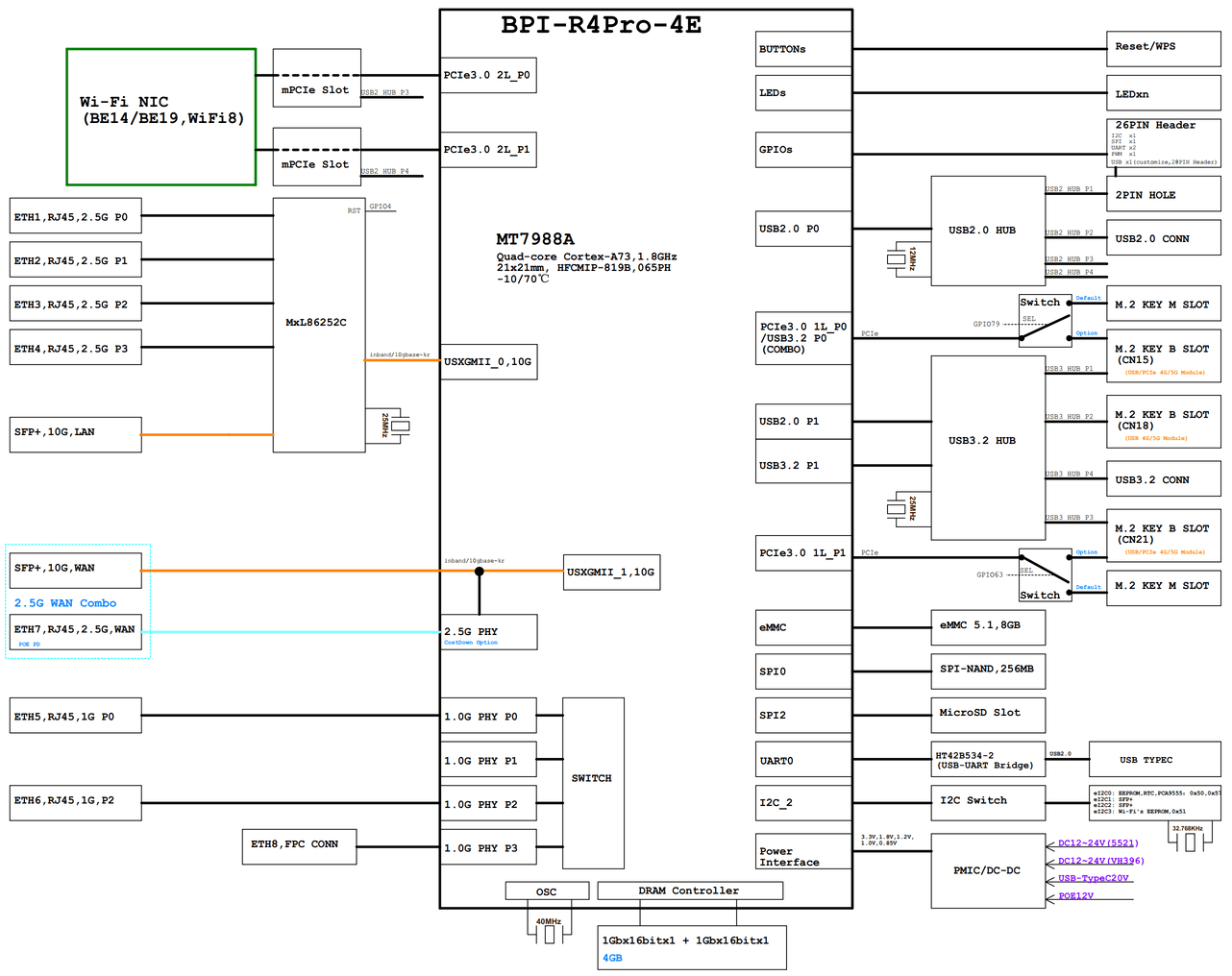
Btw.does 4e varian have additional 2.5g port from mxl switch as it looks like in schematic? So internal 1g port (lan5) is the 6th port and sfp should be lan7?
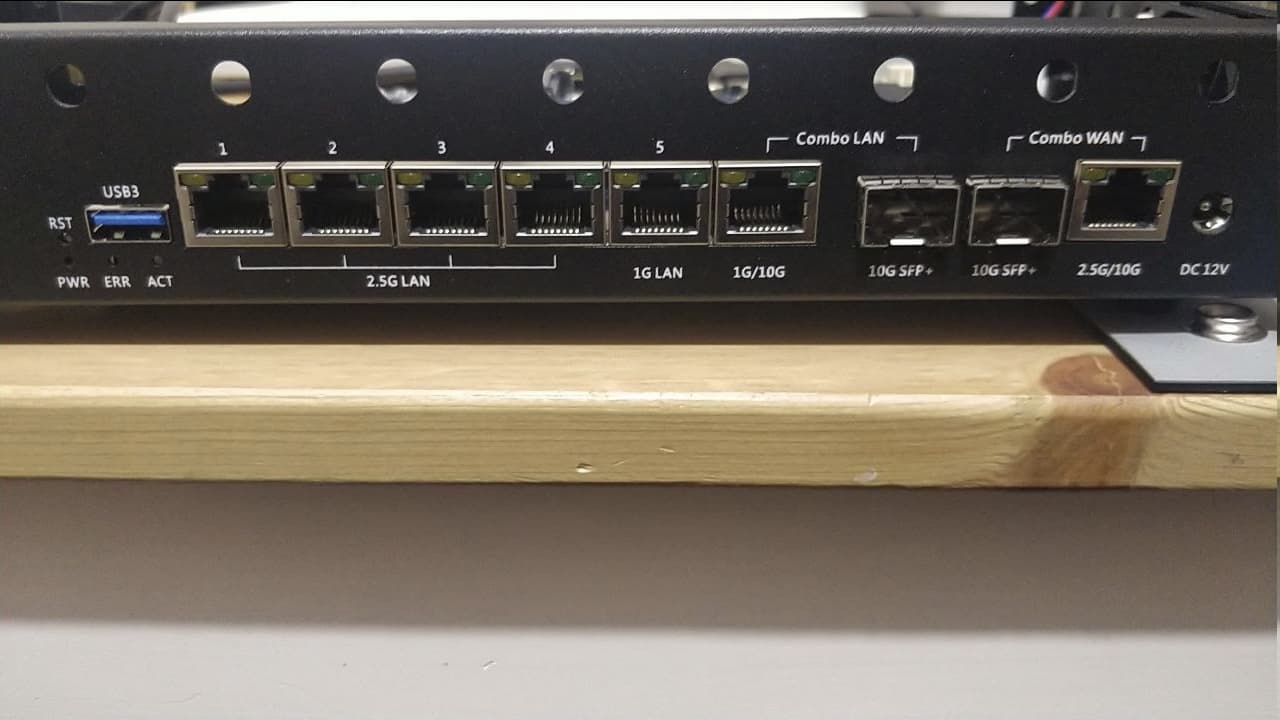
This is the front. There is Eth5 at 1Gbit, Eth6 at 1Gbit (not shared with SFP1), and one Eth7 at 2.5Gb shared with SFP2.
Mhm, Strange that schematic and bpi code references a 5th 2.5g port from mxl switch and a second 1g port. Imho lan has no combo on 4e…i guess this is the 5th 2g5 port and works simultanously to lan-sfp,but is is labeled 1G,so could be the second 1g port
This dts references all 4 gsw phys,but delete port@1 from internal switch
Have you tested my codebase above?
Not sure what schematics you referring to, but the original one shows exactly 5 2.5Gbit ports as described above.
I’m rebuilding your codebase with ds-lite included, checking if everything works nicely.
My schematic says this like i copied to my wiki
https://wiki.fw-web.de/doku.php?id=en:bpi-r4pro:start
Seems my last schematics looks same like yours…strange…not sure where i had this block schematic from…maybe from forum here. Then i guess the lan-combo port is the second 1g port which is not yet enabled in my code yet.Waiting for your test.
Edit: found where i had it…it was block schematic from first announcement
Ok, yes image is booting correctly. Booting from eMMC, lan1 is appearing consistently so there is no race condition between boot and lan chipset initialization. Ports 1-5 are working. As you said, 6th is not. Also the eth wan port is not blinking at all (which is ok for me as long as the SFP2 works) but it should switch automatically between the two.
For wan-combo use the overlays as i described above,afaik no automatic switch between sfp and phy (4e seems not having the ethmux and gpio to switch)…
Official openwrt (bpi) also uses overlays for it which seems to confirm,that there is no ethmux like on 8x variant.
the 6th port is imho p2 from internal switch which only needs to be enabled in dts including its phy and leds
As you write you boot from emmc,sdcard and nand is also working? You had to use it to install emmc.that would be a proof for install too
Edit:noticed that port was already enabled,but it was also named lan5 so maybe this breaks,led is extra thing,but should also work if prbe works now…have to look deeper,but with latest state you should see a lan7 and try to set ipaddr to it for testing in console (i guess lucy needs additional config in the network script)
Please add full bootlog including “ip a” for next test
I guess we need to swap lan6+lan7 as lan7 should be the sfp and lan6 the 1g port - did this now
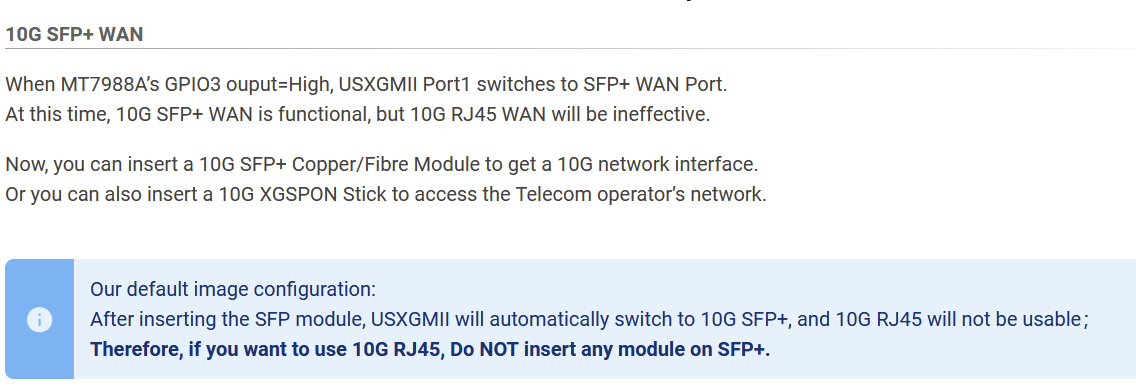
Regarding the auto-switch, the documentation actually defines an automatic switching mechanism for the 10Gb Wan
For port lan6-7 you are right, but I suggest to have lan7 called lansfp for an easier understanding.Today I will post you a final bootlog.
Unfortunately, I need the device in my network setup, and now that it is usable I won’t be able to debug on it anymore (I only have one device  ). Thanks for your great help in making it work.
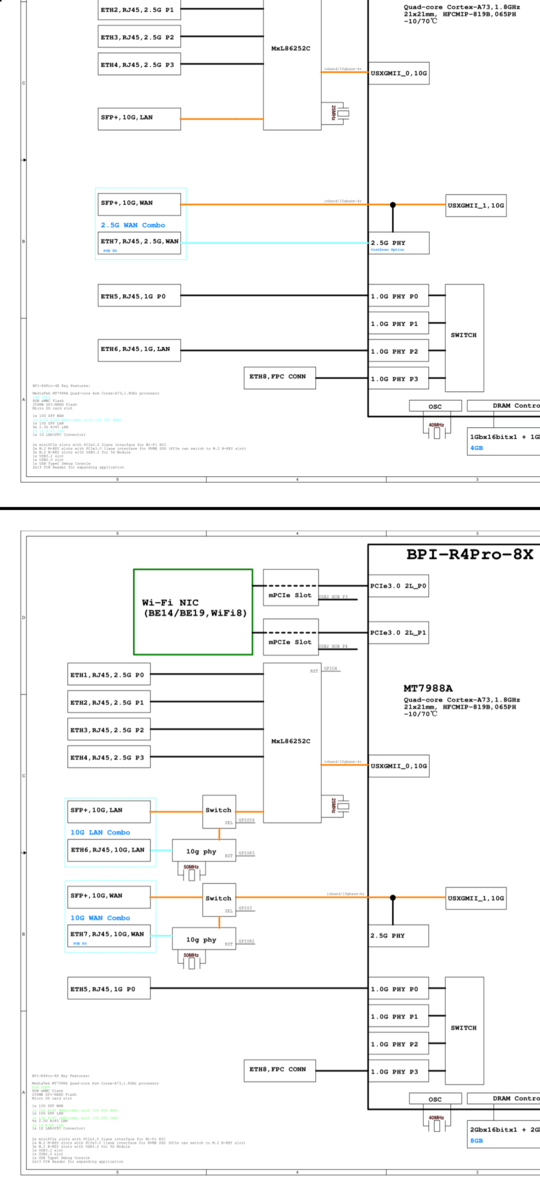
This is how it works on 8x with ethmux (using moddef0 gpio from sfp to switch the additional ethmux switch via additional gpio). On 4E i did not see this ethmux and the gpio for switching. Bpi-sdk also uses overlays instead of ethmux (they use for 8x) for the 4E variant.
As you see here 8x has 2 ethmux with gpio,the 4e (top) does not
For naming we should follow some guidlines for upstreaming…not sure lansfp matches these
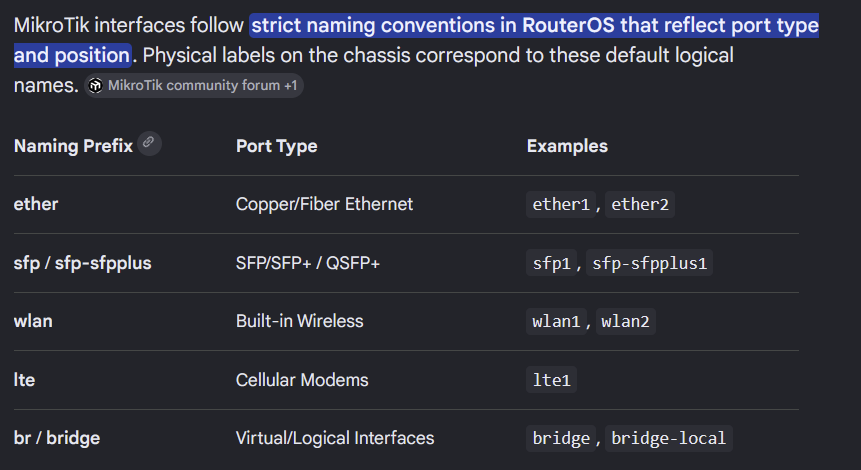
Ah ok, maybe the switching is an exclusive feature for 8X. For the naming, yes lansfp may not be cute but you got the point. According to network standards, port naming should quickly reflect at least port type and position. For example Mikrotik uses the following:
Cisco and Fortinet follow the same principle and sometime are even stricter.Ok,maybe sfp-lan is a way to go…afaik openwrt has some similar names
Made a change to not include 4e overlays for 8x image/itb
openwrt for the old r4 uses: br-lan, eth0, lan1, lan2, lan3, phy0.0-ap0, phy0.1-ap0, phy0.2-ap0 and sfp-lan, sfp-wan, wan. so i guess this is some kind of standard
Have you done it yet? Have you tried recent code where the lan-sfp is renamed? Install also works too (including nand and emmc bootup)?
Hi, sorry I’m actually investigating another big problem. Apparently, during boots and during other operations (for example when re-establishing a sfp-wan link with an ONT) the BPI4 hangs badly (no LAN established, no response on SSH) with the error led lit. This hang disappears instantly if I plug a usb-c cable with some power on it in the usb-c serial debug port. Funny part is that it doesn’t have to be an external source of power, for example the USB 2.0 socket next to the USB-C serial port (on the BPI4) is enough. It’s not an easy problem to debug because it NEVER happens when the console cable is plugged.
Sounds like a power issue,can you try different powersupply?
Definitely NOT a power issue.