BPI R4 PRO 10G RJ45 WAN/LAN link @1Gb flapping problem

I have an issue with both 10G RJ45 WAN & 10G RJ45 LAN ports, when connected to a 1G partner.

The link functions correctly under high rx achieving ~995Mbit/s using iperf3 (both udp and tcp), but in the other direction with tx > ~100Mbit/s, the interface goes down, 100% reproducible.

I’ve tested this with both a dell precision 7680 laptop (Intel i219LM) & cisco EPC3940L cable modem. the BPI R4 PRO is running the image it came with:

BUILD_ID="unknown"
OPENWRT_RELEASE="OpenWrt 24.10-SNAPSHOT unknown"
OPENWRT_BUILD_DATE="1750129753"

The issue does not reproduce with the 2.5G lan port or 1G lan port (which i’ve now repurposed for uplink), so i think the ethernet cables i tested with can be ruled out as cause.

Logs:

Dec 24 00:38:57 10.222.1.2 netifd: Network device 'eth1' link is up
Dec 24 00:38:57 10.222.1.2 kernel: [256130.672313] mtk_soc_eth 15100000.ethernet eth1: Link is Up - 1Gbps/Full - flow control rx/tx
...
Dec 24 00:40:36 10.222.1.2 kernel: [256229.115052] mtk_soc_eth 15100000.ethernet eth1: Link is Down
Dec 24 00:40:36 10.222.1.2 netifd: Network device 'eth1' link is down
Dec 24 04:30:51 10.222.1.2 kernel: [270044.316592] mxl862xx mdio-bus:10 mxl_lan5: Link is Up - 1Gbps/Full - flow control rx/tx
Dec 24 04:30:51 10.222.1.2 kernel: [270044.316612] br-lan: port 6(mxl_lan5) entered blocking state
Dec 24 04:30:51 10.222.1.2 kernel: [270044.330348] br-lan: port 6(mxl_lan5) entered forwarding state
...
Dec 24 04:44:24 10.222.1.2 netifd: Network device 'mxl_lan5' link is down
Dec 24 04:44:24 10.222.1.2 kernel: [270857.132131] mxl862xx mdio-bus:10 mxl_lan5: Link is Down
Dec 24 04:44:24 10.222.1.2 kernel: [270857.138601] br-lan: port 6(mxl_lan5) entered disabled state

Is this a known issue?

Any workarounds or next troubleshooting steps that can be recommended?

1 Like

I am not sure if this is helpful; I also observed link flapping with the BPi-R4 (non-pro), however unlike your issue this was only observed at peak loads, >=1Gbps RX from WAN to LAN. This is reproducible, but not with synthetic loads such as iperf.

Dec 15 18:39:30 bpi kernel: mtk_soc_eth 15100000.ethernet end0: Link is Down
Dec 15 18:39:30 bpi kernel: mtk_soc_eth 15100000.ethernet: warm reset failed
Dec 15 18:39:30 bpi kernel: mtk_soc_eth 15100000.ethernet end0: configuring for fixed/internal link mode
Dec 15 18:39:30 bpi kernel: mtk_soc_eth 15100000.ethernet end0: Link is Up - 10Gbps/Full - flow control rx/tx
Dec 15 18:40:20 bpi kernel: mtk_soc_eth 15100000.ethernet end0: Link is Down
Dec 15 18:40:20 bpi kernel: mtk_soc_eth 15100000.ethernet: warm reset failed
Dec 15 18:40:20 bpi kernel: mtk_soc_eth 15100000.ethernet end0: configuring for fixed/internal link mode
Dec 15 18:40:20 bpi kernel: mtk_soc_eth 15100000.ethernet end0: Link is Up - 10Gbps/Full - flow control rx/tx
Dec 15 18:40:45 bpi kernel: mtk_soc_eth 15100000.ethernet end0: Link is Down
Dec 15 18:40:45 bpi kernel: mtk_soc_eth 15100000.ethernet: warm reset failed
Dec 15 18:40:45 bpi kernel: mtk_soc_eth 15100000.ethernet end0: configuring for fixed/internal link mode
Dec 15 18:40:45 bpi kernel: mtk_soc_eth 15100000.ethernet end0: Link is Up - 10Gbps/Full - flow control rx/tx

This was with Frank-W’s kernel ontop of my own custom NixOS install: Linux bpi 6.12.61-bpi-r4 #1-NixOS SMP Tue Jan 1 00:00:00 UTC 1980 aarch64 GNU/Linux

I observed this for the first time with 6.12.61, and I have been using this router in production for over a year before that without issue.

What kernel version does OpenWrt 24.10 have?

What kernel version does OpenWrt 24.10 have?

Linux x 6.6.93 #0 SMP Tue Jun 17 03:09:13 2025 aarch64 GNU/Linux

Have you tested if this happens also if only one interface involved (no routing) or with ppe disabled?

my initial test above was with no routing, to narrow down the issue. iperf3 running on the BPI R4 directly.

is the PPE relevant in that case?

No ppe is for routing acceleration. I ask because in the other thread there is routed traffic, no issue on direct traffic to R4…so a bit different.

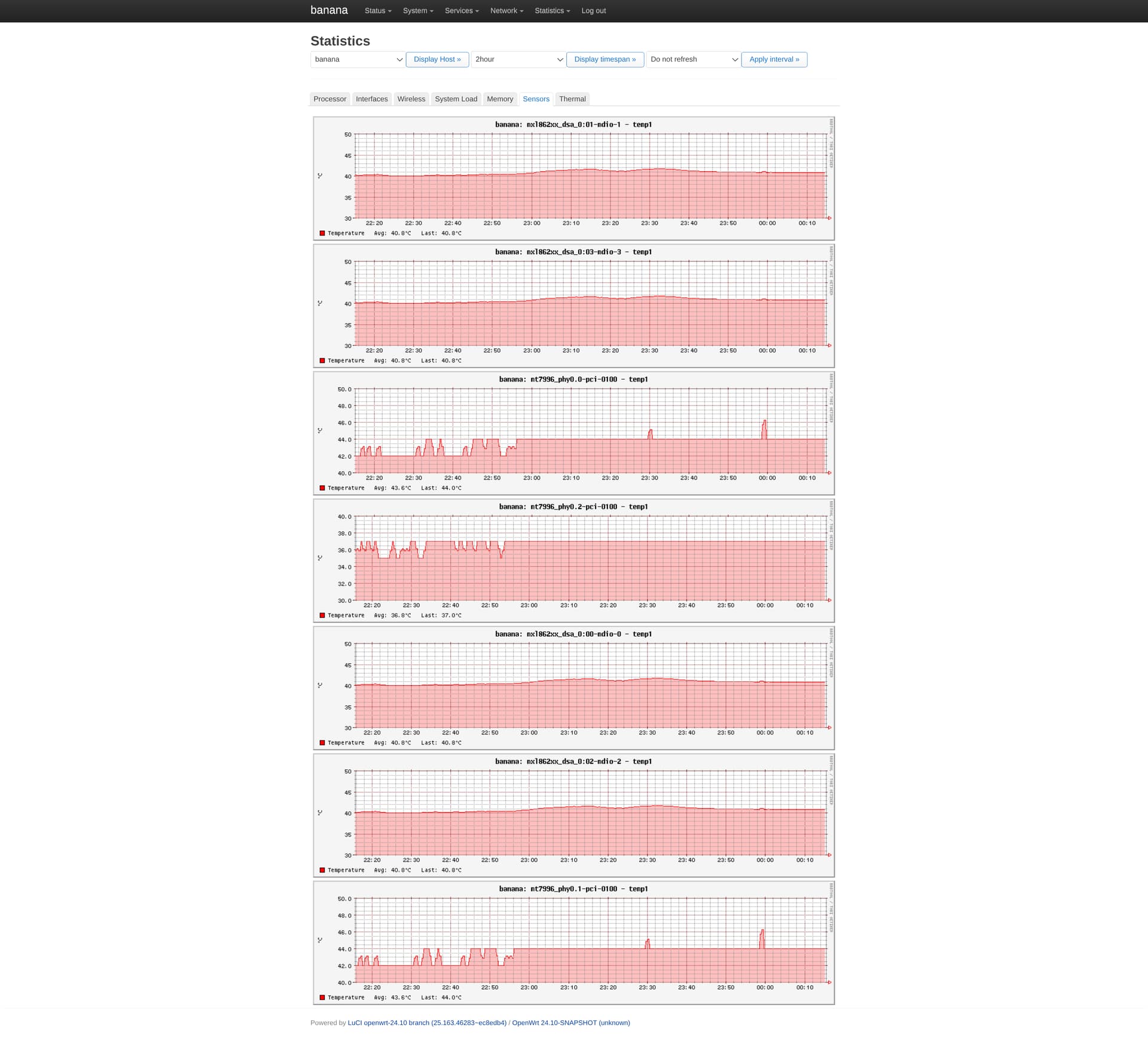
Any hints in dmesg? Have you looked on temperatures? I did not make much loadtests because i have no heatsink yet and only fan standing next to the board sometimes.

1 Like

found some time to conduct a new test, this time with console & dmesg logs :slight_smile:

test setup:

  • bpi r4 pro, eth1 1.1.1.1 removed from bridge, connected directly to dell laptop mentioned above with 1Gb RJ45 interface 1.1.1.2, cat7 cable, link negotiates @ 1Gb/s

test report, see attachment for full result:

bpi.r4.pro.link.flaps.testing.txt (29.5 KB)

dell side → paste.sh · encrypted pastebin

1 - eth1 flow control off

1.1 bpi eth1 → dell, udp @ attempt 2000Mbit/s, effective 1Gbit/s 30sec:

root@banana:~# iperf3 -c 1.1.1.2 -u -b 2000M -t 30

no link flaps, bitrate ~955Mb/s

[ ID] Interval           Transfer     Bitrate         Jitter    Lost/Total Datagrams
[  5]   0.00-30.00  sec  3.34 GBytes   956 Mbits/sec  0.000 ms  0/2476966 (0%)  sender
[  5]   0.00-30.00  sec  3.34 GBytes   956 Mbits/sec  0.011 ms  1060/2476948 (0.043%)  receiver

1.2 bpi eth1 → dell, tcp @ attempt 2000Mbit/s, effective 1Gbit/s, 30sec:

root@banana:~# iperf3 -c 1.1.1.2 -b 2000M -t 30

2 link flaps, bitrate is abysmal

[1287663.678450] mtk_soc_eth 15100000.ethernet eth1: Link is Down
[1287666.831919] mtk_soc_eth 15100000.ethernet eth1: Link is Up - 1Gbps/Full - flow control off
[1287677.198451] mtk_soc_eth 15100000.ethernet eth1: Link is Down
[1287680.351918] mtk_soc_eth 15100000.ethernet eth1: Link is Up - 1Gbps/Full - flow control off
[ ID] Interval           Transfer     Bitrate         Retr
[  5]   0.00-30.00  sec  2.12 MBytes   594 Kbits/sec  312             sender
[  5]   0.00-33.48  sec  2.12 MBytes   532 Kbits/sec                  receiver

2 - eth1 flow control ON

2.1 bpi eth1 → dell, udp @ attempt 2000Mbit/s, effective 1Gbit/s, 30sec:

root@banana:~# iperf3 -c 1.1.1.2 -u -b 2000M -t 30

no link flaps, bitrate ~955Mb/s

[ ID] Interval           Transfer     Bitrate         Jitter    Lost/Total Datagrams
[  5]   0.00-30.00  sec  3.34 GBytes   956 Mbits/sec  0.000 ms  0/2476949 (0%)  sender
[  5]   0.00-30.00  sec  3.34 GBytes   956 Mbits/sec  0.016 ms  781/2476923 (0.032%)  receiver

2.1 bpi eth1 → dell, tcp @ attempt 2000Mbit/s, effective 1Gbit/s, 30sec:

root@banana:~# iperf3 -c 1.1.1.2 -b 2000M -t 30

2 link flaps, bitrate is abysmal

[1288412.718445] mtk_soc_eth 15100000.ethernet eth1: Link is Down
[1288415.871926] mtk_soc_eth 15100000.ethernet eth1: Link is Up - 1Gbps/Full - flow control rx/tx
[1288427.278445] mtk_soc_eth 15100000.ethernet eth1: Link is Down
[1288430.441911] mtk_soc_eth 15100000.ethernet eth1: Link is Up - 1Gbps/Full - flow control rx/tx
[ ID] Interval           Transfer     Bitrate         Retr
[  5]   0.00-30.00  sec  1.12 MBytes   315 Kbits/sec  323             sender
[  5]   0.00-30.89  sec  1.00 MBytes   272 Kbits/sec                  receiver

3 - eth1 flow control ON, reverse direction traffic

3.1 bpi eth1 ← dell, udp @ 2000Mbit/s, 30sec:

root@banana:~# iperf3 -s
C:\>iperf3 -c 1.1.1.1 -b 2G -u -t 30

no link flaps, bitrate ~945Mb/s

[ ID] Interval           Transfer     Bitrate         Jitter    Lost/Total Datagrams
[  5]   0.00-30.01  sec  3.30 GBytes   945 Mbits/sec  0.016 ms  329/2428771 (0.014%)  receiver

3.2 bpi eth1 ← dell, tcp @ 2000Mbit/s, 30sec:

C:\>iperf3 -c 1.1.1.1 -b 2G -t 30

no link flaps, bitrate 942Mb/s

[ ID] Interval           Transfer     Bitrate
[  5]   0.00-30.05  sec  3.29 GBytes   942 Mbits/sec                  receiver

temperatures:

So basicly tcp to dell independ of flow control…or did you have it configured only on one side?..only wondering about 2000mbit/s. You and log say 1gbit/s.

or did you have it configured only on one side?

dell side is windows default settings, flow control is auto negotiation. except from full log:

root@banana:~# ip l s eth1 down                                                                                                                       
root@banana:~# ethtool -s eth1 autoneg on
root@banana:~# ethtool -A eth1 autoneg on                                                                                                             


[1288230.751911] mtk_soc_eth 15100000.ethernet eth1: Link is Up - 1Gbps/Full - flow control rx/tx

root@banana:~# ethtool eth1
Settings for eth1:
        Supported ports: [ TP    MII ]
        Supported link modes:   100baseT/Full
                                1000baseT/Half 1000baseT/Full
                                10000baseT/Full
                                2500baseT/Full
                                5000baseT/Full
        Supported pause frame use: Symmetric Receive-only
        Supports auto-negotiation: Yes
        Supported FEC modes: Not reported
        Advertised link modes:  100baseT/Full
                                1000baseT/Half 1000baseT/Full
                                10000baseT/Full
                                2500baseT/Full
                                5000baseT/Full
        Advertised pause frame use: Symmetric Receive-only
        Advertised auto-negotiation: Yes
        Advertised FEC modes: Not reported
        Link partner advertised link modes:  10baseT/Half 10baseT/Full
                                             100baseT/Half 100baseT/Full
                                             1000baseT/Full
        Link partner advertised pause frame use: Symmetric Receive-only
        Link partner advertised auto-negotiation: Yes
        Link partner advertised FEC modes: Not reported
        Speed: 1000Mb/s
        Duplex: Full
        Auto-negotiation: on
        Port: Twisted Pair
        PHYAD: 1c
        Transceiver: external
        MDI-X: Unknown
        Current message level: 0x000000ff (255)
                               drv probe link timer ifdown ifup rx_err tx_err
        Link detected: yes
root@banana:~# 

only wondering about 2000mbit/s. You and log say 1gbit/s.

2000Mbit/s is what iperf3 attempts, i’ve now edited the post for clarity

tried

root@banana:~# ethtool -K eth1 tso off gso off         

otherwise same setup as above.

root@banana:~# 
root@banana:~# ethtool -k eth1  | grep -v fixed
Features for eth1:
rx-checksumming: on
tx-checksumming: on
        tx-checksum-ipv4: on
        tx-checksum-ipv6: on
scatter-gather: on
        tx-scatter-gather: on
tcp-segmentation-offload: off
        tx-tcp-segmentation: off
        tx-tcp-ecn-segmentation: off
        tx-tcp-mangleid-segmentation: off
        tx-tcp6-segmentation: off
generic-segmentation-offload: off
generic-receive-offload: on
large-receive-offload: off
tx-vlan-offload: on
tx-nocache-copy: off
hw-tc-offload: on
rx-gro-list: off
rx-udp-gro-forwarding: off
root@banana:~# 

does not reproduce anymore :smiley:

root@banana:~# iperf3 -c 1.1.1.2 -b 2000M -t 30
Connecting to host 1.1.1.2, port 5201
[  5] local 1.1.1.1 port 39740 connected to 1.1.1.2 port 5201
[ ID] Interval           Transfer     Bitrate         Retr  Cwnd
[  5]   0.00-1.00   sec   114 MBytes   958 Mbits/sec    0    383 KBytes       
[  5]   1.00-2.00   sec   112 MBytes   938 Mbits/sec    0    402 KBytes       
[  5]   2.00-3.00   sec   112 MBytes   941 Mbits/sec    0    402 KBytes       
[  5]   3.00-4.00   sec   112 MBytes   938 Mbits/sec    6    310 KBytes       
[  5]   4.00-5.00   sec   112 MBytes   935 Mbits/sec    0    361 KBytes       
[  5]   5.00-6.00   sec   113 MBytes   948 Mbits/sec    0    387 KBytes       
[  5]   6.00-7.00   sec   112 MBytes   940 Mbits/sec    0    387 KBytes       
[  5]   7.00-8.00   sec   113 MBytes   945 Mbits/sec    0    489 KBytes       
[  5]   8.00-9.00   sec   112 MBytes   940 Mbits/sec    0    489 KBytes       
[  5]   9.00-10.00  sec   113 MBytes   945 Mbits/sec    0    489 KBytes       
[  5]  10.00-11.00  sec   112 MBytes   936 Mbits/sec    0    489 KBytes       
[  5]  11.00-12.00  sec   112 MBytes   944 Mbits/sec    0    489 KBytes       
[  5]  12.00-13.00  sec   112 MBytes   941 Mbits/sec   84    395 KBytes       
[  5]  13.00-14.00  sec   112 MBytes   935 Mbits/sec    0    484 KBytes       
[  5]  14.00-15.00  sec   113 MBytes   949 Mbits/sec    0    484 KBytes       
[  5]  15.00-16.00  sec   112 MBytes   936 Mbits/sec    0    484 KBytes       
[  5]  16.00-17.00  sec   112 MBytes   942 Mbits/sec    0    491 KBytes       
[  5]  17.00-18.00  sec   112 MBytes   944 Mbits/sec    0    491 KBytes       
[  5]  18.00-19.00  sec   111 MBytes   933 Mbits/sec   59    362 KBytes       
[  5]  19.00-20.00  sec   112 MBytes   941 Mbits/sec    0    403 KBytes       
[  5]  20.00-21.00  sec   113 MBytes   947 Mbits/sec    0    462 KBytes       
[  5]  21.00-22.00  sec   112 MBytes   936 Mbits/sec    0    462 KBytes       
[  5]  22.00-23.00  sec   113 MBytes   946 Mbits/sec    0    462 KBytes       
[  5]  23.00-24.00  sec   111 MBytes   931 Mbits/sec   40    366 KBytes       
[  5]  24.00-25.00  sec   113 MBytes   948 Mbits/sec    0    403 KBytes       
[  5]  25.00-26.00  sec   112 MBytes   935 Mbits/sec    0    403 KBytes       
[  5]  26.00-27.00  sec   113 MBytes   945 Mbits/sec    0    409 KBytes       
[  5]  27.00-28.00  sec   112 MBytes   937 Mbits/sec    0    409 KBytes       
[  5]  28.00-29.00  sec   112 MBytes   944 Mbits/sec    0    414 KBytes       
[  5]  29.00-30.00  sec   112 MBytes   941 Mbits/sec    0    414 KBytes       
- - - - - - - - - - - - - - - - - - - - - - - - -
[ ID] Interval           Transfer     Bitrate         Retr
[  5]   0.00-30.00  sec  3.29 GBytes   941 Mbits/sec  189             sender
[  5]   0.00-30.00  sec  3.29 GBytes   941 Mbits/sec                  receiver

iperf Done.
root@banana:~# 

which driver or chip has a bug?

cc @sinovoip

maybe you could try this?

https://git01.mediatek.com/plugins/gitiles/openwrt/feeds/mtk-openwrt-feeds/+/a06a45e218bd84ac87a8eaae4815d56056f7dad5

any hints on top of what i could apply that on, to retain current functionality of bpi shipped image?

You have to rebuild image from code after applying this patch…either bpi image or just openwrt with mtk feeds

following refs/heads/master - openwrt/feeds/mtk-openwrt-feeds - Gitiles

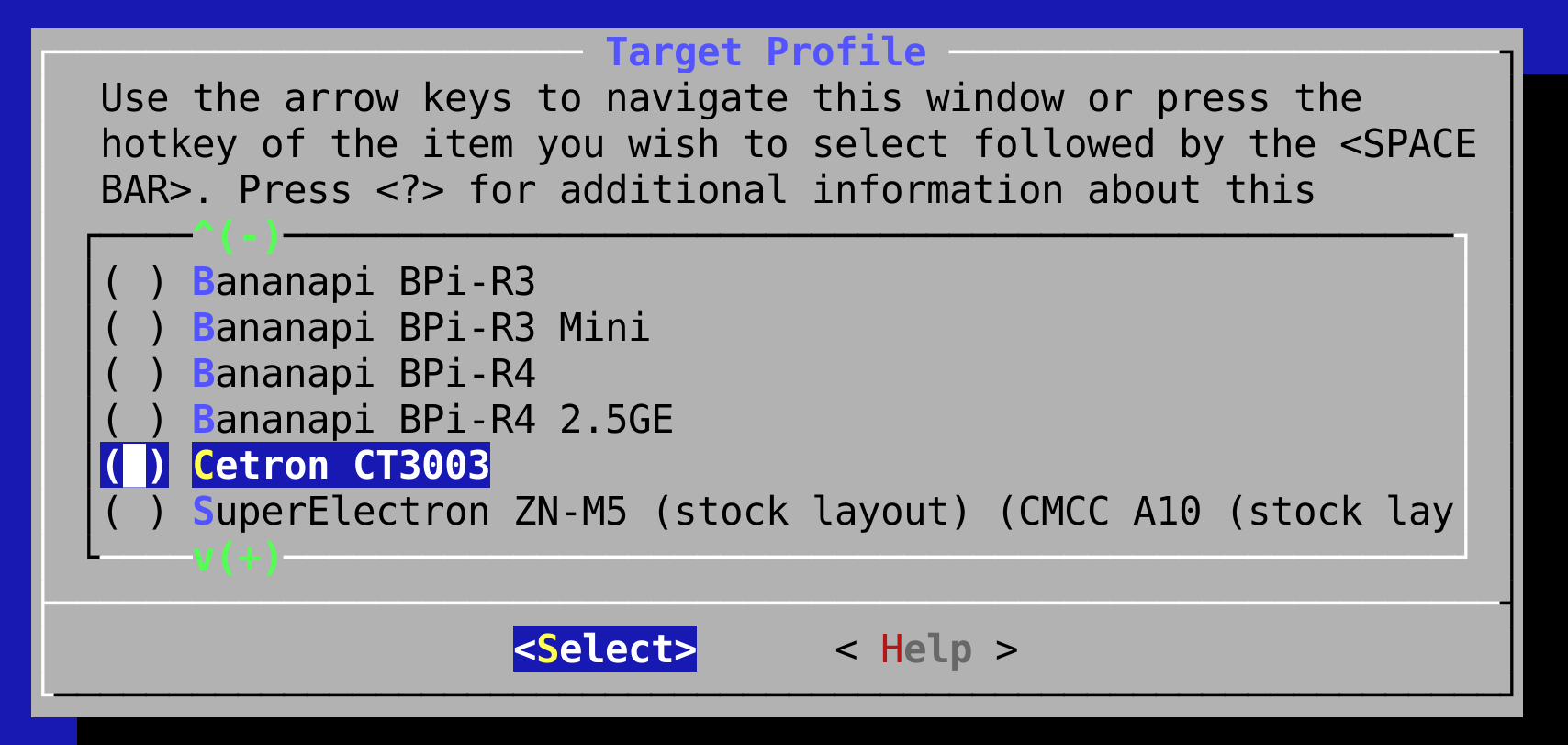
there is no target profile for BPI-R4-PRO:

Afair there was a special doing for R4Pro, could be different now.

https://wiki.fw-web.de/doku.php?id=en:bpi-r4pro:start#openwrt

not sure if you can add the patch there

Alao you can try my debian and kernel, and change to usxgmii…afair i had tried it,but currently it is base-r

1 Like