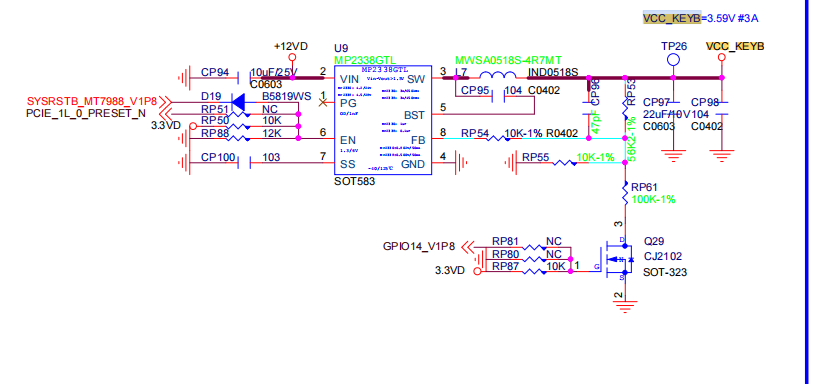
The operating voltage of most 5G modules is 3.3V~4.2V. Due to the large current, using 3.3V will cause module instability, So we increased the 3.3V voltage of the B-KEY slightly.
Therefore, it is not recommended to connect B-KEY to other modules.
The operating voltage of most 5G modules is 3.3V~4.2V. Due to the large current, using 3.3V will cause module instability, So we increased the 3.3V voltage of the B-KEY slightly.
Therefore, it is not recommended to connect B-KEY to other modules.
Yes, the B-KEY voltage on the R4Pro can be adjusted to 3.3V/3.95V via software, while the M-KEY voltage is fixed at 3.3V.
Could you test the heat dissipation of your ASM1166 on the M-KEY?
Based on our previous tests, some PCIe to Ethernet modules do generate more heat when placed on the BPI-R4 B-KEY (3.59V), but we’re unsure if yours is similar.
Hello @simon,
really thanks for Your support here, and thanks for let me know reasons about the bigger voltage on m.2 B, it makes much better sense now.
It would not be so ease to just test heat, to get reproductible a trustworthy results. As I have thermo camera already, to be able to do this, I would need replace bpi-r4 board in my sfp nas as I am testing it on some pre-production.
But, what I coud try soon is move almost all drives to the sata ports of other controllers, and let just only 1 sata drive in the m.2 B. I am using too many drives to let the m.2 B key sata controller unoccupied completelly.
Personally, I think you could first consider adjusting the voltage of this power supply on R4. I guess it might be because the SATA devices have very strict voltage requirements, otherwise they wouldn’t restart so frequently.
Thanks, great idea… For playing with it and joy, why not, but I am using it already as my iscsi and nfs server, not only for my backups, videos, music… And this update is also not good idea when thinking about SFP NAS series production. I just do not have so much time to just “play with it for fun”.
Could you or @simon confirm me that the m.2 B key have soc addr 11280000? I am not as skilled, and I would like have confirmation.
Thanks
Great, thanks a lot for teaching me with the dtsi! Now I can use my script to detect and move all possible drives to another controller.
Right at this time I moved all of the drives out from the m.2 sata controller connected to the m.2 B-key. I am not able to shut down the nas now, the controller remains connected, but without any use. We will se in the next weeks/month if it will helps or not. The last drive is now connected using usb to sata box.
I was trying to find any thermo images of the bpi-r4 board itself, but I no luck. Does there is any component too hot with needs of active cooling? I have my own thermo camera now, but I am not able to do detailed images when running in the case.
Thanks a lot for support and ideas.
The CPU definitely requires cooling. For the SFP module, if there are any power modules used, it is also recommended to add cooling. Also, if the BE14 WiFi module is used, this heat generation will be quite significant.
CPU have 3 heatpipes and its temp is about 47oC - never had 50oC. I am using just 1 sfp+ AOC cable with length just 2m, and the module have limited power, therefore its temp is always around 40oC. No wifi is used, all m.2 ports are occupied with sata adaters asm1166. Both mini-pciex ports are occupied with sata adapters asm1064.
As I moved all the drives out from the m.2 B controller, I needed to make backup copy of img file from an r5 ssd array (all drives on one minipci-Ex asm 1064 sata controller) to r6 hdd array ( 6 from 8 drives on the m.2 M keycontroller, 1 drive on the second minipci-Ex sata controller and the last drive on usb3 ) and the board restarted again. Now whenever I will be ready to “accept to stop all my VMs”, I will try to remove the m.2 B key sata controller completelly. I do not expect nothing from this, but I just want to know the result. As never reboot accured in case of high IOPS usage on minipci-Ex controllers, it looks like an issue on the asm1166 controller connected to m.2 M key with soc address 0x11290000.
I will be back in case of any new results available.
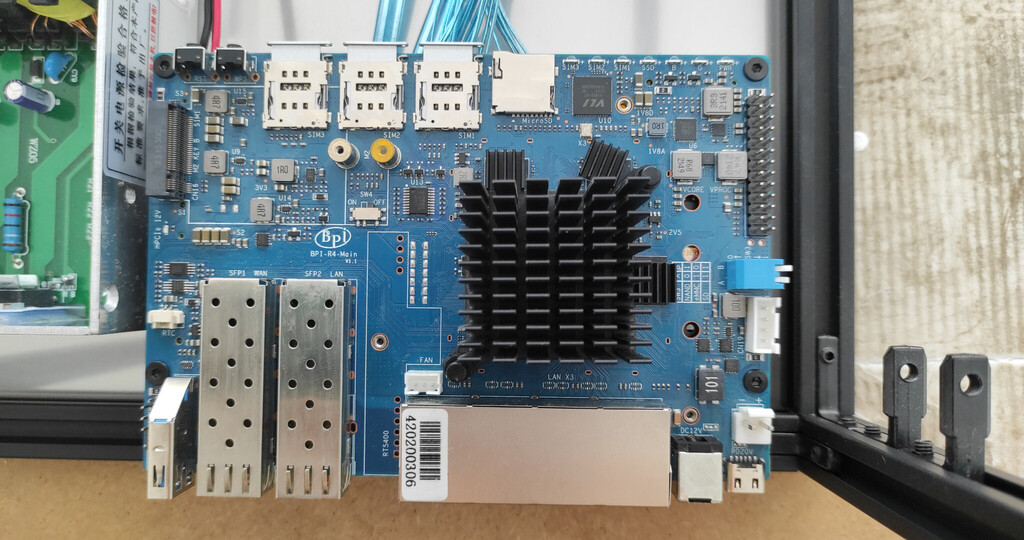
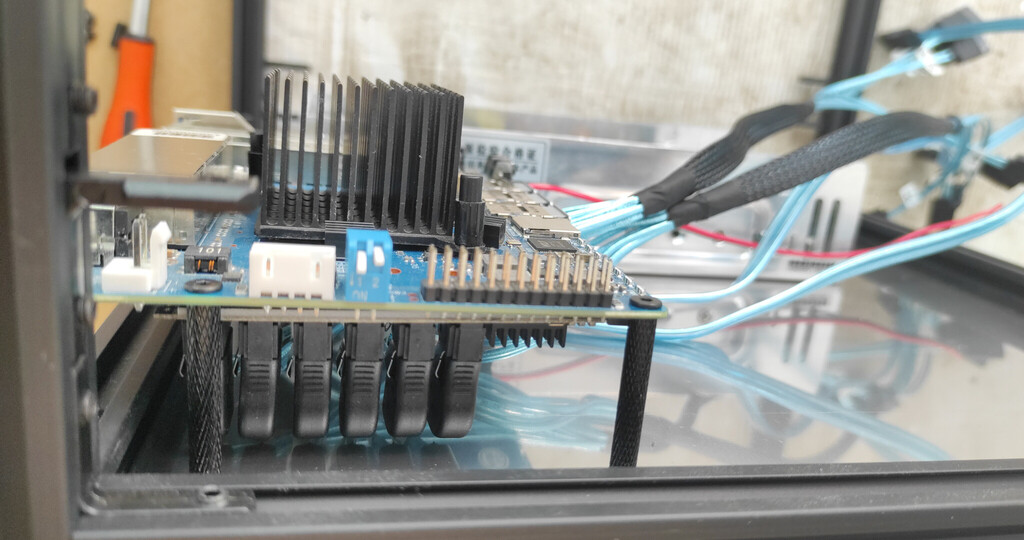
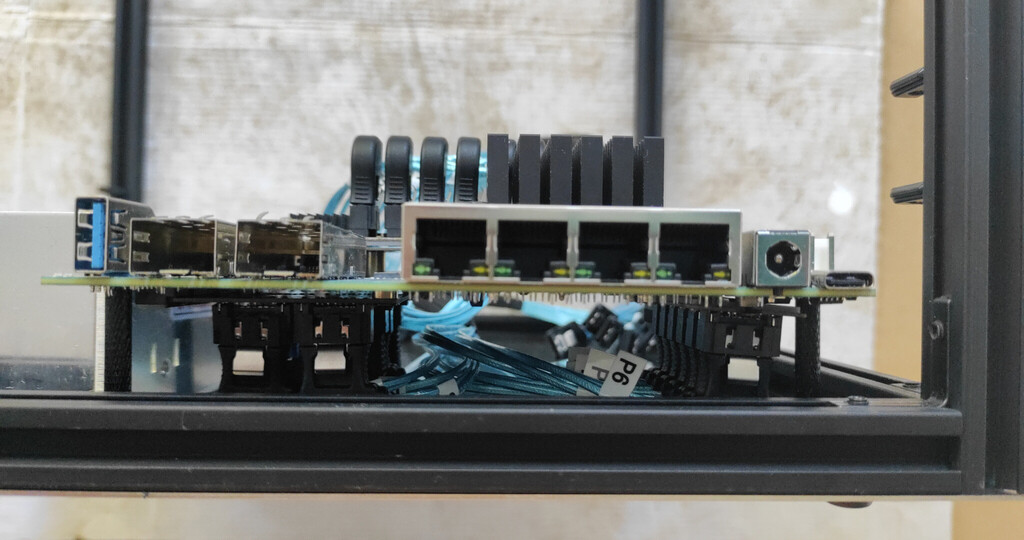
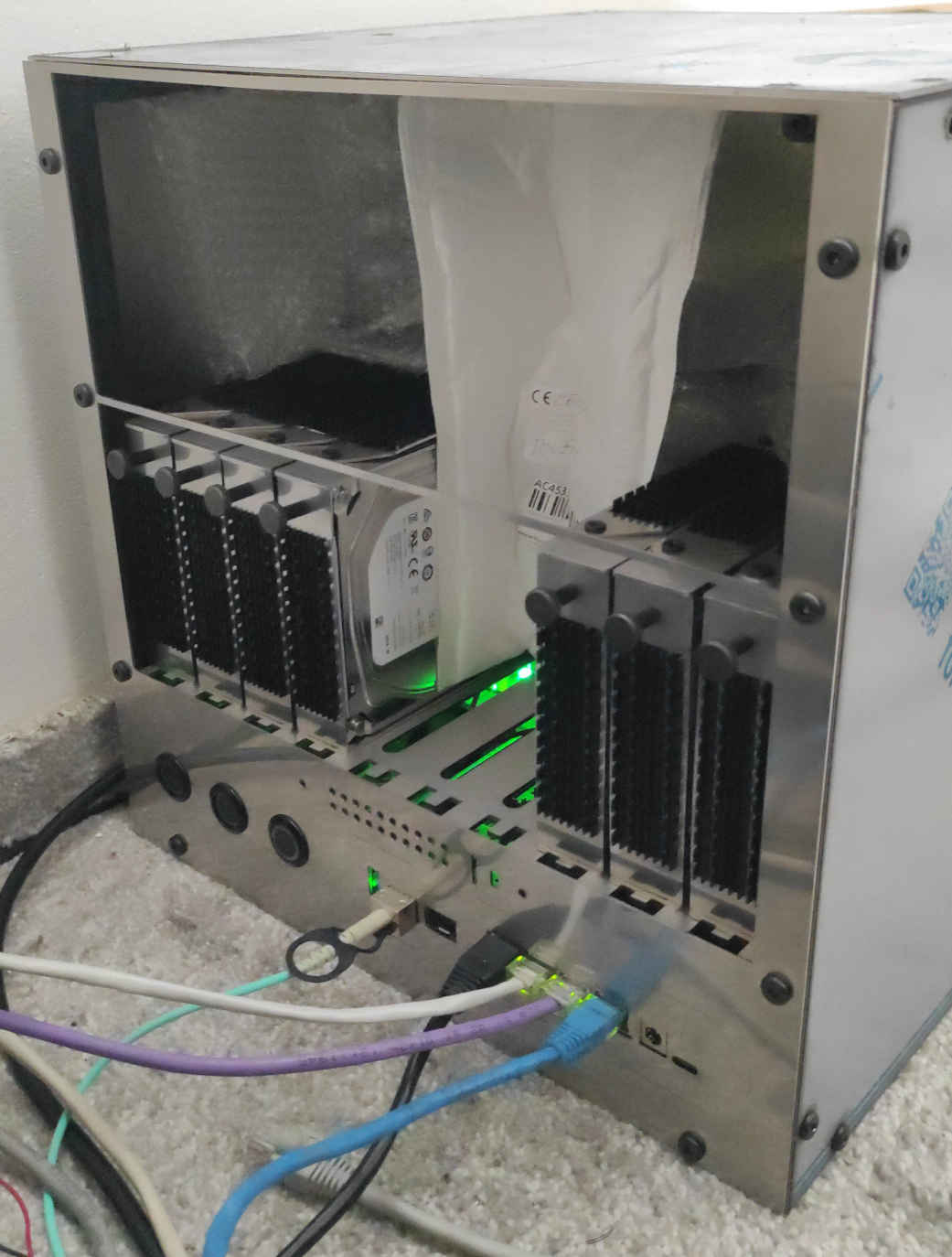
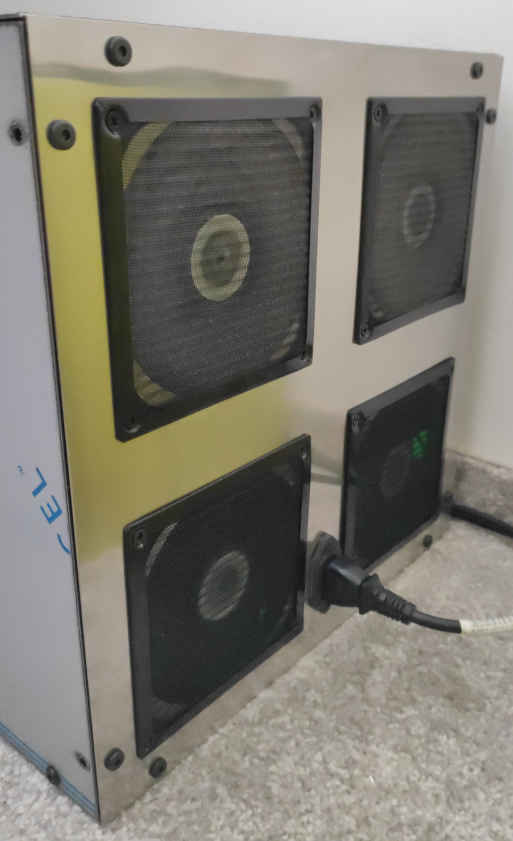
As we are solving issues here, I decided to post some photos of “what the hell I am working and talking about”… As i wrote already, I designed and manufactured custom case. This is the very first manufacturing effort, and as You can see, without m.2 B key sata controller, and only lower 10 hard drives positions are used.
I have to get all actual images where is the m.2 B key sata controller installed and therefore the upper 10 hard drives positions available, upgrades of the internal cable management, and of course installation of the heatpipe cooling solution, etc… More actual photos will be added soon.
after this previous test:
Now I did similar test:
System hard reboot appeared always during copying 20GB of disc image file to the array.
It looks, and I hope, that I finally figure out the the hard restarts.
It looks now, that the hard restarts was caused by the 2.5" ssd hard drive. But, of course, I will wait a few days/weeks to confirm.
As I was trying to figure out this problem from about May 2025, and I was not able to find any errors in journals/dmesg after the hard restart, now I was lucky, or maybe the drive or the brand new sata cable gets worse, and find these errors right after start copying of 20GB file from the array with this drive:
... kernel: ata66.00: failed command: READ FPDMA QUEUED
... kernel: ata66.00: cmd 60/80:30:20:a8:bd/00:00:19:00:00/40 tag 6 ncq dma 65536 in
                                    res 41/84:01:00:4f:c2/00:00:00:00:00/00 Emask 0x10 (ATA bus error)
... kernel: ata66.00: status: { DRDY ERR }
... kernel: ata66.00: error: { ICRC ABRT }
followed by:
... kernel: ata66: hard resetting link
... kernel: ata66: SATA link up 6.0 Gbps (SStatus 133 SControl 300)
... kernel: ata66.00: configured for UDMA/133
... kernel: sd 66:0:0:0: [sdi] tag#2 UNKNOWN(0x2003) Result: hostbyte=0x00 driverbyte=DRIVER_OK cmd_age=0s
... kernel: sd 66:0:0:0: [sdi] tag#2 Sense Key : 0xb [current]
... kernel: sd 66:0:0:0: [sdi] tag#2 ASC=0x47 ASCQ=0x0
... kernel: sd 66:0:0:0: [sdi] tag#2 CDB: opcode=0x28 28 00 1a 71 40 00 00 04 00 00
... kernel: I/O error, dev sdi, sector 443629568 op 0x0:(READ) flags 0x80700 phys_seg 8 prio class 0
The drive was of course removed yesterday, and every file was copied without any issue - no errors in journals/dmesg and no hard restart occured. But, even with this drive, the nas was functional with “normal load” without hard restart or another problem even for weeks. Therefore I am optimistic, but will wait.
I probably also have an answer discussed stability of the asm1166 sata adapter into m.2 B key slot with 3.6V.
From the last test all the drives from the raid6 array are fully occupying the m.2 adapter connected to m.2B key slot, and based on the date, and right after removing the fauly ssd drive, raid array re-check / re-sync was started, and is still on-going:
md125 : active raid6 sdf[8] sdb[4] sde[0] sda[7] sdh[2] sdg[5] sdc[1] sdd[6]
      17580810240 blocks super 1.2 level 6, 512k chunk, algorithm 2 [8/8] [UUUUUUUU]
      [============>........]  check = 60.8% (1783913672/2930135040) finish=250.1min speed=76380K/sec
      bitmap: 10/22 pages [40KB], 65536KB chunk
But, now I am thinking, that I can not remember even a single hard reset during the re-shape of the raid arrays.
A few of actual stats:
4.23 4.31 4.24 6/507, which is slightly overloaded, but ok.Just note, that the ssd drive is OK and works for a few of days without any problem. The read error was caused by the sata connector probably. Sata port/cabel is occupied with other drive a few of days without any problem.
So, I am right at the beginning already. The hard restart in case of high IOPS occured again, without any messages in dmesg/journal logs, and again, no restart occured whenever mdadm resync/re-check/grow from raid level 6 to raid level 5 - with array drive unmounted and without any high iops.
I should add that system (bookworm) itself boots-up from emmc and any data are on mounted raid arrays. Therefore in case of any problem with any of the raid arrays, I would expect /var/log[/journal] accessible for writing any logs.
This could be last post in this thread, because:
Now I am curious Why (*** *****) kernel did not disconnected the faulty drive from the array before restart? And of course how to re-configure this somehow to let the system working even in this cases, which is the whole purpose of the NAS.
Based on this observations, This thread could be closed. Hope, that these findings could save some time to others.
Thanks for help!
Long time no see, I’m glad to see your update on this matter. It seems this is caused by the hardware SATA connector.
Thanks for stay in touch, unfortunatelly, this connector/cable is definitelly NOT the only one problem. As one of my 3TB drives from the biggest 17TB raid6 array faulted, I decided to buy new 6TB drives and migrate all the data to the new array. Whenever I created the new array, i run rsync to copy all the data, and the board copied more than 14TB of data without restart or any other problem. I leaved the unstable port unoccupied obviously.
But, whenever rsync was completed and run again to migrate all the newest changes, I run rsync -rcn to verify all the data using checksum. rsync started creating checksums from both of the arrays with speed > 200MB/s from each array = about 500MB/s in total, which is not bad to this 4-core low-powered cpu.
I created a new topic for discussion any ideas: https://forum.banana-pi.org/t/bpi-r4-unable-to-handle-kernel-paging-request