[BPI-R4] CPU fan setup

BPI-R4 Fan Control Script

  • Operating Environment
    OpenWrt: 24.10.2

Script

  • pwmfan
# /etc/init.d/pwmfan
cat <<'EOF' > /etc/init.d/pwmfan
#!/bin/sh /etc/rc.common

START=99
PIDFILE=/var/run/pwmfan.pid

start() {
    if [ -f $PIDFILE ]; then
        PID=$(cat $PIDFILE 2>/dev/null)
        if [ -n "$PID" ] && kill -0 "$PID" 2>/dev/null; then
            echo "Already running"
            return 1
        else
            rm -f $PIDFILE
        fi
    fi
    /usr/bin/pwmfan-loop &
    echo $! > $PIDFILE
}

stop() {
    if [ -f $PIDFILE ]; then
        PID=$(cat $PIDFILE 2>/dev/null)
        if [ -n "$PID" ] && kill -0 "$PID" 2>/dev/null; then
            kill $PID
        fi
        rm -f $PIDFILE
    fi
}

restart() {
    stop
    sleep 1
    start
}
EOF

chmod 755 /etc/init.d/pwmfan

# /usr/bin/pwmfan-loop
cat <<'EOF' > /usr/bin/pwmfan-loop
#!/bin/sh

CONFIG=pwmfan
SECTION="pwmfan"

get_temp() {
    local temp
    temp=$(cat /sys/class/thermal/thermal_zone0/temp 2>/dev/null)
    [ -z "$temp" ] && temp=0
    echo $((temp / 1000))
}

set_pwm() {
    local pwm="$1"
    echo 1 > /sys/class/hwmon/hwmon1/pwm1_enable
    echo $pwm > /sys/class/hwmon/hwmon1/pwm1
}

read_config() {
    INTERVAL=$(uci get ${CONFIG}.@${SECTION}[0].interval 2>/dev/null)
    [ -z "$INTERVAL" ] && INTERVAL=30
    TRIP_TEMP=$(uci get ${CONFIG}.@${SECTION}[0].trip_temp 2>/dev/null)
    TRIP_PWM=$(uci get ${CONFIG}.@${SECTION}[0].trip_pwm 2>/dev/null)
    MINPWM=$(uci get ${CONFIG}.@${SECTION}[0].minpwm 2>/dev/null)
    [ -z "$MINPWM" ] && MINPWM=100
    MAXPWM=$(uci get ${CONFIG}.@${SECTION}[0].maxpwm 2>/dev/null)
    [ -z "$MAXPWM" ] && MAXPWM=255

    if [ -z "$TRIP_TEMP" ] || [ -z "$TRIP_PWM" ]; then
        exit 1
    fi
    case "$INTERVAL" in
        ''|*[!0-9]*) INTERVAL=30 ;;
    esac
}

main_loop() {
    read_config
    local temp pwm i t p last_pwm=0
    set -- $TRIP_TEMP
    local trip_count=$#
    while true; do
        temp=$(get_temp)
        pwm=$MINPWM
        set -- $TRIP_TEMP
        local j=1
        for t in $@; do
            set -- $TRIP_PWM
            p=$(eval "echo \$$j")
            [ -z "$p" ] && p=$MINPWM
            [ "$temp" -ge "$t" ] && pwm=$p
            j=$((j+1))
        done
        [ "$pwm" -lt "$MINPWM" ] && pwm=$MINPWM
        [ "$pwm" -gt "$MAXPWM" ] && pwm=$MAXPWM
        if [ "$pwm" != "$last_pwm" ]; then
            set_pwm "$pwm"
            last_pwm=$pwm
        fi
        sleep "$INTERVAL"
    done
}

main_loop
EOF

chmod 755 /usr/bin/pwmfan-loop

touch /etc/config/pwmfan
uci -q delete pwmfan.@pwmfan[0]
uci -q commit pwmfan
uci -q add pwmfan pwmfan
uci -q set pwmfan.@pwmfan[-1].interval='20'
uci -q set pwmfan.@pwmfan[-1].minpwm='80'
uci -q set pwmfan.@pwmfan[-1].maxpwm='255'
uci -q set pwmfan.@pwmfan[-1].trip_temp='60 70'
uci -q set pwmfan.@pwmfan[-1].trip_pwm='128 255'
uci -q commit pwmfan
/etc/init.d/pwmfan enable
/etc/init.d/pwmfan restart

# /usr/bin/fan-status
cat <<'EOF' > /usr/bin/fan-status
#!/bin/sh

TEMP_RAW=$(cat /sys/class/thermal/thermal_zone0/temp 2>/dev/null)
TEMP_C=$(awk "BEGIN {printf \"%.1f\", $TEMP_RAW/1000}")
PWM=$(cat /sys/class/hwmon/hwmon1/pwm1 2>/dev/null)
PWM_PERCENT=$((PWM * 100 / 255))
echo "========================="
echo " Fan & Temperature Status"
echo "-------------------------"
echo " Temperature : ${TEMP_C} °C"
echo " Fan PWM     : ${PWM} (${PWM_PERCENT} %)"
echo "========================="
EOF

chmod 755 /usr/bin/fan-status
fan-status

Is this the full instruction to get the fan to work correctly?

While it’s a sample script, it is designed to be fully operational.

For those interested in the latest BPI-R4 heatsink. It is at those three official BPI stores:

  1. https://www.aliexpress.com/item/1005007083587135.html
  2. https://www.aliexpress.com/item/1005007083654157.html
  3. https://www.bpi-shop.com/products/bpi-r4-aluminum-heatsink-with-fan.html

All products, including heatsinks for other models, are both listed and offered at those same three official BPI stores:

  1. https://www.aliexpress.com/store/302756/pages/all-items.html
  2. https://www.aliexpress.com/store/912663992/pages/all-items.html
  3. https://www.bpi-shop.com/products.html

Disclaimer. I do not have a financial conflict of interest with any of the above stores. I am just a happy client.

Hi. Recently i started using my brand new BPI-R4. As i ordered only the bare board (the 8GB revision), i also ordered some heat sink with a fan (the cheapest - as usual) on Aliexpress. I have chosen the following fan from the seller Electree Store.

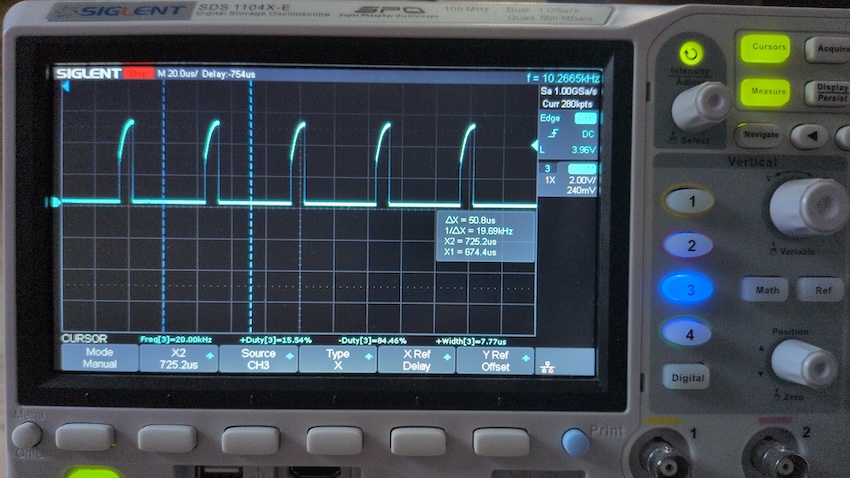
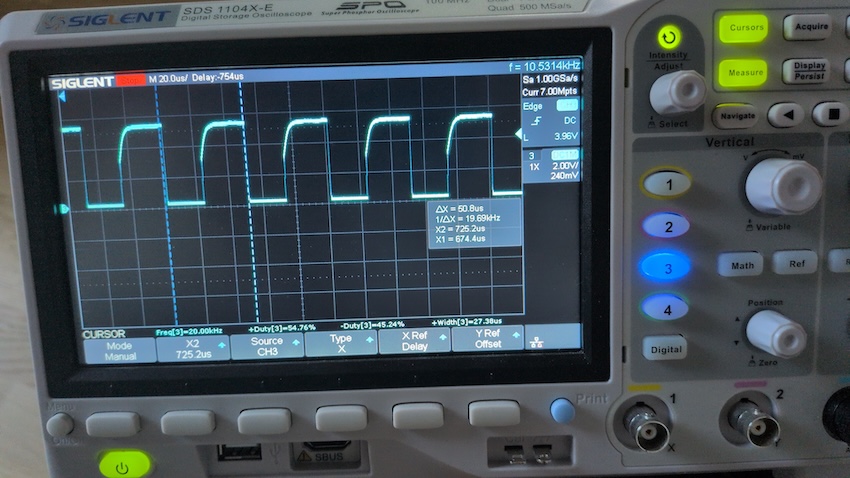
The fan was running at 100% only, regardless of the PWM setting. I started to read the forum, tinkered with the OS and software - nothing helped. Yesterday evening i pulled out my oscilloscope and what do I see? Some nice, proper PWM signal on the PWM pin…

I went to the Aliexpress website and wanted a refund - 2 days too late. I left an angry 1-star review and called it a day.

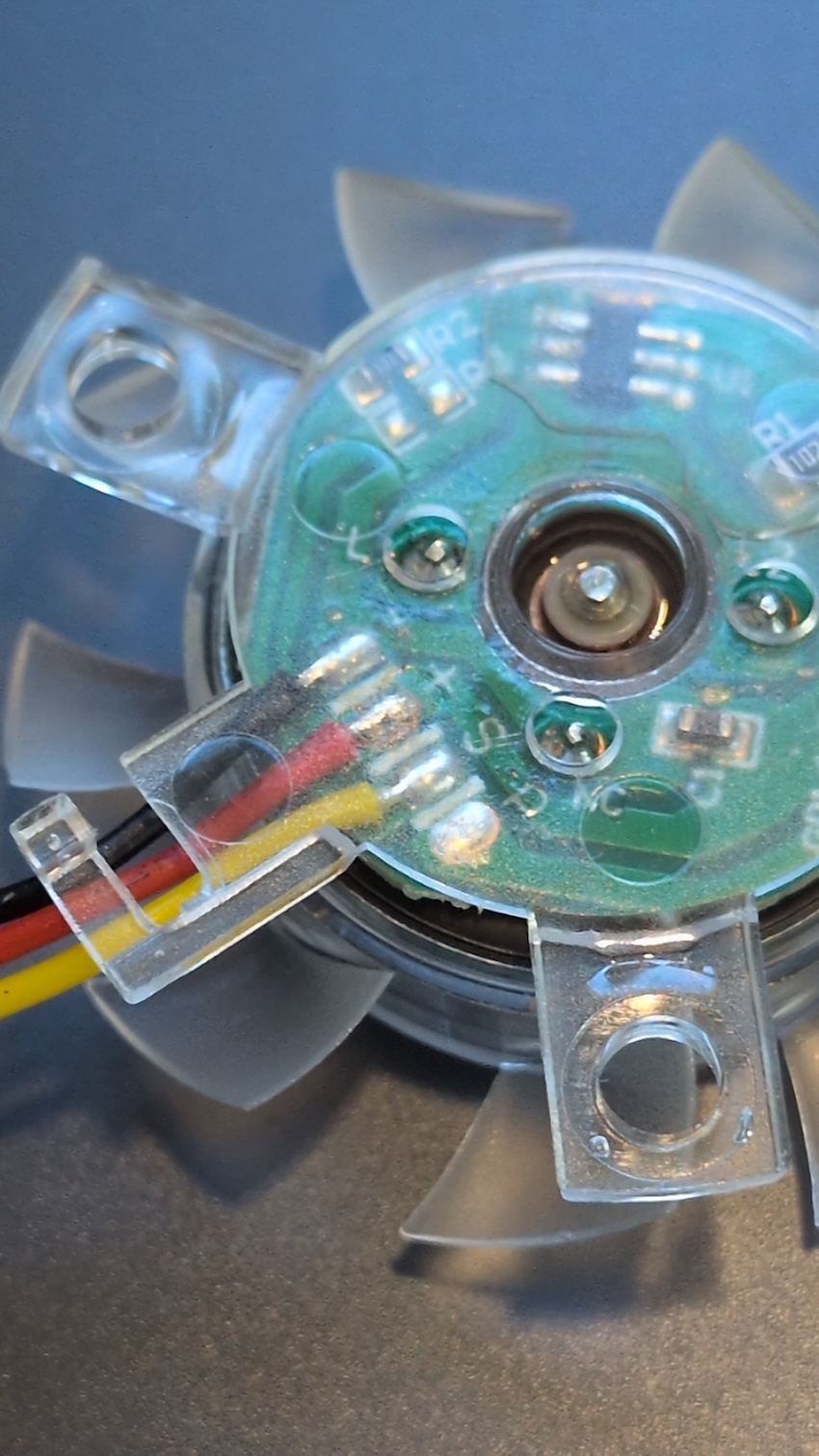
Today, when storing my oscilloscope i felt the urge t to take a look at the fan itself. See the picture yourself… take a close look…

.

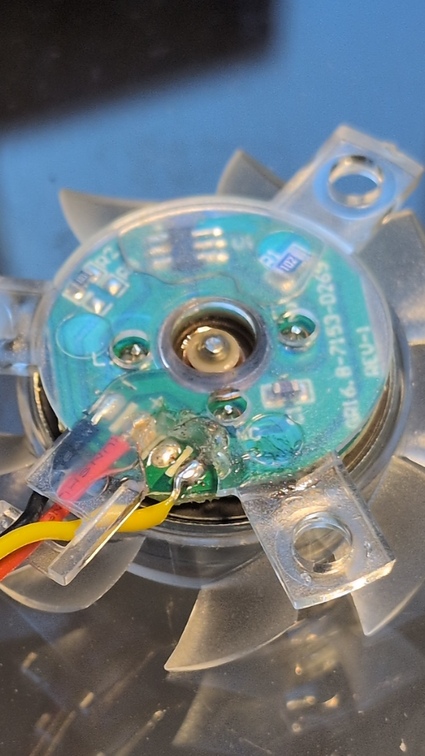
Yeah! Those bozos soldered the PWM cable to the sense contact (‘S’)! After a little hackish soldering the fan works fine. So - when you ordered a heat sink with a ‘transparent’ fan marketed as a “BananaPI BPI R4 PWM Fan” and it’s not working properly - have a look at the wiring/soldering.

FYI - the encasing of the fan seems to be hard/impossible to disassemble, so i chipped off some of the plastic with a small side cutter to expose the pads, because i had the impression that anything else would break the fan entirely.

2 Likes

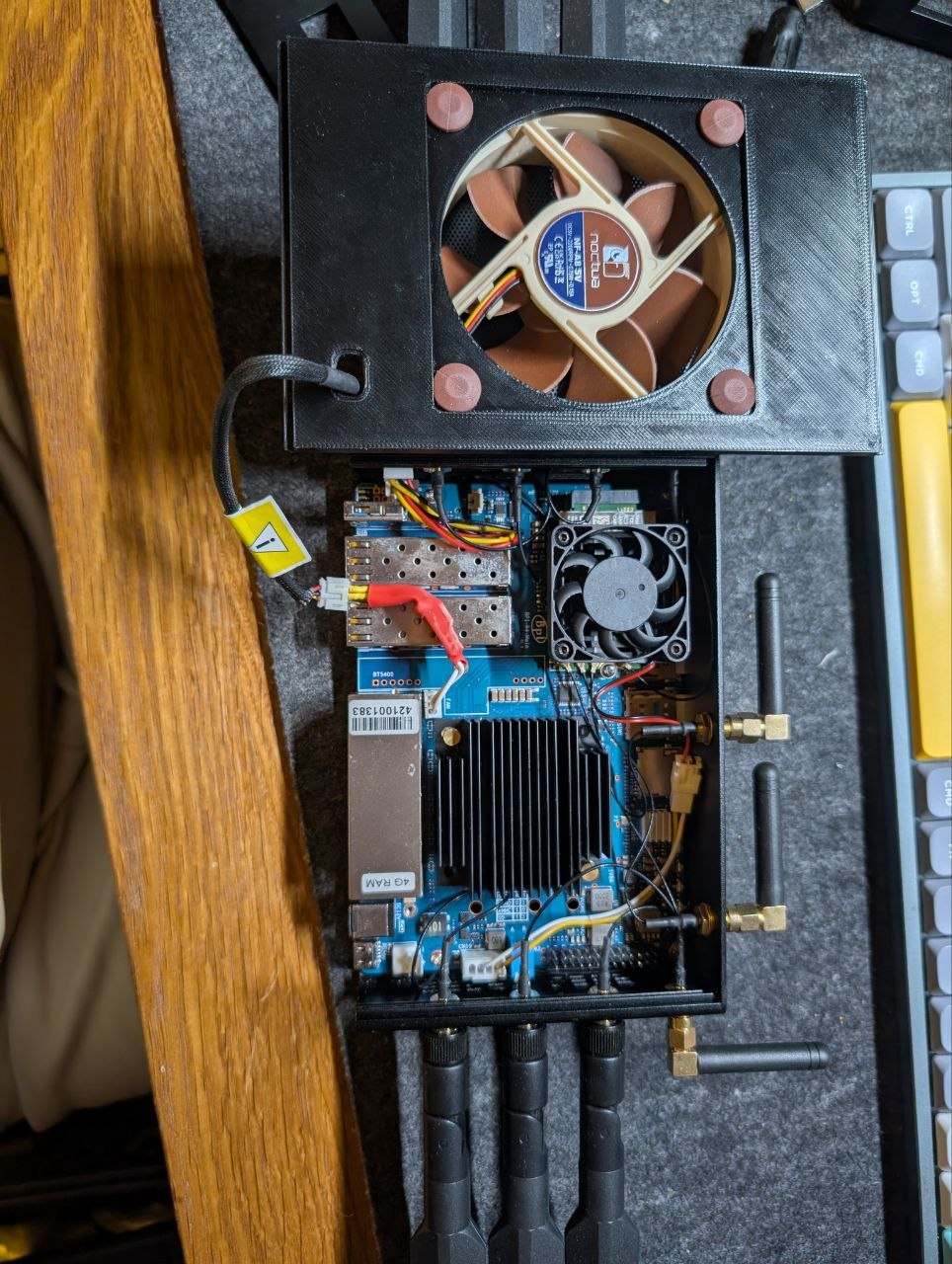
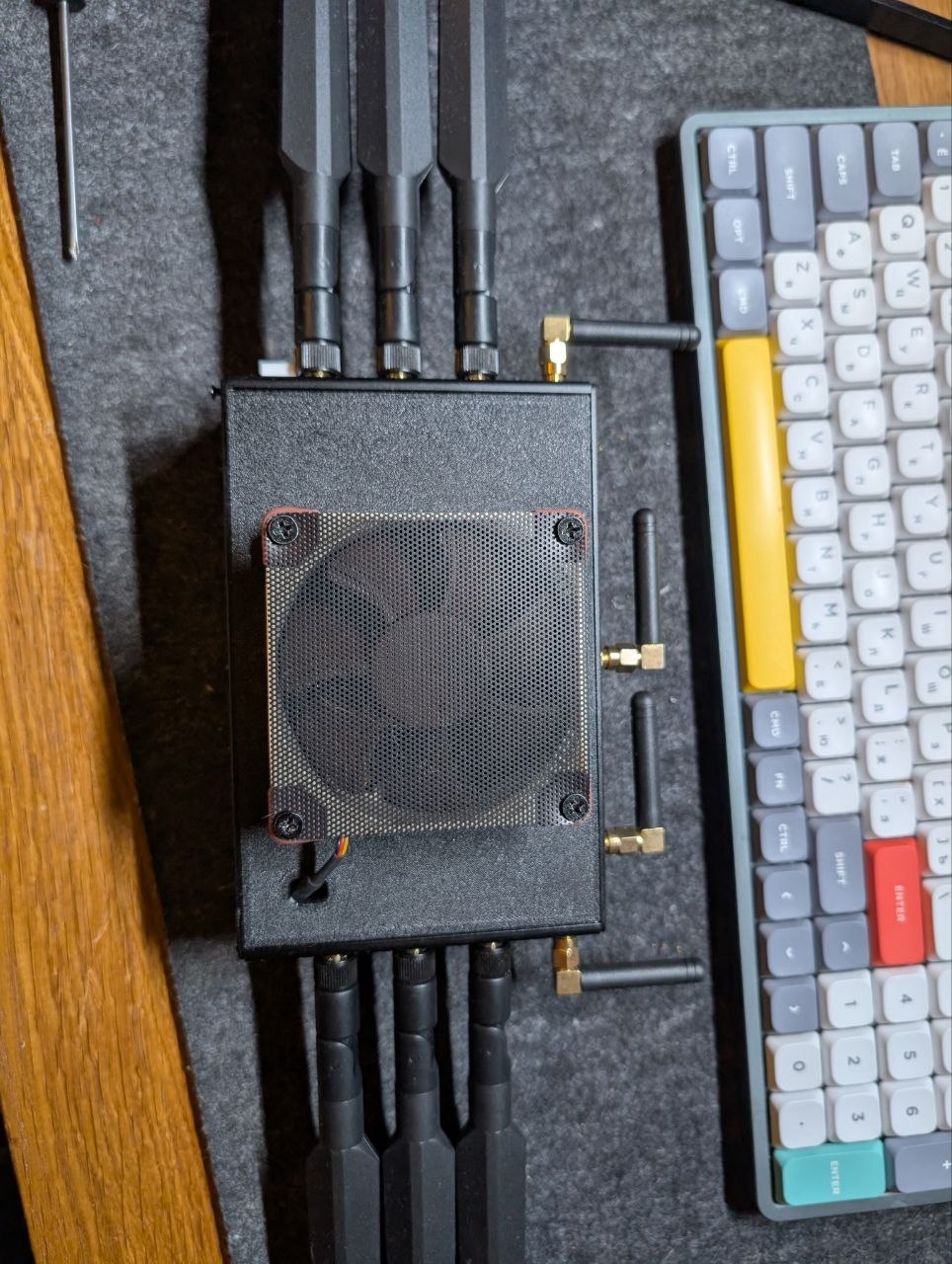
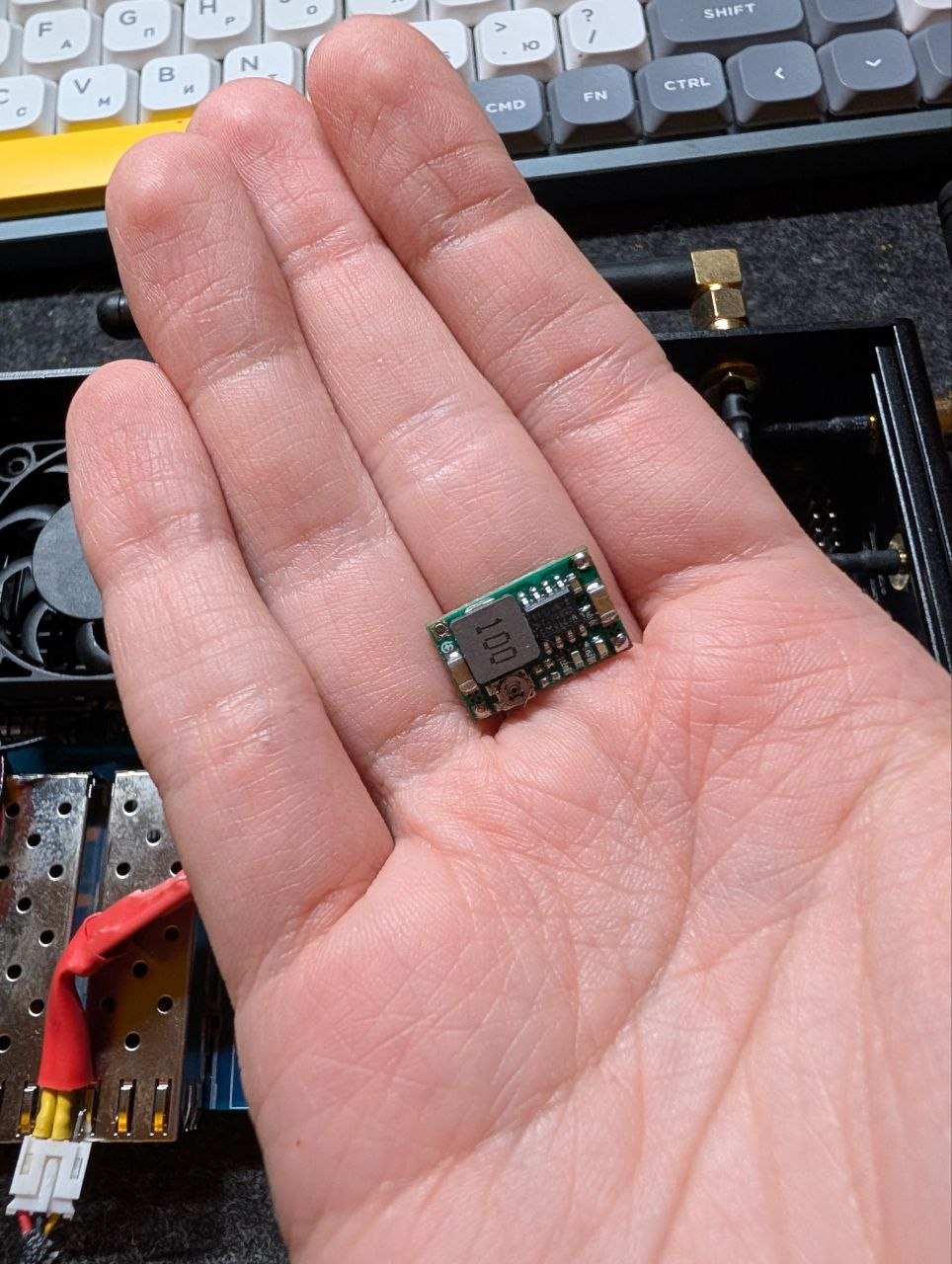
Hello, I have solved the cooling problem based on the example from the messages above. I’ve finalized the idea and tested it, and now I’m ready to share it.

I decided to make the mode silent, so I made DC 3.9V - this is enough for cooling and a little noise. I do not recommend using the standard 3.3V, because the cooler is running at a minimum and there is no cooling. I managed to achieve an angle of 40 °
I’m attaching a 3D printing model of the panel that you see in the picture. CoolPanelV2.3mf (215,3 КБ)