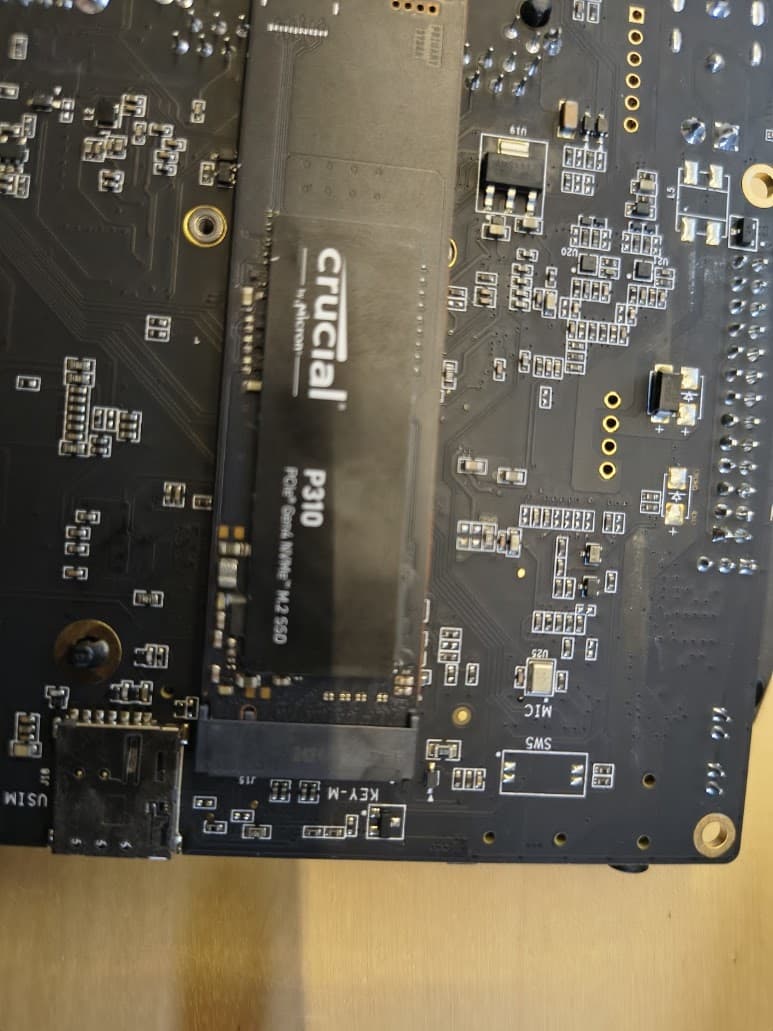
I have the BPI-R3 installed and I’d like to add a NVME drive to it (2TB). It doesn’t recognize it by default on Debian 13. How can I make it visible/usable under Debian? It doesn’t need to boot from it. I’ve tried the command line options to view if the NVME is available, but it doesn’t show up.
Which image do you use?
Basicly nvme is pcie so first test would be lspci to see the pci device. If this is shown,check if nvme driver is available (zgrep -i nvme /proc/config.gz).
I use the image from this side:
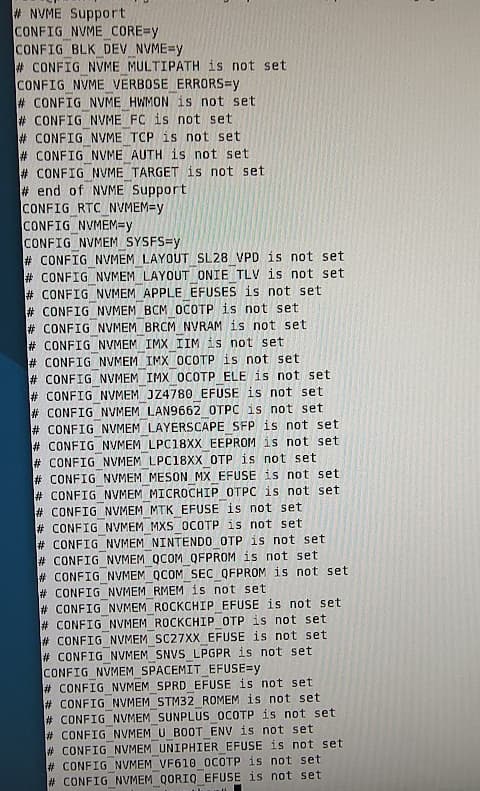
I suppose some settings should be enabled, but that is something I haven’t done yet.
Mhm,this is F3,not R3,so i move category
So nvme driver is builtin (also no module load needed).What does lspci say?
1 Like
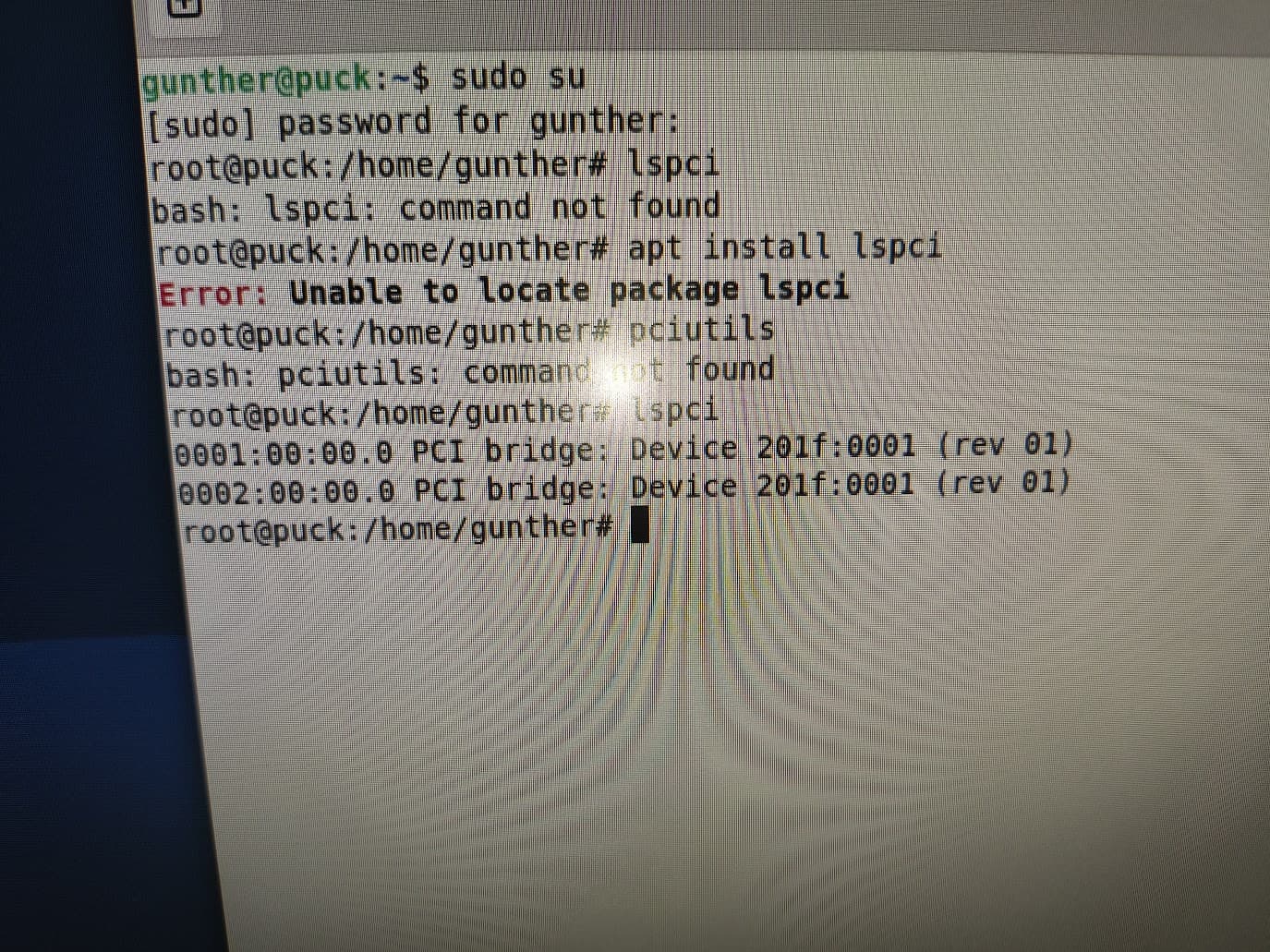
seems like the pci device is not recognized. do you see anything in dmesg?
dmesg | grep -i pci
please copy this from console as text and then put it into code-block (<> button)
This is the output:
[    0.836162] PCI: CLS 0 bytes, default 64
[    1.272471] k1x-dwc-pcie ca400000.pcie: has no power on gpio.
[    1.277513] k1x-dwc-pcie ca400000.pcie: host bridge /soc/pcie@ca400000 ranges:
[    1.282531] k1x-dwc-pcie ca400000.pcie:       IO 0x009f002000..0x009f101fff -> 0x009f002000
[    1.290835] k1x-dwc-pcie ca400000.pcie:      MEM 0x0090000000..0x009effffff -> 0x0090000000
[    1.399228] k1x-dwc-pcie ca400000.pcie: iATU: unroll T, 8 ob, 8 ib, align 4K, limit 4G
[    2.404350] k1x-dwc-pcie ca400000.pcie: Phy link never came up
[    2.407673] k1x-dwc-pcie ca400000.pcie: PCI host bridge to bus 0001:00
[    2.413785] pci_bus 0001:00: root bus resource [bus 00-ff]
[    2.419225] pci_bus 0001:00: root bus resource [io  0x0000-0xfffff] (bus address [0x9f002000-0x9f101fff])
[    2.428770] pci_bus 0001:00: root bus resource [mem 0x90000000-0x9effffff]
[    2.435655] pci 0001:00:00.0: [201f:0001] type 01 class 0x060400
[    2.441628] pci 0001:00:00.0: reg 0x10: [mem 0x00000000-0x000fffff]
[    2.447882] pci 0001:00:00.0: reg 0x14: [mem 0x00000000-0x000fffff]
[    2.454173] pci 0001:00:00.0: supports D1
[    2.458112] pci 0001:00:00.0: PME# supported from D0 D1 D3hot D3cold
[    2.467868] pci_bus 0001:01: busn_res: [bus 01-ff] end is updated to 01
[    2.471581] pci 0001:00:00.0: BAR 0: assigned [mem 0x90000000-0x900fffff]
[    2.478324] pci 0001:00:00.0: BAR 1: assigned [mem 0x90100000-0x901fffff]
[    2.485101] pci 0001:00:00.0: PCI bridge to [bus 01]
[    2.491849] pcieport 0001:00:00.0: PME: Signaling with IRQ 65
[    2.496194] pcieport 0001:00:00.0: AER: enabled with IRQ 65
[    2.501894] k1x-dwc-pcie ca800000.pcie: has no power on gpio.
[    2.509270] k1x-dwc-pcie ca800000.pcie: host bridge /soc/pcie@ca800000 ranges:
[    2.514536] k1x-dwc-pcie ca800000.pcie:       IO 0x00b7002000..0x00b7101fff -> 0x00b7002000
[    2.522605] k1x-dwc-pcie ca800000.pcie:      MEM 0x00a0000000..0x00b6ffffff -> 0x00a0000000
[    2.631020] k1x-dwc-pcie ca800000.pcie: iATU: unroll T, 8 ob, 8 ib, align 4K, limit 4G
[    3.636114] k1x-dwc-pcie ca800000.pcie: Phy link never came up
[    3.639130] k1x-dwc-pcie ca800000.pcie: PCI host bridge to bus 0002:00
[    3.645515] pci_bus 0002:00: root bus resource [bus 00-ff]
[    3.650977] pci_bus 0002:00: root bus resource [io  0x100000-0x1fffff] (bus address [0xb7002000-0xb7101fff])
[    3.660783] pci_bus 0002:00: root bus resource [mem 0xa0000000-0xb6ffffff]
[    3.667665] pci 0002:00:00.0: [201f:0001] type 01 class 0x060400
[    3.673641] pci 0002:00:00.0: reg 0x10: [mem 0x00000000-0x000fffff]
[    3.679884] pci 0002:00:00.0: reg 0x14: [mem 0x00000000-0x000fffff]
[    3.686181] pci 0002:00:00.0: supports D1
[    3.690125] pci 0002:00:00.0: PME# supported from D0 D1 D3hot D3cold
[    3.699888] pci_bus 0002:01: busn_res: [bus 01-ff] end is updated to 01
[    3.703606] pci 0002:00:00.0: BAR 0: assigned [mem 0xa0000000-0xa00fffff]
[    3.710347] pci 0002:00:00.0: BAR 1: assigned [mem 0xa0100000-0xa01fffff]
[    3.717116] pci 0002:00:00.0: PCI bridge to [bus 01]
[    3.723923] pcieport 0002:00:00.0: PME: Signaling with IRQ 69
[    3.728169] pcieport 0002:00:00.0: AER: enabled with IRQ 69
Looks like simply not detected. Do not know this board further sorry. Maybe someone else have this board can confirm pcie is working or not.
Mirror name:bianbu-23.10-desktop-k1-v1.0.12-release-20240802214818
For this F3 board, I have tested that the Bianbu image can recognize NVMe, but the Debian version has not been tested yet. The hardware should be fine. It’s likely that the software will require some modifications.
No NVMe SSD connection:
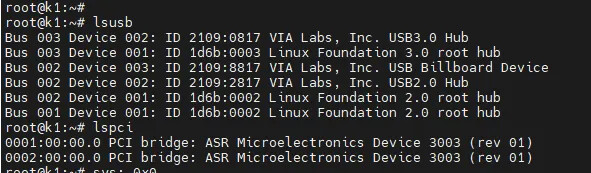
Model: KBG40ZNS 128G
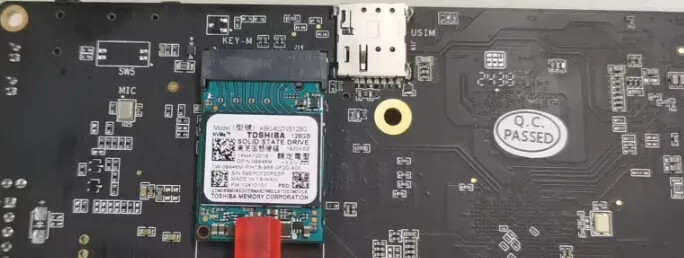
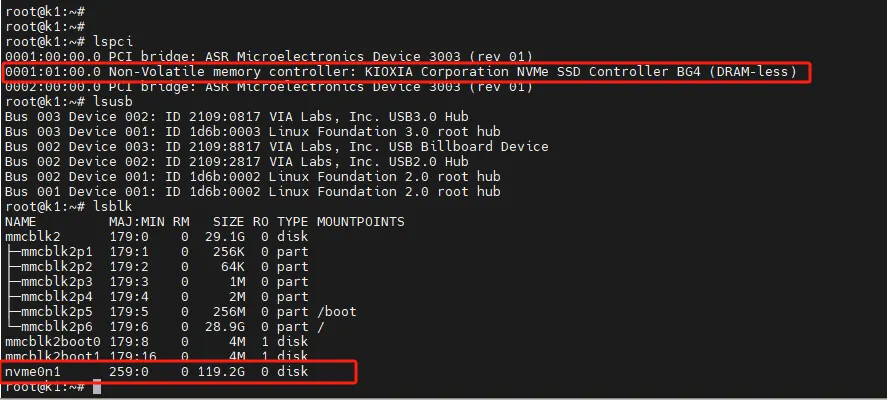
Model:Hynix hard drive
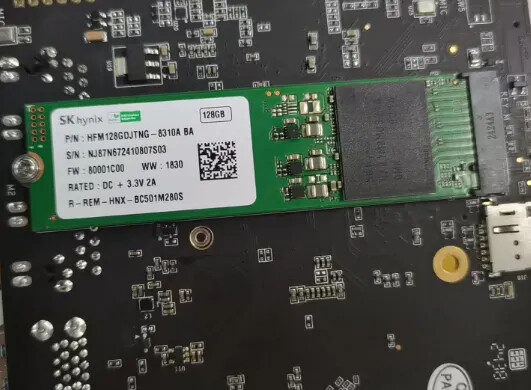
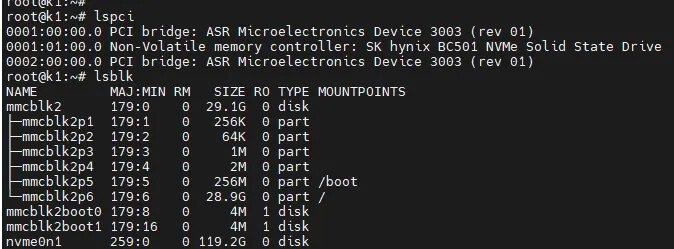
1 Like
I tried Debian and Bianbu OS. I’d like to try with Arch linux or Armbian, but these images are served as .img.xz files. Titanflasher doesn’t recognize them. Unzipping and rezipping them as .zip files didn’t work. Or is another tool available to flash the image?

The firmware with the “.img.zip” extension is used for burning onto the SD card. You can use BalenaEtcher for the burning process. While the “.zip” files are the ones that are burned using Titanflasher, which is used for burning onto the eMMC.
1 Like
I managed to get Bianbu desktop 25.04 version 3.0.1 not only recognizing an NVME drive but booting with root and swap on it. I’ll make thread about that.
2 Likes