hi, i would like to replace my Fritzbox 6850 with OpenWRT. So i’d need a modem with 4G/LTE and Wifi 2GHZ and 5 GHz.
installation of version 25.12.0-rc2 worked well. I’ve learned: with one WifiCard only one band is possible. So i’m using two 8822CE cards in the mcpie slots (one for 2,4 GHZ, one for 5GHZ) - they are working well
for LTE connection I’ve bought a EM05G card (M.2 slot). with package “kmod-usb-net-cdc-mbim” OS recongizes the card and i was able to create an interface (MBIM and also Modemmanager) but card is not working.
Screenshot
as Modemmanager “says” “MM_MODEM_DISABLED” i tried to activate it with “mmcli -m 0 --enable” but got an error message “error: couldn’t enable the modem: ‘GDBus.Error:org.freedesktop.ModemManager1.Error.Core.Retry: Retry: Invalid transition’”
here are some additional infos:
root@OpenWrt:~# mmcli -m 0
  -----------------------------------
  General  |                    path: /org/freedesktop/ModemManager1/Modem/0
           |               device id: eb010b2f9e957c075cefb5f6002175b4f390aa87
  -----------------------------------
  Hardware |            manufacturer: Quectel
           |                   model: Quectel EM05-G
           |       firmware revision: EM05GFAR07A07M1G
           |          carrier config: ROW_Generic_3GPP
           | carrier config revision: 05040820
           |            h/w revision: QUECTEL Mobile Broadband Modul
           |               supported: gsm-umts, lte
           |                 current: gsm-umts, lte
           |            equipment id: 016520001861276
  -----------------------------------
  System   |                  device: /sys/devices/platform/soc/11200000.usb/usb1/1-1/1-1.1
           |                 physdev: /sys/devices/platform/soc/11200000.usb/usb1/1-1/1-1.1
           |                 drivers: cdc_mbim
           |                  plugin: quectel
           |            primary port: cdc-wdm0
           |                   ports: cdc-wdm0 (mbim), wwan0 (net)
  -----------------------------------
  Status   |                   state: enabling
           |             power state: low
  -----------------------------------
  Modes    |               supported: allowed: 3g; preferred: none
           |                          allowed: 4g; preferred: none
           |                          allowed: 3g, 4g; preferred: 4g
           |                          allowed: 3g, 4g; preferred: 3g
           |                 current: allowed: 3g, 4g; preferred: 4g
  -----------------------------------
  Bands    |               supported: utran-1, utran-4, utran-6, utran-5, utran-8, utran-2,
           |                          eutran-1, eutran-2, eutran-3, eutran-4, eutran-5, eutran-7, eutran-8,
           |                          eutran-12, eutran-13, eutran-14, eutran-18, eutran-19, eutran-20,
           |                          eutran-25, eutran-26, eutran-28, eutran-38, eutran-39, eutran-40,
           |                          eutran-41, eutran-66, eutran-71, utran-19
           |                 current: utran-1, utran-4, utran-6, utran-5, utran-8, utran-2,
           |                          eutran-1, eutran-2, eutran-3, eutran-4, eutran-5, eutran-7, eutran-8,
           |                          eutran-12, eutran-13, eutran-14, eutran-18, eutran-19, eutran-20,
           |                          eutran-25, eutran-26, eutran-28, eutran-38, eutran-39, eutran-40,
           |                          eutran-41, eutran-66, eutran-71, utran-19
  -----------------------------------
  IP       |               supported: ipv4, ipv6, ipv4v6
  -----------------------------------
  3GPP     |                    imei: 016520001861276
  -----------------------------------
  SIM      |        primary sim path: /org/freedesktop/ModemManager1/SIM/0
           |          sim slot paths: slot 1: none
           |                          slot 2: none (active)
root@OpenWrt:~#
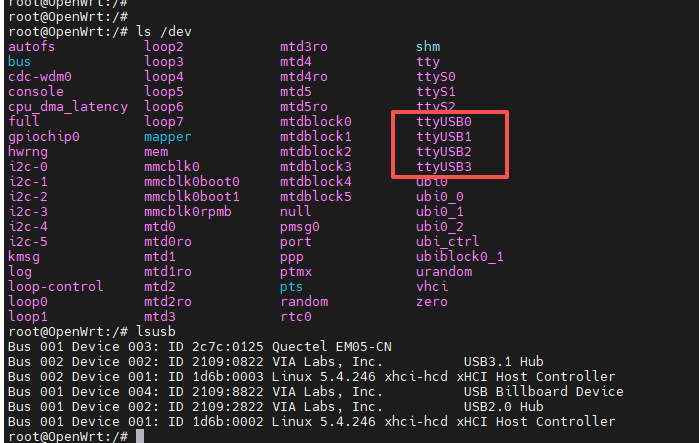
then i wanted to check some stuff with AT command…but how to connect? Devices show only the /dev/cdc-wdm0, but there is no tty/usb device Package “kmod-usb-serial-qualcomm” is installed, what am i doing wrong?
and also a bit strange: i was able to switch to SimSlot 2 once, but now, when trying to switch back (mmcli -m 0 --set-primary-sim-slot=1) i get also an error: error: couldn’t request primary SIM switch: ‘GDBus.Error:org.freedesktop.ModemManager1.Error.Core.Timeout: QMI core error: Transaction timed out’
Some hints would be great
thanks in advance an best regards