I removed it to take a picture
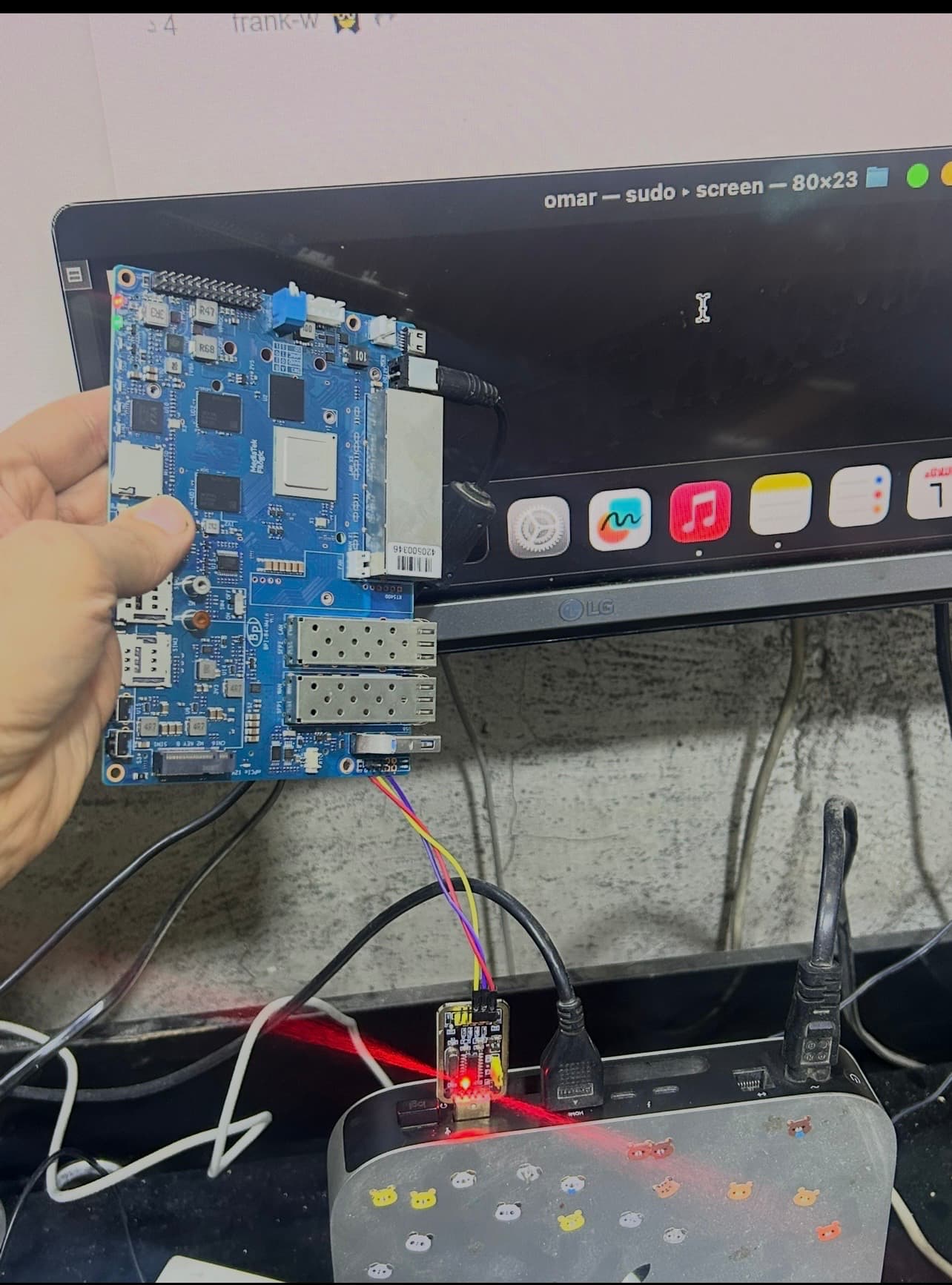
Holding the board like this i(specially at wintertime) you can kill it with static electricity.
I just received my BPI R4 and it has the same condition. It’s dead. Can you check if a component underneath gets too hot as soon as you connect the board to power?
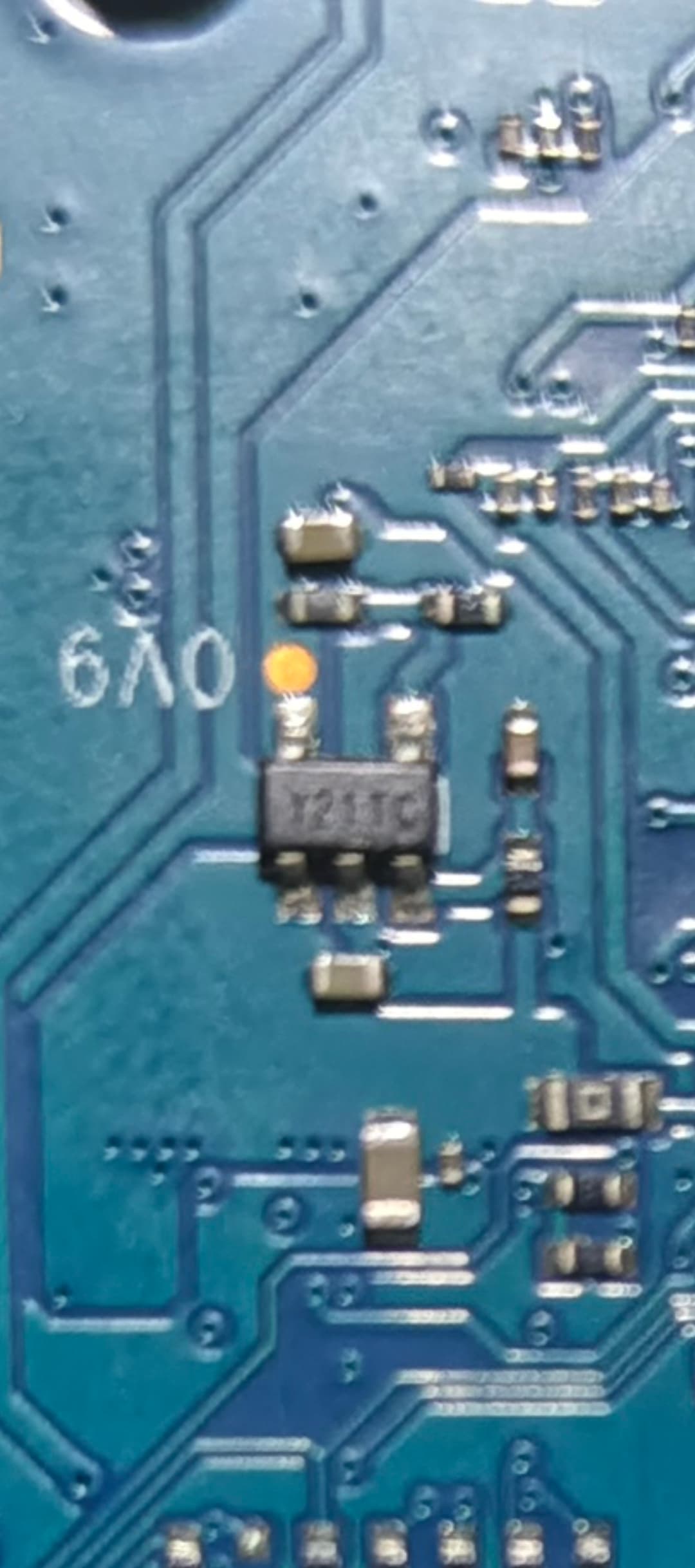
HI The component’s temperature is not normal.
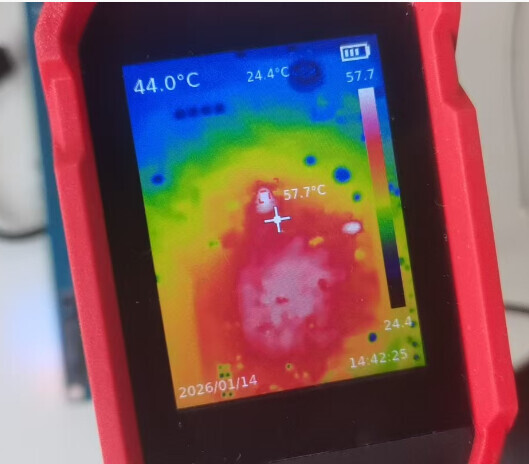
What temperature range do your devices operate within approximately? The R4 board that is capable of functioning seems to have a relatively high temperature as well.
Hit a similar situation. After a year of use, I found my BPI-R4-Main v1.1 in an unresponsive state. I have a semi-permanent UART cable hooked up for periodic troubleshooting. Now there is never output, no matter what. Unit has been in the aluminum case since unboxing with heatsink compound between the NVMe and case for heat transfer.
At power on the LEDs for PWR, eth3, and G all switch on with G almost immediately turning off.
Power at XH-4Pin is 5v/12v. Voltages at 0v9, 1v1, 1v2, 3v3 measure nominal. VCORE and VPROC are ~0.875, TP16 is 1.787, TP17 ranges from 60 to 80 mV
Any thoughts?
Are you running OpenWrt or a derived distribution? Check if your R4 is stuck in “recovery mode” like in @SpectreDev case:
OpenWRT directly (though re-compiled to include the NVMe driver). Interestingly, while there has been no change on the UART*, or the front facing LEDs (only red), the LED pattern on the Ethernet ports has changed. Previously it was just eth3, now it is eth0, eth1, and eth3 which are on.
*to be clear, It continues to be completely unresponsive to input or output regardless of which adapter I use. All adapters have been tested with a second BPI-R4 I had as a backup.
try GitHub - rmandrad/openwrt at bpi-r4-uart2
there’s a lot of debugging code but uart2 works on the kernel and u-boot (only uart2-tx though)
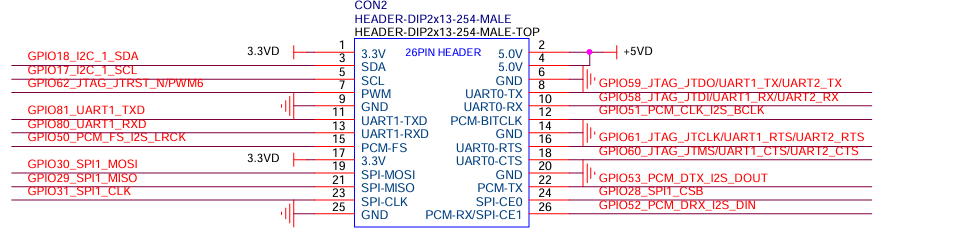
The uart2 pins are are on the right 6,8,10 (GND,UART0-TX,UART0-RX - make sure you don’t plug in the 5.0V pins!!!)
Press the reset button see if the blue light comes on in a few mins and then see if you can access the openwrt recovery
Alas, neither UART2 or the reset button have been useful, though i did see that the “mPCIe 12v” briefly lights up VERY brightly when inserting power over USB-C. This is interesting because I’ve been using a 12v barrel jack up till this point.
You meant you can’t “make use of the reset button trick” to get into “recovery mode” as SpectreDev ? Have you checked after power on, R4 already automagically in recovery mode? For example, by pinging its default IP 192.168.1.1 or trying to SSH into it ? I presume you checked already.
Another thing to try is to disable initialisation of early console in the kernel. That’s if the issue is only a broken debug port that caused kernel failure to boot.
Good afternoon, I was testing on NAND Banana Pi R4, on which UART was working without any problems. While the image was loading and watching through UART how everything was going correctly, suddenly the log stops, and since then it hasn’t worked again.
I had it disassembled to move it to the new case I bought that is bigger and has better ventilation.
As I said, it no longer shows any log. I’ve compared it with another Banana Pi R4 that I have - first the red light turns on, then the green, and immediately the blue starts blinking, and the image loads.
On this one, when it turns on, the red light and green light turn on at the same time directly - completely different from the other Banana Pi R4.
Do you know what could have happened to it, since it doesn’t give any log - no log in SD, NAND, or eMMC? It’s as if it had died.
It’s not a power supply issue - I’ve tested it with all 5 power supplies I have for the other Bananas, including the BPI-Pro, the 12V 5A one, as well as a laptop power adapter, 65W Type C charger, 20V, 3.25A, 45W, USB C, PD phone, MacBook, ASUS, ZenBook, Lenovo, Dell, Xiaomi, Air, HP, Sony that I also have, and THIS OTHER ONE: Reletech 65W USB C laptop charger power adapter for Lenovo ThinkPad, HP, Chromebook, Yoga, Dell, ASUS, Acer Type C power adapter.
Is there any way to connect through another UART method? I connected to the bottom of the board at the solder points where UART is, and then all strange characters come out but nothing clear. I’m leaving you a photo so you can see how when turned on, both lights stay fixed.
Is there any image or any way to load some type of file? It’s as if either it had a short circuit or as if the NAND had been erased.
I’ve touched the entire board and it doesn’t give off heat. I installed the SFP+RJ45 from Banana Pi R4 and it does heat up, but it doesn’t give an IP. I set it manually but it doesn’t get bytes, it doesn’t detect the network.
By the way, I didn’t have the BE14000 installed.
The fan turns on immediately along with the red and green lights.
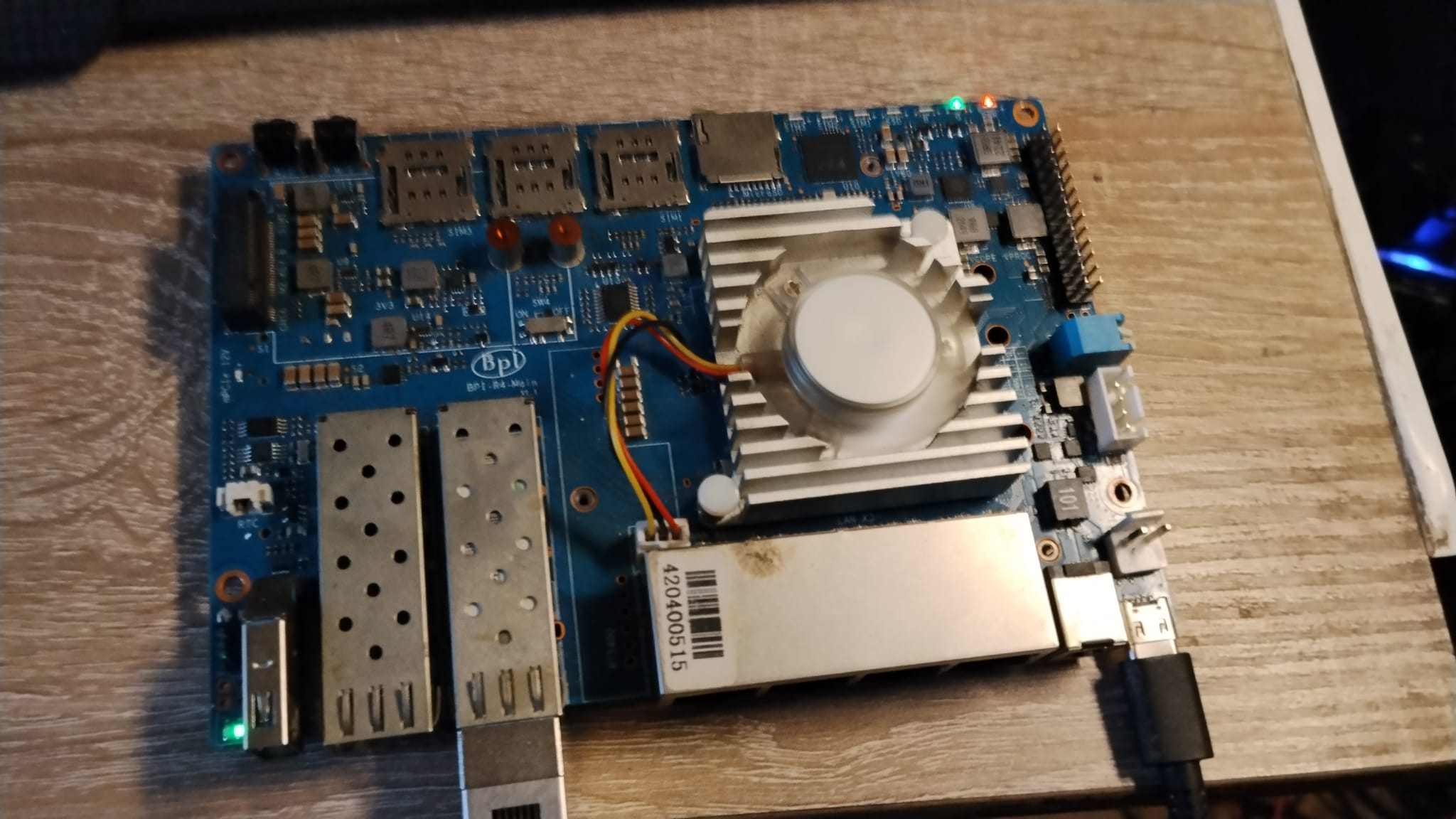
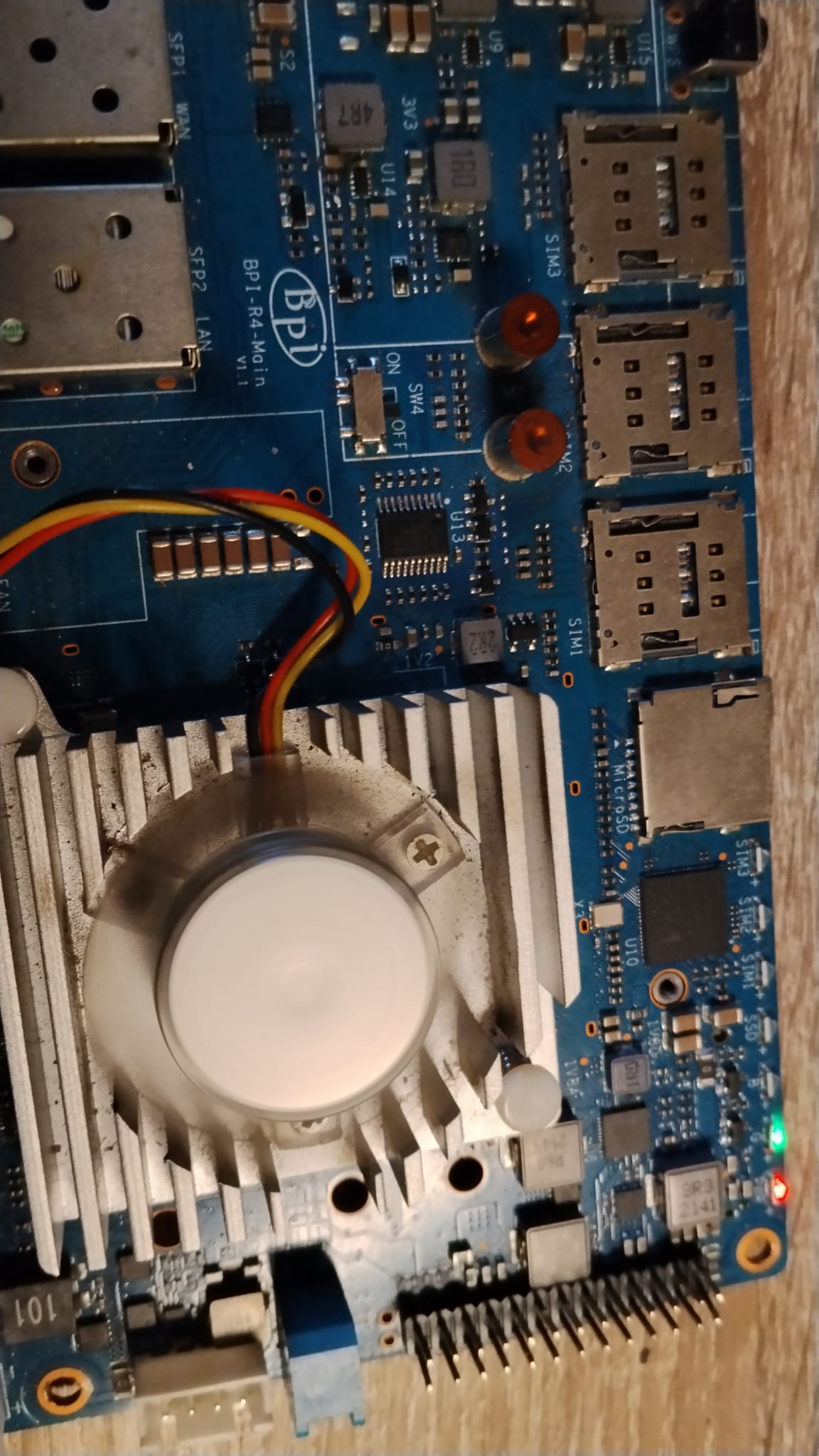
Thanks for your help. I’ve seen this post but I don’t understand what needs to be done. If you can help me, I would appreciate it.
Best regards
how long had you this board working? at which point did log stop? are you sure you use 3.3V output on the uart adapter? for using another uart it is necessary to change code on each part of bootchain (TF-A,uboot,linux). @rmandrad did some tests for it and got it partially working. without any uart log it is nearly impossible to fix a problem as you/we do not know where the problem is.
It is very easy to destroy something by static electricity.
Good evening, the UART had been on the same board since I bought it - Order placed on: Oct 7, 2024, so it had never been changed. It’s easy for something to have happened with static electricity, which was strange since I had only removed the SFP and LAN parts and the top cover, and I was testing the NAND that was installed, and in the middle of the log it stopped on the screen as if it had frozen. I rebooted and not even this came out anymore:
F0: 102B 0000
FA: 1042 0000
FA: 1042 0000 [0200]
F9: 1041 0000
F3: 1001 0000 [0200]
F3: 1001 0000
F6: 380E 5012
F5: 0000 0000
V0: 0000 0000 [0001]
00: 0000 0000
BP: 0600 0041 [0000]
G0: 1190 0000
EC: 0000 0000 [3000]
MK: 0000 0000 [0000]
T0: 0000 013F [0101]
Jump to BL
So it seems the board is dead. When rebooting, nothing comes out, there’s no communication with the board, so I disassembled it and what I did with the UART was to put the board upside down and connect the GND to its place, the TXD and RXD in their place on the back side. Then it turns on and strange characters constantly appear.
What’s more, when it turns on, as I mentioned, it does so directly with the green and red lights and fan all running at the same time.
I check another Banana Pi R4 board with 4GB of RAM and I see that first the red turns on, second the green blinking, and then the blue blinking, later the fan.
So either my board’s NAND was erased for some reason I don’t know, since no component gets hot, or it was due to static electricity death.
The strange thing is that it tries to recognize the network but never manages to recognize it and no bytes come out. I set a manual IP and put an image that I used at the beginning to flash to NAND because it had just what was needed, and it doesn’t do anything.
Additionally, I have another BPI R4 with 8GB of RAM + 2 Banana Pi Pro-8X - I tested all the power supplies with the same result.
In this thread I had read about @rmandrad and I wanted to know if it worked and if it had to be compiled with a special .config to try to be able to write to NAND and thus be able to access everything again.
If you know of any method, I would appreciate it, and if not, well, I have a dead Banana Pi R4 with 4GB of RAM, no problem, since as I informed you, in total I had 5, now 4.
But I’m very stubborn and if you think it can be recovered, I’m all ears.
Thanks
You see bootrom which is good,it just not find bl2…not sure what ec=3000 is,but imho it should be sdmmc.so either card is broken or bl2 is wrong here.
Could you try with other card working in your spare R4
So you mean you do not get this?
Wrong serial settings or a loose contact. The dupond plug must fit tight and snug on the pin. Just a bit loose you may get jibberish.
Good morning, I may not have explained myself well. I was reading the NAND to find out which kernel it was running, then it stopped and there’s no communication anymore. I have several SD cards, but the Scandisk I have on the other Banana Pi R4 works perfectly, both on the other Banana Pi R4 and on the Banana Pi R4 with 8GB of RAM.
What I mean is that it doesn’t even give that log; it’s not from that Banana Pi, it’s just an example.
I’ve tried it on the SD card, the NAND, and the eMMC since I also had an image saved on it, and it doesn’t work. The green and red lights stay on as soon as I turn it on, and the fan also spins.
I disassembled the other Banana Pi R4 and saw that the red light comes on first, then the green one, and it starts flashing, and then the blue one, and it starts flashing too.
In this case, it’s not like that.
But it’s not an SD card problem, it’s not a transformer problem, it’s just that it suddenly died.
But thanks for your help.
any solution for this i noticed some voltage on the cpu is missing 0.9v 0v9 on the pcb i tried removing some capacitors but tey were not the issue is the cpu bad?