That sounds awesome, thats realistically the type of setup Im hoping to achieve. I don’t actually want to run OpenWRT, not that there’s anything wrong with it. But I’m wanting to run SPR which is deployed 99% in docker.
I have no idea if this is a big ask or not, probably is. But would anyone be willing to guide me on the steps I would need to take to compile my own image? Im really wanting to run Alpine Linux. I tried the Alpine U-Boot download and I don’t even know what I’m supposed to do with the directories after opening the archive.
I have no idea what I’m doing when it comes to actually compiling something like that. Especially when I need to add the tx power patch, and possibly other things. Don’t get me wrong, I’m not a complete noob…just when it comes to this lol. I don’t understand a bulk of the terminology used, plus I never even heard of U-Boot until I got the R4.
I do have two AW7916-NPD and one AW7915-BMD on the way from AsiaRF. Hopefully the new WiFi cards alleviate some of the issues for me, but Im only intending it to be temporary, and I have no idea how long they will take to get here anyway. So I still intend to use the BE1400 as soon as I can get it working, and then the other cards will become Mesh nodes using a few Pi’s.
Awesome, bookmarked and will definitely check it out.
I have no idea how to compile software like this, but I have seen Gitea a million times in the Unraid CA on my server. So once I figure out how to even compile the OS to begin with Im definitely going to look into setting up something like that. Only difference is I’d prefer using Alpine Linux because of how light weight it is. So unless someone drops a major update soon, I’m going to have to figure out how to apply the patches I need for my unit and compile my own image. Im going to give yours a shot, but so far not a single image I have tried will let me leave the room and still have usable WiFi.
I didn’t realize it had actually been available for that long already. I thought it was available for purchase more recently. That does kind of make me wonder why even the official drivers don’t work properly.
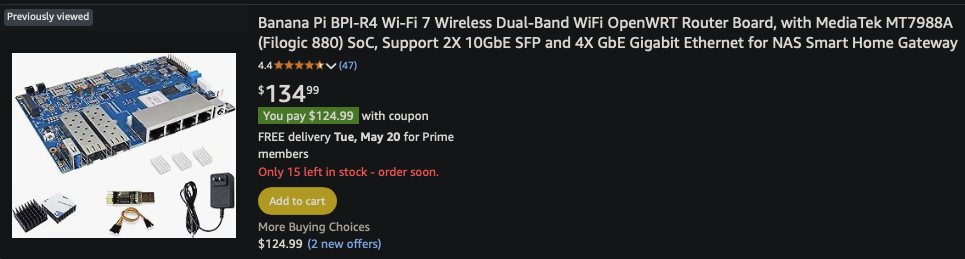
I mean, you’re not wrong. This is one of the top listings on Amazon and there’s no mention of “development”:
@tutugreen I have noticed pretty much everything you’ve mentioned. My first “hey…wait a minute” moment was when I couldn’t get the mt76 driver working well on my unit. So I figured Id try the official MTK image just to make sure everything was working there…but it wasn’t. The numbers looked better, but the actual performance was just as bad, and it would randomly reboot. At that point I got really concerned that no future support was coming from Mediatek, especially considering that the last version was December of 2024, and not a single “Auto Build” link works on the MTK Feed.
ooooh, but the Blinky lights work on the MTK images, so thats a nice touch
@ericwoud has a repo with scripts to build arch if you want the easy version.
What I did, and what I would recomment is that you follow the install process of your favourite linux distro onto an empty ssd (which you’ll use with the R4, an sd also works but you’ll need to make sure you have the correct partition layout, there should be some guidance around for that). Make sure you install for ARM64. Following that, make sure you remove the linux-xxx package that comes with your distro and place Frank’s prebuilt bpi-r4.itb kernel in your /boot on the ssd. If you use @frank-s uboot then you’re basically done at this point. Place the ssd on the R4 and enjoy.
For the R4, I only have the main board so wifi untested. The kernel is the one from dangowrt’s branch mt7988-for-next, as he keeps the latest for R4 on this branch name, so it is easy to follow.
However, for the R4 my script is still in experimental phase.
Anyway, this is getting off topic, so I will refer to:
@meehien Honestly that sounds incredibly easy, and I know Apline should have support for the R4.
On a side note, does the AUR possibly have anything of use for the R4 or BE14? If so I might try Arch if Alpine doesn’t work out.
That actually sounds incredibly easy. But in this specific case, I’m lost at step one lol.
How do I do that on the R4? I have no other ARM based systems I could run an installer on.
I do have a small NVME drive in the R4 that I intend to run the OS from, so that part is covered.
Then I need to install U-Boot from @Frank-W onto the eMMC to enable booting the OS from the NVMe drive, which I was never able to figure out how to do correctly. That was actually my first post here on the forums lol. That thread got put on the back burner when I started noticing all the other issues.
I know the main issue is simply the fact that I have never done this type of setup before. So I have no understanding of what files go where and why or what they do. Plus im probably way over complicating things. I know the moment it finally clicks im probably going to feel really stupid lol.
i should have dig a bit more about this product before buying it (i was misled by my previous raspberry experience).
Fortunately, i don’t plan to use it for wifi but i found it a bit triggering to see variant release of the R4 when the original product is not even fully working as expected and properly supported by the vendor.
I have the very same setup - the two NPDs + a custom aluminium case are getting actively cooled by an 120mm fan.
That way I have 2x2 6GHz WIFI in two rooms (the 2,4GHz disabled) + a central 4x4 2,4GHz (all serving one floor). The setup is completely stable that far.
I can reach 1,2Gbit with iperf2 on a laptop with intel be-card (antennas installed in the ceiling, so from a distance of roughly 3 - 4 meters) on 5 GHz AX, didn’t test it on 6 GHz so far.
I had a very similar setup with 2×7916-NPD + 1×7915-NP1 installed on Turris Omnias with similar speeds.
I am currently changing the antennas (before: 2,4/5GHz only with low antenna gains that don’t outperform the attenuation losses because of long cabling, after: omniband antennas with higher gain) so I’ll need some days to post the evidence.
I’m running a BPi-R4 (BE1400 Wi-Fi) as my primary home router on OpenWrt 24.10.0-rc5 (r28304-6dacba30a7). Haven’t upgraded to the stable 24.10.1 release yet, but plan to soon.
Uptime & stability:
65 days uptime (aside from a power outage two months ago):
16:39:34 up 65 days, 5:08, load average: 0.07, 0.11, 0.04
No unexpected reboots—system’s been fairly stable overall.
Wi-Fi:
Wi-Fi 7: doesn’t work at all.
Wi-Fi 6: works, but several devices won’t connect—my Blink cameras, an iPad (3rd gen), and my TCL TV (though it’s usually on Ethernet).
WED (Wireless Ethernet Dispatch) is not enabled.
Speed: close to the router I see 700+ Mbps; about 10–15 m away it can drop to ~20 Mbps.
Even after moving the network printer within ~5 m, it still hiccups occasionally.
Wired & services
NVMe SSD installed; running four Podman containers with MacVLAN networking—zero issues.
Wired gigabit routing and throughput are solid.
Gaming: I stream PC games to my tv over LAN using Moonlight + Sunshine for family game nights - no latency issues at all.
DNS & PXE: running BIND9 as my main home DNS server (for external-dns) and using it to network-boot my k8s cluster—works flawlessly.
Disk & memory snapshot
# free (memory)
              total        used        free      shared  buff/cache   available
Mem:        4025012      565096      199680        2924     3260236     3369740
Swap:             0           0           0

# lsblk (block devices)
NAME        MODEL                 SIZE
mmcblk0                       29.8G
└─…
nvme0n1     Samsung SSD 990 EVO 1TB  931.5G
└─nvme0n1p3                915.5G
Overall: fine as a wired router, but Wi-Fi coverage and stability remain the weak link.
Looking ahead
I’m on the hunt for hardware with proper Wi-Fi 7 and OpenWrt support—and at least 2 GB of RAM (harder to find than it sounds). The Banana Pi seemed the best option, but its Wi-Fi performance was a letdown.
Tried a few things I found here and other places. Nothing works. Two of the three radios only put out 6 and 7 dbm.
Still waiting on a new OpenWRT 24.10.x version to fix it properly.
Besides the radio troubles it’s crazy unstable and hot. By far the biggest waste of a good chunk of money in a long time. So still laying on my desk instead of running as main router. Would have been far better off putting the money in a proper wifi7 accesspoint and keeping my current router.
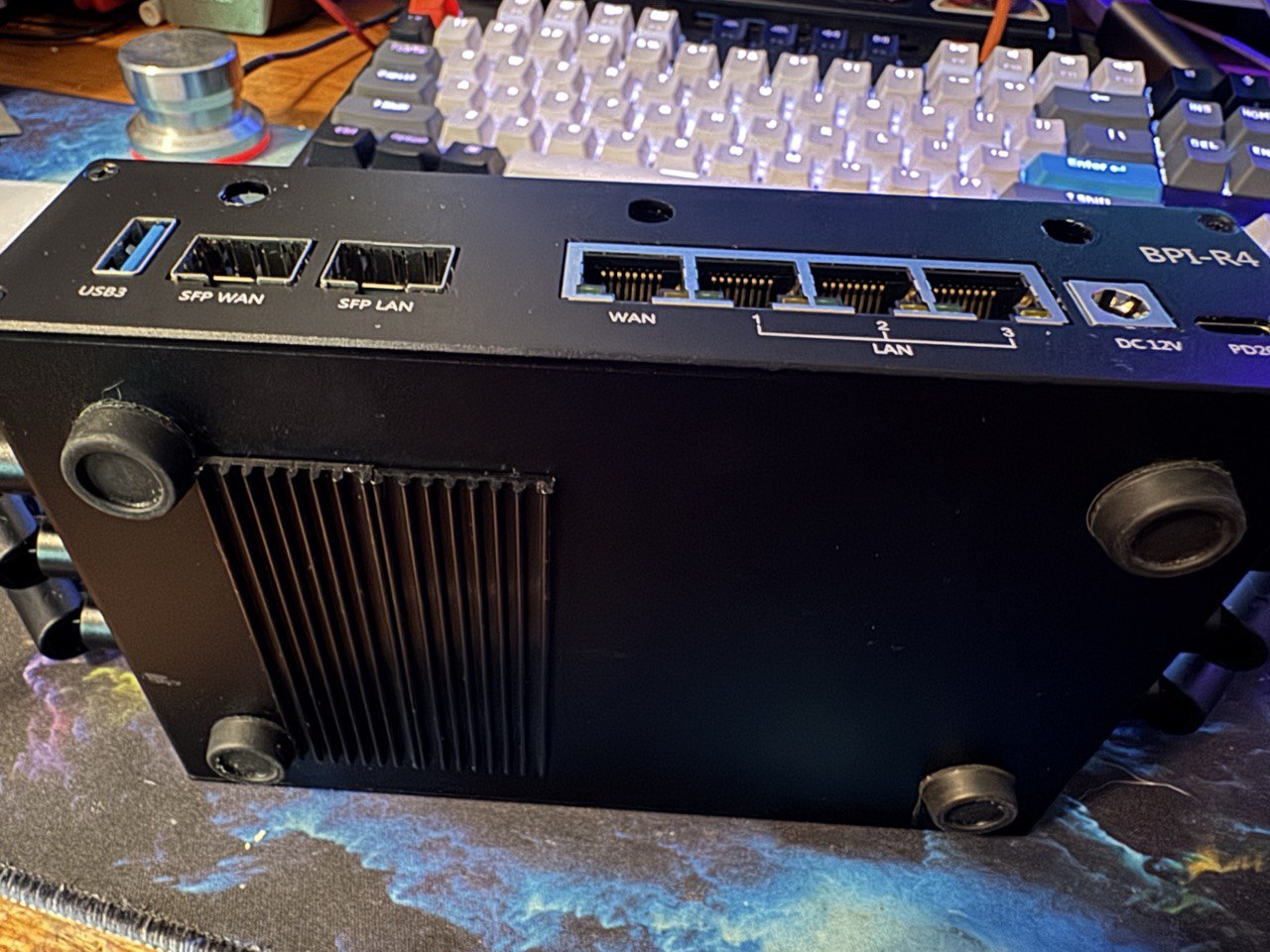
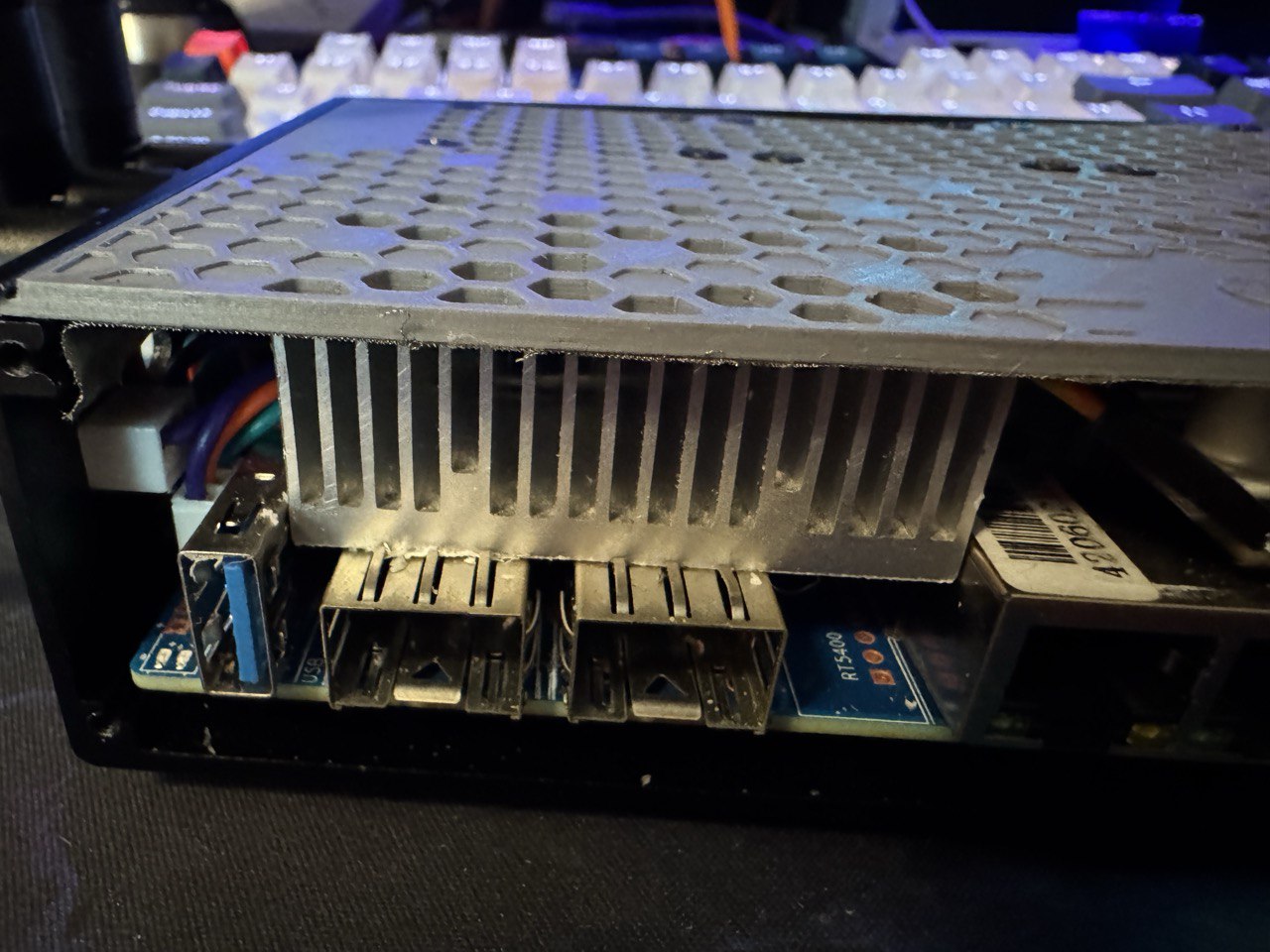
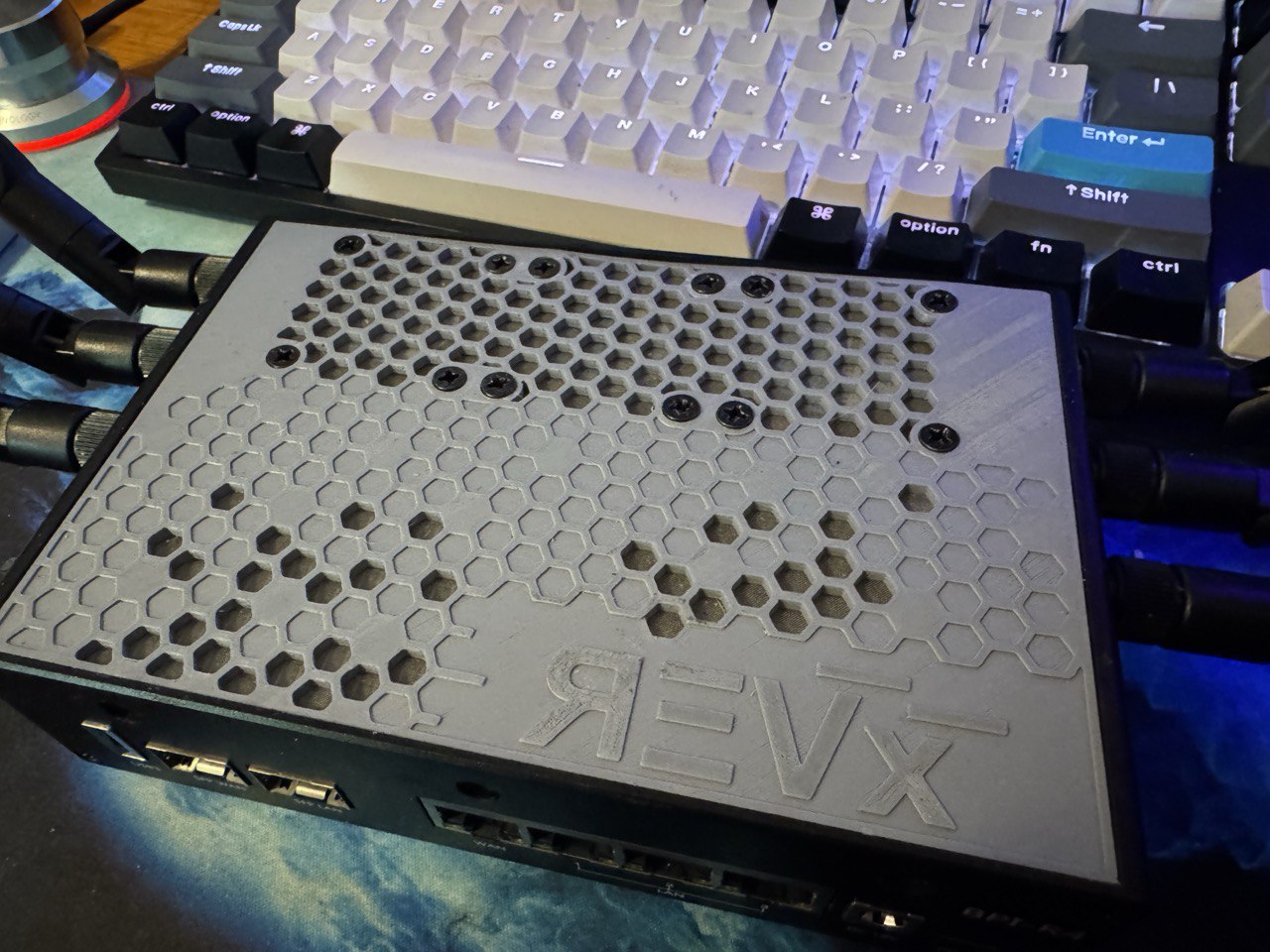
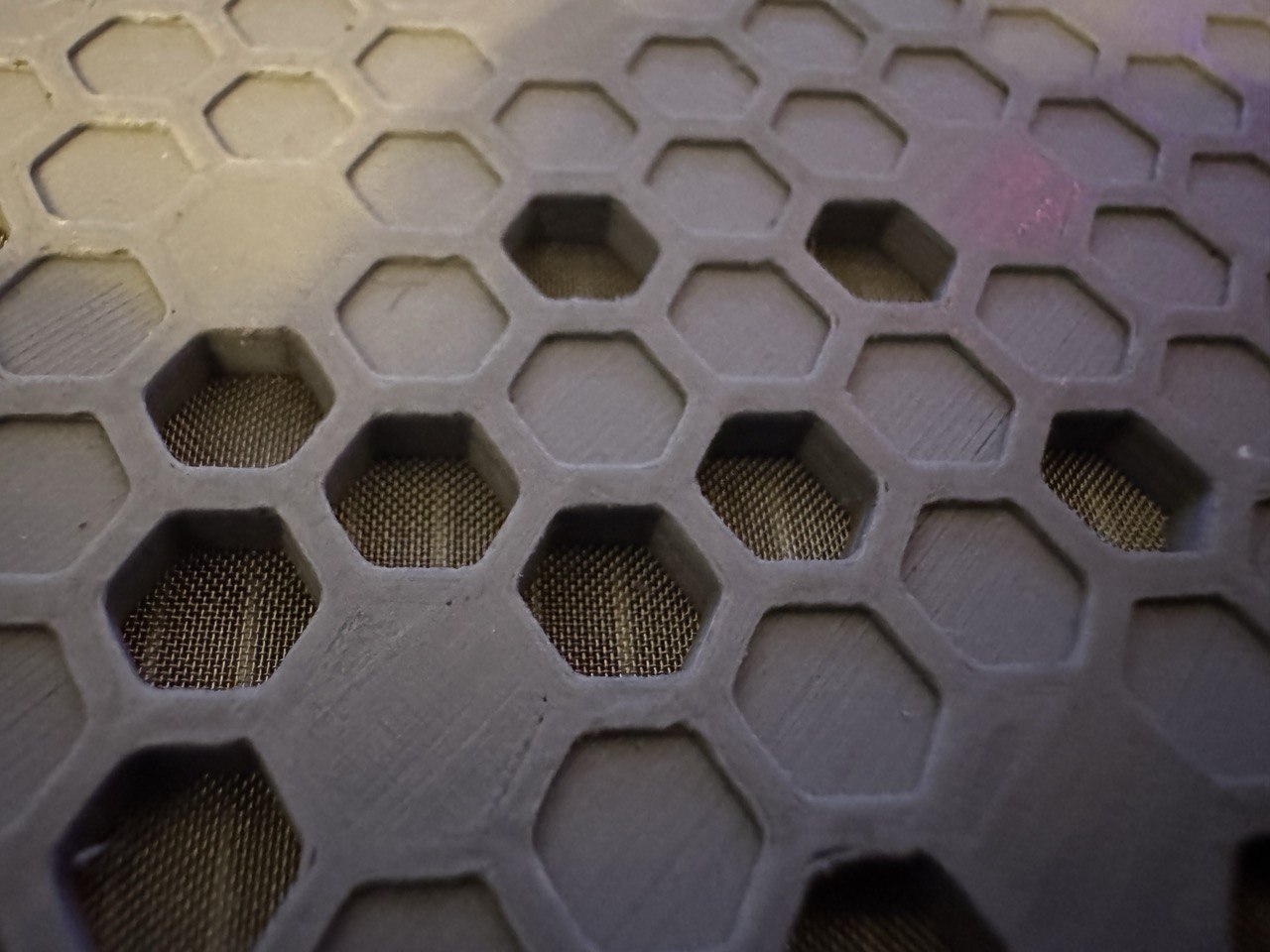
I hear that a-lot, that this thing runs hot. I either haven’t stressed it enough, which is very likely right now, or I did a decent job prepping. I swapped out all the thermal pads with higher quality ones and figured I’d spend the time waiting on my new WiFi cards working on the cooling. Had a little too much fun with it.
Added NVMe heatsinks directly below the WiFi card day one.
Then came the 3D printing. Custom designed top cover with three 40mm fans. The 12v Winsinn fans from Amazon actually move a decent amount of air, used a small buck converter to keep the fan noise down. Intentionally choked a majority of the airflow on the top, to force air to come in the side vents by the WiFi card.
I don’t know enough about the current capabilities of the gpio pins, but the header by the power input may be a better choice. The 4-pin header provides both 12v and 5v, thats what I powered my fans from.