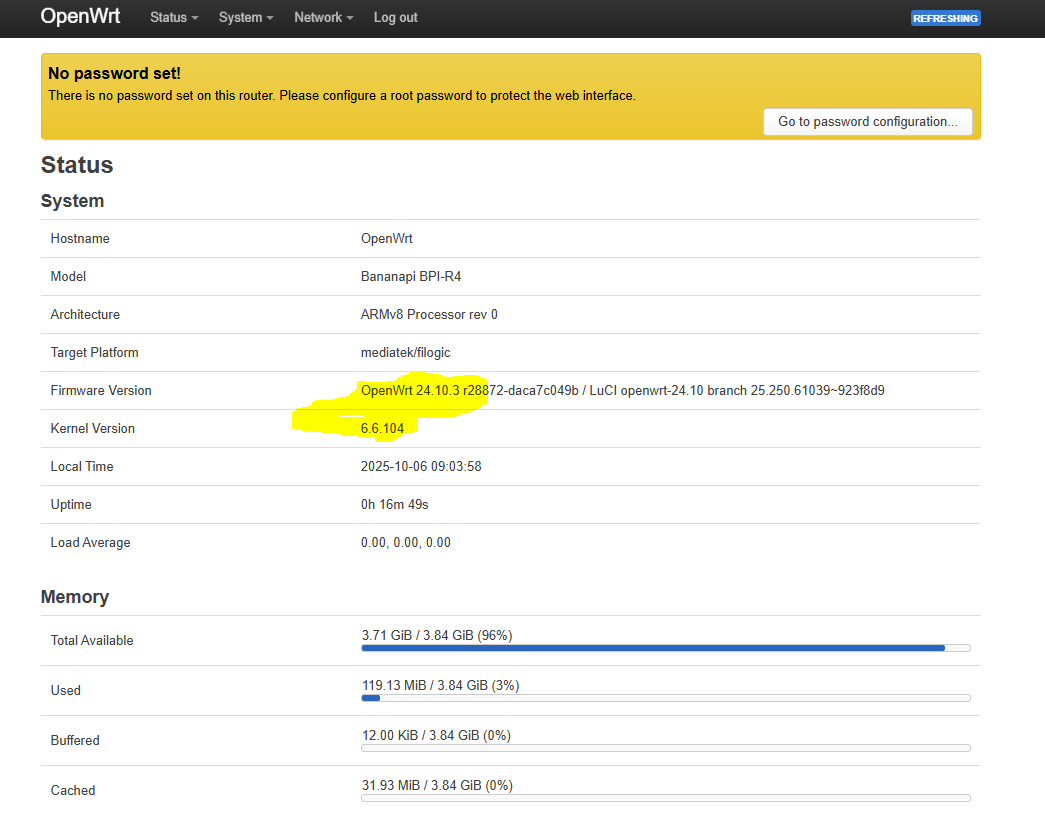
Try to run temperature of the soc…there are some few mt7988 which are reporting wrong temperature without a fix which may be not yet in openwrt.
cat /sys/class/thermal/thermal_zone0/temp
Try to run temperature of the soc…there are some few mt7988 which are reporting wrong temperature without a fix which may be not yet in openwrt.
cat /sys/class/thermal/thermal_zone0/temp
The output is:
root@bpi-r4-8GB-RAM:~# cat /sys/class/thermal//thermal_zone0/temp
31861
Looks good if you have passive cooling too and case open…fan should start at higher temperatures.
Here 40°C…maybe openwrt uses different values
The bug i’m talking shows extrem high/low temps afaik (have no such board).
But I tested with
echo '255' > '/sys/devices/platform/pwm-fan/hwmon/hwmon2/pwm1'
normally than the fan is running with 100% power, independent on the temperature.
My original image for 4GB RAM on BPI-R4-4GB-RAM the fan is running. For testing, the same image on BPI-R4-8GB-RAM the fan is NOT running.
I also replaced the fan, but the problem remains.
Do you have any pwm related errors in bootlog? Any visible problems (broken soldering points)?
No, no error message. I think I’ll test it again with another 8GB RAM board. Perhaps this board is defective. I will report you later my result.
@frank-w same result with another 8GB RAM board. Maybe there is a problem with FIT/DTB for that boards?
Are you using the 8gb bl2 on the 8gb board?
Check
cat /proc/meminfo
Tbh i have not tested fan on 8gb board as i expected that only ram is different…your 8gb is the 2 sfp or the 2.5g phy/poe variant?
Result is:
cat /proc/meminfo
MemTotal:        8139432 kB
MemFree:         6723232 kB
MemAvailable:    7294008 kB
Buffers:          278732 kB
Cached:           381224 kB
SwapCached:            0 kB
Active:           801200 kB
Inactive:         394688 kB
Active(anon):     565132 kB
Inactive(anon):        0 kB
Active(file):     236068 kB
Inactive(file):   394688 kB
Unevictable:           0 kB
Mlocked:               0 kB
SwapTotal:       4194300 kB
SwapFree:        4194300 kB
Dirty:                 4 kB
Writeback:             0 kB
AnonPages:        535952 kB
Mapped:           182464 kB
Shmem:             29200 kB
KReclaimable:      34328 kB
Slab:              81740 kB
SReclaimable:      34328 kB
SUnreclaim:        47412 kB
KernelStack:        3984 kB
PageTables:         5220 kB
SecPageTables:         0 kB
NFS_Unstable:          0 kB
Bounce:                0 kB
WritebackTmp:          0 kB
CommitLimit:     8264016 kB
Committed_AS:    1226924 kB
VmallocTotal:   257687552 kB
VmallocUsed:       15568 kB
VmallocChunk:          0 kB
Percpu:              480 kB
and it is the 8gb 2x 10g phy/poe sfp variant
R4 is either 2xsfp+ or 1sfp+1phy/poe
You wrote you are using the 4gb image, so I am confused…
Yes I tested with the 4GB Image and after that I used my same image with overrided the sdc1 partition with frank_w bl2-image. Thats because you see the 8GB RAM available now.
It has at least 2xSFP connections.
One more note: my 4GB RAM image is based on the OpenWrt 24.10.0 release.
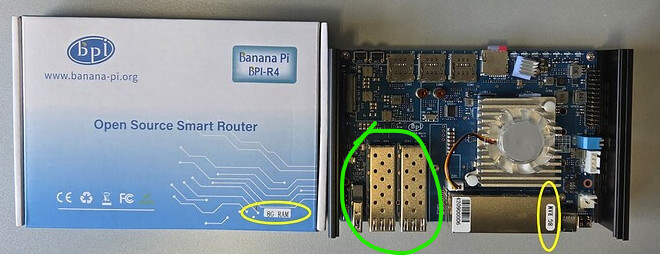
tested fan on my 8GB phy-variant
root@bpi-r4-phy-8G:/sys/class/thermal/thermal_zone0# echo 35000 > trip_point_4_temp
fan is spinning at temp of 36°C
Now I used the origin image and your command with echo 20000 > trip_point_4_temp but the fan is still not running
I used three different fans. I tested them all first on a 4GB RAM board. They all worked on that board. Unfortunately, they did not work on the 8GB RAM board.
only that errors are showing:
root@OpenWrt:~# dmesg | grep err
[    0.014086] /soc/interrupt-controller@c000000: Fixed dependency cycle(s) with /soc/interrupt-controller@c000000
[    2.781336] mtk-pcie-gen3: probe of 11280000.pcie failed with error -110
[    4.161304] mtk-pcie-gen3: probe of 11300000.pcie failed with error -110
[    4.541305] mtk-pcie-gen3: probe of 11310000.pcie failed with error -110
[   11.989444] crypto-safexcel: probe of 15600000.crypto failed with error -16
But here you talk about openwrt which may have different config than my kernel…maybe pwm is broken
To be honest, I don’t know what to do at the moment. With my OpenWrt image 24.10.0, the fan runs on boards with 4 GB RAM (pwm is not broken), but with the same OpenWrt image 24.10.0, it doesn’t run on boards with 8 GB RAM. I think it’s best to ask Bananapi again directly.
This sounds like a hw error on the 8gb board…the config is same as on 4gb.
I’ve already tested it with two different 8GB boards. But I can also unpack a third one and test it.