BPI R4 Pro 8GB Price Hike Just Landed on Ali: 58% Increase

So it’s official: SinoVoip has listed the second batch of the BPI-R4 Pro on their official AliExpress store, and they have passed the entirety of their increased production costs directly to the customer.

I paid $269.45 USD in January; as of March, the product now officially costs $425.68 USD. That is a staggering 57.98% increase in just two months, on top of shipping fees that have also doubled.

I fully understand that the AI boom has sent RAM, EMMC, NAND prices rocketing. However, most manufacturers in the networking sector are managing these hikes with 10–15% adjustments. Jumping by nearly 60% is a massive gamble. Most established brands understand that a 50%+ price hike doesn’t lead to greater returns—it leads to a slump in sales. I expect BPI sales to drop dramatically as customers move toward bigger manufacturers who are sharing the burden of these component hikes rather than offloading them entirely onto the consumer.

Most of us choose Banana Pi because we appreciate the hardware-to-price ratio and the OpenWrt flexibility. However, at $425.68, this board is now officially more expensive than a Ubiquiti UniFi Dream Machine Pro.

It is a very tough sell to ask customers to pay an ‘Enterprise’ premium for a DIY software experience. We rely heavily on our own community to code and fix bugs, whereas a massive ecosystem like Ubiquiti UniFi provides:

  • Full manufacturer support.
  • A 2-year warranty with first-class RMA services.
  • Polished, stable firmware out of the box.

In contrast, BPI’s customer service has been non-existent. My own board recently went faulty; the team is fully aware of the situation, yet offered zero assistance in getting a replacement.

When pricing nears entry-to-medium level Enterprise goods, customers have high expectations that BPI simply isn’t equipped to meet. If the community is doing the software development and the customer is taking the hardware risk, the price needs to reflect that. Right now, it doesn’t.

2 Likes

Good morning, Banana Pi always looks for dollar profits. I can assure you that right now you have the Xiaomi BE10000, 2x 10GB ports, WiFi 7 network that quadruples the power and without a single noise. On top of that, with the coupons that are currently on offer at a price of 220.40 euros.

be10000

High-speed 10 Gigabit network for the most powerful performance 10 Gigabit wireless speed, smooth 8K transmission Qualcomm enterprise processor, 4-core A73, over 40,000 computing power 10 Gigabit wired transmission, dual 10G network ports, four 2.5G network ports 12-way signal amplifier, easy to cover the signal throughout the house

  • Supports NFC passwordless network connection Family internet protection, manages applications and internet usage times Simultaneous three-band transmission for gaming, audio and video, and smart home without interference
  • Ultra-large 2GB memory, theoretically supports stable connection of over 1000 devices

Detailed Parameters

Xiaomi 10 Gigabit WIFI 7 Router

Dual 10 Gigabit ports, the new generation of high-speed routers with powerful performance.

NEXT GENERATION WIFI 7

NEW PROTOCOLS: NEW EVOLUTION

10 GIGABIT WIRELESS SPEED

8K Transmission

10 GIGABIT WIRED TRANSMISSION

DUAL 10G PORTS

FOUR 2.5G PORTS

QUALCOMM ENTERPRISE PROCESSOR

4-core A73, over 40,000 power

12-WAY SIGNAL AMPLIFIER

SIGNAL COVERAGE FOR THE ENTIRE HOUSE

2GB ULTRA-LARGE MEMORY

Over 1000 device connections

BUMPER-TO-BUMPER NFC

ONE TAP ON YOUR PHONE AND YOU’RE ON THE NETWORK

CROSS-PLATFORM GAME ACCELERATION

FAMILY INTERNET PROTECTION

MANAGE APPLICATIONS AND INTERNET DURATION

USB 3.0

CREATE A “LIGHT NAS” FOR THE FAMILY

SUPPORTS THE NEW GENERATION WIFI 7 PROTOCOL

FASTER, STRONGER, MORE STABLE

WiFi 7 not only has higher speed and effectively improves performance, but also has powerful features such as MLO multiplexing technology, which can make the most of channel resources, reduce latency, improve anti-interference capability, and achieve a great leap in entertainment and office network experience.

MULTI-LINK MLO TECHNOLOGY

A REVOLUTIONARY BREAKTHROUGH IN SUB-CONNECTIVITY

Simultaneous dual-band connection Simultaneous data transmission, faster in faster

DYNAMIC PREFERENCES

INTELLIGENT SWITCHING

REDUCED LATENCY

ONE STEP AHEAD

MLO enables real-time monitoring to determine which channel is faster and dynamically selects the best channel, switching imperceptibly when there is a network obstruction to keep latency stable at a lower level, effectively improving gaming experience.

Three bands, high-speed concurrency

Compared to normal dual-band routers, tri-band routers not only offer higher network speeds but also allow devices to connect more smoothly. You can assign the use of each band according to your habits, and devices on different bands can be used separately without interfering with each other.

Full-link 10 Gigabit network

Equipped with dual 10G network ports, with support for free WAN/LAN switching, and the SFP+ network port can support access to optical/electrical modules up to 10G. Easy-to-use 10G network port with 10G NAS. The 10G network port can be used with a 10G NAS to offer an ultra-fast 10G transmission experience.

*SFP+ modules must be purchased by yourself; for a better experience, we recommend using models tested and approved by Xiaomi Labs; contact our customer service for more details.

Four 2.5G ports with dual WAN and dual LAN high-speed aggregation

Wide 2.5G network ports, compatible with IPTV, network port customization function for gaming. Both can be directly connected to game consoles, TVs and computers. Meets the high-quality audio and video needs of gamers, and also supports dual WAN/dual LAN aggregation up to 5 Gbps, fully releasing the performance of dual 2.5G NAS.

Next-generation Qualcomm Enterprise processor, 4-core A73 with over 40,000 computing power

With Qualcomm’s next-generation A73 architecture, the 4-core 2.2 GHz processor unleashes over 40,000 units of computing power, double the performance of the previous generation flagship processor, the IPQ8074A (4-core A53 2.0GHz), easily managing tens of gigabytes of data and processing multi-threaded tasks.

12-way high-power signal amplifier, strong and stable signal throughout the house

12 high-gain antennas with 12 high-power signal amplifiers increase signal transmission power while improving reception sensitivity. Excellent wall penetration, allowing good signal throughout the house.

Home “Light NAS” system, recently upgraded, with USB 3.0 version

External hard drives can be used to meet Light NAS needs and, thanks to its powerful processing performance, transfer speed can reach up to 300 MB/s. With 10G and 2.5G network ports, the transfer experience far exceeds that of a conventional gigabit NAS.

2GB super memory, compatible with Docker expansion

Stable access for over 1000 devices. New support for Docker. Extra-large cache space for 10 Gigabit data transfer and high-speed USB 3.0 transfer for more stable conditions.

Dual cooling system

Professional air duct thermal simulation design with ultra-quiet fans, together with a proprietary intelligent temperature control algorithm, which automatically adjusts speed according to the power consumption of the entire machine, to keep the network stable without delays.

Active cooling: ultra-quiet fan + proprietary temperature control algorithm

Passive cooling: 4 large-surface nano-carbon coated aluminum sheets

MULTIPLE MESH NETWORKS

SIGNAL EXPANSION

LARGE HOME COVERAGE

With multiple backhaul bands, wireless mesh speed improves considerably, supporting up to 10 devices for networking, easily solving signal coverage problems in villas, large apartments and other large homes.

Supports one-touch NFC connection, passwordless network connection

Family Internet Protection, Healthy Internet

Supports targeted management of your family’s mobile phones and tablets, filtering unwanted websites and harmful information, as well as the ability to set permissions and usage times for popular applications. You can also set permissions and duration of use for popular applications to prevent your children from becoming addicted to games, short videos and comics, and to encourage healthy online habits.

More technical support

*COMPATIBLE WITH HYBRID MESH

UP TO 10 MESH DEVICES EASY WITH ONE CLICK

XIAOMI CONNECTION

SMART DEVICES FOR THE WHOLE HOUSE ONE KEY TO ACCESS THE NETWORK WITHOUT PASSWORD

BEAMFORMING

AUTOMATIC DETECTION OF DEVICE LOCATION DIRECTIONAL SIGNAL ENHANCEMENT FOR WIDER COVERAGE

*IPV6

LARGER ADDRESS SPACE, GREATER FORWARDING EFFICIENCY

*BSS COLORING

REASONABLE ALGORITHM

OPTIMIZATION: REDUCES INTERFERENCE BETWEEN DIFFERENT WIFI NETWORKS

SECURITY CENTER

WIRELESS ACCESS CONTROL: PREVENTION OF MALICIOUS TERMINAL ACCESS

It hasn’t gone up a single euro, which is what Banana Pi does - speculate, and try to take complete advantage of everything happening worldwide with friend Trump’s wars.

Coupon: ESAS30

It kicks Banana Pi R4 Pro8X’s ass. What they’ve done is remove from sale the stock they had and now put it at a price completely out of market. The problem is they’re going to be stuck with them.

If you need OpenWRT BE10000, just ask me.

We have always been very cautious about price hikes. Unless the costs are completely out of control, we will not raise prices. Now, it’s because the existing inventory has been sold out. The price of the new batch is calculated based on the latest costs.

Banana Pi support 4-8G RAM , and 8G eMMC , not 1G and nand flash on obard. This part saw the most out-of-control price increases.

Hi SinoVoip Team,

We all understand the AI-driven shortages affecting RAM and eMMC pricing. However, passing 100% of these increased production costs directly to the consumer—resulting in a staggering 60% price hike—is a massive strategic error. While other manufacturers have wisely absorbed some of these hikes by reducing their margins to maintain market share, BPI has chosen to protect its margins at the direct expense of its community.

The core appeal of the BPI R4 Pro has always been its hardware-to-price ratio. At the new price point, you have entirely priced yourself out of the market for a board that isn’t even in the OpenWrt stable release yet.

It seems BPI has failed to “read the room” or do current market research. By pushing the R4 Pro into enterprise pricing territory, you are no longer competing in the DIY space; you are competing against established enterprise giants. At this price point, you simply cannot make a direct comparison using raw numbers alone—claiming a win just because a board has 8GB of RAM instead of 4GB, or an ARM Cortex-A73 processor instead of the Cortex-A72 found in the TP-Link ER8411, or even the Cortex-A57 in the Ubiquiti UDM-Pro. In the enterprise tier, real-world performance is driven by unified ecosystems and highly optimized operating systems. Enterprise equipment consistently packs a much heavier punch using technically “lesser” hardware because the software and hardware are designed to work together perfectly. They deliver stable features like hardware offloading right out of the box. When customers pay top-tier prices, they expect that guaranteed performance, seamless security, and robust, hassle-free RMA processes—areas where BPI is drastically outmatched.

To help you understand how out of touch this new pricing is, here is a direct comparison alternatives:

  • BPI R4 Pro 8x (£400+ Inc Import Duty): 1-year warranty | Decentralized, difficult RMA
  • UniFi Cloud Gateway Max (£262.52): 2-year warranty | Easy, seamless RMA
  • QNAP Qhora (£280.00): 2-year standard warranty | Easy, seamless RMA
  • Ubiquiti UDM-Pro (£335.00): 2-year warranty | Easy, seamless RMA
  • TP-Link Omada ER8411 (£340.00): 5-year warranty | Easy, seamless RMA (Note: Despite a slower CPU, it handles 4.5 Gbps OpenVPN offloading—10x faster than the BPI in real-world routing).
  • MikroTik CCR2004-16G-2S+ (£380.00): 2-year standard warranty | Easy, seamless RMA

This price hike doesn’t just alienate your current user base; it guarantees a sharp decline in sales that will stall brand growth and permanently damage the BPI community, particularly those with R4 8GB Pro boards.

just don’t buy…i mean for that price you get stable product with nice hw.

Especially considering that there is not really that much support through forum or related to build image.

i bought the R4 8gb but tbh, i would never buy another product from here as advertisement is misleading. it is a dev board and not a finished product which is not really push forward wherever you are buying those board.

in the end, they are helping people avoiding hurdles and frustration :slight_smile:

Spot on. I simply can’t justify these prices, and it’s not an ‘affordability’ issue—it’s a ‘sanity’ issue. People who go for ‘Pro’ gear usually have deep pockets, but they didn’t get those deep pockets by being stupid AF.

​It’s all about the price-to-flaw ratio. When a board has good pricing, I’m the first to overlook a few bugs, shitty documentation, or the fact that I have to solder half the thing myself—that’s the DIY tax.

But the moment you start charging enterprise-grade prices, my willingness to ‘just make it work’ goes out the window. You can’t expect customers to pay these prices for a board that still feels like a beta project, has bugs we’re expected to fix for free, wait for volunteers to assist, and it doesn’t even have Wi-Fi modules working.

​They’re clearly banking on customers to purchase the older 4gb variant with far fewer features, which imo is now just as badly overpriced. You can get a Unifi 3GB Ram 2.5 Gbe with 512GB Nvme cheaper.

They don’t seem to understand that the people they’re targeting actually know what a warranty is. Why would anyone buy a dev board with zero support when you can get a 2 to 5-year warranty-backed enterprise router for less? There is zero sense here—only a mad person would look at this price tag and think, 'Yeah, that seems like a good purchase :thinking:

I been looking at the 10 Gbit router by tplink which has superior offloading.

1 Like

i have personally for my ap 2x asus RT-BE88U. they are not cheap but plenty of 2.5gb port, 1gb and lan 10G with an sfp+.

the only downside is the impossibility to deploy onpenwrt on it.

clearly they had an opportunity because of the 2x spf+ which was not broadly available but that will be gone soon.

I’m currently running the ASUS ZenWiFi BT8 (BE14000). While it’s one of the few WiFi 7 systems with a MediaTek chipset that actually supports OpenWRT, the port configuration is a total bottleneck for my setup.

​Having internal LAN speeds that exceed your ISP cap is non-negotiable for real performance. It doesn’t just eliminate the 940 Mbps ‘overhead tax’ on Gigabit lines; it solves bufferbloat at the hardware level. By having a ‘wider pipe’ (LAN) than the ‘source’ (WAN), you can maintain A+ latency grades without even touching SQM, saving the CPU from the heavy lifting of packet shaping.

​For my 2.5 Gbit symmetrical connection, I need 5 GbE or 10 GbE WAN. To make things worse, my ISP uses PPPoE. Without hardware offloading, PPPoE puts a massive strain on the processor, leading to the exact bufferbloat I’m trying to kill. I originally looked at the BPI-R4 Pro because it touts 10G WAN with offloading, but at those prices, the value is just gone.

​Instead, I’m just going to build an OpenWRT brute-force router using x64. I’ve got an i5-9500 kicking around that will stay at idle while it eats 2.5G PPPoE for breakfast. I’ll slap in a couple of Mellanox ConnectX-3 cards and never look back which will sync with the ONT at native 10GbE perfectly. Used 4GB DIMMs are dirt cheap and unaffected by the current ‘Pro’ market madness, so I can easy rock up with 8GB, heck even used 8 Gb are cheap.

​At the end of the day, for the price of an R4 Pro, you can buy a Topton Ryzen 9 8940HX or an N305 box with 5x 2.5 Gbps ports already baked in. If I need 10 Gbps internally, that’s what a dedicated switch is for. Paying ‘Pro’ SBC prices for a board that still requires DIY prayers is stupid AF when enterprise-level x64 power is sitting in my junk drawer.

You forgot to mention that the price increase applies to all BPi devices. And unfortunately, any other device with similar specifications will be more competitively priced and offer a long warranty and long-term support. I think this decision will have a huge impact on the company’s financial liquidity.

1 Like

You’re absolutely right. SBC companies have largely ignored the fact that blindly mimicking Raspberry Pi’s price hikes is a strategic disaster that only plays into the leader’s hands. When a board moves from being a cheap power horse, to costing a chunk of cash, the buyer’s mindset shifts instantly. They stop looking for raw specs and start demanding security, reliability, and a hassle-free return policy.

Because Raspberry Pi is sold through a network of official chains—unlike the AliExpress where most SBC competitors live—the price hike actually makes the Pi look like the safer, more logical investment.

Did you AI reply to this? :joy:

1 Like

Busted, its Claude extension, and it freaked out.

1 Like

So what if this lasts until 2030?

Then what?

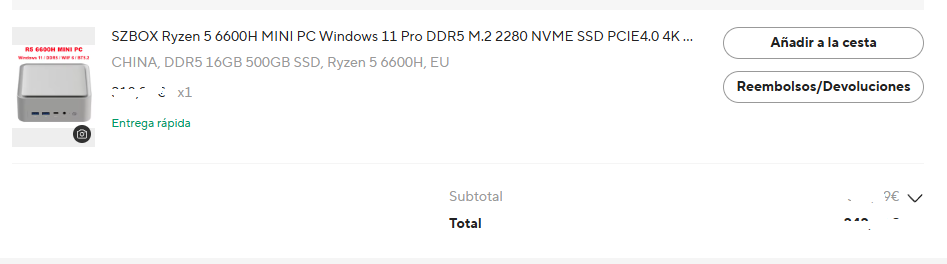
Good evening @SimonHayter, you’ve given me a very good idea, since I have 2 SZBOX Ryzen 5 6600H MINI PC Windows 11 Pro DDR5 M.2 2280 NVME SSD PCIE4.0 4K @ 60Hz HD WIFI6 BT5.2 desktop gaming office computer , DDR5 16GB 500GB SSD, Ryzen 5 6600H, EU
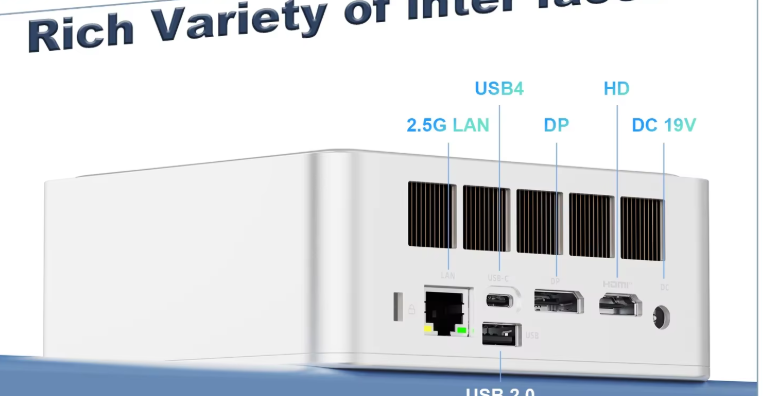
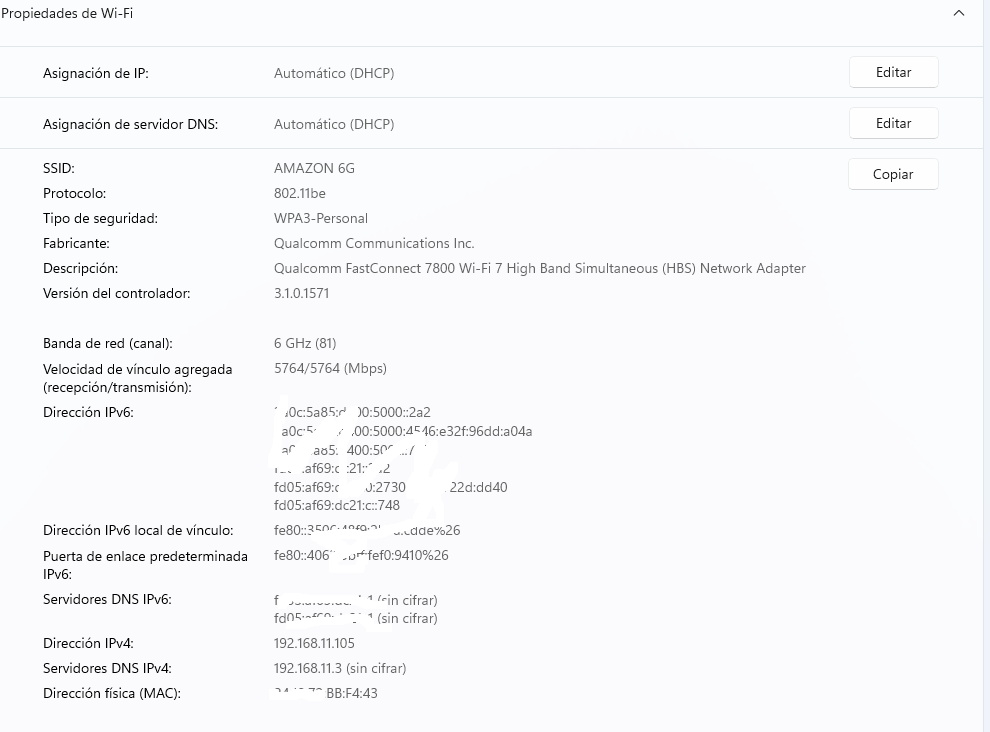
  • additionally I have a spare WiFi 7 card Qualcomm FastConnect 7800 Wi-Fi 7, to replace the WiFi 6 card with the Qualcomm FastConnect 7800 Wi-Fi 7,
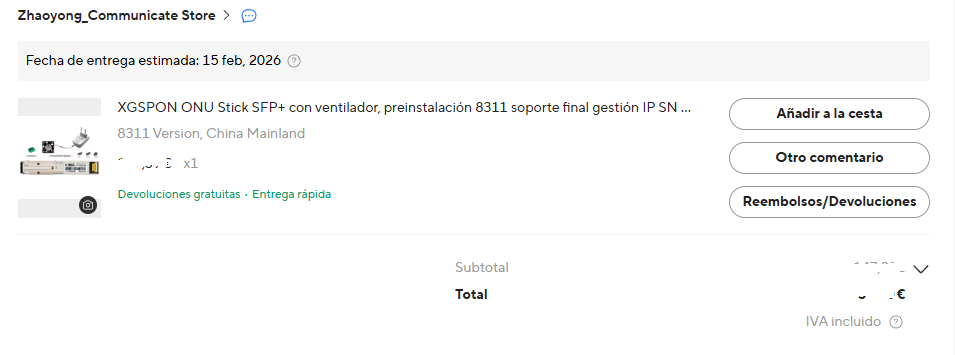
on top of that I also have a spare XGSPON ONU Stick SFP+ with fan, preinstalled 8311 end support IP SN MAC management, 10 Gb/s SC/APC 1270/1577nm SMF SFP ONT, with OpenWrt installed
  • additionally I also have a spare one since I always buy everything in duplicate, this XikeStor 8 port 10G SFP+ L3 managed with fan heat dissipation supporting DHCP/VLAN/port aggregation/link aggregation, also with OpenWrt installed,
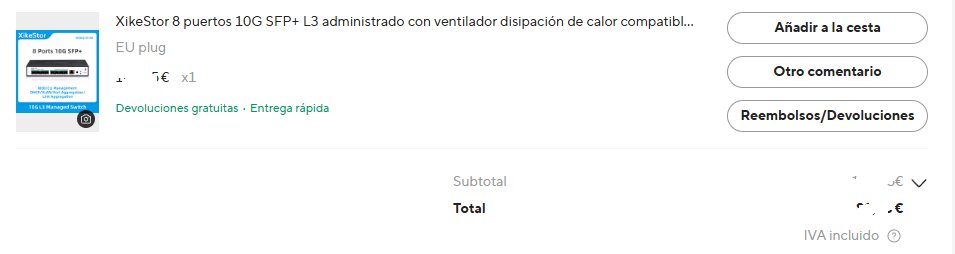
more DAC cable to connect to the 8-port XikeStor

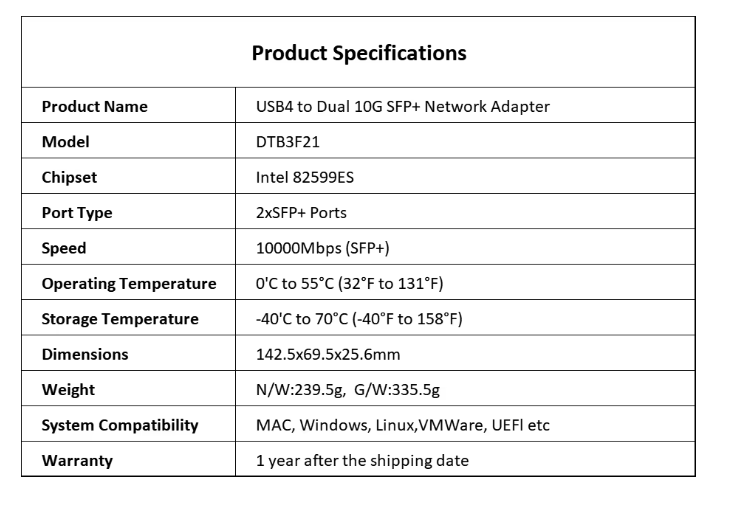
I just need to buy this Dual port 10G SFP+ USB4 Ethernet network Thunderbolt 5/4/3 Compatible with Intel 82599ES Chip 2 port 10GBASE-T fiber optic NIC which now costs me 97 euros,

I’m thinking of building my own router since I’m currently only using it for LibreELEC, and since I have this other spare MLLSE Mini PC M2 Air Intel Gemini Lake N4000 Intel J3710 6GB RAM 128GB ROM dual-band WiFi Bluetooth USB Mini computer on which I would install LibreELEC.
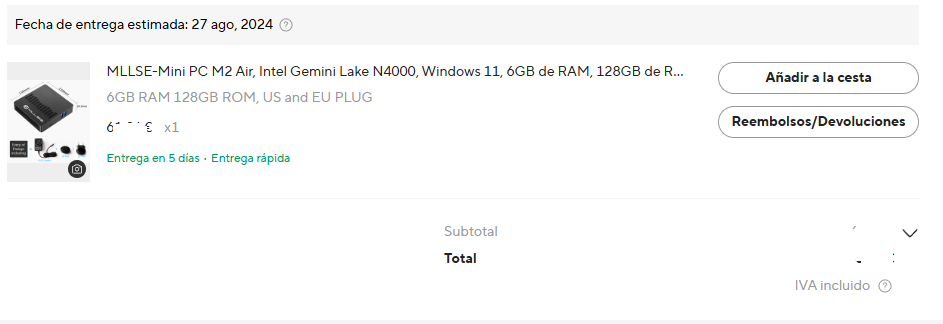
The truth is that I’ll end up with a router much more powerful than any banana (router) they’re releasing on the market now and in the future.

You’ve given me a very good idea.

Thanks, regards

I would take that announcement with a pinched of salt. The SK chair answers to the board and share holders. He is increasing share prices * By telling the world “shortages will last until 2030,” he is effectively telling customers (Apple, Dell, HP, Nvidia) to accept higher prices now. It’s a classic negotiation tactic: “Don’t bother asking for a discount; we don’t even have enough for everyone.”

There is a a few fab factories being built and will open this year but production starts mid to late 2027. Then a few others in 2030, the main issue for the companies is it’s a balancing act, they are all running scared because one BIG mistake could bankrupt them, these factories cost billions and the machines that produce the memory even more, the buildings are littarary built to protect their even more expensive machines. The process is one of the most complicated things on the planet. If the demand drops, that could also cause financial troubles.

The high prices of today are funding the capacity for tomorrow, providing them with record turnovers, and financial safety, it’s going to peak, a what we would call a positive announcement would cause profits to drop, so they are all playing us with all doom and gloom, to protect their own investments. Don’t expect any good news to come from them, the AIis ultimately what will set the demand, the demand aspect is out of their control, and AI doesn’t need to decrease demand to drop memory demand.

AI is poorly memory optimized, they are using AI to optimise memory usage and attempting to get down to 1 bit models, with remaining accurate and without the AI hallucinations that plagues AI from the increasing complexity of chat prompts. When they hit 1 bit the models can reduce as much ram usage as 90% - they know this and don’t expect them to be announcing that kind of stuff.

Truth is, no one truly knows what is going to happen over the next 2 to 4 years from now. AI has made such be leaps over the past year, it’s insane.

Lo dude, for stability I highly recommend you adopt a m.2 NIC solution, I believe your mini pc has two of these slots, it won’t look pretty with the cable hanging out of the machine but it will be fair more reliable than USB. While USB has got more reliable it’s still not as reliable as PCI-E there are many cards you can get but this is one of the cheapest.

Also the fact you plan to use a switch with the soft router is a power play, many people make the mistake of buying these soft routers with 4 to 5 nics all using something like intel 226 V2, not only do these cards have a bad rep, but PCs are awful at switching, keep the soft router for routing, and then internal traffic doesn’t hit the CPU of your soft router

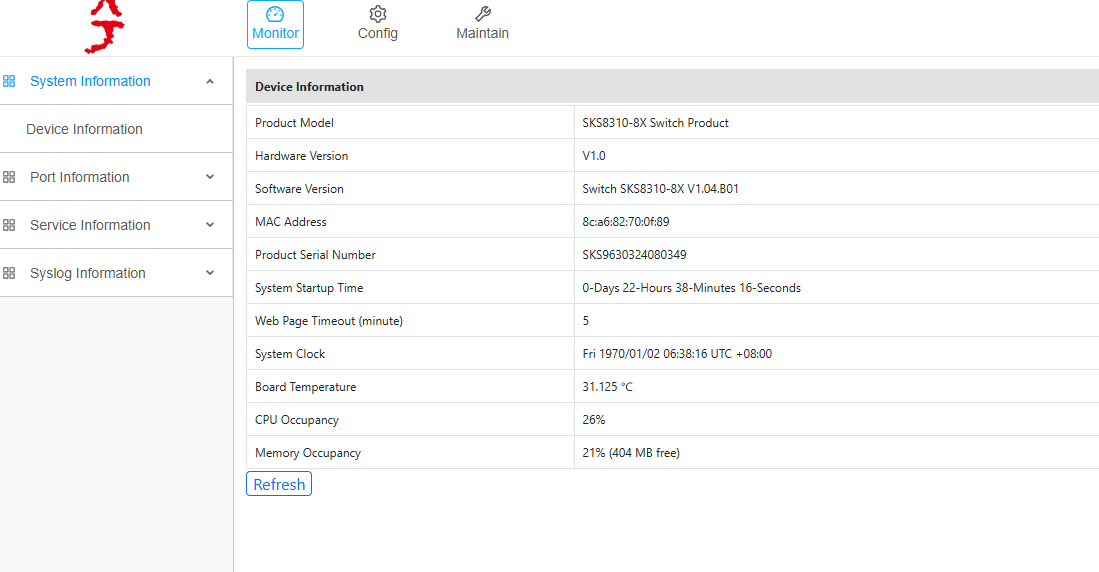
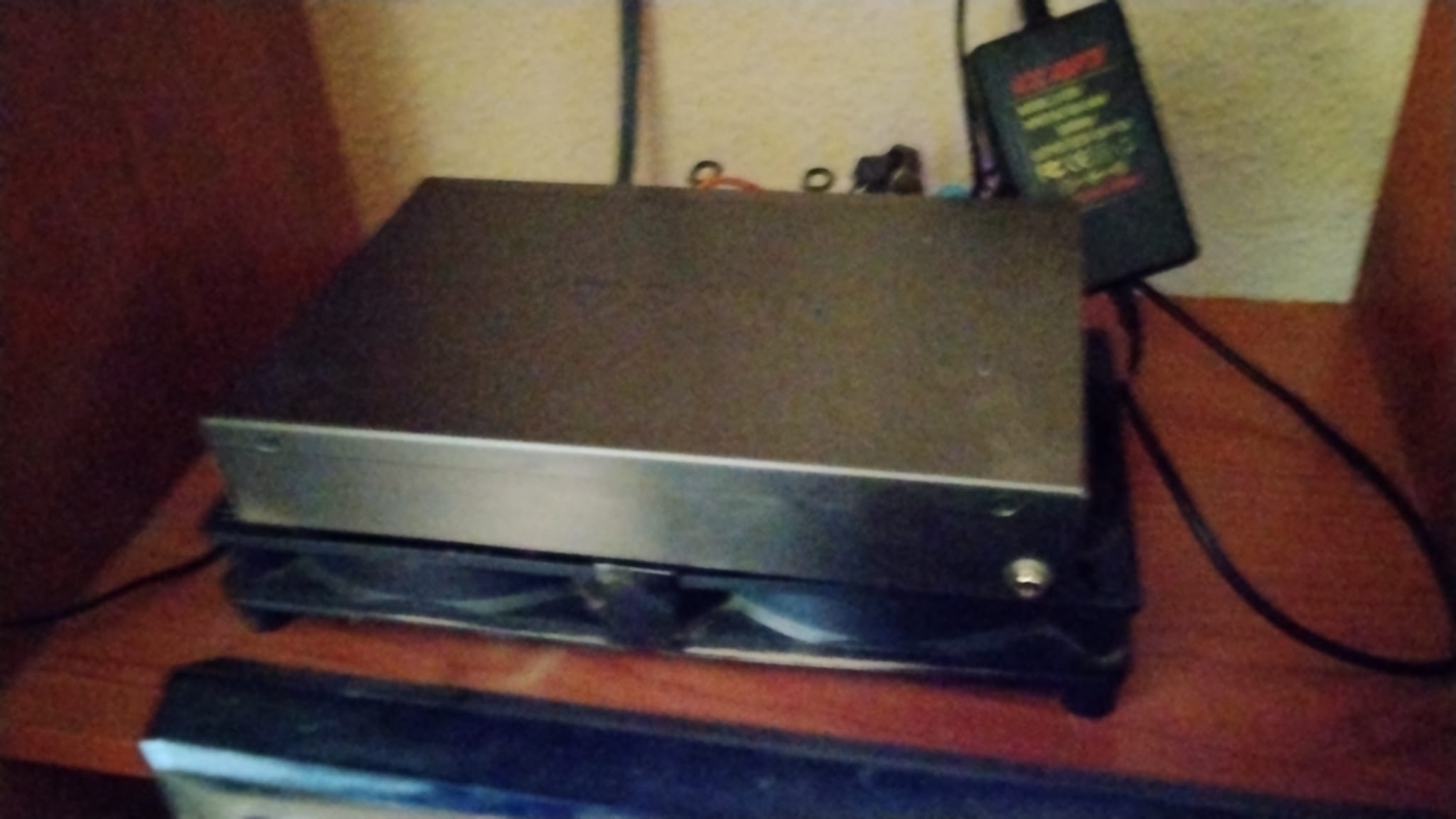
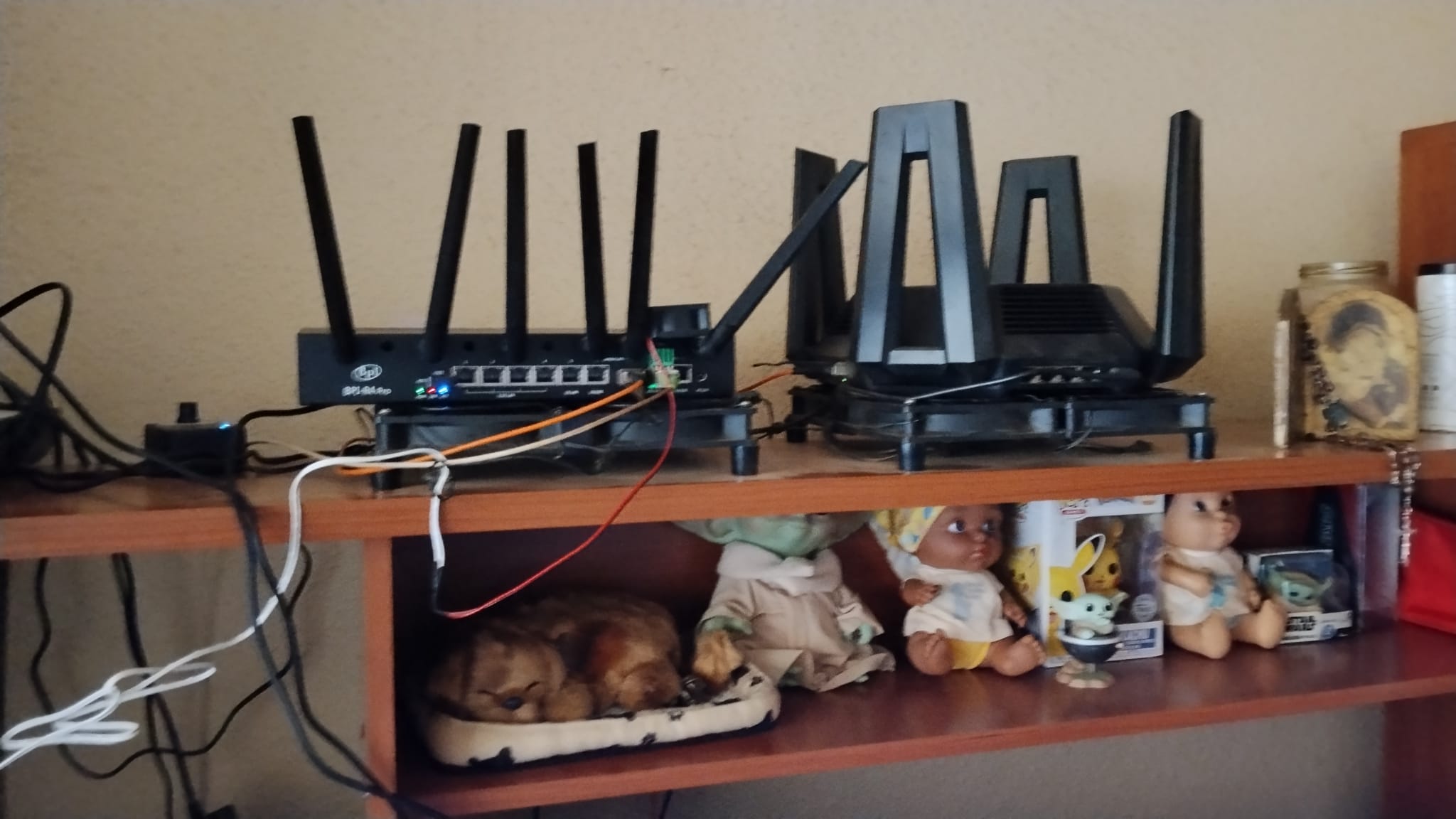
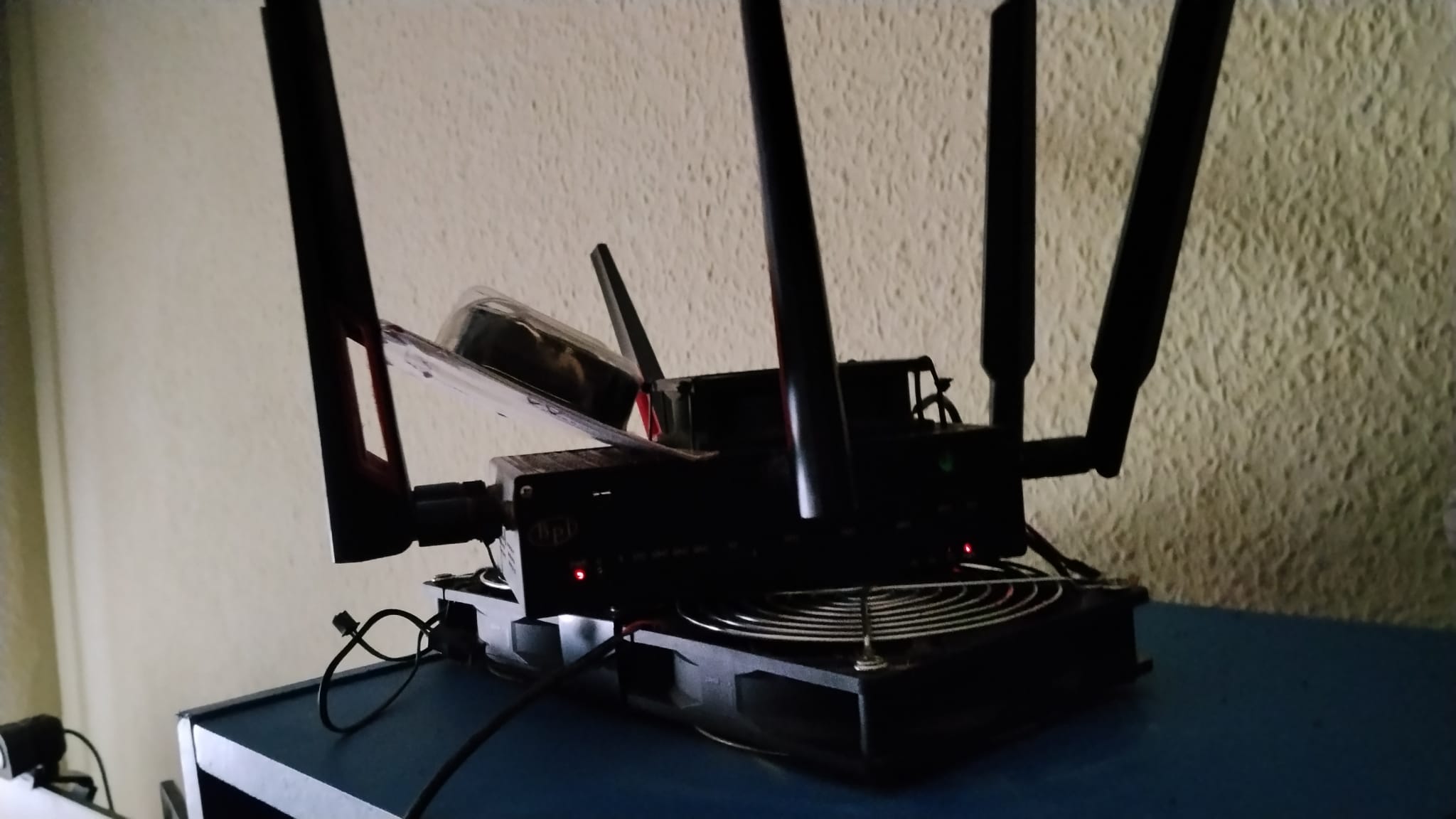
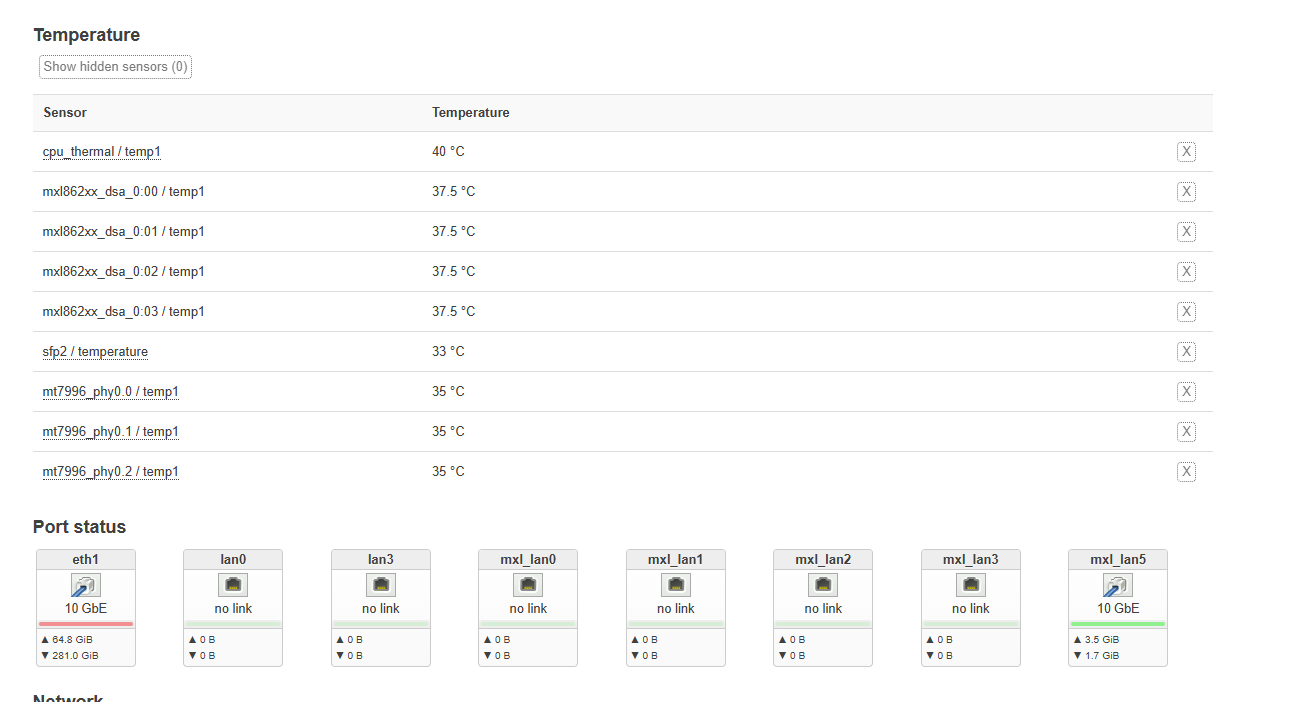
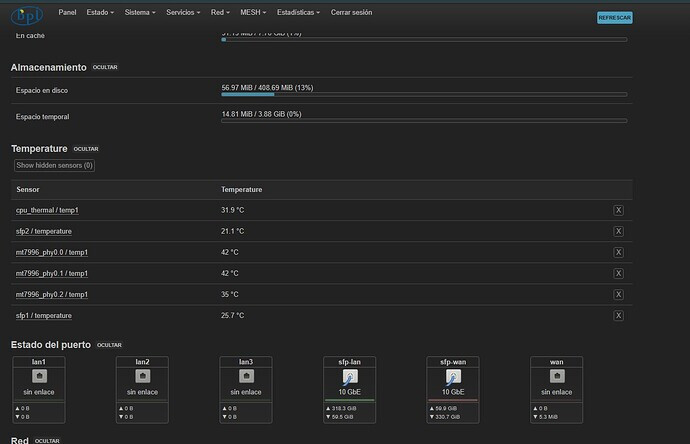
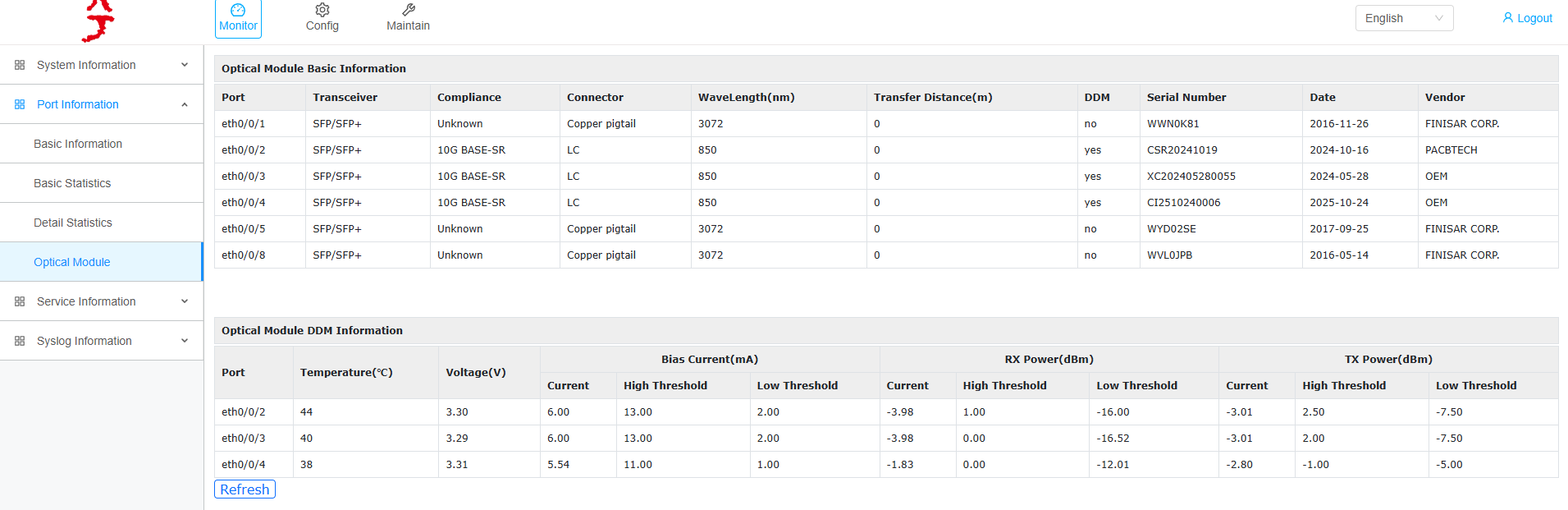
Good morning and thank you for the advice. I currently have a 10Gbps DAC cable connected to the SKS8310-8X Switch, which comes from the Banana plug. This distributes the signal to five computers with 10Gbps cards and one 2.5Gbps card. Besides the internal fan, as shown in the photo, I also use an external fan. I obviously have a double fan underneath. I’ll send you the temperatures. In this case, it’s running the factory firmware; the second one I have has OpenWRT.

All the images I have compiled for all the routers are custom-made by me.

In the Banana Pi forum, in this post, you’ll find the images I’ve created, although the ones I use aren’t the ones listed there since I don’t have 4G/5G modems.

bpi-r4-pro-openwrt-v24-10-0

And for the Banana Pi R4 with 4GB of RAM and the Banana Pi R4 with 8GB of RAM, you can try them if you’re interested in this thread, username bruda.

banana-bpi-r4 4gb de ram - 8gb de ram

SKS8310-8X Switch
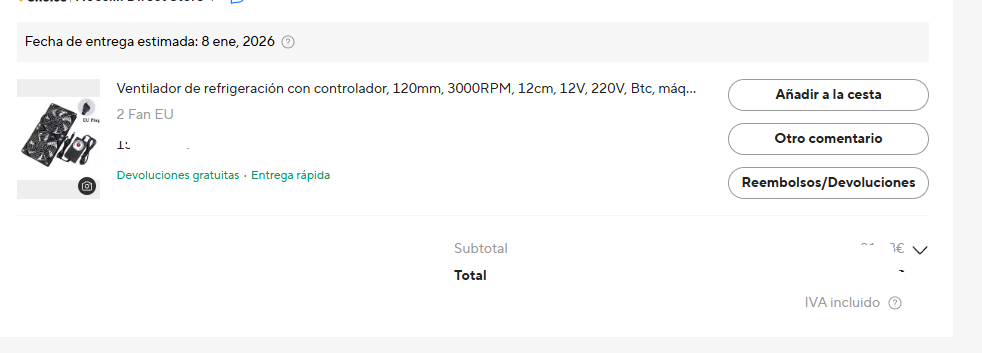
Cooling fan with controller, 120mm, 3000RPM, 12cm, 12V, 220V, BTC, machine, chassis, workstation, cabinet radiator, server fan
Besides the DAC cables, I use an SFP+RJ45 copper SFP module, a 10G RJ45 SFP 2.5G/10G Ethernet SFP 10G/5G/2.5G transceiver, and a 10GBase-T RJ45 transceiver. It is fully 80M compatible with RJ45 to considerably reduce heat on the PC cards.
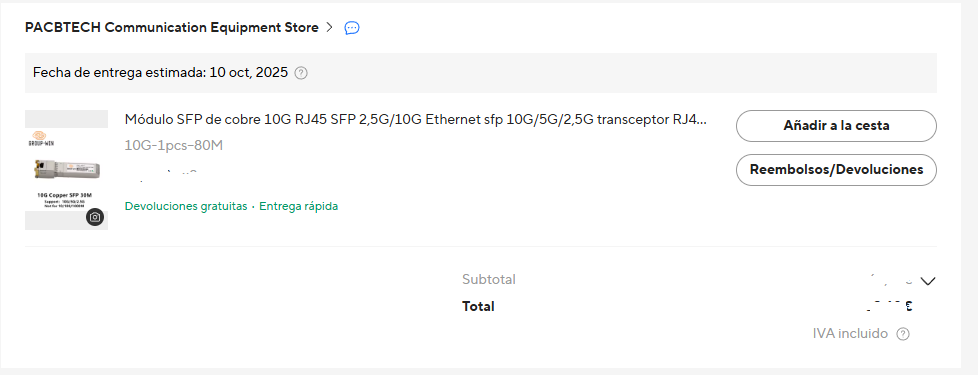
Besides the DAC cables, I use them to send the signal to the rest of the house where my children have either a Banana Pi R4 with 8GB of RAM or a Xiaomi BE10000. I also use a copper SFP module (10G RJ45 SFP 2.5G/10G Ethernet SFP 10G/5G/2.5G transceiver RJ45 10GBase-T compatible with RJ45, fully compatible with 80M) to considerably reduce heat on the PC cards, since, as I mentioned, the DAC cables go directly to secondary routers, which also have a cooling fan with controller (120mm, 3000RPM, 12cm, 12V, 220V, BTC, machine, chassis, workstation, cabinet radiator, server fan) underneath each router.

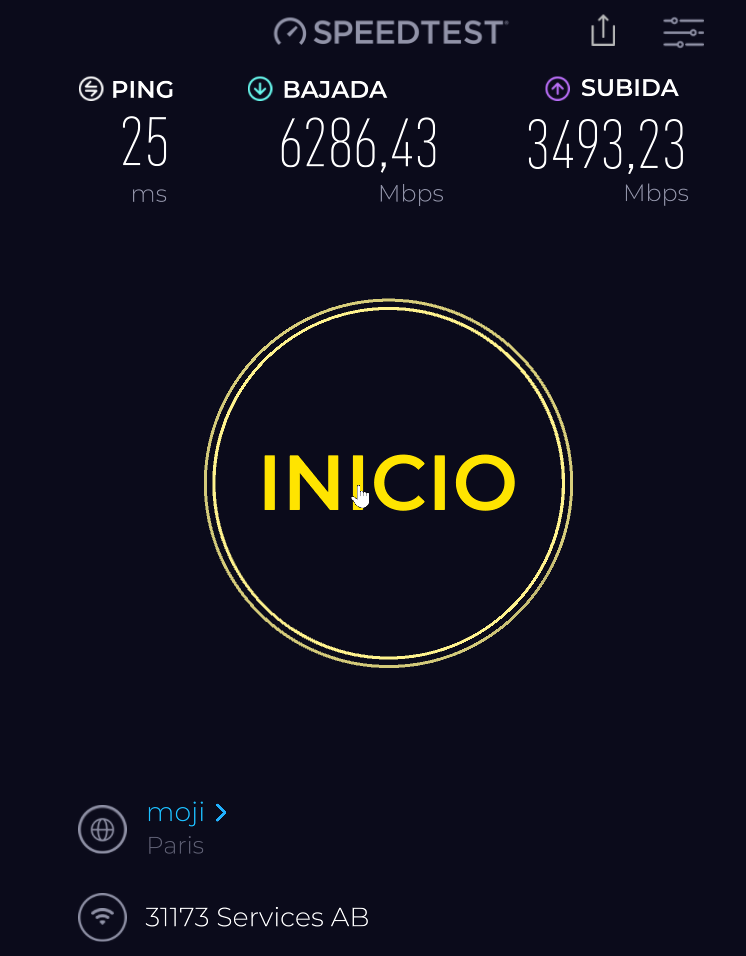
The VPN speeds are as follows: in my country and VPN speeds 1,500 km away. All the PCs I have at home also use DAC cables and either a Banana plug router or a Xiaomi BE10000, so the speeds are the same. VPN speeds in my country
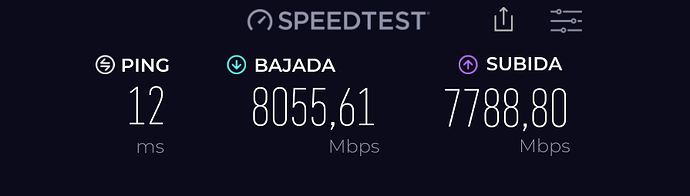
VPN speeds in my country

VPN speeds in my country wifi7 master bedroom
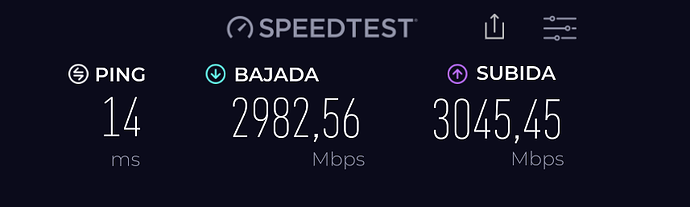
VPN speeds in my country wifi7

vpn speeds 1,500km from my country

Here’s a little bit of how I have things set up.
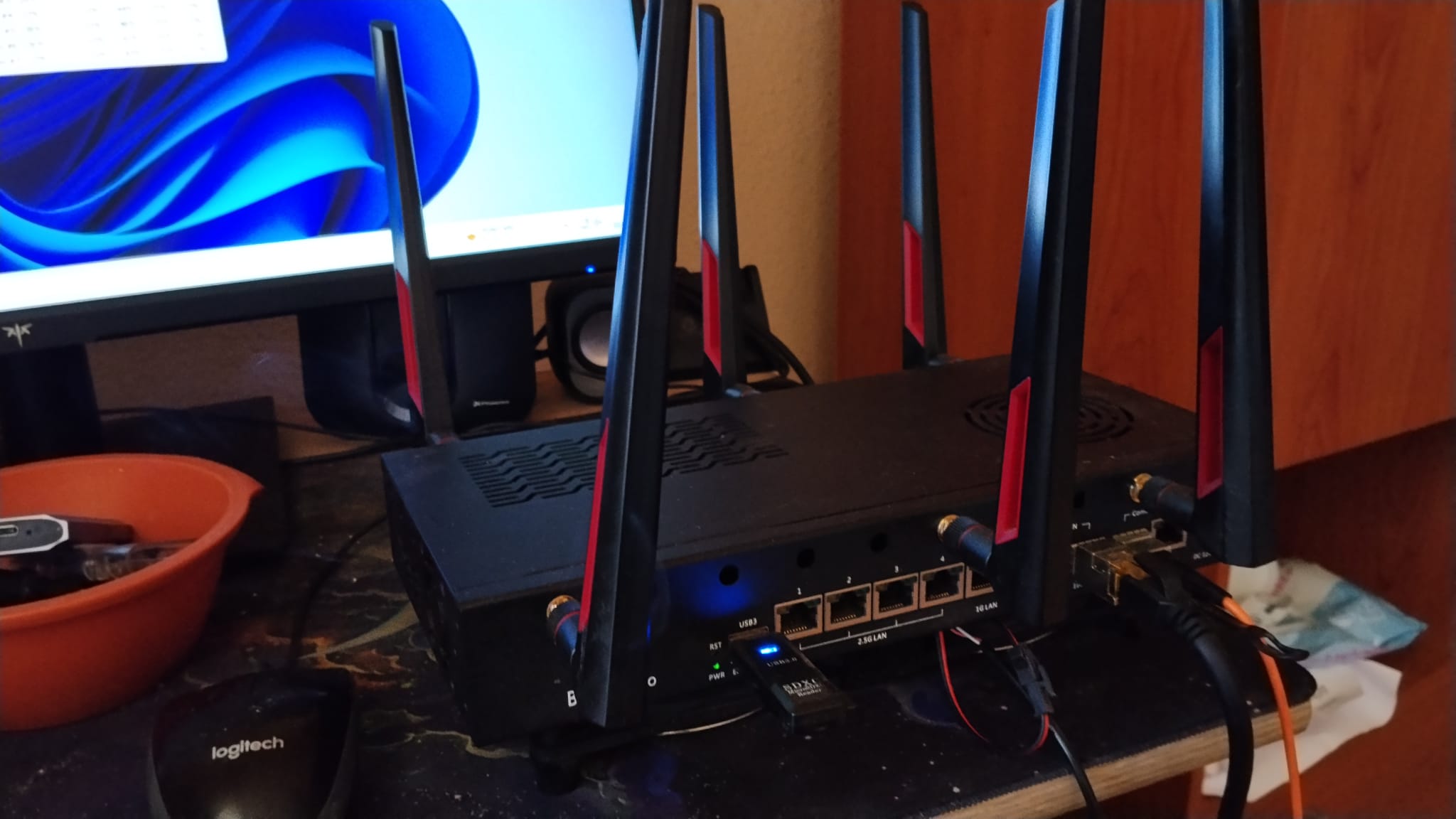
main router temperatures which distributes to the whole house
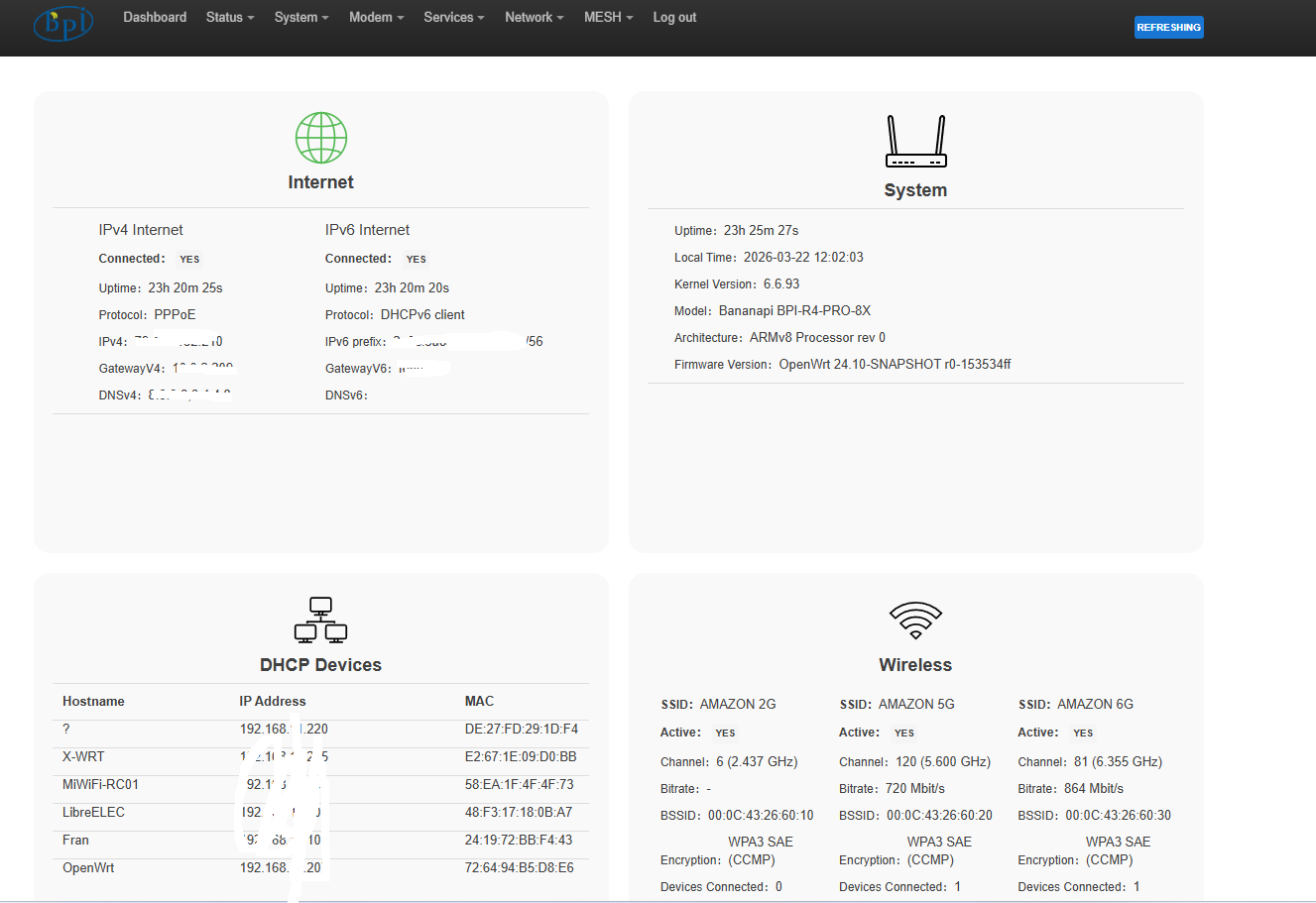
second banana pi pro8x for my personal use temperatures

temperature banana pi r4 8gb ram of my son
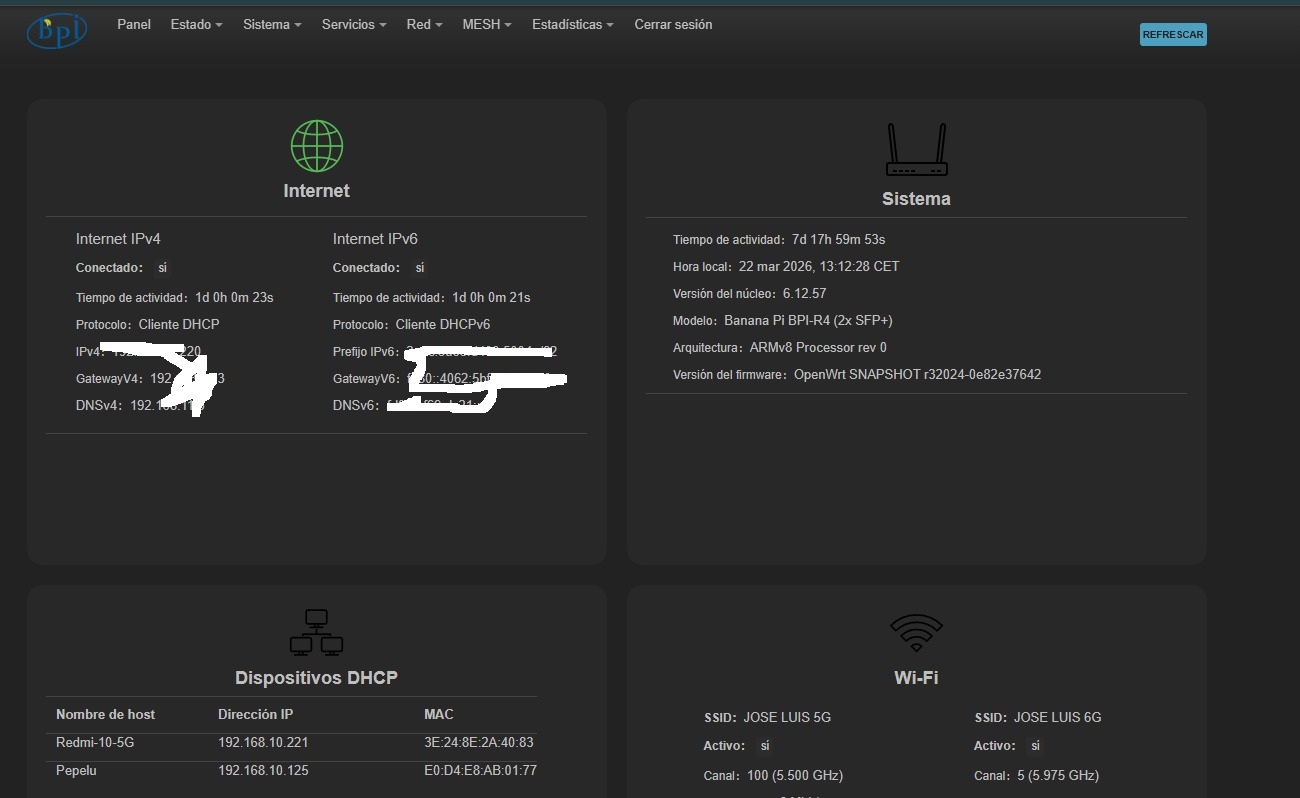
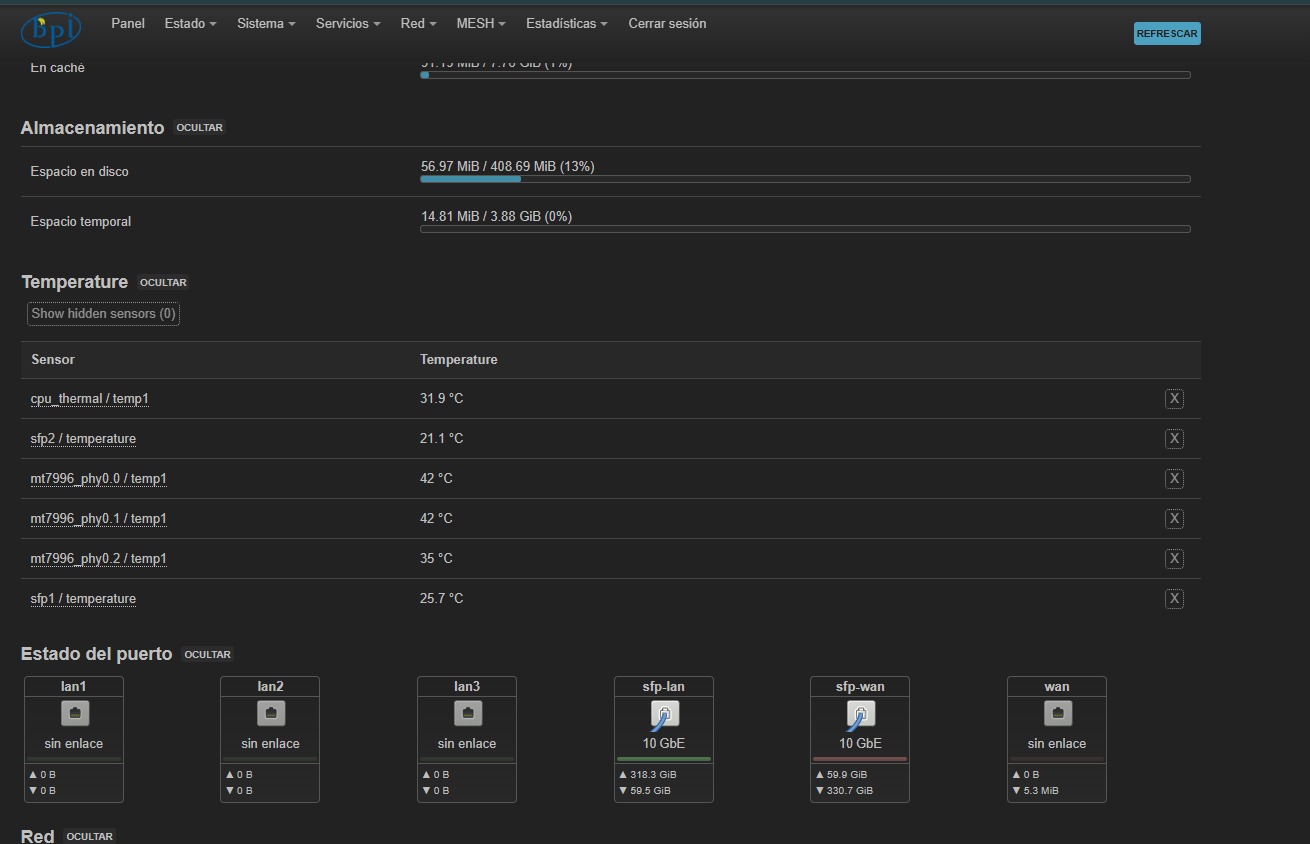
My son’s latest router is a BE10000. He’s in a mesh setup with another BE10000, since the DAC cable arrived broken and I’m waiting for a replacement.
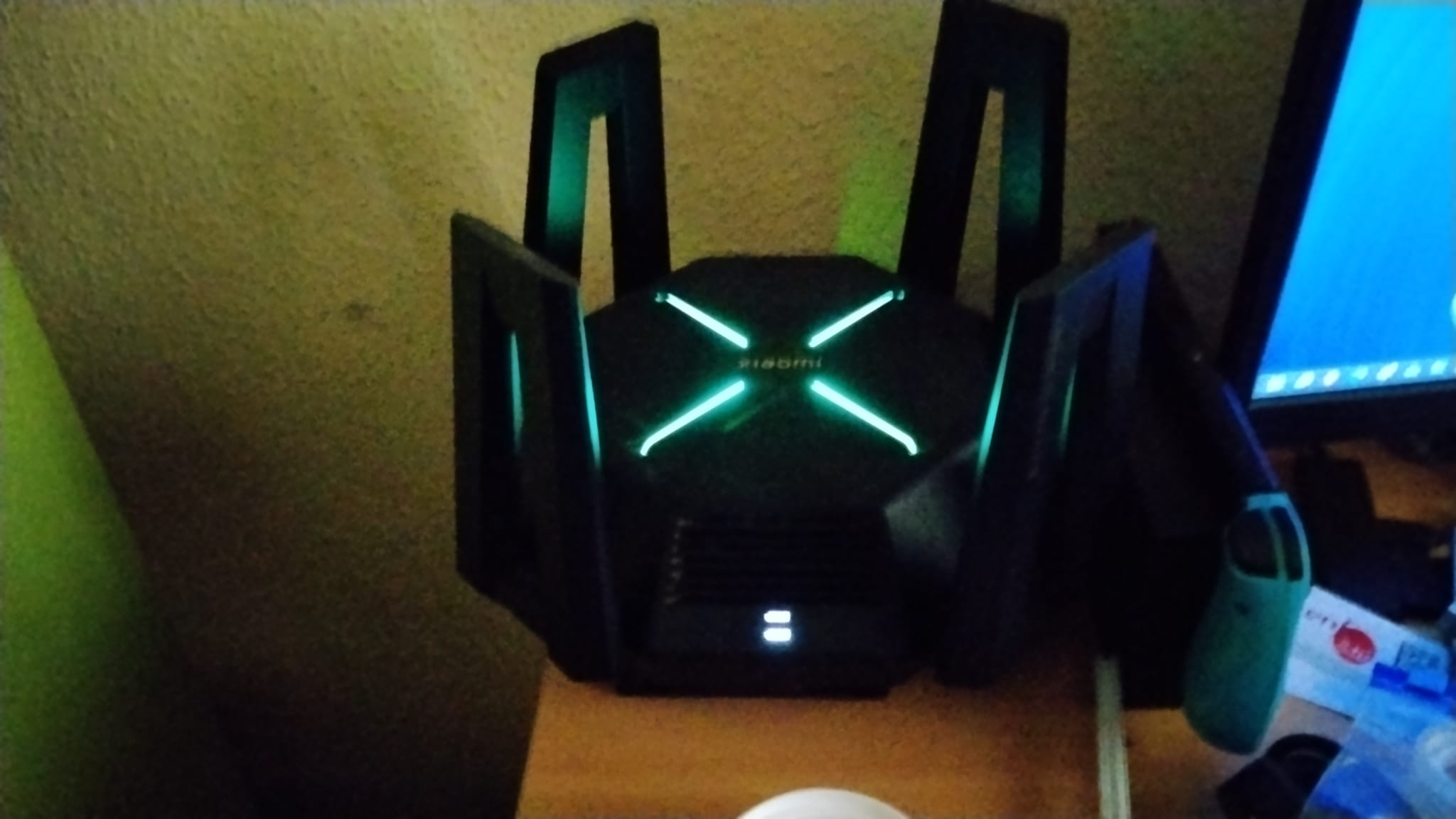
But thank you for your advice.